
TL;DR

Get business pricing on tech for your team
- Business-only prices and quantity discounts
- Tax-exempt purchasing
- Multiple users, one account, clear invoices
Building your own AI workstation used to be cheaper, but in 2026, prebuilt systems often match or beat DIY prices thanks to supply chain shifts. The decision now hinges on time, control, and confidence in managing hardware and thermal tuning.
Imagine opening a box and having a ready-to-run AI powerhouse. No fuss, no guesswork. That’s what a prebuilt AI workstation offers—speed and certainty. But building your own? That’s about control, customization, and learning the ins and outs of your hardware.
In 2026, the game has shifted. The old wisdom—build cheap, buy fast—no longer applies straightforwardly. Now, the choice hinges on more than just price. It’s about how much time you want to spend, how much control you crave, and what risks you’re willing to accept. This guide breaks down the realities of building vs. buying an AI workstation—so you can make an informed call that matches your needs.
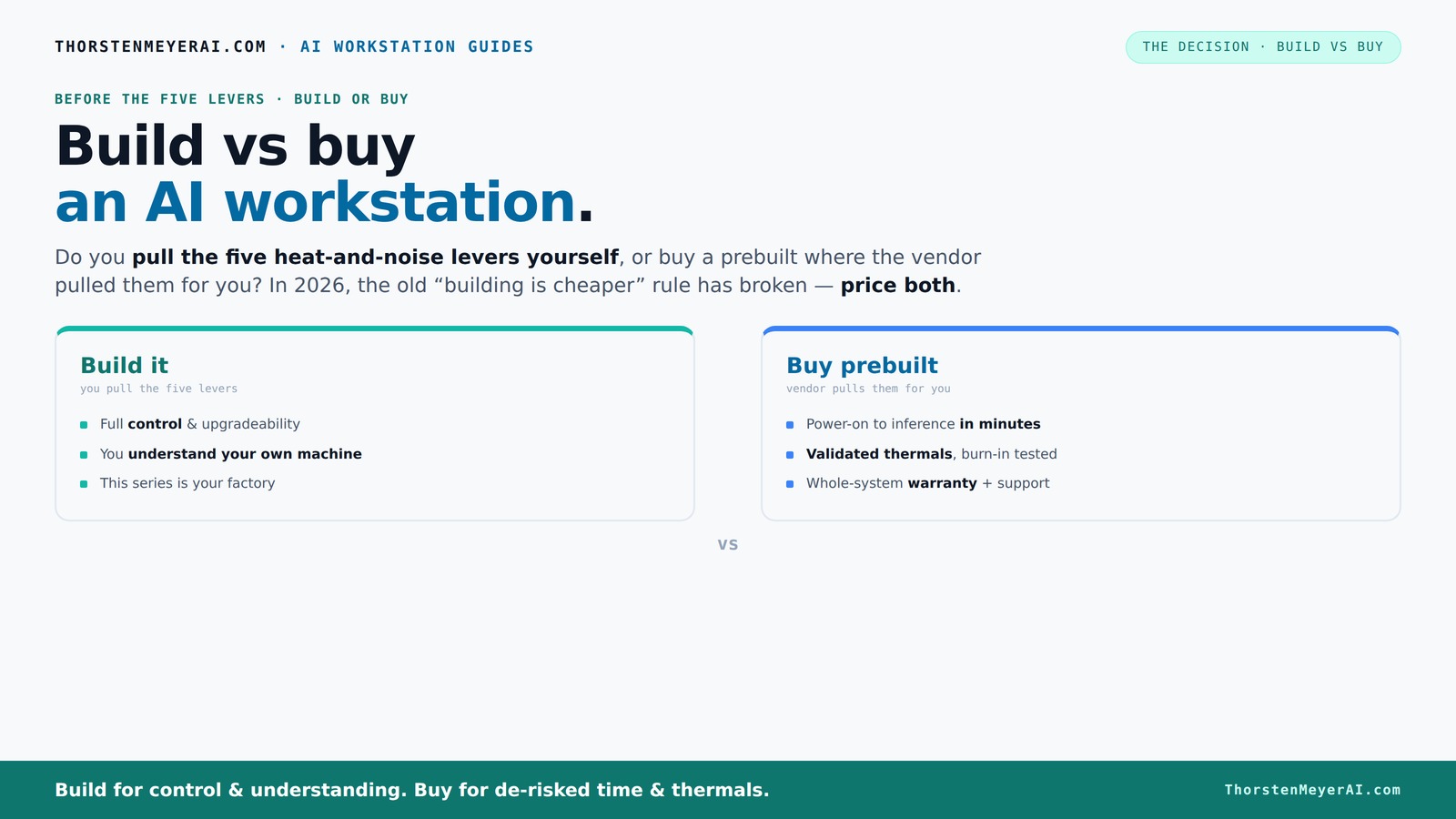
Build vs buy
an AI workstation.
The real question behind this whole series: do you pull the five heat-and-noise levers yourself, or buy a prebuilt where the vendor pulled them for you? And in 2026, the old “building is cheaper” rule has broken. Match your situation in Part 3.
Why Building Your Own AI Workstation Is Not Always Cheaper Anymore
Building a custom AI workstation used to be the clear winner on cost. You sourced parts, assembled, and saved hundreds. But in 2026, supply chain chaos and component shortages have flipped the script. GPUs, RAM, SSDs—prices for these essential parts have surged by 20-30% over the past two years Build vs Buy a Prebuilt AI Workstation.
For example, a GPU that used to cost $800 now runs upward of $1,200. DDR5 RAM modules are no longer a bargain, and high-capacity SSDs have doubled in price. Meanwhile, prebuilt vendors often buy in bulk, locking in lower prices and passing savings to you—sometimes better than piecing it all together yourself.
So, the old rule—building is always cheaper—no longer holds. You need to compare prices for your specific setup, factoring in the latest market shifts. Sometimes, the prebuilt system, validated and ready to go, actually costs less than building from scratch today.
Beyond costs, the implications are significant. The rising prices mean that DIY builders face diminishing returns, and the time investment becomes harder to justify when the price gap narrows or reverses. It also encourages a reevaluation of whether the control and customization benefits outweigh the potential cost savings, especially when considering the risks of compatibility issues and the time spent troubleshooting. Essentially, the tradeoff has shifted: Build vs Buy a Prebuilt AI Workstation—so you can make an informed decision.
As an affiliate, we earn on qualifying purchases.
Who Gains the Most from Buying a Prebuilt AI Workstation?
If you want to get up and running fast, a prebuilt system is a no-brainer. It arrives ready with the OS, drivers, and AI stack (like CUDA and TensorFlow) already installed. You power it on, and you're training or deploying in minutes. For professionals with tight schedules, this prebuilt AI workstation saves valuable time.
Plus, reputable vendors perform extensive thermal validation—running the system under load for 24-48 hours to prevent throttling. They tune fans, optimize airflow, and often include water-cooling options, ensuring the machine runs cool and quiet. This reduces the risk of overheating or hardware failure during long training runs.
Multi-GPU setups are especially tricky to manage—power delivery, cooling, and noise levels are complex. Vendors like Lambda or Puget Systems have already cracked that code, saving you from hours of trial and error.
Choosing a prebuilt system benefits those who prioritize reliability and speed. For instance, researchers or companies that need immediate results will find the reduced setup time and vendor support critical. The extensive thermal validation and pre-installed software minimize the risk of hardware failures during intensive workloads, which can be costly and time-consuming to troubleshoot if you build yourself. Moreover, prebuilt systems often come with warranties and dedicated support, which can be invaluable when managing complex hardware configurations or troubleshooting issues under tight deadlines.
What Are the Real Risks and Hidden Costs of Building Your Own?
Building your own AI workstation isn’t just about saving money. It’s about the time, effort, and expertise involved. You’ll spend hours sourcing compatible parts, troubleshooting BIOS issues, and tuning thermal settings. And if something goes wrong, diagnosing problems can turn into a full-time job. For more insights, visit Good Sidekick.
Hidden costs include warranty gaps, troubleshooting time, and the potential for thermal throttling if you don’t optimize airflow properly. You might also face compatibility issues—like a CPU that’s incompatible with your motherboard or a GPU that won’t fit your case.
More importantly, these risks can lead to increased downtime and unexpected expenses. For example, a misjudged power supply wattage can cause system instability, or a poorly ventilated case can lead to overheating, reducing hardware lifespan and performance. The tradeoff here is the potential for significant setbacks—time lost, hardware damage, or even voided warranties—if you’re not experienced. This hidden complexity can turn a cost-saving DIY project into a costly and frustrating experience, especially if you rely on the system for critical workloads. The key is understanding that these hidden costs and risks can outweigh the initial savings unless you have the skills and time to manage them effectively.
Performance and Upgradability: Which Approach Wins?
Performance depends on your chosen components—GPU VRAM, CPU speed, RAM capacity, and cooling efficiency. Building gives you control here. You pick the latest, fastest parts tailored to your workload. To explore options, check out AI news and tools.
However, prebuilt systems often come with validated configurations optimized for heat and noise. They’re designed to handle sustained loads without throttling.
Upgradability is another factor. Building your own allows you to swap out GPUs, add more RAM, or upgrade storage easily. Prebuilts may limit your options or require costly upgrades to keep pace with larger models or more complex workflows.
For example, a DIY with a high-end RTX 4090 and 128GB RAM can evolve as AI models grow. But a prebuilt might only support up to two GPUs, which could limit future expansion. This means that, depending on your long-term plans, building might be more cost-effective in the long run if you anticipate significant hardware upgrades. Conversely, prebuilt systems may be more reliable in terms of thermal management and performance consistency, especially if you lack the expertise to optimize custom builds. The tradeoff involves balancing immediate performance control against future upgrade flexibility and the assurance of validated, optimized configurations.
When Should You Opt for a prebuilt AI workstation?
If you value plug-and-play simplicity, a prebuilt is your best bet. It’s ideal if you need a system fast, want validated thermals, and prefer vendor support for troubleshooting. For example, a researcher needing to start training models next week will find a prebuilt system a time-saver.
It’s also perfect if your workload involves multi-GPU setups or high-end cooling—where customizing thermal solutions is complex and risky. The vendor’s validation and warranty reduce downtime and repair costs.
Finally, if you’re a small business or a creator who can’t afford extended downtime, the support and stability of a prebuilt system justify the premium cost. The reliability and vendor support can significantly reduce the risk of hardware failure and prolonged outages, which is especially critical for time-sensitive projects or production environments. Additionally, the pre-validated thermal solutions and comprehensive warranties minimize unexpected costs and technical headaches, allowing you to focus on your core work rather than hardware troubleshooting.
When Does Building Your Own System Make the Most Sense?
If you enjoy hardware tinkering, building your own AI workstation offers unmatched control. Hobbyists, students, or researchers on tight budgets can customize for specific workloads—like optimizing airflow in a small case or undervolting GPUs for quieter operation.
Plus, if you’re working on proprietary projects where hardware control and data security matter, building allows you to avoid vendor lock-in and maintain strict governance. This flexibility can be crucial when dealing with sensitive data or specialized hardware requirements that prebuilt systems might not support or validate properly.
For example, a university lab might prefer a DIY build to integrate custom cooling solutions or specific hardware configurations for experimental models. The ability to tailor every component ensures the system aligns precisely with research needs, security policies, and budget constraints. However, this approach demands a higher level of technical skill and ongoing maintenance, which can be a barrier for those seeking a more straightforward deployment.
Hybrid Approaches: The Best of Both Worlds
More organizations now combine prebuilt and custom elements. Buy a validated base system—like a BIZON or Lambda—then upgrade storage, add RAM, or tweak software stacks. This hybrid approach offers speed, reliability, and customization.
For instance, a startup might purchase a prebuilt system with high-end GPUs, then add specialized storage or software tuning for their unique AI pipeline. This method allows for rapid deployment while maintaining the flexibility to adapt hardware to specific needs, avoiding the full complexity of a custom build from scratch.
This strategy reduces setup time, minimizes risks associated with hardware compatibility, and offers room for future upgrades as your AI workloads grow. It provides a balanced solution—leveraging the stability and validation of prebuilt systems with the customization potential of DIY modifications, making it an attractive choice for evolving projects.
Key Takeaways for Your AI Workstation Decision
- Component prices are higher in 2026: bulk buying often beats DIY prices for GPU, RAM, and SSDs.
- Prebuilts save time and reduce risk: validated, tested, and supported systems get you to productivity faster.
- DIY offers control and upgradeability: ideal for hobbyists or tight-budget researchers willing to tinker.
- Support and warranty matter: prebuilt vendors handle troubleshooting, while DIY requires self-reliance.
- Hybrid options are growing: combining both approaches can optimize cost, control, and speed.
Frequently Asked Questions
Is a prebuilt AI workstation worth it?
Yes, especially if you need a system quickly, want validated thermals, and prefer support. It reduces setup time and troubleshooting, letting you focus on your work instead of hardware headaches.
How much more expensive is a prebuilt compared to building my own?
It varies, but recent market shifts mean prebuilt systems often match or beat DIY prices, especially for high-end, multi-GPU setups. Always compare specific configurations before deciding.
Can I upgrade a prebuilt AI workstation later?
Generally yes, but options depend on the design. Many prebuilt systems support upgrades like adding RAM or storage, but GPU upgrades can be limited by the motherboard or case size.
Which GPUs should I look for in an AI workstation?
High VRAM GPUs like the RTX 4090 or A100 are top choices. The right GPU depends on your workload—training or inference, single or multiple models—and your budget.
When does building make more sense than buying?
If you value control, customization, or have specific hardware needs, building is better. Also, if you want to learn the ins and outs of your system or work on proprietary projects, DIY offers more security and flexibility.
Conclusion
The decision to build or buy your AI workstation hinges on your priorities. Want quick deployment and peace of mind? A prebuilt is your best move. Crave control, customization, and cost savings? Building offers a rewarding challenge—if you’re willing to put in the effort.
In 2026, the smart choice isn’t just about price—it’s about matching your workload, skills, and risk tolerance. The right machine is the one that gets you to your goals fastest, with the least hassle, and the confidence to scale.
Halloween Picks
halloween
As an affiliate, we earn on qualifying purchases.