
📊 Full opportunity report: Revolutionize Data Presentation With AI And Sheets Canvas on ThorstenMeyerAI.com — validation score, market gap, and execution plan.

Get business pricing on tech for your team
- Business-only prices and quantity discounts
- Tax-exempt purchasing
- Multiple users, one account, clear invoices
TL;DR
Google has announced Sheets Canvas, a new Gemini-powered feature that transforms spreadsheet data into interactive visual tools using natural language. Available to select subscribers, it aims to simplify data presentation without coding. The rollout is ongoing, with broader access expected soon.
Google has announced Sheets Canvas, a new Gemini-powered feature that converts spreadsheet data into interactive dashboards, trackers, and visual planning tools through natural-language prompts. The feature is now being rolled out globally to select Google AI Pro and Ultra subscribers, with plans to expand access to Workspace and education customers. This development aims to simplify data presentation and reduce reliance on manual dashboard creation.
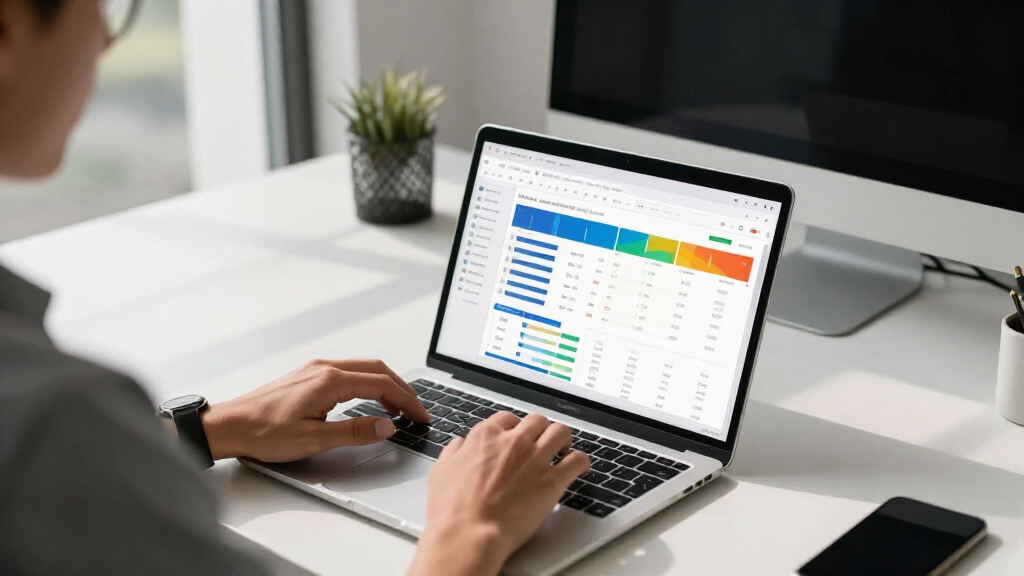
Sheets Canvas operates as a read-write visual layer over existing spreadsheet data, allowing users to ask Gemini to create custom interfaces such as study trackers, sports dashboards, or seating charts without writing formulas or code. Learn more about how this tool can bring your spreadsheet data to life. The generated canvas appears as a tab within Google Sheets and is designed to sync in real time with the underlying data, enabling seamless updates and edits. Users can also send follow-up prompts to modify the layout, appearance, or functionality of the canvas, which remains integrated within the spreadsheet’s sharing and collaboration model.
Google emphasizes that the feature is accessible via a side panel called “Ask Gemini,” and that eligible users can create a canvas by selecting the option within their sheets. For a detailed overview, see the original analysis. The rollout is phased, starting August 13, for Workspace customers on Business, Enterprise Standard, and Plus plans, as well as for Google AI Pro subscribers and Google AI Pro for Education add-on users. Google has not yet specified technical limits, dataset size constraints, or detailed performance metrics, and the effectiveness of the tool across complex datasets remains to be tested.
Potential Impact on Data Visualization and Collaboration
Sheets Canvas could significantly lower technical barriers for creating purpose-built data interfaces, making advanced visualization accessible to users without coding skills. By keeping dashboards within the familiar Google Sheets environment, it preserves existing collaboration workflows, potentially transforming how households, students, and businesses manage and interpret data. However, the actual reliability and scalability of the feature across diverse datasets are still to be confirmed as the rollout continues.
interactive dashboard software for spreadsheets
As an affiliate, we earn on qualifying purchases.
As an affiliate, we earn on qualifying purchases.
Google’s Expansion of Gemini AI in Workspace Tools
Google has been progressively integrating Gemini AI across its Workspace suite, including features for generating, organizing, and interpreting spreadsheet content. Sheets Canvas extends this trend by enabling users to ask the AI to create interactive layers over data, moving beyond cell-level assistance to interface design. Prior examples focus on planning tasks like project management and sports analytics, but the new feature aims to generalize this capability for broader data visualization needs. The rollout follows Google’s recent push to embed AI more deeply into productivity tools, with the goal of making data management more intuitive and collaborative.
“Sheets Canvas is designed to turn your spreadsheet data into interactive, visual interfaces through simple prompts, without the need for coding.”
— Google spokesperson
Unconfirmed Performance and Broader Language Support
It is not yet clear how reliably Sheets Canvas will handle complex formulas, permissions, or large datasets in practice. The technical limits, speed, and accuracy of the generated interfaces remain unverified, especially outside initial testing environments. Additionally, language support beyond English has not been announced, and wider availability may depend on further development and testing phases.
Next Steps in Deployment and Performance Evaluation
Google is expected to expand access gradually, providing more detailed technical documentation and performance benchmarks. As the rollout progresses, users will be able to test the feature’s reliability across diverse datasets and collaborative scenarios. Further updates may include support for additional languages, refined controls, and performance enhancements based on user feedback.
Key Questions
What is Sheets Canvas?
Sheets Canvas is a Gemini-powered feature in Google Sheets that allows users to create interactive dashboards and visual tools from spreadsheet data using natural-language prompts, without coding.
Do I need to know how to code to use Sheets Canvas?
No, Google states that no coding or formulas are required. Users describe what they want in a prompt, and Gemini generates the interface accordingly.
Will changes in the canvas update the spreadsheet automatically?
Yes, Google claims that edits made in the canvas and directly in the sheet are synchronized in real time, maintaining consistency between the interface and underlying data.
Who can access Sheets Canvas?
Initially, the feature is available globally in English to Google AI Pro and Ultra subscribers. A phased rollout is also beginning for Workspace customers on Business, Enterprise Standard, and Plus plans, as well as Google AI Pro for Education users.
Are there any limitations or known issues?
Google has not yet published detailed technical limits or performance benchmarks. The effectiveness across complex or large datasets remains to be tested as the rollout continues.
Source: ThorstenMeyerAI.com
Evergreen bestsellers Picks
bestsellers
As an affiliate, we earn on qualifying purchases.