

AI email automation has quietly become one of the highest-leverage upgrades a business can make, but almost nobody buys the right learning material on the first try. Some people need a gentle on-ramp that explains no-code tools in plain language; others want plug-and-play automation blueprints they can copy the same afternoon; and a third group cares mostly about marketing emails that convert, not internal workflows. After comparing the five most relevant books on the subject, two picks rose to the top: AI Automation Made Simple for Small Business for its structured, beginner-friendly 30-day path, and n8n AI Agents for Small Business for the sheer practical value of thirty ready-to-build automations. The main tradeoff running through this entire category is breadth versus depth: books that cover email alongside a dozen other business tasks get you started faster, while narrower titles go further into one platform or one outcome, like deliverability or Outlook-specific automation. My goal here is to make that tradeoff visible so you spend money on the book that matches how you actually work.

Get business pricing on tech for your team
- Business-only prices and quantity discounts
- Tax-exempt purchasing
- Multiple users, one account, clear invoices
Key Takeaways
- The 30-Day No-Code Guide is my top overall pick because it turns AI email automation from an idea into a working system without requiring any coding background.
- The n8n AI Agents for Small Business book is the best value for owners who want ready-to-deploy automations across email, CRM, and lead capture rather than theory.
- The AI-Powered Email Marketing Specialist is the only pick centered on marketing outcomes: conversion copy and deliverability, not internal workflow plumbing.
- Microsoft Outlook with Copilot is the strongest choice if your automation world lives inside one email client and you want visual, step-by-step instruction.
- The n8n AI Automation Projects book is the most technically ambitious option, best suited to readers who want to build agents rather than configure templates.
| AI Automation Made Simple for Small Business: A 30-Day Beginner’s Guide to No-Code Workflows | 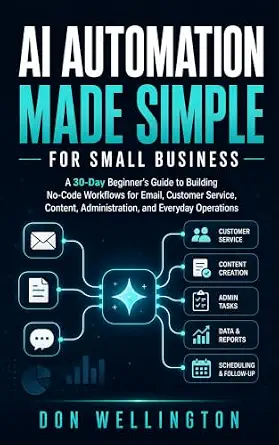 | Best Overall | Format: Beginner’s guide | Focus: No-code AI workflows | Program length: 30 days | VIEW LATEST PRICE | See Our Full Breakdown |
| Microsoft Outlook: A Complete Guide to Outlook and Copilot AI |  | Best for Outlook Users | Topics: Email, calendar, tasks, inbox automation | Format details: Step-by-step screenshots and real-world workflows | Timeline: 7 days | VIEW LATEST PRICE | See Our Full Breakdown |
| n8n AI Agents for Small Business: 30 Practical Automations |  | Best Value | Automation count: 30 practical automations | Platform: n8n | Focus areas: Email, CRM, lead capture, reporting, customer support, back-office | VIEW LATEST PRICE | See Our Full Breakdown |
| The AI-Powered Email Marketing Specialist: How to Use ChatGPT, AI Tools, and Smart Automation to Write Emails That Convert and Master Deliverability |  | Best for Email Marketing | Format: Book | Topic: AI-powered email marketing | Core tools: ChatGPT and other AI tools | VIEW LATEST PRICE | See Our Full Breakdown |
| n8n AI Automation Projects: Build 20 Real-World AI Agents and Automated Workflows |  | Best for Builders | Format: Book | Series: Computer Programming Made Easy, Book 22 | Projects: 20 real-world projects | VIEW LATEST PRICE | See Our Full Breakdown |
| AI email automation software | Best use case | Format | Skill level | Platform |
|---|---|---|---|---|
| AI Automation Made Simple for | Small-business workflow automation across departments | Beginner’s guide | Beginner, no coding required | — |
| Microsoft Outlook: A Complete | Personal inbox and calendar productivity | — | Beginner to intermediate | Microsoft Outlook with Copilot AI |
| n8n AI Agents for Small Busine | Deploying multiple connected business automations | Project-based build guide | Intermediate, some tool familiarity helpful | n8n |
| The AI-Powered Email Marketing | Outbound email campaigns that convert | Book | — | — |
| n8n AI Automation Projects: Bu | Learning to design custom AI agent automations | Book | Intermediate to advanced | n8n |
More Details on Our Top Picks
AI Automation Made Simple for Small Business: A 30-Day Beginner’s Guide to No-Code Workflows
This is the pick I would hand to a small-business owner who knows AI email automation matters but has no idea where to start. What separates it from the other books in this lineup is the 30-day structured format: instead of a reference manual you dip into randomly, it operates like a guided program where each day builds on the last. That structure solves the single biggest failure mode in this category, which is buying a book, skimming two chapters, and never implementing anything.
Email is one of five focus areas alongside customer service, content, administration, and everyday operations, which cuts both ways. Compared with The AI-Powered Email Marketing Specialist, which goes deep on email copy and deliverability, this book treats email as one workflow among several, so a reader hoping for advanced segmentation tactics will outgrow it. But for someone whose inbox chaos spills into scheduling, follow-ups, and customer replies, that broader coverage is exactly the point. The no-code emphasis means nothing here requires programming, a deliberate contrast with both n8n titles, which assume more technical willingness even though n8n itself is visual.
The main limitation is visibility: with limited independent feedback and detail available, you are buying on the strength of the concept and structure rather than a proven track record. I still rank it first because it makes the most sense for the largest group of buyers, and because its daily-lesson format produces something rare in this space: finished implementations instead of abandoned bookmarks.
Pros:- Structured 30-day format that builds skills incrementally
- Covers email alongside customer service, content, and admin tasks
- No coding required, keeping the barrier to entry low
- Broader workflow focus helps automate the whole business, not just the inbox
Cons:- Email is one topic among many, so depth is limited compared with dedicated email titles
- Sparse independent feedback makes it harder to verify quality before buying
- May feel slow for readers who already use basic automation tools
Best for: Small-business owners and solopreneurs who want a structured, no-code introduction to AI email and workflow automation
Not ideal for: Experienced marketers who want deep email copywriting and deliverability tactics, or developers who want to build custom agents
- Format:Beginner’s guide
- Focus:No-code AI workflows
- Program length:30 days
- Topics:Email, customer service, content, administration, everyday operations
- Skill level:Beginner, no coding required
- Best use case:Small-business workflow automation across departments
- Structure:Day-by-day guided lessons
Our verdict“The most balanced entry point in this lineup for beginners who want to actually finish what they start.”
Microsoft Outlook: A Complete Guide to Outlook and Copilot AI
Every other book in this roundup teaches automation at the business level; this one teaches it at the inbox level, which is a genuinely different job. If your workday revolves around Outlook, this guide maps Copilot AI directly onto the tasks you already do: writing replies, managing calendars, organizing tasks, and clearing inbox backlog. The step-by-step screenshots are its biggest differentiator. Compared with the n8n project books, which describe workflows you then have to reproduce yourself, this guide shows you exactly what to click, which dramatically lowers frustration for less technical readers.
The 7-day timeline is also worth noting. Where the top pick spreads learning across a month, this compresses it into a single week, which suits someone who wants a fast productivity reset rather than a business transformation project. The inclusion of real-world workflows means the book leans practical rather than exhaustively cataloguing every menu option.
The tradeoff is obvious and significant: everything here is locked to Microsoft’s ecosystem. If your team uses Gmail, a marketing platform, or standalone automation tools, nearly all of it is irrelevant, and even within Outlook you are limited to what Copilot can do. This option makes the most sense for the enormous population of professionals whose email world genuinely is Outlook, and almost nobody else. Still, within that population, it delivers more immediate, screenshot-backed instruction than any other pick here.
Pros:- Step-by-step screenshots make it easy to follow along precisely
- Covers email, calendar, tasks, and inbox automation together
- Fast 7-day learning timeline
- Real-world workflows keep the focus practical
Cons:- Entirely dependent on the Microsoft ecosystem and Copilot availability
- Does not address marketing automation or cross-platform workflows
- Less relevant for anyone not using Outlook daily
Best for: Professionals and office workers who live in Outlook and want Copilot AI to handle email, calendar, and task overload
Not ideal for: Users on Gmail or other platforms, and businesses wanting cross-tool automation beyond Microsoft’s ecosystem
- Topics:Email, calendar, tasks, inbox automation
- Format details:Step-by-step screenshots and real-world workflows
- Timeline:7 days
- Platform:Microsoft Outlook with Copilot AI
- Skill level:Beginner to intermediate
- Learning style:Visual, click-along instruction
- Best use case:Personal inbox and calendar productivity
Our verdict“The clear choice for Outlook-centric professionals, provided you accept its ecosystem lock-in.”
n8n AI Agents for Small Business: 30 Practical Automations
Where most books teach you about AI email automation, this one hands you thirty blueprints and says go build them. That distinction is why I rank it as the best value in the lineup: the ratio of actionable automations to pages read is the highest here, and each one targets a real small-business pain point, including email, CRM, lead capture, reporting, customer support, and back-office work. Compared with the n8n AI Automation Projects book, which offers twenty projects aimed at a more technical builder, this collection is pitched squarely at small-business operators who want results, not programming education.
The email angle is strong in a way the top pick is not. Because the automations span email plus CRM and lead capture, you can wire together sequences that the 30-day beginner guide would treat as separate lessons: capture a lead, log it, and trigger a tailored email, all as one agent. That connected-workflow approach is closer to how real automation pays off than isolated one-off tricks.
Two caveats keep it from first place. It assumes you are willing to learn n8n, which, while visual and no-code-adjacent, still has a steeper learning curve than a guided daily book, and it has the same sparse-feedback problem as several self-published titles in this space. Compared with the Outlook guide, you trade screenshot-level hand-holding for much greater reach across your entire business. For a hands-on owner with limited budget and a tolerance for tinkering, that trade is worth making.
Pros:- Thirty concrete automations rather than abstract concepts
- Covers email, CRM, lead capture, reporting, and customer support together
- Focused on n8n, a flexible and affordable automation platform
- Better suited to small-business outcomes than developer-oriented alternatives
Cons:- Requires learning n8n, which adds setup friction for total beginners
- Limited independent feedback available
- No instruction on email copywriting or deliverability strategy
Best for: Hands-on small-business owners who want ready-to-build automations spanning email, CRM, and lead capture on one platform
Not ideal for: Readers who want zero technical setup or who only need help with a single email client
- Automation count:30 practical automations
- Platform:n8n
- Focus areas:Email, CRM, lead capture, reporting, customer support, back-office
- Audience:Small-business owners and operators
- Skill level:Intermediate, some tool familiarity helpful
- Format:Project-based build guide
- Best use case:Deploying multiple connected business automations
Our verdict“The most immediately actionable pick for owners willing to build their own automations.”
The AI-Powered Email Marketing Specialist: How to Use ChatGPT, AI Tools, and Smart Automation to Write Emails That Convert and Master Deliverability
This is the only book in the lineup that treats email as a marketing channel rather than an operational chore, and that single framing decision changes everything about who should buy it. Its two pillars are conversion copywriting with ChatGPT and related AI tools, and deliverability, the unglamorous science of making sure your emails actually land in the inbox instead of spam folders. No other pick here addresses deliverability at all, which is a genuine gap in the rest of the lineup, because a beautifully automated sequence is worthless if it never gets opened.
Compared with the n8n titles, this book is about what your emails say and how they perform, not how the pipes connect. That makes the two approaches complementary rather than competing: a marketer could reasonably read this for strategy and the 30-automations n8n book for infrastructure. The inclusion of workflow guidance for professionals adds a practical layer that keeps it from being pure copywriting theory.
The limitations are real, though. It is narrow by design, so if your problem is inbox triage, scheduling, or customer-service replies rather than outbound marketing, this is the wrong tool for the job. It also leans on third-party AI tools like ChatGPT, which means techniques can drift as those tools change, whereas platform-agnostic workflow thinking ages better. For anyone whose revenue depends on email campaigns, however, this focus is not a weakness, it is the entire point, and the conversion-plus-deliverability pairing is something I could not find duplicated elsewhere in this comparison.
Pros:- Dedicated focus on conversion-focused email copywriting with AI
- Covers deliverability, a topic no other pick in this lineup addresses
- Includes professional workflow guidance, not just prompt examples
- Tool coverage extends beyond ChatGPT to a broader AI stack
Cons:- Narrow scope excludes operational and internal email automation
- Techniques depend on third-party AI tools that evolve quickly
- Assumes some marketing background rather than starting from zero
Best for: Marketers, freelancers, and business owners who send outbound campaigns and want AI-written copy that converts and actually reaches the inbox
Not ideal for: People looking for internal workflow automation, inbox management, or customer-service email handling
- Format:Book
- Topic:AI-powered email marketing
- Core tools:ChatGPT and other AI tools
- Key subjects:Conversion copywriting, deliverability, smart automation
- Audience:Marketing professionals and campaign owners
- Includes:Workflow guidance for professionals
- Best use case:Outbound email campaigns that convert
Our verdict“The specialist’s choice for anyone judged on email campaign performance rather than inbox efficiency.”
n8n AI Automation Projects: Build 20 Real-World AI Agents and Automated Workflows
This is the most ambitious title in the roundup, and I ranked it last among the five not because it is weak but because it serves the narrowest audience. Part of the Computer Programming Made Easy series, it walks through 20 real-world projects spanning business, marketing, data, email, and productivity, with an emphasis on building AI agents, automated systems that make decisions, rather than simple trigger-and-response workflows. That distinction matters: if you want to graduate from automating tasks to automating judgment, this is the only book here that takes you there.
Compared with n8n AI Agents for Small Business, the sibling title in this comparison, the difference is audience and orientation. The small-business book optimizes for practical outcomes an owner can deploy this week; this one optimizes for capability-building, teaching transferable skills through progressively more sophisticated projects. A reader who finishes this book could design their own automations from scratch, while a reader of the other book has thirty working recipes. Neither approach is wrong, but they attract different people.
The drawbacks follow directly from that ambition. It demands more time, more technical patience, and more willingness to debug than anything else here, and the project-based format means email appears as one domain among five rather than the central concern. Sparse available detail and feedback also make it harder to evaluate before purchase. This pick makes the most sense for technically inclined readers, aspiring automation consultants, or developers who see AI agents as a career skill, and everyone else should probably start higher up this list.
Pros:- Twenty real-world projects across business, marketing, data, email, and productivity
- Teaches AI agent construction, a step beyond basic workflow automation
- Skills transfer to custom builds rather than fixed templates
- Part of an established series with a consistent teaching format
Cons:- Steepest technical learning curve in the lineup
- Email is one topic among many rather than the central focus
- Project-based structure demands significant time investment
Best for: Technically inclined readers, aspiring automation consultants, and developers who want to learn AI agent construction as a skill
Not ideal for: Non-technical beginners or owners who just want working email automations without a learning project
- Format:Book
- Series:Computer Programming Made Easy, Book 22
- Projects:20 real-world projects
- Platform:n8n
- Coverage:Business, marketing, data, email, productivity
- Focus:AI agents and automated workflows
- Skill level:Intermediate to advanced
- Best use case:Learning to design custom AI agent automations
Our verdict“A capability-builder for readers who want to master AI agents, overkill for everyone else.”

How We Picked
Because these are learning resources rather than software licenses, I judged them on different axes than a typical product roundup. First, I looked at scope alignment: how much of each book genuinely addresses email automation versus adjacent topics that may or may not matter to a specific buyer. A guide that spends equal time on content, admin, and customer service serves a different reader than one dedicated entirely to email marketing.
Second, I weighed format and time commitment. A 30-day structured program, a 7-day Outlook walkthrough, and a 20-project build book all demand different levels of engagement, and the right format depends on whether you learn best through daily lessons, step-by-step screenshots, or hands-on building. Third, I considered technical barrier to entry. Two of these picks assume no coding at all, two are built around n8n, and one lives entirely inside Microsoft’s ecosystem, so the reader’s comfort with technology shaped my ranking heavily.
Finally, I looked at outcome specificity. Books that promise concrete results, whether that is thirty working automations or better inbox deliverability, earned higher placement than those whose value depends more on the reader’s own initiative. Where product details or independent feedback were sparse, I flagged that as a con rather than guessing at quality, because transparency about unknowns matters more in a guide like this than false confidence.
| AI email automation software | Format | Skill level | Best use case | Platform |
|---|---|---|---|---|
| AI Automation Made Simple for | Beginner’s guide | Beginner, no coding required | Small-business workflow automation across departments | — |
| Microsoft Outlook: A Complete | — | Beginner to intermediate | Personal inbox and calendar productivity | Microsoft Outlook with Copilot AI |
| n8n AI Agents for Small Busine | Project-based build guide | Intermediate, some tool familiarity helpful | Deploying multiple connected business automations | n8n |
| The AI-Powered Email Marketing | Book | — | Outbound email campaigns that convert | — |
| n8n AI Automation Projects: Bu | Book | Intermediate to advanced | Learning to design custom AI agent automations | n8n |
Factors to Consider When Choosing AI Email Automation Software
Choosing among these five books comes down to three questions: how technical you are, what you want email automation to accomplish, and how much time you can invest. The sections below break down the decision.No-Code Versus Platform-Based Learning
The lineup splits cleanly into two camps. The 30-day beginner guide and the Outlook Copilot guide assume no technical skill and keep you inside friendly, visual environments. The two n8n books, by contrast, teach you a specific automation platform that, while visual, involves nodes, credentials, and connectors that take real time to learn. My advice: if the phrase “API key” makes you anxious, stay in the first camp. If you are willing to spend a weekend learning a tool once in exchange for automating dozens of tasks for years, n8n pays off disproportionately.
Operational Versus Marketing Email
Be honest about which problem you have. Operational email means replies, follow-ups, scheduling, and support, and it is best served by the beginner guide, the Outlook book, or the small-business n8n title. Marketing email means campaigns, sequences, and conversion, and only The AI-Powered Email Marketing Specialist genuinely addresses it, including deliverability, which affects every campaign regardless of the tools sending it. Buying the wrong type of book is the most common mistake in this category.
Time Commitment and Format
A 7-day sprint, a 30-day program, and a 20-project build book demand very different investments. Short, structured timelines work best for busy owners who need momentum; project-based formats work best for people who learn by doing and can protect longer blocks of time. If you have struggled to finish technical books before, favor the options with daily structure or screenshots, because completion rate, not page count, determines whether any of these books changes how you work.
Ecosystem Lock-In
The Outlook guide binds you to Microsoft, and the n8n books bind you to n8n. Lock-in is not automatically bad, since going deep on one tool usually beats shallow use of five, but you should check that your chosen platform fits the rest of your stack before committing. The marketing book and the beginner guide are the most tool-agnostic, which makes them safer starting points if your software choices are still in flux.
Frequently Asked Questions
Do I need to know how to code to benefit from these books?
Not for most of them. The 30-day beginner guide is built entirely around no-code workflows, and the Outlook Copilot book relies on screenshots and step-by-step instructions rather than any scripting. The two n8n books occupy a middle ground: n8n itself is a visual platform, so you are not writing code, but you are working with concepts like nodes, credentials, and data mappings that feel technical to newcomers. The AI Automation Projects book is the most demanding of the five and is part of a programming series, so a degree of technical comfort will make the difference between finishing it and abandoning it halfway through.
Which book should I buy if I only care about email?
It depends on which kind of email. If you send marketing campaigns and care about open rates and conversions, The AI-Powered Email Marketing Specialist is the only pick built for that job, and its deliverability coverage is unique in this lineup. If your problem is the daily flood of operational email, replies, scheduling, and follow-ups, the 30-day beginner guide or the Outlook Copilot book fit better, with the Outlook option winning if you work exclusively inside Microsoft’s ecosystem. The small-business n8n book is the strongest choice when email is part of a larger flow, such as capturing a lead and automatically triggering a tailored follow-up sequence.
Can I combine books from this list, or will that be redundant?
Combination works better than you might expect because these books cover surprisingly little overlapping ground. A very effective pairing is The AI-Powered Email Marketing Specialist for copy and deliverability strategy with n8n AI Agents for Small Business for the technical infrastructure that sends those emails automatically. Similarly, the Outlook guide and the 30-day beginner book address different layers, one personal inbox productivity and one business-wide workflow. The only pairing I would avoid is buying both n8n titles at once, since they share a platform and overlap enough that you should pick based on whether you want quick small-business recipes or deeper agent-building skills.
How long does it take to see real results from AI email automation?
With the right book for your situation, results can come quickly, often within the first week. The Outlook guide is designed around a 7-day timeline precisely because inbox-level automation produces fast wins, and the small-business n8n book lets you deploy your first simple automation in a single sitting once the platform is set up. The 30-day guide spreads gains across a month but builds a broader foundation, and the project-based books pay off more slowly because their value compounds as your skills grow. The honest variable is not the book but your consistency: fifteen focused minutes a day beats a single marathon weekend for making automation stick.
Is n8n a good platform to learn for email automation in 2027?
For anyone willing to invest a little setup effort, n8n has become one of the more sensible platforms to learn, primarily because it connects to an enormous range of email, CRM, and marketing tools rather than locking you into one vendor’s ecosystem. That flexibility is exactly why two of the five books in this comparison are built around it. The tradeoffs are real: compared with a managed service like Outlook with Copilot, you take on more responsibility for setup and maintenance, and you need comfort with visual workflow logic. If your automation needs stop at a single inbox, n8n is probably overkill, but the moment you want email talking to your CRM, spreadsheets, and support tools, it earns its complexity.
Conclusion
After working through all five, my recommendations sort cleanly by buyer type. Complete beginners and overwhelmed small-business owners should start with AI Automation Made Simple for Small Business, because its 30-day structure reliably turns intention into finished automations. Hands-on owners with a modest budget and some technical patience get the most from n8n AI Agents for Small Business, which offers the best ratio of working automations to effort in this lineup. Outlook-dependent professionals should buy the Outlook and Copilot guide and skip everything else, since no other pick speaks their ecosystem’s language. Marketers judged on campaign performance need The AI-Powered Email Marketing Specialist, the only option covering conversion copy and deliverability. Finally, builders, developers, and aspiring automation consultants will get the most from n8n AI Automation Projects, accepting a steeper climb in exchange for genuinely transferable AI agent skills. Whichever direction fits, the worst choice is the one that sits unread, so match the book to your actual workflow and start with the first chapter the day it arrives.