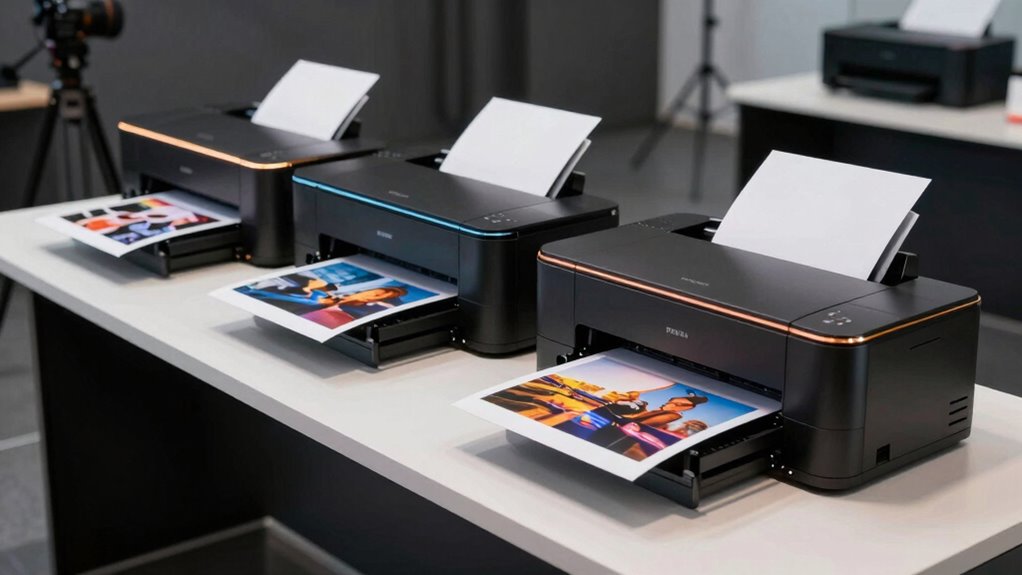

When selecting a professional photo printer, the key considerations are print quality, color accuracy, and size. The Canon imagePROGRAF PRO-1100 stands out as the overall best for its exceptional image detail and robust features. For large-format needs, the HP DesignJet T210 offers impressive size and versatility, while the Epson Expression Photo XP-980 provides a compact yet capable option for versatile printing. However, these choices involve tradeoffs—higher-end models often come with increased cost and complexity, while more affordable options may sacrifice some quality or size. Continue reading for a detailed breakdown of each model to find your best fit.

Get business pricing on tech for your team
- Business-only prices and quantity discounts
- Tax-exempt purchasing
- Multiple users, one account, clear invoices
Key Takeaways
- Top-tier models like the Canon PRO-1100 excel in color accuracy and detail, ideal for gallery-quality prints.
- Large format printers such as the HP DesignJet T210 are best suited for professional signage and art reproduction, but are bulkier and more expensive.
- Compact printers like the Epson XP-980 offer convenience for smaller studios or on-the-go professionals, at the expense of maximum size capabilities.
- Ink system complexity varies—more colors typically mean richer tones but also higher maintenance costs.
- Value hinges on balancing print size, quality, and ongoing costs; the most expensive isn’t always the best choice for every workflow.
| Canon imagePROGRAF PRO-1100 17” Professional Wireless Inkjet Photo Printer |  | Best Overall for Professional-Grade Color Accuracy | Print Size: 17 inches | Ink System: 11 pigment-based inks with Chroma Optimizer | Ink Volume: 80mL per ink | VIEW ON AMAZON | See Our Full Breakdown |
| Canon PIXMA PRO-200S Wireless Photo Printer Bundle |  | Best Value for High-Quality, Compact Photo Printing | Model: 6875C002 | Connectivity: Wireless, Ethernet, Printer Cable | Print Size: Up to 13×19 inches | VIEW ON AMAZON | See Our Full Breakdown |
| HP DesignJet T210 Large Format 24-inch Poster Printer |  | Best for Large-Format Technical and Poster Printing | Media Sizes: Up to 24-inch wide media rolls | Media Handling: Sheet feed, roll feed, automatic cutter | Print Speed: 45 seconds per A1/D page | VIEW ON AMAZON | See Our Full Breakdown |
| Canon imagePROGRAF TM-240 24-Inch Large Format Printer |  | Best for Outdoor and Durable Signage | Maximum Resolution: 2400 x 1200 dpi | Print Speed: Up to 3.2 ppm | Media Width: 24 inches | VIEW ON AMAZON | See Our Full Breakdown |
| Epson Expression Photo XP-980 Wireless All-in-One Wide-Format Printer |  | Best for Versatile, High-Quality Photo and Document Printing | VIEW ON AMAZON | See Our Full Breakdown | |||
| Epson Expression Photo HD XP-15000 Wireless Wide-Format Inkjet Printer |  | Best Compact Wide-Format for Photo Quality | Printer Type: Wireless Wide-Format Inkjet | Maximum Print Size: 13 inches x 19 inches | Ink System: 6-color Claria Photo HD | VIEW ON AMAZON | See Our Full Breakdown |
| Canon imagePROGRAF PRO-310 Professional 13″ Wireless Inkjet Photo Printer |  | Best for Gallery-Standard Prints with Ease of Use | Print Size: 13 inches | Display: 3-inch color LCD | Ink System: 9-color pigment ink | VIEW ON AMAZON | See Our Full Breakdown |
| Canon PIXMA PRO-200S Wireless Inkjet Photo Printer, 13″ with 8-Color Dye Ink and 3″ Color LCD |  | Best Vibrant Color and Speed for Professional Photos | Printer Type: Wireless Inkjet | Maximum Print Size: 13″ x 19″ | Color Ink System: 8-Color Dye Ink | VIEW ON AMAZON | See Our Full Breakdown |
| Epson Expression Premium XP-7100 Wireless Color All-in-One Inkjet Printer |  | Best Versatile All-in-One for Home and Light Office Use | Printer Type: All-in-One Inkjet | Connectivity: Wireless, Ethernet, Wi-Fi Direct | Auto Document Feeder: 30 pages | VIEW ON AMAZON | See Our Full Breakdown |
| Epson EcoTank Photo ET-8550 Wireless Wide-Format All-in-One Tank Printer |  | Best Long-Term Cost-Effective Wide-Format for Photos | Printer Type: All-in-One | Connectivity: Wireless | Print Size: Wide-format | VIEW ON AMAZON | See Our Full Breakdown |
| professional photo printer | Print Size | Connectivity |
|---|---|---|
| Canon imagePROGRAF PRO-1100 17 | 17 inches | — |
| Canon PIXMA PRO-200S Wireless | Up to 13×19 inches | Wireless, Ethernet, Printer Cable |
| HP DesignJet T210 Large Format | — | Ethernet, Wi-Fi, USB |
| Canon imagePROGRAF TM-240 24-I | — | — |
| Epson Expression Photo XP-980 | — | — |
| Epson Expression Photo HD XP-1 | — | — |
| Canon imagePROGRAF PRO-310 Pro | 13 inches | Wireless |
| Canon PIXMA PRO-200S Wireless | — | — |
| Epson Expression Premium XP-71 | Up to 8 x 10 inches | Wireless, Ethernet, Wi-Fi Direct |
| Epson EcoTank Photo ET-8550 Wi | Wide-format | Wireless |
More Details on Our Top Picks
Canon imagePROGRAF PRO-1100 17” Professional Wireless Inkjet Photo Printer
The Canon imagePROGRAF PRO-1100 stands out as the top choice for photographers requiring professional-level output, thanks to its 11 pigment-based ink system and Chroma Optimizer that deliver vibrant, glossy images with exceptional color fidelity. Unlike smaller printers like the PIXMA PRO-200S, this model supports larger media up to 17 inches, making it ideal for gallery prints and exhibitions. However, this power comes with a higher cost of inks and maintenance, and its size demands a dedicated, spacious setup. Compared to the Epson XP-980, it offers superior color accuracy but is less suited for casual or small-scale use. Tradeoffs include higher ongoing costs and complexity, but for those prioritizing print quality over convenience. This pick makes the most sense for professional photographers or studios focused on large-format, high-end output.Pros:- Exceptional color accuracy and image clarity
- High glossiness and scratch resistance
- Professional software for advanced print management
- Reliable anti-clogging ink ejection technology
Cons:- High cost of inks and ongoing maintenance
- Large physical footprint requiring dedicated space
- Complex setup may challenge beginners
Best for: Photographers and studios demanding premium color accuracy and large-format printing
Not ideal for: Casual hobbyists or small home offices due to its size, cost, and setup complexity
- Print Size:17 inches
- Ink System:11 pigment-based inks with Chroma Optimizer
- Ink Volume:80mL per ink
- Wireless:Yes
- Warranty:1 year
Our verdict“This printer is best suited for professionals needing large, high-quality prints with precise color control.”
Canon PIXMA PRO-200S Wireless Photo Printer Bundle
The Canon PIXMA PRO-200S offers a compelling balance of professional quality and affordability, with its 8-color dye ink system producing vibrant, gallery-quality prints up to 13×19 inches. Compared to the larger PRO-1100, it is more compact and easier to fit into smaller studios or home setups, making it ideal for photographers who need high-quality output without the large footprint. Its fast borderless printing in just 90 seconds helps maintain workflow efficiency. However, it does require additional cables for wired connections, and the initial purchase price can seem steep for casual users. While the ink system is excellent, it may not match the longevity or scratch resistance of pigment inks used in more expensive models like the PRO-1100. Tradeoffs include smaller media capacity and less durability, but it delivers excellent quality for its size and price. This model makes the most sense for professional photographers seeking high-quality prints in a smaller, more affordable package.Pros:- Vibrant, professional-quality color output
- Fast borderless printing up to 13×19 inches
- Compact design ideal for small studios
- Advanced color management software support
Cons:- Requires additional cables for wired setup
- Higher purchase price compared to entry-level printers
- Less durable dye inks than pigment-based systems
Best for: Photographers needing high-quality prints with limited space and budget constraints
Not ideal for: Large-volume print shops or those requiring the most durable, archival inks
- Model:6875C002
- Connectivity:Wireless, Ethernet, Printer Cable
- Print Size:Up to 13×19 inches
- Print Speed:A3+ in 90 seconds
- Color System:8-color dye ink
- Included:Deluxe Cleaning Kit, Printer Cable, Ethernet Cable
Our verdict“This printer is perfect for professional photographers who need high-quality, versatile printing in a compact form.”
HP DesignJet T210 Large Format 24-inch Poster Printer
The HP DesignJet T210 is tailored for professionals needing fast, large-format posters, CAD drawings, and signage, making it more suitable for technical and commercial applications than fine art photography. Its support for media up to 24 inches wide and high-speed output—45 seconds per A1 sheet—outperform many photo-centric printers in productivity. Unlike the Canon PRO or Epson XP-980, which excel at photo quality, this model emphasizes durability and efficiency for large-scale technical prints. Its large size and professional focus mean it’s less practical for casual or small-scale photo printing. The high initial investment and need for optional sheet feeders further narrow its appeal to specialized users. Tradeoffs include limited media flexibility for photo printing and higher costs, but it excels at producing precise, durable output for posters and technical drawings.Pros:- Supports media up to 24 inches wide
- Fast printing speeds for large-format projects
- Includes up to 1 year of ink, reducing ongoing costs
- Supports mobile and software integration
Cons:- Limited to technical and poster media, not ideal for fine art
- Requires optional sheet feeder for sheet printing
- High initial cost and large physical footprint
Best for: Architects, engineers, and signage professionals needing fast large-format printing
Not ideal for: Photographers or artists seeking detailed, high-end photo prints or small workspaces
- Media Sizes:Up to 24-inch wide media rolls
- Media Handling:Sheet feed, roll feed, automatic cutter
- Print Speed:45 seconds per A1/D page
- Memory:500MB
- Connectivity:Ethernet, Wi-Fi, USB
- Included Ink:HP 712 Original Ink cartridges
Our verdict“This printer is best suited for technical professionals needing rapid, durable large-format output rather than fine art photography.”
Canon imagePROGRAF TM-240 24-Inch Large Format Printer
The Canon imagePROGRAF TM-240 emphasizes speed and durability, making it ideal for outdoor signage, technical drawings, and water-resistant prints. With a maximum resolution of 2400 x 1200 dpi and a high-speed output of 3.2 ppm, it outperforms many photo printers in production speed, especially for large batches. Its 5-color water-resistant ink system provides outdoor resilience, unlike the pigment inks of the PRO-1100. However, its professional focus means it’s less suitable for fine art or high-end photography where color accuracy and archival quality are paramount. Its large size and expense make it more appropriate for commercial or industrial environments. The tradeoff involves sacrificing some fine art detail for durability and speed, but this makes it the preferred choice for outdoor or outdoor-adjacent signage.Pros:- Fast high-resolution printing for large batches
- Water and UV resistant inks for outdoor durability
- Color calibration for consistent quality
- Supports media up to 24 inches wide
Cons:- Expensive for casual or artistic users
- Large footprint and professional design
- Limited suitability for fine art photography
Best for: Signage, outdoor displays, and technical printing professionals
Not ideal for: Photographers prioritizing gallery-quality, archival prints or small studios
- Maximum Resolution:2400 x 1200 dpi
- Print Speed:Up to 3.2 ppm
- Media Width:24 inches
- Ink Type:5-color water-resistant ink
- Nozzles:15,360
Our verdict“This printer is best for professionals needing durable, water-resistant large-format prints for outdoor or technical applications.”
Epson Expression Photo XP-980 Wireless All-in-One Wide-Format Printer
The Epson Expression Photo XP-980 offers a versatile solution for those needing both high-quality photos and general document printing, with its 6-color Claria Photo HD inks and 5760 x 1440 dpi resolution. Unlike the larger Canon or HP models, it is more compact and user-friendly, making it suitable for small studios or busy home offices that require occasional professional photo prints alongside everyday tasks. Its fast 4″ x 6″ borderless photos in just 11 seconds demonstrate impressive speed for a consumer-level device with professional potential. However, it’s not designed for large-format or archival fine art printing, and its ink system may not match the longevity of pigment-based printers. The tradeoff involves balancing versatility and ease of use against maximum print durability or size. This makes it ideal for semi-professional use where space and flexibility are priorities.Pros:- Sharp, detailed borderless photos up to 11×17 inches
- Wireless operation with easy mobile control
- Versatile paper handling for different media types
- Fast photo printing for quick turnaround
Cons:- Limited to smaller photo sizes, not suitable for large banners
- Inks may fade faster than pigment-based systems
- No support for media wider than 11 inches
Best for: Small studios or advanced hobbyists needing versatile, high-quality photo printing
Not ideal for: Large-scale photo labs or professionals requiring large-format, long-lasting prints
Our verdict“This printer is best for creative professionals needing flexible, high-quality photo prints in a compact, user-friendly device.”
Epson Expression Photo HD XP-15000 Wireless Wide-Format Inkjet Printer
The Epson Expression Photo HD XP-15000 stands out for its ability to produce professional-quality borderless prints up to 13×19 inches, rivaling larger, more expensive models like the Canon PRO-310. Its six-color Claria Photo HD ink system delivers rich, ultra HD photos, making it ideal for photographers needing high-detail prints. While its compact design fits on a desktop and auto duplex saves paper, it’s limited to Epson cartridges, which can be costly, and lacks advanced wireless features beyond Wi-Fi. Compared to bulkier alternatives, it offers excellent quality in a smaller footprint but at a premium ink cost. This pick suits serious hobbyists or small studios with space constraints but who don’t mind paying for genuine ink.
Pros:- Produces professional ultra HD, borderless photos up to 13×19 inches
- Supports a variety of media types and finishes
- Compact size fits easily on a desktop
- Auto duplex printing saves time and paper
Cons:- Requires genuine Epson cartridges, which can be costly
- Limited wireless features beyond Wi-Fi
Best for: Photographers and small studios needing high-quality, wide-format photo printing in a compact form.
Not ideal for: Large print shops or users seeking advanced wireless connectivity and media versatility beyond basic Wi-Fi.
- Printer Type:Wireless Wide-Format Inkjet
- Maximum Print Size:13 inches x 19 inches
- Ink System:6-color Claria Photo HD
- Paper Capacity:200 sheets
- Dimensions:30% smaller than previous model
- Sound Pressure Level:49 dB(A)
Our verdict“This printer makes the most sense for photographers who prioritize high-quality wide-format prints in a smaller, desktop-friendly package.”
Canon imagePROGRAF PRO-310 Professional 13″ Wireless Inkjet Photo Printer
The Canon imagePROGRAF PRO-310 is crafted for serious professionals demanding gallery-quality results, thanks to its 9-color pigment ink system that outperforms many dye-based printers like the PIXMA PRO-200S in longevity and color richness. Its 3-inch color LCD makes setup and monitoring straightforward, but its larger footprint and higher price tag may deter casual users. The PRO-310 excels at high-resolution, durable prints suitable for exhibitions, yet its complexity can be overwhelming for beginners. Compared with the PIXMA PRO-200S, it offers superior print durability and color depth but at a steeper cost and a more involved setup process. This device suits advanced photographers and small commercial studios focused on quality over convenience.
Pros:- Produces high-resolution, gallery-quality prints
- Advanced 9-color pigment ink system for durability and color richness
- User-friendly with a 3-inch LCD for easy operation
- Enhanced black density and scratch resistance
Cons:- High purchase price and ink costs
- Large size requiring significant space
- Complex setup may challenge beginners
Best for: Photographers and artists producing gallery-grade prints requiring durability and color accuracy.
Not ideal for: Hobbyists or small offices needing a budget-friendly, easy-to-use printer with basic features.
- Print Size:13 inches
- Display:3-inch color LCD
- Ink System:9-color pigment ink
- Connectivity:Wireless
- Ink Colors:Black, Chroma Optimizer, Lucia Pro II
Our verdict“This printer is ideal for professionals who need durable, high-end prints and are willing to manage a more complex setup process.”
Canon PIXMA PRO-200S Wireless Inkjet Photo Printer, 13″ with 8-Color Dye Ink and 3″ Color LCD
The Canon PIXMA PRO-200S offers vibrant, high-speed printing with its 8-color dye-based ink system, making it well-suited for professionals needing fast turnaround on high-quality photos. Its ability to handle borderless prints up to 13×19 inches complements workflows demanding quick, colorful outputs. The 3-inch LCD provides easy status monitoring, but its focus on dye inks means less durability compared to pigment-based models like the PRO-310. For those prioritizing color vibrancy and speed over longevity, the PRO-200S provides excellent value. Compared with the PRO-310, it is more affordable and faster but sacrifices some print durability and longevity. It’s best for photographers and labs where speed and color vibrancy are key, not archival quality.
Pros:- Vibrant, high-quality color output
- Supports borderless printing up to 13×19 inches
- High-speed printing — approximately 90 seconds for A3+
- Easy-to-use 3-inch color LCD
Cons:- Less durable prints due to dye inks
- Limited to photo printing, no multifunction features
- Ink cartridges can be costly
Best for: Photographers and labs needing rapid, vibrant, borderless photo printing up to 13×19 inches.
Not ideal for: Artists or archivists requiring long-lasting, museum-quality prints or those on tight budgets.
- Printer Type:Wireless Inkjet
- Maximum Print Size:13″ x 19″
- Color Ink System:8-Color Dye Ink
- Display:3″ Color LCD
- Print Speed:90 seconds for A3+ borderless
Our verdict“This model is best for professionals needing fast, vibrant, borderless prints with a focus on speed and color intensity.”
Epson Expression Premium XP-7100 Wireless Color All-in-One Inkjet Printer
The Epson Expression Premium XP-7100 combines affordability with versatility, making it a solid choice for users who need to print photos, documents, and scans. While it lacks the specialized media handling of dedicated photo printers like the PIXMA PRO-200S, its all-in-one functionality and wireless connectivity offer convenience for small offices or homes. Its 4.3-inch touchscreen simplifies operation, but genuine Epson cartridges are essential to avoid damage, and running costs can add up. Compared with dedicated photo printers, it doesn’t match the high-end quality but delivers reliable general-purpose output. This model caters to users who want a single device for occasional professional photo printing alongside everyday tasks.
Pros:- Vivid and sharp photo and document quality
- Wireless and Ethernet connectivity for multiple device access
- Auto 2-sided printing and large touchscreen for ease of use
- All-in-one functions (print, scan, copy)
Cons:- Requires genuine Epson cartridges, which can be costly
- Limited media options compared to dedicated photo printers
- Potential higher running costs over time
Best for: Home users and small offices needing a versatile printer for photos, documents, and scanning in one device.
Not ideal for: Professional photographers requiring maximum print quality and durability or those seeking dedicated photo printers.
- Printer Type:All-in-One Inkjet
- Connectivity:Wireless, Ethernet, Wi-Fi Direct
- Auto Document Feeder:30 pages
- Print Size:Up to 8 x 10 inches
- Touchscreen:4.3-inch display
Our verdict“This printer offers a good balance of versatility and quality for users who need occasional professional photo prints alongside everyday printing needs.”
Epson EcoTank Photo ET-8550 Wireless Wide-Format All-in-One Tank Printer
The Epson EcoTank ET-8550 is designed for those who prioritize low ongoing costs and high-volume printing, especially for photos and documents up to wide-format sizes. Its refillable ink bottle system significantly reduces waste and costs compared to cartridge-based models like the XP-15000 or PRO-310. While the initial setup may be complex and print times longer than smaller models, its page yield of up to 6,200 pages makes it ideal for busy environments. Compared to the XP-15000, it offers similar wide-format capabilities but with a focus on long-term savings and sustainability. This printer is best suited for professional photographers or small studios with high print volumes and environmental considerations.
Pros:- Cartridge-free, refillable ink bottles reduce waste and costs
- High page yield of up to 6,200 pages
- Wireless connectivity for convenience
- Supports wide-format printing for professional photos
Cons:- Initial setup can be complex and time-consuming
- Longer print times compared to smaller, cartridge-based printers
- Higher upfront investment
Best for: High-volume photographers and small studios seeking cost-effective, wide-format printing with minimal waste.
Not ideal for: Users needing immediate, fast printouts or those with limited technical skills for setup.
- Printer Type:All-in-One
- Connectivity:Wireless
- Print Size:Wide-format
- Ink System:Refillable ink bottles
- Page Yield:Up to 6,200 pages
Our verdict“This model offers a sustainable, economical solution for high-volume, wide-format photo printing in professional settings.”

How We Picked
These printers were evaluated based on print quality, color accuracy, build quality, ease of use, and value for professional photographers and studios. We prioritized models that deliver consistent, high-resolution results suitable for gallery-grade prints, while also considering size options and operational costs. The ranking reflects a balance between performance, versatility, and affordability, ensuring each pick serves different professional needs—from small studios to large-format print shops. Models were compared directly on key features, user feedback, and industry reputation to create a curated list of the best options in 2026.| professional photo printer | Connectivity |
|---|---|
| Canon imagePROGRAF PRO-1100 17 | — |
| Canon PIXMA PRO-200S Wireless | Wireless, Ethernet, Printer Cable |
| HP DesignJet T210 Large Format | Ethernet, Wi-Fi, USB |
| Canon imagePROGRAF TM-240 24-I | — |
| Epson Expression Photo XP-980 | — |
| Epson Expression Photo HD XP-1 | — |
| Canon imagePROGRAF PRO-310 Pro | Wireless |
| Canon PIXMA PRO-200S Wireless | — |
| Epson Expression Premium XP-71 | Wireless, Ethernet, Wi-Fi Direct |
| Epson EcoTank Photo ET-8550 Wi | Wireless |
Factors to Consider When Choosing Professional Photo Printer
Choosing a professional photo printer involves more than just resolution. It’s important to consider print size capabilities, color fidelity, ink system longevity, and ease of maintenance. Understanding these factors helps avoid common pitfalls, like underestimating ink costs or selecting a model incompatible with your workflow. The right printer balances your expected print sizes with quality demands and budget, ensuring you don’t overspend on features you won’t use or compromise on critical output standards.Print Size and Format
Assess your typical print sizes—professional photographers often need large formats for exhibitions or client work. Large-format printers, such as 24-inch or wider models, enable you to produce posters, gallery wraps, or fine art prints. Smaller models, like 13-inch printers, suit daily studio work or proofing. Choosing the right size impacts workflow and storage, so match your needs carefully to avoid unnecessary expense or limitations.
Color Accuracy and Ink System
Color fidelity is vital for professional prints, especially when reproducing artwork or detailed portraits. Look for printers with multiple ink channels—more colors typically mean smoother gradations and richer tones. Consider ink longevity and ease of replacement—some systems use dye inks, which are vibrant but less durable, while pigment inks offer better archival qualities. Balancing color quality with operational costs is key to sustainable, high-quality output.
Ease of Use and Workflow Integration
Professional printers vary in complexity—from plug-and-play models to those requiring extensive calibration. Features like touchscreen controls, wireless connectivity, and compatibility with editing software streamline your workflow. Be aware that advanced features often add to the learning curve and maintenance demands. To maximize productivity, choose a model that fits your technical comfort level and seamlessly integrates with your existing setup.
Cost of Operation and Maintenance
Ongoing costs—mainly ink and replacement parts—can surpass the initial purchase price. High-end models with multiple ink channels tend to have higher consumable costs, but often provide superior results. Conversely, simpler ink systems reduce expenses but might limit print quality. Consider the long-term expenses and maintenance ease, especially if you produce large volumes or need consistent reliability.
Build Quality and Durability
Professional environments demand printers built to withstand frequent use. Look for sturdy construction, quality components, and good warranty support. A reliable build reduces downtime and maintenance costs. Cheaper models may be tempting but often lack durability for demanding workloads, which could lead to higher repair costs over time.
Frequently Asked Questions
How do I choose the right size of professional photo printer?
The ideal size depends on your typical print dimensions and workspace. If you regularly produce large prints, a 24-inch or wider printer is essential. Smaller models, like 13-inch printers, are suitable for proofing or small-format work. Consider your storage space and whether you need to produce both small proofs and large gallery pieces. Matching your workflow to the printer’s capabilities ensures efficiency and cost-effectiveness.
Are expensive printers worth the investment for a small studio?
Higher-priced models often deliver superior color accuracy, larger sizes, and faster throughput, which can be beneficial for a professional studio. However, if your print volume is low or your output quality needs are modest, a more affordable model might suffice. Weigh ongoing costs, such as ink and maintenance, against your actual needs to determine if the investment aligns with your business scale.
What type of ink system should I consider for longevity?
Pigment inks are generally preferred for archival quality and durability, especially for gallery or sale prints. Dye inks tend to produce more vibrant colors but fade faster over time. The choice depends on your priority—if longevity and color stability matter most, opt for models with pigment-based inks, even if they come at a higher initial cost. This choice impacts your long-term satisfaction and print resale value.
How important is wireless connectivity for a professional photo printer?
Wireless features add convenience, allowing you to print directly from multiple devices without cluttering your workspace. For busy studios or photographers on the move, wireless connectivity streamlines workflow and reduces setup time. However, it can introduce security concerns or connectivity issues, so ensure your network is secure and your printer supports stable wireless protocols. For critical or large-volume printing, a wired connection may offer more reliability.
Should I prioritize speed over print quality?
In most professional settings, print quality outweighs speed, especially for artwork or gallery-quality output. However, if you frequently produce large batches or need quick proofs, a faster printer might be justified. Be aware that increasing speed can sometimes compromise detail and color precision. Balancing your throughput needs with quality expectations will help you choose a model that meets your workflow without sacrificing output standards.
Conclusion
For those seeking the best overall performance, the Canon imagePROGRAF PRO-1100 offers premium quality and reliable operation. Budget-conscious professionals should consider the Canon PIXMA PRO-200S for excellent results without breaking the bank. If size and large-format capabilities are your priority, the HP DesignJet T210 stands out for its versatility. Beginners or small studios might find the Epson Expression Photo XP-980 a more manageable choice, while high-volume or specialized needs call for models like the Epson EcoTank ET-8550. Match your specific workflow, print volume, and quality expectations to pick the best fit.
As an affiliate, we earn on qualifying purchases.Columbus Day / Indigenous Peoples' Day Picks
long weekend sales