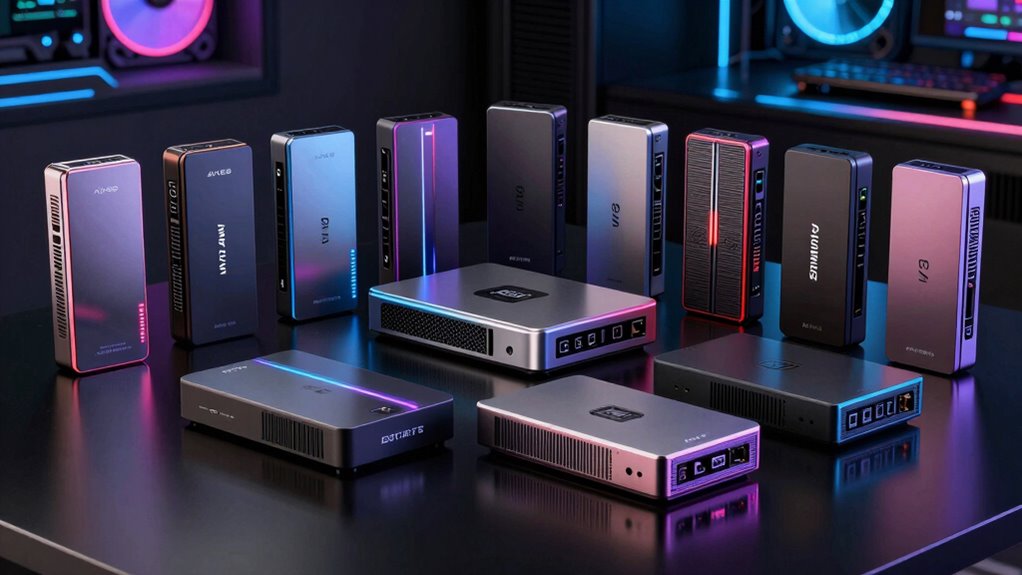

If you’re searching for a 4k60 capture card, you’re looking for a device that can handle high-quality streams or recordings at 60 frames per second in 4K resolution. The Elgato 4K Pro stands out as the best overall pick thanks to its reliability and ease of use, while the AVerMedia GC573 offers excellent performance for demanding gamers. A common challenge in this category is balancing cost with performance, as many options come with tradeoffs like limited passthrough or higher latency. Continue reading for a detailed breakdown of each product and what makes them suitable for different needs.

Get tech for your team delivered free — and shop member deals
- Fast, free delivery on millions of items
- Access to Prime Big Deal Days deals on October 6–7
- Prime Video, Amazon Music and more included
Key Takeaways
- The top picks combine high resolution support with reliable passthrough, avoiding lag or quality drops.
- Internal capture cards generally outperform external options in latency and stability, but at a higher price and complexity.
- Features like HDR, VRR, and pass-through support are common differentiators for high-end models.
- Build quality and compatibility with major consoles significantly impact long-term value.
- Price varies widely; investing in a more expensive model can be worthwhile for professional streaming or gaming.
| XIIXMASK USB 3.0 HDMI Capture Card, 1080P 60FPS, 4K Pass-Through |  | Best Budget 4K60 Pass-Through for Versatile Streaming | Video Input: HDMI 4K 60Hz | Loop-out: 4K 60Hz | Capture Resolution: 1080P 60FPS / 2K 30FPS | VIEW ON AMAZON | See Our Full Breakdown |
| Elgato 4K Pro Internal Capture Card, 8K60 Passthrough |  | Best for High-Resolution, High-Frame-Rate Streaming | Resolution: 8K60, 4K60 | Frame Rate: up to 240fps at 1080p | Connectivity: HDMI 2.1 in/out | VIEW ON AMAZON | See Our Full Breakdown |
| AVerMedia StreamLine MINI+ GC311G2 4K60 HDR Passthrough Capture Card for Streaming |  | Best for Seamless 4K60 HDR Passthrough on a Plug-and-Play Basis | Hardware Interface: HDMI, USB 3.0 Type C | Video Capture Resolution: 1080p | Operating System: Windows 10/11, iPadOS 17+, macOS 14/15+ | VIEW ON AMAZON | See Our Full Breakdown |
| AVerMedia GC573 Live Gamer 4K Internal Capture Card |  | Best for Zero-Lag 4K HDR and High-Fps Capture from Consoles | Video Resolution: 4K60 HDR10 | Frame Rate: up to 240 fps | Compatibility: PS5, PS4 Pro, Xbox Series X, Xbox One X | VIEW ON AMAZON | See Our Full Breakdown |
| 4K HDMI Video Capture Card, 1080P 60FPS Game Capture Device for Streaming |  | Best Simple 1080p60 Capture for Easy Streaming | Resolution: 1080p at 60FPS | Input Support: 4K30/60Hz | Output Support: up to 2K30Hz | VIEW ON AMAZON | See Our Full Breakdown |
| BlueAVS 4K HDMI Video Capture Card for Streaming, 4K 60Hz, 1440P 144Hz, 1080P 240Hz with HDR, VRR, ALLM, USB-C, Compatible with PS5, Xbox Series X/S, Switch |  | Best Overall for Versatile High-Resolution Streaming | Hardware Interface: 3.5mm Audio, HDMI, Headphone, USB 3.2 Gen 1 | Video Capture Resolution: 4K@60Hz, 1080P@240Hz, 1440P@144Hz | Operating System: Linux, Mac OS, Windows 10/11 | VIEW ON AMAZON | See Our Full Breakdown |
| 4K HDMI Capture Card for Streaming, Full HD 1080P 60FPS USB 3.0 Cam Link Game Audio Video Capture Card |  | Best for Simple 1080p Streaming and Recording | Resolution: 1080p at 60FPS | Connectivity: USB 3.0 | Input: HDMI | VIEW ON AMAZON | See Our Full Breakdown |
| XIIXMASK USB 3.0 HDMI Capture Card, 4K60FPS with Pass-Through |  | Best for High-Frame-Rate 4K Capture and Broad Compatibility | Video Capture Resolution: 1080p120, 4K60 | Hardware Interface: USB 3.0 | Platform Compatibility: Windows 7/8/8.1/10, MacOS, Linux, Android 5.0+, iPadOS 17+ | VIEW ON AMAZON | See Our Full Breakdown |
| Elgato 4K S Capture Card for PS5, Xbox Series X/S, Switch 2 |  | Best for Low-Latency 4K60 Streaming and Versatile Gaming | Hardware Interface: USB 3.0 Type C | Video Capture Resolution: 1080p | Passthrough Resolutions: Up to 2160p60 | VIEW ON AMAZON | See Our Full Breakdown |
| AVerMedia Live Gamer Ultra S 4K60 HDMI Capture Card with RGB24, GC553Pro |  | Best for High-Resolution HDR Capture with VRR Support | Video Capture Resolution: 1080p | HDR10 Support: Yes | VRR Support: Yes | VIEW ON AMAZON | See Our Full Breakdown |
| GENKI ShadowCast 3 Pro 4K60 Capture Card HDMI Passthrough USB-C |  | Best Versatile Portable 4K60 Capture Card | Resolution: 4K at 60Hz, 1440p at 120Hz, 1080p at 240Hz | Latency: Less than half of previous generations | Connectivity: USB-C, HDMI Input, HDMI Passthrough | VIEW ON AMAZON | See Our Full Breakdown |
More Details on Our Top Picks
XIIXMASK USB 3.0 HDMI Capture Card, 1080P 60FPS, 4K Pass-Through
This capture card stands out for offering reliable 4K pass-through while capturing at 1080p 60FPS, making it ideal for streamers who want high-quality visuals without breaking the bank. Unlike the Elgato 4K Pro, it doesn’t support 8K or high-end resolutions, but it compensates with broad device compatibility and ultra-low latency. Its main tradeoff is the limited recording resolution—only 1080p—despite the 4K pass-through, which might disappoint those needing higher local recording quality. The inclusion of a microphone input adds value for streamers who rely on commentary. Overall, this is a solid choice for budget-conscious gamers and streamers who prioritize stability and compatibility over ultra-high-end features.
Pros:- Supports 4K pass-through and 1080p 60FPS capture for high-quality streaming
- Strong stability and ultra-low latency for smooth gameplay
- Wide compatibility with various devices and OS
Cons:- Does not record party chats or higher resolutions
- Requires software restart after audio setup in OBS
Best for: Budget-conscious streamers and gamers who need broad device compatibility and decent quality pass-through.
Not ideal for: Professionals requiring 4K or higher recording resolutions or advanced features like HDR or 8K support.
- Video Input:HDMI 4K 60Hz
- Loop-out:4K 60Hz
- Capture Resolution:1080P 60FPS / 2K 30FPS
- Audio:Supports mic-in for commentary
- Compatibility:Windows 7/8/10, Mac OS, Linux, Android, consoles
- Material:Aluminum alloy
Our verdict“This pick makes the most sense for budget-conscious gamers who want reliable 1080p streaming with 4K pass-through.”
Elgato 4K Pro Internal Capture Card, 8K60 Passthrough
The Elgato 4K Pro excels at delivering 8K60 and 4K60 streaming, making it ideal for content creators pushing the limits of resolution. Compared to the AVerMedia GC573, its HDMI 2.1 connectivity supports higher frame rates and VRR passthrough, which benefits gamers with high-end hardware seeking the most fluid visuals. The main tradeoff is that setup can be complex, especially for newcomers, and it demands compatible high-performance systems. While it offers cutting-edge resolution support, it may be overkill for casual streamers or those with older hardware. Overall, this card is best suited for professional streamers and content creators targeting the highest resolutions and frame rates.
Pros:- Supports 8K60 and 4K60 high-resolution streaming
- HDMI 2.1 connectivity for high frame rates
- Ultra-low latency and VRR passthrough for smooth gameplay
Cons:- Requires high-end, compatible hardware for optimal performance
- Setup can be complicated for beginners
Best for: High-end streamers and content creators with powerful PCs aiming for 8K60 or 4K60 broadcasting.
Not ideal for: Casual gamers or streamers with older hardware who don’t need ultra-high resolutions or complex setups.
- Resolution:8K60, 4K60
- Frame Rate:up to 240fps at 1080p
- Connectivity:HDMI 2.1 in/out
- Features:VRR passthrough, ultra-low latency
Our verdict“This card is perfect for professionals seeking maximum resolution and minimal latency, provided their system can handle it.”
AVerMedia StreamLine MINI+ GC311G2 4K60 HDR Passthrough Capture Card for Streaming
The AVerMedia StreamLine MINI+ shines by combining 4K60 HDR passthrough with simple, plug-and-play operation, making it ideal for streamers who want high-quality visuals without extensive setup. Unlike the Elgato 4K Pro, it doesn’t support 8K or ultra-high resolutions but compensates with ease of use and broad device compatibility, including mobile and tablets. Its main limitation is the 1080p recording resolution despite 4K HDR passthrough, which might frustrate creators needing higher local recording quality. The setup can be straightforward for those familiar with streaming hardware, but some may find the system requirements for optimal performance demanding. Overall, this makes sense for streamers seeking reliable HDR passthrough with minimal fuss.
Pros:- Supports 4K60 HDR passthrough for high-quality gaming
- Plug-and-play setup with no drivers needed
- Compatible with multiple platforms and streaming software
Cons:- Limited to 1080p recording resolution
- Requires a capable system for optimal performance
Best for: Streamers who prioritize HDR passthrough and easy setup across multiple platforms.
Not ideal for: Advanced creators needing 4K recording or higher resolution output locally.
- Hardware Interface:HDMI, USB 3.0 Type C
- Video Capture Resolution:1080p
- Operating System:Windows 10/11, iPadOS 17+, macOS 14/15+
- Video Features:4K60 HDR Pass-Through, Ultra-Low Latency
- Supported Devices:Gaming Console, PC, Smartphone, Tablet
- Item Dimensions:4.43 x 2.6 x 0.82 inches
Our verdict“This pick makes the most sense for streamers who want simple, reliable HDR passthrough without complex configurations.”
AVerMedia GC573 Live Gamer 4K Internal Capture Card
The AVerMedia GC573 stands out for capturing 4K60 HDR10 footage with zero-lag pass-through, making it ideal for gamers on PS5 and Xbox Series X/S who need real-time gameplay without delay. While the Elgato 4K Pro supports 8K, this model focuses on high-fidelity 4K and high frame rates up to 240 fps at 1080p, offering a more accessible yet still high-performance option. Its main drawback is the learning curve for beginners, as it requires compatible software and proper system setup. For users unfamiliar with internal cards, the installation may be daunting, but experienced users will appreciate the smooth, low-latency output. Overall, it is suited for serious gamers and streamers seeking professional-grade quality without the need for 8K support.
Pros:- Supports 4K60 HDR10 with zero-lag pass-through
- High frame rate capture up to 240 fps at 1080p
- Customizable RGB lighting and preset modes
Cons:- Requires compatible PC and technical setup
- Learning curve for beginners
Best for: Gamers and streamers who want zero-lag 4K HDR capture from consoles with high frame rates.
Not ideal for: Casual users or those without compatible high-performance PCs or experience installing internal hardware.
- Video Resolution:4K60 HDR10
- Frame Rate:up to 240 fps
- Compatibility:PS5, PS4 Pro, Xbox Series X, Xbox One X
- Features:Zero-lag pass-through, RGB lighting, preset modes
Our verdict“This is best for experienced gamers and streamers who need professional-grade, low-latency 4K HDR capture from consoles.”
4K HDMI Video Capture Card, 1080P 60FPS Game Capture Device for Streaming
This device offers straightforward 1080p 60FPS streaming, making it well-suited for newcomers or casual streamers who don’t need 4K. Compared with the XIIXMASK USB 3.0, it emphasizes ease of use with plug-and-play setup and HDMI loop-out, ideal for quick setup and minimal fuss. However, it doesn’t support 4K input at higher refresh rates, limiting its appeal for those seeking higher-resolution or higher-refresh-rate gaming. Its microphone input is basic, accepting only 3.5mm TRS headsets, which could be restrictive for some users. Overall, this makes sense for streamers who prioritize simple, reliable performance at 1080p without advanced features.
Pros:- Supports 1080p at 60FPS for smooth streaming
- Plug-and-play setup with no drivers needed
- Includes HDMI loop-out for seamless gameplay
Cons:- Limited to 1080p resolution, no 4K support
- Microphone input only accepts 3.5mm TRS headsets
Best for: Casual gamers and streamers seeking an easy plug-and-play 1080p60 solution.
Not ideal for: Professional content creators or high-end streamers aiming for 4K or high refresh rates.
- Resolution:1080p at 60FPS
- Input Support:4K30/60Hz
- Output Support:up to 2K30Hz
- Connection:USB 3.0
- System Compatibility:Windows, Mac OS
- Microphone Input:3.5mm TRS
Our verdict“This is best suited for casual streamers who want a simple, reliable 1080p60 device with minimal setup.”
BlueAVS 4K HDMI Video Capture Card for Streaming, 4K 60Hz, 1440P 144Hz, 1080P 240Hz with HDR, VRR, ALLM, USB-C, Compatible with PS5, Xbox Series X/S, Switch
The BlueAVS 4K HDMI Capture Card stands out for supporting 4K@60Hz pass-through alongside ultra-smooth 1080P@240Hz recording, making it a flexible choice for gamers and streamers who want high resolution without sacrificing frame rates. Its compatibility across Windows, macOS, Linux, and multiple consoles ensures broad usability, unlike some competitors that limit system support. The inclusion of HDR, VRR, and ALLM provides tear-free visuals, while the 3.5mm audio port offers added flexibility for audio mixing. However, its passthrough is capped at 4K@60Hz, and it lacks an external power source or added accessories, which could limit performance or complicate setup for some users. Compared to the Elgato 4K S, it offers more system versatility but doesn’t support higher passthrough resolutions.
Pros:- Supports 4K@60Hz pass-through and 1080P@240Hz recording for smooth gameplay and streaming
- Compatible with Windows, macOS, Linux, and gaming consoles, offering versatility
- Includes flexible audio mixing with a dedicated 3.5mm port
Cons:- Limited to 4K@60Hz for passthrough, not higher resolutions
- No external power supply or additional accessories included
Best for: Content creators and gamers seeking a flexible, high-resolution capture solution with broad system compatibility.
Not ideal for: Streamers who require higher passthrough resolutions or advanced external features, as its passthrough is limited to 4K@60Hz.
- Hardware Interface:3.5mm Audio, HDMI, Headphone, USB 3.2 Gen 1
- Video Capture Resolution:4K@60Hz, 1080P@240Hz, 1440P@144Hz
- Operating System:Linux, Mac OS, Windows 10/11
- Item Weight:126 g
- Item Dimensions:4.33 x 2.36 x 0.9 inches
Our verdict“Ideal for users who need a versatile, high-quality capture device compatible across multiple platforms without premium extras.”
4K HDMI Capture Card for Streaming, Full HD 1080P 60FPS USB 3.0 Cam Link Game Audio Video Capture Card
This 1080P 60FPS capture card is a straightforward choice for streamers who don’t need 4K resolution but want reliable, high-quality gameplay footage. Its plug-and-play USB 3.0 setup makes it accessible for beginners, without requiring driver installations, unlike some more complex devices. The support for HDMI loop-out and 3.5mm audio input simplifies live streaming workflows. Still, its inability to handle 4K limits future-proofing, and it’s less suited for users wanting ultra-high-resolution content. Compared to the BlueAVS, this model is more user-friendly but sacrifices resolution capabilities, making it less adaptable for advanced content production.
Pros:- High-quality 1080p video capture at 60FPS for smooth gameplay
- Plug-and-play setup requiring no driver installation
- Supports HDMI loop-out and microphone input for streamlined streaming
Cons:- Limited to 1080p resolution, not suitable for 4K content
- Microphone input only supports 3.5mm TRS headsets
Best for: Beginners or casual streamers who prioritize ease of use and 1080p clarity over 4K resolution.
Not ideal for: Power users or professionals aiming for 4K or higher resolutions, as it only supports 1080P at 60FPS.
- Resolution:1080p at 60FPS
- Connectivity:USB 3.0
- Input:HDMI
- Output:HDMI loop-out
- Audio Input:3.5mm TRS microphone
Our verdict“Best suited for beginners and casual streamers who want straightforward 1080p recording without complex setup.”
XIIXMASK USB 3.0 HDMI Capture Card, 4K60FPS with Pass-Through
The XIIXMASK USB 3.0 HDMI Capture Card excels at delivering 4K@60FPS capture and pass-through, making it a strong choice for streamers needing high frame rates at 4K resolution. Its broad device support extends to Windows, macOS, Linux, Android, and even iPadOS, unlike some competitors limited to specific systems. The plug-and-play nature simplifies setup, but the lack of detailed system requirements or audio output info can cause uncertainty for performance optimization. Its support for 1080p120 recording adds versatility, yet the absence of dedicated external power or advanced features limits it compared to the Elgato 4K S for high-end streaming setups.
Pros:- Supports 4K60FPS capture and pass-through for high-quality streaming
- Broad compatibility with Windows, macOS, Linux, Android, and iPadOS
- Plug-and-play setup without external power required
Cons:- Lack of detailed system requirements or audio output quality info
- No external power source, which may limit sustained high performance
Best for: Streamers and content creators who need high frame rate 4K recording across diverse devices and operating systems.
Not ideal for: Users seeking detailed audio output control or external power options, as its features are primarily plug-and-play with limited extras.
- Video Capture Resolution:1080p120, 4K60
- Hardware Interface:USB 3.0
- Platform Compatibility:Windows 7/8/8.1/10, MacOS, Linux, Android 5.0+, iPadOS 17+
- Item Weight:0.22 kg
Our verdict“A flexible, high-frame-rate 4K capture device ideal for multi-platform streamers needing broad device support.”
Elgato 4K S Capture Card for PS5, Xbox Series X/S, Switch 2
The Elgato 4K S offers 4K60 capture with near-zero latency, making it a preferred choice for high-performance gamers aiming for professional-quality streams. Its HDR10 support and VRR passthrough enhance visual fidelity, especially for demanding titles. Its compatibility across Windows, macOS, and iPadOS ensures flexible use, but its capture resolution is limited to 1080p on Windows, which may disappoint users seeking full 4K recording on all platforms. The device’s compact size and simple setup make it suitable for dedicated gaming setups, though HDR capture is restricted to Windows systems, limiting some workflows.
Pros:- Supports 4K60 capture with near-zero latency for responsive streaming
- HDR10 and VRR support for improved visual quality
- Compact, portable design with broad OS compatibility
Cons:- Capture resolution limited to 1080p on Windows systems
- Requires specific system specifications for optimal performance
Best for: Gamers who prioritize ultra-low latency 4K streaming and HDR support for competitive gameplay or professional content creation.
Not ideal for: Users wanting consistent 4K recording on Windows since the capture resolution is capped at 1080p in that environment.
- Hardware Interface:USB 3.0 Type C
- Video Capture Resolution:1080p
- Passthrough Resolutions:Up to 2160p60
- HDR10 Support:Yes
- Dimensions:112 x 72 x 18 mm
Our verdict“Designed for gamers needing ultra-low latency 4K streaming with HDR, best for those willing to compromise on Windows capture resolution.”
AVerMedia Live Gamer Ultra S 4K60 HDMI Capture Card with RGB24, GC553Pro
The AVerMedia Live Gamer Ultra S provides 4K60 HDR capture with VRR passthrough, making it well-suited for enthusiasts seeking high-quality, synchronized gameplay recordings. Its support for 5.1 audio and compatibility with Windows, macOS, and iPadOS makes it a flexible choice for diverse workflows. While it excels at HDR10 and VRR, its capture resolution is limited to 1080p on Windows, similar to the Elgato 4K S, which may be a drawback for users aiming for 4K recording on all platforms. The device’s complex setup might deter beginners, but its advanced features appeal to more experienced creators.
Pros:- Supports 4K60 HDR gameplay capture and VRR passthrough
- Compatible with Windows, macOS, and iPadOS for flexible workflows
- Includes 5.1 audio support for immersive sound
Cons:- Capture resolution limited to 1080p on Windows
- More complex setup process compared to plug-and-play options
Best for: High-end gamers and content creators who want HDR and VRR support with multi-platform compatibility, especially for streaming in high fidelity.
Not ideal for: Beginners or users who only need simple 1080p recording, as setup can be complex and full 4K capture is limited to certain systems.
- Video Capture Resolution:1080p
- HDR10 Support:Yes
- VRR Support:Yes
- Connectivity:USB 3.2 Gen 1 Type-C
- Supported Platforms:Windows 10/11, macOS 13/14+, iPadOS
Our verdict“Best suited for advanced users seeking HDR and VRR support for high-fidelity gameplay streaming across multiple devices.”
GENKI ShadowCast 3 Pro 4K60 Capture Card HDMI Passthrough USB-C
The GENKI ShadowCast 3 Pro stands out for its combination of portability and high-quality 4K60 capture, making it ideal for creators who need a mobile solution. Unlike the Elgato 4K Pro, which is more suited for fixed setups, this model offers zero-latency HDMI passthrough that benefits streamers and gamers on the move. Its support for high frame rates at 1440p and 1080p adds flexibility for various content types. The plug-and-play design with no drivers required simplifies setup, especially compared to internal cards like the AVerMedia GC573, which require installation. However, compatibility depends on devices with USB-C and HDMI ports, limiting use with older or simpler hardware. Its compact size and USB-C connection make it perfect for on-the-go streaming, but the lack of detailed info on bundled accessories might leave some buyers uncertain about additional needs.
Pros:- Supports true 4K60 high-quality capture with low latency
- Zero-latency HDMI passthrough ideal for live gaming
- Universal compatibility with PCs, tablets, and cameras
- Plug-and-play with no drivers required
Cons:- Dependent on device compatibility with USB-C and HDMI ports
- Limited information about bundled accessories or optional add-ons
- Price and availability are not specified, which may affect purchasing decisions
Best for: Content creators and streamers who need a portable, all-in-one 4K60 capture solution compatible with a variety of devices.
Not ideal for: Users with older laptops or devices without USB-C or HDMI ports, as it relies heavily on these connections to deliver its performance.
- Resolution:4K at 60Hz, 1440p at 120Hz, 1080p at 240Hz
- Latency:Less than half of previous generations
- Connectivity:USB-C, HDMI Input, HDMI Passthrough
- Compatibility:PC, iPad, Laptop, DSLR, Console, Camera
- Portability:Plug-and-play, no drivers required
- Frame Rates:Supports high frame rates at various resolutions
Our verdict“This pick makes the most sense for streamers and content creators who prioritize portability without sacrificing 4K60 quality.”

How We Picked
I evaluated each capture card based on performance benchmarks, build quality, ease of setup, and value for money. Priority was given to devices offering true 4K60 recording and passthrough capabilities, with additional consideration for latency, compatibility, and feature set. Products were ranked by comparing user reports, technical specifications, and real-world usability, ensuring each option serves a distinct role from beginner to professional use. This approach helps highlight which models truly deliver on 4K60 quality and which tradeoffs are acceptable at different price points.Factors to Consider When Choosing 4k60 Capture Card
Choosing the right 4k60 capture card requires understanding several key factors beyond basic specs. First, consider whether you need an internal or external device; internal cards typically offer lower latency but require PC installation, while external units are more portable and easier to set up. Second, check for passthrough features like HDR, VRR, or 8K support if future-proofing or high-end gaming is important. Third, evaluate compatibility with your console or PC, including USB type, connection options, and software support. Fourth, understand your budget and decide how much you’re willing to spend for features like 4K60, HDR, or multiple input support. Lastly, consider the physical build and durability—this impacts long-term reliability and portability, especially if you plan to move or upgrade frequently.Performance and Compatibility
Performance is the core concern for any 4k60 capture card. You need a device that can reliably record at 60 frames per second in 4K resolution without introducing lag or quality drops. Compatibility with your PC, console, or streaming setup also matters; check if the device supports your operating system and interfaces seamlessly with your software. Many high-end cards support passthrough features like HDR and VRR, which enhance the viewing experience, especially for gamers. Be mindful that some models, particularly external ones, may have limitations on bandwidth or require specific ports to operate at full capacity. Choosing a device with proven stability and broad compatibility will save time and frustration.
Input and Output Options
The variety and quality of input/output options directly influence the versatility of your capture card. For 4K60, look for HDMI 2.0 or higher ports that support high bandwidth. Some models offer multiple inputs, which are useful if you want to switch between consoles or cameras without disconnecting. USB Type-C connectivity is common in portable devices and generally offers faster data transfer, but make sure your computer supports it. If you plan to use the capture card for professional streaming or recording, check if it supports additional features like audio mixing or secondary outputs. Having the right ports and support ensures your setup remains flexible and future-proof.
Build Quality and Ease of Use
Durability and user-friendliness are often overlooked but critical factors. A well-built device with quality connectors reduces the risk of damage over time, especially if you frequently move or set up in different locations. Ease of setup varies widely—some cards are plug-and-play, while others require driver installation or BIOS configuration. If you are new to capture cards, choosing a model with straightforward software and clear instructions can make all the difference. Conversely, for professional users, a more complex setup might be justified if it offers enhanced features and stability. Balancing build quality with ease of use helps ensure a smooth experience in the long run.
Price and Long-Term Value
Prices for 4K60 capture cards range from budget-friendly options to premium models costing several hundred dollars. Generally, spending more yields better build quality, lower latency, and more advanced features like HDR and 8K passthrough. However, if your needs are moderate—such as casual streaming or occasional recording—you can find affordable options that perform well at 4K60. Consider the long-term value: a more expensive device might be justified if it offers durability, future-proof features, and broader compatibility. Conversely, cheaper models may suffice for entry-level use but could require upgrades sooner. Balance your budget against your current and future needs to avoid overspending or underdelivering.
Frequently Asked Questions
Can I use a 4k60 capture card for live streaming on Twitch or YouTube?
Yes, a 4k60 capture card is well-suited for live streaming in high quality on platforms like Twitch and YouTube. These devices can capture and transmit high-resolution video with minimal latency, provided your internet connection and streaming setup support it. However, ensure your streaming software can handle 4K60 input and that your PC has enough processing power to encode and broadcast the stream smoothly. Keep in mind that streaming at 4K60 requires substantial bandwidth, so a fast internet connection is essential. For most streamers, using a 4K60 capture card enhances video quality and viewer engagement, especially if your audience has high-resolution displays.
Is an internal or external 4k60 capture card better for gaming?
Internal capture cards generally offer lower latency and more stable performance, making them a good choice for competitive gaming or professional streams. They connect directly to your PC’s motherboard, reducing delay and often supporting higher bandwidths. External cards, however, excel in portability and ease of setup, which can be advantageous if you switch setups frequently or want a simple plug-and-play option. The main tradeoff is that external devices may introduce slightly more latency or have bandwidth limitations depending on the connection type. Ultimately, for dedicated gaming and high-performance streaming, internal cards tend to provide a more consistent experience, but external models are more flexible for casual or mobile use.
What features should I prioritize if I want to record gameplay in 4K60 with HDR support?
If HDR support and high-quality recording are priorities, look for a capture card that explicitly mentions HDR, VRR, and high-bandwidth HDMI 2.0 or 2.1 support. These features ensure your recordings maintain color accuracy and smoothness, especially when capturing high-dynamic-range content. Additionally, check if the device supports passthrough for 4K60 HDR signals, allowing you to play in HDR while recording in the same quality. Some models also offer built-in encoding options for streamlined recording without overtaxing your PC. Investing in a device with these features ensures your gameplay footage looks vibrant and professional, with minimal compromise on visual fidelity.
Is 8K passthrough necessary if I only plan to record in 4K60?
8K passthrough is not strictly necessary if your primary goal is recording in 4K60; it’s more about future-proofing and compatibility with upcoming hardware. Devices supporting 8K passthrough can handle higher resolutions without bottlenecks, which is beneficial if you plan to upgrade your setup or want to future-proof your investment. However, for current 4K60 recording, a high-quality HDMI 2.0 device with 4K60 passthrough is sufficient. Keep in mind that 8K passthrough often comes at a higher cost and may introduce additional complexity, so assess whether it aligns with your long-term plans before paying extra for this feature.
How do I choose between an internal and external 4k60 capture card?
Choosing between internal and external capture cards depends on your priorities and setup. Internal cards typically offer lower latency, higher stability, and better performance since they connect directly to your PC’s motherboard via PCIe. They are ideal for serious gamers and streamers who demand the best quality and minimal delay. External cards are more portable, easier to set up, and compatible with multiple devices, making them suitable for streamers who move between locations or use consoles. They usually connect via USB-C or USB 3.0, which simplifies installation but may introduce slight latency. Your choice should reflect whether you prioritize performance or convenience and whether you need mobility or a permanent setup.
Conclusion
For most users, the Elgato 4K Pro remains the overall best choice thanks to its balance of reliability, ease of use, and high-quality performance. If budget is a concern, the BlueAVS 4K HDMI Capture Card offers solid features at a lower price point, making it ideal for casual streamers or gamers just starting out. Professionals or dedicated content creators should consider the AVerMedia GC573 for its advanced features and superior performance. Beginners will find straightforward models like the XIIXMASK USB 3.0 HDMI Capture Card easier to set up, while those seeking future-proofing might lean toward devices supporting 8K passthrough. Ultimately, your choice should align with your specific streaming, gaming, or recording needs and budget constraints.
Halloween Picks
halloween
As an affiliate, we earn on qualifying purchases.