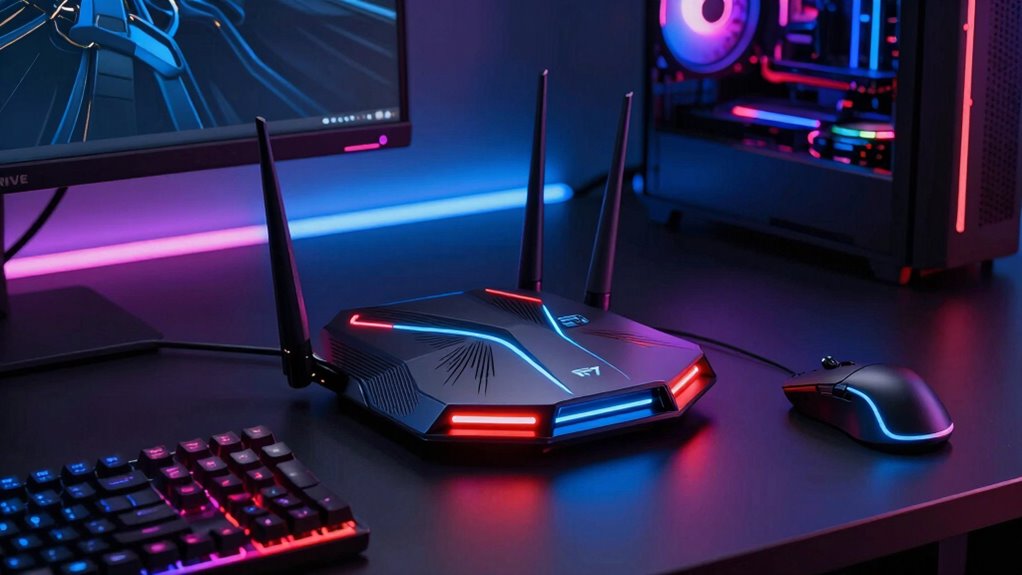

When selecting a WiFi 7 router for gaming, the key factors are speed, stability, and low latency, which are essential for smooth gameplay. The ASUS ROG Rapture GT-BE98 Pro stands out as the best overall choice, thanks to its quad-band support and 30Gbps speed. For those on a budget, the TP-Link Archer GE400 offers reliable performance without breaking the bank, while the NETGEAR Nighthawk BE9300 provides a premium experience for serious gamers. The main tradeoffs involve balancing speed, coverage, and features versus cost. Keep reading for a detailed breakdown of these options and how to pick the best router for your gaming needs.

Get business pricing on tech for your team
- Business-only prices and quantity discounts
- Tax-exempt purchasing
- Multiple users, one account, clear invoices
Key Takeaways
- The top-tier models like ASUS ROG GT-BE98 Pro deliver exceptional speed and multi-band support but come at a higher price.
- Tri-band routers generally provide better performance for gaming, especially in larger or multi-device households.
- Most budget-friendly options still offer solid performance, but may lack advanced features like multi-link operation or extensive mesh support.
- Latency reduction features and VPN compatibility are common differentiators among premium models.
- Coverage area varies significantly; consider dual-band models for smaller spaces and quad-band or mesh systems for larger setups.
| TP-Link Tri-Band WiFi 7 Router (Archer BE550) |  | Best Overall for Balanced Home Use | WiFi Bands: Tri-Band | Max Speed: 5760 Mbps (6 GHz), 2880 Mbps (5 GHz), 574 Mbps (2.4 GHz) | Ports: 1 x 2.5G WAN, 4 x 2.5G LAN | VIEW ON AMAZON | See Our Full Breakdown |
| ASUS ROG Rapture GT-BE98 Pro WiFi 7 Gaming Router – Quad-Band, 30Gbps, Mesh |  | Best for Hardcore Gamers and Tech Enthusiasts | Frequency Band: Quad-Band | WiFi Standard: 802.11be (WiFi 7) | Max Speed: 30 Gbps | VIEW ON AMAZON | See Our Full Breakdown |
| TP-Link Dual-Band WiFi 7 Gaming Router Archer GE400 |  | Best for Mid-Range Gaming and Streaming | WiFi Speed: up to 5765 Mbps (5 GHz) and 688 Mbps (2.4 GHz) | Ports: 1x 2.5 Gbps WAN/LAN, 1x 2.5 Gbps LAN, 3x 1 Gbps LAN | Coverage: up to 2,600 sq. ft. | VIEW ON AMAZON | See Our Full Breakdown |
| TP-Link Dual-Band Wi-Fi 7 Router, Archer BE3600 |  | Best for Value-Conscious Users and Small Homes | Wi-Fi Technology: Wi-Fi 7 | Speed (5 GHz): 2882 Mbps | Speed (2.4 GHz): 688 Mbps | VIEW ON AMAZON | See Our Full Breakdown |
| ASUS TUF Gaming BE6500 WiFi 7 Router – Dual-Band, Up to 6.5 Gbps Wireless, Game Accelerator, Multi-Link Operation, (x4) 2.5GbE Ports, Mesh + VPN Compatible, Subscription-Free Network Security |  | Best for Enthusiast Gamers Who Want Advanced Features | WiFi Standard: WiFi 7 (802.11be) | Speed: Up to 6.5 Gbps | Bands: Dual-Band | VIEW ON AMAZON | See Our Full Breakdown |
| TP-Link Tri-Band BE19000 Wi-Fi 7 Gaming Router (Archer GE800) |  | Best Overall for High-Performance Gaming and Whole-Home Coverage | Wi-Fi Standard: Wi-Fi 7 | Total Speed: 19 Gbps | Bands: Tri-Band | VIEW ON AMAZON | See Our Full Breakdown |
| NETGEAR Nighthawk WiFi 7 Router (BE9300) |  | Best for Large Homes and Device Capacity | Speed: 9.3 Gbps | Coverage: 2,500 sq. ft. | Device Capacity: 100 devices | VIEW ON AMAZON | See Our Full Breakdown |
| TP-Link BE6500 Dual-Band WiFi 7 Router |  | Best for Simplicity and Multi-Device Streaming | Wi-Fi Technology: Wi-Fi 7 | Bandwidth: 6.5 Gbps | Coverage: 2,400 sq. ft. | VIEW ON AMAZON | See Our Full Breakdown |
| TP-Link Tri-Band WiFi 7 Router (Archer BE600) |  | Best for Large Homes and Gaming with High Throughput | WiFi Standard: Wi-Fi 7 | Speed: up to 5,765 Mbps | Coverage: 2,600 sq. ft. | VIEW ON AMAZON | See Our Full Breakdown |
| ASUS ROG Strix GS-BE12000 WiFi 7 Gaming Router – Tri-Band, 12Gbps, Mesh |  | Best for Ultra-High-Speed Gaming and Extensive Coverage | WiFi Standard: Wi-Fi 7 | Throughput: 12 Gbps | Bands: Tri-Band | VIEW ON AMAZON | See Our Full Breakdown |
| TP-Link Tri-Band BE11000 Wi-Fi 7 Gaming Router (Archer GE650) | 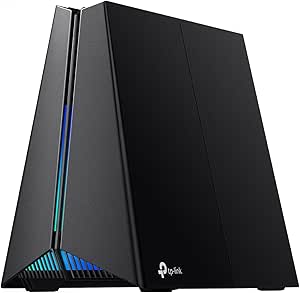 | Best Overall for High-Performance Gaming and Streaming | Wi-Fi Bands: Tri-band (6 GHz, 5 GHz, 2.4 GHz) | Maximum Speed: 5764 Mbps (6 GHz), 4320 Mbps (5 GHz), 574 Mbps (2.4 GHz) | Ports: 1× 5 Gbps WAN, 1× 5 Gbps LAN, 3× 2.5 Gbps LAN | VIEW ON AMAZON | See Our Full Breakdown |
| NETGEAR Nighthawk Dual-Band WiFi 7 Router (RS90) |  | Best for Large Homes Needing Reliable Coverage | Speed: up to 3.6 Gbps | Coverage: up to 2,000 sq. ft. | Device Capacity: 50 devices | VIEW ON AMAZON | See Our Full Breakdown |
| ASUS ZenWiFi BQ16 Pro WiFi 7 Router – Quad-Band, 8,000 sq. ft, 30Gbps (2 Pack) |  | Best for Large, Smart Homes with Mesh Needs | Connectivity: WiFi 7, Quad-Band | Coverage: up to 8,000 sq. ft. | Speed: 30Gbps | VIEW ON AMAZON | See Our Full Breakdown |
| wifi 7 router for gaming | Ports | Security | Coverage |
|---|---|---|---|
| TP-Link Tri-Band WiFi 7 Router | 1 x 2.5G WAN, 4 x 2.5G LAN | WPA3, TP-Link HomeShield | — |
| ASUS ROG Rapture GT-BE98 Pro W | 1x 10G, 4x 2.5G Ethernet | — | — |
| TP-Link Dual-Band WiFi 7 Gamin | 1x 2.5 Gbps WAN/LAN, 1x 2.5 Gbps LAN, 3x 1 Gbps LAN | TP-Link HomeShield | up to 2,600 sq. ft. |
| TP-Link Dual-Band Wi-Fi 7 Rout | 1x 2.5 Gbps WAN/LAN, 1x 2.5 Gbps LAN, 3x 1 Gbps LAN | TP-Link HomeShield | up to 2,000 sq. ft. |
| ASUS TUF Gaming BE6500 WiFi 7 | 4 x 2.5GbE | Subscription-Free Network Security | — |
| TP-Link Tri-Band BE19000 Wi-Fi | 2x 10 Gbps, 4x 2.5 Gbps | — | — |
| NETGEAR Nighthawk WiFi 7 Route | — | — | 2,500 sq. ft. |
| TP-Link BE6500 Dual-Band WiFi | 1x 2.5 Gbps WAN/LAN, 1x 2.5 Gbps LAN, 3x 1 Gbps LAN | Advanced cybersecurity | 2,400 sq. ft. |
| TP-Link Tri-Band WiFi 7 Router | 1x 10 Gbps WAN/LAN, 1x 2.5 Gbps WAN/LAN, 3x 2.5 Gbps LAN | TP-Link HomeShield | 2,600 sq. ft. |
| ASUS ROG Strix GS-BE12000 WiFi | — | — | — |
| TP-Link Tri-Band BE11000 Wi-Fi | 1× 5 Gbps WAN, 1× 5 Gbps LAN, 3× 2.5 Gbps LAN | HomeShield antivirus | — |
| NETGEAR Nighthawk Dual-Band Wi | — | — | up to 2,000 sq. ft. |
| ASUS ZenWiFi BQ16 Pro WiFi 7 R | — | — | up to 8,000 sq. ft. |
More Details on Our Top Picks
TP-Link Tri-Band WiFi 7 Router (Archer BE550)
The TP-Link Archer BE550 stands out for delivering a reliable tri-band WiFi 7 experience that balances speed, coverage, and security. Its combined speeds up to 11.4 Gbps make it suitable for multiple streaming devices and gaming consoles, rivaling the more feature-rich ASUS ROG Rapture GT-BE98 Pro but at a more accessible price point. While it excels in ease of setup and security with WPA3 and HomeShield, it does require a compatible modem and can be pricier than dual-band options, which might be a concern for budget-conscious buyers. Compared to the Archer GE400, it offers higher speeds and better security but lacks the mesh extension support for flexibility in coverage expansion.
Pros:- High-speed tri-band WiFi 7 for smooth streaming and gaming
- Supports EasyMesh for whole-home coverage
- Enhanced security with WPA3 and TP-Link HomeShield
Cons:- Requires a compatible modem for internet connection
- Higher cost compared to dual-band routers
Best for: Homeowners seeking a solid, future-proof router for gaming, streaming, and general internet use without the complexity of high-end enterprise features.
Not ideal for: Power users who need ultra-high speeds or extensive customization, or those with non-compatible modems, since setup can be less straightforward.
- WiFi Bands:Tri-Band
- Max Speed:5760 Mbps (6 GHz), 2880 Mbps (5 GHz), 574 Mbps (2.4 GHz)
- Ports:1 x 2.5G WAN, 4 x 2.5G LAN
- Antennas:6
- Security:WPA3, TP-Link HomeShield
- Compatibility:Alexa, Google Assistant
Our verdict“This router makes the most sense for users wanting a reliable, easy-to-manage home network with strong security features.”
ASUS ROG Rapture GT-BE98 Pro WiFi 7 Gaming Router – Quad-Band, 30Gbps, Mesh
The ASUS ROG Rapture GT-BE98 Pro is designed for gamers who demand the highest speeds and advanced features. Its quad-band setup and multi-link operation support speeds up to 30Gbps, outperforming most routers like the Archer BE550 in raw speed and coverage. External dual-feeding antennas enhance signal strength for large gaming setups, and the dual 10Gbps ports facilitate ultra-fast wired connections. However, its complex setup and premium pricing make it less suitable for users who prefer simple, plug-and-play solutions. Performance can vary depending on your environment, and its advanced features may be overwhelming for casual users. It’s ideal for dedicated gaming spaces where speed and stability are critical.
Pros:- Supports ultra-fast WiFi 7 speeds up to 30Gbps
- Quad-band connectivity with enhanced coverage
- Multiple high-speed ports for wired gaming devices
Cons:- Complex setup process for non-technical users
- High price point limits accessibility
Best for: Serious gamers with large setups who need maximum throughput and advanced traffic management.
Not ideal for: Casual users or those new to networking, as its setup complexity and cost can be prohibitive.
- Frequency Band:Quad-Band
- WiFi Standard:802.11be (WiFi 7)
- Max Speed:30 Gbps
- Ports:1x 10G, 4x 2.5G Ethernet
- Antenna Type:External dual-feeding antennas
- Control Methods:App, Touch
Our verdict“This router is best suited for gamers who prioritize maximum speed, stability, and advanced features over simplicity and cost.”
TP-Link Dual-Band WiFi 7 Gaming Router Archer GE400
The TP-Link Archer GE400 delivers solid dual-band WiFi 7 performance, making it a good choice for gamers who don’t need the complexity of tri- or quad-band setups. Its speeds around 5.8 Gbps on 5 GHz are sufficient for most gaming and streaming needs, especially when paired with multi-gig ports for wired connections. It’s easier to set up than high-end models and offers coverage up to 2,600 sq. ft., suitable for medium-sized homes. However, it doesn’t support the 6 GHz band, which can limit future-proofing and maximum speed potential compared to tri-band options like the Archer BE550. It also has a cap of around 90 devices for optimal performance, which may restrict very busy households.
Pros:- High-speed dual-band WiFi with gaming focus
- Multi-gig ports for fast wired connections
- Easy setup with Tether app
Cons:- No support for 6 GHz WiFi band
- Limited device capacity for heavy households
Best for: Gamers and streamers in medium-sized homes seeking reliable performance without the complexity or cost of higher-band models.
Not ideal for: Power users needing maximum speeds or the latest 6 GHz band, or very large households with many connected devices.
- WiFi Speed:up to 5765 Mbps (5 GHz) and 688 Mbps (2.4 GHz)
- Ports:1x 2.5 Gbps WAN/LAN, 1x 2.5 Gbps LAN, 3x 1 Gbps LAN
- Coverage:up to 2,600 sq. ft.
- Antennas:6 external with Beamforming
- Security:TP-Link HomeShield
- Setup:Tether App or Web
Our verdict“This router offers dependable gaming and streaming performance for mid-sized homes at a reasonable price point.”
TP-Link Dual-Band Wi-Fi 7 Router, Archer BE3600
The TP-Link Archer BE3600 is a dual-band WiFi 7 router that provides a reliable connection with speeds up to 2.9 Gbps on 5 GHz, making it suitable for basic gaming and streaming. Its quad-core 2.0 GHz processor ensures decent performance, and support for EasyMesh allows for expandable coverage with compatible extenders. While it offers good security with TP-Link HomeShield, it lacks support for the 6 GHz band, which limits its ability to handle future high-speed demands. Its coverage of approximately 2,000 sq. ft. makes it better suited for small homes or apartments, but it isn’t designed for large households or heavily congested environments.
Pros:- Reliable WiFi 7 speeds for typical gaming and streaming
- Supports EasyMesh for flexible coverage extension
- Decent security features with HomeShield
Cons:- No support for 6 GHz band
- Limited to smaller coverage areas
Best for: Small households or apartments needing a straightforward, budget-friendly WiFi 7 router for everyday gaming and streaming.
Not ideal for: Enthusiasts requiring ultra-fast speeds or extensive mesh coverage, or larger households with many devices.
- Wi-Fi Technology:Wi-Fi 7
- Speed (5 GHz):2882 Mbps
- Speed (2.4 GHz):688 Mbps
- Ports:1x 2.5 Gbps WAN/LAN, 1x 2.5 Gbps LAN, 3x 1 Gbps LAN
- Coverage:up to 2,000 sq. ft.
- Security:TP-Link HomeShield
Our verdict“This router is ideal for budget-conscious users in small spaces who want decent WiFi 7 performance with simple setup.”
ASUS TUF Gaming BE6500 WiFi 7 Router – Dual-Band, Up to 6.5 Gbps Wireless, Game Accelerator, Multi-Link Operation, (x4) 2.5GbE Ports, Mesh + VPN Compatible, Subscription-Free Network Security
The ASUS TUF Gaming BE6500 offers a compelling mix of high-speed WiFi 7 performance—up to 6.5 Gbps—and gamer-centric features like Game Accelerator and Multi-Link Operation for enhanced stability. Its dual-band setup is comparable to the Archer GE400 in speed but adds extra stability through MLO and multiple 2.5GbE ports, making it ideal for dedicated gaming setups that demand both fast wireless and wired connections. Setup can be complex for non-technical users, and the high price might deter casual gamers. Unlike the Archer BE550, it emphasizes gaming-specific features over broad mesh coverage, making it more suitable for local network optimization.
Pros:- High-speed WiFi 7 with up to 6.5 Gbps
- Multiple 2.5GbE ports for wired gaming devices
- Features like Game Accelerator and Multi-Link Operation for stability
Cons:- Complex setup for non-technical users
- Premium price limits accessibility
Best for: Hardcore gamers needing maximum speed, low latency, and multiple wired options for their gaming rigs.
Not ideal for: Casual users seeking simple setup or those with small spaces, since its advanced features and price point are geared toward enthusiasts.
- WiFi Standard:WiFi 7 (802.11be)
- Speed:Up to 6.5 Gbps
- Bands:Dual-Band
- Ports:4 x 2.5GbE
- Features:Game Accelerator, Multi-Link Operation
- Security:Subscription-Free Network Security
Our verdict“This router is best suited for serious gamers who want the latest tech and maximum control over their network performance.”
TP-Link Tri-Band BE19000 Wi-Fi 7 Gaming Router (Archer GE800)
The TP-Link Archer GE800 stands out for its impressive 19 Gbps total bandwidth across tri-bands, making it ideal for serious gamers who demand seamless, lag-free experiences. Compared to the ASUS ROG GS-BE12000, it offers slightly less raw throughput but excels with its multi-link operation and 12 streams, which enhance stability during intensive gaming sessions. Its two 10 Gbps ports support demanding setups, and the seamless Mesh compatibility ensures coverage across large homes. However, its premium price and complex features might overwhelm newcomers, and its size could be an issue for tight spaces. This pick is best for gamers who prioritize top-tier speed and whole-home performance without compromise.
Pros:- High-speed tri-band Wi-Fi 7 with 19 Gbps total bandwidth
- Multiple high-speed ports ideal for gaming rigs and streaming
- Seamless Mesh WiFi for extensive coverage
Cons:- Premium price may be prohibitive for some
- Complex features could be confusing for novices
- Large footprint might not suit small spaces
Best for: Enthusiast gamers with large homes and demanding setups
Not ideal for: Casual users or beginners seeking a simple plug-and-play experience
- Wi-Fi Standard:Wi-Fi 7
- Total Speed:19 Gbps
- Bands:Tri-Band
- Streams:12
- Antennas:8
- Ports:2x 10 Gbps, 4x 2.5 Gbps
- Processor:Quad-core
- RAM:2GB
- Mesh Compatibility:Yes
Our verdict“This router makes the most sense for serious gamers who need maximum speed and coverage at a premium cost.”
NETGEAR Nighthawk WiFi 7 Router (BE9300)
The NETGEAR Nighthawk BE9300 offers up to 9.3 Gbps speeds, balancing high performance with extensive coverage of 2,500 sq. ft. and support for up to 100 devices. While it doesn’t match the raw speed of the ASUS GS-BE12000, its robust security features like WPA3 and NETGEAR Armor provide peace of mind for smart homes. Its tri-band setup ensures reliable connections for multiple devices, but it may need additional mesh nodes for complete coverage in very large or complex layouts. Compatibility with existing modems makes it flexible, yet subscription costs after the Armor trial can add up. This model suits users who need reliable, secure connectivity over a large area with many connected devices.
Pros:- Fast WiFi 7 performance with 9.3 Gbps throughput
- Wide coverage suitable for large homes
- Supports numerous devices simultaneously
Cons:- May require additional mesh units for full coverage
- Armor security service requires a subscription after trial
- Limited maximum speed compared to some premium routers
Best for: Large households with many smart devices and gaming demands
Not ideal for: Small apartments or users seeking the absolute highest speeds
- Speed:9.3 Gbps
- Coverage:2,500 sq. ft.
- Device Capacity:100 devices
- WiFi Bands:Tri-band (2.4, 5, 6 GHz)
- LAN Ports:Two 2.5G, two 1G
- Compatibility:Works with existing modem
Our verdict“Ideal for large homes needing dependable, secure Wi-Fi with substantial device capacity, but not for those chasing the highest possible speeds.”
TP-Link BE6500 Dual-Band WiFi 7 Router
The TP-Link BE6500 offers a straightforward approach with 6.5 Gbps total bandwidth, supporting dual-band WiFi 7 for reliable streaming and gaming. Compared to the more feature-rich Archer GE800, it has fewer ports and a simpler setup, making it suitable for users who want good performance without complexity. Its EasyMesh compatibility allows expansion, but it can’t be integrated with Deco mesh systems, limiting flexibility for larger homes. Its security features and VPN support add value, yet the lack of detailed security specifications might concern security-conscious users. This router makes sense for users who want a balance of speed, ease of use, and expandability in smaller to medium-sized homes.
Pros:- Supports Wi-Fi 7 technology for fast, stable connections
- Easy to set up with mobile app and mesh expandability
- Good coverage for medium-sized homes
Cons:- Not compatible with Deco mesh systems
- Limited detailed security info in the description
- Fewer ports than higher-end models
Best for: Home users seeking reliable Wi-Fi 7 for streaming and casual gaming
Not ideal for: Power users or gamers needing maximum throughput and advanced features
- Wi-Fi Technology:Wi-Fi 7
- Bandwidth:6.5 Gbps
- Coverage:2,400 sq. ft.
- Streams:6
- Ports:1x 2.5 Gbps WAN/LAN, 1x 2.5 Gbps LAN, 3x 1 Gbps LAN
- Security:Advanced cybersecurity
- Mesh Compatibility:EasyMesh
Our verdict“Best suited for users who want reliable Wi-Fi 7 with easy setup and moderate coverage, but not for heavy-duty gaming or advanced networking needs.”
TP-Link Tri-Band WiFi 7 Router (Archer BE600)
The TP-Link Archer BE600 delivers speeds up to 5,765 Mbps across tri-bands, making it a strong contender for large homes and gaming environments. Its extensive coverage of 2,600 sq. ft. and multiple gigabit ports support demanding wired and wireless setups, rivaling the ASUS ROG GS-BE12000 in sheer performance. While setup via the Tether app is straightforward, the need for compatible WiFi 7 devices to unlock full potential might limit immediate use for some. Its security features, including TP-Link HomeShield, enhance safety, but detailed info on cybersecurity layers is limited. This router is ideal for users who prioritize speed and coverage with a straightforward, reliable approach.
Pros:- Fast WiFi 7 speeds up to 5,765 Mbps
- Wide coverage suitable for large homes
- Multiple gigabit ports for wired connections
Cons:- Setup can be complex for non-technical users
- Requires compatible WiFi 7 devices for full speed
- Higher price point for high-end features
Best for: Large households and gamers wanting high-speed, expansive Wi-Fi coverage
Not ideal for: Users with small spaces or those seeking ultra-high speeds beyond 5.7 Gbps
- WiFi Standard:Wi-Fi 7
- Speed:up to 5,765 Mbps
- Coverage:2,600 sq. ft.
- Ports:1x 10 Gbps WAN/LAN, 1x 2.5 Gbps WAN/LAN, 3x 2.5 Gbps LAN
- Antennas:6
- Security:TP-Link HomeShield
Our verdict“Perfect for large homes seeking fast, reliable Wi-Fi 7 with extensive coverage, provided users are comfortable with setup complexity.”
ASUS ROG Strix GS-BE12000 WiFi 7 Gaming Router – Tri-Band, 12Gbps, Mesh
The ASUS ROG Strix GS-BE12000 achieves an impressive 12 Gbps throughput with tri-band WiFi 7, making it a top choice for gamers seeking ultra-fast speeds and broad coverage up to 3,000 sq. ft. Its multiple LAN ports support wired gaming setups, and the eight internal antennas optimize range and stability. Compared to the Archer GE800, it offers higher maximum throughput but at a significantly higher price, which might be a barrier for some users. Setup can be complex, especially for those unfamiliar with advanced networking, and its premium cost reflects its high-end features. This router is best for gamers who demand the highest speeds and extensive range, willing to invest in top-tier hardware.
Pros:- Blazing-fast WiFi 7 with 12 Gbps throughput
- Large coverage with eight antennas
- Multiple LAN ports for wired gaming
Cons:- High price point limits accessibility
- Complex setup process for non-technical users
- Premium cost may not match casual needs
Best for: Hardcore gamers and tech enthusiasts requiring maximum throughput and coverage
Not ideal for: Casual gamers or users on a tight budget who don’t need the utmost speed
- WiFi Standard:Wi-Fi 7
- Throughput:12 Gbps
- Bands:Tri-Band
- Range:3000 sq. ft.
- LAN Ports:7 x 2.5G
- Antennas:8 internal
Our verdict“This router is best suited for serious gamers and enthusiasts who prioritize speed and coverage over budget constraints.”
TP-Link Tri-Band BE11000 Wi-Fi 7 Gaming Router (Archer GE650)
The TP-Link Archer GE650 stands out as the best choice for gamers who demand exceptional speed and stability, thanks to its tri-band setup and multi-gigabit ports. While it offers speeds up to 5764 Mbps on the 6 GHz band and supports advanced game acceleration with WTFast, the setup can be complex for users unfamiliar with networking, and its size may be a concern for smaller spaces. Compared to the ASUS ZenWiFi BQ16 Pro, it excels in direct gaming performance but lacks the expansive mesh coverage for very large homes. The RGB lighting adds style but doesn’t impact performance. Its multi-gig ports ensure wired gaming is lag-free, making it suitable for serious gamers who want top-tier speed across devices. However, the high price might deter casual users or those with simpler needs. Overall, this router makes the most sense for dedicated gamers seeking maximum speed and customization, accepting setup complexity and premium cost.
Pros:- Supports ultra-fast Wi-Fi 7 speeds ideal for gaming and 4K streaming
- Multi-gigabit ports for high-bandwidth wired connections
- Advanced game acceleration technology for reduced latency
Cons:- Complex setup process may be daunting for non-technical users
- Premium price point may be prohibitive for budget-conscious buyers
- Large size could be incompatible with small or cluttered spaces
Best for: Hardcore gamers and streamers who need ultra-fast speeds and customizable features
Not ideal for: Casual users or those with small spaces who prefer simple setup and lower price points
- Wi-Fi Bands:Tri-band (6 GHz, 5 GHz, 2.4 GHz)
- Maximum Speed:5764 Mbps (6 GHz), 4320 Mbps (5 GHz), 574 Mbps (2.4 GHz)
- Ports:1× 5 Gbps WAN, 1× 5 Gbps LAN, 3× 2.5 Gbps LAN
- Technology:Wi-Fi 7, Multi-Link Operation (MLO), 6 GHz band
- Security:HomeShield antivirus
- Design:Volcano-inspired with RGB lighting
Our verdict“This router is best suited for serious gamers who prioritize speed, customization, and wired stability, despite its complexity and cost.”
NETGEAR Nighthawk Dual-Band WiFi 7 Router (RS90)
The NETGEAR Nighthawk RS90 offers a compelling balance of speed and coverage, making it ideal for users in large homes who need dependable internet for multiple devices. With speeds up to 3.6 Gbps and coverage of up to 2,000 sq. ft., it outperforms many dual-band options, but falls short compared to the quad-band ASUS ZenWiFi BQ16 Pro when it comes to handling very large or device-heavy environments. Its straightforward setup via the Nighthawk app makes it accessible, though some users might find the need for additional mesh systems in sprawling spaces a limitation. The support for 50 devices is noteworthy, but the subscription fee for continued security could be a barrier for budget-conscious households. If you want a reliable, easy-to-manage router for a large home, this pick offers a good mix of speed, coverage, and capacity, despite some limitations on security and mesh scalability.
Pros:- Fast Wi-Fi speeds up to 3.6 Gbps suitable for HD streaming and gaming
- Wide coverage up to 2,000 sq. ft., ideal for large homes
- Supports connection of up to 50 devices simultaneously
Cons:- Requires a subscription for ongoing Armor security services
- May need additional mesh units for complete coverage in very large spaces
- Some gateways may require bridge mode adjustments for compatibility
Best for: Homeowners with large properties needing stable Wi-Fi for many devices
Not ideal for: Users seeking maximum Wi-Fi speeds or advanced mesh features for very large or device-dense homes
- Speed:up to 3.6 Gbps
- Coverage:up to 2,000 sq. ft.
- Device Capacity:50 devices
- WiFi Bands:Dual-band (2.4 GHz and 5 GHz)
- Ethernet Ports:Four 1 Gbps LAN, 1 2.5 Gbps WAN
- Compatibility:Works with most internet providers
Our verdict“This router suits large households needing reliable, high-speed Wi-Fi across many devices with simple management, despite some limitations in security and coverage extension.”
ASUS ZenWiFi BQ16 Pro WiFi 7 Router – Quad-Band, 8,000 sq. ft, 30Gbps (2 Pack)
For expansive coverage, the ASUS ZenWiFi BQ16 Pro offers impressive quad-band WiFi 7 mesh technology, making it ideal for large homes up to 8,000 sq.ft. with many IoT devices. Compared with the NETGEAR RS90, it provides superior coverage and seamless, AI-powered mesh connectivity, but the setup complexity can be intimidating for non-technical users. Its high-speed capability of 30Gbps ensures future-proof performance for demanding smart home applications and gaming alike, although fully exploiting WiFi 7 features requires compatible devices. The two-unit system simplifies coverage without sacrificing speed, but the high price and advanced features might be excessive for smaller households or casual users. If your priority is expansive, reliable coverage with smart home integration, this is a strong contender, provided you’re comfortable with a more involved setup process.
Pros:- Exceptional coverage up to 8,000 sq. ft. with two units
- High-speed WiFi 7 with up to 30Gbps capacity
- Advanced AI Mesh technology for seamless connectivity and device management
Cons:- Complex setup process may be challenging for non-technical users
- Premium price can be prohibitive for budget-conscious buyers
- Requires compatible devices to fully utilize WiFi 7 benefits
Best for: Tech-savvy homeowners with large, smart homes needing extensive, seamless Wi-Fi coverage
Not ideal for: Users who prefer plug-and-play simplicity or have smaller homes with basic Wi-Fi needs
- Connectivity:WiFi 7, Quad-Band
- Coverage:up to 8,000 sq. ft.
- Speed:30Gbps
- Number of Units:2
- Antennas:Twelve internal antennas
- Additional Features:AI Mesh, VPN, Parental Controls
Our verdict“This mesh system is best for large, tech-savvy homes that need extensive coverage and high speeds, despite a more complicated setup and higher cost.”

How We Picked
To determine the best WiFi 7 routers for gaming, I evaluated each model based on performance benchmarks like maximum throughput, latency, and stability under load. Ease of setup and user interface were also considered, as a complicated setup can hinder immediate gaming use. Build quality and future-proof features, such as multi-band support and mesh compatibility, helped refine the rankings. Cost-to-value ratio was a key factor — I prioritized models that deliver high performance without unnecessary extras, ensuring options suit a range of budgets and needs. The final list balances raw speed, coverage, user experience, and feature set to guide gamers toward the best choices for 2026.| wifi 7 router for gaming | Security |
|---|---|
| TP-Link Tri-Band WiFi 7 Router | WPA3, TP-Link HomeShield |
| ASUS ROG Rapture GT-BE98 Pro W | — |
| TP-Link Dual-Band WiFi 7 Gamin | TP-Link HomeShield |
| TP-Link Dual-Band Wi-Fi 7 Rout | TP-Link HomeShield |
| ASUS TUF Gaming BE6500 WiFi 7 | Subscription-Free Network Security |
| TP-Link Tri-Band BE19000 Wi-Fi | — |
| NETGEAR Nighthawk WiFi 7 Route | — |
| TP-Link BE6500 Dual-Band WiFi | Advanced cybersecurity |
| TP-Link Tri-Band WiFi 7 Router | TP-Link HomeShield |
| ASUS ROG Strix GS-BE12000 WiFi | — |
| TP-Link Tri-Band BE11000 Wi-Fi | HomeShield antivirus |
| NETGEAR Nighthawk Dual-Band Wi | — |
| ASUS ZenWiFi BQ16 Pro WiFi 7 R | — |
Factors to Consider When Choosing Wifi 7 Router For Gaming
Choosing the right WiFi 7 router for gaming involves several considerations beyond just raw speed. It’s important to think about your home size, the number of connected devices, and whether you need features like mesh support or VPN compatibility. Compatibility with your existing hardware and future-proofing for upcoming devices also matter. Here’s what to keep in mind to make an informed decision.Performance and Speed
While WiFi 7 promises impressive speeds, real-world performance depends on your internet plan and device capabilities. Prioritize routers with high throughput, especially if you plan to stream, download, and game simultaneously. Look for features like multi-gig ports and advanced channel management that help maintain stable connections during intense gaming sessions. Remember, higher speed doesn’t always mean lower latency, so balance speed with other performance features.
Coverage and Mesh Support
Large homes or environments with multiple floors require strong coverage. Dual-band routers are suitable for smaller spaces, but larger setups benefit from tri-band or mesh systems that distribute signals more evenly. Mesh support allows you to expand coverage seamlessly as your needs grow, preventing dead zones that can disrupt gaming. Consider your space size and future expansion plans when choosing coverage features.
Latency and Stability
Low latency is vital for competitive gaming, where milliseconds matter. Features like Quality of Service (QoS), multi-link operation, and beamforming can significantly reduce lag. Stability under load is equally important; a router that drops connections during peak usage can ruin gaming sessions. Prioritize models that explicitly mention gaming optimization or advanced traffic management to keep your connection smooth.
Ease of Setup and User Experience
Even the most powerful router is useless if it’s difficult to install or manage. Look for models with user-friendly apps, clear setup instructions, and straightforward firmware updates. Some high-end options offer dedicated gaming modes or simplified interfaces that optimize settings automatically. Choosing a router with good usability saves time and frustration, especially if you’re not tech-savvy.
Price and Future-Proofing
While premium models offer the latest features, they come at higher costs. Decide your budget upfront but consider future needs—support for upcoming WiFi 7 devices, multi-gig ports, and mesh expansion can save money over time. Conversely, budget models can suffice for casual gaming or smaller setups but may lack some advanced features, potentially requiring an upgrade sooner.
Frequently Asked Questions
Will a WiFi 7 router improve my gaming experience if I have a gigabit internet plan?
Yes, a WiFi 7 router can maximize your gigabit internet plan’s potential by providing higher throughput and lower latency, essential for online gaming. While your internet speed is a factor, the router’s ability to handle multiple devices efficiently and reduce lag through advanced features makes a noticeable difference. Keep in mind, actual improvements depend on your device compatibility and network congestion, but upgrading to WiFi 7 generally offers a better gaming experience.
Is a tri-band WiFi 7 router necessary for gaming, or is dual-band enough?
For most gaming setups, a dual-band WiFi 7 router can be sufficient, especially in smaller homes or with fewer devices. However, tri-band routers provide an extra 5GHz or 6GHz band, which helps distribute traffic more evenly and reduce congestion during peak usage. If you have multiple gaming devices, a smart home setup, or a large space, opting for a tri-band model improves performance and minimizes lag, making it a worthwhile investment.
How important is mesh support in a WiFi 7 router for gaming?
Mesh support becomes important if your home has coverage challenges, such as multiple floors or thick walls, which can cause signal drop-offs. A mesh system ensures consistent, strong signals across large areas, reducing latency and lag during gaming. For gamers with a single-room setup or small apartments, a powerful single-router may suffice, but for larger homes, mesh support can significantly enhance your gaming experience.
Are WiFi 7 routers compatible with existing WiFi 6 or WiFi 5 devices?
Yes, WiFi 7 routers are backward compatible with WiFi 6 and WiFi 5 devices, so you can upgrade your network gradually without losing connectivity. However, your devices will only benefit from WiFi 7 speeds if they support the new standard. For gaming, ensuring your gaming consoles or PCs are WiFi 7 compatible will maximize the benefits, but existing devices will still work reliably on the new router.
Should I spend more on a WiFi 7 router if I only game casually?
For casual gamers, a mid-range WiFi 7 router often provides more than enough speed, stability, and coverage at a reasonable price. Premium models offer features like multi-gig ports, advanced QoS, and extensive mesh options that are more beneficial for heavy users or competitive gamers. If your gaming is occasional and your internet connection is modest, investing in a solid but less expensive WiFi 7 router can deliver a great experience without overspending.
Conclusion
Choosing the right WiFi 7 router depends heavily on your specific gaming needs and setup. The ASUS ROG Rapture GT-BE98 Pro shines as the best overall choice for serious gamers who want maximum speed and stability. For budget-conscious users, the TP-Link Archer GE400 provides reliable performance at a lower price point. Premium gamers or large households should consider models like the NETGEAR Nighthawk BE9300 or ASUS ZenWiFi BQ16 Pro, which offer extensive coverage and advanced features. For those new to gaming or with smaller spaces, a straightforward dual-band router may be all that’s needed, but investing in a future-proof model pays off for long-term gaming satisfaction.
Fall Picks
fall essentials
As an affiliate, we earn on qualifying purchases.