

Welcome to your ultimate 2026 AI tools & automation gearlist. Whether you’re a developer, a business owner, or an enthusiast eager to harness the power of artificial intelligence, this guide is tailored for you. It’s organized into key sections to help you navigate the diverse landscape of AI solutions, from software suites to hardware and automation platforms.

Get business pricing on tech for your team
- Business-only prices and quantity discounts
- Tax-exempt purchasing
- Multiple users, one account, clear invoices
Each section offers practical advice on what to look for and highlights specific product recommendations to consider. Use this checklist as a quick reference to identify the tools that best match your needs, budget, and technical expertise. Remember, the right tools can streamline workflows, boost productivity, and unlock new possibilities in your projects.
Feel free to explore each section carefully, compare features, and keep your specific goals in mind. This way, you’ll make informed decisions that truly enhance your AI and automation endeavors.
AI Software Suites
Choosing the right AI software suite is crucial for integrating various AI functionalities into your workflows. These suites typically offer a broad set of tools, from machine learning models to data analytics, all within a unified platform. When evaluating options, consider compatibility with your existing systems, ease of use, and the scope of features offered. Avoid overly complex solutions if you’re just starting out, as they can be overwhelming and hinder productivity. Conversely, more comprehensive suites might be ideal for larger teams or advanced projects.
Pay attention to the scalability of the platform, ensuring it can grow with your needs. Also, check for robust support and community resources, which can be invaluable during setup and troubleshooting. Remember, the goal is to find a suite that seamlessly integrates into your current environment while providing room for future expansion.
What to look for:
- Compatibility with existing systems
- Ease of use and onboarding
- Scalability options
- Strong support and community resources
- Broad set of AI features
Automation Platforms
Automation platforms like Power Platform are transforming how businesses handle repetitive tasks and complex workflows. These platforms offer drag-and-drop interfaces and prebuilt connectors, making automation accessible even to non-technical users. Leveraging AI capabilities within these platforms can unlock smarter, more efficient processes, from data analysis to customer engagement. When exploring automation options, focus on how well the platform integrates with your existing tools and data sources.
Common mistakes include underestimating the importance of security and data privacy, or overcomplicating workflows that could be simplified. It’s essential to start with clear objectives and gradually expand automation to avoid overwhelming your team. Compatibility with cloud services and enterprise systems is also a key factor. Remember, the best platform is one that balances user-friendliness with powerful features to support your automation goals.
What to look for:
- Ease of use and user interface
- Wide range of connectors and integrations
- Security and compliance features
- Scalability and customization options
- Support for AI-driven automation
Power Platform and the AI Revolution: Explore Modern AI Services to Develop Apps
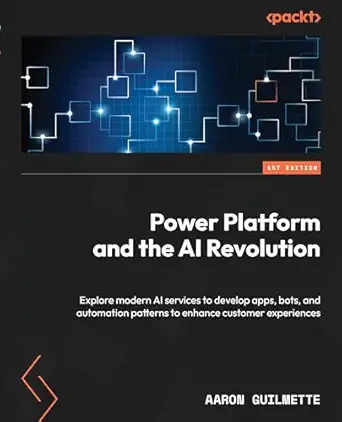
This book explores how to leverage Power Platform and modern AI services to develop applications, automate processes, and enhance customer experiences. It provides insights into building intelligent solutions using AI-driven tools.
Pros:
- Provides comprehensive guidance on integrating AI with Power Platform
- Includes practical examples for app and automation development
- Enhances understanding of AI-driven customer experience improvements
Cons:
- Lacks detailed technical implementation steps
- May be too advanced for beginners
Best for: Business teams looking to automate workflows
Not ideal for: Highly specialized or niche tasks
Bottom line: Opt for a platform that simplifies automation while expanding capabilities
Data Management Tools
Effective data management tools are foundational for any AI project. They help organize, clean, and prepare data for analysis or model training. While this guide doesn’t specify particular products, it’s important to look for tools that offer robust data ingestion, transformation, and storage capabilities. Compatibility with various data formats and sources is essential, as well as features for data validation and version control.
Common pitfalls include neglecting data quality or overcomplicating data pipelines. Focus on tools that provide intuitive interfaces and automation features to streamline data workflows. Secure data handling and compliance with privacy standards should also be a priority, especially if working with sensitive information. Remember, high-quality data management sets the foundation for accurate AI models and reliable insights.
What to look for:
- Support for multiple data formats
- Automation features for data cleaning
- Integration with analytics tools
- Version control and data lineage
- Security and privacy compliance
AI Development Kits
For hands-on AI development and learning, AI development kits like the ELECROW CrowPi 3 offer a comprehensive environment to experiment with AI models and hardware. Equipped with the latest Raspberry Pi 5, this kit is ideal for students, hobbyists, and educators. It provides an accessible way to explore AI concepts through practical projects, coding exercises, and hardware integration.
When selecting an AI development kit, consider the available sensors, processing power, and compatibility with AI frameworks like TensorFlow or PyTorch. Make sure the kit offers ample documentation and community support to facilitate learning. A good development kit should be versatile enough to support various project types, from robotics to data collection, and should be expandable as your skills grow.
What to look for:
- Compatibility with popular AI frameworks
- Adequate processing power
- Expandable hardware options
- Good documentation and community support
- Sensors and peripherals included
ELECROW CrowPi 3 AI Learning & Development Station with Raspberry Pi 5 16GB, 4.3

The ELECROW CrowPi 3 is an all-in-one AI learning and development kit featuring a Raspberry Pi 5 16GB, a 4.3-inch touch display, and a variety of sensors and modules. It supports AI visual and voice recognition, making it ideal for educators, creators, and developers to explore AI, IoT, and programming projects with ready-to-use resources and accessories.
Pros:
- Comprehensive AI and IoT development platform with extensive sensors and modules
- Supports multiple development boards for versatile projects
- Includes numerous educational resources and accessories for hands-on learning
Cons:
- Complex setup may be challenging for complete beginners
- Limited details on software compatibility and updates
- Price not specified, may be expensive for some users
Best for: Students and hobbyists exploring AI
Not ideal for: Professional or enterprise AI development
Bottom line: Choose a kit that encourages experimentation and growth
Hardware for AI
Workflow Automation Devices
Devices that facilitate workflow automation are essential for streamlining repetitive or complex tasks. The Microsoft Power Automate platform exemplifies this, enabling users to create automated workflows across various applications and services. Such devices and platforms help reduce manual effort, minimize errors, and improve overall efficiency. When selecting automation hardware or software, prioritize compatibility with your existing tools and ease of setup.
Beware of over-automation or overly complex workflows that can become difficult to maintain. It’s best to start with simple automations and gradually add more as you become comfortable. Additionally, consider the support for AI integrations, which can enhance automation capabilities. The right workflow automation device or platform should boost productivity without adding unnecessary complexity.
What to look for:
- Compatibility with existing tools
- Ease of setup and use
- Support for AI integrations
- Scalability for growing workflows
- Automation templates and prebuilt workflows
Workflow Automation with Microsoft Power Automate: Achieve Digital Transformatio

This book provides guidance on using Microsoft Power Automate to streamline business processes and achieve digital transformation with minimal coding. It covers automation techniques and practical applications for enhancing productivity.
Pros:
- Provides practical guidance on using Power Automate
- Helps achieve digital transformation with minimal coding
- Suitable for business automation beginners
Cons:
- No detailed technical depth for advanced users
- Content may be too basic for experienced automation professionals
Best for: Businesses aiming to optimize processes
Not ideal for: One-off or infrequent automation needs
Bottom line: Select devices that enhance efficiency effortlessly
Starting with a clear understanding of your needs and goals is the best way to approach your AI and automation investments. Prioritize tools that fit your current setup but also offer room for growth. Remember, the most effective solutions are those that seamlessly integrate into your workflows and empower you to innovate.
Keep exploring, comparing, and learning as you build your AI toolkit. The right gear can transform your projects and open up new horizons in AI and automation. Happy shopping and successful implementing!