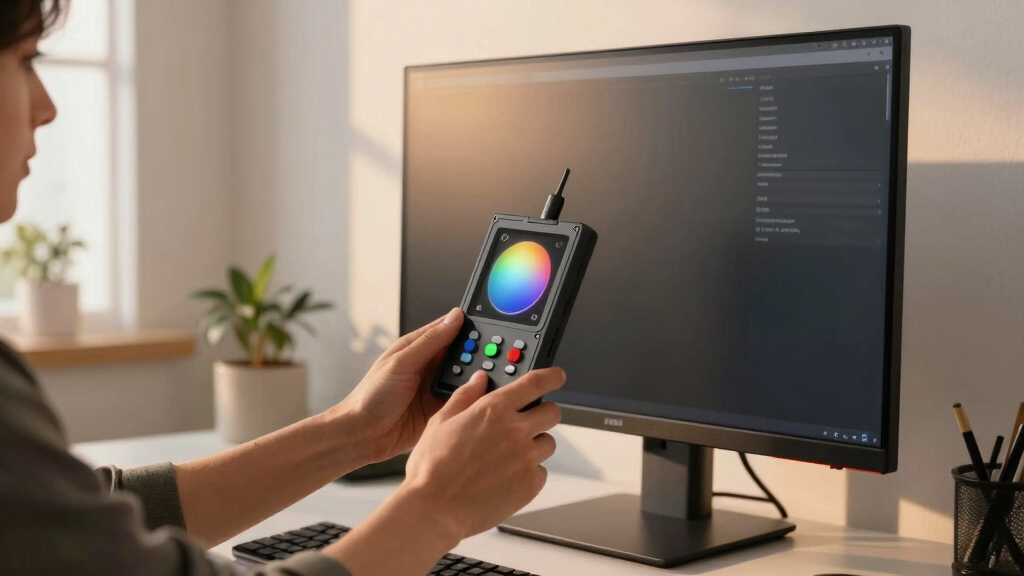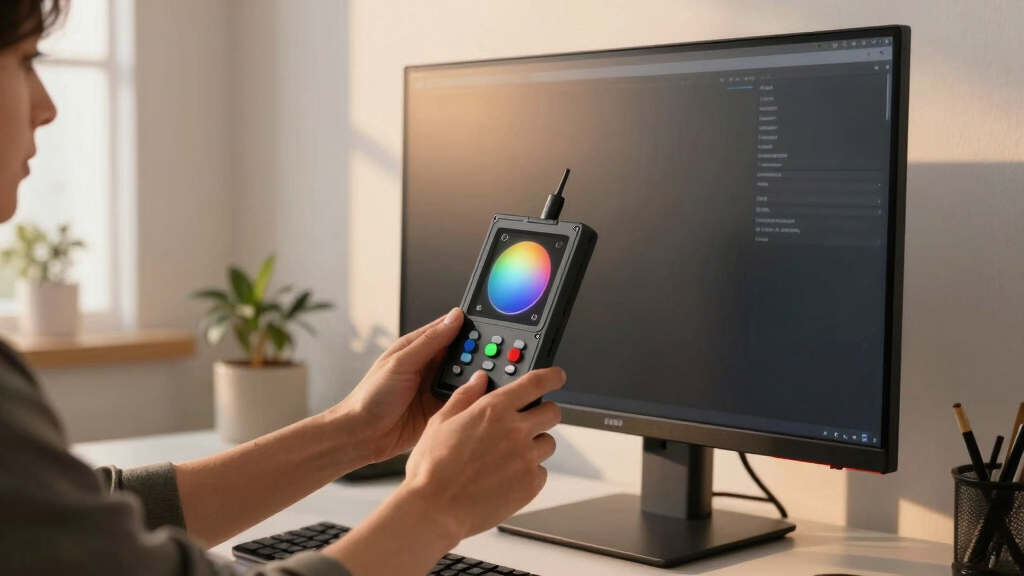

For creators committed to perfect color accuracy, a monitor with hardware calibration is essential. The ASUS ProArt Display 32” 4K HDR QD-OLED stands out for its stunning visuals and auto-calibration features, making it ideal for demanding workflows. The Calibrite Creator Kit with Display 123 offers professional-grade calibration equipment for those who prefer fine-tuning their displays manually. Buyers face a tradeoff between higher-end, feature-rich models and more affordable options that still support hardware calibration. Continue reading for a detailed breakdown of these options and what makes each one unique.
Key Takeaways
- The best creator monitors with hardware calibration balance color accuracy with ease of use and build quality.
- High-end models like ASUS ProArt QD-OLED excel in HDR and wide color gamuts, but come at a premium price.
- Calibration tools like Calibrite’s kits provide professional control but require additional setup and expertise.
- Affordable options such as ViewSonic and LG offer hardware calibration features without the high cost, suitable for enthusiasts.
- Compatibility with calibration software and hardware is a key factor influencing long-term workflow flexibility.
| Calibrite Creator Kit w/Display 123 Colorimeter and ColorChecker Passport Video 2 |  | Best Complete Calibration Workflow for Content Creators | Includes: Calibrite Display 123, ColorChecker Passport Video 2 | Compatibility: Windows, macOS | Measurement Range: N/A | VIEW LATEST PRICE | See Our Full Breakdown |
| ASUS ProArt Display 32” 4K HDR QD-OLED (PA32UCDM) |  | Best High-End Reference Monitor for Creative Professionals | Display Size: 32 inches | Resolution: 3840×2160 (4K UHD) | HDR Support: Dolby Vision, HDR10, HLG | VIEW LATEST PRICE | See Our Full Breakdown |
| ASUS ProArt CaliContrO MCA02 3-in-1 Colorimeter |  | Best Professional Calibration Device for High Brightness and Accurate Color | Measurement Range: up to 10,000 nits | Connectivity: USB-C, USB-A | Calibration Support: Hardware & Software | VIEW LATEST PRICE | See Our Full Breakdown |
| ASUS ProArt Display 27” 4K HDR RGB OLED (PA27DCE-K) |  | Best Compact High-End Professional OLED Monitor | Display Size: 27 inches | Resolution: 3840×2160 (4K UHD) | HDR Support: HDR-10, HLG | VIEW LATEST PRICE | See Our Full Breakdown |
| Calibrite Display Pro HL Monitor Calibration Colorimeter |  | Best High-Luminance Calibration Tool for HDR and Modern Displays | Measurement Range: up to 3000 nits | Connectivity: USB-C, USB-A | Calibration Support: Software & Hardware | VIEW LATEST PRICE | See Our Full Breakdown |
| ViewSonic VP2468a ColorPro 24 inch 1080p IPS Monitor with 100% sRGB, Rec 709, USB C (65W), RJ45, Color Blindness Mode, Hardware Calibration for Photo and Graphic Design (Renewed) |  | Best Overall for Accurate Color Calibration | Screen Size: 24 Inches | Resolution: 1920×1080 | Display Technology: IPS | VIEW LATEST PRICE | See Our Full Breakdown |
| LG 27” 4K (3840 x 2160) IPS Monitor with USB Type-C | AMD FreeSync | HDR 400, DCI-P3 95% | Built-in Speaker | 60Hz, 5ms | Compact Bezel (HDMI, DisplayPort) | White Monitor |  | Best for High-Resolution Content Creation and HDR Work | Screen Size: 27 Inches | Resolution: 3840×2160 | Display Technology: IPS | VIEW LATEST PRICE | See Our Full Breakdown |
More Details on Our Top Picks
Calibrite Creator Kit w/Display 123 Colorimeter and ColorChecker Passport Video 2
This kit stands out for integrating both monitor calibration and capture control, making it ideal for photographers and videographers who need consistent color accuracy across their entire workflow. Compared to specialized hardware like the ASUS ProArt PA32UCDM, the Calibrite kit offers a more flexible, portable solution that works with multiple monitors and cameras, but it lacks the high-end HDR capabilities and native display features of the ASUS. The included ColorChecker Passport Video 2 ensures accurate exposure and white balance, streamlining multi-camera shoots. The main tradeoff is that it requires manual calibration and doesn’t provide real-time display adjustments like some advanced monitors. This kit makes the most sense for hybrid shooters who want dependable color management without investing in a dedicated professional monitor, but it’s less suited for editors needing extreme HDR and color precision built into the display itself.
Pros:- Includes both display calibration and camera capture control tools
- Supports consistent color workflows from capture to post-production
- Portable and easy to use with multiple devices
Cons:- Requires manual calibration, which can be time-consuming
- Lacks real-time display calibration features of high-end monitors
- Does not support HDR or high-brightness display calibration
Best for: Photographers and videographers needing comprehensive color calibration for both monitors and capture devices in a portable setup.
Not ideal for: High-end colorists or HDR filmmakers who require built-in, hardware-level calibration and advanced HDR support on their displays.
- Includes:Calibrite Display 123, ColorChecker Passport Video 2
- Compatibility:Windows, macOS
- Measurement Range:N/A
- Connectivity:USB-C, USB-A
- Calibration Software:ProArt Calibration
- Portable:Yes
Bottom line: This kit is best for hybrid content creators seeking a flexible, all-in-one calibration solution at a reasonable price.
ASUS ProArt Display 32” 4K HDR QD-OLED (PA32UCDM)
This model is better suited to professional colorists and filmmakers who need a true reference display with built-in hardware calibration, unlike the Calibrite kit, which relies on external calibration tools. The PA32UCDM delivers 99% DCI-P3, ΔE<1, and HDR support, making it the ideal choice for HDR grading and critical color work, but it comes at a much higher price point. Its OLED panel provides perfect blacks and stable HDR highlights, which the Calibrite kit cannot replicate without a high-end display. The tradeoff is that it’s bulkier, more expensive, and less portable, making it less ideal for on-the-go creators or those with limited budgets. This monitor makes the most sense for studios and professionals who need a dedicated, color-accurate display with hardware calibration versus a portable calibration kit for multiple devices.
Pros:- Exceptional color accuracy with ΔE<1 and 99% DCI-P3 coverage
- Built-in hardware calibration with write-back support
- Superior HDR performance with Dolby Vision and true HDR support
Cons:- Very expensive, over a thousand dollars
- Large and less portable than external calibration tools
- Requires dedicated space and setup for optimal use
Best for: Colorists, high-end video editors, and professional filmmakers requiring a reference-grade, calibrated OLED display.
Not ideal for: Hobbyists or hybrid shooters who need a portable solution or cannot justify the high cost for professional calibration capabilities.
- Display Size:32 inches
- Resolution:3840×2160 (4K UHD)
- HDR Support:Dolby Vision, HDR10, HLG
- Color Gamut:99% DCI-P3
- Calibration:Hardware calibration with write-back
- Panel Technology:OLED
Bottom line: This monitor is perfect for professionals who need a true reference display with integrated hardware calibration for critical color work.
ASUS ProArt CaliContrO MCA02 3-in-1 Colorimeter
This professional colorimeter excels for those needing precise, long-term calibration across high-brightness displays, outperforming basic tools like the Calibrite in HDR workflows. Compared to the Calibrite Display Pro HL, the MCA02 supports measuring up to 10,000 nits, making it ideal for modern HDR panels, but it requires a dedicated calibration process rather than real-time adjustments. Its software-compatible design and USB-C connectivity simplify integration into existing workflows, and the inclusion of a travel pouch makes it suitable for on-location calibration. The tradeoff is that it’s a specialized device, not a monitor, so it’s less useful for on-screen calibration without a dedicated monitor supporting hardware calibration. It’s best for advanced color technicians and professionals managing HDR or high-luminance displays requiring meticulous calibration.
Pros:- Measures up to 10,000 nits for accurate HDR calibration
- Supports both hardware and software calibration workflows
- Compact, portable design with USB-C connectivity
Cons:- Requires manual calibration process, not real-time
- Designed as a device for calibration rather than on-screen profile adjustments
- Costly compared to basic colorimeters
Best for: Color technicians and professionals calibrating high-brightness HDR displays or multiple screens over time.
Not ideal for: Casual creators or those seeking real-time on-screen calibration; this is a tool for long-term, precise calibration tasks.
- Measurement Range:up to 10,000 nits
- Connectivity:USB-C, USB-A
- Calibration Support:Hardware & Software
- Compatibility:Windows, macOS
- Size:Portable
- Included Software:Calibrite PROFILER
Bottom line: This device is a top choice for professionals needing meticulous, long-term calibration for HDR and high-brightness displays.
ASUS ProArt Display 27” 4K HDR RGB OLED (PA27DCE-K)
This display offers a compelling balance of professional-grade image quality with hardware calibration, making it ideal for those who want a smaller, more affordable alternative to larger monitors like the PA32UCDM. It features a 27-inch 4K OLED panel with 99% DCI-P3, true blacks, and ΔE<1, plus hardware calibration support through X-rite i1 Display Pro, comparable to the ASUS flagship models. While it’s smaller, it provides similar color accuracy and HDR performance, but with slightly less brightness and HDR peak luminance. The main limitation is the smaller size—less suitable for extensive multi-monitor setups or those needing maximum screen real estate. This makes it a perfect choice for professional creators who prioritize color fidelity in a compact form factor but don’t require the largest display or HDR extremes.
Pros:- Excellent color accuracy with ΔE<1 and 99% DCI-P3
- Hardware calibration support via X-rite i1 Pro
- Compact and space-efficient for small workspaces
Cons:- Limited to 27 inches, less screen real estate
- Lower peak brightness compared to larger HDR monitors
- Higher cost per inch relative to larger displays
Best for: Colorists and professional editors who prefer a space-efficient, high-precision monitor with hardware calibration.
Not ideal for: Studio environments requiring a large, multi-monitor setup or HDR workflows demanding peak luminance.
- Display Size:27 inches
- Resolution:3840×2160 (4K UHD)
- HDR Support:HDR-10, HLG
- Color Gamut:99% DCI-P3
- Calibration:Hardware calibration with X-rite i1
- Panel Technology:OLED
Bottom line: This monitor is ideal for creators needing a high-quality, compact display with professional calibration capabilities.
Calibrite Display Pro HL Monitor Calibration Colorimeter
This calibration device excels in measuring up to 3000 nits, outperforming basic tools like the Calibrite Creator Kit for high-brightness HDR workflows, making it ideal for professionals working with OLED, Mini-LED, and LCD panels. Its advanced sensors and software support detailed validation, uniformity, and color accuracy, providing the precision needed for demanding post-production. Unlike the external calibration methods of the ASUS ProArt monitors, this device offers flexible calibration for different displays and projectors, but it’s not a monitor itself. The tradeoff is that it requires manual operation and is more suited for calibration technicians than for on-screen real-time adjustments. It makes the most sense for studios or professionals managing multiple high-brightness displays but is less useful for casual creators or those seeking integrated calibration features.
Pros:- Measures up to 3000 nits for high-brightness HDR displays
- Supports comprehensive calibration workflows with PROFILER software
- Portable with USB-C and USB-A options
Cons:- Requires manual calibration, not real-time
- Designed solely for calibration, not on-screen profile adjustments
- Higher cost compared to basic colorimeters
Best for: Professionals calibrating HDR displays, OLEDs, or multiple monitors needing precise, long-term calibration control.
Not ideal for: Content creators seeking real-time, on-screen calibration or simple, plug-and-play solutions.
- Measurement Range:up to 3000 nits
- Connectivity:USB-C, USB-A
- Calibration Support:Software & Hardware
- Compatibility:Windows, macOS
- Size:Portable
- Included Software:Calibrite PROFILER
Bottom line: This device is best for calibration specialists and studios needing meticulous, long-term calibration for HDR and high-luminance screens.
ViewSonic VP2468a ColorPro 24 inch 1080p IPS Monitor with 100% sRGB, Rec 709, USB C (65W), RJ45, Color Blindness Mode, Hardware Calibration for Photo and Graphic Design (Renewed)
The ViewSonic VP2468a stands out for its factory hardware calibration, offering Delta E<2 accuracy that rivals higher-end professional screens like the ASUS ProArt PA32UCDM but at a much more accessible price. Unlike the LG 27'' 4K monitor, it’s limited by a 1080p resolution, which may not suit creators demanding detailed 4K editing. Its inclusion of USB-C with 65W charging and Ethernet RJ45 port simplifies cable management and connectivity, making it ideal for content creators who want precision without sacrificing workspace tidiness. However, this model’s 24-inch size might be too small for detailed photo editing or extensive multitasking compared to larger options. Best for users who prioritize color accuracy and workspace efficiency on a budget.
Pros:- Factory hardware calibration with Delta E<2 for precise color accuracy
- USB-C with 65W power delivery simplifies setup and reduces cable clutter
- Ethernet RJ45 port adds versatile connectivity options
- ColorBlindness Mode and factory calibration certified for professional workflows
Cons:- Limited to 1080p resolution, less suitable for detailed 4K editing
- Smaller 24-inch screen may be restrictive for multitasking or detailed design work
- Renewed product status could impact long-term reliability
Best for: Photographers and graphic designers needing high-precision color calibration in a compact, affordable monitor
Not ideal for: Video editors or 4K content creators who require higher resolution and larger screen real estate
- Screen Size:24 Inches
- Resolution:1920×1080
- Display Technology:IPS
- Color Gamut:100% sRGB, Rec 709
- Connectivity:USB-C (65W), RJ45, HDMI
- Response Time:5ms
- Viewing Angle:178 Degrees
- Contrast Ratio:1000:1
Bottom line: This monitor offers exceptional color fidelity for photo and graphic professionals who need hardware calibration in a compact form factor.
LG 27” 4K (3840 x 2160) IPS Monitor with USB Type-C | AMD FreeSync | HDR 400, DCI-P3 95% | Built-in Speaker | 60Hz, 5ms | Compact Bezel (HDMI, DisplayPort) | White Monitor
The LG 27” 4K IPS Monitor excels in delivering 3840×2160 resolution with 95% DCI-P3 coverage, making it ideal for creators working with high-resolution images and HDR content, especially when compared to the ViewSonic VP2468a’s limited resolution. Its support for VESA DisplayHDR 400 and HDR10 elevates visual immersion, suitable for color grading and HDR workflows, unlike the smaller, lower-res ViewSonic. The monitor’s hardware calibration via LG Calibration Studio extends its color precision, but it’s less portable and more expensive than the ViewSonic. Its adjustable ergonomic stand and built-in speakers add convenience, though the 60Hz refresh rate may not satisfy gamers seeking ultra-smooth motion. Best for creators who need 4K resolution, wide color coverage, and HDR capabilities.
Pros:- 3840×2160 4K UHD resolution with excellent detail
- 95% DCI-P3 coverage for accurate, vibrant colors
- Hardware calibration compatibility with LG Calibration Studio
- HDR10 and DisplayHDR 400 support for immersive visuals
Cons:- 60Hz refresh rate limits suitability for fast-paced gaming
- Higher price point compared to smaller, lower-resolution monitors
- Bulkier size may be less suitable for tight workspaces
Best for: Video editors, digital artists, and HDR content creators seeking accurate 4K display with hardware calibration
Not ideal for: Competitive gamers or users demanding high refresh rates for fast-paced gameplay
- Screen Size:27 Inches
- Resolution:3840×2160
- Display Technology:IPS
- Color Gamut:95% DCI-P3
- Connectivity:USB-C, HDMI, DisplayPort
- Response Time:5ms
- Brightness:400 nits
- Contrast Ratio:1200:1
Bottom line: This monitor is an excellent choice for high-resolution, HDR-focused work requiring professional-grade color accuracy and calibration.