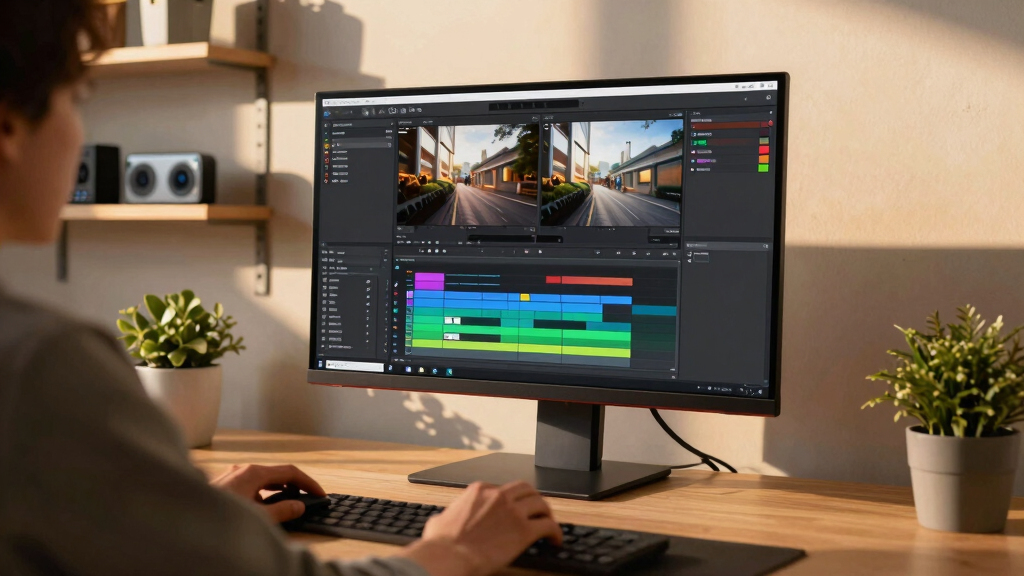
When selecting the best 6K monitor for video editing, clarity, color accuracy, and connectivity are crucial. The LG 32U990A-S stands out as the overall best with its professional-grade Nano IPS panel and HDR capabilities. For those on a budget, the CUNPU 27 Inch 4K offers excellent color coverage at a lower price, though it doesn’t match 6K resolution. The main tradeoffs in this category revolve around balancing resolution, color precision, and cost—higher resolutions and professional features often come with a higher price tag. Keep reading for a detailed breakdown to help you find the perfect fit for your video editing needs.
Key Takeaways
- Higher resolution models like the 6K monitors deliver sharper detail, essential for professional editing, but come with a higher cost and demanding hardware requirements.
- Color accuracy and wide color gamut support, such as DCI-P3 and Adobe RGB, are non-negotiable for serious color grading, which separates professional-grade picks from standard displays.
- Connectivity options like Thunderbolt 3/4 and USB-C are increasingly important for seamless integration with modern editing setups, especially for Mac users.
- Built-in features like HDR and anti-glare coatings enhance the editing experience, but often require calibration for true color fidelity.
- Size matters: larger 32-inch screens provide more workspace, but smaller 27-inch options can be more affordable and easier to fit into compact setups.


More Details on Our Top Picks
Kuycon G32P 32’’ UHD 6K (6144 x 3456) Monitor, IPS Panel, 10-Bit Color, 99% sRGB, 99% DCI-P3, HDR, 60HZ, 2000:1 Contrast, Eye Care, Anti-Glare (Honeycomb – with Stand)
This Kuycon G32P stands out for its impressive 6K resolution on a 32-inch IPS panel, delivering exceptional clarity comparable to the LG 32U990A-S, but at a more accessible price point. Its 99% sRGB and 99% DCI-P3 coverage ensure vibrant, accurate colors suitable for professional editing and high-fidelity media consumption. Compared with the LG 32U990A-S, it offers similar resolution and color but with slightly lower contrast (2000:1 vs. 6000:1) and a refresh rate of 60Hz, which is sufficient for editing but less ideal for fast-paced gaming. The monitor’s anti-glare coating and eye care features reduce fatigue during long editing sessions. However, its response time isn’t specified, and the build quality may feel less refined than premium brands. The included stand and universal mount compatibility provide ergonomic flexibility, making it suitable for both studio and home setups. The main tradeoff involves slightly lower contrast and potential durability concerns compared to higher-end brands.
Best for creatives who need a reliable, high-res display with versatile connectivity and ergonomic features, but not for fast-response gaming or ultra-premium build quality.Pros:- Excellent 6K resolution on a 32-inch IPS panel
- High color accuracy with 99% sRGB and DCI-P3
- Versatile connectivity options including USB-C and universal mount compatibility
- Eye care features reduce fatigue during long editing sessions
Cons:- Response time and refresh rate are not optimized for fast-paced gaming
- Build quality may feel less premium compared to high-end brands
- Contrast ratio is lower than some competitors at HDR settings
Best for: Professional video editors, photographers, and content creators seeking a large, sharp 6K workspace with accurate color.
Not ideal for: Gamers requiring ultra-fast response times and high contrast for competitive play; those seeking built-in speakers or premium design features.
- Display Resolution:6144 x 3456
- Display Size:32 Inches
- Panel Type:IPS
- Color Gamut:99% sRGB, 99% DCI-P3
- Contrast Ratio:2000:1
- Refresh Rate:60Hz
- Brightness:500 Candela
- Connectivity:HDMI, USB-C, DisplayPort
- Stand:Height-adjustable, Swivel, Pivot
Bottom line: This monitor is ideal for creative professionals who prioritize high resolution, accurate colors, and ergonomic flexibility over gaming performance or ultra-premium materials.
ASUS ProArt PA32QCV 32” 6K Professional Monitor, IPS, 98% DCI-P3, LuxPixel™, ΔE < 2, Calman Verified, Thunderbolt 4, HDR600, Auto KVM
The LG 32U990A-S offers a compelling blend of high resolution, vibrant color, and versatile connectivity, making it ideal for creative workflows. Its Nano IPS panel with 98% DCI-P3 and 600-nit HDR supports detailed color grading and HDR content, rivaling the ASUS ProArt in color fidelity. The 6K resolution and 224 PPI deliver crisp, Retina-like clarity, perfect for detailed editing on a large 32-inch screen. Compared to the LG 27UP650K-W, it provides a more professional-grade HDR experience and higher brightness, but at a slightly bulkier frame and higher cost. Its Thunderbolt 5, HDMI 2.1, and DisplayPort 2.1 ensure future-proof connectivity, while the ergonomic stand offers tilt, height, and pivot adjustments for comfort. The built-in speakers are serviceable but not premium, making external audio preferable. This monitor is best suited for visual professionals who demand top-tier color and HDR performance, not casual users or gamers.
Pros:- Excellent 6K resolution with 224 PPI for crisp details
- Nano IPS panel with 98% DCI-P3 and HDR600 support
- Future-proof connectivity including Thunderbolt 5, HDMI 2.1, DisplayPort 2.1
- Ergonomic stand with tilt, height, and pivot adjustments
Cons:- Higher price and larger size compared to budget options
- Speakers are basic, external audio recommended
- Not optimized for fast-paced gaming due to 60Hz refresh rate
Best for: Video editors, colorists, and HDR content creators needing high brightness and professional color accuracy in a large-format display.
Not ideal for: Casual users or gamers who prioritize response time and high refresh rates; those seeking a built-in USB hub or ultra-slim design.
- Display Resolution:6144 x 3456
- Display Size:32 Inches
- Panel Type:Nano IPS
- Color Gamut:98% DCI-P3
- HDR:DisplayHDR 600
- Brightness:600 Candela
- Connectivity:Thunderbolt 5, HDMI 2.1, DisplayPort 2.1, USB-C
- Stand:Tilt, Height, Pivot adjustable
- Speakers:Built-in
Bottom line: This monitor excels in color accuracy, HDR performance, and connectivity for professional content creation, but at a premium price point.
LG 27UP650K-W 27-inch 4K UHD (3840 x 2160) IPS Monitor, HDR400, 60Hz, Reader Mode, Flicker Safe, HDMI, DisplayPort, Stand Adjustable, White
The LG 27UP650K-W offers a solid 4K resolution on a 27-inch IPS panel, making it a great choice for productivity and casual creative work. Its 95% DCI-P3 color gamut and HDR400 support provide vibrant images suitable for multimedia viewing and light editing. Compared with the higher-end 6K monitors like the LG 32U990A-S and ASUS ProArt, it offers a lower resolution but at a significantly lower cost, perfect for those on a budget. The stand’s tilt, height, and pivot adjustments add ergonomic flexibility, while the Flicker Safe and Reader Mode help reduce eye strain during long work sessions. The response time of 5ms is adequate for general use, but not for fast gaming. Its limited HDR brightness and contrast make it less ideal for color-critical tasks, but it’s a strong budget-friendly option for general use.
Best suited for casual creators, office work, and multimedia consumption, but not for high-end color grading.Pros:- Sharp 4K resolution on a 27-inch IPS panel
- Good color coverage with 95% DCI-P3
- Ergonomic stand with tilt, height, pivot
- Affordable price for 4K quality
Cons:- HDR brightness limited to HDR400, less vivid than higher-tier HDR monitors
- Color accuracy not calibrated for professional grading
- Response time of 5ms not suitable for fast gaming
Best for: Budget-conscious professionals and hobbyists needing sharp 4K images for productivity and light editing.
Not ideal for: High-end color grading, HDR content creation, or gaming requiring high refresh rates and deep HDR contrast.
- Display Resolution:3840 x 2160
- Display Size:27 Inches
- Panel Type:IPS
- Color Gamut:95% DCI-P3
- HDR:DisplayHDR 400
- Brightness:400 Candela
- Connectivity:HDMI, DisplayPort
- Stand:Tilt, Height, Pivot
- Response Time:5ms
Bottom line: A cost-effective 4K monitor ideal for everyday productivity, multimedia, and light creative work without the high-end features.
INNOCN 27″ QD-OLED 3840 x 2160p 4K 240Hz Gaming Monitor, Gaming Console Ready, VRR, MAC-View Mode, HDR 400, 0.03ms, FPS/RTS, HDMI 2.1, DP, Speaker, Pivot Adjustable Stand, Ultra-Thin – GA27W1Q
This INNOCN monitor stands out thanks to its QD-OLED panel delivering 99% DCI-P3 color coverage and a contrast ratio of 1,500,000:1, making it ideal for color-accurate video editing. Its 4K resolution at 240Hz offers a buttery-smooth experience, surpassing most standard 6K monitors in refresh rate, which is a bonus for fast-paced editing workflows or gaming. Compared to the G32P, this monitor’s OLED panel provides deeper blacks and more vibrant colors, but it involves a tradeoff with slightly higher price and less peak brightness (HDR400). The multiple connectivity options including HDMI 2.1 and DisplayPort ensure compatibility with high-end hardware, and the adjustable stand adds ergonomic flexibility. However, the OLED’s susceptibility to burn-in and its limited HDR peak (HDR400) may be drawbacks for some professional workflows. Still, for users seeking a versatile high-performance display that excels in both editing and gaming, this pick makes the most sense.
Pros:- Exceptional color accuracy with 99% DCI-P3 coverage
- Fast 0.03ms response time suitable for gaming and editing
- Vivid OLED contrast with deep blacks and vibrant colors
- Versatile connectivity including HDMI 2.1 and DP
Cons:- Potential burn-in risk with prolonged static images
- HDR peak limited to HDR400, less bright for HDR workflows
- Higher cost compared to traditional 6K monitors
Best for: Video editors who want a monitor capable of high-fidelity color, fast response, and occasional gaming
Not ideal for: Color-critical professionals needing HDR600+ or long-term burn-in resistance
- Display Size:27 Inches
- Resolution:3840 x 2160p (4K UHD)
- Refresh Rate:240Hz
- Contrast Ratio:1,500,000:1
- Color Gamut:99% DCI-P3
- HDR:HDR400
- Response Time:0.03ms
- Connectivity:HDMI 2.1, DP, USB
Bottom line: This monitor is ideal for creators seeking a high-end display that blends superb color, fast response, and versatile connectivity, with some tradeoffs in HDR brightness and burn-in risk.
INNOCN 27″ OLED 2K QHD 2560 x 1440p 500Hz Gaming Monitor, Gaming Console Ready, VRR, G-SYNC Compatible, HDR 500, 0.03ms, FPS/RTS, HDMI 2.1, DP, Speaker, Pivot Adjustable Stand – GA27M1Q
This INNOCN model is geared toward gamers and creators who prioritize ultra-high refresh rates and vivid OLED visuals. Its 500Hz refresh rate and 0.03ms response time surpass most 6K monitors, providing exceptional smoothness for fast-moving content, while the QHD resolution allows for detailed color work. Unlike the 4K version, this monitor’s HDR500 support offers richer contrast and highlights, making it more suitable for HDR workflows. Compared to the G32X, this OLED’s deeper blacks and vibrant colors are a significant advantage, but the lower resolution (QHD vs 6K) might be less ideal for pixel-perfect editing. Its wide connectivity and ergonomic stand enhance usability, but the OLED panel remains vulnerable to burn-in over time. Overall, this model is perfect for speed-focused editing combined with immersive gaming.
Pros:- Incredible 500Hz refresh rate for smooth motion
- Fast 0.03ms response time for low latency
- Vivid OLED colors with HDR500 support
- G-SYNC compatibility for tear-free gaming
Cons:- Lower resolution (QHD) than 6K standards
- Potential burn-in with static UI elements
- Limited HDR peak brightness compared to HDR600+ monitors
Best for: Video editors who need ultra-fast response times and vibrant visuals for gaming and detailed editing
Not ideal for: Professionals requiring 6K resolution for pixel-perfect editing or HDR600+ workflows
- Display Size:27 Inches
- Resolution:2560 x 1440p (QHD)
- Refresh Rate:500Hz
- Contrast Ratio:1,500,000:1
- Color Gamut:99% DCI-P3
- HDR:HDR500
- Response Time:0.03ms
- Connectivity:HDMI 2.1, DP, USB
Bottom line: This monitor excels for users who combine fast-paced gaming with detailed color work, but it sacrifices resolution for speed and vibrancy.
CUNPU 27 Inch 4K 70Hz Monitor, UHD (3840 * 2160) IPS Ultra-Slim Bezel Monitor for Photo Video Editing, ΔE < 2, 100% DCI-P3, 1.07B+ Colors, PIP-PBP, Adaptive Sync, DP/HDMI, Black
The G32P 32″ 6K monitor offers an ultra-high resolution of 6144 x 3456 pixels, making it a prime choice for pixel-perfect editing and detailed color work. Its IPS panel with 99% sRGB and DCI-P3 coverage ensures rich, accurate colors with minimal color shift across viewing angles. While its 60Hz refresh rate is standard for professional editing, it’s not suited for fast-paced gaming. Compared to the 4K monitors, the 6K resolution provides unmatched detail for high-end video editing workflows. Its anti-glare coating and eye-care features reduce fatigue during long sessions. The monitor’s 2000:1 contrast ratio delivers deep blacks and bright highlights, though the lack of HDR600 limits peak brightness. This display is perfect for meticulous editing and color grading but less so for gaming or fast motion work.
Pros:- Unmatched resolution at 6K for pixel-perfect editing
- Exceptional color accuracy with 99% sRGB and DCI-P3
- Wide viewing angles with IPS technology
- High contrast ratio for rich blacks and highlights
Cons:- Limited 60Hz refresh rate not suited for gaming
- HDR peak brightness only HDR400, less bright for HDR workflows
- Heavy and less portable due to large size
Best for: Professionals and enthusiasts needing ultra-high resolution for detailed video editing and color grading
Not ideal for: Gamers or users requiring high refresh rates or HDR600+ support
- Display Size:32 Inches
- Resolution:6144 x 3456 (6K)
- Refresh Rate:60Hz
- Contrast Ratio:2000:1
- Color Gamut:99% sRGB, 99% DCI-P3
- HDR:HDR
- Response Time:5ms
- Connectivity:HDMI, DisplayPort
Bottom line: This monitor is best for high-end professional editing where resolution and color fidelity are paramount, with limited use for fast motion or HDR workflows.
How We Picked
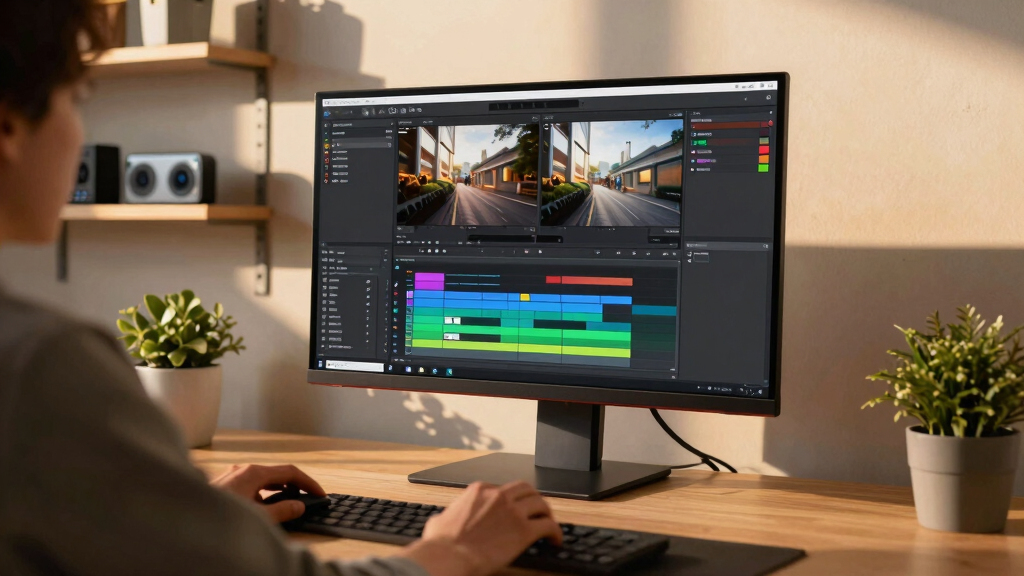
The monitors in this roundup were selected based on a combination of resolution, color accuracy, connectivity, build quality, and overall usability for video editing. Priority was given to models offering native 6K resolution, wide color gamuts, and professional-grade features like HDR and Delta E ratings below 2. For ranking, I compared their specifications against real-world needs of video editors, balancing performance with value. Cost and user ergonomics also played roles, ensuring each pick caters to different budgets and workspace setups. The top options are those that deliver reliable color fidelity and clarity suitable for professional editing workflows.Factors to Consider When Choosing Best 6k Monitor For Video Editing
Choosing the best 6K monitor for video editing involves several key considerations that go beyond just resolution. A good editing monitor should support accurate color reproduction, offer versatile connectivity, and provide ergonomic features for comfortable extended use. Understanding these factors helps prevent common mistakes like underestimating hardware requirements or selecting a display with inadequate color coverage. By weighing these elements carefully, you can ensure your investment truly enhances your editing precision and workflow efficiency.Resolution and Screen Size
While 6K resolution provides incredible detail, it also demands powerful hardware to drive the display smoothly. Larger screens, such as 32 inches, maximize workspace and detail, but may require more desk space and higher GPU power. Smaller sizes like 27 inches can be more affordable and easier to fit into tighter setups, but might limit workspace. Consider your workspace and hardware capabilities carefully before choosing the size that balances comfort with performance.
Color Accuracy and Gamut
For video editing, color fidelity is paramount. Look for monitors with wide color gamuts like DCI-P3 or Adobe RGB, and a Delta E below 2 for precise color reproduction. Professional-grade panels such as Nano IPS or OLED typically offer superior accuracy. Avoid displays with low color coverage or high Delta E values, as they can lead to inaccurate color grading and require calibration. Investing in a monitor with factory calibration or calibration tools can also enhance color consistency.
Connectivity Options
Modern video editing often involves multiple devices and high data transfer rates. Monitors with Thunderbolt 3/4, USB-C, or HDMI 2.1 support streamline workflows by providing fast, single-cable connections for video, data, and power. Compatibility with your existing hardware is essential—especially for Mac users relying on Thunderbolt. Check for enough ports to connect your peripherals without sacrificing flexibility or cluttering your workspace.
HDR and Contrast
High Dynamic Range (HDR) support enhances visual fidelity, especially for color grading and visual effects. Look for monitors with HDR standards like DisplayHDR 600 or higher, which indicate better contrast and brighter highlights. However, HDR performance varies widely, and calibration is often necessary to achieve accurate results. Monitors with high contrast ratios further improve the ability to distinguish subtle tonal differences essential for professional editing.
Ergonomics and Build Quality
Comfort is key when working long hours. Adjustable stands that offer height, tilt, and pivot adjustments help reduce strain. A sturdy, well-built frame prevents wobbling and vibrations that can disrupt your workflow. Also, consider anti-glare coatings to reduce reflections in bright environments. Remember, a monitor with good ergonomics can significantly improve your productivity and reduce fatigue over time.
Frequently Asked Questions
Is 6K resolution necessary for professional video editing?
While 6K resolution isn’t strictly necessary for all editing tasks, it provides unmatched detail and flexibility, especially when cropping or zooming without losing quality. For high-end productions, a 6K display ensures your monitor can handle the most demanding workflows with precision. However, if your hardware or budget limits, a high-quality 4K monitor with excellent color accuracy can still serve most professional needs effectively.
Can my GPU support a true 6K display?
Supporting a 6K monitor depends heavily on your GPU’s capabilities. Most modern high-end GPUs can handle 6K resolutions at 60Hz, but it’s essential to verify the specific model’s specs. Running a 6K display also demands more VRAM and processing power, especially if you work with complex effects or high-bit-depth color. Upgrading your GPU may be necessary to fully leverage a 6K monitor for smooth editing performance.
What features should I prioritize for color grading?
For accurate color grading, prioritize monitors with wide color gamuts like DCI-P3 or Adobe RGB, a low Delta E rating, and high peak HDR brightness (600 nits or more). Factory calibration or built-in calibration tools are also valuable for maintaining color consistency. An IPS or OLED panel with high contrast ratios will help you see subtle tonal differences, which are critical for professional color work.
Is a 32-inch monitor better than a 27-inch for editing?
Generally, larger screens like 32 inches offer more workspace, making complex timelines and detailed color grading easier to manage. However, they require more desk space and more powerful hardware to run smoothly at 6K resolution. 27-inch monitors are more affordable and better suited for tighter spaces or less demanding setups, but they may limit your workspace for multitasking or zoomed-in editing.
How important is HDR support in a 6K monitor?
HDR support enhances the dynamic range and color vibrancy, which is valuable for editing HDR content and achieving accurate color representation. While HDR standards like HDR 600 or higher provide better performance, calibration is often needed to get true color accuracy. For professional workflows, HDR capability is a significant advantage, but it should be combined with other features like wide color gamut and high contrast ratio for best results.
Conclusion
For most professional video editors seeking a reliable, high-resolution display, the LG 32U990A-S offers a compelling blend of color accuracy, connectivity, and size, making it the best overall choice. Budget-conscious users or those just starting out should consider the CUNPU 27 Inch 4K for excellent color coverage at a lower price point. For those demanding the very best in color fidelity and build quality, the ASUS ProArt 32” 6K provides premium features and factory calibration. Beginners will find the 27-inch options more manageable, while professionals needing maximum detail should prioritize larger, high-end models. Ultimately, your choice depends on your workflow, workspace, and budget—consider these factors carefully to make the best investment for your editing needs.