AI meeting transcription devices range from wearable recorders to pens and desktop docks, and the best fit depends on where your meetings happen and how you plan to use the notes. I’d name the Plaud Note Pro the best overall pick for buyers seeking a dedicated recorder, with the HiDock H1E standing out for desk-based calls and the iFLYTEK recorder for offline transcription and translation needs. The main tradeoffs are portability versus hands-free capture, online features versus offline use, and convenience versus control over recordings and transcripts. Storage, supported languages, and any companion software can also shape the day-to-day experience. Read on for the full comparison and guidance on choosing among all 15 devices.

Get business pricing on tech for your team
- Business-only prices and quantity discounts
- Tax-exempt purchasing
- Multiple users, one account, clear invoices
Key Takeaways
- The roundup’s strongest options serve different settings: Plaud Note Pro is the dedicated-recorder pick, HiDock H1E suits desk calls, and Fieldy 3 and Plaud NotePin S put wearable capture first.
- Capture style is a bigger separator than storage alone: a pen, wearable, pocket recorder, and docking station each fit different meeting habits, even when several offer transcription and summaries.
- Offline capability matters when connectivity or privacy is a concern: iFLYTEK’s offline transcription and translation make it distinct from products whose descriptions emphasize AI features without specifying offline processing.
- Language counts do not tell the whole story: NoteKit lists 78 languages and another recorder lists 64, but buyers should also verify dialect support, transcription workflow, and whether the feature requires an app or internet access.
- Low-detail listings carry more uncertainty: several generic recorder models advertise transcription or summaries but provide fewer distinguishing details, so buyers should verify app, export, recording, and subscription terms before choosing them.
| Flowtica AI Voice Recorder Pen with Transcription |  | Best for Capturing Meeting Context | Storage: 32 GB | Microphone: Built-in stereo MEMS | Voice identification: Up to 15 voices | VIEW LATEST PRICE | See Our Full Breakdown |
| Fieldy 3 Wearable AI Note-Taking Device, Black |  | Best for Privacy-Conscious Follow-Up | Model: FL3B | Weight: 8 g | Dimensions: 0.45 × 1.35 × 1.7 inches | VIEW LATEST PRICE | See Our Full Breakdown |
| AI Voice Recorder with Transcription and Real-Time Translation |  | Best for Multilingual Meetings | Storage: 32 GB | Microphones: 1 bone-conduction microphone and 4 omnidirectional microphones | Microphone pickup range: Up to 5 meters | VIEW LATEST PRICE | See Our Full Breakdown |
| Plaud NotePin S Wearable AI Voice Recorder |  | Best Wearable Recorder | Storage: 64 GB | Battery life: Up to 20 hours | Recording range: Up to 3 meters (9.8 feet) | VIEW LATEST PRICE | See Our Full Breakdown |
| NoteKit AI Meeting Assistant – Voice Recorder with Transcription, 78 Languages, To-Do Lists & Summaries, Works on Windows & Mac |  | Best for Computer-Based Meetings | Compatible devices: Laptop and personal computer | Connectivity: Bluetooth 5 | Microphones: Built-in dual microphones | VIEW LATEST PRICE | See Our Full Breakdown |
| Pocket AI Voice Recorder with Transcription, 64 GB, Sierra Blue |  | Best for Follow-Up and Conversation Search | Storage: 64 GB | Battery life: Up to 4 days | Compatible devices: Smartphones; iOS and Android | VIEW LATEST PRICE | See Our Full Breakdown |
| Recolx AI Voice Recorder and Note Taker, 64GB |  | Best for Private, Portable Note-Taking | Storage: 64 GB | Battery life: Up to 30 hours | Weight: 27.22 g | VIEW LATEST PRICE | See Our Full Breakdown |
| iFLYTEK AI Voice Recorder with Offline Transcription and Translation |  | Best for Large-Room and Offline Transcription | Microphones: 8: 2 directional and 6 omnidirectional | Pickup range: Up to 20 meters | Offline language support: 5 languages | VIEW LATEST PRICE | See Our Full Breakdown |
| AI Voice Recorder Pen with Transcription and Summary |  | Best for Handwritten Notes and Audio Together | Storage: 32 GB | Interface: USB 3.0 Type-C | Compatible device: Laptop | VIEW LATEST PRICE | See Our Full Breakdown |
| Plaud Note Pro AI Voice Recorder, Black |  | Best for Balanced Recording Modes and Work Outputs | Microphones: Four built-in microphones | Capture range: Up to 5 m (16.4 ft) | Storage: 64 GB | VIEW LATEST PRICE | See Our Full Breakdown |
| HiDock H1E AI Meeting Recorder and 8-in-1 Docking Station |  | Best for Desk-Based Meeting Workflows | Transcription languages: 75 | Docking ports: 4K@60Hz HDMI, 1 DC-In, 1Gbps Ethernet, 3 USB-C 3.2, 2 USB-A 3.2 | Power delivery: 83W | VIEW LATEST PRICE | See Our Full Breakdown |
| AI Voice Recorder – Smart Transcription & Summary for Meetings and Calls |  | Best for Mobile Call Capture | Memory: 8 GB | Battery life: Up to 30 hours | Battery capacity: 400 mAh | VIEW LATEST PRICE | See Our Full Breakdown |
| AI Voice Recorder with 16GB Storage and Dual Microphones |  | Best for On-Device Controls | Storage: 16 GB | Microphones: Dual built-in stereo microphones | Pickup range: Up to 5 meters | VIEW LATEST PRICE | See Our Full Breakdown |
| HIUTY AI Voice Recorder with Transcription, Summaries, and 64GB Storage |  | Best for Local Recording Capacity | Storage capacity: 64 GB | Connectivity: Bluetooth 5 | Microphone: Built-in | VIEW LATEST PRICE | See Our Full Breakdown |
| AI Voice Recorder with Magnetic Back, Transcription, Summaries, and Translation |  | Best for Flexible Microphone Modes | Storage: 32 GB | Recording format: WAV | Digital recording time: Up to 1000 hours | VIEW LATEST PRICE | See Our Full Breakdown |
| AI meeting transcription device | Storage | Weight | Connectivity |
|---|---|---|---|
| Flowtica AI Voice Recorder Pen | 32 GB | 400 g | — |
| Fieldy 3 Wearable AI Note-Taki | — | 8 g | — |
| AI Voice Recorder with Transcr | 32 GB | 40 g | Bluetooth, Wi-Fi, and NFC |
| Plaud NotePin S Wearable AI Vo | 64 GB | 17.4 g | Bluetooth 5 |
| NoteKit AI Meeting Assistant | — | 8.53 g | Bluetooth 5 |
| Pocket AI Voice Recorder with | 64 GB | — | — |
| Recolx AI Voice Recorder and N | 64 GB | 27.22 g | Bluetooth, USB Type-C, and Wi-Fi syncing |
| iFLYTEK AI Voice Recorder with | 64 GB | — | — |
| AI Voice Recorder Pen with Tra | 32 GB | — | — |
| Plaud Note Pro AI Voice Record | 64 GB | — | Bluetooth 5 |
| HiDock H1E AI Meeting Recorder | 32 GB | 520 g | — |
| AI Voice Recorder | — | 33.4 g | — |
| AI Voice Recorder with 16GB St | 16 GB | — | Bluetooth 5.3, USB Type-C |
| HIUTY AI Voice Recorder with T | — | — | Bluetooth 5 |
| AI Voice Recorder with Magneti | 32 GB | 52 g | Bluetooth/BLE, USB-C |
More Details on Our Top Picks
Flowtica AI Voice Recorder Pen with Transcription
Audio, photos, and marked highlights make the Flowtica more useful for meetings where a recording alone may not capture the context behind a decision. Its app can transcribe and summarize sessions up to five hours, while voice identification for up to 15 people is aimed at group discussions. Compared with the wearable Plaud NotePin S, this pen-shaped recorder prioritizes a professional writing-tool form and visual capture over hands-free wearability. The 32 GB storage and long standby time also suit people who record intermittently rather than charge every day. The tradeoff is app dependence: real-time syncing requires the smartphone app to stay active, and premium features move to a subscription after the included credit. Its listed 400 g weight is also unusually substantial for a pen-style device.
Pros:- Captures audio, photos, and marked highlights in one session.
- Transcribes and summarizes sessions up to five hours through the app.
- Voice identification supports meetings with up to 15 speakers.
- Aluminum body, visible recording LED, and long standby time suit occasional professional use.
Cons:- Real-time syncing requires the smartphone app to remain active.
- Premium features require a subscription after the included three-month credit.
- Listed weight of 400 g is heavy for a pen-style recorder.
Best for: Meeting participants who want audio plus photos and marked highlights, and are comfortable managing transcripts in a smartphone app.
Not ideal for: People seeking a lightweight wearable or a transcription workflow without an ongoing subscription; the listed weight is also high for a pen-format device.
- Storage:32 GB
- Microphone:Built-in stereo MEMS
- Voice identification:Up to 15 voices
- Microphone range:Up to 16 feet
- Maximum session length:5 hours
- Digital recording time:100 hours
- Standby time:233 days
- Full charge time:3 hours
- Weight:400 g
Our verdict“Choose Flowtica if meeting context includes photos and highlights as well as speech, but pick the Plaud NotePin S for a lighter, wearable recorder.”
Fieldy 3 Wearable AI Note-Taking Device, Black
Searchable notes without retained audio set Fieldy 3 apart from recorders such as the AI Voice Recorder with Transcription and Real-Time Translation, which stores recordings for later transfer to its app. Fieldy is designed to turn in-person and online conversations into speaker-labeled notes, summaries, and action items, then connect those notes to calendar and task workflows. Its 8 g wearable design, noise-filtering mono microphone, and silent haptic alerts favor discreet, low-friction use. The privacy approach—storing encrypted text rather than audio, with HIPAA compliance stated in the product data—will appeal to teams handling sensitive discussions. The tradeoff is that it is less of a conventional archive: digital recording time is listed at six hours, and the free Basic plan covers only 150 transcription minutes monthly. Buyers needing longer audio retention should choose a recorder with dedicated storage.
Pros:- Creates searchable, speaker-labeled notes with summaries and action items.
- Stores encrypted text rather than audio, with HIPAA compliance stated in the product data.
- Syncs with Google Calendar and Outlook and supports task reminders.
- Light 8 g wearable design, noise filtering, and silent haptic alerts.
Cons:- The free Basic plan is limited to 150 transcription minutes per month.
- Additional features require an optional subscription.
- Digital recording time is listed as six hours, limiting extended audio capture.
Best for: Professionals who handle sensitive conversations and want searchable transcripts, action items, and calendar-linked follow-up rather than an audio archive.
Not ideal for: People who need to keep and replay full recordings, or who regularly transcribe more than 150 minutes monthly without a paid plan.
- Model:FL3B
- Weight:8 g
- Dimensions:0.45 × 1.35 × 1.7 inches
- Microphone:Built-in mono with noise filtering
- Digital recording time:6 hours at 16 kHz
- Battery life:168 hours
- Memory:1 GB
- Free transcription plan:150 minutes per month
- Privacy:Encrypted in transit and at rest; stores text, not audio
Our verdict“Pick Fieldy 3 for privacy-minded, action-oriented notes, but choose a recorder with longer audio storage if playback and archiving matter most.”
AI Voice Recorder with Transcription and Real-Time Translation
Translation across more than 140 languages gives this recorder a clear role for multilingual meetings, while its four omnidirectional microphones and bone-conduction microphone offer a more elaborate capture setup than the mono Fieldy 3. It can record independently, so a phone or Wi-Fi connection is not needed during the meeting; recordings can be transferred later to the InnAIO Pro app for transcription, summaries, and mind maps. That makes it a flexible choice for people who want a standalone recorder and app-based organization, rather than Fieldy’s text-focused, privacy-oriented workflow. The 40 g slim body and 32 GB capacity are practical for carrying between sessions. Its main limitation is the split workflow: AI features require transfer to the app, and the stated 50-hour battery life applies to recording, not necessarily translation or other app functions.
Pros:- Supports real-time translation in more than 140 languages through the companion app.
- Records independently without Wi-Fi or a smartphone connection.
- Combines four omnidirectional microphones with a bone-conduction microphone.
- Slim 40 g design, 32 GB storage, and up to 50 hours of recording.
Cons:- Transcription and AI organization require transferring recordings to the companion app.
- Battery life during translation and other connected uses is not specified.
- The feature-rich app workflow may be unnecessary for buyers who only need meeting transcripts.
Best for: Consultants, researchers, and teams that regularly meet across languages and want standalone recording with later transcription and translation.
Not ideal for: Buyers who want transcripts created directly on the device or need clearly specified battery life for translation and other connected features.
- Storage:32 GB
- Microphones:1 bone-conduction microphone and 4 omnidirectional microphones
- Microphone pickup range:Up to 5 meters
- Recording time:Up to 50 hours
- Weight:40 g
- Dimensions:54 × 86 × 5.3 mm
- Translation languages:More than 140
- Connectivity:Bluetooth, Wi-Fi, and NFC
- Charging:USB Type-C
Our verdict“Choose this recorder for multilingual discussions and standalone capture, but choose Fieldy 3 for a more privacy-focused notes-and-actions workflow.”
Plaud NotePin S Wearable AI Voice Recorder
Multiple ways to wear it make the Plaud NotePin S the most adaptable hands-free option in this group: it can be attached as a pin or clip, worn on a lanyard, or used with a wristband. At 17.4 g, it is much lighter than the Flowtica pen and less conspicuous to carry through a day of meetings. Its 64 GB storage and up to 20 hours of recording give it more local capacity than the Fieldy 3, although Fieldy takes a different approach by storing text rather than audio. Plaud’s app and desktop software handle transcription and organization, with a free plan limited to 300 minutes per month. That cap may be enough for occasional meetings, but regular transcription can require a paid plan. The 20-hour recording limit also falls short of the 50 hours listed for the slim AI Voice Recorder with Real-Time Translation.
Pros:- Can be worn as a pin, clip, lanyard, or wristband.
- Weighs 17.4 g and records for up to 20 hours.
- 64 GB storage offers more room for recordings than Fieldy 3’s listed 1 GB memory.
- Works with laptop, computer, smartphone, and tablet, and includes a charging dock.
Cons:- Free transcription is limited to 300 minutes per month.
- Recording time is shorter than the 50 hours listed for the AI Voice Recorder with Real-Time Translation.
- No headphone jack is included.
Best for: People who move between meetings and want a lightweight recorder they can wear in different ways, with app and desktop transcription tools.
Not ideal for: Frequent transcribers who need more than 300 free minutes monthly, or buyers seeking the longest recording time in this lineup.
- Storage:64 GB
- Battery life:Up to 20 hours
- Recording range:Up to 3 meters (9.8 feet)
- Weight:17.4 g
- Dimensions:0.83 × 2.01 × 0.43 inches
- Microphone modes:Mono and stereo
- Connectivity:Bluetooth 5
- Free transcription plan:300 minutes per month
- Included accessories:Magnetic pin, clip, lanyard, wristband, charging dock, and USB-C cable
Our verdict“Pick the Plaud NotePin S for a versatile, wearable meeting recorder, but look to the translation-focused AI Voice Recorder for longer listed recording time.”
NoteKit AI Meeting Assistant – Voice Recorder with Transcription, 78 Languages, To-Do Lists & Summaries, Works on Windows & Mac
Computer-focused capture and meeting outputs are the NoteKit’s main distinction: it is built to capture audio from laptops and personal computers, then produce transcription in 78 languages along with summaries, to-do lists, and mind maps. Its one-press operation reduces the need to navigate menus while a meeting is underway, and the dual microphones are specified for pickup up to 16.4 feet. Compared with the wearable Plaud NotePin S, NoteKit is better suited to a desk or classroom than all-day carry; it weighs just 8.53 g, but its computer compatibility is narrower. The tradeoffs are practical ones: its listed recording time is eight hours, it uses a replaceable AAA battery, and full transcription and AI functions depend on cloud connectivity and a subscription plan. That makes it a less self-contained choice than recorders that can capture longer sessions independently.
Pros:- Transcribes in 78 languages and generates summaries, to-do lists, and mind maps.
- Dual microphones are specified for pickup up to 16.4 feet.
- One-press start and pause keep operation simple during meetings.
- Lightweight 8.53 g design is easy to carry between workspaces.
Cons:- Recording time is listed at eight hours.
- Requires an AAA battery rather than a rechargeable battery.
- Full transcription and AI features depend on cloud connectivity and a subscription plan.
Best for: Windows and Mac users who want a simple desk-side meeting recorder that turns computer-captured speech into multilingual notes and task lists.
Not ideal for: People who need long independent recordings, prefer rechargeable hardware, or want AI transcription without cloud access and a subscription.
- Compatible devices:Laptop and personal computer
- Connectivity:Bluetooth 5
- Microphones:Built-in dual microphones
- Microphone pickup range:16.4 feet (5 meters)
- Audio format:WAV
- Digital recording time:8 hours
- Battery:AAA, included
- Weight:8.53 g
- Screen size:1 inch
Our verdict“Choose NoteKit for computer-centered meetings and built-in follow-up outputs, but pick the Plaud NotePin S if wearable use and broader device compatibility matter more.”
Pocket AI Voice Recorder with Transcription, 64 GB, Sierra Blue
Conversation-level follow-up is this recorder’s main advantage: beyond transcripts, it organizes recordings into summaries, action items, and conversation maps, and lets you ask questions about what was recorded. That makes it a stronger fit for people who need to retrieve decisions later than a basic recorder that stops at text. Compared with the Plaud Note Pro, which emphasizes multiple microphones, a status display, and defined recording modes, this Pocket model highlights post-meeting organization and a claimed battery life of up to four days. Its MagSafe-compatible attachment also suits a phone-centered setup. The tradeoff is that some advanced features sit behind an optional subscription, and the listed nonstandard battery may complicate replacement. I’d choose it for searchable follow-up, not for a clearly documented long-range microphone array.
Pros:- Creates summaries, action items, and conversation maps in addition to transcripts.
- Supports questions about recorded conversations for later information retrieval.
- 64 GB storage and up to four days of battery life suit frequent recording.
- MagSafe-compatible attachment works with compatible phones.
Cons:- Some advanced features require an optional subscription.
- Uses a nonstandard battery, which may be harder to replace.
- The supplied details do not state microphone range or offline transcription support.
Best for: Phone-first professionals who want meeting transcripts turned into searchable summaries, action items, and conversation maps.
Not ideal for: Buyers who want every advanced AI feature included without a subscription, or who need clearly specified microphone range and replaceable standard batteries.
- Storage:64 GB
- Battery life:Up to 4 days
- Compatible devices:Smartphones; iOS and Android
- Connection:Bluetooth
- Microphone:Built-in; speech recognition operation mode
- MagSafe compatibility:Yes
- Dimensions:1.77 × 3.2 × 7.4 in
- Battery:One included nonstandard battery
Our verdict“Choose the Pocket recorder if searchable meeting follow-up and long battery life matter more to you than a specified pickup range or subscription-free advanced tools.”
Recolx AI Voice Recorder and Note Taker, 64GB
The credit-card-sized body makes the Recolx easier to carry unobtrusively than the larger iFLYTEK recorder, while its AES-256 encryption gives privacy-minded users a concrete data-protection feature to weigh. It records ambient audio or calls and turns them into transcripts with speaker labels, summaries, and action items; Wi-Fi syncing and Word, PDF, and MP3 export add useful routes for moving notes into a work process. The included standard transcription and summaries give it a practical starting point, but more advanced transcription and analysis require the optional Pro plan. Its 30-hour battery life is also shorter than the Pocket recorder’s stated four days. I’d pick Recolx for a discreet recorder with flexible exports and encryption, rather than for the longest runtime or a single-mode workflow.
Pros:- Thin, lightweight design measures 3 mm and weighs 27.22 g.
- Produces transcripts with speaker labels, summaries, and action items.
- AES-256 encryption and Wi-Fi syncing are specified.
- Exports recordings and notes to Word, PDF, and MP3.
Cons:- Advanced transcription and AI analysis require the optional Pro plan.
- Ambient and call recording use separate modes.
- Up to 30 hours of battery life is less than the Pocket recorder’s stated runtime.
Best for: Consultants, interviewers, and mobile professionals who want a very thin recorder, encrypted files, and exportable meeting notes.
Not ideal for: People who need extended multi-day battery life or want advanced AI analysis without an optional Pro plan.
- Storage:64 GB
- Battery life:Up to 30 hours
- Weight:27.22 g
- Dimensions:0.12 × 2.17 × 3.35 in
- Screen:2 inches
- Recording modes:Ambient recording and call recording
- Connectivity:Bluetooth, USB Type-C, and Wi-Fi syncing
- Encryption:AES-256
- Microphone:Built-in stereo
Our verdict“Choose Recolx if you want a discreet, encrypted note-taker with useful export options and can work within its separate recording modes.”
iFLYTEK AI Voice Recorder with Offline Transcription and Translation
For meetings where a small recorder may struggle to hear everyone, the iFLYTEK’s eight-microphone array and stated pickup range of up to 20 meters set it apart from the Plaud Note Pro, whose listed range is up to 5 meters. It also supports offline transcription in five languages, a useful distinction for users who cannot depend on a network during recording. Speaker separation, sound localization, translation, OCR, and video subtitling give it a broader role than a meeting-only recorder, and the included five-year Pro membership reduces the concern of an immediate feature subscription. The tradeoff is its larger five-inch touchscreen, which is less pocketable than the Recolx. Cloud syncing still needs internet, and there is no headphone jack. I’d choose it for room coverage and offline language tools over compact carry.
Pros:- Eight microphones include directional and omnidirectional elements.
- Stated pickup range reaches up to 20 meters.
- Supports offline transcription in five languages plus translation.
- Includes speaker separation, sound localization, and a five-year Pro membership.
Cons:- The five-inch touchscreen makes it less compact than the Recolx recorder.
- Cloud synchronization requires an internet connection.
- No headphone jack is included.
Best for: Teams recording discussions in larger rooms, or multilingual users who need offline transcription and translation.
Not ideal for: Buyers seeking a discreet pocket-sized device, a headphone jack, or cloud syncing without internet access.
- Microphones:8: 2 directional and 6 omnidirectional
- Pickup range:Up to 20 meters
- Offline language support:5 languages
- Storage:64 GB
- Screen:5-inch touchscreen
- Interface:USB Type-C 3.1
- Membership:5-year Pro membership included
- Warranty:1 year
Our verdict“Choose the iFLYTEK if room coverage and offline multilingual transcription matter more than pocketability and headphone monitoring.”
AI Voice Recorder Pen with Transcription and Summary
The pen format gives this device a distinct meeting role: it can record while you write, keeping spoken context alongside handwritten notes without carrying a separate recorder. Its companion app adds transcription, summaries, translation, and note management, while noise reduction and multiple-language support widen its usefulness for interviews or multilingual conversations. Compared with the Recolx AI Voice Recorder, this model trades a dedicated recorder form for the convenience of an everyday writing tool; Recolx, by contrast, specifies Wi-Fi syncing, AES-256 encryption, and audio export formats. The pen’s 32 GB storage is also half the capacity of the 64 GB options in this lineup. AI processing and file management depend on the app, and its nonstandard battery may be inconvenient to replace. I’d choose it when taking written notes is central to the workflow.
Pros:- Records audio while functioning as an ink pen for written notes.
- Companion app offers transcription, summaries, translation, and note management.
- Supports multiple languages and includes noise reduction.
- Includes 32 GB of storage and ten pen refills.
Cons:- AI processing and file management require the companion app.
- Uses a nonstandard battery.
- Provides less storage than the 64 GB Recolx and Plaud options.
Best for: Students, interviewers, and professionals who regularly take handwritten notes and want audio transcription linked to that routine.
Not ideal for: Buyers who want a standalone recorder workflow, specified encryption or wireless syncing, or more than 32 GB of storage.
- Storage:32 GB
- Interface:USB 3.0 Type-C
- Compatible device:Laptop
- Microphone form factor:Lavalier
- Headphone jack:2.5 mm
- Battery:One included nonstandard battery
- Warranty:1 year
- Included items:Instruction manual, 10 pen refills, pen, and card removal needle
Our verdict“Choose the recorder pen if you want audio and handwritten note-taking in one tool and are comfortable managing recordings through its app.”
Plaud Note Pro AI Voice Recorder, Black
The Plaud Note Pro offers a useful balance between a slim form and four built-in microphones, with a stated capture range of up to 5 meters for in-person conversations and support for phone calls. Its 0.95-inch display provides a recording status check without requiring a phone, while AI tools turn conversations into summaries and work documents. Compared with the iFLYTEK recorder, it is far thinner and lighter, but gives up that model’s stated 20-meter pickup range and offline transcription in five languages. Battery life varies by mode: up to 30 hours in Enhance mode or 50 in Endurance mode, so buyers should match the mode to their recording needs. The included Starter Plan covers 300 transcription minutes monthly, and online meeting recording requires Plaud Desktop. I’d pick it for portable in-person and phone recording, not as a standalone online-meeting solution.
Pros:- Four microphones capture in-person audio from a stated range of up to 5 meters.
- Supports both mono and stereo microphone modes.
- A 0.95-inch display shows recording status on the device.
- Includes 64 GB storage, magnetic accessories, and a Starter Plan with 300 transcription minutes per month.
Cons:- Online meeting recording requires Plaud Desktop.
- The listed capture range is shorter than the iFLYTEK recorder’s stated 20 meters.
- No headphone jack is included.
Best for: Professionals who want a slim recorder for in-person conversations and phone calls, with summaries that can become work documents.
Not ideal for: People who need long-range room capture, offline multilingual transcription, or online meeting recording without Plaud Desktop.
- Microphones:Four built-in microphones
- Capture range:Up to 5 m (16.4 ft)
- Storage:64 GB
- Display:0.95 inches
- Weight and thickness:30 g (1.06 oz); 2.99 mm (0.12 in)
- Battery life:Up to 30 hours in Enhance mode; up to 50 hours in Endurance mode
- Connectivity:Bluetooth 5
- Recording format:WAV
- Included transcription plan:Starter Plan with 300 minutes per month
Our verdict“Choose the Plaud Note Pro for a slim, mode-flexible recorder for calls and nearby meetings, but look to iFLYTEK for larger rooms or offline transcription.”
HiDock H1E AI Meeting Recorder and 8-in-1 Docking Station
The HiDock H1E is the most workdesk-oriented choice here: it pairs meeting recording with a docking station, so one device can support calls and connect a laptop to a display, Ethernet, and USB accessories. Its 75-language transcription, noise cancellation, and one-click VoiceMarks suit people who need to revisit specific meeting moments. Compared with the portable Vobot AI Voice Recorder, the H1E favors a permanent office setup over long battery life or pocket carry. That tradeoff is substantial: its battery is rated for four hours, and automatic recording and transcription need manual activation in the app. Some useful options, including speaker identification and customized summaries, require Pro membership. The included open-ear earphone is geared to voice calls, not music, so this is best treated as a desk tool rather than an all-purpose audio accessory.
Pros:- Transcription and summaries support 75 languages.
- VoiceMarks and noise cancellation help capture and locate meeting details.
- Dock combines HDMI, Ethernet, USB ports, and 83W laptop power delivery.
- Includes an open-ear earphone for hands-free voice calls.
Cons:- Four-hour battery life is less suited to extended sessions away from power.
- Recording and transcription must be started manually in the app.
- Speaker identification, customized summaries, and export features require Pro membership.
Best for: Remote and hybrid workers who want a meeting recorder and laptop dock at a dedicated desk.
Not ideal for: Frequent travelers or anyone who needs long untethered recording sessions, automatic capture, or advanced AI features without a paid membership.
- Transcription languages:75
- Docking ports:4K@60Hz HDMI, 1 DC-In, 1Gbps Ethernet, 3 USB-C 3.2, 2 USB-A 3.2
- Power delivery:83W
- Storage:32 GB
- Battery life:4 hours
- Digital recording time:1000 hours
- Microphone:Built-in mono with noise cancellation
- Audio format:MP3
- Weight:520 g
Our verdict“Choose the HiDock H1E if you want meeting capture built into a capable desk dock and can live with manual activation and membership-gated tools.”
AI Voice Recorder – Smart Transcription & Summary for Meetings and Calls
The Vobot AI Voice Recorder stands out for handling both face-to-face conversations and phone calls, making it a stronger fit for mobile professionals than the desk-focused HiDock H1E. Its 145-language real-time transcription and stated 30-hour battery life favor people moving between appointments, while NFC business card sharing adds a practical networking touch. The compact magnetic body weighs just 33.4 g, and the recorder keeps files on its 8 GB internal memory. There are limits behind the broad language support: transcription and summaries depend on the app and an internet connection, and the included AI minutes are limited to the first year. Its mono microphone also gives up stereo capture, so it is less appealing for buyers who prioritize spatial audio or want a recorder whose AI features work offline.
Pros:- Dual-mode recording supports in-person conversations and phone calls.
- Transcription supports 145 languages.
- Stated 30-hour battery life suits extended mobile use.
- Lightweight magnetic design includes NFC business card sharing.
Cons:- AI transcription and summaries require the app and an internet connection.
- Mono recording does not provide stereo capture.
- Included AI minutes are limited to the first year; continued use requires a subscription plan.
Best for: Consultants, sales professionals, and interviewers who record both in-person discussions and phone calls while traveling.
Not ideal for: People who need offline transcription, stereo recordings, or ongoing AI summaries without a subscription.
- Memory:8 GB
- Battery life:Up to 30 hours
- Battery capacity:400 mAh
- Microphone:Built-in mono; dual HD microphones with noise reduction
- Transcription languages:145
- AI minutes:600 monthly minutes for summaries, stated for the first year
- Weight:33.4 g
- Dimensions:0.16 × 2.15 × 3.37 inches
- Hardware interface:USB 2.0
Our verdict“Pick the Vobot for mobile work that mixes phone calls and in-person meetings, provided you are comfortable relying on connected, subscription-based AI tools.”
AI Voice Recorder with 16GB Storage and Dual Microphones
This pocket recorder makes its case with dual stereo microphones, one-touch controls, and a small color screen that gives recording status without requiring a phone for every action. Its stated pickup range of up to five meters can help when a meeting has several people around a table, while WAV and Opus support offer more recording-format choice than the HIUTY AI Voice Recorder, whose supplied specs focus more on app tools and larger storage. The tradeoff is capacity: 16 GB is modest beside HIUTY’s 64 GB, and the 20-hour recording time is shorter than the Vobot’s stated 30-hour battery life. AI transcription covers 118-plus languages, but the included allowance is 360 minutes over 12 months; frequent transcription users may need to pay for more minutes through the app.
Pros:- Dual built-in stereo microphones have a stated pickup range of up to five meters.
- One-touch controls and a color screen make basic recording easier to manage.
- Supports WAV and Opus audio formats.
- Transcription supports more than 118 languages.
Cons:- 16 GB of storage is less than the 64 GB offered by the HIUTY recorder.
- AI transcription allowance is limited to 360 minutes over 12 months.
- Stated recording time is 20 hours, shorter than the Vobot’s stated 30-hour battery life.
Best for: Students, journalists, and meeting attendees who want physical recording controls, stereo microphones, and a screen on the device.
Not ideal for: People who record long sessions continuously or expect substantial AI transcription use beyond the included allowance.
- Storage:16 GB
- Microphones:Dual built-in stereo microphones
- Pickup range:Up to 5 meters
- Audio formats:WAV, Opus
- Transcription languages:118+
- Recording time:20 hours
- Screen:0.56-inch color, 128 × 150
- Connectivity:Bluetooth 5.3, USB Type-C
- AI transcription allowance:360 minutes over 12 months
Our verdict“Choose this model for accessible on-device recording controls and stereo pickup, but look elsewhere if you need high storage or frequent AI transcription.”
HIUTY AI Voice Recorder with Transcription, Summaries, and 64GB Storage
The HIUTY AI Voice Recorder is the capacity pick in this group: its 64 GB of storage leaves more room for recordings than the 16 GB pocket model, which matters to people who keep source audio rather than deleting files after transcription. Its companion app adds transcription, summaries, speaker labels, and recording organization, giving it a broader meeting-workflow pitch than a basic recorder. The supplied information does not state a battery runtime, recording formats, or exact language count, though, so buyers cannot compare those points as confidently with the Vobot or the dual-microphone model. App membership features are included at no additional cost for the first year, then continued access requires a subscription. App functions can also vary by version and language, making this a better fit for storage-focused users than anyone needing clearly specified long-term AI access.
Pros:- 64 GB storage provides more room for recordings than the 16 GB model.
- Companion app includes transcription, summaries, speaker labels, and recording organization.
- Supports multiple languages for transcription and translation.
- Compact design is suited to carrying between meetings.
Cons:- Continued access to membership features requires a paid subscription after the first year.
- App functions may vary by version and language.
- Supplied specifications do not state battery life or recording formats.
Best for: People who record many meetings and want ample onboard storage plus app-based transcripts, summaries, and speaker labels.
Not ideal for: Buyers who need a stated battery runtime, a headphone jack, or continued AI membership features without a subscription.
- Storage capacity:64 GB
- Connectivity:Bluetooth 5
- Microphone:Built-in
- Compatible devices:Smartphone
- Headphone jack:None
- Included items:AI voice recorder, magnetic charger, user manual
- Membership features:Included at no additional cost for the first year; continued access requires a paid subscription
- Warranty:1 year
Our verdict“Pick the HIUTY if recording storage is your main concern and you accept app-dependent AI features with a subscription after the first year.”
AI Voice Recorder with Magnetic Back, Transcription, Summaries, and Translation
This recorder is a useful fit for buyers who want a slim device with multiple ways to capture voices: its microphone offers noise-cancellation, omnidirectional, and unidirectional modes, while the app adds transcription, summaries, and translation. At 52 g, it is easy to carry, and Bluetooth or USB-C transfers give more than one route to move files. Compared with the Vobot, which has a longer stated battery life and supports phone-call recording, this model emphasizes microphone-mode flexibility and 32 GB of storage instead. Its continuous recording battery life is rated at up to eight hours, so it is not the strongest choice for all-day recording without a recharge. AI tools also depend on the ZKEagle app, meaning the recorder’s usefulness for meeting notes is tied to app access rather than standalone transcription.
Pros:- Microphone offers noise-cancellation, omnidirectional, and unidirectional modes.
- App supports transcription, summaries, and translation.
- Bluetooth and USB-C provide flexible file-transfer options.
- 32 GB storage and a 52 g body balance capacity with portability.
Cons:- Continuous recording is rated for up to eight hours per charge.
- AI features require connection to the ZKEagle app.
- Supplied information does not specify transcription language count or included AI minutes.
Best for: Interviewers and meeting attendees who want a lightweight recorder with selectable microphone modes and app-based translation.
Not ideal for: People who need all-day continuous recording or AI transcription that works independently of a companion app.
- Storage:32 GB
- Recording format:WAV
- Digital recording time:Up to 1000 hours
- Continuous recording battery life:Up to 8 hours
- Battery capacity:160 mAh
- Microphone modes:Noise cancellation, omnidirectional, and unidirectional
- Connectivity:Bluetooth/BLE, USB-C
- Weight:52 g
- App compatibility:iOS and Android
Our verdict“Choose this recorder for portable capture with flexible microphone modes, but not for app-independent AI or recording beyond an eight-hour session.”
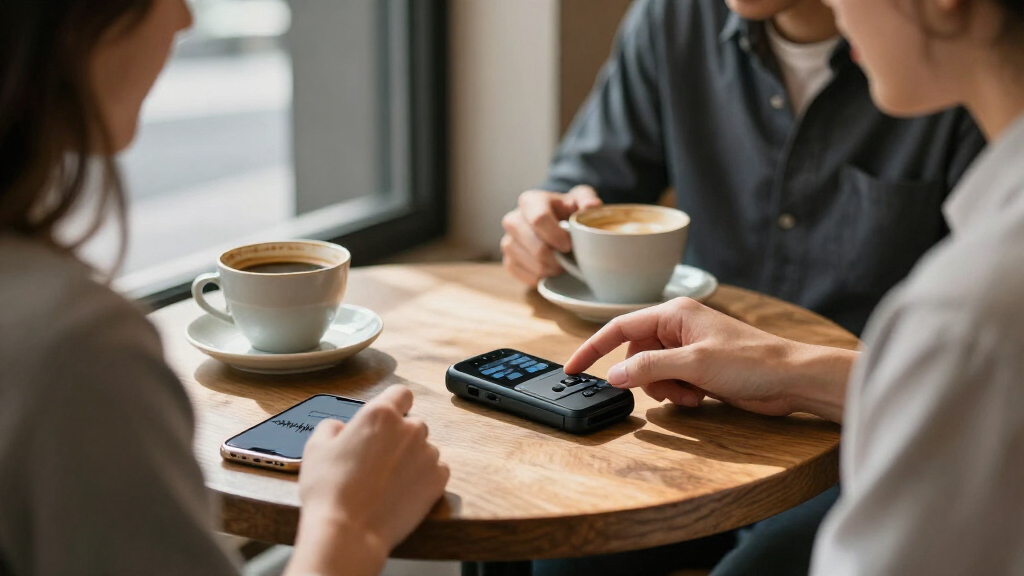
How We Picked
I ranked these devices around their usefulness for capturing meetings and turning recordings into usable notes, not the size of a feature list. I compared the stated capture format, transcription and summary tools, language and translation claims, storage, offline support, and whether a product appears suited to desk calls, mobile meetings, or hands-free use. I also treated specificity as a practical factor: a clearly described workflow gives buyers more to evaluate than a generic claim of AI transcription.
The top spots go to options with a distinct, decision-relevant use case: Plaud Note Pro as a dedicated recorder, HiDock H1E for desk setups, and iFLYTEK for offline language features. Wearables and pen-style devices rank for buyers who value discreet or hands-free capture, while less-detailed models sit lower because the supplied product information leaves more unanswered questions. I did not assume unlisted capabilities; buyers should confirm app compatibility, subscription requirements, privacy controls, and export options before purchase.
| AI meeting transcription device | Connectivity |
|---|---|
| Flowtica AI Voice Recorder Pen | — |
| Fieldy 3 Wearable AI Note-Taki | — |
| AI Voice Recorder with Transcr | Bluetooth, Wi-Fi, and NFC |
| Plaud NotePin S Wearable AI Vo | Bluetooth 5 |
| NoteKit AI Meeting Assistant | Bluetooth 5 |
| Pocket AI Voice Recorder with | — |
| Recolx AI Voice Recorder and N | Bluetooth, USB Type-C, and Wi-Fi syncing |
| iFLYTEK AI Voice Recorder with | — |
| AI Voice Recorder Pen with Tra | — |
| Plaud Note Pro AI Voice Record | Bluetooth 5 |
| HiDock H1E AI Meeting Recorder | — |
| AI Voice Recorder | — |
| AI Voice Recorder with 16GB St | Bluetooth 5.3, USB Type-C |
| HIUTY AI Voice Recorder with T | Bluetooth 5 |
| AI Voice Recorder with Magneti | Bluetooth/BLE, USB-C |
Factors to Consider When Choosing AI Meeting Transcription Devices
Choosing among AI meeting transcription devices starts with your meeting routine, then moves to the less visible details that determine whether recordings become useful notes. These checks can help separate a convenient-looking gadget from one that fits your workflow.
Match the capture format to where meetings happen
Start by listing the settings you record most: conference rooms, phone calls, online meetings, or conversations on the move. A wearable or pen-style device can keep your hands free, while a desktop dock may fit a fixed workstation better. A pocket recorder is a more flexible middle ground, but it still needs to be positioned well to capture voices clearly. Buyers sometimes choose the smallest device without checking whether it suits their usual microphone distance or call setup. Pick the form factor around your routine, not around a single spec or an assumption that one device works equally well everywhere.
Check what happens between recording and transcript
“AI transcription” can describe several different workflows: a device may record first and process later, or it may provide a more immediate transcript. Before buying, find out whether transcription runs on the device, through a phone app, or through a cloud service. That distinction affects connectivity, processing time, privacy choices, and what happens if you change phones or computers. A common mistake is to treat transcription as a built-in, fully local feature when the listing does not say that. Look for clear instructions on setup, file transfer, and transcript access before deciding.
Treat language support as a real-world compatibility question
A high number of supported languages can be useful, but it does not guarantee accurate results for every speaker or meeting. Check whether the languages you need are supported for transcription, translation, summaries, or all three; those functions may differ. Dialects, mixed-language conversations, specialist vocabulary, and overlapping speech can also affect the usefulness of a transcript. If your meetings switch languages, look for details on how language selection works and whether you can correct a transcript afterward. Choose based on the languages and conditions you actually encounter rather than the largest stated count.
Look beyond storage capacity
Built-in storage tells you how much audio a recorder may hold locally, but it does not explain how recordings are backed up, exported, or managed over time. Check whether files can be moved to a computer, whether the companion app is required, and what happens when storage fills. Also review battery life and charging details if you record long sessions or back-to-back meetings. A larger storage figure may matter less than a simple, dependable way to archive and find transcripts. Ask how the device handles both original audio and generated notes before treating capacity as a deciding feature.
Review privacy, permissions, and service terms before recording
Meeting audio can include sensitive business, personal, or client information, so learn where recordings and transcripts are processed and stored. Check whether cloud processing is optional, what controls exist for deletion, and whether transcripts can be exported or shared. For workplace meetings, follow your organization’s recording rules and applicable consent requirements; a discreet form factor does not remove those responsibilities. Buyers often focus on the recorder while overlooking the account, app, or service that handles the data. If a listing is vague about data handling or ongoing service terms, seek clarification before relying on it for confidential conversations.
Compare ongoing workflow costs, not just the device
Some AI features may depend on an app account, a transcription allowance, or a subscription, so check the current terms for the exact model and region. Find out whether summaries, translations, and exports are included or treated separately. A device that fits your budget of time and administration may be more useful than one with more features that sit behind extra steps. Also consider whether your team can access the notes on its existing devices and whether several people can use the same workflow. The best choice is the one whose recurring requirements remain practical after setup, not just the one with the longest feature list.
Frequently Asked Questions
Which type of AI meeting transcription device is best for recording online calls?
For calls made at a desk, a device designed around a workstation, such as the HiDock H1E, may fit more naturally than a wearable or pen-style recorder. Before choosing, verify that it supports your computer, meeting software, and call-audio setup; the product title alone does not confirm compatibility with every platform. If your calls happen across different devices, a portable recorder may offer more flexibility, but check how it captures both sides of a call. Also confirm whether transcription is generated by the device, an app, or a connected service. A test recording with your actual setup is a sensible step where returns allow it.
Do I need offline transcription, or is app-based processing enough?
Offline processing may suit meetings where internet access is unreliable or where you want fewer recordings sent to a cloud service. iFLYTEK is the clearest match in this roundup for buyers specifically seeking offline transcription and translation. App- or cloud-based workflows can still be suitable if you value connected features, but you should check what data leaves the device and whether an account is required. Do not assume that a recorder processes everything locally just because it has storage. Confirm offline support for the exact language and feature you plan to use.
Is a wearable or pen recorder a better choice than a pocket recorder?
A wearable or pen can be more convenient when you need hands-free capture or want a device that travels with you. A pocket recorder may be easier to reposition on a table and can suit varied meeting settings, though it needs a place near the speakers. Neither format guarantees clearer transcripts; microphone placement, room noise, and distance still matter. Consider whether you need to record while taking notes, walking, or joining a fixed call. The best format is the one you can use consistently without disrupting the meeting.
How can I tell whether a device’s language support will work for my meetings?
Check the exact language and feature pairing rather than relying on a headline language count. A device may support a language for transcription but not translation or summaries, and mixed-language speech may behave differently from a single-language recording. Look for information about dialects, language selection, and editing transcripts after processing. If accuracy is important for work, verify whether you can export the audio and transcript for correction. Where product information is limited, ask the seller or manufacturer for the specific language details before purchasing.
What should I check before using an AI recorder for confidential meetings?
Find out whether audio and transcripts are stored locally, sent to a cloud service, or both, and review the available deletion and sharing controls. Check whether an account is needed and whether the service has separate retention or processing terms. Your workplace may also have rules about recording, consent, and storing meeting notes, so follow those before turning on a device. A compact recorder can make capture convenient, but it does not change the privacy obligations of the meeting. If the product listing does not explain data handling, get clear answers before recording sensitive discussions.
Conclusion
For most buyers seeking a dedicated meeting recorder, I’d start with the Plaud Note Pro as the best overall, while the HiDock H1E is my best premium-style fit for a desk-centered workflow. For buyers focused on value, compare the simpler 64GB pocket options such as Recolx against the features you will actually use, and verify app and service terms before choosing. Beginners may prefer a clearly described workflow over a long feature list; NoteKit’s stated summaries and to-do lists offer a more concrete starting point, subject to compatibility checks. Choose Fieldy 3 or Plaud NotePin S for wearable capture, a pen-style model if that format suits your routine, and iFLYTEK for offline transcription and translation. If a generic listing leaves key details unclear, favor a model whose recording, processing, and export workflow you can confirm.