TL;DR

Get business pricing on tech for your team
- Business-only prices and quantity discounts
- Tax-exempt purchasing
- Multiple users, one account, clear invoices
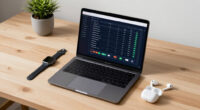
A new webcam application uses computer vision to monitor blink rate and suggest breaks for remote workers. Early testing shows potential to reduce eye discomfort during extended screen time.
A new webcam application designed to monitor blink rate and suggest breaks is entering pilot testing to help remote knowledge workers reduce eye strain during long hours at their laptops. The technology uses on-device computer vision to estimate blink frequency without transmitting video data, aiming to address the widespread issue of digital eye discomfort.
The proposed application tracks blink rate via the webcam, providing real-time feedback to users. When blinking drops below a healthy threshold, it prompts a 20-20-20 break, encouraging users to look away from their screens and rest their eyes. The system logs daily eye comfort scores and break adherence, with a target market of remote workers who spend over 8 hours daily at their computers.
This initiative is motivated by increased screen time due to remote and hybrid work models, which have heightened the prevalence of dry eyes, headaches, and fatigue. The app is intended as an initial step in a broader effort to improve screen wellness using accessible, privacy-preserving technology. The developers plan to run a two-week pilot with twenty remote workers, assessing whether the intervention improves self-reported eye comfort and adherence to breaks.
Potential Impact on Remote Worker Eye Health
This technology could offer a simple, scalable solution to a widespread problem among remote workers, who often lack objective feedback on their eye health and break habits. If successful, it may reduce the incidence of digital eye strain, improve productivity, and set a new standard for screen wellness tools. Its on-device approach also addresses privacy concerns associated with video data transmission, making it more acceptable for workplace adoption.
Products Worth Considering

LG UltraGear 32GX850A-B 32-Inch 4K UHD Glossy OLED Gaming Monitor

Samsung 27-inch Odyssey OLED G6 QD-OLED QHD Gaming Monitor

Samsung 27 Odyssey OLED G5 (G50SF) QHD QD-OLED Gaming Monitor
As an affiliate, we earn on qualifying purchases.
Growing Need for Eye Care in Remote Work Settings
As remote work becomes more prevalent, daily screen exposure has increased significantly, intensifying issues like dry eyes, headaches, and fatigue. Current solutions often rely on user self-awareness or generic reminders, which are insufficient for consistent eye health management. Recent advances in computer vision enable webcams to estimate blink rate unobtrusively, opening new avenues for personalized, real-time eye care interventions. This initiative builds on the recognition that objective, automated monitoring can help users adhere to healthy habits without disrupting their workflow.
“Using on-device computer vision to monitor blink rate offers a promising way to help remote workers manage eye strain proactively.”
— an anonymous researcher
Uncertainties Around Effectiveness and Adoption
It is not yet clear how effective the blink-based nudges will be in improving eye comfort over the long term. The pilot study is limited to twenty participants, and results may vary depending on individual habits and work environments. Additionally, questions remain about user acceptance, privacy concerns, and integration with existing workflows. Further research and larger trials are needed to confirm the benefits and feasibility of widespread deployment.
Next Steps in Testing and Development
The developers plan to conduct the two-week pilot with twenty remote workers, collecting data on eye comfort and break adherence. If results are positive, they will refine the app and explore broader deployment options, including integration with popular video conferencing platforms. Additional studies may follow to evaluate long-term health benefits and user acceptance before considering commercial release.
Key Questions
How does the webcam app estimate blink rate?
The app uses on-device computer vision algorithms to analyze the user’s webcam feed in real-time, detecting eye movements and blinking patterns without transmitting video data externally.
Will this technology work on all webcams?
It is designed to work with standard webcams commonly used in remote work setups, but performance may vary depending on camera quality and lighting conditions.
Is user privacy protected with this app?
Yes, the app processes all video data locally on the device, ensuring that no video feeds are sent to external servers, addressing privacy concerns.
When will the app be available for general use?
The current plan is to complete initial testing within the next few months. A commercial release would follow successful validation and further development, but no specific date has been announced.
Source: IdeaNavigator AI