To choose a NAS that fits your work, start by identifying your primary needs—whether it’s backup, media streaming, or collaboration—since this guides feature selection. Consider device compatibility, remote access, and cloud integration for flexible workflows. Prioritize security features like encryption, multi-factor authentication, and regular updates to keep your data safe. By understanding how you work daily, you’ll find a NAS tailored to your routine, and if you keep exploring, you’ll uncover even more ways to optimize your setup.

Get business pricing on tech for your team
- Business-only prices and quantity discounts
- Tax-exempt purchasing
- Multiple users, one account, clear invoices
Key Takeaways
- Identify your primary use case (backup, streaming, collaboration) to prioritize relevant features.
- Assess device compatibility and daily workflows to ensure seamless integration and ease of use.
- Determine if remote access and cloud integration are essential for your mobility and data needs.
- Focus on security features like encryption, multi-factor authentication, and regular updates for sensitive data.
- Consider backup solutions, snapshot technology, and security layers for comprehensive data protection.
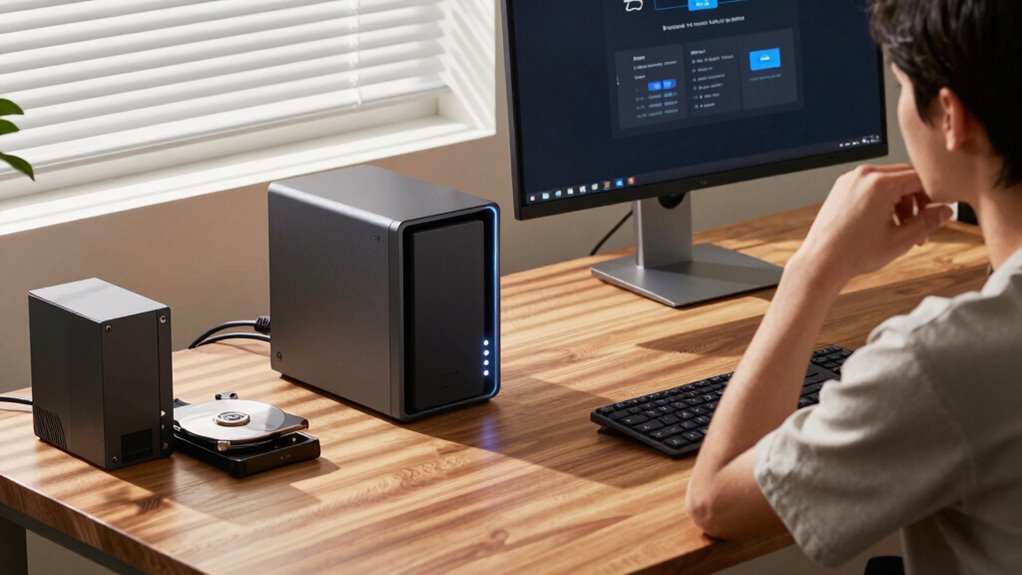
When selecting a Network Attached Storage (NAS) device, understanding your specific needs is essential. Think about how you’ll use the device daily—whether for backup, media streaming, collaboration, or other tasks. Your workflow influences the features you should prioritize. For example, if you work with multiple devices or need remote access, cloud integration becomes a critical factor. A NAS with seamless cloud integration allows you to access your files from anywhere, sync data across platforms, and even back up directly to cloud services like Google Drive or Dropbox. This flexibility can save you time and streamline your work process, especially if you’re frequently on the move or managing a team.
Seamless cloud integration makes remote access, syncing, and backups effortless for busy teams and on-the-go professionals.
Security features are equally crucial in choosing the right NAS. Look for devices that offer robust security options such as encrypted data transfer, multi-factor authentication, and regular firmware updates. These features help protect sensitive information from cyber threats and unauthorized access. If you handle confidential client data or personal information, security should be at the top of your list. Some NAS units also include built-in antivirus scanning, automatic backups, and snapshot technology, which can quickly restore files if anything goes wrong. Understanding data protection methods is vital to ensure your workflow remains uninterrupted and your information stays secure. Staying informed about security features can help you make a more confident choice for your specific needs. Regularly updating your knowledge about cybersecurity best practices further enhances your overall data safety. Being aware of threat mitigation strategies can also help prevent potential breaches before they happen.
As an affiliate, we earn on qualifying purchases.
Frequently Asked Questions
How Much Storage Capacity Do I Really Need?
You need enough storage to handle your current data and future growth, while considering data redundancy and backup strategies. If you’re frequently adding files or working with large media, opt for more capacity than you think you’ll need. Balance your storage with your backup plans to prevent data loss. Regularly review your usage, and upgrade when your data exceeds your current NAS capacity, ensuring smooth workflow and secure backups.
What Are the Best Brands for NAS Devices?
You might think the best NAS brands are all about flashy features, but in reality, top names like Synology, QNAP, and Western Digital excel in remote access and data redundancy. Ironically, they’re reliable because they focus on security and backup, not just bells and whistles. When choosing, prioritize brands that offer seamless remote access and solid data redundancy, ensuring your data stays safe no matter what.
How Secure Is Data Stored on a NAS?
Data stored on a NAS is quite secure when you implement encryption protocols and user access controls. Encryption protects your data from unauthorized access, even if the device is compromised, while user access controls ensure only authorized users can view or modify files. Regular updates, strong passwords, and enabling two-factor authentication further enhance security. By actively managing these features, you can confidently safeguard your data on a NAS.
Can I Expand My NAS Storage Later?
Sure, you can expand your NAS storage later—if you’re lucky. Many models support adding drives, but some don’t, making future upgrades a gamble. Keep in mind, expanding storage might affect remote access and energy efficiency, so choose a model designed with scalability in mind. It’s worth investing in a system that grows with your needs, rather than hitting a storage wall just when you need it most.
What’s the Difference Between a NAS and a Cloud Service?
A NAS is a physical device that offers local storage, while a cloud service stores your data remotely online. With a NAS, you get direct remote access and control over your data, plus data redundancy features to protect against loss. Cloud services are more flexible and scalable, but rely on internet availability. Choose based on your need for on-site access versus off-site storage and your comfort with managing hardware.
Conclusion
Picking the right NAS is like finding the perfect key to your digital kingdom — it opens your work style with ease. By considering your storage needs, budget, and how you actually work, you guarantee it fits seamlessly into your daily routine. Don’t settle for a one-size-fits-all solution; instead, choose a device that genuinely supports your goals. When you do, your data flows smoothly, making your digital life as effortless as a gentle stream.
Evergreen bestsellers Picks
bestsellers
As an affiliate, we earn on qualifying purchases.