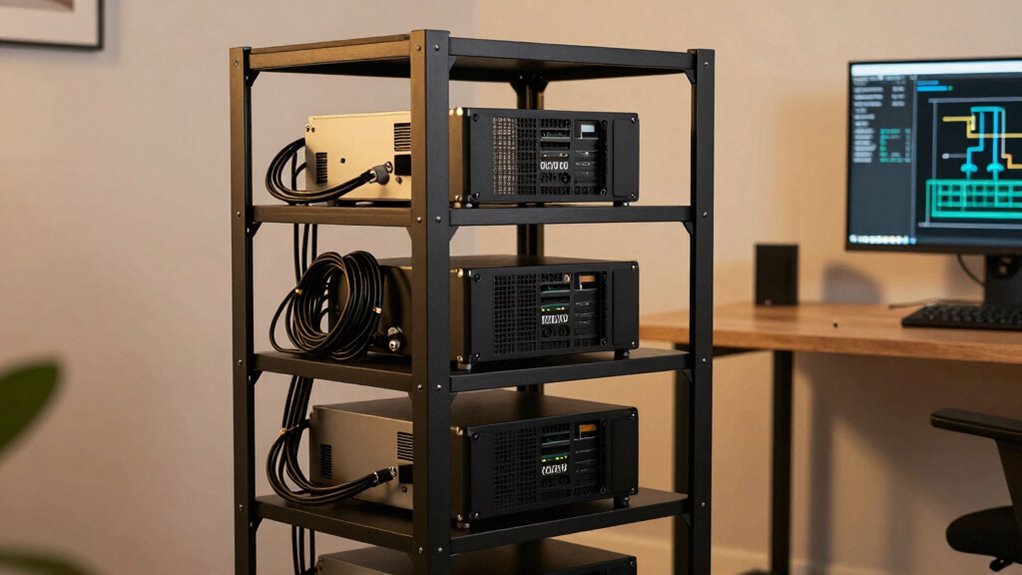

Many home lab buyers overlook the importance of proper power and airflow planning, which are vital for reliable operation. You might focus on hardware specs but neglect how your rack manages heat and electricity. Without thoughtfully organizing power sources and airflow paths, your equipment risks overheating and power overloads. Attention to these details guarantees longevity and stability. Keep going to discover the key aspects that can make or break your home lab’s efficiency and reliability.

Get business pricing on tech for your team
- Business-only prices and quantity discounts
- Tax-exempt purchasing
- Multiple users, one account, clear invoices
Key Takeaways
- Proper airflow management, including device placement and blanking panels, is often overlooked but crucial for equipment longevity.
- Ensuring sufficient and organized power distribution prevents overloads and reduces downtime risks.
- Regular temperature monitoring helps identify hot spots before equipment failure occurs.
- Clear labeling of cables and outlets simplifies troubleshooting and future upgrades.
- Adequate spacing between devices improves airflow and overall rack efficiency.
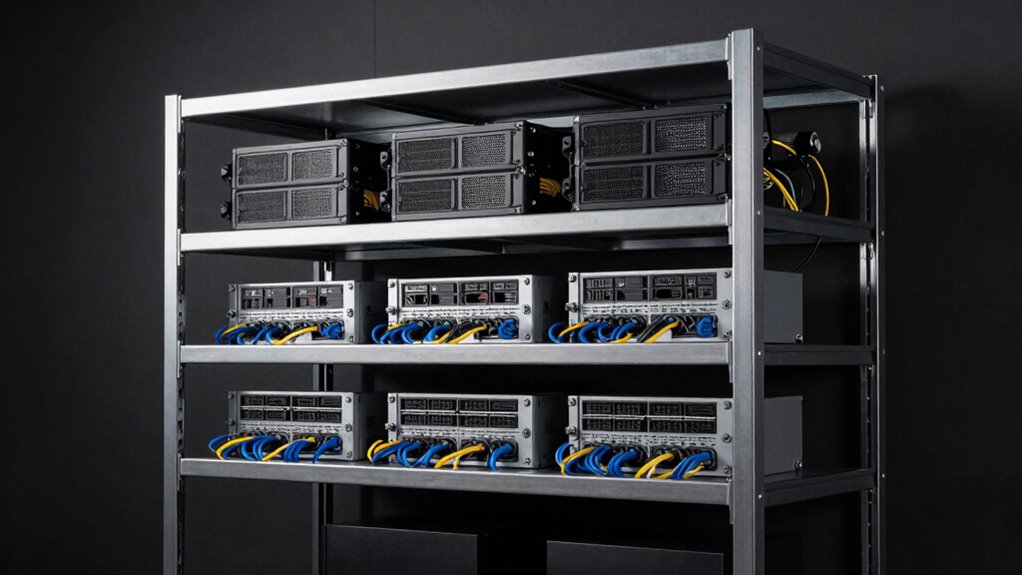
Setting up a home lab rack can seem overwhelming, but careful planning makes the process much smoother. One of the most overlooked yet critical aspects is how you plan your power distribution and airflow management. Many enthusiasts focus on the hardware, like servers or switches, but neglecting these details can lead to significant issues down the line, affecting both equipment longevity and operational efficiency.
Start by mapping out your power needs early. Consider the total power load your rack will draw and guarantee your power distribution setup can handle it comfortably. Using multiple outlets and power strips designed for high capacity helps prevent overloading circuits. It’s wise to invest in a UPS (Uninterruptible Power Supply) to protect your equipment from power surges and outages. Proper power distribution isn’t just about capacity; it’s also about organization. Use power strips with individual switches or circuit breakers, so you can isolate and troubleshoot issues without disrupting the entire setup. Label your cables and outlets clearly, which simplifies maintenance and future upgrades. Additionally, ensuring your setup adheres to standard electrical safety guidelines can prevent potential hazards.
Equally important is airflow management. Many home lab builders overlook how critical proper airflow is in maintaining ideal operating temperatures. Equipment running too hot can suffer from reduced lifespan or outright failure. Start by planning your rack’s layout to promote good airflow flow: position heat-generating devices at the bottom or away from intake vents, and ensure there’s enough space between devices for air to circulate freely. Install fans or ventilation systems if necessary, especially if you’re stacking multiple devices tightly. Use blanking panels to fill gaps in your rack, preventing hot air from recirculating back into equipment. Regularly monitor temperatures with sensors or thermal cameras to catch hot spots early. Additionally, understanding the power needs of your setup helps ensure your entire environment remains stable and efficient. Incorporating proper airflow techniques during setup can significantly extend the lifespan of your equipment and improve overall performance. Paying attention to rack organization and cable management can further enhance airflow and make troubleshooting easier. Furthermore, considering the environmental conditions of your setup space—such as humidity and dust levels—can also impact equipment performance and longevity. Regular cleaning and maintenance of your environment can help sustain optimal conditions for your gear.
Ignoring airflow management and power distribution planning can lead to equipment failures, increased energy costs, and troubleshooting headaches. When you plan these aspects thoroughly from the start, you create a more reliable, efficient, and easier-to-maintain home lab. It might seem like a small detail, but it’s the foundation for a successful setup. Taking the time to design your power distribution carefully and maximize airflow will save you frustration and money in the long run. Remember, a well-structured rack isn’t just about hardware—it’s about creating a stable environment that keeps everything running smoothly. Don’t overlook these details, because they’re what make your home lab truly dependable and scalable.
As an affiliate, we earn on qualifying purchases.
Frequently Asked Questions
How Do I Choose the Right Rack Size for My Needs?
To choose the right rack size, consider your current and future equipment needs. Pick a rack with an appropriate rack height—measured in rack units (U)—to fit your gear comfortably. Also, check the weight capacity to guarantee it can handle your equipment without strain. Think about space for airflow and expansion. A well-chosen rack balances size and weight capacity, making your home lab both functional and scalable.
What Tools Are Best for Rack Planning?
Think of rack planning tools as your map through a maze. Use software like RackView or iStarUSA to visualize space, plan rack labeling, and optimize power distribution. These tools help you see how devices fit and guarantee proper airflow. By mapping your setup beforehand, you avoid surprises and keep everything organized. They’re your secret weapon for a smooth, efficient home lab build—making complex planning feel like a walk in the park.
How Can I Future-Proof My Home Lab Rack?
To future-proof your home lab rack, you should choose a versatile power supply that can handle potential upgrades and additional hardware. Additionally, invest in effective cooling solutions like adjustable fans or liquid cooling to manage increased heat as your setup grows. Planning for extra space and modular components also helps guarantee you can expand without major rewiring or replacements, keeping your lab adaptable and efficient over time.
What Are Common Mistakes in Rack Cable Management?
You often overlook cable labeling and power distribution, leading to messy racks and troubleshooting headaches. For example, a home lab builder struggled to identify which cable caused a server reboot, wasting hours. To avoid this, label cables clearly and organize power distribution strips efficiently. Proper cable management not only saves time but also improves airflow and safety, making future upgrades smoother and your home lab more reliable.
How Do I Ensure Proper Airflow in My Rack?
To guarantee proper airflow in your rack, prioritize cooling optimization by arranging equipment to promote efficient air circulation. Keep airflow barriers like cables and clutter away from vents and fans. Use blanking panels to fill empty spaces, preventing hot air from recirculating. Regularly clean filters and fans to maintain airflow. Properly managing these aspects helps keep your gear cool, improves performance, and extends equipment lifespan.
Conclusion
Don’t overlook the importance of proper planning—precision prevents pitfalls and promotes performance. By prioritizing your rack’s layout and spacing, you’ll avoid costly clutter and chaos. Remember, meticulous measurement and mindful management make your home lab more manageable and more meaningful. So, stay savvy, stay structured, and set yourself up for success. Small details make a significant difference—don’t ignore them, because a well-wrapped rack results in a wonderfully working workspace.
Fall Picks
fall essentials
As an affiliate, we earn on qualifying purchases.