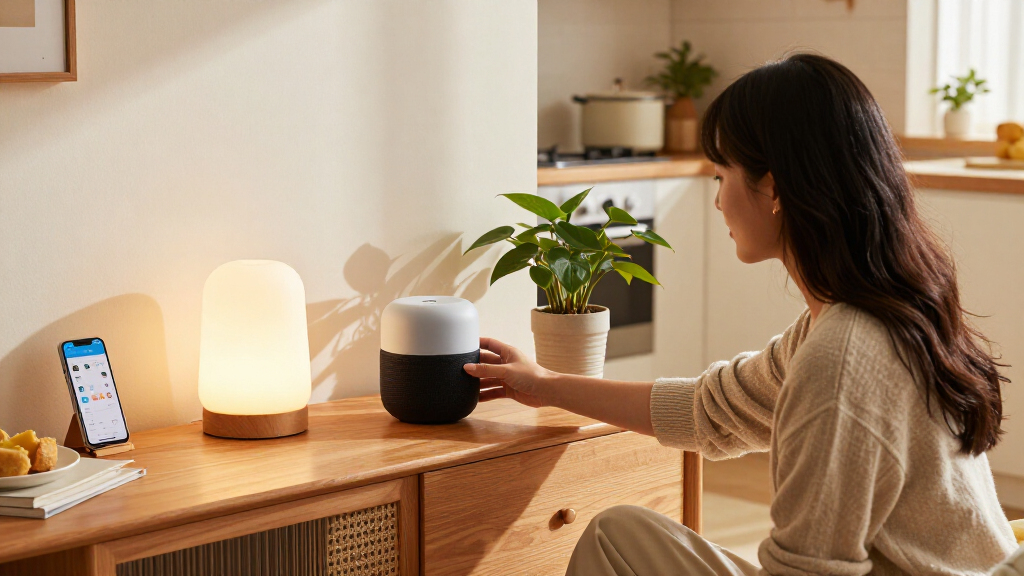
Amazon Alexa and Google Home are the two most common starting points for a voice-controlled smart home, but the choice is less about which assistant can switch on a lamp and more about which platform can coordinate the devices and services you already use. Alexa generally connects with a wider range of smart home products and offers flexible routines; Google Home fits more naturally with Android, Google services, and requests that depend on Google Search. Both can control compatible lights, locks, thermostats, plugs, and sensors, though specific features vary by product, region, account, and subscription.

Get business pricing on tech for your team
- Business-only prices and quantity discounts
- Tax-exempt purchasing
- Multiple users, one account, clear invoices

Hubitat Elevation C-8 Pro Smart Home Hub
- ✔ Protocols: Matter 1.5, Z-Wave 800 Series with Long Range, Zigbee 3.0, Bluetooth
- ✔ Voice assistants: Amazon Alexa, Google Home, Apple HomeKit
- ✔ Antennas: Two dedicated external antennas

SwitchBot AI Hub with OpenClaw Support, Local Camera Storage, Home Assistant, and Matter Bridge
- ✔ Model: W8002100
- ✔ Dimensions: 7.8 x 5.79 x 2.2 inches
- ✔ Weight: 1.17 lb

LinknLink HomeClaw Smart Home Gateway with Home Assistant and OpenClaw AI
- ✔ Manufacturer and model: LinknLink HomeClaw
- ✔ Dimensions: 6.57 x 3.98 x 2.05 inches
- ✔ Weight: 4.3 ounces
For a home with mixed-brand devices or a priority on custom routines, Alexa is the safer default. For a household centered on Android phones, Google Calendar, YouTube, and Google services, Google Home can feel more coherent. The deciding tradeoff is ecosystem flexibility versus Google integration, with privacy settings and the exact devices in your home worth checking before you buy.
At a Glance
| Criteria | Amazon Alexa | Google Home | Winner |
|---|---|---|---|
| Device compatibility | Broad compatibility across many smart home brands; check device support before purchase. | Strong support for popular Matter and Google Home compatible products; check exact integrations. | A |
| Routines and automation | Flexible routines and a large range of compatible devices can support detailed automations. | Useful household automations through Google Home, with capability depending on devices and setup. | A |
| Voice questions and services | Works with Amazon services and Alexa features; capabilities vary by device and region. | Strong fit for Google Search, Android, Calendar, YouTube, and Google services. | B |
| Setup and daily control | Straightforward for Alexa households, with control across Echo speakers and the Alexa app. | Convenient for Android and Google households through speakers, displays, and the Home app. | Depends |
| Privacy controls | Offers voice recording and privacy settings, though users should review and manage them. | Offers voice activity and account controls; review settings and connected services. | Tie |
| Value and cost | Entry-level Echo devices can be inexpensive; some services or advanced features may add cost. | Google Nest devices often cost more than entry-level alternatives; core controls may need no subscription. | Depends |
Hubitat Elevation C-8 Pro Smart Home Hub
Hubitat Elevation C-8 Pro earns the top spot because it combines local automation processing with the broadest listed set of device protocols in this group: Matter, Z-Wave 800 Series, Zigbee, and Bluetooth. That breadth gives us room to build routines across different device generations without making an internet connection the center of every action. The two external antennas are another practical distinction for installations where the hub needs to reach devices across a larger home.Its AI-assisted automation builder sits alongside an advanced rule engine, so this is a hub for buyers who want to shape detailed routines rather than rely only on preset scenes. Compared with SwitchBot’s camera-centered package and HomeClaw’s plain-language AI emphasis, Hubitat is the more general-purpose control point. It also works with Alexa, Google Home, and Apple HomeKit, and its platform features do not require a subscription.The tradeoff is the learning curve. An advanced rule engine can reward careful setup, but it is less appealing for someone who expects a hub to infer every routine automatically. Some integration guidance relies on community resources, so troubleshooting may take more initiative than with a tightly guided system. We would choose Hubitat for protocol flexibility and dependable local rules, while buyers focused on camera recordings or a turnkey Home Assistant setup should compare the other two first.
Pros:
- Runs automations locally, including when the internet is down
- Supports Matter, Z-Wave, Zigbee, and Bluetooth
- Works with Alexa, Google Home, and Apple HomeKit
- No subscription required for platform features
Cons:
- Advanced rule setup can take time to learn
- Some integrations and setup guidance depend on community resources
Best for: Smart home owners with devices across multiple protocols who want detailed local automations and broad voice assistant compatibility.
Not ideal for: Buyers seeking a very simple setup, camera recording features, or AI routines that need little manual configuration.
Bottom line: Choose Hubitat when broad device support and local automation matter more than a guided, camera-first experience.
“Choose Hubitat when broad device support and local automation matter more than a guided, camera-first experience.”
SwitchBot AI Hub with OpenClaw Support, Local Camera Storage, Home Assistant, and Matter Bridge
SwitchBot AI Hub is the most specific choice in this lineup: it brings camera event storage into the smart home hub, with a 16GB MicroSD card included and support for up to eight compatible cameras. For buyers who want recordings kept locally, that built-in storage makes its proposition clearer than Hubitat’s broad automation focus or HomeClaw’s assistant-oriented feature set. Storage can be expanded with a larger MicroSD card or an external hard drive, which gives the camera setup room to grow.Home Assistant comes pre-installed, and the hub supports Matter bridging plus local automations for select SwitchBot BLE devices. This can suit a household already invested in SwitchBot products that also wants a camera layer. Yet “AI” depends on the right compatible cameras, and some AI functions require an AI+ subscription. That qualification is central: the hardware can manage local recordings, but buyers should not assume every advertised AI function is included or works with every camera.Compared with Hubitat, SwitchBot offers a more integrated camera and storage story but less emphasis on broad protocol coverage. Compared with HomeClaw, it arrives with specific camera capacity and storage included, while HomeClaw foregrounds plain-language tasks and remote access. SwitchBot also omits IR control, which limits its usefulness for controlling traditional infrared appliances. We see it as the best fit for camera-aware automations and local footage storage, not as the most universal hub.
Pros:
- Includes 16GB MicroSD storage for camera event recordings
- Supports up to eight compatible cameras
- Home Assistant is pre-installed
- Offers Matter bridging and local automations for select SwitchBot BLE devices
Cons:
- Some AI features require an AI+ subscription and compatible cameras
- Does not include IR control
Best for: SwitchBot users who want to connect compatible cameras, retain event recordings locally, and start with Home Assistant already installed.
Not ideal for: Buyers who need built-in IR control, broad cross-brand protocol details, or AI features without a subscription or camera compatibility checks.
Bottom line: Pick SwitchBot when local camera storage is the deciding feature and its AI requirements match your cameras and subscription preferences.
“Pick SwitchBot when local camera storage is the deciding feature and its AI requirements match your cameras and subscription preferences.”
LinknLink HomeClaw Smart Home Gateway with Home Assistant and OpenClaw AI
LinknLink HomeClaw centers its pitch on combining Home Assistant with OpenClaw AI tasks. It supports plain-language automation, and the same AI layer can handle general tasks such as writing and research. That makes it the most assistant-oriented pick here: buyers who want to express an automation in everyday language may find its approach more approachable than Hubitat’s advanced rule engine.HomeClaw is also local-first. It can continue operating without an internet connection, supports Matter bridging, and offers a built-in peer-to-peer tunnel for remote access. One-click Home Assistant setup with backup and automatic restore features is intended to reduce setup friction. Compared with SwitchBot, it does not make local camera storage the core value; compared with Hubitat, its listed native protocol details are narrower, with Zigbee included and Z-Wave requiring an additional USB dongle.That optional adapter is a meaningful consideration for homes built around Z-Wave devices. The device’s AI and automation capabilities may also require configuration, so plain-language support does not necessarily mean every routine is immediate or hands-off. We would rank HomeClaw third because its mix is compelling but more specialized: Home Assistant plus an AI assistant rather than Hubitat’s broad protocol hub or SwitchBot’s camera storage package. It makes the most sense when those AI tasks and setup conveniences match the household’s priorities.
Pros:
- One-click Home Assistant setup with backup and automatic restore features
- Supports Matter bridging and control across multiple smart home platforms
- Local processing allows operation without an internet connection
- OpenClaw AI supports plain-language automation and general assistant tasks
Cons:
- Z-Wave connectivity requires a separately sold USB dongle
- Some AI and automation capabilities may need setup or configuration
Best for: Home Assistant users who want local control, plain-language automation support, and an AI gateway that can also handle general assistant tasks.
Not ideal for: Households that need Z-Wave out of the box, want included camera storage, or expect all AI capabilities to work without configuration.
Bottom line: Choose HomeClaw when its plain-language AI and Home Assistant setup are more valuable to you than native Z-Wave or camera storage.
“Choose HomeClaw when its plain-language AI and Home Assistant setup are more valuable to you than native Z-Wave or camera storage.”
As an Amazon Associate we earn from qualifying purchases.
Key Differences
The clearest practical difference is how easily each platform accommodates a changing mix of smart home products. Alexa has long had broad third-party support, which helps when a household already owns devices from several brands or wants to shop widely. Google Home handles many popular products and Matter devices, but compatibility still depends on the precise model and feature: basic control may work while a device’s more advanced settings remain in its own app. Check the product’s current compatibility listing before building around either assistant.
Automation and everyday assistance point in different directions. Alexa’s routines and broad integrations can make it easier to connect triggers and actions across a varied home. Google Home is often more convenient when household members use Android and Google services, and when voice requests involve information that benefits from Google Search. Neither platform makes every spoken request reliably conversational, and features can change with software updates, device generation, country, and account type.
Price alone does not settle the decision. Affordable speakers from either ecosystem can provide basic voice control, while displays, premium speakers, sensors, and connected appliances increase the total cost. Pick the platform that supports the devices and services you actually need; a low-cost speaker saves little if you later have to replace incompatible equipment or maintain several control apps.
Detailed Comparison
Device compatibility (Amazon Alexa wins — moderate)
Alexa wins; the difference is moderate. Its broad range of third-party integrations makes it easier to combine products from different makers. Google Home supports many popular brands and Matter, but support can vary by model and feature. For a mixed-brand home, Alexa reduces the chance that a purchase lacks basic voice control. Verify compatibility for the exact functions you want, such as dimming, lock status, or temperature adjustment.
Routines and automation (Amazon Alexa wins — moderate)
Alexa wins for flexibility; the gap is moderate. Alexa routines can tie together compatible devices and triggers, which suits households building custom schedules or multi-step responses. Google Home offers useful automations too, particularly for common household patterns, but its options depend on the connected products and current app features. If you want a simple bedtime routine, both can work; if you plan many device combinations, Alexa has the edge.
Voice questions and services (Google Home wins — moderate)
Google Home wins for Google-centered households; the difference is moderate. Google services and Search are a natural match for Android users, Google Calendar users, and homes that rely on YouTube. Alexa is a better fit for Amazon services and compatible Alexa features. Neither assistant is a universal answer engine, and results vary by request and device. Choose based on the services your household already uses each day.
Setup and daily control (minor difference)
This depends on the phones and speakers already in the home; the gap is minor. Alexa is straightforward when household members already use Echo speakers and the Alexa app. Google Home is similarly convenient for Android and Google users, with devices managed through its app and Nest hardware. Either can feel less seamless when residents use different accounts or prefer another platform. Keep in mind that some products still require their maker’s app for setup or advanced controls.
Privacy controls (moderate difference)
Tie; neither platform removes the need to review settings. Both offer account controls for voice activity and connected services, and both involve sending voice requests to the provider for processing. The practical difference comes down to which settings you enable, how much data you want retained, and the services linked to your account. Review recording, deletion, and microphone controls during setup, and mute a speaker when you do not want it listening for its wake word.
Value and cost (moderate difference)
Depends on the equipment and services you need. Low-cost speakers in either ecosystem can be good value for timers, music, and simple device commands. Alexa is often attractive when inexpensive Echo hardware and broad compatibility matter; Google Home can justify a higher device cost for a household already invested in Nest and Google services. The premium only pays off if the features, sound, display, or integrations will see regular use.
Amazon Alexa: Pros and Cons
Pros:
- Broad third-party smart home compatibility.
- Flexible routines suit mixed-brand setups.
- Entry-level Echo speakers are often competitively priced.
Cons:
- Some services and capabilities depend on region, device, or subscription.
- Advanced product settings may still require the manufacturer’s app.
- The best choice for compatibility may not match a Google-centered household.
Google Home: Pros and Cons
Pros:
- Natural fit with Android and Google services.
- Useful voice access to Google Search and connected services.
- Supports many popular smart home products and Matter devices.
Cons:
- Compatibility and feature support still vary across brands and models.
- Often less compelling for households that rely on Amazon services.
- Some Nest devices cost more than basic smart speakers.
Who Should Choose What
Choose Amazon Alexa if:
- You own or plan to mix smart devices from several brands and want broad compatibility.
- You want to create custom routines across supported devices.
- You use Echo speakers or Amazon services and want a lower-cost entry point.
Choose Google Home if:
- Most household phones run Android and your calendars, media, and accounts center on Google.
- You want voice access to Google services alongside common smart home controls.
- You already own Nest products and want to keep household controls in one ecosystem.
Skip both if: Skip both as your main hub if your essential devices do not support either platform’s required features, or if you need local-only voice processing and cannot accept cloud-based voice requests. Check whether a local smart home controller better fits those needs.
Value for Money
Paying more for a speaker or display is worthwhile only when its sound, screen, sensors, or ecosystem features will be used regularly. For basic voice commands and timers, an inexpensive compatible device is usually enough. Alexa tends to offer strong value for shoppers who want low-cost Echo hardware and a wide device selection. Google Home can be worth the higher hardware price for people who will use its Google integration every day or already own Nest devices. Compare the total system cost, including any hubs, subscriptions, or replacement devices needed for your chosen features.
Final Verdict
For most people building a smart home from devices across several brands, choose Amazon Alexa: its compatibility and routine flexibility make it the more forgiving platform as the setup grows. Choose Google Home if your household already relies on Android and Google services, or if those integrations matter more than the broadest possible device selection. The biggest deciding factor is whether your current and planned devices support the functions you need. Check exact compatibility first, then buy a low-cost speaker in the ecosystem that fits your home; pay more only for hardware or services you will use often.
Frequently Asked Questions
Is Alexa or Google Home better for controlling smart home devices?
Alexa is generally the stronger choice for a mixed-brand setup because it supports a broad range of products and offers flexible routines. Google Home can be just as suitable when your devices are compatible and your household uses Google services. Confirm support for the exact device and features before buying.
Do Alexa and Google Home work with Matter devices?
Both platforms support Matter-compatible smart home products, but device support and available controls can vary by model, platform, and setup. Check the product’s current listing and whether you need a Matter controller or another hub for the features you want.
Can I use Alexa and Google Home in the same house?
Yes. You can run both platforms, but household control may become less consistent: devices, routines, and accounts may be split between apps. Check whether each product can connect to both assistants and decide which one will be the primary controller.
Do I need a subscription for basic smart home voice control?
Basic commands and many routines usually work without a paid subscription, but particular services, advanced features, or third-party products may charge separately. Check the current terms for the specific feature you plan to use before choosing hardware.
Fall Picks
fall essentials
As an affiliate, we earn on qualifying purchases.