

Use this guide to choose AI automation software and pilot it on one repeatable business workflow, such as sorting incoming requests or drafting responses for review. It is for business owners, operations leads, and team managers who know their current process but may not have built an AI workflow before. You will define a measurable goal, compare tools, prepare data and safeguards, configure a small pilot, and decide whether to expand it. Allow 1-3 weeks for tool review, setup, and a useful sample of real work.

Get business pricing on tech for your team
- Business-only prices and quantity discounts
- Tax-exempt purchasing
- Multiple users, one account, clear invoices
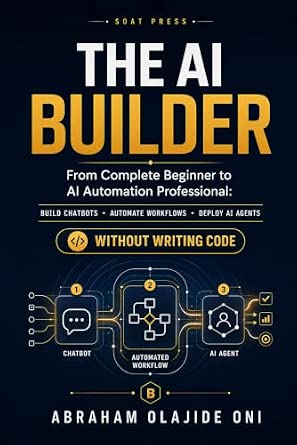
The AI Builder: From Complete Beginner to AI Automation Professional
- ✔ Format: Book
- ✔ Topic: AI automation
- ✔ Skill level: Beginner to professional

The AI Automation Playbook with Claude AI: A Practical Guide to Building Autonomous Agents That Work 24/7
- ✔ Format: Guide; exact format not supplied
- ✔ Topic: Claude AI automation
- ✔ Skill level: May require technical knowledge

Claude AI for Business Automation
- ✔ Format: Guide; exact format not supplied
- ✔ Topic: Claude AI for business automation
- ✔ Skill level: Not specified
Difficulty: Intermediate | Time: 1-3 weeks, depending on approvals and pilot volume
What You’ll Need
Tools & Materials:
- A computer and access to the business systems involved in the workflow
- A shortlist of AI automation products or an existing platform with AI features
- A spreadsheet or document for requirements, costs, and pilot results
- A small set of representative, approved examples for testing
Knowledge:
- Working knowledge of the workflow and the people who perform it
- A named process owner who can answer questions and approve changes
- Basic understanding of the business’s data handling and access rules
Set aside time from a process owner, an IT or security reviewer, and the people who handle the work today. Do not use customer, employee, financial, health, or other sensitive information in a vendor demo or test until the business has approved the tool and its data terms. Start with a workflow where mistakes can be reviewed and corrected before they affect customers or records.
The AI Builder: From Complete Beginner to AI Automation Professional
For a business owner or employee who wants a structured on-ramp, The AI Builder is the most approachable choice in this group. Its stated path starts with no-code chatbot and workflow projects, then progresses toward deploying AI agents. That makes it a better first read than the Claude-focused guides for people who have not yet chosen an AI ecosystem or built an automation before.The breadth has a tradeoff: readers who already build systems may find the coverage too introductory, and no-code platforms can change enough that specific instructions may age. Compared with The AI Automation Playbook, this guide prioritizes accessible workflow skills over continuously running agents. Compared with Claude AI for Business Automation, it appears less focused on advanced SOP design. We would choose it to learn the concepts and get started, not as a substitute for selecting, configuring, and maintaining an actual automation platform.
Pros:
- No-code approach is aimed at readers without programming experience.
- Covers chatbots, workflow automation, and AI agents.
- Described as a progression from beginner concepts toward professional practice.
- Offers a broader starting point than the two Claude-centered guides.
Cons:
- May not provide enough depth for experienced developers.
- Specific no-code tools and interfaces may change over time.
- A book teaches implementation; it does not supply a ready-to-run automation service.
Best for: Business beginners and nontechnical teams who want a guided, no-code introduction to chatbots, workflows, and AI agents.
Not ideal for: Experienced developers seeking deep technical agent architecture or teams that need a Claude-specific advanced workflow manual.
Bottom line: We recommend it as the most approachable first guide for businesses learning how to build AI automations without code.
“We recommend it as the most approachable first guide for businesses learning how to build AI automations without code.”
The AI Automation Playbook with Claude AI: A Practical Guide to Building Autonomous Agents That Work 24/7
When the goal is to design agents that can keep working across an ongoing process, The AI Automation Playbook with Claude AI is the most directly targeted option. Its focus on autonomous agents and continuous workflows separates it from The AI Builder, which is framed as a broader no-code learning path. For teams already comfortable experimenting with Claude AI, the narrower scope may make the guidance more relevant to agent-based automation.That specialization also limits its reach. The guide is tied to the Claude AI ecosystem, so businesses using other models or platforms may need to translate its ideas. The description also flags potential technical prerequisites, making this a less comfortable first step than The AI Builder. Compared with Claude AI for Business Automation, this book emphasizes agents intended to operate continuously, while the latter focuses on advanced workflows and standard procedures. We would favor this pick when agent autonomy is the central project, while setting clear oversight and exception-handling expectations before automating business-critical work.
Pros:
- Practical focus on building agents with Claude AI.
- Targets workflows intended to run continuously.
- More directly centered on autonomous agents than the other two guides.
- May suit teams that have already selected Claude for their automation work.
Cons:
- Specifically tied to the Claude AI ecosystem.
- May require prior technical knowledge to implement agents.
- Does not itself provide an installed, managed automation platform.
Best for: Technically capable teams and builders who specifically want to explore Claude-based autonomous agents and continuous workflows.
Not ideal for: Readers looking for a no-code introduction, a platform-neutral guide, or turnkey software that runs automations without implementation work.
Bottom line: We would choose this guide when Claude-based agents and ongoing automation matter more than a broad beginner curriculum.
“We would choose this guide when Claude-based agents and ongoing automation matter more than a broad beginner curriculum.”
Claude AI for Business Automation
Claude AI for Business Automation is the most operations-oriented pick: its stated subject is advanced workflows and automating standard operating procedures. That focus matters when a business has repeatable internal work—such as a defined handoff or recurring process—and wants to explore where Claude could reduce manual effort. In that setting, SOP automation may be a more useful lens than the agent-building emphasis of The AI Automation Playbook.Its narrower promise makes it less obvious as a first purchase for someone still learning the basics. The description does not specify its technical level, integrations, or implementation detail, so we cannot assume that it offers a complete scale-up blueprint. Compared with The AI Builder, it appears more specialized and less beginner-friendly; compared with the Playbook, it emphasizes business procedures and scalable systems rather than agents working continuously. We would choose it when process improvement is the priority and skip it if we need a platform-neutral introduction or explicit no-code instruction.
Pros:
- Focuses on advanced business workflows.
- Addresses automating standard operating procedures.
- Discusses scalable AI systems for reducing manual work.
- Offers a process-centered angle distinct from the agent-building playbook.
Cons:
- Claude-specific focus may not suit businesses committed to another AI ecosystem.
- The supplied description does not specify skill level or coding requirements.
- Integration details and implementation examples are not provided in the supplied information.
Best for: Operations leaders and process owners who have established procedures and want to explore Claude-based workflow automation.
Not ideal for: Complete beginners seeking no-code fundamentals, or organizations that need stated integrations and platform-specific implementation details before choosing a guide.
Bottom line: We see it as a specialized guide for teams mapping repeatable procedures to Claude workflows, rather than a general starting point.
“We see it as a specialized guide for teams mapping repeatable procedures to Claude workflows, rather than a general starting point.”
As an Amazon Associate we earn from qualifying purchases.
Before You Start
Pick a process with a clear start and finish, repeated often enough to measure, and rules that staff can explain. Avoid beginning with decisions that carry legal, financial, employment, or safety consequences. AI output can be wrong or inconsistent, so keep a person responsible for review during the pilot. Check who can access the software, where submitted data is processed, whether it is retained or used to train models, and how the provider handles deletion and incidents. Record your current process time and error rate before making changes; those figures give you a fair comparison.
Step-by-Step Instructions
Step 1: Choose one workflow
Write down the workflow’s trigger, input, actions, decision points, and final result. For example, an incoming support email could trigger a category suggestion and draft reply, with a staff member approving the response before it is sent. Record how many cases arrive each week, how long each takes, which cases are unusual, and what a mistake costs. Keep exceptions in scope as items to route to a person, rather than asking the model to handle every case.
Tip:Choose work that is repetitive and has examples of good outcomes. Avoid combining several departments’ processes into one pilot.
Check: You can describe the starting event, expected result, owner, and human review point in a few sentences.
Step 2: Set a measurable goal
Choose one primary measure, such as staff minutes per case, time to first response, or the share of cases routed correctly. Add a quality guardrail, such as the percentage of drafts accepted without major edits or the number of incorrect classifications. Note the current baseline, the target, the measurement period, and who will collect results. Include a limit for acceptable errors and a rule for pausing the pilot if quality drops.
Tip:Set a target that reflects business value. A faster workflow is not a success if staff spend more time correcting output or customers receive worse answers.
Check: The team can tell whether the pilot met its goal using specific figures and a stated review date.
Step 3: Write the requirements
List the systems the software must connect to, the data it needs, the users who need access, and the actions it may take. Separate required features from preferences. Specify whether the system must only summarize or draft, or whether it may update records or send messages. For a first pilot, keep consequential actions behind an approval step. Include security controls, audit history, administrator access, support availability, expected volume, and a budget limit.
Tip:Ask the people doing the work to review the list. They may know about exceptions, duplicate records, or informal checks that the process diagram misses.
Check: Your requirements describe both the desired workflow and the boundaries the software must follow.
Step 4: Compare suitable products
Evaluate a small set of products against the same requirements. Ask each provider for pricing at your expected volume, integration details, data retention and training terms, user access controls, audit logs, support response times, and a way to export your data. Check whether the product works with your current systems or requires additional connectors and licenses. Use a weighted scorecard if useful, but mark any unmet security or integration requirement as a blocker rather than letting a high feature score hide it.
Tip:Ask for a trial using synthetic or approved sample data. Read the contract and privacy terms with the staff responsible for those reviews.
Check: You have a documented reason for selecting a product, including estimated operating costs and known limitations.
Step 5: Approve access and prepare examples
Ask IT, security, privacy, and any required business approvers to review the product before connecting live systems. Create a test account with only the access needed for the pilot. Prepare representative examples that include routine cases, missing information, ambiguous requests, and out-of-scope cases. Remove personal or confidential details unless the approved setup permits them. Write down the expected result for each example so reviewers can judge output consistently.
Tip:Do not paste restricted business data into a public chatbot or trial account without explicit approval. Use fabricated examples when approval is pending.
Check: Approvals are recorded, pilot access is limited, and each sample has a known acceptable outcome.
Step 6: Configure the pilot workflow
Build the workflow in a test environment if available. Connect only the required systems, specify the task and output format, and define what happens when information is missing or confidence is low. Route uncertain or out-of-scope cases to a person. Keep sending, deleting, purchasing, or changing important records disabled until a reviewer approves each action. Add logs that show the input reference, generated result, human decision, and any error without collecting unnecessary sensitive content.
Tip:Make the AI’s job narrow and explicit. For instance, ask it to select from a fixed list of categories instead of inventing new labels.
Check: A test case follows the intended path, uncertain cases reach a person, and the logs record enough detail to investigate a problem.
Step 7: Test with realistic cases
Run the prepared examples through the workflow and compare each result with the expected outcome. Include normal cases, edge cases, malformed inputs, and requests outside the workflow. Have at least one experienced staff member review outputs for accuracy, tone, completeness, and unsupported claims. Record errors by type, such as wrong category, missing detail, or incorrect action. Fix the workflow or instructions, then repeat the same cases to see whether the change helped.
Tip:Do not judge quality from one impressive demonstration. A tool must handle ordinary and difficult cases at an acceptable level.
Check: The team has a test record, knows the common failure types, and has agreed that the workflow is safe enough for a limited live pilot.
Step 8: Run a limited live pilot
Choose a small group of trained users and a fixed pilot period. Tell participants what the software does, what they must review, how to report an error, and how to return to the existing process. Keep a person in control of every customer-facing or record-changing action. Review a sample of outputs throughout the pilot, including accepted results and rejected ones. Track volume, staff time, quality, corrections, outages, and extra costs against the baseline.
Tip:Set a clear stop rule before launch, such as pausing after a privacy incident or a specified number of serious errors.
Check: Users know the review and fallback process, and the pilot produces results that can be compared with the baseline.
Step 9: Review results and decide
At the planned review date, compare results with the goal and quality guardrail. Include setup and review time, license fees, usage charges, and ongoing support in the cost calculation. Ask pilot users which steps improved and which created extra work. Decide to stop, revise and retest, or expand to a larger group. If expanding, add users or volume gradually, document ownership, train each group, and schedule recurring checks of quality, access, cost, and provider changes.
Tip:Keep the current manual process available until the expanded workflow performs reliably and the business owner accepts the results.
Check: A named owner has recorded the decision, supporting measurements, remaining issues, and the next review date.
Common Mistakes to Avoid
- Automating a vague process with inconsistent rules. — Map the current steps and agree on how common cases and exceptions should be handled before configuring the software.
- Allowing the AI to send messages or change records before output quality is known. — Keep a person in the approval path throughout the pilot and grant only the permissions the workflow needs.
- Choosing a product from a polished demo without checking real fit or full cost. — Test the same representative examples in each product and include usage, connector, support, and setup costs in the comparison.
- Measuring speed while ignoring errors and correction work. — Track quality and staff rework beside time savings, and pause if the agreed error limit is exceeded.
Troubleshooting
Problem: The AI returns different formats or categories for similar cases.
Solution: Limit the allowed output to a fixed structure and approved values. Add examples of borderline cases, then rerun the same test set and check whether consistency improved.
Problem: The software cannot connect to a required business system.
Solution: Ask the provider and system administrator to confirm supported connectors, permissions, and any license requirements. Keep the pilot in a test environment until the connection is approved; do not work around access controls by sharing credentials.
Problem: Staff spend more time checking drafts than they saved.
Solution: Review the correction log to find recurring defects. Narrow the task, improve source material or instructions, and retest. Stop the pilot if the workflow still adds work without a quality gain.
Problem: A result contains invented details or misses an important exception.
Solution: Treat the result as unapproved. Correct the record through the existing process, log the case, and update tests with the example. Add a rule that routes similar cases to a person before another live run.
What Success Looks Like
The pilot has a documented owner, approved access, a tested workflow, and a human review path for uncertain or consequential actions. Its measured results meet the stated business target without breaching the quality guardrail, privacy rules, or budget limit. Staff can explain how to correct an error and return to the existing process. The business has recorded whether to stop, revise, or expand, with evidence and a date for the next review.
Next Steps
If the pilot meets its target, expand in stages and train each new group before adding access. Review output quality, user permissions, provider terms, usage charges, and exception rates on a set schedule. Update test examples when the workflow or source systems change. Keep a manual fallback and a named contact for incidents. If the pilot misses its target, preserve the results, revise one part of the workflow at a time, and repeat a limited test before committing to wider use.
Frequently Asked Questions
Which business process should I automate first?
Choose a frequent, repeatable process with clear inputs and outputs, measurable effort, and manageable consequences if an AI suggestion is wrong. A task that already has consistent rules is easier to test than one that depends on undocumented judgment.
Can AI automation software run without staff review?
Some low-impact, well-tested actions may later run automatically, subject to business policy. Keep people involved during a pilot, and retain review for uncertain cases and actions that affect customers, money, access, or important records.
How much data should I use in the pilot?
Start with enough approved examples to cover routine work and meaningful exceptions, then use a limited live volume if the test results and approvals support it. Avoid sending sensitive information unless the product and its handling terms have been approved for that data.
How do I compare the cost of two products?
Estimate the same expected monthly volume for each product. Include licenses, model usage, connectors, setup, staff review, support, and maintenance. Compare that total with measured time saved and quality changes, rather than relying on the advertised starting price.
When should I stop a pilot?
Pause it if a privacy or security incident occurs, if serious errors exceed the agreed limit, or if the system takes actions outside its approved scope. Also stop or revise the pilot if it adds work or cost without meeting the business goal.