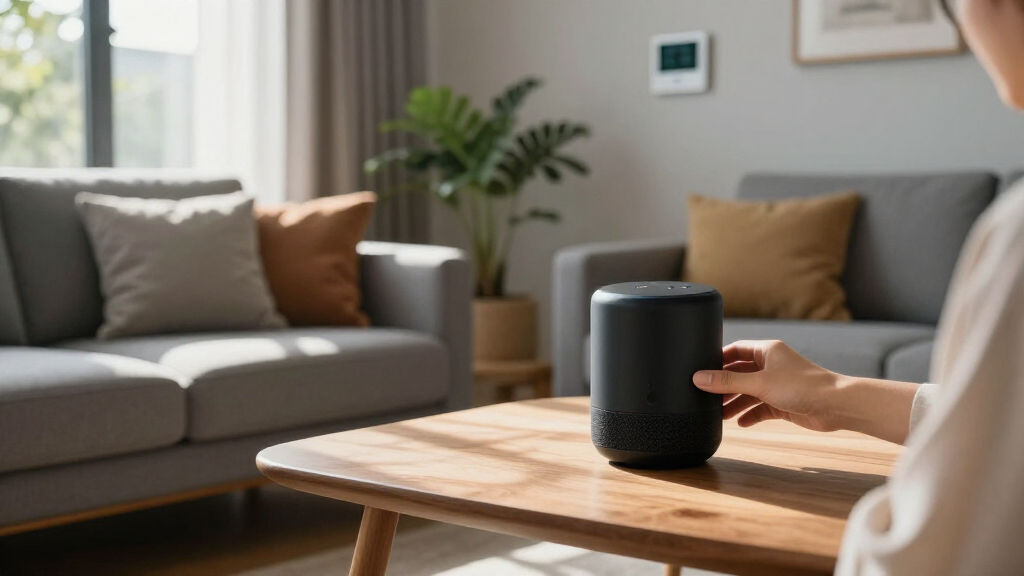

AI-powered home automation devices have moved far beyond simple app-controlled switches — in 2026, the best options learn your routines, predict energy usage, and run automations without cloud dependence. My top pick overall is the Hubitat Elevation C-8 Pro, which pairs Z-Wave, Zigbee, and Matter support with rule engine automation that stays local and responds in milliseconds. Two other standouts: the Google Nest Learning Thermostat (4th gen), which remains the most polished example of AI that genuinely adapts to your schedule, and the HomeClaw Smart Home Gateway, which brings open-source OpenClaw AI to buyers who want a brain rather than a gadget. The main tradeoff in this category is convenience versus control — cloud-dependent devices are easier to set up, while local-first systems are faster and more private but demand more tinkering. Price spans from budget relays to premium hubs, and not every product labeled “AI” actually earns the label. Keep reading for the full breakdown of what each device does well, where it falls short, and which one fits your home.

Get business pricing on tech for your team
- Business-only prices and quantity discounts
- Tax-exempt purchasing
- Multiple users, one account, clear invoices
Key Takeaways
- The Hubitat Elevation C-8 Pro earned best overall because it combines three radio protocols (Z-Wave, Zigbee, Matter) with fully local rule-based automation — no subscription, no cloud outages, no lag.
- Two of the ten products are guide books, not devices — useful for beginners, but buyers should know they’re paying for knowledge rather than hardware before clicking purchase.
- Open-source AI (OpenClaw, Home Assistant) appears in three products (HomeClaw, SwitchBot AI Hub, Third Reality dev edition), signaling a real shift away from cloud-locked smart home intelligence.
- The Google Nest Learning Thermostat is the only pick where the AI is genuinely self-directing out of the box — every other device requires you to build the intelligence through rules or routines.
- The Home Energy Monitor with AI analysis bridges automation and savings — it’s the pick if your priority is lowering bills rather than adding gadgets.
| Shelly 1PM Gen4 UL Smart Relay Switch with Power Metering |  | Best Overall Relay for Retrofit Automation | Connectivity: Wi-Fi, Zigbee, Matter, Bluetooth | Certification: UL listed | Setup Time: Under 10 minutes | VIEW LATEST PRICE | See Our Full Breakdown |
| Hubitat Elevation C-8 Pro Smart Home Hub |  | Best Local Automation Powerhouse | Dimensions: 2.95 x 3.23 x 0.67 inches | Weight: 2.56 ounces | Protocols: Matter 1.5, Z-Wave 800 Series Long Range, Zigbee 3.0, Bluetooth | VIEW LATEST PRICE | See Our Full Breakdown |
| Third Reality Voice/Music Assistant Dev Edition |  | Best for Home Assistant Tinkerers | Microphones: Dual digital microphones | Speaker: 3W / 4Ω built-in | Connectivity: 2.4GHz Wi-Fi | VIEW LATEST PRICE | See Our Full Breakdown |
| AI Powered Smart Home Guide for Beginners 2026 |  | Best Starting Point for Complete Beginners | Format: Guide book | Audience Level: Beginner | Topics Covered: Home automation, energy efficiency, smart security, AI assistants, connected devices | VIEW LATEST PRICE | See Our Full Breakdown |
| AI-Powered Smart Home Guide 2026: A Step-by-Step Guide to Designing, Optimizing, and Mastering a Fully Automated Smart Ecosystem |  | Best for Planning a Whole-Home Ecosystem | Format: Guide book | Audience Level: Intermediate to advanced | Focus: Ecosystem design, optimization, automation mastery | VIEW LATEST PRICE | See Our Full Breakdown |
| Home Energy Monitor with IoT Support |  | Best for Energy Intelligence | Monitoring Channels: 10 (scalable to 30) | Connectivity: WiFi and Ethernet | Supported Power Systems: Single-phase, three-phase (TN/TT) | VIEW LATEST PRICE | See Our Full Breakdown |
| AI-Powered Smart Home Devices |  | Skip This One — Vague Listing, Vague Value | Specifications Published: None | Product Type: Unspecified smart home device | Ecosystem Compatibility: Not documented | VIEW LATEST PRICE | See Our Full Breakdown |
| Google Nest Learning Thermostat (4th gen) + Nest Temperature Sensor (2nd gen) |  | Best Mainstream AI Pick | Compatibility: Most 24V systems: gas, electric, oil, forced air, heat pump, radiant | Display: 60% larger than previous gen | Sensor Support: Nest Temperature Sensor (2nd gen), included | VIEW LATEST PRICE | See Our Full Breakdown |
| HomeClaw Smart Home Gateway with Home Assistant & OpenClaw AI |  | Best for Local AI Privacy | Software: Home Assistant (one-click), OpenClaw AI | Protocol Support: Matter bridge, multiple protocols | Z-Wave: Requires separate USB dongle (sold separately) | VIEW LATEST PRICE | See Our Full Breakdown |
| SwitchBot AI Hub with OpenClaw Support, Local Camera Storage, and Home Assistant Pre-Installed |  | Best for Camera-Centric Automation | Software: Home Assistant pre-installed, OpenClaw support | Camera Support: Multiple cameras via OpenClaw | Local Storage: 16GB microSD included, external hard drive supported | VIEW LATEST PRICE | See Our Full Breakdown |
More Details on Our Top Picks
Shelly 1PM Gen4 UL Smart Relay Switch with Power Metering
Shelly’s 1PM Gen4 earns the top spot because it solves the problem most smart switches create: it hides entirely behind your existing wall switch or socket rather than replacing it. Compared with the Third Reality Voice Assistant, which is a standalone gadget you place on a counter, this relay becomes invisible infrastructure — and its real-time power metering gives the kind of energy insight usually reserved for a dedicated home energy monitor. Support for Wi-Fi, Zigbee, and Matter in one module means it will fit into nearly any ecosystem, including Home Assistant and HomeKit setups run through a Hubitat C-8 Pro. The tradeoff is honest: it lives inside your wiring, so renters and anyone uncomfortable opening an electrical box should pass, and offline local control is not clearly documented.
Pros:- Fits behind existing switches and sockets for a clean retrofit
- Tri-protocol support (Wi-Fi, Zigbee, Matter) fits almost any ecosystem
- Built-in real-time power metering to identify energy-hungry appliances
- UL certification and 3-year warranty add safety and longevity confidence
Cons:- Requires opening wall switch or socket wiring to install
- Local offline control behavior is not clearly documented
- Bluetooth gateway functionality is vague and may disappoint advanced tinkerers
Best for: Homeowners who want invisible, hub-free automation with energy monitoring on specific appliances like water heaters or pumps
Not ideal for: Renters or anyone unwilling to work inside wall switch boxes, since installation requires accessing existing wiring
- Connectivity:Wi-Fi, Zigbee, Matter, Bluetooth
- Certification:UL listed
- Setup Time:Under 10 minutes
- Compatibility:Amazon Alexa, Google Home, Home Assistant, Samsung SmartThings
- Monitoring:Real-time power consumption
- Design:Compact relay fits behind wall switches and sockets
- Warranty:3 years
Our verdict“If you own your home and want automation that disappears into the walls while tracking energy use, this is the relay to buy first.”
Hubitat Elevation C-8 Pro Smart Home Hub
Where the Shelly 1PM automates a single circuit, the Hubitat Elevation C-8 Pro orchestrates an entire house. Its defining strength is local processing: automations run on the hub itself, so routines fire instantly and keep working even when your internet drops — something cloud-dependent hubs simply cannot match. With Z-Wave 800 Long Range, Zigbee 3.0, and Matter 1.5 on board, plus external antennas for larger homes, it covers more protocol ground than the SwitchBot AI Hub or the HomeClaw gateway. The Rule Machine engine is genuinely powerful but demands a learning curve; casual users who just want app-based schedules will find it overkill. Add in zero subscription fees, and the value case for serious automators is hard to argue against.
Pros:- Local processing delivers instant automations and keeps data off the cloud
- Broad protocol support: Z-Wave 800 Long Range, Zigbee 3.0, Matter 1.5
- No subscription fees with continuous firmware updates
- External antennas extend wireless coverage for larger homes
Cons:- Setup and rule-building have a steep learning curve
- Internet connection required for initial setup and updates
- Some niche devices and protocols remain unsupported
Best for: Serious smart home hobbyists with 20+ devices who want fast, private, internet-independent automations
Not ideal for: Casual users wanting plug-and-play simplicity — the Rule Machine and platform depth demand real technical patience
- Dimensions:2.95 x 3.23 x 0.67 inches
- Weight:2.56 ounces
- Protocols:Matter 1.5, Z-Wave 800 Series Long Range, Zigbee 3.0, Bluetooth
- External Antennas:2 (Z-Wave and Zigbee)
- Compatibility:Alexa, Google Home, Apple HomeKit
- Automation Features:AI-assisted routines, Rule Machine
- Subscription:None required
Our verdict“This is the hub for homeowners who treat automation as a hobby and refuse to pay monthly fees for the privilege.”
Third Reality Voice/Music Assistant Dev Edition
This device occupies a niche the big-name hubs ignore: a dedicated local voice and music endpoint for Home Assistant. Shipping with Voice and Music Assistants preloaded, it lets you run your own voice automation instead of routing commands through Amazon or Google servers — a privacy angle the Hubitat C-8 Pro ecosystem doesn’t natively offer. The dual microphones and 3W speaker make it a functional bedside or desk unit, and firmware flashing plus live logs will delight developers. But be realistic: 256MB of RAM and 2.4GHz-only Wi-Fi mean it is a tinkering platform, not a polished consumer product. Compared with the Shelly 1PM’s ten-minute setup, expect an evening of configuration. If you already run Home Assistant, that effort is the point.
Pros:- Preloaded Home Assistant Voice and Music Assistants for fully local control
- Built-in 3W speaker and dual mics enable direct audio without external hardware
- Firmware flashing and live logs support serious development work
- Open-source platform means full customization freedom
Cons:- 2.4GHz-only Wi-Fi limits placement on congested networks
- 256MB RAM and 512MB storage constrain heavier applications
- Setup and maintenance demand genuine technical knowledge
Best for: Home Assistant enthusiasts who want a local, open-source voice control endpoint they can customize and debug
Not ideal for: Non-technical buyers expecting Alexa-style plug-and-play voice control out of the box
- Microphones:Dual digital microphones
- Speaker:3W / 4Ω built-in
- Connectivity:2.4GHz Wi-Fi
- Processor:Quad-core ARM A53
- RAM:256MB
- Storage:512MB flash
- Operating System:Linux
Our verdict“A development-grade voice assistant for the Home Assistant faithful — everyone else should buy a mainstream smart speaker.”
AI Powered Smart Home Guide for Beginners 2026
Before buying a single device, this guide answers the questions hardware listings never do: what to automate first, how systems talk to each other, and where the money actually goes. It earns its place as the entry-level education pick because it walks through AI assistants, security, and energy efficiency in plain language — useful context whether you end up choosing the Hubitat C-8 Pro or simpler plug-and-play gear like the Shelly 1PM. Compared with the AI-Powered Smart Home Guide 2026 by another publisher, this one is aimed squarely at newcomers rather than ecosystem designers, which is both its strength and its ceiling. Don’t expect device-by-device buying recommendations or wiring diagrams; treat it as orientation, not a technical manual. Read it first, then graduate to hardware.
Pros:- Complete beginner-friendly overview of AI home technology
- Easy-to-follow step-by-step structure
- Covers security, energy efficiency, and AI assistants in one place
- Helps readers avoid common first-time buying mistakes
Cons:- No specific device recommendations or technical specifications
- Content becomes redundant quickly once you gain hands-on experience
Best for: First-time smart home buyers who want a plain-language overview before spending money on devices
Not ideal for: Intermediate or advanced users who already know protocols, hubs, and automation platforms
- Format:Guide book
- Audience Level:Beginner
- Topics Covered:Home automation, energy efficiency, smart security, AI assistants, connected devices
- Publication Year:2026 edition
- Structure:Step-by-step instructional
Our verdict“A low-cost orientation course for absolute beginners — read it before your first hub purchase, then move on.”
AI-Powered Smart Home Guide 2026: A Step-by-Step Guide to Designing, Optimizing, and Mastering a Fully Automated Smart Ecosystem
Of the two books in this roundup, this one is the advanced planning guide. Where the Smart Home Guide for Beginners 2026 explains what smart homes are, this title assumes you’ve bought some devices and now need to design a coherent ecosystem — how to structure automations, layer AI-driven routines, and optimize the setup you already have. That focus makes it a natural companion to hardware like the Hubitat C-8 Pro, whose Rule Machine rewards exactly this kind of systems thinking. The tradeoff mirrors its ambition: it skips foundational explanations, so newcomers will feel lost, and it includes no practical tools, templates, or device specs you can act on directly. For readers midway through their smart home journey, though, it fills a gap most content ignores.
Pros:- Focuses on ecosystem design rather than isolated gadget setup
- Covers current AI-powered automation technologies and optimization strategies
- Step-by-step structure helps readers plan upgrades systematically
- Bridges the gap between beginner guides and technical documentation
Cons:- Too advanced for readers without prior smart home experience
- No technical specifications or practical tooling included
- Guide format limits hands-on applicability
Best for: Intermediate users who own several devices and want a strategic framework for unifying them into one ecosystem
Not ideal for: Beginners who still need basics explained, or hands-on learners who want device-specific instructions and tools
- Format:Guide book
- Audience Level:Intermediate to advanced
- Focus:Ecosystem design, optimization, automation mastery
- Publication Year:2026 edition
- Structure:Step-by-step instructional
Our verdict“Buy this if you already have devices and need a blueprint for turning them into a unified, AI-driven system.”
Home Energy Monitor with IoT Support
Most devices in this roundup automate your home; this one tells you where your money is actually going. With 10 circuit channels (scalable to 30) and AI-powered analysis, it goes beyond the Shelly 1PM Gen4’s single-circuit metering by painting a whole-house picture of consumption. The AI layer identifies waste patterns and savings opportunities that raw usage data alone won’t reveal, and the 45-day minute-level retention gives you enough history to spot trends. Compared with the Nest Learning Thermostat, which only optimizes HVAC, this monitor covers every major load in your panel. The tradeoff is real: a 3.6-star rating signals inconsistent experiences, and panel-level installation demands comfort with electrical work or an electrician’s visit. The app experience is also thinly documented, so buyers relying on polished mobile software should temper expectations.
Pros:- Whole-home visibility across 10 circuits, expandable to 30
- Deep energy analysis that turns raw data into actionable savings
- Native compatibility with Home Assistant and automation platforms
- Flexible connectivity with both WiFi and Ethernet
Cons:- Mediocre 3.6-star customer rating suggests quality-control or support issues
- Installation requires electrical panel access and technical confidence
- Mobile app experience is poorly documented
Best for: Homeowners with high electricity bills who want circuit-level insight and already run (or plan to run) Home Assistant
Not ideal for: Renters or anyone uncomfortable working inside an electrical panel — installation is not plug-and-play
- Monitoring Channels:10 (scalable to 30)
- Connectivity:WiFi and Ethernet
- Supported Power Systems:Single-phase, three-phase (TN/TT)
- Data Retention:45 days minute data; 36 months monthly/yearly
- Certification:FCC, CE, UL/IEC
- Weight:2.8 pounds
- Dimensions:4.73 x 3.15 x 1.22 inches
Our verdict“Buy this if understanding and cutting your electricity bill is the primary goal of your smart home — just budget for professional installation.”
AI-Powered Smart Home Devices
Every roundup needs a cautionary entry, and this is it. The listing promises “AI-powered” automation and seamless integration but offers no specs, no protocols, no compatibility list, and no concrete description of what the product actually does. Contrast that with the HomeClaw Gateway, which specifies Home Assistant, Matter bridging, and local privacy, or the SwitchBot AI Hub, which details storage options and camera support. When a listing can’t articulate what a device controls or how, buyers have no way to judge whether it fits their ecosystem. The vague claim of “potential compatibility issues” is a red flag in itself — unnamed devices with unnamed limitations. This option earns its place on the list only as an example of what to avoid. If you want intelligent control, every other hub in this lineup gives you something verifiable to compare.
Pros:- Claims broad smart home integration
- Marketed as easy to incorporate into a living space
- Potentially low-cost entry point if the claims hold
Cons:- No technical specifications, feature list, or compatibility details whatsoever
- Undisclosed potential compatibility problems with existing devices
- Impossible to compare against any competitor on substance
Best for: Nobody we can identify — there is no buyer profile a listing this vague can serve responsibly
Not ideal for: Literally everyone, but especially buyers with an established smart home ecosystem where compatibility is everything
- Specifications Published:None
- Product Type:Unspecified smart home device
- Ecosystem Compatibility:Not documented
Our verdict“Pass on this one — a listing without specs can’t be evaluated, and your money is better spent on any named hub in this roundup.”
Google Nest Learning Thermostat (4th gen) + Nest Temperature Sensor (2nd gen)
This is the easiest recommendation in the roundup for the average household. Unlike the hubs from HomeClaw and SwitchBot, which assume you’re building a DIY automation system, the Nest Learning Thermostat works its AI magic out of the box: it learns your schedule, applies Adaptive Eco modes, and Google claims up to 31% savings on heating and cooling. The bundled second-gen temperature sensor adds room-specific control, fixing hot-and-cold-room problems that single-thermostat homes suffer from. Matter support plus Alexa, Siri, and Google Assistant integration means it plays nicely in nearly any ecosystem — a wider compatibility net than the Z-Wave-centric Hubitat Elevation C-8 Pro. The tradeoffs are modest but real: full functionality depends on Wi-Fi, and the learning algorithm needs a few weeks of occupancy data before savings materialize. Buyers comfortable with a screwdriver and an app-based setup will be fine; complete novices may want professional installation.
Pros:- Up to 31% savings on heating and cooling bills
- Works with nearly every HVAC system and voice assistant, plus Matter
- Included room sensor enables true zone-based comfort
- 60% larger display improves at-a-glance readability
Cons:- Wi-Fi dependency for full functionality
- Setup can feel complex for first-time smart thermostat owners
- No published price in the listing, complicating value comparison
Best for: Homeowners who want meaningful energy savings and AI-driven comfort without building a DIY smart home
Not ideal for: Off-grid or unreliable-internet households — Wi-Fi is required for remote control and adaptive features
- Compatibility:Most 24V systems: gas, electric, oil, forced air, heat pump, radiant
- Display:60% larger than previous gen
- Sensor Support:Nest Temperature Sensor (2nd gen), included
- Connectivity:Wi-Fi, Matter
- Voice Assistants:Google Assistant, Alexa, Siri
- Control:Google Home app, voice control
- Adaptive Features:Adaptive Eco, natural heating and cooling
Our verdict“If you want one AI device that pays for itself, this thermostat-plus-sensor bundle is the safest and most rewarding pick here.”
HomeClaw Smart Home Gateway with Home Assistant & OpenClaw AI
The HomeClaw Gateway targets a specific frustration: Home Assistant is powerful but intimidating. Its one-click installation removes the usual YAML-and-Docker learning curve, while OpenClaw AI learns your routines and suggests automations rather than forcing you to write them. Where the Nest Thermostat keeps its intelligence in Google’s cloud, this gateway runs everything locally — automations keep working when the internet drops, and your data never leaves the house. The Matter bridge also unifies brands the way the Hubitat C-8 Pro does, though with an AI layer Hubitat lacks. Compromises exist: Z-Wave requires a separately sold USB dongle, detailed hardware specs are thin, and its listed availability date appears to be erroneous, which makes buying confidence and support hard to gauge. The bundled AI server functions (task and content generation) are a bonus, not a replacement for a real computer.
Pros:- One-click Home Assistant setup with zero coding required
- AI-driven automation suggestions based on learned routines
- Local control keeps everything working offline and private
- Matter bridge unifies devices across brands
Cons:- Z-Wave support requires a separately purchased USB dongle
- Sparse technical specifications make capability comparison difficult
- Confusing listing date raises questions about product maturity and support
Best for: Privacy-conscious DIYers who want Home Assistant’s power without the technical setup burden
Not ideal for: Households with a large Z-Wave device fleet — the required dongle adds cost and complexity right away
- Software:Home Assistant (one-click), OpenClaw AI
- Protocol Support:Matter bridge, multiple protocols
- Z-Wave:Requires separate USB dongle (sold separately)
- Control:Fully local, works without internet
- AI Functions:Routine learning, automation suggestions, content generation
- Weight:4.3 ounces
- Dimensions:6.57 x 3.98 x 2.05 inches
Our verdict“Choose this if local-first AI automation with a painless Home Assistant onboarding matters more than guaranteed Z-Wave support.”
SwitchBot AI Hub with OpenClaw Support, Local Camera Storage, and Home Assistant Pre-Installed
What separates the SwitchBot AI Hub from the HomeClaw is focus: this one is built around cameras and vision-based automation. OpenClaw support means camera events can trigger device actions — motion in one room adjusting lights elsewhere, for example — and the included 16GB microSD plus external hard drive support keeps footage local instead of feeding a subscription cloud. Home Assistant arrives pre-installed, matching HomeClaw’s ease-of-setup pitch while adding genuine storage flexibility the smaller gateway can’t match. Faster automation execution is the quiet differentiator; latency matters when a camera trigger is supposed to feel instant. Two drawbacks temper the appeal: the headline AI features sit behind an AI+ subscription, so the real cost of ownership is higher than the sticker, and the absence of IR control means your TV and air conditioner stay outside the automation loop — a gap older SwitchBot hubs and even the Shelly relay ecosystem don’t share.
Pros:- OpenClaw integration links cameras directly into device automations
- Local storage via included 16GB microSD and external hard drive support
- Home Assistant pre-installed for fast setup
- Faster automation response for compatible devices
Cons:- Key AI features locked behind an AI+ subscription
- No IR control for TVs or air conditioners
Best for: Smart home builders who want camera-triggered automations and local footage storage without monthly cloud fees for video
Not ideal for: Buyers who expect an all-in-one hub — the AI paywall and missing IR control leave TVs and AC units unautomated
- Software:Home Assistant pre-installed, OpenClaw support
- Camera Support:Multiple cameras via OpenClaw
- Local Storage:16GB microSD included, external hard drive supported
- AI Features:Requires AI+ subscription
- IR Control:Not included
- Weight:1.17 pounds
- Dimensions:7.8 x 5.79 x 2.2 inches
Our verdict“This is the pick for camera-driven, locally stored home automation — just factor the AI+ subscription into your total cost.”
How We Picked
I evaluated these ten products through one filter: how much genuine intelligence each one adds to a home, not just remote control dressed up with an “AI” label. That meant looking at whether a device learns and adapts on its own (like the Nest Learning Thermostat), enables you to build smart automations locally (Hubitat, HomeClaw, SwitchBot Hub), or simply feeds data to an AI engine for analysis (the energy monitor). Local versus cloud processing mattered heavily in the ranking, because latency, privacy, and reliability diverge sharply between the two approaches.
Beyond intelligence, I weighed protocol versatility (Matter, Zigbee, Z-Wave compatibility), setup difficulty, build quality, ongoing subscription costs, and total value once you factor in ecosystem lock-in. Products that work across ecosystems ranked higher than walled-garden alternatives, and devices requiring monthly fees were judged against what free local alternatives offer. The final ordering reflects a simple question: which purchase gives a buyer the most capable, least frustrating smart home per dollar spent?
Factors to Consider When Choosing AI-powered Home Automation Devices
Choosing among AI-powered home automation devices comes down to a few structural decisions you should make before comparing any single product. Get these right, and the right pick usually becomes obvious.Cloud AI vs. Local AI
The single biggest decision is where the intelligence lives. Cloud-based AI (Google Nest, most SwitchBot cloud features) offers polished, self-learning behavior with zero configuration, but it depends on your internet connection, the manufacturer’s servers staying online, and its privacy policy. Local AI (Hubitat, HomeClaw with OpenClaw, Home Assistant ecosystems) runs on hardware in your house — faster response times, no monthly fees, and your data never leaves the building, at the cost of a steeper learning curve. A common mistake is buying cloud devices for a home with unreliable internet, then wondering why automations stall. Many experienced builders end up hybrid: local hub for critical automations like lighting and locks, cloud AI for comfort features like climate. Decide which side of that split matters more to you before buying anything.
Protocol Support and Ecosystem Lock-In
A smart home is only as flexible as its protocol support, and this is where cheap devices quietly trap you. A hub limited to Wi-Fi-only devices will struggle with battery sensors and congested networks, while one supporting Zigbee, Z-Wave, and Matter (like the Hubitat C-8 Pro) lets you mix brands freely for years. Matter has improved cross-compatibility considerably, but it doesn’t yet cover every device category, so older protocols still matter in 2026. The lock-in mistake is subtle: buying a camera, lock, or thermostat that only works with one company’s app, then discovering you can’t automate it with anything else you own. Before any purchase, check whether the device supports Matter, works with Home Assistant, or at minimum exposes an open API. Paying slightly more for protocol flexibility almost always saves money on the next device you buy.
What “AI-Powered” Actually Means
This category has a labeling problem: nearly every smart device now claims AI, but the term covers wildly different capabilities. Adaptive AI learns your patterns without instruction — the Nest Learning Thermostat adjusting to your schedule is the classic example. Automation engines like Hubitat’s rule machine don’t learn, but let you build logic as complex as anything a data scientist would write. Analytical AI, as in the home energy monitor, processes data and surfaces insights rather than acting on them. And some products use the label loosely for anything with a voice assistant bolted on. Ask yourself which type you actually want: if you hate configuring things, adaptive AI is worth a premium; if you want precise control, an automation engine beats it. Buyers who skip this question often pay for “intelligence” they never use.
Subscription Costs and Total Cost of Ownership
The sticker price rarely tells the full story. Many AI features sit behind monthly subscriptions — camera history, advanced energy analytics, voice assistant processing — and a $5–10 monthly fee doubles the cost of a device within two years. Local-first products like the Hubitat Elevation or SwitchBot AI Hub with local camera storage have higher upfront prices but essentially zero ongoing cost. A useful exercise: multiply any subscription by 24 months and add it to the purchase price before comparing options. Also check whether core features degrade without the subscription — some devices become nearly dumb without it, while others only lose convenience extras. The cheapest device on the shelf is frequently the most expensive one to own.
Your Skill Level and Time Budget
Be honest about how much tinkering you enjoy, because the gap between plug-and-play and hobbyist platforms is enormous. Google’s Nest thermostat works within thirty minutes of unboxing; a HomeClaw or Third Reality dev kit assumes you’re comfortable flashing firmware, editing YAML, and troubleshooting community forums. This is precisely why two beginner guide books made this roundup — the jump from a single smart bulb to a genuinely intelligent home is a knowledge problem as much as a hardware one. If you’re new, start with one adaptive device and one guide, then graduate to a local hub once you understand what you want to automate. Experienced tinkerers should skip beginner hardware entirely; they’ll outgrow it within months. Matching the platform to your patience is the difference between a smart home you love and a drawer full of abandoned gadgets.
Scalability: Start Small, Plan Big
The device that runs five automations well often collapses at fifty, and scalability failures are expensive to fix retroactively. Hub limits on connected devices, Wi-Fi router congestion from too many cloud devices, and hubs that slow down as rule counts grow are all common mid-project surprises. If you plan to automate a whole house, buy infrastructure (a multi-protocol hub, a solid energy monitor) before buying endpoints like relays and sensors. A smart pattern from this roundup: the Shelly 1PM Gen4 relay is cheap enough to deploy a dozen at once, but only shines behind a hub capable of coordinating them. Also consider expandability — a hub that supports add-on sensors and radios protects your investment as your ambitions grow. Homes that scale successfully almost always started with a platform decision, not a gadget purchase.
Frequently Asked Questions
Do I need a hub, or can I build an AI smart home with standalone devices?
Standalone AI devices like the Nest Learning Thermostat work fine in isolation, but they automate only themselves — a thermostat can’t turn off your lights when you leave. A hub like the Hubitat C-8 Pro or HomeClaw Gateway becomes the coordination layer that lets individual devices react to each other, which is where home automation actually earns the name. Without a hub, you’re limited to each manufacturer’s app and whatever cross-connections they happen to support. The practical rule: one or two standalone AI devices make sense for renters and small apartments, but once you pass roughly five smart devices, a hub becomes cheaper and less frustrating than juggling separate ecosystems. The Shelly relay in this roundup illustrates the point — it’s a component, not a system, and it needs something to orchestrate it.
Is a local AI hub really better than cloud-based smart home services?
Local hubs win on speed, privacy, and reliability — automations run in milliseconds, keep working during internet outages, and your usage data never leaves your house. Cloud services win on convenience: self-learning features, natural voice control, and zero configuration that local platforms often can’t match without significant setup work. The Nest thermostat’s learning behavior, for instance, has no true set-and-forget equivalent in the local-first world. Where cloud falls apart is dependence: if the company changes its subscription pricing, discontinues the product, or has an outage, your home’s intelligence goes with it. Many households land on a hybrid — local hub for lighting, locks, and critical routines; cloud AI for climate and voice. If privacy or internet reliability concerns you, lean local; if you want zero maintenance, lean cloud.
Are the smart home guide books in this roundup worth buying alongside hardware?
It depends entirely on where you are on the learning curve. If you’ve never built an automation or don’t know the difference between Zigbee and Matter, a structured guide saves dozens of hours of scattered YouTube tutorials and helps you avoid buying incompatible hardware — which is where beginners lose the most money. If you already run Home Assistant or a Hubitat system, the guides will mostly repeat what you know, and that budget is better spent on an extra sensor or relay. Between the two books in this roundup, choose based on depth: one targets absolute beginners, the other covers designing a full ecosystem for readers ready to go deeper. The honest framing is that they’re insurance against mistakes, not devices — they return value only if you read and apply them.
What’s the difference between the SwitchBot AI Hub and HomeClaw Gateway, since both support OpenClaw?
Both bring open-source AI into your home, but they target different starting points. The SwitchBot AI Hub arrives with Home Assistant pre-installed and emphasizes turnkey convenience — local camera storage, a familiar brand ecosystem, and less setup friction for someone moving up from consumer smart devices. The HomeClaw Gateway is the more open, tinkerer-oriented platform, treating OpenClaw AI as its centerpiece and expecting you to shape the system yourself. In practice, SwitchBot makes more sense if you want local control with guardrails; HomeClaw suits builders who plan to customize heavily and treat the hub as a foundation. Neither is objectively better — the question is whether you want a product or a project. Buyers who choose HomeClaw without prior Home Assistant experience should pair it with a beginner guide.
Can an energy monitor with AI actually save me money, or is it just a dashboard?
The savings are real but conditional on what you do with the information. An AI-powered monitor like the one in this roundup identifies waste patterns — phantom loads, inefficient appliance cycles, peak-rate usage you could shift — that are invisible on a monthly bill, and studies consistently show awareness alone trims 5–10% off electricity usage. Where the AI earns its keep is in turning raw data into action: flagging that your water heater runs during peak rates, or that a fridge compressor is cycling abnormally. However, the monitor automates nothing by itself; the savings come when you pair it with a hub and actuators like the Shelly relay to act on those insights automatically. If you just glance at the dashboard and change nothing, expect nothing. Buy it as the sensing half of a system, not a standalone fix.
Conclusion
After comparing all ten options, the right choice depends less on specs and more on what kind of smart home owner you intend to be. For best overall, the Hubitat Elevation C-8 Pro stands out as the most capable foundation — multi-protocol support, fast local automation, and no subscriptions make it the pick for anyone building a serious whole-home system. The best value award goes to the Shelly 1PM Gen4 relay, which delivers per-circuit metering and Matter compatibility at a price that lets you automate an entire house incrementally without a hub commitment upfront. For best premium, the Google Nest Learning Thermostat (4th gen) with its temperature sensor justifies its cost with AI that actually works out of the box — the closest thing to genuine self-directing intelligence in this lineup.
For beginners, pairing the entry-level AI Powered Smart Home Guide for Beginners 2026 with the Nest thermostat is the gentlest on-ramp — learn the concepts while one device quietly does the smart work. For specific needs: the Home Energy Monitor for bill-cutters, the SwitchBot AI Hub for privacy-minded buyers who want local camera storage without a steep learning curve, the HomeClaw Gateway for open-source tinkerers ready to build around OpenClaw, and the Third Reality Voice/Music dev edition for Home Assistant hobbyists experimenting with voice control. Whatever you choose, start with the platform decision — cloud convenience or local control — and the rest of your smart home will build itself around it.
Fall Picks
fall essentials
As an affiliate, we earn on qualifying purchases.