When searching for usb microphones, the key considerations often revolve around sound quality, ease of use, and versatility. The Logitech Blue Yeti stands out as the best overall choice thanks to its robust feature set and reliable performance. For those on a budget, the Amazon Basics Condenser Microphone offers solid value with decent sound quality and straightforward setup. Meanwhile, the ZealSound Podcast Microphone excels for content creators needing noise cancellation and extra controls. The main tradeoffs in this category include balancing sound quality against price, and choosing between plug-and-play simplicity or more advanced features. Keep reading for a detailed breakdown of these options and what makes each one unique.
Listen free for 30 days with Audible
Thousands of audiobooks and originals — cancel anytime.
Start your free trialAs an affiliate, we earn on qualifying purchases.
Complete the kit



Key Takeaways
- Sound quality varies significantly, with premium models like the Blue Yeti offering richer recordings for professional use.
- Ease of use and setup are crucial; many budget options provide plug-and-play simplicity, but may lack advanced features.
- Noise cancellation and additional controls are common differentiators that impact suitability for streaming or podcasting.
- Design and build quality influence durability and portability, especially for mobile or on-the-go recording.
- Price often correlates with features; understanding your specific needs helps avoid overpaying for unnecessary functions.


| usb microphone | Compatibility | Connectivity |
|---|---|---|
| FIFINE K669B USB Microphone | PC, Mac, PS4, PS5 | — |
| Mini USB Microphone for Laptop | Windows, Mac, Raspberry Pi, Linux, Chromebook | — |
| CMTECK USB Computer Microphone | — | — |
| USB Microphone with Adjustable | Windows 7/8/10/11, MacOS | USB Plug & Play |
| Logitech Blue Yeti USB Microph | — | USB |
| Amazon Basics Condenser Microp | Windows 7/XP/8/10 or higher, Mac OS 10.10 or higher | USB |
| Plug & Play USB Computer Micro | Windows, Mac | USB |
| TONOR Conference Microphone fo | Windows, Mac | — |
| ZealSound Podcast Microphone f | Windows, Mac, mobile devices | USB-C, Lightning adapters included |
More Details on Our Top Picks
FIFINE K669B USB Microphone, Condenser Recording Mic for Vocals and Meetings
The FIFINE K669B stands out for delivering clear, crisp audio in a straightforward, plug-and-play design that suits streaming, meetings, and casual recording. Unlike the Blue Yeti, it offers a more affordable price point without sacrificing essential quality, though it doesn’t match the Yeti’s multiple pattern options or advanced onboard controls. Its durable metal construction and simple volume knob make it a reliable choice for those who want ease of use and longevity. However, its limited compatibility—lacking support for Xbox and phones—and the need for adapters for some devices are notable tradeoffs. This model makes the most sense for users seeking a dependable, all-around microphone without complex features.
Pros:- Easy to set up with plug-and-play design
- Durable metal construction for long-term use
- Adjustable volume knob for personalized sound control
- Produces clear, crisp sound suitable for streaming and recording
Cons:- Not compatible with Xbox or phones
- Limited to USB-A connection, may need adapters for other devices
Best for: Beginners and casual streamers who want reliable, quality sound with minimal fuss
Not ideal for: Professional podcasters or streamers requiring multiple pickup patterns and advanced control features
- Connection:USB-A
- Cable Length:5.9 feet
- Design:Metal
- Compatibility:PC, Mac, PS4, PS5
- Power Supply:USB-powered
- Polar Pattern:Cardioid
Our verdict“This microphone is a solid choice for newcomers and casual users who prioritize straightforward setup and reliable audio quality.”
Mini USB Microphone for Laptop & Desktop, Plug-and-Play
The Mini USB Microphone excels in portability and ease of use, making it ideal for quick setups and on-the-go recordings. Its high sensitivity and noise cancellation outperform basic mics, but it doesn’t compare to the more feature-rich options like the Blue Yeti or CMTECK G009 for professional or multi-purpose use. While its small size and plug-and-play compatibility work well for casual tasks, it falls short for anyone needing studio-quality sound or multiple pattern options. The inclusion of a metal carrying box and warranty adds value, but its general-purpose design limits its use in professional environments. This mic is best for users needing a lightweight, simple solution for meetings or streaming on different devices.
Pros:- High sensitivity for clear voice capture
- Plug-and-play with wide compatibility
- Compact and portable design
- Includes metal carrying box and warranty
Cons:- Not studio-grade quality
- Limited to general use, not suitable for professional recording
Best for: Students and remote workers needing a portable, straightforward microphone for online meetings and casual streaming
Not ideal for: Professional streamers or musicians seeking studio-grade audio or multiple pattern options
- Microphone Type:Condenser
- Sensitivity:High
- Connection:USB 2.0
- Compatibility:Windows, Mac, Raspberry Pi, Linux, Chromebook
- Included:Metal carrying box, 12 months warranty
Our verdict“This compact mic offers portability and decent quality for everyday online communication but isn’t suited for high-end recording needs.”
CMTECK USB Computer Microphone G009, Noise-Cancelling Desktop Mic for PC/Laptop, Podcasting, Gaming, Skype, YouTube
The CMTECK G009 offers excellent noise cancellation, making it a top choice for streaming, gaming, and podcasting where clarity is key. Its unidirectional polar pattern reduces background noise better than the multi-pattern options of the Blue Yeti, but it lacks the versatility of multiple pickup modes. The flexible gooseneck allows precise positioning, and the LED mute indicator adds convenience. Unlike the Blue Yeti, it doesn’t support onboard effects or multiple patterns, limiting creative flexibility. Its reliance on external power and limited compatibility to Windows and Mac may restrict some users. Overall, it’s a focused microphone for those prioritizing noise-free audio in a simple desktop setup.
Pros:- Excellent noise-cancellation for clear audio
- Convenient mute button with LED indicator
- Flexible adjustable gooseneck for optimal positioning
- Plug-and-play compatibility with Windows and Mac
Cons:- Not compatible with Raspberry Pi, Linux, or Android
- Limited to USB connection only
- Requires external power source and batteries
Best for: Content creators and gamers needing clear, noise-free voice capture with easy control
Not ideal for: Multi-purpose musicians or professional podcasters requiring multiple pattern options and onboard effects
- Connectivity Technology:USB
- Connector Type:USB
- Special Features:Mute Function, Volume Control
- Compatible Devices:Desktop, Laptop, Personal Computer
- Polar Pattern:Unidirectional
- Audio Sensitivity:30 dB
Our verdict“This model is perfect for users who need a straightforward, noise-reducing microphone for online chatting and streaming in a desktop setting.”
USB Microphone with Adjustable Gooseneck, Mute Button, and Noise-Canceling Technology
The USB Microphone with Adjustable Gooseneck offers unmatched flexibility thanks to its 360-degree gooseneck, making it ideal for gaming, voice dictation, and conference calls. Its noise-canceling tech and built-in mute button with LED indicator bring clarity and ease of use, similar to the CMTECK G009 but with a more adaptable design. Unlike the Blue Yeti, it lacks multiple pattern options but compensates with versatile positioning. Its heavy-duty construction and simple setup make it suitable for multiple environments, though it’s limited to USB and incompatible with consoles like Xbox. This microphone is best for users who need flexible placement and straightforward operation in a desktop or home office setting.
Pros:- Adjustable 360-degree gooseneck for versatile positioning
- Easy plug-and-play setup without drivers
- Built-in mute button and LED indicator
- Effective noise-canceling technology
Cons:- Not compatible with Xbox, Raspberry Pi, or Android devices
- Limited to USB connectivity
Best for: Gamers, voice actors, and remote workers who need flexible positioning and noise control
Not ideal for: Professional studio users or musicians seeking complex pattern controls and studio effects
- Design:360 Degree Adjustable Gooseneck
- Connectivity:USB Plug & Play
- Compatibility:Windows 7/8/10/11, MacOS
- Mute Button:Yes
- LED Indicator:Yes
- Noise-Canceling:Yes
Our verdict“This microphone suits users requiring adaptable placement and clear audio for communication and gaming, with simple usability as a priority.”
Logitech Blue Yeti USB Microphone for PC, Mac, Gaming, Recording, Streaming, Podcasting, Studio, Blackout
The Blue Yeti is favored for its multiple pickup patterns—including cardioid, omni, bidirectional, and stereo—which makes it highly adaptable for various recording scenarios. Its onboard controls and Blue VO!CE effects streamline professional-quality audio production, standing apart from simpler models like the FIFINE K669B or CMTECK G009. However, its larger size and need for a desk stand or arm can be a drawback for small setups, and some users find it requires additional soundproofing for optimal results. Compared with the CMTECK G009, it offers greater versatility but at a higher cost and complexity. It’s best suited for serious content creators who need adaptable, high-quality audio in a flexible setup.
Pros:- Multiple pickup patterns for diverse recording needs
- Blue VO!CE effects enhance sound quality and entertainment value
- Easy plug-and-play setup with onboard controls
- Includes desktop stand for stable placement
Cons:- Requires desk stand or mic arm for optimal positioning
- May be bulky for small desk setups
- Some users report needing additional soundproofing for best results
Best for: Professional streamers, musicians, and podcasters needing multiple pattern options and onboard effects
Not ideal for: Users with limited space or those seeking a simple, budget-friendly microphone for casual use
- Pickup Patterns:Cardioid, Omni, Bidirectional, Stereo
- Connectivity:USB
- Color:Blackout
- Software:Blue VO!CE effects
- Included Accessories:Desktop stand
Our verdict“This microphone provides professional versatility and control for users serious about their audio quality and creative options.”
Amazon Basics Condenser Microphone for PC, Cardioid Pickup, USB Mic for Streaming, Recording, and Podcasting, 360° Adjustable Stand, Plug and Play, 5.8″ x 3.4″, Black
This Amazon Basics condenser microphone stands out for its combination of ease of use and sound clarity, making it a strong choice for a wide range of streaming and recording needs. Its high sensitivity and low noise design surpass many budget options like the FIFINE K669B, providing clearer audio with less background interference. The 360° adjustable stand allows flexible positioning, which is especially helpful compared to fixed-position mics. While it offers straightforward plug-and-play setup, it’s limited to USB connectivity and lacks advanced features like gain control or onboard monitoring, which might be necessary for professional-grade recordings. The bulky design could be a drawback for users with limited desk space. Overall, this mic is well-suited for content creators seeking reliable performance without complex setup.
Pros:- High sensitivity and low noise for clear recordings
- 360° adjustable stand for versatile positioning
- Plug and play setup with no drivers needed
- Built-in mute function for quick control
Cons:- Limited to USB connectivity, not suitable for studio-grade setups
- No included tripod or boom arm for flexible mounting
- Bulky design may take up more desk space
Best for: Beginners and casual streamers who want a straightforward, high-quality USB microphone without extra fuss.
Not ideal for: Professional musicians or podcasters seeking XLR options or extensive onboard controls.
- Diaphragm Size:14mm
- Stand Adjustment:360°
- Dimensions:5.8″ x 3.4″
- Connectivity:USB
- Compatibility:Windows 7/XP/8/10 or higher, Mac OS 10.10 or higher
- Mounting:Standard 5/8 inch thread
Our verdict“This mic is ideal for newcomers and streamers prioritizing simplicity and decent sound quality in a plug-and-play format.”
Plug & Play USB Computer Microphone with Flexible Gooseneck and Mute Button
This USB microphone excels in environments where flexibility and ease of use are key, making it perfect for gaming, streaming, and casual meetings. Its omni-directional pickup captures sound from all directions, which is advantageous over cardioid mics like the Amazon Basics if you need to pick up multiple voices or ambient sound. The durable metal gooseneck and non-slip base add to its practicality, but the 6ft cable length might be restrictive for users with larger desks or distant setups. Unlike the ZealSound K66, which offers more advanced controls, this model focuses on straightforward operation, sacrificing some customization for simplicity. It’s a solid choice for those who want a versatile, ready-to-use mic without fuss.
Pros:- Easy to set up with plug-and-play design
- Clear 360-degree audio pickup for multi-person use
- Durable construction with flexible gooseneck
- Non-slip base enhances stability
Cons:- Limited cable length might restrict placement
- Lacks advanced features like gain control or onboard monitoring
- No included mounting accessories
Best for: Gamers, streamers, and professionals who need a flexible, easy-to-adjust microphone without complex features.
Not ideal for: Audio professionals requiring high-end sound tailoring or XLR connections.
- Connectivity:USB
- Cable Length:1.8m / 6ft
- Compatibility:Windows, Mac
- Microphone Type:Omni-directional
- Material:Metal gooseneck, ABS base
- Features:Mute button, LED indicator, windproof fluffy caps
Our verdict“This mic offers flexible placement and simple operation, making it perfect for casual, multi-user environments.”
TONOR Conference Microphone for PC, USB Microphone for Windows & Mac, G11
The TONOR G11 is tailored for professional conference calls, offering a wide pickup range and straightforward use. Its omnidirectional pattern ensures all voices in a small or medium room are captured evenly, unlike the Amazon Basics mic, which is more suited for individual voice recordings. The 11.5 ft pickup range provides flexibility in positioning, but it requires an external power source and does not include batteries, which could complicate portability. The mute button with indicator light adds convenience during calls, yet it’s limited to smaller meeting environments where background noise isn’t a major concern. Compared to the ZealSound K66, which is more geared toward content creators, the G11 emphasizes clarity and ease of communication, making it ideal for remote teams.
Pros:- Easy plug-and-play setup with Windows and Mac
- Omnidirectional pickup for even sound capture
- Long 11.5 ft cable for flexible placement
- Mute button with indicator for quick control
Cons:- Requires external power and no batteries included
- Limited to small and medium meeting environments
- Potential for signal interference if not shielded properly
Best for: Remote workers and small team meetings needing reliable, hands-free audio capture.
Not ideal for: Large conference rooms or professional podcast setups requiring XLR or studio-grade quality.
- Connectivity Technology:USB
- Cable Length:11.87 inches
- Compatibility:Windows, Mac
- Polar Pattern:Omnidirectional
- Impedance:2200 ohm
- Weight:135 g
Our verdict“Designed for remote meetings, this microphone offers reliable, wide-range pickup in a simple, plug-and-play package.”
The ZealSound K66 is designed for serious content creators, blending studio-quality sound with noise reduction features that outperform many basic mics like the Amazon Basics. Its wide frequency response and real-time monitoring make it suitable for professional podcasting, streaming, and video content. Unlike the simpler Plug & Play models, it offers gain and echo controls, giving users greater command over their sound profile, but this comes with a steeper learning curve. The noise cancellation feature is effective but may require some adjustment for optimal results. Compatible with a broad array of devices, it’s an excellent choice for those who want high-quality audio across platforms, though its additional controls might be overwhelming for absolute beginners.
Pros:- Studio-quality sound with effective noise reduction
- Wide frequency response for rich audio
- Real-time monitoring with zero-latency
- Adjustable gain, echo, and volume controls
Cons:- Requires physical setup and fine-tuning for best results
- Limited to USB connection, no XLR option
- Some users may find the controls complex initially
Best for: Podcasters, streamers, and content creators who need professional-grade sound and versatile device compatibility.
Not ideal for: Casual users or those seeking a straightforward, no-fuss microphone for occasional use.
- Frequency Response:40Hz–18kHz
- Sampling Rate:46kHz
- Sensitivity:–45dB ±3dB
- Connectivity:USB-C, Lightning adapters included
- Features:Noise reduction, monitoring, echo control
- Compatibility:Windows, Mac, mobile devices
Our verdict“This mic caters to serious content creators aiming for professional sound with flexible device compatibility, despite a more involved setup.”
How We Picked
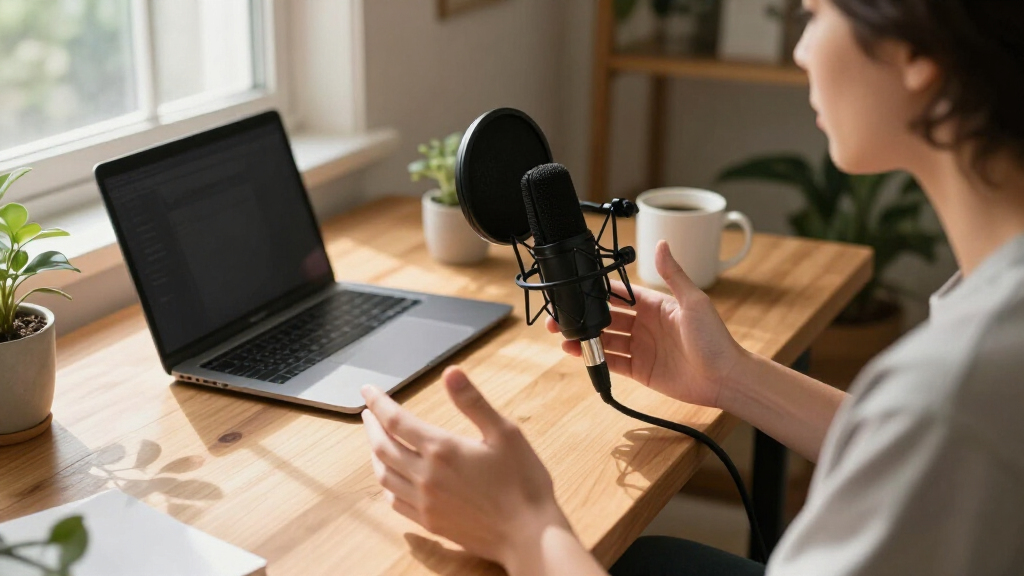
In selecting these USB microphones, I focused on a combination of performance, usability, build quality, and value. Each product was evaluated based on sound clarity, noise handling, and how intuitive it is to set up and operate. Additional criteria included versatility for different use cases like streaming, podcasting, or gaming, as well as durability for long-term use. The ranking reflects a balance between higher-end features and affordability, ensuring options for various budgets and needs. Ultimately, these picks represent the best blend of quality and practicality in the USB microphone market for 2026.| usb microphone | Compatibility | Connectivity |
|---|---|---|
| FIFINE K669B USB Microphone | PC, Mac, PS4, PS5 | — |
| Mini USB Microphone for Laptop | Windows, Mac, Raspberry Pi, Linux, Chromebook | — |
| CMTECK USB Computer Microphone | — | — |
| USB Microphone with Adjustable | Windows 7/8/10/11, MacOS | USB Plug & Play |
| Logitech Blue Yeti USB Microph | — | USB |
| Amazon Basics Condenser Microp | Windows 7/XP/8/10 or higher, Mac OS 10.10 or higher | USB |
| Plug & Play USB Computer Micro | Windows, Mac | USB |
| TONOR Conference Microphone fo | Windows, Mac | — |
| ZealSound Podcast Microphone f | Windows, Mac, mobile devices | USB-C, Lightning adapters included |
Factors to Consider When Choosing Usb Microphones
Choosing the right USB microphone involves more than just looking at features; understanding key factors can help you avoid common pitfalls and select a device that truly fits your needs. Here are some important considerations to keep in mind before making a purchase.Sound Quality and Audio Clarity
Sound quality is the most critical factor, especially if you plan to record vocals, stream, or podcast. Look for microphones with good frequency response and clear audio reproduction. Higher-end models often include features like cardioid pickup patterns that focus on your voice and reduce background noise. Cheaper options may produce muffled or inconsistent sound, which can detract from your content. Always consider whether you’ll need professional-grade audio or if a more basic mic will suffice for your use case.
Ease of Use and Setup
Plug-and-play functionality is a major advantage in USB microphones, making them accessible for beginners. However, some models require additional software or adjustments for optimal sound. Consider whether you want a simple device that works out of the box or one with customizable controls such as gain, mute, or volume adjustments. A clear, user-friendly design reduces frustration and saves time, especially if you’ll be using the microphone frequently or in different environments.
Build Quality and Durability
Since many USB microphones are used in multiple settings—home, studio, or on the go—durability matters. Look for sturdy construction and quality materials that can withstand regular handling. Compact designs are portable but may sacrifice some stability, so consider the included stand or mounting options. A well-built mic minimizes the risk of damage and ensures consistent performance over time, making it a smarter investment in the long run.
Additional Features and Controls
Features like noise cancellation, mute buttons, adjustable stands, and gain controls can significantly enhance your recording experience. For live streaming or podcasting, these extras provide flexibility and control, reducing background noise and improving overall sound quality. However, more features often come with a higher price tag and increased complexity. Decide which features are essential for your workflow to avoid paying for unnecessary extras that won’t add value in your specific context.
Price and Value
While budget options can be tempting, they often compromise on sound quality or durability. Conversely, premium models tend to offer better audio and more features but at a higher cost. It’s important to match your budget with your actual needs—investing a bit more can greatly improve your audio experience if you’re serious about content creation. Always compare features against price to find the best value, and remember that sometimes, spending a little extra upfront saves money in the long run by avoiding replacements or upgrades.
Frequently Asked Questions
Can I use a USB microphone for professional recording?
Yes, many USB microphones can deliver professional-quality audio, especially higher-end models designed for studio use. However, for extremely demanding projects or multi-mic setups, an XLR microphone with an audio interface might be preferable due to greater control over sound processing and higher fidelity. For most home studios, a good USB mic provides excellent clarity and ease of use without the complexity of traditional studio gear.
Do I need an external pop filter or shock mount?
While some USB microphones come with built-in pop filters or shock mounts, most do not. Using an external pop filter can significantly reduce plosive sounds, while a shock mount helps minimize vibrations and handling noise. If you’re recording vocals or speaking closely into the mic, investing in these accessories can improve sound quality. For casual use or streaming, a basic setup with proper mic placement often suffices without additional gear.
How important is the pickup pattern on a USB microphone?
The pickup pattern determines how a microphone captures sound from different directions. Cardioid is the most common for solo voice work, focusing on your voice and rejecting background noise. Omnidirectional picks up sound equally from all directions, suitable for group recordings. Selecting the right pattern depends on your environment and use case; a cardioid mic offers better noise rejection, making it ideal for noisy settings or streaming.
Are more expensive USB microphones always better?
Not necessarily. While higher-priced models often feature better sound quality, more controls, and improved build, they aren’t required for everyone. If your needs are basic—like casual streaming or video calls—you can find budget-friendly options that perform well. Consider your specific use case and whether advanced features justify the extra cost, rather than assuming price alone indicates superior quality.
What should I consider if I want a microphone for gaming?
For gaming, clarity and background noise rejection are key. Look for a microphone with noise-canceling features and a cardioid pickup pattern to focus on your voice. Ease of access to mute controls is also helpful during live gameplay. Portability and compatibility with your setup are additional factors—many gaming mics are designed to be plug-and-play with minimal fuss and robust construction for frequent use.
Conclusion
For most users, the Logitech Blue Yeti remains the best overall choice thanks to its versatility and sound quality, ideal for streamers and content creators who want a reliable, feature-rich microphone. Budget-conscious buyers should consider the Amazon Basics Condenser Microphone, which balances affordability with decent audio performance. Content creators seeking advanced features like noise cancellation and multiple controls will find the ZealSound Podcast Microphone a compelling option. Beginners or casual users will appreciate the simplicity of plug-and-play models like the Mini USB Microphone for Laptop & Desktop. Ultimately, your choice should align with your specific needs, environment, and budget.NFL season / tailgating Picks
team gear
As an affiliate, we earn on qualifying purchases.