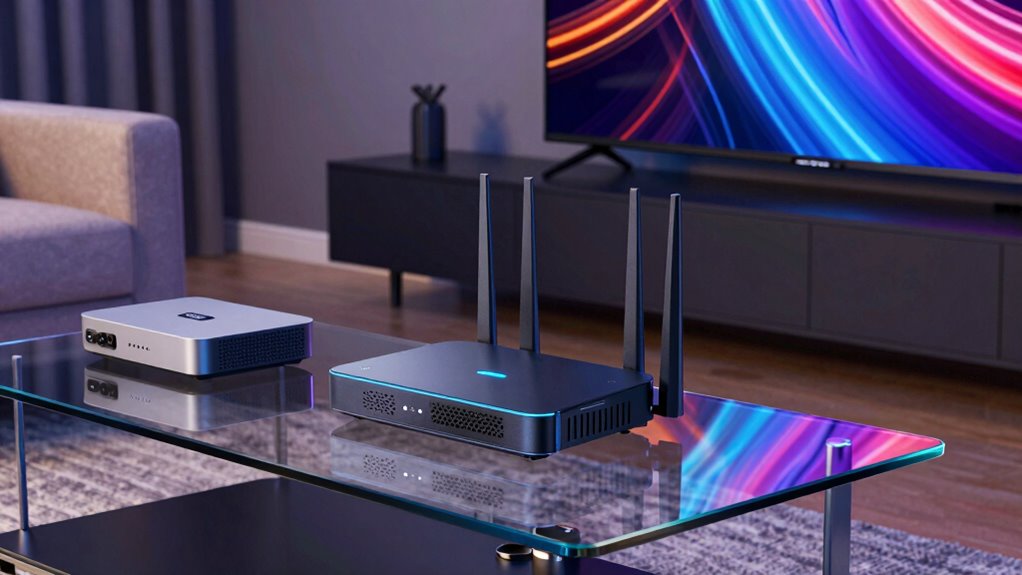

If you’re searching for a tri band Wi Fi 7 router for streaming, you’re likely looking for a solution that delivers fast, stable internet across multiple devices. The NETGEAR Nighthawk RS300 stands out as the best overall for its combination of speed and coverage. For gamers and heavy streamers, the ASUS ROG Strix GS-BE12000 offers dedicated gaming features, while the eero Pro 7 provides seamless mesh coverage for larger homes. The main challenge in this category is balancing raw performance with ease of setup and future-proof features. Keep reading for a detailed breakdown of these options and what makes each suitable for different needs.

Get business pricing on tech for your team
- Business-only prices and quantity discounts
- Tax-exempt purchasing
- Multiple users, one account, clear invoices
Key Takeaways
- Top-performing routers combine high speeds (above 9 Gbps) with extensive coverage, suitable for large households and multiple streams.
- Mesh systems like the eero Pro 7 excel at providing uniform coverage, but may come at a higher price compared to traditional routers.
- Gaming-oriented models such as ASUS ROG Strix focus on low latency and dedicated features, ideal for streamers who game or use real-time applications.
- Price ranges vary significantly, with premium options offering more ports and advanced hardware, while budget choices still deliver solid streaming performance.
- Compatibility with the latest Wi Fi 7 standards and hardware is key to future-proofing your investment, especially for heavy streaming and multiple devices.
| NETGEAR Nighthawk RS300 Tri-Band WiFi 7 Router, Wireless Speed Up to 9.3 Gbps, Covers Up to 2500 Sq. Ft., Black – Certified Refurbished |  | Best Overall for High-Speed Streaming and Gaming | Wireless Speed: Up to 9.3 Gbps | Coverage: Up to 2500 sq. ft. | WiFi Standard: WiFi 7 | VIEW ON AMAZON | See Our Full Breakdown |
| TP-Link Archer BE12000 Tri-Band Wi-Fi 7 Router |  | Best for Large Homes and Multiple Devices | Wi-Fi Bands: Tri-band (6 GHz, 5 GHz, 2.4 GHz) | Max Speed: 5,765 Mbps | Ports: 1 x 10 Gbps WAN, 1 x 2.5 Gbps WAN/LAN, 3 x 1 Gbps LAN, 1 x USB 3.0 | VIEW ON AMAZON | See Our Full Breakdown |
| NETGEAR Nighthawk WiFi 7 Router (BE9300) | | Best for Large Device Capacity and Security | Wireless Speed: 9.3 Gbps | Coverage: 2,500 sq. ft. | Device Capacity: 100 devices | VIEW ON AMAZON | See Our Full Breakdown |
| ASUS ROG Strix GS-BE12000 WiFi 7 Gaming Router – Tri-Band, 12Gbps, Mesh |  | Best for Gaming and High-Performance Networks | WiFi Standard: WiFi 7 | Maximum Throughput: 12 Gbps | Channels: 320 MHz channels on 6 GHz | VIEW ON AMAZON | See Our Full Breakdown |
| TP-Link Tri-Band WiFi 7 Router Archer BE700 |  | Best for 4K/8K Streaming and Whole-Home Mesh | WiFi Technology: WiFi 7 | Speed: up to 11528 Mbps | Bands: Tri-band (6 GHz, 5 GHz, 2.4 GHz) | VIEW ON AMAZON | See Our Full Breakdown |
| eero Pro 7 Tri-Band Mesh Wi-Fi 7 Router – Supports Internet Plans Up to 5 Gbps, Coverage up to 2,000 sq. ft., 1-pack |  | Best Overall for Reliable Whole-Home Streaming | Internet Speed Support: Up to 5 Gbps | Coverage Area: 2,000 sq. ft. | Device Capacity: 200+ devices | VIEW ON AMAZON | See Our Full Breakdown |
| TP-Link Tri-Band WiFi 7 Router (Archer BE600) |  | Best for High-Speed, Large Home Coverage with Advanced Security | WiFi Technology: WiFi 7 | Speed: up to 5,765 Mbps | Coverage: 2,600 sq. ft. | VIEW ON AMAZON | See Our Full Breakdown |
| NETGEAR Nighthawk Tri-Band WiFi 7 Router (RS700S) – Up to 19Gbps, 10Gb Internet Port, Covers 3,500 sq. ft., Supports 200 Devices (Renewed) | 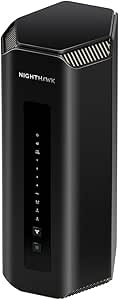 | Best for Power Users and Gamers with Extensive Coverage | WiFi Speed: up to 19 Gbps | Coverage: 3,500 sq. ft. | Devices Supported: 200+ | VIEW ON AMAZON | See Our Full Breakdown |
| Deco 7 Pro Tri-Band WiFi 7 BE10000 Whole Home Mesh System 6-Stream 10 Gbps |  | Best for Large, Seamless Mesh Coverage | Coverage: 7,600 sq. ft. | Number of Devices Supported: over 200 | Wi-Fi Speed: up to 5,188 Mbps | VIEW ON AMAZON | See Our Full Breakdown |
| NETGEAR Nighthawk Tri-Band WiFi 7 Router (RS600) – Up to 18Gbps, 10 Gig Internet Port, Covers 3,300 sq. ft., Supports 150 Devices |  | Best for High-Speed, Mid-Sized Homes with Reliable Streaming | WiFi Speed: up to 18 Gbps | Coverage: 3,300 sq. ft. | Devices Supported: 150 | VIEW ON AMAZON | See Our Full Breakdown |
| GL.iNet GL-BE9300 Flint 3 Tri-Band Wi-Fi 7 Router |  | Best for Large Homes and Advanced Control | Wi-Fi Standard: Wi-Fi 7 | Speed: up to 9 Gbps | Coverage: up to 2,000 sq ft | VIEW ON AMAZON | See Our Full Breakdown |
| tri band wi fi 7 router for streaming | Coverage | Ports |
|---|---|---|
| NETGEAR Nighthawk RS300 Tri-Ba | Up to 2500 sq. ft. | 2 x 2.5 Gbps, 2 x 1 Gbps Ethernet LAN |
| TP-Link Archer BE12000 Tri-Ban | Up to 3000 sq. ft. | 1 x 10 Gbps WAN, 1 x 2.5 Gbps WAN/LAN, 3 x 1 Gbps LAN, 1 x USB 3.0 |
| NETGEAR Nighthawk WiFi 7 Route | 2,500 sq. ft. | — |
| ASUS ROG Strix GS-BE12000 WiFi | — | — |
| TP-Link Tri-Band WiFi 7 Router | — | 1 x 10 Gbps WAN, 1 x 2.5 Gbps LAN, 3 x 1 Gbps LAN |
| eero Pro 7 Tri-Band Mesh Wi-Fi | — | — |
| TP-Link Tri-Band WiFi 7 Router | 2,600 sq. ft. | 1x 10 Gbps WAN/LAN, 3x 2.5 Gbps LAN |
| NETGEAR Nighthawk Tri-Band WiF | 3,500 sq. ft. | 1x 10 Gbps WAN, 4x 1 Gbps LAN |
| Deco 7 Pro Tri-Band WiFi 7 BE1 | 7,600 sq. ft. | — |
| NETGEAR Nighthawk Tri-Band WiF | 3,300 sq. ft. | 1x 10 Gbps WAN, 3x 1 Gbps LAN |
| GL.iNet GL-BE9300 Flint 3 Tri- | up to 2,000 sq ft | — |
More Details on Our Top Picks
NETGEAR Nighthawk RS300 Tri-Band WiFi 7 Router, Wireless Speed Up to 9.3 Gbps, Covers Up to 2500 Sq. Ft., Black – Certified Refurbished
The NETGEAR Nighthawk RS300 stands out for its impressive speeds up to 9.3 Gbps, making it an excellent choice for demanding streaming and gaming setups. Compared with the TP-Link Archer BE12000, it offers similar top speeds but with slightly less coverage, which may influence larger homes. Its multiple 2.5 Gbps Ethernet ports support high-speed wired connections, adding versatility. However, it’s a router-only device, requiring a separate modem, which could be a hassle for some users. This model is ideal for tech-savvy households that want maximum speed and coverage without the complexity of mesh systems, but less suited for those seeking an all-in-one solution.
Pros:- High wireless speeds up to 9.3 Gbps suitable for demanding tasks
- Large coverage area of up to 2,500 sq. ft.
- Multiple high-speed Ethernet ports for wired devices
- Compatible with any ISP
Cons:- Requires a separate modem, adding setup complexity
- Refurbished units may vary in longevity and warranty
Best for: Power users who need ultra-fast speeds and extensive coverage for gaming and 4K streaming in large homes
Not ideal for: Casual users with small apartments — its high performance may be overkill and cost-prohibitive
- Wireless Speed:Up to 9.3 Gbps
- Coverage:Up to 2500 sq. ft.
- WiFi Standard:WiFi 7
- Ports:2 x 2.5 Gbps, 2 x 1 Gbps Ethernet LAN
- Color:Black
- Refurbished:Yes
Our verdict“This router is best for tech-savvy households seeking maximum speed and coverage, despite the need for a separate modem.”
TP-Link Archer BE12000 Tri-Band Wi-Fi 7 Router
The TP-Link Archer BE12000 offers a robust tri-band performance supporting speeds up to 5,765 Mbps on both the 6 GHz and 5 GHz bands, making it ideal for households with many devices. While it doesn’t match the ultra-high speeds of the NETGEAR RS300, its extensive coverage of up to 3,000 sq. ft. and six high-gain antennas ensure stable connections across large spaces. Its multiple high-speed ports, including a 10 Gbps WAN port, support demanding wired setups, and the Tether app simplifies management. However, it’s not compatible with mesh systems like Deco, which might limit flexibility in expanding coverage. This router makes the most sense for large, device-heavy homes where stability and coverage are priorities over absolute speed.
Pros:- High-speed tri-band Wi-Fi 7 performance
- Coverage up to 3,000 sq. ft. with six antennas
- Multiple high-speed ports including 10 Gbps WAN
- Easy setup and management with Tether app
Cons:- Incompatible with mesh WiFi systems like Deco
- Requires a separate modem for internet connection
- Performance varies depending on device placement and environment
Best for: Large households with many streaming devices and gamers who need reliable coverage and high throughput
Not ideal for: Small apartments or users seeking a simple, all-in-one mesh solution
- Wi-Fi Bands:Tri-band (6 GHz, 5 GHz, 2.4 GHz)
- Max Speed:5,765 Mbps
- Ports:1 x 10 Gbps WAN, 1 x 2.5 Gbps WAN/LAN, 3 x 1 Gbps LAN, 1 x USB 3.0
- Coverage:Up to 3000 sq. ft.
- Antennas:6 high-gain antennas
- Security:Advanced security features
Our verdict“This router is well-suited for large homes needing reliable, high-speed Wi-Fi with extensive coverage.”
NETGEAR Nighthawk WiFi 7 Router (BE9300)
The NETGEAR Nighthawk BE9300 offers speeds up to 9.3 Gbps and supports up to 100 devices, making it suitable for busy households with many smart devices. It features tri-band WiFi 7, multiple wired ports, and advanced security options like WPA3 and NETGEAR Armor. Compared to the ASUS ROG GS-BE12000, it’s more focused on security and device management rather than gaming acceleration, which makes it a good fit for families prioritizing privacy. Its larger coverage area, however, may require additional mesh nodes in very large homes. Overall, this router balances speed, security, and device capacity but is less tailored for gamers seeking ultra-low latency.
Pros:- High speeds up to 9.3 Gbps
- Supports up to 100 devices
- Multiple wired ports for fast wired connections
- Robust security features with WPA3 and Armor
Cons:- Requires an active internet service and compatible modem
- Larger homes may need additional nodes or mesh systems
- Security subscription after trial period
Best for: Families with many connected devices requiring strong security and reliable streaming
Not ideal for: Gamer households seeking the absolute lowest latency for competitive play
- Wireless Speed:9.3 Gbps
- Coverage:2,500 sq. ft.
- Device Capacity:100 devices
- WiFi Bands:Tri-band (2.4 GHz, 5 GHz, 6 GHz)
- LAN Ports:Two 2.5 Gbps, two 1 Gbps
- Security:WPA3, NETGEAR Armor
Our verdict“This router delivers reliable, secure performance for large device households, though less ideal for competitive gamers.”
ASUS ROG Strix GS-BE12000 WiFi 7 Gaming Router – Tri-Band, 12Gbps, Mesh
The ASUS ROG Strix GS-BE12000 supports WiFi 7 with a maximum throughput of 12 Gbps, making it a standout for gaming and fast streaming. Its quad-core CPU, 7 multi-Gbps LAN ports, and mesh capability ensure extensive wired and wireless capacity. Compared with the TP-Link BE700, it offers a higher throughput ceiling and advanced gaming features like Game Acceleration and VPN support, but at a significantly higher cost. Its complex setup and premium price point make it less suitable for casual users, yet it’s perfect for gamers or households with demanding bandwidth needs who want the best possible performance. It’s a router that prioritizes speed and capacity over simplicity.
Pros:- Blazing-fast 12 Gbps throughput
- Extensive wired capacity with 7 LAN ports
- Mesh support for whole-home coverage
- Advanced security and VPN features
Cons:- Expensive and complex setup process
- Overkill for typical streaming or casual browsing
Best for: Gaming enthusiasts and users needing ultra-fast, low-latency connections for demanding applications
Not ideal for: Average users or those seeking an easy, plug-and-play setup without advanced features
- WiFi Standard:WiFi 7
- Maximum Throughput:12 Gbps
- Channels:320 MHz channels on 6 GHz
- Wired Network Capacity:Up to 20 Gbps
- Range:Up to 3000 sq. ft.
- CPU:Quad-core 2.0GHz
Our verdict“This router is ideal for high-end gaming and demanding networks where maximum speed and capacity are critical, despite its complexity and cost.”
TP-Link Tri-Band WiFi 7 Router Archer BE700
The TP-Link Archer BE700 offers speeds up to 11,528 Mbps on the 6 GHz band, making it excellent for 4K and 8K streaming as well as gaming. Its multi-gig ports facilitate fast wired connections, and its mesh expandability supports seamless whole-home coverage. Compared to the NETGEAR RS300, it provides higher speeds and more advanced smart home integrations, but its setup can be complex for non-technical users. The premium features, such as Beamforming and HomeShield security, make it a strong choice for those wanting a future-proof, high-performance home network. However, it requires a modem for internet, which could add to initial costs and complexity.
Pros:- Exceptional speeds up to 11,528 Mbps
- Multi-gig ports for fast wired connections
- Mesh support for seamless coverage
- Smart security features with HomeShield
Cons:- Requires a modem for internet connection
- Setup can be complex for beginners
- Premium features may need a subscription
Best for: Homeowners needing high-speed streaming, gaming, and flexible mesh expansion
Not ideal for: Users with simple internet needs or small spaces—overkill and potentially complicated to set up
- WiFi Technology:WiFi 7
- Speed:up to 11528 Mbps
- Bands:Tri-band (6 GHz, 5 GHz, 2.4 GHz)
- Ports:1 x 10 Gbps WAN, 1 x 2.5 Gbps LAN, 3 x 1 Gbps LAN
- Antennas:6 antennas with Beamforming
- Security:TP-Link HomeShield
Our verdict“This router offers excellent high-speed performance for large, tech-savvy homes looking for future-proofing and extensive coverage.”
eero Pro 7 Tri-Band Mesh Wi-Fi 7 Router – Supports Internet Plans Up to 5 Gbps, Coverage up to 2,000 sq. ft., 1-pack
The eero Pro 7 stands out for its seamless mesh capability, making it ideal for larger homes where consistent streaming and device support are critical. Compared with the Deco 7 Pro, this router offers a more straightforward setup and integrated mesh that scales well across multiple rooms. Its ability to support over 200 devices and reach speeds up to 5 Gbps ensures smooth streaming even with many users. However, it does require a compatible high-speed internet plan to maximize its potential, which could be a hurdle for users with basic plans. This makes it best suited for households with demanding bandwidth needs and existing eero ecosystems. Its coverage of up to 2,000 sq. ft. is generous, but overkill for small apartments.
Pros: Supports high-speed internet up to 5 Gbps; Extensive coverage and device capacity; Easy to expand with mesh nodes; Backward compatibility with previous eero models
Cons: Requires compatible internet plan for full speed; Might be more than needed for small or basic setupsPros:- Supports internet speeds up to 5 Gbps for fast streaming
- Provides coverage up to 2,000 sq. ft. for larger homes
- Supports over 200 devices simultaneously
- Backward compatible with previous eero models
Cons:- Requires a compatible high-speed internet plan to reach maximum speeds
- Overkill for small or basic networks
Best for: Large households or small businesses needing reliable, extensive Wi-Fi coverage for streaming multiple devices simultaneously.
Not ideal for: Users with small apartments or basic internet plans who don’t need mesh or extensive coverage.
- Internet Speed Support:Up to 5 Gbps
- Coverage Area:2,000 sq. ft.
- Device Capacity:200+ devices
- Number of Ports:2 auto-sensing 5 GbE ports
- Compatibility:Backward compatible with previous eero models
- Warranty:3 years
Our verdict“This pick is perfect for owners of large homes seeking dependable, high-capacity Wi-Fi for streaming many devices at once.”
TP-Link Tri-Band WiFi 7 Router (Archer BE600)
The TP-Link Archer BE600 offers robust WiFi 7 speeds up to 5,765 Mbps, making it ideal for large households that want ultra-fast streaming and gaming. Its six external antennas with Beamforming provide strong, reliable coverage up to 2,600 sq. ft., outperforming many single-band or dual-band options. Compared to the NETGEAR RS700S, this router emphasizes ease of use with a user-friendly app and integrated security features like HomeShield, perfect for tech-savvy users who want security without complexity. Its multi-gig ports support wired connections for high-demand devices, but the complex feature set may intimidate casual users. To fully enjoy its speeds, compatible WiFi 7 devices are necessary, which might be a limitation for some.
Pros: High-speed WiFi 7 performance; Excellent coverage for large homes; Advanced security and parental controls; Easy setup via app and web interface
Cons: Overwhelming for less tech-savvy users; Premium price could be a barrier; Requires WiFi 7 devices to utilize full speedPros:- Supports WiFi 7 speeds up to 5,765 Mbps
- Provides coverage up to 2,600 sq. ft.
- Includes multi-gig ports for wired high-speed connections
- Advanced security features like HomeShield
Cons:- Complex features may be overwhelming for casual users
- Premium price point
Best for: Tech-savvy households seeking high-speed, secure Wi-Fi coverage across a large home with multiple devices.
Not ideal for: Casual users or those with a tight budget who prefer simple setup and basic features.
- WiFi Technology:WiFi 7
- Speed:up to 5,765 Mbps
- Coverage:2,600 sq. ft.
- Ports:1x 10 Gbps WAN/LAN, 3x 2.5 Gbps LAN
- Security:HomeShield security suite
- Setup:Mobile app and web interface
Our verdict“Ideal for tech-focused users needing fast, secure Wi-Fi in large home environments with multiple devices.”
NETGEAR Nighthawk Tri-Band WiFi 7 Router (RS700S) – Up to 19Gbps, 10Gb Internet Port, Covers 3,500 sq. ft., Supports 200 Devices (Renewed)
The NETGEAR Nighthawk RS700S delivers top-tier speeds up to 19 Gbps and extensive coverage of 3,500 sq. ft., making it a compelling choice for gaming, streaming, and heavy multitasking. Its 10 Gbps internet port sets it apart from most competitors, enabling incredibly fast downloads and uploads, especially compared with the NETGEAR RS600. While it’s powerful, it requires a separate modem, adding complexity for setup. Being a renewed product, support and warranty might be limited, which is a consideration for buyers seeking peace of mind. Its advanced features, including multiple wired ports and support for over 200 devices, ensure it can handle demanding home networks. This makes it ideal for users who prioritize speed and coverage, even if they need to handle some technical setup.
Pros: Speeds up to 19 Gbps for demanding streaming and gaming; Wide coverage up to 3,500 sq. ft.; 10 Gbps wired port for fast downloads; Supports numerous devices simultaneously
Cons: Requires a separate modem; Renewed model may have warranty limitations; Setup may be complex for somePros:- Supports speeds up to 19 Gbps
- Covers large areas up to 3,500 sq. ft.
- Includes 10 Gbps WAN port for ultra-fast wired connections
- Supports over 200 devices
Cons:- Requires a separate modem for internet service
- May have limited warranty due to being renewed
- Setup can be technically demanding
Best for: Power users and gamers who need maximum speed, extensive coverage, and high device support in demanding network environments.
Not ideal for: Casual users or those on tight budgets who prefer new, fully supported products or simpler setup.
- WiFi Speed:up to 19 Gbps
- Coverage:3,500 sq. ft.
- Devices Supported:200+
- Ports:1x 10 Gbps WAN, 4x 1 Gbps LAN
- Compatibility:Any ISP (modem needed)
- Additional Features:Renewed product
Our verdict“This router is best suited for high-demand households needing maximum speed and coverage with a focus on gaming and streaming performance.”
Deco 7 Pro Tri-Band WiFi 7 BE10000 Whole Home Mesh System 6-Stream 10 Gbps
The Deco 7 Pro offers expansive coverage up to 7,600 sq. ft., making it a standout for large homes where seamless streaming across multiple rooms is essential. Its support for over 200 devices and speeds up to 5,188 Mbps ensure that multiple users can stream, game, and work without bottlenecks. Compared with the eero Pro 7, this mesh system emphasizes extensive coverage and easy management through the Deco app, ideal for those who want to avoid dead zones. The system’s AI-driven seamless roaming offers a smooth experience but may be complex for non-technical users. Its reliance on a separate modem could add to setup complexity, but it’s a versatile choice for large-scale home networks.
Pros: Massive coverage suitable for large homes; Supports multiple devices with high speeds; Easy to manage via app; Seamless mesh system for consistent streaming
Cons: Needs a separate modem; Performance varies with obstacles; Advanced features might be complex for some usersPros:- Covers up to 7,600 sq. ft.
- Supports over 200 devices
- Fast speeds up to 5,188 Mbps
- AI-driven seamless roaming
Cons:- Requires a separate modem
- Performance can vary based on environment
- Some features may be too advanced for casual users
Best for: Homeowners with large properties wanting extensive, reliable mesh Wi-Fi for streaming and device connectivity.
Not ideal for: Small apartment dwellers or users seeking simple, single-router setups with minimal configuration.
- Coverage:7,600 sq. ft.
- Number of Devices Supported:over 200
- Wi-Fi Speed:up to 5,188 Mbps
- WAN/LAN Ports:4 x 2.5G
- Mesh System:Yes
- Security Features:TP-Link HomeShield, VPN support
Our verdict“This mesh system fits large homes demanding expansive coverage and reliable streaming for many devices without dead zones.”
NETGEAR Nighthawk Tri-Band WiFi 7 Router (RS600) – Up to 18Gbps, 10 Gig Internet Port, Covers 3,300 sq. ft., Supports 150 Devices
The NETGEAR RS600 offers speeds up to 18 Gbps and covers 3,300 sq. ft., making it a solid choice for medium-sized homes where streaming, gaming, and video calls are frequent. Its tri-band setup ensures dedicated bandwidth for streaming devices, outperforming dual-band options. Compared to the eero Pro 7, this model provides faster wired connectivity with its 10 Gbps port, but it involves a more technical setup process, especially since it requires a separate modem. Its support for 150 devices strikes a good balance for most households, though larger families might find it limiting. Its design is sleek and modern, fitting well into tech-centric homes.
Pros: Speeds up to 18 Gbps; Good coverage for mid-sized homes; Multiple wired ports including 10 Gbps; Supports many devices with tri-band Wi-Fi
Cons: Requires a separate modem; Setup can be complex for non-technical users; Renewed product might have support limitationsPros:- Supports WiFi speeds up to 18 Gbps
- Covers up to 3,300 sq. ft.
- Includes 10 Gbps wired port
- Supports 150 devices
Cons:- Requires a separate modem
- Setup may be complex for some
- Renewed product support may be limited
Best for: Families or small offices needing robust, fast Wi-Fi for streaming, gaming, and multiple devices in a mid-sized house.
Not ideal for: Those seeking a simple setup or on a tight budget, as the advanced features and renewal status may pose challenges.
- WiFi Speed:up to 18 Gbps
- Coverage:3,300 sq. ft.
- Devices Supported:150
- Ports:1x 10 Gbps WAN, 3x 1 Gbps LAN
- Compatibility:Requires separate modem
- Additional Features:Renewed product
Our verdict“A reliable choice for mid-sized homes that demand high-speed, stable streaming and gaming performance with multiple wired connections.”
GL.iNet GL-BE9300 Flint 3 Tri-Band Wi-Fi 7 Router
The GL.iNet GL-BE9300 Flint 3 stands out for its impressive speed potential up to 9 Gbps and coverage of up to 2,000 sq ft, making it ideal for households with multiple streaming devices and gaming needs. Compared with the NETGEAR Nighthawk RS300, which offers slightly higher speed at 9.3 Gbps, the Flint 3 excels in coverage and device support, supporting over 100 devices simultaneously. Its advanced MLO technology reduces latency, a key benefit for smooth streaming and gaming. However, the initial setup can be complex due to firmware updates, and its feature set might overwhelm non-technical users. This model makes the most sense for tech-savvy users seeking robust performance and extensive coverage without sacrificing network stability.
Pros:- Ultra-fast Wi-Fi 7 speeds up to 9 Gbps suitable for streaming and gaming
- Wide coverage of up to 2,000 sq ft for large homes
- Supports over 100 devices with stable connections
- Includes parental controls like Bark for safer browsing
Cons:- Requires firmware update during initial setup, which can be time-consuming
- Advanced features may be complex for non-technical users
Best for: Large households or home offices that need extensive coverage and support for many devices, especially for streaming and gaming.
Not ideal for: Less tech-savvy users or those seeking a plug-and-play setup, as initial configuration can be challenging.
- Wi-Fi Standard:Wi-Fi 7
- Speed:up to 9 Gbps
- Coverage:up to 2,000 sq ft
- VPN Speed:up to 680 Mbps
- Storage:DDR4 1GB / eMMC 8GB
- Technology:MLO, OFDMA, 4K QAM
- Parental Controls:Yes, supports Bark
- Device Connectivity:over 100 devices
Our verdict“This router is best suited for tech-savvy users with large homes looking for high speeds and extensive device support for streaming and gaming.”

How We Picked
These products were selected based on their support for Wi Fi 7, tri-band capabilities, and performance benchmarks relevant to streaming. We evaluated each router’s maximum speeds, coverage area, number of supported devices, ease of setup, and additional features like mesh compatibility or gaming optimizations. Priority was given to models that clearly demonstrate high throughput, low latency, and reliable connections under load, as these factors directly impact streaming quality. The ranking reflects a balance between performance, value, and features tailored to users who demand high-speed, stable Wi Fi for multiple devices and high-bandwidth activities.Factors to Consider When Choosing Tri Band Wi Fi 7 Router For Streaming
Choosing a tri band Wi Fi 7 router for streaming involves more than just looking at speed ratings. To ensure your setup meets your needs, consider factors like coverage, device capacity, ease of use, and future compatibility. Understanding these elements helps avoid common pitfalls such as underestimating coverage needs or investing in hardware that can’t handle your current or future device load.Coverage Area and Home Size
Assess your home’s square footage before buying. While high-speed routers with extensive range are ideal, they can come at higher costs. Mesh systems excel in large or multi-floor homes by distributing coverage evenly, preventing dead zones. In contrast, traditional routers might require extenders or additional access points, adding complexity and expense. Matching your home’s layout with the router’s coverage ensures stable streaming connections everywhere.
Device Capacity and Network Load
If your household has many devices—smart TVs, gaming consoles, smartphones—select a router that supports a high number of concurrent connections without slowing down. Wi Fi 7 routers with advanced hardware and multiple streams can handle this well, but cheaper models may struggle under load, leading to buffering and lag during streaming. Prioritize routers with higher device support if your setup is dense or growing.
Speed and Throughput
For streaming 4K or 8K content smoothly, look for routers with speeds exceeding 9 Gbps. While advertised speeds sound impressive, actual performance depends on your internet plan and local network conditions. Choosing a router with built-in multi-gig ports can also improve local data transfers, which is beneficial for large media libraries or shared storage. Be wary of models with high theoretical speeds that don’t translate into real-world performance.
Ease of Setup and Management
User-friendly interfaces and mobile app controls make setup and ongoing management simpler, especially for less tech-savvy users. Mesh-enabled routers often provide seamless management across units, which can be a real advantage for maintaining consistent streaming quality. Conversely, more advanced configurations might offer better performance but require a steeper learning curve, so consider your comfort level when choosing.
Future-Proofing and Compatibility
Investing in Wi Fi 7 ensures you’re prepared for the next wave of high-bandwidth activities. Confirm that your devices are Wi Fi 7 compatible or will be soon, to avoid bottlenecks. Additional features like multi-gig ports and advanced security protocols also add value, safeguarding your network as it evolves. Skipping these considerations might mean replacing your router sooner than expected.
Frequently Asked Questions
Will a tri band Wi Fi 7 router improve my streaming quality if I already have Wi-Fi 6?
Upgrading to a tri band Wi Fi 7 router can significantly improve your streaming experience, especially if you have multiple devices competing for bandwidth. Wi Fi 7 offers higher speeds, lower latency, and better management of multiple streams, reducing buffering and lag. However, to fully benefit, your devices need to support Wi Fi 7. If they do not, the improvements might be less noticeable, but overall network efficiency can still be enhanced.
Is a mesh Wi Fi 7 system better than a traditional router for streaming large households?
Yes, mesh systems like the eero Pro 7 excel in large or multi-floor homes by providing consistent coverage throughout. They eliminate dead zones that traditional routers might struggle with, especially as walls and floors weaken signals. While mesh setups can be more expensive and complex to configure, they tend to deliver a more reliable streaming experience across your entire property, which is often worth the investment.
How important are multi-gig ports on a Wi Fi 7 router for streaming?
Multi-gig ports are valuable if you transfer large files locally or use network-attached storage for media sharing. Although they do not directly impact internet streaming, they improve overall network performance, especially in high-speed plans exceeding 1 Gbps. For most streaming needs, the priority should be on speed, coverage, and device support, but multi-gig ports add a layer of future-proofing and versatility.
Should I prioritize gaming features on a Wi Fi 7 router for better streaming?
Routing features optimized for gaming often include lower latency and prioritization of gaming traffic, which can benefit streaming by reducing interruptions. If your household streams and games heavily, a router with Quality of Service (QoS) settings tailored for these activities can improve overall network stability. However, for purely streaming-focused setups, other features like coverage and speed may be more impactful.
Are Wi Fi 7 routers worth the extra cost over Wi Fi 6 models for streaming?
Wi Fi 7 routers offer higher maximum speeds, better multi-device handling, and improved latency, which are advantageous for demanding streaming environments. If your internet plan supports gigabit speeds or higher, and you have many devices, the investment can be justified. However, if your current setup works well with Wi Fi 6, upgrading might not deliver noticeable improvements immediately, making Wi Fi 6 a more budget-friendly choice for now.