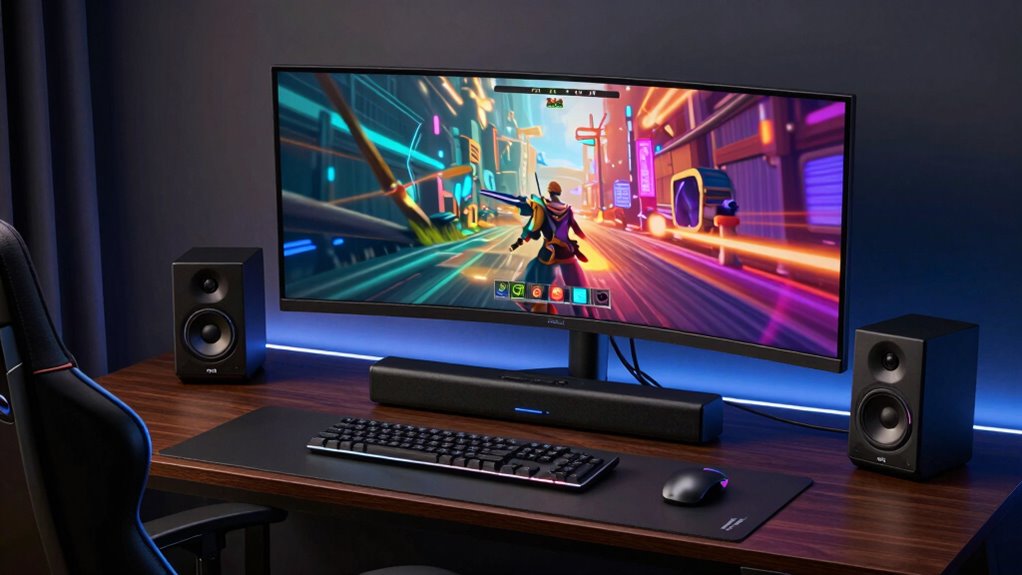

Finding the right soundbar for a gaming setup involves balancing sound quality, ease of use, and connectivity options. The Redragon GS515 RGB Desktop Soundbar stands out as the best overall for its immersive stereo sound and Bluetooth 5.3, making it versatile for both gaming and media. The Razer Leviathan V2 X is a strong choice for gamers seeking clearer full-range audio with a sleek design, while the MEREDO Desktop PC Soundbar with Subwoofer offers powerful bass for an immersive experience. However, tradeoffs include size, compatibility, and budget. Continue reading for a detailed breakdown of each option and which one fits your gaming needs best.

Get business pricing on tech for your team
- Business-only prices and quantity discounts
- Tax-exempt purchasing
- Multiple users, one account, clear invoices
Key Takeaways
- Sound quality, especially bass and full-range drivers, was a key differentiator among the top picks.
- Connectivity options like Bluetooth vs. wired were a major factor influencing ease of use and versatility.
- Size and design mattered for fitting into different gaming setups without clutter.
- Built-in lighting features added aesthetic value but varied in quality and consistency.
- Price differences reflected build quality, sound performance, and extra features, guiding value vs. premium choices.
| Redragon GS515 RGB Desktop Soundbar, 2.0 Stereo Enhanced Sound, Bluetooth 5.3 |  | Best Overall for Space-Saving Gaming Setups | Audio Output Mode: Stereo | Mounting Type: Tabletop | Enclosure Material: Plastic | VIEW ON AMAZON | See Our Full Breakdown |
| Razer Leviathan V2 X PC Soundbar with Full-Range Drivers, Black |  | Best for PC Gamers Wanting Customizable RGB and Seamless Connectivity | Full-Range Drivers: 2 | Passive Radiators: 2 | Power Delivery: USB Type C | VIEW ON AMAZON | See Our Full Breakdown |
| Redragon GS560 RGB Desktop Soundbar, 2.0 Channel Computer Speaker with Dynamic Lighting, Touch-Control Backlit, USB Powered |  | Best for Dynamic Visual and Audio Experience on a Budget | Channels: 2.0 | Lighting: RGB with 4 backlit modes | Connectivity: USB, 3.5mm | VIEW ON AMAZON | See Our Full Breakdown |
| Bludee Computer Speakers for Desktop PC, Bluetooth AUX Sound Bar |  | Best Compact High-Fidelity Sound for Desktop Use | Dimensions: 16.4″ W x 2.6″ D x 2.6″ H | Connectivity: Bluetooth 5.0, 3.5mm AUX | Power Source: USB | VIEW ON AMAZON | See Our Full Breakdown |
| MEREDO Desktop PC Soundbar with Subwoofer – 15.9″ Low-Profile RGB 160W Peak |  | Best for Immersive Gaming with Deep Bass and Customizable Lighting | Size: 15.9 inches | Height: 1.6 inches | Power: 160W peak | VIEW ON AMAZON | See Our Full Breakdown |
| LENRUE Computer Speakers for Desktop, Wired USB-Powered Soundbar with 10W Stereo Sound and Colorful Light |  | Best for Budget-Friendly Ambiance and Easy Setup | Power Output: 10W | Speaker Size: 12.5 inches | Woofer Diameter: 2.5 inches | VIEW ON AMAZON | See Our Full Breakdown |
| soundbar for gaming setup | Connectivity |
|---|---|
| Redragon GS515 RGB Desktop Sou | — |
| Razer Leviathan V2 X PC Soundb | — |
| Redragon GS560 RGB Desktop Sou | USB, 3.5mm |
| Bludee Computer Speakers for D | Bluetooth 5.0, 3.5mm AUX |
| MEREDO Desktop PC Soundbar wit | USB, AUX, Optical, BT5.3, HD-ARC, Type-C |
| LENRUE Computer Speakers for D | — |
More Details on Our Top Picks
Redragon GS515 RGB Desktop Soundbar, 2.0 Stereo Enhanced Sound, Bluetooth 5.3
The Redragon GS515 stands out for its compact size and easy Bluetooth connectivity, making it perfect for small gaming desks where space is at a premium. Its dual 50mm drivers deliver clear stereo sound, but it lacks the power and depth of larger systems like the MEREDO G38, which includes a subwoofer. Compared with the Redragon GS560, this model offers simpler setup without RGB lighting, focusing instead on clean sound and wireless convenience. Its plastic enclosure and modest 10W output are tradeoffs for portability and ease of use. For gamers who prioritize a clutter-free setup with decent audio, this makes a compelling choice, but those seeking immersive sound might find it underpowered.
Pros:- Compact size fits easily under monitors
- Wireless Bluetooth 5.3 with 10-meter range
- Clear stereo sound with dual 50mm drivers
- RGB lighting adds visual flair
Cons:- Limited to 10W power output, may lack volume for large rooms
- Plastic enclosure could reduce durability
- No waterproof or rugged features
Best for: Gamers with limited desk space seeking wireless convenience and decent stereo sound
Not ideal for: Users who want deep bass or surround sound for immersive gaming experiences
- Audio Output Mode:Stereo
- Mounting Type:Tabletop
- Enclosure Material:Plastic
- Speaker Size:15.7 inches
- Woofer Diameter:50 millimeters
- Maximum Range:10 meters
Our verdict“This soundbar is a strong pick for gamers needing space-efficient wireless audio with decent clarity, but it falls short on power and durability for demanding setups.”
Razer Leviathan V2 X PC Soundbar with Full-Range Drivers, Black
The Razer Leviathan V2 X excels in compact PC setups where aesthetics matter, thanks to its customizable Razer Chroma RGB lighting and seamless USB Type C connection for both power and audio. Its full-range drivers and passive radiators deliver immersive sound, but it doesn’t include a dedicated subwoofer, unlike the MEREDO G38, which offers more bass. The Bluetooth 5.0 adds wireless flexibility, but it’s primarily designed for PC and mobile devices, limiting versatility. If you prioritize sleek design, lighting effects, and straightforward connectivity, this is an excellent choice. However, gamers seeking thunderous bass or a surround sound experience should look elsewhere.
Pros:- Compact design fits neatly beneath monitors
- USB Type C for simple power and audio connection
- Customizable RGB lighting enhances gaming ambiance
- Seamless Bluetooth 5.0 connectivity
Cons:- Lacks a dedicated subwoofer for deep bass
- Limited to PC and mobile device pairing, not versatile for other devices
- No built-in microphone or additional inputs
Best for: PC gamers who value aesthetic customization and clean, powerful sound in a compact form
Not ideal for: Users needing a subwoofer or surround sound for more immersive gaming
- Full-Range Drivers:2
- Passive Radiators:2
- Power Delivery:USB Type C
- Bluetooth:5.0
- Max Volume:90dB
- Lighting:Razer Chroma RGB with 14 zones
Our verdict“Ideal for PC gamers who want stylish, customizable sound with straightforward connectivity but don’t need heavy bass or surround sound features.”
Redragon GS560 RGB Desktop Soundbar, 2.0 Channel Computer Speaker with Dynamic Lighting, Touch-Control Backlit, USB Powered
The Redragon GS560 offers rich, clear sound with deep bass, making it a suitable upgrade over basic PC speakers. Its RGB lighting syncs with music, providing an engaging visual element for gaming and multimedia. Its 2.0 stereo setup means it’s not surround sound, but for most gaming needs, the sound quality and bass depth compensate well. Compared to the MEREDO G38, it’s more affordable and easier to set up, but it lacks a subwoofer and advanced connectivity options. Its touch controls and backlit modes add convenience, though the lighting may be distracting for some users. It hits a sweet spot for gamers who want decent sound and lively visuals without breaking the bank.
Pros:- Rich sound with clear audio and deep bass
- RGB lighting with multiple modes, music sync
- Compact 16-inch size fits under various devices
- Touch controls and volume knob for easy adjustments
Cons:- Limited to 2.0 stereo sound, no surround capabilities
- Requires USB power, adding to cable clutter
- Lighting modes may be distracting during intense gaming
Best for: Budget-conscious gamers who want good sound with customizable RGB effects
Not ideal for: Users seeking immersive surround sound or deep bass for competitive gaming
- Channels:2.0
- Lighting:RGB with 4 backlit modes
- Connectivity:USB, 3.5mm
- Size:16 inches
- Control:Touch-control backlit with volume knob
- Power:USB
Our verdict“A strong choice for budget gamers who want vibrant lighting and decent sound in a compact package.”
Bludee Computer Speakers for Desktop PC, Bluetooth AUX Sound Bar
The Bludee soundbar offers high-fidelity audio with dual drivers, providing clear highs and punchy bass. Its slim, stylish profile fits comfortably below monitors, and its Bluetooth 5.0 and AUX options ensure versatile connectivity. Compared with the Redragon GS515, it emphasizes audio quality over RGB lighting, making it ideal for users who care about sound clarity. Its USB power makes setup straightforward, but the sound quality can vary depending on device compatibility, and it’s not designed for portable use outside a desktop environment. This makes it a reliable, low-profile choice for gamers who value sound fidelity in a small form factor, though it lacks features like RGB lighting or a subwoofer.
Pros:- High-quality sound with deep bass and crisp highs
- Multiple connectivity options including Bluetooth and AUX
- Compact, stylish design fits well on desktops
- Plug-and-play USB power setup
Cons:- Limited to desktop use, not portable
- Ambient lighting is minimal and not customizable
- Sound quality depends on device compatibility
Best for: Gamers who want high-quality sound with minimal desk clutter and versatile connectivity
Not ideal for: Mobile users seeking portable or battery-powered options or those wanting RGB effects
- Dimensions:16.4″ W x 2.6″ D x 2.6″ H
- Connectivity:Bluetooth 5.0, 3.5mm AUX
- Power Source:USB
- Material:Eco-friendly ABS
- Sound Quality:High-fidelity with deep bass
- Design:Slim, modern
Our verdict“A solid pick for gamers prioritizing audio clarity and versatile connections in a sleek, desktop-friendly design.”
MEREDO Desktop PC Soundbar with Subwoofer – 15.9″ Low-Profile RGB 160W Peak
The MEREDO G38 delivers powerful sound with a 5-inch wired subwoofer and 160W peak power, making it ideal for gamers who want an immersive experience. Its multiple connectivity options—including USB, AUX, Optical, and BT5.3—allow for versatile setups, while the RGB lighting and remote control offer extensive customization. Compared to the Redragon GS515, this system provides deeper bass and richer sound, but the wired subwoofer limits placement flexibility, and it lacks support for Dolby or DTS formats. It’s well-suited for small rooms or desktop setups where maximum audio impact is desired, though users with larger or more acoustically demanding spaces might find it insufficient.
Pros:- Powerful 160W peak with a wired 5-inch subwoofer
- Multiple connectivity options including optical and Bluetooth
- RGB lighting with customizable colors and modes
- Remote control for easy adjustments
Cons:- Subwoofer wired, limiting placement options
- Lacks support for Dolby or DTS audio formats
- Requires compatible TV with ARC/eARC for full features
Best for: Gamers seeking deep bass, customizable lighting, and remote control in a compact setup
Not ideal for: Users who prefer wireless or wireless-only systems or need Dolby/DTS support
- Size:15.9 inches
- Height:1.6 inches
- Power:160W peak
- Subwoofer:5 inches wired
- Connectivity:USB, AUX, Optical, BT5.3, HD-ARC, Type-C
- RGB Lighting:7 colors, 4 modes, 2 brightness levels
Our verdict“Best suited for gamers craving impactful bass and customizable lighting in a space-efficient package, despite wired subwoofer limitations.”
LENRUE Computer Speakers for Desktop, Wired USB-Powered Soundbar with 10W Stereo Sound and Colorful Light
This LENRUE soundbar stands out for its straightforward, plug-and-play design that requires no drivers, making it ideal for users who want quick setup without fuss. Compared to the Redragon GS560 RGB, it offers a more compact form and vibrant lighting effects, but lacks the RGB customization and higher power output. Its 10W stereo sound with upgraded 2x5W technology provides decent audio clarity for gaming, especially in small to medium rooms. However, its plastic enclosure and limited waterproofing make it less durable for more active environments. The colorful breathlight adds a lively touch, perfect for casual gaming or multimedia use, though it might not appeal to those seeking a minimalist aesthetic. Overall, this pick is best suited for gamers who prioritize ease and visual flair over high-end sound quality or rugged build.
Pros:- Easy plug-and-play setup with no drivers needed
- Vibrant colorful breathlight enhances gaming ambiance
- Clear stereo sound with upgraded 2x5W technology
- Top-mounted volume control knob for convenience
Cons:- Limited waterproof capability, unsuitable for humid environments
- Cable length might restrict placement flexibility
- Plastic enclosure may feel less durable over time
Best for: Budget-conscious gamers seeking vibrant lighting and simple setup for casual gaming
Not ideal for: Serious competitive gamers or those needing high volume and immersive sound in larger rooms
- Power Output:10W
- Speaker Size:12.5 inches
- Woofer Diameter:2.5 inches
- Frequency Response:20 Hz
- Impedance:4 ohm
- Compatibility:Desktop, Laptop, Smartphone, Tablet
- Color:Black
- Control Method:Knob control
- Additional Features:Vibrant colorful breathlight
Our verdict“This soundbar makes the most sense for casual gamers who want easy installation and lively lighting without breaking the bank.”

How We Picked
I evaluated each soundbar based on sound quality, ease of setup, connectivity options, build quality, and compatibility with gaming environments. Performance in delivering immersive, clear audio was paramount, especially in terms of bass response and stereo imaging. Ease of use, including controls and installation, was also considered, along with overall value for the price. Products were ranked by balancing these factors, prioritizing those that enhance gaming experience without unnecessary extras or compromises. This approach ensures the recommendations suit different types of gamers, from casual to enthusiast setups.| soundbar for gaming setup | Connectivity |
|---|---|
| Redragon GS515 RGB Desktop Sou | — |
| Razer Leviathan V2 X PC Soundb | — |
| Redragon GS560 RGB Desktop Sou | USB, 3.5mm |
| Bludee Computer Speakers for D | Bluetooth 5.0, 3.5mm AUX |
| MEREDO Desktop PC Soundbar wit | USB, AUX, Optical, BT5.3, HD-ARC, Type-C |
| LENRUE Computer Speakers for D | — |
Factors to Consider When Choosing Soundbar For Gaming Setup
Choosing the right soundbar for a gaming setup involves understanding your specific needs and the tradeoffs between different features. Whether you prioritize sound quality, ease of installation, or aesthetic integration, these factors will guide your decision-making process to find the best fit for your gaming environment.Sound Quality and Audio Performance
For gaming, immersive sound with clear dialogue, deep bass, and full-range drivers significantly enhances the experience. Look beyond specs and consider reviews that mention how the soundbar handles game sound effects, environmental audio, and positional cues. Cheaper models may lack depth, so investing in a model with a subwoofer or enhanced drivers can be worthwhile for a truly engaging experience.
Connectivity Options
Wireless connectivity like Bluetooth offers convenience, especially if you want to switch between devices easily. However, wired connections such as USB or AUX tend to provide more stable audio with less latency, which is critical for competitive gaming. Consider your setup—if your console or PC has limited ports, a Bluetooth or optical connection might be more practical, but wired options often deliver more reliable sound.
Size, Design, and Placement
The physical dimensions of a soundbar influence how well it fits into your gaming space. Compact models save desk space but may sacrifice some sound richness. Larger models with built-in subwoofers provide more bass but can clutter your setup. Aesthetics, including RGB lighting and sleek profiles, can also enhance your gaming environment, but should not come at the expense of sound quality or functionality.
Ease of Setup and Controls
Ease of installation varies widely, from simple plug-and-play USB models to more complex systems requiring additional cables or app controls. Consider models with intuitive controls, remote access, or app integration for quick adjustments during gaming sessions. Mistakes like choosing overly complicated setups can frustrate more casual users, so matching complexity to your comfort level is key.
Price and Value
Higher price often correlates with better sound performance, durability, and extra features like RGB lighting or built-in microphones. However, budget-friendly options can still provide decent audio for casual gaming. Be wary of very cheap models that may lack clarity or bass, but also avoid overspending on features you won’t use. Look for balanced options that deliver the best bang for your buck based on your priorities.
Frequently Asked Questions
Can I use a soundbar for gaming on a console?
Absolutely. Most soundbars are compatible with gaming consoles like Xbox and PlayStation, as well as PCs. Check your console’s audio output options to ensure the soundbar supports the connection type, whether HDMI ARC, optical, or Bluetooth. For the best experience, use a connection that supports low latency to keep audio synchronized with gameplay.
Is a dedicated gaming soundbar worth the extra cost?
In many cases, yes. Gaming-specific soundbars often feature enhanced directional audio, better bass response, and sound modes optimized for immersive gameplay. If you play competitively or want to maximize immersion, investing in a dedicated gaming soundbar can provide noticeable benefits over basic models, though you should weigh this against your budget and setup complexity.
Do I need a subwoofer for gaming soundbars?
While not always necessary, a subwoofer significantly enhances bass and overall immersion, especially for action games with explosive sound effects. Many gaming soundbars come with built-in subwoofers or separate units. If deep bass is a priority, opting for a model with a dedicated subwoofer or a larger soundbar with better drivers is advisable.
How important is RGB lighting on a gaming soundbar?
RGB lighting is mainly aesthetic and can complement your gaming setup’s visual theme. While it doesn’t affect sound quality, it adds to the overall ambiance. If your focus is purely on audio performance, lighting features are optional. Conversely, if you want a cohesive, visually striking gaming environment, choosing a model with customizable lighting can be worthwhile.
Should I prioritize wireless or wired connectivity?
Wired connections generally offer more stable, lower-latency audio, making them preferable for competitive gaming. Wireless options like Bluetooth provide convenience and flexibility, especially if your setup involves multiple devices. Your choice depends on your gaming priorities—if latency and reliability matter most, a wired connection is better; for ease of use, wireless may suffice.
Conclusion
For most gamers, the Redragon GS515 RGB combines solid sound quality with versatile connectivity, making it the best overall choice. Budget-conscious players should consider the Bludee Bluetooth Sound Bar for decent performance at a lower cost, while enthusiasts seeking premium audio should explore models with dedicated subwoofers and RGB lighting. Beginners will appreciate simple plug-and-play options like the LENRUE Computer Speakers, whereas competitive gamers should prioritize models with low latency and full-range drivers. Matching your specific needs with these options ensures a satisfying gaming audio experience in 2026.
As an affiliate, we earn on qualifying purchases.Fall Picks
fall essentials