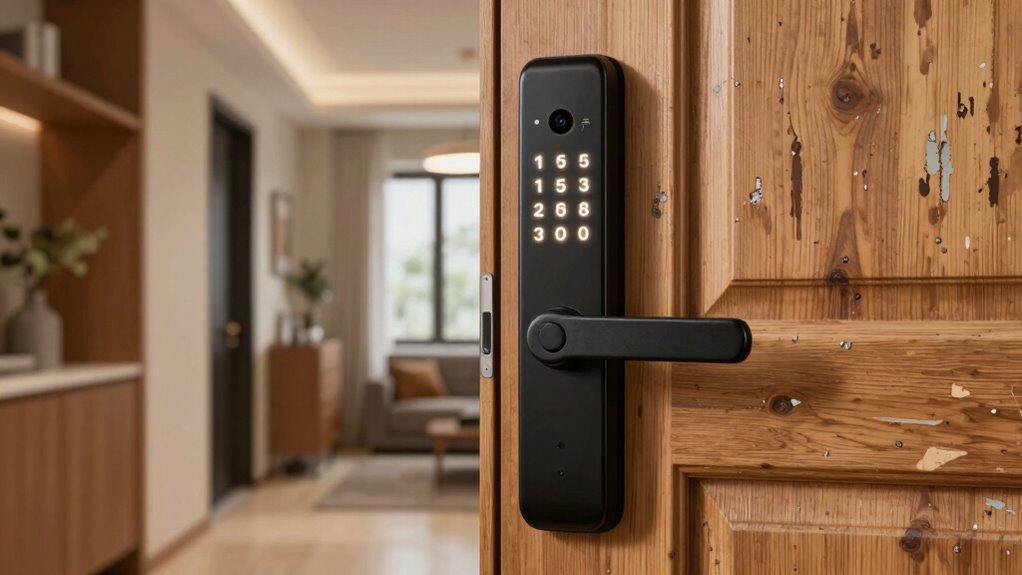
Finding a smart lock suitable for renters involves balancing easy installation, non-permanent setup, and compatibility with smart home systems. The August Wi-Fi Smart Lock (4th Generation) stands out for its seamless integration and easy setup, making it ideal for renters who want a reliable, keyless entry. The Yale Approach Smart Wi-Fi Deadbolt offers unlimited virtual keys, perfect for sharing access with friends or landlords without physical keys. However, many options require tradeoffs between features like remote control, installation complexity, and cost. Continue reading to see how these models compare and which one fits your rental lifestyle best.

Get business pricing on tech for your team
- Business-only prices and quantity discounts
- Tax-exempt purchasing
- Multiple users, one account, clear invoices
Key Takeaways
- Top picks balance easy, damage-free installation with reliable smart features.
- Remote access and virtual keys are critical for sharing access in rental settings.
- Build quality and security features vary widely—prioritize encryption and tamper alarms.
- Price ranges reflect tradeoffs between feature set and installation simplicity.
- Compatibility with major smart home ecosystems enhances convenience for renters.
| Aqara Smart Retrofit Lock U200 with Apple Home Key & Fingerprint |  | Best for Apple Ecosystem Integration | Compatibility: Apple Home Key, Apple Watch, iPhone, Apple TV 4K 2021/2022, Thread-enabled hub required | Sensor Resolution: 160×160 pixels | Fingerprint Capacity: 25 fingerprints | VIEW ON AMAZON | See Our Full Breakdown |
| Philips WiFi Smart Retrofit Deadbolt Lock |  | Best for Existing Deadbolt Upgrades | Brand: PHILIPS | Model Number: DDL230X-10HW-Black-V2 | Recommended Uses: Garage Door, Front Door, Backyard Door, Home, Bedroom | VIEW ON AMAZON | See Our Full Breakdown |
| Yale Approach Smart Wi-Fi Deadbolt Retrofit Smart Lock, Unlimited Virtual Keys, App Remote Control, Keyless Entry – Black |  | Best for Virtual Key Sharing and Activity Monitoring | Brand: Yale | Recommended Uses: Entry Door, Front Door | Number of Pieces: 1 | VIEW ON AMAZON | See Our Full Breakdown |
| Tapo Smart Wi-Fi Deadbolt Door Lock with Fingerprint Recognition |  | Best for Multiple Unlock Methods and Fast Biometrics | Unlock Methods: Fingerprint, keypad, app, Bluetooth, voice assistants, backup keys | Battery Life: Up to 1 year | Recharging: USB-C port | VIEW ON AMAZON | See Our Full Breakdown |
| ULTRALOQ U-Bolt WiFi Smart Lock with Door Sensor |  | Best for Multi-Method Access and Monitoring | Brand: ULTRALOQ | Model Number: U-BOLT-WiFi | Recommended Uses: Front Door, Back Door, Garage Door, Office, Rentals | VIEW ON AMAZON | See Our Full Breakdown |
| August Wi-Fi Smart Lock (4th Generation) – Keyless Entry Door Lock Compatible with Alexa, Google, Apple, and Samsung |  | Best Overall for Versatile Smart Home Integration | Compatibility: Works with Amazon Alexa, Google Assistant, Apple HomeKit, Samsung SmartThings | Connectivity: Wi-Fi (802.11 b/g/n 2.4GHz or 5GHz) | Installation: Fits most single cylinder deadbolts, installs in about 10 minutes | VIEW ON AMAZON | See Our Full Breakdown |
| Tapo Smart Wi-Fi Deadbolt Door Lock, Keyless Tactile Buttons, DL100 |  | Best for Durability and All-Weather Use | Power: 4xAA batteries (included) | Battery Life: Up to 200 days in Wi-Fi mode, 300 days in Bluetooth mode | Weatherproof Rating: IP54 | VIEW ON AMAZON | See Our Full Breakdown |
| Smart Door Handle Lock with Keypad and Fingerprint for Front Door |  | Best for Multi-Method Access and Quick Installation | Unlocking Methods: Fingerprint, Bluetooth app, passcodes, key fobs, mechanical keys, Alexa voice | Installation Time: Approximately 10 minutes | Compatibility: Most standard American wooden doors | VIEW ON AMAZON | See Our Full Breakdown |
| eufy Security Smart Lock C220, Fingerprint Keyless Entry Door Lock |  | Best for Long Battery Life and Multiple Entry Methods | Unlock Methods: Fingerprint, app, keypad, physical key, voice (Alexa/Google) | Battery Life: Approximately 8 months | Battery Type: 8 AA batteries | VIEW ON AMAZON | See Our Full Breakdown |
| August Smart Lock 3rd Generation – Silver |  | Best for Easy, Portable, Keyless Entry | Connectivity: Bluetooth v4.0 | Recommended Uses: Indoor, Entrance door | Included Components: Smart Lock, DoorSense Sensor, 4 AA Batteries, Mounting Hardware | VIEW ON AMAZON | See Our Full Breakdown |
| Philips Wi-Fi Smart Deadbolt Lock, Keyless Entry Door Lock |  | Best Overall for Versatile Remote Control and Security | Connectivity: Wi-Fi (2.4GHz only) | Power: AA alkaline batteries (LR6) | Supported Door Thickness: 1-3/8″ to 2″ (38mm to 50mm) | VIEW ON AMAZON | See Our Full Breakdown |
| Wyze Auto-Lock Bolt v2 Fingerprint Keyless Entry Smart Lock |  | Best for Fast, AI-Enhanced Fingerprint Access | Power: 8 AA batteries, up to 8 months | Connectivity: Wi-Fi | Material: Tempered glass | VIEW ON AMAZON | See Our Full Breakdown |
| Nuki Smart Lock (Deadbolt) Keyless Entry WiFi Electronic Deadbolt with Auto-Unlock, App Control, Remote Access, Easy Installation, Smart Home for Front Door, Home & Rentals |  | Best for Seamless Smart Home Integration and Easy Installation | Recommended Uses: Apartment, Back Door, Dog Keeper, Family Home, Front Door, House Keeper, Indoor, Office, Short Rental | Warranty: 2 Years | Included Components: Nuki Smart Lock | VIEW ON AMAZON | See Our Full Breakdown |
| Ultraloq Bolt SE Wi-Fi Smart Lock with Matter over Thread |  | Best for Versatile Access and Smart Ecosystem Compatibility | Fingerprint Capacity: 50 | Passcode Capacity: 50 | Connectivity: Wi-Fi (2.4 GHz), Matter over Thread | VIEW ON AMAZON | See Our Full Breakdown |
| Smart Lock Ultra with Keypad, Fingerprint, App Control, WiFi, Alexa & Google Compatibility |  | Best for Comprehensive Security and Customization | Compatibility: Most standard US doors | Battery Life: 12 months | Unlock Methods: Fingerprint, keypad, app, Alexa, Google, Matter | VIEW ON AMAZON | See Our Full Breakdown |
| smart lock for renter | Battery Life | Connectivity |
|---|---|---|
| Aqara Smart Retrofit Lock U200 | Approximately 6 months per power source | — |
| Philips WiFi Smart Retrofit De | Up to 4 months | — |
| Yale Approach Smart Wi-Fi Dead | — | — |
| Tapo Smart Wi-Fi Deadbolt Door | Up to 1 year | — |
| ULTRALOQ U-Bolt WiFi Smart Loc | Up to 8 months | — |
| August Wi-Fi Smart Lock | — | Wi-Fi (802.11 b/g/n 2.4GHz or 5GHz) |
| Tapo Smart Wi-Fi Deadbolt Door | Up to 200 days in Wi-Fi mode, 300 days in Bluetooth mode | Wi-Fi, Bluetooth, Alexa, Google, Samsung SmartThings |
| Smart Door Handle Lock with Ke | — | — |
| eufy Security Smart Lock C220 | Approximately 8 months | — |
| August Smart Lock 3rd Generati | — | Bluetooth v4.0 |
| Philips Wi-Fi Smart Deadbolt L | — | Wi-Fi (2.4GHz only) |
| Wyze Auto-Lock Bolt v2 Fingerp | — | Wi-Fi |
| Nuki Smart Lock | — | Wi-Fi, Bluetooth |
| Ultraloq Bolt SE Wi-Fi Smart L | 18 months | Wi-Fi (2.4 GHz), Matter over Thread |
| Smart Lock Ultra with Keypad | 12 months | WiFi, Apple HomeKit, Alexa, Google |
More Details on Our Top Picks
Aqara Smart Retrofit Lock U200 with Apple Home Key & Fingerprint
This retrofit lock stands out for its seamless integration with Apple devices, making unlocking effortless for users already within the Apple ecosystem. Compared with the Yale Approach, which offers broad Wi-Fi control, the Aqara U200’s reliance on an Apple hub for Home Key features can limit flexibility. Its high-resolution fingerprint sensor and dual power sources provide reliable security and convenient access, especially suited for renters who want a non-invasive install. However, it requires a Thread-enabled hub for full Apple ecosystem benefits, and NFC cards are sold separately, adding some inconvenience. Battery life of about 6 months balances ease of use with maintenance. Overall, this lock makes the most sense for Apple users prioritizing a sleek, integrated experience without altering their existing deadbolt.
Pros:- Seamless Apple ecosystem integration for effortless unlocking
- Easy retrofit installation without replacing existing hardware
- Fast, accurate fingerprint recognition with high security
Cons:- Requires a Thread-enabled Apple hub for full Home Key functionality
- NFC card sold separately, adding extra cost
- Battery replacement needed approximately every 6 months
Best for: Renters who are deep into the Apple ecosystem and want a secure, easy-to-install retrofit lock.
Not ideal for: Non-Apple users or those seeking a standalone smart lock without the need for an Apple hub.
- Compatibility:Apple Home Key, Apple Watch, iPhone, Apple TV 4K 2021/2022, Thread-enabled hub required
- Sensor Resolution:160×160 pixels
- Fingerprint Capacity:25 fingerprints
- Power:Rechargeable lithium battery (interior), 4 AAA batteries (exterior)
- Battery Life:Approximately 6 months per power source
- Unlock Methods:Fingerprint, passcode, Bluetooth, NFC card (sold separately), physical keys
Our verdict“This pick is ideal for Apple-centric renters seeking a sleek, secure, and non-invasive smart lock solution.”
Philips WiFi Smart Retrofit Deadbolt Lock
The Philips WiFi Smart Retrofit Deadbolt offers an easy way to add smart features without replacing your current hardware, making it a practical choice for renters who want minimal disruption. Compared to the Yale Approach, which relies on Wi-Fi and app controls, Philips’ model is straightforward but has a moderate customer rating of 3.4/5, signaling inconsistent user experiences. Its remote control, notifications, and voice compatibility with Alexa and Google Assistant cater well to tech-savvy renters seeking convenience. The tradeoff is the limited Wi-Fi band (2.4GHz) that may cause connectivity issues in some setups, and batteries need replacement every few months. It’s best for renters who prioritize quick upgrades over advanced features or extensive customization, but less suited for those who require rock-solid reliability or a higher-rated product.
Pros:- Easy to upgrade existing deadbolts without hardware replacement
- App remote control and real-time notifications
- Voice command compatibility with Alexa and Google Assistant
Cons:- Customer rating is moderate at 3.4/5 stars, indicating mixed experiences
- Batteries need replacement every few months
- Limited to Wi-Fi 2.4GHz networks, which may cause connectivity issues
Best for: Renters wanting an easy, no-hassle upgrade to their existing deadbolt with remote control features.
Not ideal for: Renters in complex Wi-Fi environments or those requiring highly reliable, highly rated smart locks.
- Brand:PHILIPS
- Model Number:DDL230X-10HW-Black-V2
- Recommended Uses:Garage Door, Front Door, Backyard Door, Home, Bedroom
- Included Components:Installation Kit, Philips 3000 Series WiFi Smart Deadbolt, User Manual, 2 CR123A Batteries
- Number of Pieces:1
- Battery Life:Up to 4 months
Our verdict“This lock suits renters who want a simple, affordable upgrade with remote control capabilities but are okay with moderate user ratings and potential connectivity limits.”
Yale Approach Smart Wi-Fi Deadbolt Retrofit Smart Lock, Unlimited Virtual Keys, App Remote Control, Keyless Entry – Black
The Yale Approach stands out for its user-friendly app features, including virtual key sharing and activity logs, making it especially appealing for renters managing multiple users or short-term guests. Unlike the Philips model, which offers basic remote control, Yale’s lock provides detailed activity tracking and auto-lock/unlock, adding a layer of convenience and security. Installation is simple, requiring no hardware replacement, but it’s limited to inside-door mounting and depends on Wi-Fi for remote functions—similar to the Philips. The absence of an external keypad might be a downside for those who prefer keypad entry. Overall, this lock makes the most sense for renters who need to share access easily and want activity oversight, but it’s less ideal for those wanting outdoor keypad options or with unreliable Wi-Fi.
Pros:- Easy installation without replacing existing hardware
- Remote access with virtual key sharing
- Activity logs and auto-lock features for added security
Cons:- Limited to inside-door installation, no external keypad
- Dependent on Wi-Fi connection for remote features
- Requires 4 AA batteries which need periodic replacement
Best for: Renters who need flexible virtual access management and activity tracking for multiple users.
Not ideal for: Renters seeking keypad entry or with limited Wi-Fi stability outside the door.
- Brand:Yale
- Recommended Uses:Entry Door, Front Door
- Number of Pieces:1
- Included Components:4 AA batteries, DoorSense sensor
Our verdict“This lock is ideal for renters needing easy virtual key sharing and activity monitoring but less suited for outdoor keypad access or Wi-Fi-challenged environments.”
Tapo Smart Wi-Fi Deadbolt Door Lock with Fingerprint Recognition
The Tapo Smart Deadbolt combines multiple unlocking options, including fingerprint, keypad, app, and voice commands, making it versatile for renters who want options. Compared to the ULTRALOQ U-Bolt, which emphasizes long battery life and a wide array of features, Tapo’s key advantage is its rapid fingerprint recognition—just 0.5 seconds—ideal for quick access during busy mornings. Installation is straightforward for standard doors, but the IP54 waterproof rating suggests it’s not suitable for fully exposed outdoor use in harsh weather. Its challenge lies in potentially complex setup if door hole sizes aren’t standard. This lock makes the most sense for renters seeking fast biometric access combined with multiple entry options, but less so for those in severe weather environments or with non-standard door sizes.
Pros:- Rapid fingerprint recognition in 0.5 seconds
- Multiple unlocking options including keypad and app
- USB-C recharge supports up to 1 year battery life
Cons:- Limited waterproof rating (IP54), not fully weatherproof
- Installation may be tricky on non-standard doors
- Requires standard lock hole sizes of 2-1/8” and 1-1/2”
Best for: Renters who prioritize quick biometric access and multiple unlocking options in moderate climates.
Not ideal for: Renters in severe weather zones or with non-standard door preparations, where waterproofing or fit could be an issue.
- Unlock Methods:Fingerprint, keypad, app, Bluetooth, voice assistants, backup keys
- Battery Life:Up to 1 year
- Recharging:USB-C port
- Fingerprint Storage:Up to 100 fingerprints
- Operating Temperature:-22℉ to 158℉ (-30℃ to 70℃)
- Waterproof Rating:IP54
Our verdict“Ideal for renters needing fast biometric access with versatile entry options in moderate climates, but less suited for harsh outdoor conditions.”
ULTRALOQ U-Bolt WiFi Smart Lock with Door Sensor
The ULTRALOQ U-Bolt offers a comprehensive set of features, supporting passcodes, app control, voice commands, and mechanical keys, making it highly flexible for varied rental situations. Its remote access and door sensor provide real-time status updates, which surpass the Yale Approach’s activity logs in detail. The weather-resistant IP65 rating supports outdoor use, and its high security grade (ANSI/BHMA Grade 1) is reassuring for rental properties. Installation is straightforward on most standard doors, but it depends on a stable Wi-Fi connection within about 70 feet for optimal operation—this can be a downside for larger or Wi-Fi-challenged spaces. Battery life of up to 8 months reduces maintenance frequency. It’s a strong choice for those wanting reliable, multi-access control with monitoring capabilities, but Wi-Fi limitations could be a concern in some setups.
Pros:- Supports multiple access methods: passcodes, app, voice, keys
- Remote management and real-time door status alerts
- Weather-resistant with high security grade
Cons:- Requires stable Wi-Fi within 70 ft for best performance
- Limited to 2.4 GHz Wi-Fi, no dual-band support
- Battery life varies with usage, requiring periodic replacement
Best for: Renters or landlords needing a secure, versatile lock with remote management and real-time door status alerts.
Not ideal for: Renters with unstable Wi-Fi or those seeking a purely keypad-based lock without app reliance.
- Brand:ULTRALOQ
- Model Number:U-BOLT-WiFi
- Recommended Uses:Front Door, Back Door, Garage Door, Office, Rentals
- Number of Pieces:7
- Included Components:2 Backup Keys, 4 AA Batteries, Door Sensor, Mounting Hardware
- Battery Life:Up to 8 months
Our verdict“Best suited for renters needing a multi-method, monitored smart lock with outdoor durability, provided Wi-Fi stability isn’t an issue.”
August Wi-Fi Smart Lock (4th Generation) – Keyless Entry Door Lock Compatible with Alexa, Google, Apple, and Samsung
This model stands out for its broad compatibility with major voice assistants and smart home ecosystems, making it a strong choice for renters who want seamless integration. Compared to the August 3rd Gen, it offers Wi-Fi connectivity directly built-in, enabling remote access without extra hubs, though it relies on a Wi-Fi connection for full functionality. The auto-unlock and DoorSense features add convenience and security, but the need for batteries and the separate purchase of smart keypad or biometric modules could be drawbacks. This pick suits tech-savvy renters seeking a flexible, easy-install solution that works with their existing smart home setup.
Pros:- Supports remote locking, unlocking, and monitoring via app
- Compatible with Alexa, Google Assistant, Apple HomeKit, and Samsung SmartThings
- Easy to install over existing deadbolt in about 10 minutes
- Auto-lock and DoorSense features enhance security
Cons:- Requires Wi-Fi for full features, so no offline operation
- Smart keypad and biometric options are sold separately
- Battery life may require periodic replacement
Best for: Renters who want a flexible, widely compatible smart lock with remote access and smart home integration.
Not ideal for: Renters with limited Wi-Fi stability or those unwilling to replace batteries frequently, as full functionality depends on a reliable Wi-Fi connection.
- Compatibility:Works with Amazon Alexa, Google Assistant, Apple HomeKit, Samsung SmartThings
- Connectivity:Wi-Fi (802.11 b/g/n 2.4GHz or 5GHz)
- Installation:Fits most single cylinder deadbolts, installs in about 10 minutes
- Features:Auto-Unlock, DoorSense, remote access, guest keys, biometric recognition (optional)
- Power:Battery operated (batteries not included)
Our verdict“This lock is ideal for renters seeking a highly compatible, remotely manageable smart lock with broad voice assistant support.”
Tapo Smart Wi-Fi Deadbolt Door Lock, Keyless Tactile Buttons, DL100
The Tapo DL100 excels in outdoor durability, offering weatherproof construction that outperforms many indoor-focused locks like the August Wi-Fi Lock. It provides multiple unlocking options—keypad, Bluetooth, Wi-Fi, and backup keys—making it highly versatile, especially in harsher conditions. Its seamless app management allows remote access and activity tracking, but the need for regular battery replacements and some technical know-how for installation may be downsides. This model makes the most sense for renters who need a secure, weatherproof lock that can handle outdoor environments and various access methods, even if they’re less tech-savvy.
Pros:- Multiple unlocking options including keypad, Bluetooth, Wi-Fi, and backup keys
- Weatherproof IP54 rating suitable for outdoor use
- Easy remote management and activity logs via app
- Seamless smart home integration with Alexa, Google, and Samsung SmartThings
Cons:- Battery life requires regular replacement, especially with frequent use
- Installation might be challenging for some users
- BHMA Grade 3 certification indicates standard durability, not heavy-duty
Best for: Renters in outdoor or variable weather environments needing a durable, multi-method access lock.
Not ideal for: Renters seeking a simple, plug-and-play solution with minimal setup, due to possible installation complexity and battery maintenance.
- Power:4xAA batteries (included)
- Battery Life:Up to 200 days in Wi-Fi mode, 300 days in Bluetooth mode
- Weatherproof Rating:IP54
- Certification:BHMA Grade 3
- Dimensions (Outdoor):5.88 x 2.65 x 2.2 inches
- Connectivity:Wi-Fi, Bluetooth, Alexa, Google, Samsung SmartThings
Our verdict“This lock is well-suited for renters needing a resilient, weatherproof solution with flexible entry methods outside or in harsher climates.”
Smart Door Handle Lock with Keypad and Fingerprint for Front Door
This smart handle lock offers a compelling mix of unlocking options—fingerprint, keypad, app, key fobs, and mechanical keys—making it ideal for renters who want diverse access methods. Its quick, tool-free installation on most standard doors simplifies setup compared to the more complex wiring of some other models like the eufy C220. However, it requires a WiFi gateway for Alexa voice control, adding a layer of dependency and cost, and some users may find managing multiple unlocking methods a bit cumbersome. It’s perfect for those prioritizing convenience and multiple access options, especially if they want a straightforward, portable upgrade.
Pros:- Multiple unlocking options including fingerprint, keypad, app, and key fobs
- Quick, tool-free installation fits most standard American doors
- Remote management via mobile app
Cons:- Requires WiFi gateway for Alexa voice control, adding extra hardware
- Potential dependency on smartphone app for full functionality
- Limited info on long-term durability
Best for: Renters who need flexible, fast-installing smart locks with multiple unlocking options and voice control capability.
Not ideal for: Renters without a WiFi gateway or those seeking a purely app-based solution with minimal hardware setup.
- Unlocking Methods:Fingerprint, Bluetooth app, passcodes, key fobs, mechanical keys, Alexa voice
- Installation Time:Approximately 10 minutes
- Compatibility:Most standard American wooden doors
- Handle Reversibility:Yes
Our verdict“This lock is best for renters wanting a quick-install, multi-access solution with voice control, provided they have the necessary WiFi gateway.”
eufy Security Smart Lock C220, Fingerprint Keyless Entry Door Lock
The eufy C220 distinguishes itself with an impressive 8-month battery life and a smart AI that improves fingerprint recognition over time, making it ideal for renters who prefer minimal maintenance. Its variety of unlocking options—fingerprint, app, keypad, physical key, and voice—outperform many competitors like the August Wi-Fi Lock or Tapo DL100 in versatility. Installation is straightforward, but the reliance on AA batteries and the limited waterproof rating (IP53) suggest it’s best for indoor or sheltered environments. This lock makes the most sense for renters who want a durable, low-maintenance solution with multiple access options and long-lasting batteries.
Pros:- Multiple unlocking options including fingerprint, app, keypad, and voice control
- Self-learning AI improves fingerprint accuracy over time
- Long battery life of up to 8 months
- Easy 15-minute installation without drilling
Cons:- Battery life may be affected by high usage frequency
- Requires compatible standard deadbolt for installation
- No backup power options specified
Best for: Renters seeking a durable, long-battery-life lock with top-tier fingerprint recognition and multiple unlocking methods.
Not ideal for: Renters in wet outdoor environments or those with very limited access to change batteries regularly, as the battery life can vary with use.
- Unlock Methods:Fingerprint, app, keypad, physical key, voice (Alexa/Google)
- Battery Life:Approximately 8 months
- Battery Type:8 AA batteries
- AI Recognition:Self-learning fingerprint recognition
- Waterproof Rating:IP53
- Installation Time:15 minutes
Our verdict“Ideal for renters who prioritize long-term battery life and diverse access methods without frequent maintenance needs.”
August Smart Lock 3rd Generation – Silver
This pick makes the most sense for renters who want a simple, non-invasive upgrade to their existing deadbolt, with no need for complex wiring or permanent modifications. Its Bluetooth connection facilitates easy setup and smartphone control, with auto-lock and auto-unlock features for convenience. Compared to the August Wi-Fi model, it lacks Wi-Fi connectivity, limiting remote access unless you add a separate bridge, but its portability means it can be removed easily when moving. The 3rd Gen is a solid choice for those who prioritize simplicity, affordability, and fast installation, though it’s less suitable for renters who need remote access without extra hardware.
Pros:- Easy to install on most single-cylinder deadbolts
- Convenient smartphone app and Apple Watch control
- Auto-lock and auto-unlock features for hands-free access
- Portable and renter-friendly, easy to remove
Cons:- Limited range due to Bluetooth dependency
- Requires batteries and can be limited by battery life
- No built-in Wi-Fi, so remote access needs additional hardware
Best for: Renters wanting an easy-to-install, portable smart lock with smartphone control primarily via Bluetooth.
Not ideal for: Renters needing remote access outside Bluetooth range or those who prefer Wi-Fi connectivity for remote management.
- Connectivity:Bluetooth v4.0
- Recommended Uses:Indoor, Entrance door
- Included Components:Smart Lock, DoorSense Sensor, 4 AA Batteries, Mounting Hardware
- Warranty:1 year
- Installation:Simple, tool-free
Our verdict“Best suited for renters seeking a straightforward, portable smart lock with Bluetooth control, with limited remote access capabilities.”
Philips Wi-Fi Smart Deadbolt Lock, Keyless Entry Door Lock
This lock stands out for its extensive range of unlocking options—app, passcode, fingerprint, voice, and physical key—making it highly adaptable for renters who value flexibility. Unlike the Wyze Auto-Lock Bolt v2, which emphasizes quick fingerprint access, the Philips offers broader remote management via built-in Wi-Fi without needing additional hubs. However, its reliance on 2.4GHz Wi-Fi and absence of a door sensor mean it might lack some real-time status updates that other models provide. Its support for multiple user codes and real-time notifications elevates security, but the need for batteries (not included) adds a small inconvenience. Overall, this pick makes the most sense for renters seeking a highly flexible, remotely manageable lock with multiple unlocking methods.
Pros:- Multiple unlocking options including app, passcode, fingerprint, voice, and key
- Wi-Fi connectivity allows remote control without additional hubs
- Supports up to 100 user codes and real-time notifications for security
Cons:- Requires 2.4GHz Wi-Fi, not compatible with 5GHz networks
- Batteries are not included, which can cause inconvenience
Best for: Renters who want a highly adaptable lock with extensive remote and local unlocking options and real-time alerts
Not ideal for: Renters with a 5GHz Wi-Fi network or those who prefer a lock with built-in open/close sensors for enhanced security
- Connectivity:Wi-Fi (2.4GHz only)
- Power:AA alkaline batteries (LR6)
- Supported Door Thickness:1-3/8″ to 2″ (38mm to 50mm)
- Remote Control Range:65 ft
- Voice Control:Alexa, Google Assistant
- Number of User Codes:up to 100
- Auto-Lock Timer:10 to 180 seconds
- Additional Features:Away Mode, real-time alerts, lock history
Our verdict“Ideal for renters seeking a versatile, remotely controllable lock with extensive access options and security features.”
Wyze Auto-Lock Bolt v2 Fingerprint Keyless Entry Smart Lock
The Wyze Auto-Lock Bolt v2 excels in providing quick fingerprint unlocking in just 0.5 seconds, thanks to its AI learning scanner that improves over time—ideal for tenants prioritizing speed and convenience. Compared with the Ultraloq Bolt SE, which also supports multiple access methods, Wyze emphasizes fast biometric recognition and long battery life of up to 8 months, with USB-C emergency power. Its IP53 rating offers limited water resistance, which might concern renters in wetter climates. While its higher price reflects its advanced tech, the focus on biometric speed and AI learning makes it suitable for those who want quick, secure access without complex setup. This lock suits tech-savvy renters needing rapid entry and reliable remote management.
Pros:- Fast fingerprint recognition in 0.5 seconds
- AI learning scanner improves accuracy over time
- Multiple unlocking options including app, keypad, backup keys, and USB-C emergency power
Cons:- Batteries need replacement approximately every 8 months
- Limited water resistance with IP53 rating
Best for: Renters who value speedy biometric entry and long-lasting battery life with smart features
Not ideal for: Renters in very wet environments or those on a tight budget, given its higher cost and limited water resistance
- Power:8 AA batteries, up to 8 months
- Connectivity:Wi-Fi
- Material:Tempered glass
- Battery Backup:USB-C port for emergency power
- Security Grade:BHMA2
- Ingress Protection:IP53
Our verdict“Perfect for tech-oriented renters needing rapid biometric access with long battery life and smart connectivity.”
Nuki Smart Lock (Deadbolt) Keyless Entry WiFi Electronic Deadbolt with Auto-Unlock, App Control, Remote Access, Easy Installation, Smart Home for Front Door, Home & Rentals
This compact deadbolt offers effortless installation and seamless integration with major smart home platforms like Apple Home, Alexa, and Google, making it ideal for renters who want a straightforward upgrade. Compared with the Ultraloq Bolt SE, which supports Matter over Thread, Nuki’s strength lies in easy setup and robust app features. However, it requires a compatible smartphone for full functionality and might be less flexible for users without a smart home setup. Its support for auto-unlock and remote access adds convenience, but some users may find its reliance on app connectivity limiting if not paired with compatible systems. This lock makes the most sense for renters who prioritize ease of use and smart home compatibility without extensive DIY or hardware modifications.
Pros:- Simple installation taking less than 15 minutes
- Supports auto-unlock and remote access via app
- Compatible with Apple Home, Alexa, Google Home, and SmartThings
Cons:- Requires a smartphone for full operation
- Setup with multiple smart home systems can be complex
Best for: Renters seeking a simple, plug-and-play smart lock with excellent app control and broad smart home compatibility
Not ideal for: Renters without a compatible smartphone or those preferring mechanical locks without app dependency
- Recommended Uses:Apartment, Back Door, Dog Keeper, Family Home, Front Door, House Keeper, Indoor, Office, Short Rental
- Warranty:2 Years
- Included Components:Nuki Smart Lock
- Model Number:221146
- Connectivity:Wi-Fi, Bluetooth
- Security:Bank-level encryption, tamper alerts
Our verdict“Ideal for renters who want an easy-to-install, smart home-ready lock with reliable app control and auto-unlock features.”
Ultraloq Bolt SE Wi-Fi Smart Lock with Matter over Thread
The Ultraloq Bolt SE offers a flexible mix of access methods—fingerprint, passcodes, app, voice, and mechanical keys—making it suitable for renters who want multiple options for entry. Its support for Matter over Thread ensures compatibility with future-proof smart home setups, especially when paired with a compatible hub. Compared to the Smart Lock Ultra with Keypad, it provides longer battery life (up to 18 months) and a durable zinc alloy build, but it requires a Matter hub for remote management, which adds complexity and cost. Its IP65 rating means it handles weather reasonably well, but it lacks a door sensor, which could be a downside for renters wanting real-time status updates. This model is best for those seeking a versatile, ecosystem-compatible lock with long battery life.
Pros:- Multiple access options including fingerprint, passcodes, app, and voice
- Long battery life of 18 months and low power notifications
- Supports Matter over Thread for smart home integration
Cons:- Requires a compatible Matter hub for remote management
- Wi-Fi limited to 2.4 GHz, no 5GHz support
Best for: Renters wanting broad access options with future-proof smart home compatibility and long battery life
Not ideal for: Renters without a Matter-enabled hub or those seeking a simple, standalone lock without hub dependencies
- Fingerprint Capacity:50
- Passcode Capacity:50
- Connectivity:Wi-Fi (2.4 GHz), Matter over Thread
- Battery Life:18 months
- Material:Zinc alloy
- Water Resistance:IP65
Our verdict“Best for renters wanting a versatile, ecosystem-compatible smart lock with extended battery life and multiple access methods.”
Smart Lock Ultra with Keypad, Fingerprint, App Control, WiFi, Alexa & Google Compatibility
This lock provides a broad range of unlocking options—fingerprint, keypad, app, Alexa, Google, and Matter—making it highly adaptable for renters who want extensive control and security. Its 6-layer security system and magnetic automatic lock set it apart from simpler models like the August Wi-Fi Lock, especially for those who want a higher security barrier. The easy installation on most US standard doors and included DIY stickers make it appealing for renters seeking a quick upgrade. However, it isn’t directly compatible with European locksets and needs an accessory kit for some door types, which can add complexity. Overall, this lock is best for renters who prioritize high security, customization, and broad smart home compatibility in a straightforward package.
Pros:- Multiple secure unlocking options including fingerprint and keypad
- Supports smart home integration with Alexa, Google, and Apple
- Long battery life with automatic night mode
Cons:- Limited compatibility with non-US standard doors
- Requires additional accessory kit for some lock types
Best for: Renters who want maximum security with multiple unlock methods and compatibility with popular smart home systems
Not ideal for: Renters in Europe or those with non-standard door types needing specific hardware modifications
- Compatibility:Most standard US doors
- Battery Life:12 months
- Unlock Methods:Fingerprint, keypad, app, Alexa, Google, Matter
- Security Features:6-layer, magnetic lock
- Connectivity:WiFi, Apple HomeKit, Alexa, Google
- Accessories Included:Wood grain stickers
Our verdict“Ideal for renters seeking a secure, highly customizable lock with broad smart home compatibility and an easy DIY setup.”

How We Picked
To select these smart locks, I evaluated key factors that matter most to renters: ease of installation, ability to retain the lock without permanent modifications, smart home compatibility, remote access capabilities, and overall security. I prioritized models that can be installed without drilling or damage, ensuring renters can avoid landlord disputes or damage deposits. Each product was assessed based on user reviews, feature set, and how well it balances affordability with functionality. The ranking reflects a combination of performance, versatility, and value, favoring options that provide flexible access sharing and reliable operation in rental environments.Factors to Consider When Choosing Smart Lock For Renters
Choosing the right smart lock for rental living involves understanding your specific needs and potential limitations. Renters should focus on installation simplicity, damage-free setup, and how easily they can share or revoke access. Compatibility with your existing smart home setup also matters, especially if you want to integrate with voice assistants or automation routines. Cost and subscription requirements are another consideration—some locks charge for remote or virtual keys. Keeping these factors in mind helps ensure you pick a lock that balances convenience, security, and landlord friendliness.Installation and Damage-Free Setup
For renters, avoiding permanent modifications is essential. Look for locks that install with adhesive, clamps, or existing hardware rather than drilling or screwing into the door. Many retrofit models attach to your current deadbolt or knob, making removal simple without leaving damage. This approach minimizes disputes over property damage and keeps your security options flexible. Pay close attention to user reviews about installation ease and whether the lock truly requires no tools or drilling.
Remote Access and Virtual Keys
Remote control capabilities and virtual keys significantly enhance convenience for renters, especially when sharing access with friends, family, or landlords. Choose models that offer app-based control and allow you to revoke access easily. Some locks provide unlimited virtual keys, which is a major advantage in rental situations. Be aware that some features may require a subscription, so consider long-term costs and whether the app ecosystem integrates with your existing smart home setup.
Compatibility With Smart Home Devices
If you already use voice assistants like Alexa, Google Assistant, or Apple HomeKit, selecting a compatible lock streamlines automation and voice control. Compatibility broadens your options for remote unlocking, alerts, and routine automation—adding extra convenience. However, not all locks work seamlessly across platforms, so verify compatibility before purchase. Also, consider whether the app ecosystem is user-friendly and reliable, as this impacts daily usage.
Security Features and Reliability
Security should be a top concern, especially in shared or rental spaces. Look for locks with strong encryption, tamper alarms, and auto-lock features to prevent unauthorized access. Some models include backup keys or physical keys, offering redundancy if digital systems fail. A reliable app and stable Wi-Fi connection are also critical, as connectivity issues can compromise access. Balance these features with your budget, focusing on locks that offer proven security standards.
Price and Subscription Costs
Prices for smart locks vary widely, often reflecting feature sets and ease of installation. While more expensive models tend to include advanced sharing, security, and automation features, budget options can suffice for basic needs. Be cautious of recurring subscription fees for remote access or virtual key management—these can add up over time. Consider whether the added convenience justifies the ongoing costs, especially if you plan to rent for an extended period.
Frequently Asked Questions
Can I install a smart lock without damaging my rental door?
Yes, many smart locks are designed for renters and can be installed without drilling or damaging the door. Retrofit models use clamps, adhesives, or existing hardware to attach securely, allowing for damage-free removal when you move. Always check the installation instructions and reviews to confirm that the lock is truly damage-free and compatible with your door type.
Will a smart lock work if my Wi-Fi goes down?
Most smart locks rely on Wi-Fi or Bluetooth for remote access, so an internet outage can limit control. However, many models include physical keys or manual access methods as backups, ensuring you’re not locked out. Consider a lock with local control or backup keys if your internet service is unreliable or if you prefer peace of mind during outages.
Are virtual keys safe for sharing access with friends or landlords?
Virtual keys can be very secure if managed through reputable apps that allow you to revoke or modify access instantly. They eliminate the need to hand over physical keys, reducing the risk of lost or duplicated keys. However, ensure the app uses encryption and offers control over who has access, so you can maintain security even when sharing with others.
Do I need a subscription for remote control features?
Many smart locks include basic remote control and virtual key features without ongoing fees, but some advanced functionalities may require a subscription. Be sure to check the product details and consider whether those extra costs align with your needs. For renters, a model with free remote access and flexible key sharing often provides the best value.
Which smart lock is easiest for non-tech-savvy renters to use?
Locks with simple app interfaces, keypad entry, or fingerprint recognition tend to be more user-friendly for those less comfortable with technology. The August Smart Lock, for instance, offers straightforward app control and physical keypad options. Prioritize models with clear setup instructions and reliable customer support to make daily operation hassle-free.
Conclusion
For renters seeking the best overall experience, the August Wi-Fi Smart Lock (4th Generation) stands out due to its ease of installation, smart home integration, and reliable app control. Those prioritizing affordability and damage-free setup should consider the Yale Approach Smart Wi-Fi Deadbolt, which offers unlimited virtual keys and straightforward installation. If you’re after a premium, feature-rich option, the Ultraloq Bolt SE with Matter over Thread provides advanced security and smart home compatibility. For beginners or less tech-savvy renters, locks with keypad and fingerprint options deliver simple, keyless access without complicated setups. Ultimately, your choice should align with your rental situation, tech comfort, and security priorities.
As an affiliate, we earn on qualifying purchases.Fall Picks
fall essentials