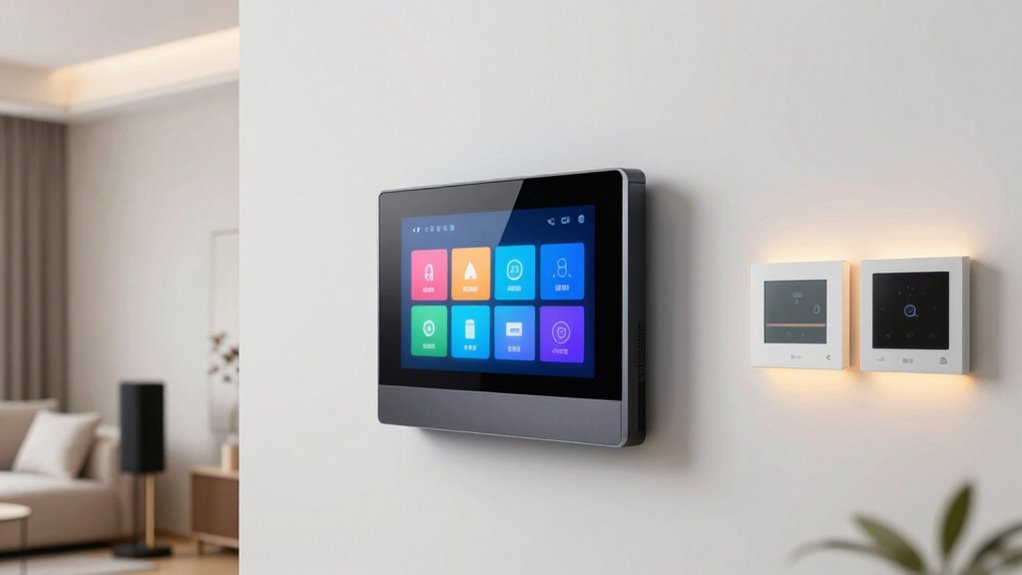

A premium smart home hub display should be the command center of your whole home — a wall-mounted or countertop screen that controls lights, cameras, thermostats, and routines from one panel. The Amazon Echo Hub earns my best overall pick for its purpose-built 8-inch dashboard design, deep device compatibility, and Alexa+ integration, while the Google Nest Hub Max stands out for households already living in the Google ecosystem thanks to its camera, larger screen, and superior voice assistant. The main tradeoff in this category is between dedicated control panels (compact, wall-mountable, always a dashboard) and general-purpose smart displays (better speakers and media, weaker as control hubs). If you want kitchen-scale organization, the Echo Show 21 is the heavyweight option. Keep reading for the full breakdown of all eight picks and who each one suits best.

Get business pricing on tech for your team
- Business-only prices and quantity discounts
- Tax-exempt purchasing
- Multiple users, one account, clear invoices
Key Takeaways
- Purpose-built control panels like the Echo Hub and amazon.com/dp/B0CDWWS127?tag=avaoroi-20&ascsubtag=dc-333795″ target=”_blank” rel=”nofollow sponsored noopener”>amazon.com/dp/B0BCR7M9KX?tag=avaoroi-20&ascsubtag=dc-333795″ target=”_blank” rel=”nofollow sponsored noopener”>amazon.com/dp/B0FPG8CNSZ?tag=avaoroi-20&ascsubtag=dc-333795″ target=”_blank” rel=”nofollow sponsored noopener”>Shelly Wall Display XL beat general-purpose smart displays at hub duty because they keep your dashboard permanently on screen instead of burying it behind a clock or photo frame.
- Ecosystem lock-in is the single biggest decision: Alexa devices (Echo Hub, Show 21, Show 5) pair with the widest device catalog, while both Google picks lean on superior Assistant answers but tighter Google integration.
- Subscriptions quietly split the field — most picks here push cloud plans for full functionality, while the 21.5-inch Smart Hub Calendar and eufy E10 operate with no recurring fees.
- Screen size follows room size: 5–8 inches suits bedside and wall control, 10 inches fits a counter, and 21 inches only makes sense in a kitchen or family command wall.
- The Nest Hub 7-inch 1st Gen remains a budget doorway into the category, but its aging hardware shows why spending more on current models pays off in speed and compatibility.
| Google Nest Hub 7” Smart Display with Google Assistant (1st Gen) – Chalk |  | Best Budget Entry Point | Display: 7-inch touchscreen | Voice assistant: Google Assistant | Camera: None | VIEW ON AMAZON | See Our Full Breakdown |
| Shelly Wall Display XL Black 10.1 Inch Touchscreen WiFi Smart Home Control |  | Best for Home Assistant Power Users | Display: 10.1-inch touchscreen | Relay: Built-in 5A relay, normally open contact | Buttons: 4 customizable buttons | VIEW ON AMAZON | See Our Full Breakdown |
| Amazon Echo Hub (newest model), 8″ |  | Best Overall | Display: 8-inch touchscreen | Voice assistant: Alexa, designed for Alexa+ | Built-in hub: Zigbee, Thread, Matter, Sidewalk, Bluetooth | VIEW ON AMAZON | See Our Full Breakdown |
| Amazon Echo Show 21 (newest model), 21″ Full HD Smart Display |  | Best Premium Command Center | Display: 21-inch, 1920 x 1080, landscape or portrait | Dimensions: 21.4″W x 13.2″H x 1.5″D, 10.7 lb | Camera: 13 MP with shutter, 3.3x zoom, auto-framing | VIEW ON AMAZON | See Our Full Breakdown |
| Amazon Echo Show 5 (newest model), Smart Display, Designed for Alexa+ |  | Best Compact Pick | Display: 5.5-inch touchscreen | Voice assistant: Alexa, designed for Alexa+ | Camera: 2 MP with built-in shutter | VIEW ON AMAZON | See Our Full Breakdown |
| eufy Security Smart Display E10, 8″ Smart Home Hub Control Panel |  | Best Security-First Hub Display | Screen Size: 8 inches touchscreen | Simultaneous Views: 4 camera feeds on one screen | Storage: 64GB eMMC local storage | VIEW ON AMAZON | See Our Full Breakdown |
| Google Nest Hub Max 10″ Smart Display with Google Assistant – Chalk |  | Best for Google-Centric Homes | Screen Size: 10 inches LCD | Resolution: 1280 x 800 (HD) | Camera: 6.5 MP Nest Cam, 1080p video capture | VIEW ON AMAZON | See Our Full Breakdown |
| Mazera 21.5″ Smart Hub Digital Calendar Touch Screen, No Subscription, Google Play |  | Best Family Command Center | Screen Size: 21.5 inches | Resolution: Full HD with anti-glare coating | Platform: Android with Google Play app support | VIEW ON AMAZON | See Our Full Breakdown |
| smart home hub display premium | Display | Camera |
|---|---|---|
| Google Nest Hub 7” Smart Displ | 7-inch touchscreen | None |
| Shelly Wall Display XL Black 1 | 10.1-inch touchscreen | — |
| Amazon Echo Hub | 8-inch touchscreen | — |
| Amazon Echo Show 21 | 21-inch, 1920 x 1080, landscape or portrait | 13 MP with shutter, 3.3x zoom, auto-framing |
| Amazon Echo Show 5 | 5.5-inch touchscreen | 2 MP with built-in shutter |
| eufy Security Smart Display E1 | — | — |
| Google Nest Hub Max 10" Smart | — | 6.5 MP Nest Cam, 1080p video capture |
| Mazera 21.5" Smart Hub Digital | — | — |
More Details on Our Top Picks
Google Nest Hub 7” Smart Display with Google Assistant (1st Gen) – Chalk
The Nest Hub 1st Gen earns its spot as the least expensive way to put a touchscreen at the center of a Google-based smart home. Its 7-inch display and Ambient Light sensor dim automatically at night, which makes it a natural bedside or kitchen companion where the larger Nest Hub Max would feel oversized. Compared with the Echo Show 5, it trades away the camera and speaker depth in exchange for a slightly bigger screen and Google Photos integration — a reasonable swap if you live in Google Calendar, YouTube, and Assistant routines. The catch: this is a Korean-spec bulk unit, so buyers need to switch the language to English during setup, and there is no camera for video calls or home monitoring. As a first display or a secondary room device, the compromises are easy to accept.
Pros:- Auto-dimming display works well for bedrooms and nightstands
- Deep Google Assistant, Calendar, YouTube, and Google Photos integration
- Compact footprint fits counters and desks where bigger displays won’t
- Cheapest way into a full touchscreen smart home controller
Cons:- Korean-spec bulk packaging requires manually switching language to English
- No camera, so no video calls or drop-in home monitoring
- First-gen hardware: aging processor and modest speaker quality
Best for: Google-centric households wanting a cheap first smart display for a bedroom, desk, or kitchen counter
Not ideal for: Anyone who wants video calls, camera monitoring, or a plug-and-play US retail unit without setup workarounds
- Display:7-inch touchscreen
- Voice assistant:Google Assistant
- Camera:None
- Smart home control:Voice and touchscreen control of compatible lights, thermostats, cameras, plugs
- Entertainment:Music streaming, video, Google Photos, timers, recipes
- Version:1st Gen (H1A), Korean spec — language changeable to English via Google Home app
- Power:AC adapter (included in bulk packaging)
Our verdict“A sensible budget pick for Google households adding a second or third display, as long as the import-spec setup quirk doesn’t bother you.”
Shelly Wall Display XL Black 10.1 Inch Touchscreen WiFi Smart Home Control
The Shelly Wall Display XL is the enthusiast’s answer in this lineup. Unlike the Echo Hub, which funnels everything through Alexa, this panel installs directly into a standard electrical wall box and includes a built-in 5A relay, meaning it physically switches whatever it’s wired to even if Wi-Fi drops. Four customizable hardware buttons and a lux sensor add a level of hardwired control no countertop display here can match. Integration with Home Assistant and the Shelly app makes it the strongest pick for people running local, privacy-first automations — the opposite philosophy of the cloud-dependent Echo Show 21. The tradeoffs are real: it requires a neutral wire, professional-level comfort with electrical work, and it does far less as an entertainment or video-calling device. It’s a control panel first and a display second.
Pros:- Built-in 5A relay switches loads locally without cloud dependency
- Native Home Assistant and Shelly Smart Control app integration
- Four customizable physical buttons plus lux sensor for automation triggers
- Flush in-wall installation looks permanent and clean
Cons:- Requires a neutral wire and comfort with electrical installation
- No camera, video calling, or rich entertainment apps
- 5A relay limit means heavier appliances need an external relay
Best for: DIY automators and Home Assistant users who want a flush wall panel that actually switches loads locally
Not ideal for: Renters or casual users — it needs in-wall wiring, a neutral wire, and patience for setup that the Echo Hub eliminates entirely
- Display:10.1-inch touchscreen
- Relay:Built-in 5A relay, normally open contact
- Buttons:4 customizable buttons
- Sensors:Built-in lux sensor
- Connectivity:Wi-Fi, Bluetooth and Sonos audio control
- Compatibility:Alexa, Google, HomeKit, Home Assistant
- Mounting:Standard electrical wall box, neutral wire required
- Warranty:3 years
Our verdict“The clear choice for wired-automation enthusiasts who want a true wall control panel rather than a general-purpose smart display.”
Amazon Echo Hub (newest model), 8″
The Echo Hub is the most balanced premium pick because it commits fully to being a dedicated smart home control panel. Its built-in hub covers Zigbee, Thread, Matter, Sidewalk, and Bluetooth, so it can replace a separate bridge — something the Nest Hub and Echo Show 5 cannot do. The customizable dashboard with resizable device tiles and camera feeds is more flexible than Google’s layout, and Ring camera event summaries with Alexa+ make it the natural centerpiece for a security-heavy household. Compared with the Echo Show 21, it gives up entertainment scale and video calling but gains flexible placement: wall-mount it anywhere near an outlet, or use optional in-wall cable pass-throughs for a clean look. The drawbacks are an ecosystem lock to Alexa, a separate stand sold on its own, and full Alexa+ features requiring subscriptions.
Pros:- Built-in Zigbee, Thread, Matter, and Sidewalk hub replaces separate bridges
- Highly customizable dashboard with resizable tiles and camera feeds
- Wall-mountable nearly anywhere with an outlet, no dedicated wiring needed
- Strong whole-family security features like one-tap arm/disarm
Cons:- Deepest features (Ring summaries, Alexa+) depend on paid subscriptions
- Stand and power-over-ethernet accessories sold separately
- Locked into the Alexa ecosystem
Best for: Alexa households with mixed Zigbee, Thread, and Matter devices who want one wall-mounted command center
Not ideal for: Google Home households or buyers wanting a big entertainment screen — the Echo Show 21 or Nest Hub Max serve those needs better
- Display:8-inch touchscreen
- Voice assistant:Alexa, designed for Alexa+
- Built-in hub:Zigbee, Thread, Matter, Sidewalk, Bluetooth
- Mounting:Wall mountable; table stand and in-wall cable pass-through sold separately
- Smart home:Compatible with thousands of Alexa-compatible devices
- Privacy:Mic off button, multiple privacy layers
- Materials:27% recycled materials, 97% wood-fiber-based packaging
Our verdict“The best single purchase for an Alexa-centered smart home that wants a serious, always-ready control panel.”
Amazon Echo Show 21 (newest model), 21″ Full HD Smart Display
If this roundup has a flagship, it’s the Echo Show 21. The 21-inch Full HD screen dwarfs everything else here — including the Echo Hub‘s 8-inch panel — and turns a kitchen wall into a genuine family hub: calendars, shopping lists, weather widgets, live camera feeds, and built-in Fire TV streaming all on one surface. It also carries the same Zigbee, Thread, and Matter hub hardware as the Echo Hub, so nothing is sacrificed on the control side. The 13 MP auto-framing camera with shutter and a two-woofer, two-tweeter audio system make it credible for video calls and background TV in a way no other pick here manages. The costs are literal: it’s heavy at 10.7 lb, demands wall drilling or a purchased stand, and is far more screen than a bedroom or office needs.
Pros:- Largest display in the lineup: 21-inch 1080p in landscape or portrait
- Built-in Fire TV with thousands of streaming apps and included remote
- Full Zigbee, Thread, and Matter smart home hub with border router
- 13 MP auto-framing camera with shutter and premium two-way speaker system
Cons:- 10.7 lb chassis requires real wall mounting effort or a separate stand
- Overwhelming size for bedrooms, desks, or small kitchens
- Best features tied to Alexa+ and various subscriptions
Best for: Busy families who want a wall-mounted kitchen hub that doubles as an organization board, entertainment center, and video calling station
Not ideal for: Small spaces or budget-focused buyers — the size is overkill for a nightstand and the price reflects the flagship positioning
- Display:21-inch, 1920 x 1080, landscape or portrait
- Dimensions:21.4″W x 13.2″H x 1.5″D, 10.7 lb
- Camera:13 MP with shutter, 3.3x zoom, auto-framing
- Audio:Two 2″ woofers + two 0.6″ tweeters
- Smart home hub:Zigbee, Matter, Thread border router, Sidewalk
- Connectivity:Wi-Fi 6E tri-band, Bluetooth A2DP/AVRCP
- Entertainment:Built-in Fire TV, Alexa Voice Remote included
- Warranty:1-year limited warranty
Our verdict“The premium splurge for households that want one big screen to run the entire home — if you have the wall space and budget for it.”
Amazon Echo Show 5 (newest model), Smart Display, Designed for Alexa+
The Echo Show 5 is the space-saver of the group. Its 5.5-inch screen fits a nightstand or cramped desk where even the Nest Hub’s 7-inch panel feels intrusive, and unlike that Nest, it includes a camera with a physical shutter for video calls and drop-in check-ins on kids or pets. The newest model’s improved bass and vocals make it a respectable bedside speaker, though it can’t touch the Echo Show 21‘s room-filling audio. As a smart home controller, the small screen means managing dozens of devices gets cramped fast — fine for a handful of lights and a thermostat, frustrating for a whole-home dashboard. It also lacks the built-in Zigbee/Thread hub of the Echo Hub, so it controls rather than connects. For a secondary room or a first dip into Alexa, the size is the feature.
Pros:- Genuinely compact footprint for nightstands, desks, and bathrooms
- Built-in 2 MP camera with physical shutter for calls and drop-in
- Improved bass and clearer vocals over the previous generation
- Physical mic/camera off button and privacy shutter
Cons:- 5.5-inch screen is cramped for managing more than a few devices
- No built-in Zigbee, Thread, or Matter hub
- Small speaker struggles at higher volumes compared with larger displays
Best for: Anyone wanting a nightstand or desk-sized Alexa display for morning routines, video calls, and light device control
Not ideal for: Whole-home power users — the 5.5-inch screen is too small for a primary dashboard and there’s no built-in smart home hub
- Display:5.5-inch touchscreen
- Voice assistant:Alexa, designed for Alexa+
- Camera:2 MP with built-in shutter
- Smart home:Voice and tap control of compatible lights, thermostats, cameras, doorbells
- Audio:Upgraded speaker with 2x the bass and clearer vocals
- Privacy:Mic/camera off button, camera shutter, end-to-end encrypted Ring video support
- Sustainability:100% recycled fabric and aluminum, 100% recyclable packaging
Our verdict“The right pick when size is the deciding factor — a capable Alexa display that disappears into a nightstand rather than dominating a room.”
eufy Security Smart Display E10, 8″ Smart Home Hub Control Panel
Most smart displays in this roundup treat security as one widget among many. The eufy Smart Display E10 flips that priority: it exists to answer the door. When someone rings a eufy doorbell, unlocks a lock, or trips a camera, the 8-inch screen wakes with a live feed and voice alert automatically — no app fumbling, no voice command. Where the Amazon Echo Hub gives you broad device control but relies on you to check camera tiles manually, the E10 pushes events to you. Its quad-view screen showing four simultaneous camera feeds is something no Echo or Nest display offers, and recorded events download to local storage, so playback starts instantly instead of buffering from the cloud. Paired with HomeBase 3, it generates daily reports with facial and package recognition. The tradeoff is ecosystem lock-in: this is a security command center, not a general assistant. There’s no Alexa, no streaming apps, and limited value if you don’t own eufy cameras.
Pros:- Automatic door alerts with instant live feed — no manual checking required
- Four simultaneous camera views on one screen
- Local storage means instant playback with no buffering or subscription
- Daily AI-generated security reports with facial and package recognition
Cons:- Only makes sense within the eufy/HomeBase 3 ecosystem — third-party camera support is minimal
- No voice assistant, music, or entertainment features unlike Echo Show or Nest Hub Max
Best for: Homeowners already invested in eufy cameras and doorbells who want a dedicated wall panel for security monitoring
Not ideal for: Buyers seeking an all-purpose smart display — there’s no voice assistant, music, or video streaming here
- Screen Size:8 inches touchscreen
- Simultaneous Views:4 camera feeds on one screen
- Storage:64GB eMMC local storage
- AI Features:Facial and package recognition via HomeBase 3
- Alerts:Automatic live feed and voice alerts for doorbell, lock, and camera events
- Weight:2.46 pounds
- Model:T87A0
Our verdict“This pick makes the most sense for eufy households that want security events pushed to a screen rather than pulled up on a phone.”
Google Nest Hub Max 10″ Smart Display with Google Assistant – Chalk
The Nest Hub Max remains the most balanced premium display for anyone living inside Google’s ecosystem. Its 10-inch HD screen with a 6.5 MP built-in Nest Cam means one device covers entertainment, smart home control, and casual home monitoring — the eufy E10 beats it on serious security workflow, but the Max does far more besides. Compared with the smaller Nest Hub 7″, the Max adds the camera, bigger speakers, and a screen large enough for kitchen recipes or video calls, which is why I’d treat the 7-inch as a bedside option and this as the household hub. Assistant is genuinely hands-free, and the camera doubles as a Nest Cam when you’re away. The honest drawback: Google has wavered on this product line, with software update commitments unclear, and the 1280 x 800 resolution is merely adequate next to the Full HD Echo Show 21. Privacy-sensitive buyers should also note the always-present camera.
Pros:- Built-in 6.5 MP Nest Cam adds home monitoring without extra hardware
- Large 10-inch screen with strong speakers for music, YouTube, and video calls
- Deep Google Assistant integration for calendars, routines, and smart home control
- Works naturally with thousands of Matter and Google-compatible devices
Cons:- Unclear long-term software update commitment from Google
- 720p-class 1280 x 800 display lags behind Full HD rivals like the Echo Show 21
Best for: Google Household subscribers and Android users who want one display for Assistant, YouTube, video calls, and light home monitoring
Not ideal for: Alexa-centric homes or buyers who want guaranteed long-term software support — the update roadmap is uncertain
- Screen Size:10 inches LCD
- Resolution:1280 x 800 (HD)
- Camera:6.5 MP Nest Cam, 1080p video capture
- Assistant:Google Assistant built in
- Storage:128 GB
- RAM:4 GB
- Weight:450 g
- Color:Chalk
Our verdict“If your household runs on Google services and you want the most versatile premium display for that ecosystem, this is the one to buy.”
Mazera 21.5″ Smart Hub Digital Calendar Touch Screen, No Subscription, Google Play
Where the Echo Show 21 locks you into Alexa widgets and Amazon’s calendar integrations, the Mazera 21.5-inch hub takes the opposite approach: it’s an open Android display with full Google Play access. That means your family dashboard runs whichever apps you already use — Google Calendar, Outlook, Cozi, or a chore tracker — with no recurring subscription, which is the single biggest differentiator against subscription calendar displays. The 21.5-inch Full HD anti-glare touchscreen is readable from across a kitchen, and it wall-mounts or sits on the included metal stand without drilling. When idle, it doubles as a Google Photos frame. Compared with the Nest Hub Max, it trades polished voice integration for sheer size and app freedom — Assistant-style features depend on apps like Gemini rather than being native. The downsides are real: a display this large needs constant power, it’s overkill for bedrooms, and an open Android interface demands more setup and tinkering than the appliance-like simplicity of an Echo Show.
Pros:- Google Play access means no proprietary software lock-in and no subscription fees
- Huge 21.5-inch Full HD anti-glare screen readable from across the room
- Flexible wall-mount or countertop stand with no drilling required
- Syncs Google, Apple, Outlook, and Cozi calendars in one shared dashboard
Cons:- Requires meaningful setup and ongoing tinkering compared to purpose-built hubs like Echo Show
- Tethered to a power outlet and too large for bedrooms or small spaces
- Voice assistant features depend on third-party apps rather than native integration
Best for: Busy families who want a large shared calendar and planning hub using the apps they already pay for, with no monthly fees
Not ideal for: Buyers wanting a plug-and-play experience — configuring an Android dashboard takes real setup time — or anyone needing a compact display
- Screen Size:21.5 inches
- Resolution:Full HD with anti-glare coating
- Platform:Android with Google Play app support
- Subscription:None required
- Calendar Compatibility:Google Calendar, Apple Calendar, Outlook, Cozi
- Setup Options:Wall mount or included metal stand
- Extras:Auto brightness, built-in microphones, idle photo-frame mode
Our verdict“For households that want a big, subscription-free family dashboard built around their own apps rather than a locked ecosystem, this is the clearest choice in the lineup.”

How We Picked
I judged every display through one lens: how well it functions as a premium smart home hub first and a screen second. That meant prioritizing device compatibility breadth, how reliably each unit maintains a persistent control dashboard, response speed of the voice assistant and touchscreen, and mounting flexibility — a hub you can cleanly recess into a wall scores differently than one designed to sit on a nightstand. I also weighed build quality, camera and privacy hardware, speaker performance for voice feedback and media, and whether the manufacturer gates core features behind subscriptions.
The ranking order reflects real buyer situations rather than raw specs. The Echo Hub takes the top spot because it was engineered exclusively for hub duty, while the Nest Hub Max follows as the strongest premium all-rounder for Google households. From there, I ordered the lineup by descending focus on hub functionality: dedicated panels first, large-format organizers next, and general-purpose bedside displays last — because a buyer who searches for a hub display has different priorities than someone shopping for a smart speaker with a screen.
Factors to Consider When Choosing Smart Home Hub Display Premium
Before settling on a specific model, it helps to understand what actually separates a great hub display from an expensive screen with a clock on it. These are the factors that shaped this ranking — and the ones buyers most often get wrong.Ecosystem Choice Is a One-Way Door
The hardest truth in this category is that your hub choice locks you into an assistant ecosystem for years. Alexa currently talks to the widest range of third-party devices — plugs, blinds, locks, sensors — which matters if your home mixes brands. Google Assistant generally handles conversational questions and calendar tasks better, but the tradeoff is fewer supported accessories and less flexible automations in some cases. A common mistake is buying the hub that matches your phone instead of the one that matches your existing devices; check what your lights, thermostat, and cameras already speak before committing. Switching later usually means replacing the hub and rebuilding every routine.
Dashboard Persistence: The Feature Nobody Advertises
Not every smart display behaves like a hub. General-purpose models like the Echo Show line default to rotating content — clocks, photos, suggestions — and push your camera feeds and device controls behind a swipe or tap. Dedicated control panels such as the Echo Hub and Shelly Wall Display XL treat the dashboard as the primary interface, which matters enormously for a wall-mounted unit you glance at ten times a day. When comparing models, ask whether camera feeds, scenes, and room controls live on the home screen or behind menus. If you plan to mount the display and rarely touch it, persistence is arguably more valuable than screen size or speaker quality.
Sizing and Mounting for the Actual Room
Buyers routinely overbuy screen size. A 21-inch display like the Echo Show 21 is genuinely useful in a large kitchen or family organization wall, but it dominates a nightstand or hallway and costs accordingly. Conversely, a 5-inch screen works beside a bed but becomes frustrating as a whole-home control point because camera tiles and controls are cramped. Also check mounting hardware early: several models here support standard wall mounts or recessed installation, while others are countertop-only by design. Measure the wall, confirm the depth requirements, and remember that wall-mounted units need nearby power — running cable inside a wall is a bigger project than most people expect.
Subscription Costs Compound Over Time
The sticker price is only part of the cost. Several devices in this category gate their best features — cloud camera storage, advanced automations, facial recognition — behind monthly plans, and those fees can exceed the hardware cost within two or three years. Subscription-free alternatives like the eufy E10 and the 21.5-inch Smart Hub Calendar store footage locally or run entirely on-device, trading some cloud convenience for long-term savings. My advice: before buying, write down which features you actually need, then check which of them sit behind a paywall on that specific model. Budget the subscription as part of the purchase decision, not an afterthought.
Privacy Hardware and Camera Tradeoffs
Displays with built-in cameras, like the Nest Hub Max, enable video calls, presence detection, and security monitoring, but they also place a lens in whatever room they occupy. Ask yourself whether you want a camera in a bedroom or kitchen — many buyers don’t, which is why camera-free options like the Echo Hub and Echo Show 5 exist. Look for physical shutter or mute switches rather than software-only controls if privacy is a priority. There’s also a middle path: pair a camera-free hub display with a separate security camera you can point and unplug at will. That split often delivers better security and better peace of mind than an all-in-one.
Older Generations: Real Savings or False Economy?
Discounted previous-generation displays are tempting, and sometimes they’re smart buys — a 1st-gen Nest Hub still runs the core Google Assistant experience. But aging hardware brings slower processors that lag on modern, widget-heavy dashboards, and manufacturers eventually end feature updates for older chipsets. The risk isn’t that the device stops working; it’s that it stops receiving the assistant improvements and new device integrations that made the ecosystem attractive. If a current model is within reach, the extra speed and support window usually justify it. Older generations make sense mainly as secondary displays in low-traffic spots like a guest room.
Frequently Asked Questions
Is the Amazon Echo Hub better than an Echo Show as a smart home controller?
For pure hub duty, yes — and the difference comes down to intent. The Echo Hub is a wall-mountable control panel whose default interface is your device dashboard, camera feeds, and scenes, while Echo Show models are general-purpose smart displays that treat home control as one app among many. If your main goal is a persistent command center by the door or in a hallway, the Hub’s always-on dashboard wins. But if you also want music, recipe videos, video calls, and a kitchen TV, an Echo Show does far more in one device. Buyers who want both often pair a wall-mounted Hub with a Show elsewhere in the house.
Should I choose Alexa or Google Assistant for my hub display?
Start with the devices you already own, not the assistant you like talking to more. Alexa’s device catalog is broader, so mixed-brand homes with budget plugs, sensors, and locks usually integrate more smoothly. Google Assistant handles natural-language questions, calendars, and cross-referencing your Google account better, which suits households deep in Gmail, YouTube, and Google Calendar. Also consider who else uses the house — Alexa supports more granular voice profiles and household controls, while Google excels at answering homework-style questions for kids. Neither choice is wrong, but switching later means rebuilding routines and possibly replacing incompatible accessories.
Can I use a smart display hub without a subscription?
You can, but you need to pick deliberately, because some models quietly depend on paid plans for their headline features. Camera-equipped devices often limit cloud clip storage to subscribers, though options like the eufy E10 store footage locally so there’s nothing to pay monthly. The 21.5-inch Smart Hub Calendar is explicitly built as a no-subscription device with Google Play access for apps. Basic hub functions — voice control, routines, device toggles — are subscription-free on every model in this roundup. What you risk losing without a plan is cloud video history, advanced person detection, and multi-user features, so check which of those matter to you before buying.
What screen size makes sense for a whole-home control display?
Eight to ten inches is the sweet spot for a primary hub — large enough to show four camera tiles or a full room layout legibly, compact enough to mount on a standard wall section. Five-inch displays like the Echo Show 5 work well as bedside or desk secondaries but feel cramped when managing more than a handful of devices. Twenty-one-inch models are a different product category entirely: they’re organization walls for kitchens and busy households, not control hubs you walk up to and tap. A useful rule is to count your devices — under twenty and an 8-inch panel is comfortable; dozens of cameras and rooms justify going bigger.
Is the Nest Hub Max worth it if I already have a smaller Google display?
It depends on what the smaller display is doing. If your existing unit handles a bedside or desk role and you want a main-floor hub, the Max’s ten-inch screen, built-in camera, and stronger speaker make it a genuine upgrade rather than a duplicate — the camera adds video calls and Nest Cam functionality your smaller unit lacks. However, if you’re just chasing a bigger screen for the same spot, the money may be better spent on lighting or sensors that expand what the hub controls. One caveat: the Max occupies counter space and isn’t designed for clean wall mounting like the Echo Hub. Households that value the camera and Google integration get the most from it; camera-averse buyers should look at the dedicated panels instead.
Conclusion
Match the pick to the buyer, not the spec sheet. For best overall, the Amazon Echo Hub is the clearest answer — it’s the only option here built from the ground up as a hub display, with the widest device support and clean wall mounting. For best value, the Google Nest Hub 7-inch gets you a functional Google ecosystem control point for far less than flagship models, provided you accept slower hardware. The best premium pick is the Google Nest Hub Max for Google households, or the Echo Show 21 if your definition of premium is a full kitchen command wall with Fire TV built in.
Beginners should start with the Echo Show 5 — it’s an inexpensive, low-commitment way to learn whether a smart display fits your routine before investing in wall-mounted hardware. For specific needs: privacy-focused and subscription-averse buyers should look at the eufy Smart Display E10 or the 21.5-inch no-subscription Smart Hub Calendar, while advanced tinkerers running their own smart home platform will appreciate the Shelly Wall Display XL’s local-first control. Whichever route you take, decide your ecosystem before your screen size — it’s the one decision in this category that’s expensive to reverse.