For most music producers, I’d start with the 14-inch MacBook Pro with M5 Pro, 48GB unified memory, and a 1TB SSD: it pairs substantial session headroom with a portable size. The 14-inch M5 with 32GB memory is a more restrained choice for producers who want a capable everyday studio laptop, while the 16-inch M5 Pro favors a larger workspace and extended sessions. The main tradeoffs are memory and storage headroom versus portability, and newer chips versus the lower cost of refurbished Intel- or M1-era models. For music production, the right fit depends on your DAW, plug-in load, session size, and how often you work away from a desk. Read on for how I rank all 10 configurations and which buyer each one suits.

Get business pricing on tech for your team
- Business-only prices and quantity discounts
- Tax-exempt purchasing
- Multiple users, one account, clear invoices
Key Takeaways
- The 14-inch M5 Pro with 48GB memory and 1TB SSD is my best overall balance: it gives demanding projects more memory headroom than the base M5 picks without moving to a larger 16-inch chassis.
- M5 Pro configurations form the strongest middle ground in this lineup: they suit producers who run layered sessions and virtual instruments but do not need the very high memory and storage capacities of M5 Max models.
- The M5 Max models are specialist choices, not automatic upgrades for every producer: their 64GB or 128GB memory and larger SSD options make more sense for unusually large sessions, extensive sample libraries, or mixed creative workloads.
- Screen size and mobility pull in different directions: the 14-inch models are easier to carry between studio and venue, while the 16-inch M5 Pro and M5 Max provide more display space for timelines, mixers, and plugin windows.
- The refurbished 2019 Intel and 2021 M1 Max options involve a different kind of tradeoff: they may suit buyers prioritizing an older-generation configuration, but age, condition, and remaining software support matter more than headline memory or chip labels.


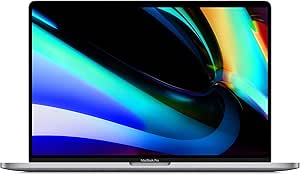



| macbook pro for music production | Processor | Memory | Storage | Display |
|---|---|---|---|---|
| MacBook Pro 14.2-inch Laptop w | Apple M5 Pro, 15-core CPU and 16-core GPU | 48 GB unified memory | 1 TB SSD | 14.2-inch Liquid Retina XDR, 3456 × 2234 |
| Apple 2026 MacBook Pro Laptop | Apple M5, 10-core CPU and GPU | 32 GB unified memory | 1 TB SSD | 14.2-inch Liquid Retina XDR |
| Apple 2023 MacBook Pro Laptop | M3 Pro, 12-core CPU and 18-core GPU | 18 GB unified memory | 512 GB SSD | 16.2-inch Liquid Retina XDR |
| Apple MacBook Pro 16-inch Late | 2.6 GHz 9th-generation Intel Core i7, 6-core | 16 GB DDR4 | 512 GB SSD | 16-inch Retina, 3072 × 1920 |
| Apple 2026 MacBook Pro Laptop | Apple M5 Pro, 18-core CPU and 20-core GPU | 24 GB | 1 TB SSD | 16.2-inch Liquid Retina XDR |
| Apple MacBook Pro Laptop with | M5 Max, 18-core CPU, 40-core GPU | 64GB unified memory | 2TB SSD | 14.2-inch Liquid Retina XDR |
| Apple 2025 MacBook Pro Laptop | Apple M5 chip with 10-core CPU and GPU | 16GB unified memory | 1TB SSD | 14.2-inch Liquid Retina XDR |
| Apple MacBook Pro 16-inch Lapt | M5 Max, 18-core CPU, 40-core GPU | 128GB unified memory | 2TB SSD | 16.2-inch Liquid Retina XDR |
| Apple MacBook Pro Laptop with | M5 Max, 18-core CPU, 40-core GPU | 128GB unified memory | 4TB SSD | 16.2-inch Liquid Retina XDR |
| Apple 2021 MacBook Pro with M1 | Apple M1 Max | 32GB RAM | 1TB SSD | 16-inch Liquid Retina XDR |
More Details on Our Top Picks
MacBook Pro 14.2-inch Laptop with M5 Pro chip, 48 GB Unified Memory, 1 TB SSD – Space Black
I’d put this 14-inch M5 Pro first for producers who want substantial session headroom without moving to a 16-inch chassis. Its 15-core CPU and 48 GB unified memory suit projects with many virtual instruments, sample libraries, and plugin chains, while the 1 TB SSD leaves room for software and active sessions. Compared with the standard M5 MacBook Pro with 32 GB, this configuration offers more memory for heavier projects; the tradeoff is that the M5 Pro configuration is listed as limited to one external display. Three Thunderbolt 5 ports, HDMI, and an SDXC slot make studio connections easier, though most audio interfaces still need the right cable or hub. The 14.2-inch display is sharp and bright, but arranging a large DAW mixer is more comfortable on the 16-inch M5 Pro.
Pros:- 48 GB unified memory gives demanding sample libraries and plugin-heavy projects more working room.
- 15-core M5 Pro CPU is suited to complex audio sessions and creative workloads.
- 1 TB SSD provides useful onboard space for applications and active projects.
- Thunderbolt 5, HDMI, SDXC, MagSafe 3, and a headphone jack offer flexible connections.
Cons:- M5 Pro configuration is limited to one external display.
- At 2.14 kg, it is heavier than many compact laptops.
- The 14.2-inch screen offers less DAW workspace than the 16.2-inch M5 Pro model.
Best for: Producers running substantial sample-based sessions who want 48 GB of memory in a smaller MacBook Pro.
Not ideal for: Multi-monitor studio users who need more than one external display, or producers who want the roomier 16.2-inch screen.
- Processor:Apple M5 Pro, 15-core CPU and 16-core GPU
- Memory:48 GB unified memory
- Storage:1 TB SSD
- Display:14.2-inch Liquid Retina XDR, 3456 × 2234
- Ports:3 Thunderbolt 5, MagSafe 3, HDMI, SDXC card slot, headphone jack
- Wireless:Wi-Fi 7, Bluetooth 6
- Weight:2.14 kg
- Audio:Six speakers with Spatial Audio and Dolby Atmos
Our verdict“Choose this model for demanding music sessions that need 48 GB of memory in a more compact body than the 16-inch M5 Pro.”
Apple 2026 MacBook Pro Laptop with M5 Chip, 14.2-inch Liquid Retina XDR Display, 32GB RAM, 1TB SSD, Silver
This standard M5 configuration is the sensible pick for producers whose sessions are demanding but not routinely packed with huge sample libraries. Its 32 GB unified memory and 1 TB SSD give a home studio room to run a DAW, plugins, and project files without jumping to an M5 Pro machine. Against the 14-inch M5 Pro with 48 GB, it gives up CPU headroom and memory capacity, but many songwriters and beatmakers may not need that extra capacity. The 14.2-inch Liquid Retina XDR display keeps the laptop portable while providing a clear workspace; a larger external display can help when editing long arrangements. Its three Thunderbolt 5 ports, HDMI, and SDXC slot support varied studio setups, though the supplied details don’t specify display limits or battery runtime beyond “all-day.”
Pros:- 32 GB unified memory is a strong fit for typical multitrack recording and plugin use.
- 1 TB SSD offers useful space for DAW software and active projects.
- 14.2-inch Liquid Retina XDR display keeps the setup portable while providing a detailed screen.
- Three Thunderbolt 5 ports, HDMI, SDXC, and a headphone jack support a range of studio connections.
Cons:- The standard M5 chip has less CPU and GPU capacity than the M5 Pro options in this roundup.
- The smaller screen gives less room for a mixer and timeline than the 16.2-inch models.
- Battery life is described only as all-day, without a specific runtime.
Best for: Home-studio producers and songwriters who want a current 14-inch MacBook Pro for moderate-to-large sessions with 32 GB memory.
Not ideal for: Producers using very large orchestral templates or unusually heavy plugin loads who would benefit from the 48 GB M5 Pro configuration.
- Processor:Apple M5, 10-core CPU and GPU
- Memory:32 GB unified memory
- Storage:1 TB SSD
- Display:14.2-inch Liquid Retina XDR
- Ports:Three Thunderbolt 5, MagSafe 3, SDXC, HDMI, headphone jack
- Wireless:Wi-Fi 7, Bluetooth 6
- Weight:3.41 pounds
- Camera and speakers:12 MP Center Stage camera; six speakers with Spatial Audio and Dolby Atmos
Our verdict“Pick this MacBook Pro for a capable everyday studio laptop when 32 GB of memory is enough and you don’t need M5 Pro performance.”
Apple 2023 MacBook Pro Laptop with M3 Pro Chip, 16.2-inch Liquid Retina XDR Display, 18GB RAM, 512GB SSD, Space Black
For producers who value screen space over the newest chip, this 16-inch M3 Pro gives a DAW arrangement and mixer more room than either 14-inch M5 model. The 16.2-inch Liquid Retina XDR display can reduce the need to constantly resize windows, and the 12-core CPU is built for professional workloads. Its main compromise for music production is 18 GB unified memory: that’s less than the 32 GB standard M5 and 48 GB M5 Pro options, so large sample templates may hit limits sooner. The 512 GB SSD also leaves less internal space for libraries and sessions. Compared with the 16-inch M5 Pro, this older model gives up newer-generation performance and memory capacity, but keeps the larger display and lists up to 22 hours of battery life. I’d favor it for screen-first work with manageable session sizes.
Pros:- 16.2-inch display provides more room for DAW timelines, mixer channels, and plugin windows.
- M3 Pro 12-core CPU targets professional creative workloads.
- Listed battery life of up to 22 hours supports long sessions away from an outlet.
- Six-speaker system includes Spatial Audio.
Cons:- 18 GB unified memory is lower than the 32 GB and 48 GB options elsewhere in this roundup.
- 512 GB SSD may fill quickly with sample libraries and recorded audio.
- The 16-inch chassis is less portable than the 14-inch MacBook Pro models.
Best for: Producers who arrange and mix on the laptop screen and whose projects fit comfortably within 18 GB of memory and 512 GB of storage.
Not ideal for: Sample-heavy composers or producers who need large internal libraries, more memory headroom, or the newer M5 Pro platform.
- Processor:M3 Pro, 12-core CPU and 18-core GPU
- Memory:18 GB unified memory
- Storage:512 GB SSD
- Display:16.2-inch Liquid Retina XDR
- Battery life:Up to 22 hours
- Camera:1080p FaceTime HD
- Audio:Six-speaker system with Spatial Audio
Our verdict“Choose this older 16-inch model if laptop-screen workspace matters more than having the newest chip or generous memory and storage.”
Apple MacBook Pro 16-inch Late 2019 with 2.6GHz Intel Core i7, 16GB RAM, 512GB SSD, Space Gray (Renewed)
This renewed 2019 MacBook Pro is the low-cost entry point in capability, not a close match for the newer Apple silicon machines. Its six-core Intel Core i7 and 16 GB RAM can handle basic recording, editing, and modest plugin sessions, while the 16-inch Retina screen gives more DAW workspace than the 14-inch M5 models. But compared with the M3 Pro 16-inch, it has an older Intel platform and less memory; against either M5 model, the gap in generation and listed connectivity is wider. The 512 GB SSD may also require external storage for audio libraries. Its renewed status adds uncertainty about remaining service life and battery condition, and the listed 11-hour battery figure is shorter than the M3 Pro’s stated maximum. I’d choose it only when the older hardware suits the session and the condition is acceptable.
Pros:- 16-inch Retina display offers generous workspace for editing and mixing.
- Six-core Core i7 and 16 GB RAM can support basic recording and moderate projects.
- 512 GB SSD provides faster project access than a mechanical drive.
- Four-pound weight is manageable for a 16-inch laptop.
Cons:- Older Intel hardware trails the M3 Pro and M5 models in this roundup.
- Renewed condition can bring uncertainty about battery health and remaining lifespan.
- 11-hour listed battery life is below the M3 Pro model’s stated maximum.
Best for: Beginners recording vocals, instruments, or modest multitrack projects who specifically want a large-screen MacBook Pro and accept renewed hardware.
Not ideal for: Producers relying on large sample libraries, heavy real-time plugin chains, long unplugged sessions, or a dependable long-term studio workstation.
- Processor:2.6 GHz 9th-generation Intel Core i7, 6-core
- Memory:16 GB DDR4
- Storage:512 GB SSD
- Display:16-inch Retina, 3072 × 1920
- Graphics:AMD Radeon Pro 5300M, 4 GB GDDR6
- Battery life:Up to 11 hours
- Weight:4 pounds
- Wireless:Wi-Fi 802.11ac
Our verdict“Consider this renewed MacBook only for modest projects where a large screen matters and you’re comfortable with older hardware and condition uncertainty.”
Apple 2026 MacBook Pro Laptop with M5 Pro Chip, 16.2-inch Liquid Retina XDR Display, 24GB Memory, 1TB SSD, Space Black
This 16-inch M5 Pro is the screen-first choice for producers who want a large DAW workspace and a newer Pro chip. Its 18-core CPU and 1 TB SSD make it suited to complex sessions and a substantial collection of active projects, while the 16.2-inch display gives more room for timelines and mixer views than the 14-inch M5 Pro. The key tradeoff is its 24 GB memory: that’s half the 48 GB in the compact M5 Pro option, so producers with huge sample libraries may prefer the smaller model despite its tighter screen. Compared with the older M3 Pro 16-inch, this configuration pairs a newer M5 Pro chip with more storage, but the supplied description does not list a specific battery runtime. Its larger chassis also makes it less appealing for frequent travel.
Pros:- 16.2-inch Liquid Retina XDR display gives a DAW more usable screen area.
- 18-core CPU and M5 Pro chip are aimed at demanding professional workloads.
- 1 TB SSD offers more onboard room than the 512 GB M3 Pro model.
- Thunderbolt 5, HDMI, SDXC, MagSafe 3, and headphone jack provide broad connectivity.
Cons:- 24 GB memory is considerably less than the 48 GB in the 14-inch M5 Pro configuration.
- The 16.2-inch body is less convenient for frequent travel.
- Battery life is described as all-day without a specific runtime.
Best for: Mixers and producers who work mainly on the laptop display and want a current M5 Pro system with 1 TB storage.
Not ideal for: Composers running extensive sample templates or producers who prioritize light travel weight over a large screen.
- Processor:Apple M5 Pro, 18-core CPU and 20-core GPU
- Memory:24 GB
- Storage:1 TB SSD
- Display:16.2-inch Liquid Retina XDR
- Ports:Three Thunderbolt 5, MagSafe 3, SDXC, HDMI, headphone jack
- Wireless:Wi-Fi 7, Bluetooth 6
- Battery life:All-day
Our verdict“Pick this model for a large built-in mixing workspace and M5 Pro performance, but choose the 48 GB 14-inch model for heavier sample libraries.”
Apple MacBook Pro Laptop with M5 Max, 18-core CPU, 40-core GPU, 14.2-inch Liquid Retina XDR Display, 64GB RAM, 2TB SSD, Silver
The 14.2-inch M5 Max pairs an 18-core CPU with 64GB of unified memory, giving large music sessions room for software instruments, effects, and demanding plug-in chains while keeping the laptop more compact than the 16-inch M5 Max models. Its 2TB SSD also leaves more space for sample libraries than the 1TB M5 MacBook Pro, though external storage may still suit very large collections. Compared with the 16-inch M5 Max with 128GB memory, this version gives up memory headroom and screen area, not the stated chip tier. The XDR display and broad port selection are useful in studio and mobile setups, but the powerful configuration comes with a portability tradeoff: it is still a substantial laptop, and music producers who do not need Max-class performance may find it more machine than their sessions require.
Pros:- 18-core CPU and 64GB unified memory suit demanding sessions with many plug-ins and virtual instruments.
- 2TB SSD provides room for projects and sample libraries before relying on external drives.
- 14.2-inch XDR display offers a more compact workspace than the 16-inch alternatives.
- Thunderbolt 5, HDMI, SDXC, and a headphone jack support varied studio connections.
Cons:- The M5 Max configuration is excessive for basic recording, editing, and smaller sessions.
- The 14.2-inch screen offers less room for arranging and mixing than either 16-inch M5 Max model.
- A powerful, compact laptop can still be bulky to carry regularly.
Best for: Producers who need M5 Max processing and 64GB memory for complex sessions but prefer a smaller display and chassis than the 16-inch models.
Not ideal for: Beginners and producers with modest track counts who would rather carry a lighter, less heavily specified MacBook Pro such as the 14-inch M5 model.
- Processor:M5 Max, 18-core CPU, 40-core GPU
- Display:14.2-inch Liquid Retina XDR
- Memory:64GB unified memory
- Storage:2TB SSD
- Ports:Three Thunderbolt 5, MagSafe 3, SDXC, HDMI, headphone jack
- Connectivity:Wi-Fi 7, Bluetooth 6
- Audio:Six speakers with Spatial Audio and Dolby Atmos
- Color:Silver
Our verdict“Choose this model if you need Max-class performance and 64GB memory in a smaller format, but not the 16-inch screen or 128GB capacity.”
Apple 2025 MacBook Pro Laptop with M5 Chip, 14.2-inch Liquid Retina XDR Display, 16GB RAM, 1TB SSD, Space Black
For music makers starting out or recording mostly straightforward projects, this 14.2-inch M5 MacBook Pro offers a more approachable configuration than the M5 Max models in this roundup. Its 10-core CPU and 16GB unified memory can serve everyday recording, editing, and moderate plug-in use, while the 1TB SSD gives projects and a starter sample library local space. The tradeoff is limited headroom: compared with the 64GB M5 Max 14-inch model, it has far less memory for large sample-heavy sessions and extensive instrument layers. The XDR display and selection of Thunderbolt 4, HDMI, and SDXC ports make it a capable studio companion, but producers planning to build dense arrangements or keep several demanding applications open may outgrow this configuration sooner. I’d favor it for learning and smaller sessions, not as a workstation for the heaviest production loads.
Pros:- M5 10-core CPU supports everyday production and creative workloads.
- 14.2-inch Liquid Retina XDR display provides a clear workspace for editing and arranging.
- 1TB SSD offers more local project space than a smaller entry-level drive.
- Thunderbolt 4, HDMI, SDXC, and headphone jack accommodate common studio connections.
Cons:- 16GB unified memory leaves less room for large sample libraries and demanding sessions than the M5 Max options.
- The 10-core M5 configuration is less suited to heavy workloads than the 18-core M5 Max models.
- A 14.2-inch screen can feel cramped when arranging complex sessions without an external display.
Best for: New producers, songwriters, and home-recording musicians working on modest sessions who want a current 14-inch MacBook Pro with built-in HDMI and SDXC.
Not ideal for: Producers running large orchestral templates, many simultaneous virtual instruments, or dense plug-in chains who need more than 16GB of memory.
- Processor:Apple M5 chip with 10-core CPU and GPU
- Display:14.2-inch Liquid Retina XDR
- Memory:16GB unified memory
- Storage:1TB SSD
- Battery life:All-day
- Ports:Three Thunderbolt 4, MagSafe 3, SDXC card slot, HDMI, headphone jack
- Weight:3.41 pounds
- Color:Space Black
Our verdict“Pick this MacBook Pro for learning production and handling moderate sessions, but choose an M5 Max model if your work depends on large templates or heavy plug-in use.”
Apple MacBook Pro 16-inch Laptop with M5 Max, 18-core CPU, 40-core GPU, 128GB RAM, 2TB SSD, Space Black
The defining advantage here is the combination of a 16.2-inch workspace and 128GB of unified memory. That capacity makes this M5 Max configuration a stronger fit than the 64GB 14-inch model for producers who keep large sample libraries, complex virtual-instrument templates, and multiple creative applications in play. The 18-core CPU and 40-core GPU provide substantial processing resources, although music production buyers should value the memory and session capacity more than the GPU count alone. Compared with the 16-inch M5 Max model with 4TB storage, this version has half the listed SSD capacity, so extensive libraries may call for external drives. Its larger display can ease arrangement and mixer work, but the chassis is less convenient for frequent travel, and its high-end specifications are hard to justify for smaller projects.
Pros:- 128GB unified memory supports unusually large sample-heavy sessions and multitasking.
- M5 Max with an 18-core CPU is configured for demanding creative workloads.
- 16.2-inch Liquid Retina XDR display gives more room for tracks, mixer channels, and editing.
- Thunderbolt 5, HDMI, SDXC, and headphone jack offer varied connection options.
Cons:- 2TB storage is less generous than the 4TB M5 Max 16-inch alternative for large local libraries.
- The 16-inch chassis is less convenient to carry than the 14-inch M5 Max option.
- 128GB memory and M5 Max performance can be unnecessary for ordinary recording and mixing.
Best for: Composers and producers using large sample-based templates or complex sessions who want 128GB memory and a 16-inch workspace.
Not ideal for: Mobile producers who carry their laptop daily, or users whose session sizes do not need 128GB memory and Max-class processing.
- Processor:M5 Max, 18-core CPU, 40-core GPU
- Display:16.2-inch Liquid Retina XDR
- Memory:128GB unified memory
- Storage:2TB SSD
- Battery life:All-day
- Ports:Three Thunderbolt 5, MagSafe 3, SDXC, HDMI, headphone jack
- Wireless:Wi-Fi 7, Bluetooth 6
- Color:Space Black
Our verdict“Choose this version for large templates and a spacious 16-inch interface, unless your sample collection makes the 4TB M5 Max configuration a better fit.”
Apple MacBook Pro Laptop with M5 Max, 16.2-inch Display, 128GB Memory, 4TB SSD, Space Black
This 16-inch M5 Max is the most complete fit in this group for producers who want both 128GB unified memory and 4TB SSD storage. The extra local capacity matters when large sample collections and active projects need to stay on the laptop, while its 18-core CPU and 40-core GPU give it room for demanding creative workloads. Compared with the otherwise similar 16-inch M5 Max with 2TB storage, this configuration reduces pressure to manage libraries across external drives; the processing and memory specifications are otherwise closely matched. Its 16.2-inch XDR display also gives more room for timelines and mixer views than the 14-inch M5 Max. The drawbacks are substantial: it is a large, high-spec machine, and many producers can get the needed session capacity with less storage or memory than this setup provides.
Pros:- 4TB SSD provides the largest listed local storage capacity in this batch.
- 128GB unified memory accommodates large templates and demanding multitasking.
- M5 Max with an 18-core CPU and 40-core GPU targets high-demand creative workloads.
- 16.2-inch Liquid Retina XDR display gives a broad workspace for production.
Cons:- The high memory and storage configuration may exceed the needs of many music producers.
- The 16-inch design is less portable than the 14-inch M5 Max alternative.
- macOS limits software choice for buyers who rely on Windows-only production tools.
Best for: Professional composers and studio producers who keep extensive sample libraries local and run memory-intensive sessions on a 16-inch laptop.
Not ideal for: Producers with compact projects, limited local-library needs, or a preference for a lighter 14-inch computer; the 2TB M5 Max 16-inch model may be enough.
- Processor:M5 Max, 18-core CPU, 40-core GPU
- Display:16.2-inch Liquid Retina XDR
- Memory:128GB unified memory
- Storage:4TB SSD
- Battery life:All-day
- Ports:Three Thunderbolt 5, MagSafe 3, SDXC, HDMI, headphone jack
- Wireless:Wi-Fi 7, Bluetooth 6
- Display size:16.2 inches
Our verdict“Choose this premium configuration if you need both 128GB memory and 4TB of local storage for large, demanding studio sessions.”
Apple 2021 MacBook Pro with M1 Max Chip, 16-inch, 32GB RAM, 1TB SSD, Space Gray (Renewed)
This renewed 2021 model offers a different route into a capable 16-inch music-production setup: its M1 Max chip, 32GB memory, and 1TB SSD are a substantial base for recording, editing, and many professional sessions. That memory gives it more room for sample-based work than the 16GB M5 MacBook Pro, though the newer M5 Max models offer much higher stated memory capacities and newer connectivity. Its 16-inch Liquid Retina XDR display provides workspace similar in size to those newer models, while the listed battery life reaches up to 17 hours. The central tradeoff is age and renewed status: buyers should weigh the older chip generation, 1TB storage, and 5.9-pound listed weight against newer options. I’d shortlist it for producers who prioritize 32GB memory and a large screen over current-generation hardware.
Pros:- M1 Max chip and 32GB memory support demanding production tasks better than the 16GB M5 configuration’s memory allotment.
- 16-inch Liquid Retina XDR display offers ample space for arranging and mixing.
- 1TB SSD provides local capacity for projects and commonly used libraries.
- Listed battery life is up to 17 hours.
Cons:- The M1 Max is an older generation than the M5 and M5 Max options in this roundup.
- The 1TB SSD is smaller than the 2TB and 4TB storage on the newer Max configurations.
- At 5.9 pounds, the listed weight makes it a less convenient travel choice.
Best for: Producers seeking a renewed 16-inch MacBook Pro with 32GB memory for established recording and mixing workflows, and who do not need the latest M5 generation.
Not ideal for: Buyers who need a current-generation chip, lighter daily carry, large local sample-library storage, or the 128GB memory available in newer M5 Max models.
- Processor:Apple M1 Max
- Display:16-inch Liquid Retina XDR
- Display resolution:3456 × 2234 pixels
- Memory:32GB RAM
- Storage:1TB SSD
- Battery life:Up to 17 hours
- Operating system:macOS
- Weight:5.9 pounds
- Color:Space Gray
Our verdict“Consider this renewed model if 32GB memory and a 16-inch screen matter more to your workflow than newer silicon, larger storage, or lighter weight.”

How We Picked
I ranked these configurations around the work music producers ask a laptop to handle: running a DAW with many tracks and plug-ins, hosting sample libraries, keeping room for project files, and staying practical for studio or mobile use. I gave more weight to memory capacity, chip generation, and storage than to graphics capability, since those details are more directly relevant to audio sessions. Screen size, portability, and the renewed condition of older models also shaped each pick’s role.
The order reflects the best fit for the broadest range of production needs, not the largest specification sheet. That places the 14-inch M5 Pro with 48GB first for its balance, with capable M5 and M5 Pro alternatives following for lighter workloads or a larger workspace. M5 Max models rank higher for specific high-demand needs, but their expanded capacities can be unnecessary for routine recording and editing. The older refurbished models rank lower because age and condition add uncertainty, even when their listed specifications remain useful.
| macbook pro for music production | Wireless | Battery life |
|---|---|---|
| MacBook Pro 14.2-inch Laptop w | Wi-Fi 7, Bluetooth 6 | — |
| Apple 2026 MacBook Pro Laptop | Wi-Fi 7, Bluetooth 6 | — |
| Apple 2023 MacBook Pro Laptop | — | Up to 22 hours |
| Apple MacBook Pro 16-inch Late | Wi-Fi 802.11ac | Up to 11 hours |
| Apple 2026 MacBook Pro Laptop | Wi-Fi 7, Bluetooth 6 | All-day |
| Apple MacBook Pro Laptop with | — | — |
| Apple 2025 MacBook Pro Laptop | — | All-day |
| Apple MacBook Pro 16-inch Lapt | Wi-Fi 7, Bluetooth 6 | All-day |
| Apple MacBook Pro Laptop with | Wi-Fi 7, Bluetooth 6 | All-day |
| Apple 2021 MacBook Pro with M1 | — | Up to 17 hours |
Factors to Consider When Choosing Macbook Pro For Music Production
Choosing a MacBook Pro for music production is less about buying the biggest configuration and more about matching it to your sessions. I’d start with your DAW, instruments, library size, and typical working location, then decide which compromises you can live with.
Match Memory to Your Session Habits
Memory matters most when a project keeps many instruments, samples, and plug-ins open at once. Producers working mainly with audio tracks and a modest set of effects may not need the same capacity as someone loading large orchestral libraries or building dense arrangements. A common mistake is to buy for the average session and ignore the biggest project you expect to keep open. Think about whether you freeze or print instrument tracks, since that workflow can reduce pressure on memory. In this lineup, 16GB and 18GB configurations are more suited to lighter workloads, while 32GB and above offer more room for demanding sessions. Choose headroom you expect to use rather than treating the largest number as a requirement.
Choose the Chip for Audio Work, Not Graphics Specs
For a DAW-focused laptop, chip generation and overall processing capability are more relevant than a large graphics core count. A stronger configuration can help with complex sessions that rely on many real-time instruments and effects, but performance also depends on the DAW, plug-in design, and project settings. M5 and M5 Pro models are the more practical starting point for current music work in this selection. M5 Max is easier to justify when audio production shares the laptop with other demanding creative tasks or unusually heavy sessions. Avoid paying for a premium tier just because its name sounds safer; extra graphics capacity may not improve your everyday recording workflow. Check that your DAW and essential plug-ins support the macOS version you plan to run.
Size the SSD Around Projects and Sample Libraries
A built-in SSD affects how much of your working library and project archive can stay on the laptop, not just how quickly you can open a session. A 512GB drive can fill sooner than expected once you account for the operating system, applications, audio files, and sample content. A 1TB configuration gives many producers a more comfortable starting point, while 2TB or 4TB can suit large libraries or a preference for keeping more work local. External drives can expand capacity, but they add another item to carry and manage, and sessions may depend on having that drive connected. Before paying for more internal storage, estimate the size of your current library and decide what you can archive externally. Keep a separate backup plan; an internal SSD is not a substitute for a copy of important sessions.
Pick a Screen Size for Your Studio Routine
A larger screen can make it easier to keep a DAW timeline, mixer, and plug-in controls visible together. That can reduce window juggling during editing, but a 16-inch laptop is less compact for commuting, travel, and small live setups. The 14-inch models are the better fit when the computer regularly moves between locations or connects to an external studio display. Consider where you do the detailed work: a fixed studio monitor can make a smaller laptop screen less limiting, while a laptop-only setup benefits more from extra display area. Do not treat the larger screen as a replacement for an external monitor if you need a broad multi-window layout. Your desk, stand, and carrying habits should help settle this choice.
Treat Refurbished Models as a Condition and Support Decision
Older refurbished MacBook Pros can offer a different path into the lineup, but the listed chip and memory do not tell the whole story. Battery condition, service history, cosmetic wear, and the seller’s return terms can affect whether a renewed machine is a sensible studio tool. The 2019 Intel model is much older than the M-series options here, while the 2021 M1 Max sits between that Intel machine and the newer M5 generations. Check compatibility for your DAW, audio interface, and older plug-ins before choosing any older system. Also consider how long you plan to keep the laptop and whether the operating system you need is available for it. A newer model is the safer route for buyers who want a longer runway with current software.
Budget for the Whole Recording Setup
The laptop is only one part of a production rig, so compare its configuration with the rest of your setup before committing to a high-tier model. An audio interface, microphones, headphones, external storage, and a monitor may improve your workflow more than memory you will rarely use. On the other hand, producers who depend on large sample libraries or frequently run dense sessions may value internal capacity and memory more than another accessory. Avoid stretching for the most powerful model while leaving no room for backups or essential recording gear. Consider whether your work is mainly tracking, editing, beat-making, sample-based composition, or a mix of these. The best allocation depends on which part of your workflow currently causes the most friction.
Frequently Asked Questions
Is 16GB of memory enough for music production?
It can be enough for recording and editing projects with a moderate track count and a restrained plug-in load. It is less comfortable for sessions that keep many sample-based instruments, large libraries, or demanding plug-ins active together. In this lineup, the 16GB M5 is a more entry-level configuration than the 32GB M5 or 48GB M5 Pro. If your projects are growing or you want to keep more instruments open without changing your workflow, extra memory is a useful form of headroom. Base your choice on your largest typical session, not only the small projects you use to sketch ideas.
Should I choose a 14-inch or 16-inch MacBook Pro for a studio setup?
Choose the 14-inch model if you carry your laptop regularly or usually connect it to an external monitor at the studio. The 16-inch display gives you more room for DAW tracks, mixer channels, and plug-in windows when the laptop screen is your main workspace. The larger chassis is less convenient for travel and compact recording spaces, so extra screen area comes with a portability tradeoff. Neither size changes the need to check the memory and storage configuration that fits your sessions. If possible, decide based on where you do most editing rather than assuming the bigger display is always better.
Is an M5 Max MacBook Pro worth choosing for audio production?
An M5 Max configuration makes most sense when your sessions are exceptionally demanding, you need its high memory capacity, or the same laptop also serves other intensive creative work. For many DAW workflows, an M5 or M5 Pro model with appropriate memory may be a more balanced choice. The 64GB and 128GB M5 Max options in this lineup stand apart for capacity, but that advantage matters only if your projects can use it. Consider your current session limits and likely future work before stepping up. If you are unsure, prioritizing enough memory and storage in an M5 Pro configuration is a more measured starting point.
Is a refurbished MacBook Pro a sensible choice for a DAW?
It can be, provided the machine supports your DAW, plug-ins, and audio interface, and you are comfortable with its age and condition. The refurbished 2021 M1 Max is a more recent generation than the 2019 Intel model, but neither should be judged by specifications alone. Confirm the battery’s condition, return terms, and the seller’s description before buying. Check the operating system requirements of every essential application, especially if you rely on older plug-ins or hardware drivers. For a laptop you plan to keep for years, a newer M-series model is generally the lower-uncertainty path.
Should I prioritize internal storage or buy an external SSD for sample libraries?
An external SSD can expand a library without requiring the largest built-in drive, and it can be a practical way to keep archives separate from active work. The tradeoff is that your sessions may depend on the drive being connected, and you will need to manage another piece of equipment. More internal storage is convenient for mobile production and for keeping frequently used libraries available without extra cables. Either way, keep a separate backup of sessions and important samples. Estimate your library size and project growth first, then choose a built-in capacity that leaves room for applications and active work.
Conclusion
For most producers, I recommend the 14-inch M5 Pro with 48GB memory and a 1TB SSD as the best overall pick: it combines useful session headroom with a portable size. My best value direction is the 14-inch M5 with 32GB memory, which offers a more moderate configuration for producers who do not need M5 Pro or M5 Max capacity. Beginners with simpler sessions can start with the 14-inch M5 with 16GB and 1TB, while choosing more memory if they expect to rely heavily on sample instruments. For a premium, high-capacity setup, the 16-inch M5 Max with 128GB memory and 4TB storage is aimed at extensive libraries and demanding mixed workloads. Choose the 16-inch M5 Pro if screen space is your priority, and consider a refurbished M1 Max only after confirming condition and software compatibility; the 2019 Intel model is best reserved for buyers comfortable with an older platform.