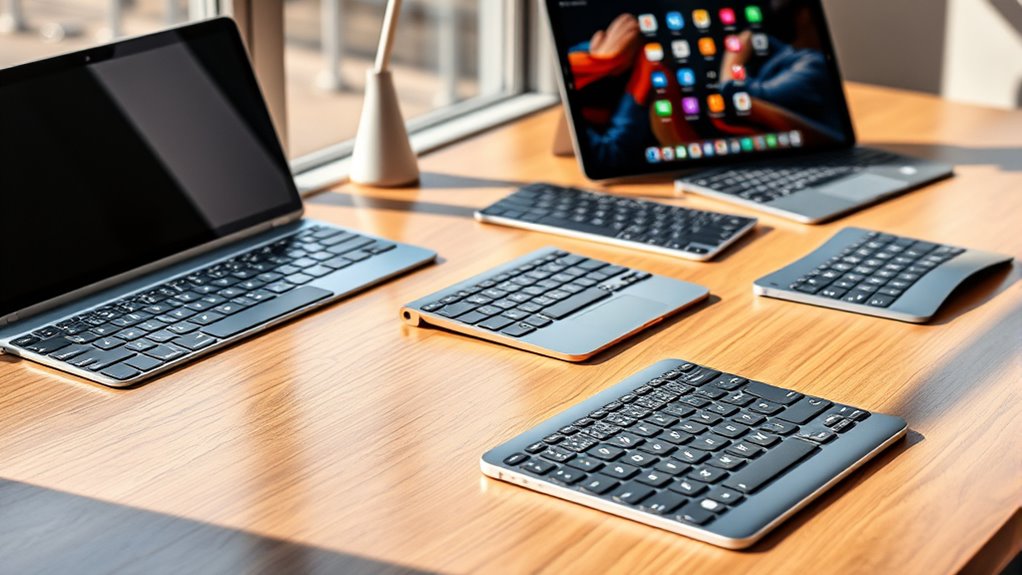

Searching for the best iPad keyboards in 2026? The right keyboard can transform your iPad into a powerful productivity tool, whether you need portability, a premium typing experience, or a versatile case. The Apple Magic Keyboard stands out for its seamless integration and premium build, making it the top overall choice. The Logitech Combo Touch offers excellent value with a detachable design, while the Apple Magic Keyboard Folio provides a more flexible, portable option. Choosing the right iPad keyboard involves balancing factors like compatibility, typing comfort, portability, and price. Keep reading for a detailed breakdown of these options and what to consider before buying.

Get business pricing on tech for your team
- Business-only prices and quantity discounts
- Tax-exempt purchasing
- Multiple users, one account, clear invoices
Key Takeaways
- The best overall iPad keyboard combines seamless integration with premium build quality, which is why the Apple Magic Keyboard leads the list.
- Detachable and versatile designs, like the Logitech Combo Touch, offer better value and flexibility for mixed-use scenarios.
- Premium models such as the Apple Magic Keyboard Folio prioritize portability and flexibility, but come at a higher price point.
- Budget-friendly options like the OMOTON Ultra-Slim deliver decent typing experience but may lack durability or advanced features.
- Choosing a keyboard depends on your primary use—productivity, portability, or casual typing—and your budget.
| Apple Magic Keyboard – US English, Bluetooth |  | Best Overall for Mac Users | Connectivity: Bluetooth | Language: US English | Battery: Rechargeable, lasts about a month or more | VIEW ON AMAZON | See Our Full Breakdown |
| Logitech Combo Touch Detachable iPad Keyboard Case for 10th Gen – Oxford Gray |  | Best for Versatile Productivity and Flexibility | Compatibility: iPad 10th gen & A16 | Features: Backlit keyboard, multi-gesture trackpad, four modes | Power: Smart Connector, no batteries required | VIEW ON AMAZON | See Our Full Breakdown |
| OMOTON Ultra-Slim Bluetooth Keyboard for iPad and iPhone |  | Best for Travel and Daily Use on a Budget | Compatibility: iPad and iPhone series | Connectivity: Bluetooth | Key Layout: 78-key QWERTY | VIEW ON AMAZON | See Our Full Breakdown |
| Typecase Touch iPad A16 11th/10th Gen Case with Keyboard, 360° Rotating |  | Best for Versatile Use and Creative Productivity | Compatibility: iPad A16 11-inch models, iPad 10th gen | Features: 360° rotating hinge, RGB backlit keyboard, multi-touch trackpad | Protection: Hard-shell case | VIEW ON AMAZON | See Our Full Breakdown |
| Apple iPad Magic Keyboard Case for iPad Pro 11-inch (M4 and M5), Black |  | Best for Professional iPad Pro Users | Compatibility: iPad Pro 11-inch (M4 and M5) | Features: Glass trackpad with haptic feedback, backlit keys, function row | Protection: Front and back | VIEW ON AMAZON | See Our Full Breakdown |
| Apple Magic Keyboard Folio for iPad (A16 & 10th Gen), White |  | Best for Versatile Protection and Seamless Use | Compatibility: iPad (A16 and 10th Generation) | Design: Detachable keyboard and back panel, magnetic attachment | Trackpad: Large click-anywhere with Multi-Touch gestures | VIEW ON AMAZON | See Our Full Breakdown |
| ipad keyboard | Compatibility | Connectivity | Features | Protection |
|---|---|---|---|---|
| Apple Magic Keyboard | — | Bluetooth | — | — |
| Logitech Combo Touch Detachabl | iPad 10th gen & A16 | — | Backlit keyboard, multi-gesture trackpad, four modes | Resistant to scuffs, scratches, spills |
| OMOTON Ultra-Slim Bluetooth Ke | iPad and iPhone series | Bluetooth | Auto-sleep, energy-saving, multimedia hotkeys | — |
| Typecase Touch iPad A16 11th/1 | iPad A16 11-inch models, iPad 10th gen | — | 360° rotating hinge, RGB backlit keyboard, multi-touch trackpad | Hard-shell case |
| Apple iPad Magic Keyboard Case | iPad Pro 11-inch (M4 and M5) | Magnetic attachability | Glass trackpad with haptic feedback, backlit keys, function row | Front and back |
| Apple Magic Keyboard Folio for | iPad (A16 and 10th Generation) | Magnetic attachment, Bluetooth not needed | — | Front and back |
More Details on Our Top Picks
Apple Magic Keyboard – US English, Bluetooth
This keyboard stands out for its seamless integration with Mac devices, offering an intuitive, wireless typing experience. Compared with the Logitech Combo Touch, it provides a more streamlined, minimalistic design but is limited to Mac compatibility and requires a USB-C port for charging, which might be less convenient for some users. Its rechargeable battery lasts over a month, reducing downtime, and automatic pairing simplifies setup. However, the lack of additional ports and cross-platform support makes it less versatile for non-Mac users. This pick makes the most sense for dedicated Mac owners who value a sleek, reliable keyboard that pairs effortlessly and prefer a wireless setup over bulky cases.
Pros:- Wireless and rechargeable for convenience
- Long-lasting battery life
- Automatic pairing with Mac devices
Cons:- Limited to Mac compatibility
- Requires USB-C port for charging
Best for: Mac users seeking a sleek, wireless keyboard with long battery life
Not ideal for: Windows or Android users who need cross-platform compatibility and more port options
- Connectivity:Bluetooth
- Language:US English
- Battery:Rechargeable, lasts about a month or more
- Ports:USB-C
Our verdict“This is the best choice for Mac owners who want a simple, wireless, and long-lasting keyboard experience.”
Logitech Combo Touch Detachable iPad Keyboard Case for 10th Gen – Oxford Gray
The Logitech Combo Touch excels in offering multiple modes—typing, sketching, reading, and viewing—making it ideal for users who want a multifunctional device. Unlike the Apple Magic Keyboard, which is more minimalist, the Logitech case includes a detachable keyboard and a precision trackpad, adding versatility. It’s powered via the Smart Connector, so it never needs charging, which is a clear advantage over battery-dependent models. However, its focus on specific iPad models and higher price point can be limiting for some. This case is perfect for students, professionals, or creatives who need a flexible, all-in-one solution that protects the device while enhancing productivity.
Pros:- Detachable design for flexible use
- Backlit keyboard with shortcut keys
- No charging needed due to Smart Connector
Cons:- Limited to specific iPad models
- No additional ports or connectivity options
Best for: iPad 10th gen owners who want a multi-mode, protective keyboard solution
Not ideal for: Users with older or non-A16 iPads, or those seeking a more compact, lightweight option
- Compatibility:iPad 10th gen & A16
- Features:Backlit keyboard, multi-gesture trackpad, four modes
- Power:Smart Connector, no batteries required
- Protection:Resistant to scuffs, scratches, spills
Our verdict“Ideal for users who need a versatile, protective, and charge-free keyboard case for their iPad.”
OMOTON Ultra-Slim Bluetooth Keyboard for iPad and iPhone
This ultra-slim keyboard emphasizes portability, making it a top choice for those who need a compact, travel-ready device. Compared with the Logitech Combo Touch, it lacks a trackpad and protective case but compensates with a lightweight, easy-to-carry design and an impressive battery life of up to 400 hours. Its 78-key layout and iOS shortcut keys boost productivity on the go, but it’s less suitable for users who want a full keyboard with dedicated function keys or a multi-mode stand. The OMOTON is best for frequent travelers or students needing a simple, reliable keyboard without extra bulk.
Pros:- Ultra-slim and portable design
- Long battery life up to 400 hours
- Dedicated iOS hotkeys for quick access
Cons:- Function keys not fully compatible with all systems
- Requires 2 AAA batteries (not included)
Best for: Travelers and students looking for an affordable, portable Bluetooth keyboard
Not ideal for: Power users who need a built-in trackpad or multi-purpose case
- Compatibility:iPad and iPhone series
- Connectivity:Bluetooth
- Key Layout:78-key QWERTY
- Battery Life:Up to 400 hours
- Batteries:2 AAA (not included)
- Features:Auto-sleep, energy-saving, multimedia hotkeys
Our verdict“A highly portable, budget-friendly option perfect for on-the-go use with basic needs.”
Typecase Touch iPad A16 11th/10th Gen Case with Keyboard, 360° Rotating
This case offers a compelling combination of protection and flexibility, with a 360° rotating hinge and RGB backlit keyboard, making it suitable for both work and creative tasks. Unlike the Apple Magic Keyboard or Logitech Combo Touch, its rotating feature supports multiple modes, including presentation and drawing, which can be a game-changer for multi-purpose users. The multi-touch trackpad adds to its productivity appeal, but some users may find the keyboard layout unfamiliar or the battery life variable. Its comprehensive protection and adjustable angles make it ideal for on-the-go professionals who value adaptability over simplicity.
Pros:- Versatile 360° rotating hinge
- Backlit RGB keyboard
- Includes multi-touch trackpad
Cons:- Compatibility depends on model number
- Battery life varies with usage
- Keyboard layout may be unfamiliar
Best for: Creative professionals and students who need a flexible, multi-mode iPad accessory
Not ideal for: Users seeking a minimalistic or lightweight keyboard for basic typing only
- Compatibility:iPad A16 11-inch models, iPad 10th gen
- Features:360° rotating hinge, RGB backlit keyboard, multi-touch trackpad
- Protection:Hard-shell case
- Battery:Rechargeable
Our verdict“Best suited for users who want a highly adaptable case that supports multiple modes and creative workflows.”
Apple iPad Magic Keyboard Case for iPad Pro 11-inch (M4 and M5), Black
This Magic Keyboard case combines portability with advanced features like a glass trackpad with haptic feedback and a function row, making it a favorite for professionals. Its sleek, slim profile complements the iPad Pro 11-inch, but the accessory is sold separately from the device, which can increase overall cost. Unlike the Apple Magic Keyboard, it offers a backlit, responsive glass trackpad that enhances precision and workflow. Still, compatibility varies across iPad Pro generations, and the need for separate purchase of the case adds a layer of complexity. It’s ideal for professionals who prioritize a premium, compact keyboard with a high-quality trackpad.
Pros:- Slim, portable design
- Glass trackpad with haptic feedback
- Adjustable viewing angles
Cons:- Accessories sold separately
- Compatibility varies by generation
Best for: iPad Pro 11-inch users seeking a premium, portable keyboard with advanced input features
Not ideal for: Users with older iPad Pro models or those on a tight budget, since accessories are sold separately
- Compatibility:iPad Pro 11-inch (M4 and M5)
- Features:Glass trackpad with haptic feedback, backlit keys, function row
- Protection:Front and back
- Connectivity:Magnetic attachability
Our verdict“A top-tier keyboard case for professional users who want premium features in a slim, portable form.”
Apple Magic Keyboard Folio for iPad (A16 & 10th Gen), White
The Apple Magic Keyboard Folio stands out for its dual-function design, combining a detachable keyboard with a sturdy back panel that offers comprehensive front and rear protection for the iPad (A16 and 10th Gen). Unlike the Apple Magic Keyboard, which is less protective but more compact, this folio emphasizes versatility, allowing users to easily switch between typing and viewing modes. Its built-in trackpad supports Multi-Touch gestures, making it feel more like a traditional laptop experience. The biggest tradeoff is its premium price, which may be hard to justify for casual users or those with budget constraints. However, for those prioritizing protection, flexibility, and native Apple integration, this model provides a seamless, no-fuss experience without the need for charging or pairing.
Pros:- Detachable keyboard and back panel for versatile use and protection
- Large trackpad with Multi-Touch gesture support mimics MacBook functionality
- No charging or pairing needed, thanks to magnetic attachment
Cons:- Limited to specific iPad models (A16 and 10th Gen), reducing compatibility
- Premium price may be prohibitive for casual or budget buyers
- Heavier and bulkier compared to more minimalist keyboards
Best for: iPad users who want robust protection combined with a versatile, detachable keyboard that offers a laptop-like experience
Not ideal for: Budget-conscious buyers or those who prefer a more compact, lightweight keyboard solution without protective features
- Compatibility:iPad (A16 and 10th Generation)
- Design:Detachable keyboard and back panel, magnetic attachment
- Trackpad:Large click-anywhere with Multi-Touch gestures
- Color:White
- Battery:No charging required
- Connectivity:Magnetic attachment, Bluetooth not needed
- Weight:Heavier than minimalist keyboards
- Protection:Front and back
Our verdict“This pick makes the most sense for users seeking a protective, flexible keyboard solution with seamless Apple integration, despite its higher cost.”

How We Picked
Our evaluation focused on key factors that matter most to iPad users: compatibility, typing experience, build quality, portability, and value. We prioritized models that fit specific iPad models and considered user convenience, such as easy pairing and adjustable viewing angles. Cost was balanced with features to identify options that offer the best bang for your buck, as well as premium picks for those seeking the ultimate experience. The ranking reflects which keyboards deliver reliable performance across these criteria, helping buyers find options suited for different needs and budgets.| ipad keyboard | Connectivity | Battery | Compatibility | Protection |
|---|---|---|---|---|
| Apple Magic Keyboard | Bluetooth | Rechargeable, lasts about a month or more | — | — |
| Logitech Combo Touch Detachabl | — | — | iPad 10th gen & A16 | Resistant to scuffs, scratches, spills |
| OMOTON Ultra-Slim Bluetooth Ke | Bluetooth | — | iPad and iPhone series | — |
| Typecase Touch iPad A16 11th/1 | — | Rechargeable | iPad A16 11-inch models, iPad 10th gen | Hard-shell case |
| Apple iPad Magic Keyboard Case | Magnetic attachability | — | iPad Pro 11-inch (M4 and M5) | Front and back |
| Apple Magic Keyboard Folio for | Magnetic attachment, Bluetooth not needed | No charging required | iPad (A16 and 10th Generation) | Front and back |