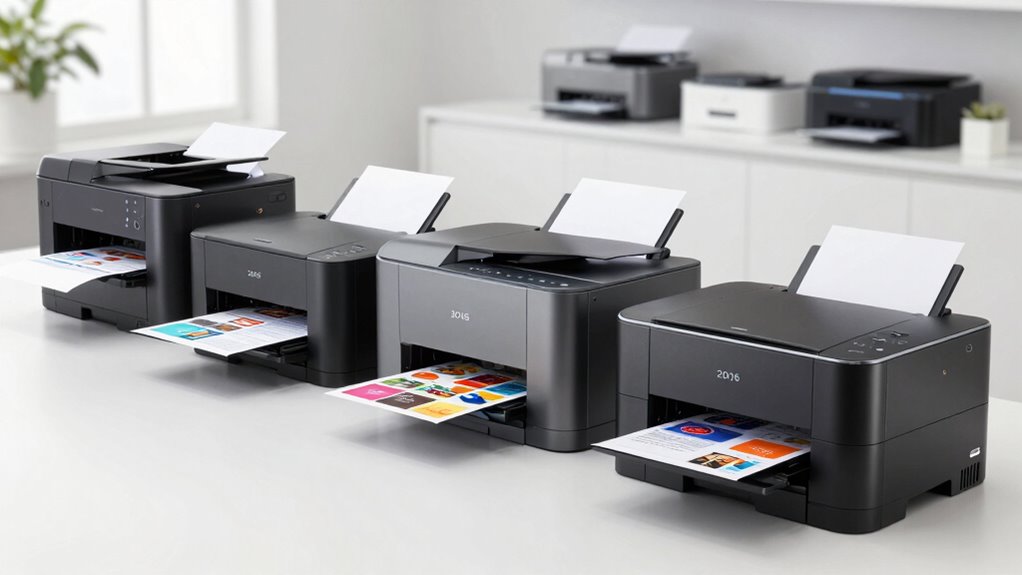

Anyone searching for a color laser printer duplex wants fast, high-quality color printing with the convenience of automatic double-sided pages. The Brother HL-L3280CDW stands out as the best overall choice thanks to its reliable performance and wireless capabilities. For those prioritizing cost-efficiency, the HP Color LaserJet Pro 3201dw offers solid value, while the Canon Color imageCLASS MF753Cdw II is ideal for demanding office environments. However, these options come with tradeoffs like higher upfront costs or size considerations. Keep reading for a detailed breakdown to help you find the best fit for your specific needs.

Get business pricing on tech for your team
- Business-only prices and quantity discounts
- Tax-exempt purchasing
- Multiple users, one account, clear invoices
Key Takeaways
- Top picks combine fast print speeds with reliable duplex functionality for high-volume use.
- Wireless connectivity is common among the best models, offering convenience but sometimes at a higher price.
- Printer design varies significantly—compact models suit small spaces, while larger units support higher sheet capacities.
- Color accuracy and print quality are consistent across top brands, but some models excel in speed or multifunction features.
- Cost of toner and maintenance can outweigh initial purchase price, especially for heavy users.


| color laser printer duplex | Print Speed | Connectivity | Paper Capacity |
|---|---|---|---|
| Brother HL-L3280CDW Wireless C | up to 27 ppm | Wireless, Ethernet | — |
| Brother HL-L3220CDW Color Lase | 19 PPM | — | — |
| HP Color LaserJet Pro MFP 3301 | — | Wireless, Ethernet | — |
| HP Color LaserJet Pro 3201dw W | 26 ppm | Wireless (dual-band Wi-Fi) | — |
| Canon Color imageCLASS MF753Cd | — | Wireless | — |
| Canon Color imageCLASS MF665Cd | 26 ppm | — | 250-sheet cassette, 1-sheet multipurpose tray |
| Canon Color imageCLASS MF662Cd | 26 PPM | Wireless | 250 sheets |
| Brother MFC-L8930CDW Business | up to 33 ppm | Wi-Fi, Ethernet | — |
| Canon Color imageCLASS LBP674C | 35 ppm | — | Standard 250 sheets, expandable to 850 |
| Canon Color imageCLASS LBP646C | 26 pages per minute | Wireless | 250 sheets |
| Canon Color imageCLASS MF751Cd | 35 pages per minute | — | 250 sheets standard, expandable to 550 sheets |
| Brother MFC-L3720CDW Wireless | 19 ppm | Wi-Fi (2.4GHz/5GHz), Wi-Fi Direct, USB 2.0 | 250 sheets |
More Details on Our Top Picks
Brother HL-L3280CDW Wireless Color Laser Printer with Duplex and Mobile Printing
This compact Brother HL-L3280CDW excels in delivering fast, reliable color prints for small and home offices, with a speed of up to 27 ppm that outpaces many competitors like the HP 3301sdw. Its automatic duplex feature conserves paper, making it a practical choice for budget-conscious users. The 2.7-inch touchscreen adds convenience, especially for quick cloud printing. However, its small size limits its capacity for high-volume environments, and the included toner trial covers only two months, so ongoing costs may be higher. Compared to bulkier models like the Canon MF753Cdw, this printer prioritizes space-saving and speed over extensive multifunction features. This pick makes the most sense for users needing fast, straightforward duplex color printing without complex functions.
Pros:- Fast print speeds of up to 27 ppm
- Automatic duplex printing reduces paper use
- Wireless and Ethernet connectivity for flexible setup
- User-friendly 2.7-inch touchscreen for cloud printing
Cons:- Limited to small and home office environments
- Includes only a 2-month toner trial, additional supplies needed later
Best for: Small offices or home users prioritizing speed and ease of use
Not ideal for: High-volume offices needing extensive multifunction capabilities or large paper capacity
- Print Speed:up to 27 ppm
- Connectivity:Wireless, Ethernet
- Duplex Printing:Automatic
- Touchscreen:2.7 inches
- Includes:2-month refresh trial
Our verdict“This printer is ideal for small-scale, duplex color printing with quick turnaround times and simple connectivity.”
Brother HL-L3220CDW Color Laser Printer with Wireless Printing and Duplex
This Brother HL-L3220CDW offers a step up in print quality, with crisp text and vibrant graphics, making it a strong contender against the HP 3201dw. Its 19 ppm speed is slightly slower but still sufficient for most small office tasks. The large 250-sheet paper tray reduces refills, which appeals to users with moderate to high printing needs. Unlike the Brother L3280CDW, it provides better paper capacity, though it lacks detailed specs on resolution or toner costs, which can impact ongoing expenses. It’s best suited for users who prioritize high-quality color output and larger volume printing without sacrificing wireless convenience. However, the higher initial price may be a barrier for budget-conscious buyers.
Pros:- High-quality color printing with vibrant graphics
- Large 250-sheet paper tray reduces refilling frequency
- Wireless and mobile device compatibility
- Automatic duplex printing for efficiency
Cons:- Lacks detailed resolution and toner cost info
- Higher initial purchase price compared to smaller models
Best for: Small offices or creative teams needing quality color and high capacity
Not ideal for: Users seeking the fastest speeds or those with tight budgets due to higher upfront costs
- Print Speed:19 PPM
- Paper Tray Capacity:250 sheets
- Duplex Printing:Automatic
- Wireless Connectivity:Yes
- Mobile Compatibility:Yes
Our verdict“This model is suited for users who need consistent, high-quality color output with large paper capacity and duplex efficiency.”
HP Color LaserJet Pro MFP 3301sdw Wireless All-in-One Color Laser Printer
The HP Color LaserJet Pro 3301sdw stands out for its all-in-one versatility, combining color printing, scanning, copying, and faxing in a single device, unlike the simpler Brother models. Its fast print speeds of up to 30 ppm support busy workflows, and auto duplexing helps reduce paper costs. Still, its weight of nearly 38 pounds makes it less portable, similar to the Canon MF753Cdw, which also offers multifunctionality but with a larger footprint. The proprietary HP toner with chips can increase ongoing costs, and some users might find the limited details on resolution a concern. This printer is best for offices that need a comprehensive device with high productivity and are okay with its size and cost tradeoffs.
Pros:- Fast color printing and scanning at 30 ppm
- All-in-one capabilities including fax
- Wireless and Ethernet connectivity for flexible setup
- Auto duplex reduces paper consumption
Cons:- Heavy and less portable at 37.7 pounds
- Uses costly proprietary HP toner cartridges with chips
- Limited detailed resolution info
Best for: Small to medium offices needing all-in-one functionality and fast color output
Not ideal for: Users with limited space or those seeking lightweight, budget options
- Printer Type:Laser
- Print Speed (Color):30 ppm
- Print Speed (Black/White):26 ppm
- Maximum Resolution:1200 x 1200 dpi
- Additional Functions:Scan, copy, fax
- Connectivity:Wireless, Ethernet
Our verdict“Ideal for offices requiring a multifunction device that combines speed, color quality, and versatile document handling.”
HP Color LaserJet Pro 3201dw Wireless Color Laser Printer
The HP 3201dw offers consistent color printing at 26 ppm, comparable to the Canon MF753Cdw but with a focus on straightforward office use. Its 250-sheet tray and auto duplexing support high-volume tasks, and wireless dual-band Wi-Fi simplifies setup. Compared to the Canon MF753Cdw, it lacks multifunctionality—focusing solely on printing—but this can translate into a smaller footprint and potentially lower cost. However, it requires original HP cartridges with chips, and firmware updates may restrict third-party supplies, which could increase long-term expenses. This printer is best for small teams that need dependable color printing without the added complexity of scanning or copying.
Pros:- Fast color printing at 26 ppm
- Auto duplex printing saves paper
- Dual-band Wi-Fi for stable connectivity
- Reliable performance for office tasks
Cons:- Requires original HP cartridges with chips
- Firmware updates may limit third-party toner options
Best for: Small teams prioritizing reliable, fast color printing with minimal multifunction features
Not ideal for: Offices needing scanning, copying, or faxing capabilities
- Print Speed:26 ppm
- Input Tray Capacity:250 sheets
- Connectivity:Wireless (dual-band Wi-Fi)
- Auto Duplex:Yes
- Cartridge Compatibility:Original HP chips or circuitry
Our verdict“This model suits offices focused on fast, reliable color printing with minimal additional functions.”
Canon Color imageCLASS MF753Cdw II – All-in-One Color Duplex Laser Printer
The Canon MF753Cdw II offers a comprehensive suite of functions, including print, scan, copy, and fax, making it ideal for busy offices that need an all-in-one solution. Its wireless connectivity and duplex printing support high productivity, comparable to the HP 3301sdw but with additional multifunction options. Its size, however, can be a drawback for small offices, and Canon does not specify speed or resolution details clearly, which could leave some buyers uncertain. The large feature set comes with a potentially steeper learning curve and higher upfront cost. This device makes sense for offices that need a versatile, space-efficient machine capable of handling diverse document needs, including faxing.
Pros:- Wireless connectivity for multiple devices
- All-in-one functions including fax, scan, copy
- Duplex printing to save paper
- Versatile for various office tasks
Cons:- Lacks specific speed and resolution details
- Potentially large footprint for small offices
Best for: Offices requiring multifunctionality in a single, wireless device
Not ideal for: Small spaces or users seeking a simple, print-only device
- Color:Color
- Connectivity:Wireless
- Functions:Print, scan, copy, fax
- Duplex:Yes
- Type:Laser
Our verdict“This all-in-one laser printer is best for offices that need a multifunction device with duplex and wireless capabilities in a single unit.”
Canon Color imageCLASS MF665Cdw Wireless All-in-One Duplex Laser Printer
The Canon imageCLASS MF665Cdw stands out for its comprehensive features, combining high-speed color printing, scanning, copying, and faxing in a single device. Compared to the Brother MFC-L8930CDW, it offers similar print speeds but adds the convenience of a larger color touchscreen and a more streamlined wireless setup. The automatic duplex function and high-capacity toner help reduce operational costs, making it ideal for busy offices. However, its larger footprint and higher price point might deter small home users, and toner replacement costs can add up over time. This model makes the most sense for small to medium-sized offices needing an all-in-one device that balances speed, functionality, and ease of use.
Pros:- Fast print speeds with high-quality color output
- Easy wireless setup and mobile device printing
- Automatic duplex printing reduces paper use
- High-capacity toner and large paper tray
Cons:- Large footprint may not suit small spaces
- Higher initial cost and toner replacement expenses
Best for: Small to medium-sized offices that require a reliable all-in-one color laser printer with duplex and multiple functions.
Not ideal for: Home users with limited space or budget, as the printer is bulky and more expensive than single-function models.
- Color:Yes
- Wireless:Yes
- Duplex:Yes
- Print Speed:26 ppm
- First Print Time:10.3 seconds
- Display:5-inch Color Touchscreen
- Paper Capacity:250-sheet cassette, 1-sheet multipurpose tray
- Toner:Canon Genuine Toner 075 / 075 high-capacity
- Warranty:3 years limited
Our verdict“This all-in-one printer is best suited for busy offices needing versatility and speed, despite its size and cost.”
Canon Color imageCLASS MF662Cdw Wireless Duplex Laser Printer with Copier and Scanner
The Canon imageCLASS MF662Cdw is a compact, budget-friendly color laser printer that combines printing, copying, and scanning, making it suitable for smaller workspaces. Its 26 ppm speed aligns with the Brother MFC-L8930CDW, but it lacks the advanced scanning capabilities and security features of the Brother model. The 5-inch touchscreen makes navigation straightforward, and high-capacity toner supports longer periods between replacements. Nonetheless, its 250-sheet paper capacity may be limiting for high-volume environments, and it’s primarily designed for small offices or home use. This pick makes the most sense for users who need a straightforward, multi-function device without the complexity or cost of larger office printers.
Pros:- Compact size suitable for small spaces
- Inclusive of scanning and copying functions
- Easy wireless setup and mobile printing
- High-capacity toner for extended use
Cons:- Limited paper capacity for high-volume printing
- No advanced security features for business environments
Best for: Small offices or home workers seeking a reliable, multifunction color laser printer with duplex that fits limited space.
Not ideal for: Large workgroups or high-volume environments where higher paper capacity and faster scanning are required.
- Print Speed:26 PPM
- Connectivity:Wireless
- Duplex Printing:Auto 2-sided
- Touchscreen:5-inch Color Touchscreen
- Paper Capacity:250 sheets
- Warranty:3 Years Limited
Our verdict“A solid choice for small offices or home use that need multifunctionality without added bulk or complexity.”
Brother MFC-L8930CDW Business Color Laser All-in-One Printer with Duplex Print, Scan, Copy, Security
The Brother MFC-L8930CDW offers a compelling blend of speed, security, and versatility, making it ideal for busy business environments. Its 33 ppm printing and 104 ipm scanning outperform many peers, like the Canon MF665Cdw, especially for high-volume workflows. The 80-page auto document feeder and 7-inch color touchscreen enhance efficiency, while advanced security—including NFC authentication—addresses the needs of sensitive operations. The main tradeoff involves higher toner costs and a larger footprint, which might not suit smaller or budget-conscious setups. This model is best for companies that prioritize fast, secure printing and scanning over initial purchase price or space considerations.
Pros:- Fast print and scan speeds support high-volume workflows
- Secure authentication features including NFC
- Versatile connectivity options including Ethernet
- Large auto document feeder for multi-page tasks
Cons:- Higher toner replacement costs
- Size may require dedicated office space
- Complex setup for less experienced users
Best for: Small to medium businesses requiring fast, secure, multi-function color printing with high-volume capabilities.
Not ideal for: Home users or very tight spaces, due to its size and higher operational costs.
- Print Speed:up to 33 ppm
- Scan Speed:up to 104 ipm
- Auto Document Feeder:80 pages
- Connectivity:Wi-Fi, Ethernet
- Security:Triple Layer Security, NFC
- Toner Cartridges:Black: 3,000 pages, Color: 1,800 pages
Our verdict“This printer is best for business environments demanding speed, security, and multi-functionality, despite its size and maintenance costs.”
Canon Color imageCLASS LBP674Cdw II – Wireless Duplex Laser Printer with 3-Year Warranty
The Canon LBP674Cdw II is optimized for fast, high-volume color printing with a 35 ppm speed, making it stand out over slower models like the Canon MF662Cdw. Its straightforward design emphasizes print-only functionality, which keeps costs down and simplifies operation, but it lacks scanning or copying features that might be necessary in multi-function setups. The expandable paper capacity up to 850 sheets is a key advantage for offices with heavy printing needs, yet it requires an optional cassette for full capacity. This device is best suited for small offices or workgroups where high-volume, fast color printing takes priority over multifunction capabilities.
Pros:- Fast print speeds of 35 ppm
- High-capacity toner options for long runs
- Expandable paper capacity for large jobs
- Reliable wireless connectivity
Cons:- Print-only device, no scanning or copying
- Requires optional cassette for maximum capacity
- Limited to small/office environments
Best for: Small or home offices that need fast, high-volume color printing without multi-function features.
Not ideal for: Workplaces requiring scanning, copying, or multi-user security features.
- Print Speed:35 ppm
- Color Printing:Yes
- Duplex Printing:Yes
- Wireless Connectivity:Yes
- Touchscreen:5-inch Color
- Paper Capacity:Standard 250 sheets, expandable to 850
- Warranty:3 years
Our verdict“Ideal for high-volume, fast color printing in small offices that do not need multifunction features.”
Canon Color imageCLASS LBP646Cdw Wireless Laser Printer, Duplex, 26 PPM, Print Only, White
The Canon LBP646Cdw is a compact, fast-color laser printer designed for personal use or small offices. Its 26 ppm speed is comparable to the MF662Cdw, but its print-only design simplifies operation and reduces costs. Its wireless setup and automatic duplex printing make it convenient for everyday tasks, and the 5-inch LCD helps with easy navigation. However, it lacks scanning and copying functions, which might limit flexibility for growing needs. The 250-sheet capacity is adequate for light to moderate use but could be restrictive for larger workloads. This printer makes sense for users prioritizing quick, reliable color printing in a limited space without additional multifunction features.
Pros:- Fast 26 ppm print speeds
- Wireless and mobile device support
- Automatic duplex printing saves paper
- Compact, space-efficient design
Cons:- Print-only functionality limits versatility
- Limited paper capacity for heavy workloads
- No advanced color accuracy details available
Best for: Individuals or small offices focusing solely on high-quality color printing with minimal additional functions.
Not ideal for: Businesses needing scanning, copying, or document management features for multiple users.
- Print Speed:26 pages per minute
- Color Printing:Yes
- Duplex:Automatic
- Connectivity:Wireless
- Display:5-inch LCD
- Paper Capacity:250 sheets
- Warranty:1 year limited
Our verdict“A streamlined, quick-color printer best for personal or small business use where multifunctionality isn’t required.”
Canon Color imageCLASS MF751Cdw II Wireless Duplex Laser Printer, Multifunction with Copier, Scanner, 35 PPM
This Canon model stands out for its impressive speed and high-capacity features, making it ideal for busy office environments that need reliable duplex color printing. Compared with the Brother MFC-L3720CDW, it offers faster speeds and a more advanced touchscreen, though it comes at a higher initial cost and takes up more space. Its 35 ppm speed combined with a 3.5-inch color touchscreen and expandable paper capacity makes it perfect for high-volume tasks. However, the larger footprint and higher toner usage may be drawbacks for smaller or budget-conscious setups. Overall, this printer suits offices prioritizing speed and multifunctionality without sacrificing quality.
Pros:- Fast print speeds with high-quality color output
- Easy wireless setup and mobile device printing
- Expandable paper capacity for high-volume printing
- User-friendly 5-inch color touchscreen
Cons:- Higher initial purchase price compared to simpler models
- Large physical footprint requiring ample space
- Toner replacements can be frequent with high usage
Best for: Small to medium-sized offices with high printing demands and space to accommodate a larger device
Not ideal for: Home offices or very tight spaces where footprint and initial cost are concerns
- Print Speed:35 pages per minute
- Color:Yes
- Wireless:Yes
- Duplex:Yes
- Functions:Print, Scan, Copy
- Touchscreen:5-inch Color Touchscreen
- Paper Capacity:250 sheets standard, expandable to 550 sheets
- Automatic Document Feeder:50-sheet simplex ADF
- Warranty:3 years
Our verdict“This model is best suited for offices that need fast, multifunctional duplex color printing and have space to accommodate its size.”
Brother MFC-L3720CDW Wireless Color Laser Printer, Scanner, Copier, Fax, Auto Duplex, 250-Sheet Capacity
Compared with the Canon MF751Cdw II, the Brother MFC-L3720CDW offers a more compact design and comprehensive all-in-one features including fax, which is valuable for small offices. Its 19 ppm speed is lower, but it compensates with versatile functionality and multiple connectivity options, including Wi-Fi Direct and USB. The 3.5-inch touchscreen is intuitive, yet setup can be more complex due to its broader feature set. This printer is ideal for users who value flexibility, especially with fax and scanning, but may find the initial cost and subscription requirements a drawback. For those with limited space and varied document needs, this model provides a balanced package.
Pros:- Versatile all-in-one capabilities including fax
- Compact footprint suitable for tight spaces
- Multiple connectivity options, including Wi-Fi Direct
- Intuitive touchscreen with customizable shortcuts
Cons:- Requires subscription service for optimal cost efficiency
- Setup can be complex because of multiple features
- Slower print speed compared to larger office models
Best for: Small businesses or home offices needing multifunctionality with space-saving design
Not ideal for: High-volume printing environments where speed and throughput are critical
- Print Speed:19 ppm
- Scan Speed:29/22 ipm (black/color)
- Paper Capacity:250 sheets
- Auto Document Feeder:50 sheets
- Connectivity:Wi-Fi (2.4GHz/5GHz), Wi-Fi Direct, USB 2.0
- Display:3.5-inch color touchscreen
- Energy Star:Yes
- EPEAT Rating:Silver
Our verdict“This printer is ideal for small offices requiring a versatile, space-efficient device with duplex printing and multifunction features, despite a slower speed and setup complexity.”

How We Picked
These printers were evaluated based on performance, print quality, durability, ease of use, connectivity options, and value for money. We prioritized models that reliably handle duplex printing without frequent jams or maintenance issues. The ranking also considers user feedback on setup and ongoing costs, ensuring recommendations suit both casual users and high-volume offices. Our goal was to identify printers that strike the best balance between cost, features, and longevity, helping buyers avoid models that fall short in everyday use or become expensive over time.| color laser printer duplex | Connectivity |
|---|---|
| Brother HL-L3280CDW Wireless C | Wireless, Ethernet |
| Brother HL-L3220CDW Color Lase | — |
| HP Color LaserJet Pro MFP 3301 | Wireless, Ethernet |
| HP Color LaserJet Pro 3201dw W | Wireless (dual-band Wi-Fi) |
| Canon Color imageCLASS MF753Cd | Wireless |
| Canon Color imageCLASS MF665Cd | — |
| Canon Color imageCLASS MF662Cd | Wireless |
| Brother MFC-L8930CDW Business | Wi-Fi, Ethernet |
| Canon Color imageCLASS LBP674C | — |
| Canon Color imageCLASS LBP646C | Wireless |
| Canon Color imageCLASS MF751Cd | — |
| Brother MFC-L3720CDW Wireless | Wi-Fi (2.4GHz/5GHz), Wi-Fi Direct, USB 2.0 |
Factors to Consider When Choosing Color Laser Printer Duplex
Choosing the right color laser printer with duplex capabilities involves understanding several key factors. Beyond basic features, you should consider your print volume, connectivity needs, and space constraints. Recognizing common pitfalls—such as overpaying for unnecessary functions or underestimating toner costs—can help you make a smarter purchase. The following sections highlight critical considerations to guide your decision-making process.Print Speed and Volume Capacity
For high-volume environments, print speed and paper capacity are vital. Faster printers save time during busy days, especially if you print large batches regularly. Look for models with high pages-per-minute (PPM) ratings and sizable paper trays to minimize refilling. However, remember that increased capacity and speed often come at a higher initial cost and larger footprint, so balance your needs with available space and budget.
Connectivity Options and Ease of Use
Wireless connectivity, such as Wi-Fi, Ethernet, and mobile printing support, enhances flexibility—especially in shared workspaces or home offices. Some printers also feature touchscreens and intuitive interfaces, simplifying setup and daily operation. Be cautious about models with complex controls or outdated wireless protocols, which can hinder ease of use or cause connectivity issues over time. Evaluate your device ecosystem to choose a compatible, hassle-free option.
Print Quality and Color Accuracy
Color fidelity is essential for marketing materials, presentations, or detailed graphics. Most modern laser printers deliver high-quality output, but some excel in color consistency and sharpness. Keep in mind that higher resolutions typically improve print clarity but may increase costs or print times. If color accuracy is critical, consider models with advanced toner technology or color calibration features.
Cost of Operation and Maintenance
Initial purchase price is just one part of the total cost. Toner replacements, parts, and maintenance can add up, especially for high-volume users. Look for models with high-yield toner cartridges and affordable replacement costs. Some printers also offer features like duplex scanning or automatic document feeders, which can reduce manual effort and improve efficiency, but may also increase maintenance requirements.
Size, Space, and Design
Size matters if your workspace is limited. Compact models are easier to fit on desks or shelves, but may sacrifice paper capacity or speed. Larger units with higher capacity trays and multifunction features suit busy offices but require more space. Consider your environment and choose a model that balances functionality with available room, avoiding frustration from overly bulky printers.
Frequently Asked Questions
How does duplex printing affect print speed?
Automatic duplex printing typically slows down the overall print speed compared to single-sided printing because the printer needs to flip the page internally. However, the convenience of double-sided printing can save time overall by eliminating manual intervention. High-end models often handle duplex printing more quickly, which is beneficial for busy offices or those printing large documents regularly.
Are wireless printers less reliable than wired models?
Wireless printers are generally as reliable as wired ones when set up correctly, but they can be more prone to connectivity issues caused by network interference or weak signals. Proper placement and a stable Wi-Fi connection help maximize reliability. For environments with heavy network traffic or security concerns, wired connections might provide more consistent performance, though at the expense of convenience.
What should I consider about toner costs?
High-yield toner cartridges can significantly reduce the per-page cost, making them more economical for frequent printing. Some models also support refillable toner systems or compatible third-party cartridges, which can lower expenses further. However, using third-party toners might affect warranty coverage or print quality, so weigh the potential savings against these factors.
Is a multifunction printer worth the extra cost?
Multifunction printers that combine printing, scanning, copying, and sometimes faxing can streamline office workflows and reduce the need for multiple devices. They are especially valuable in small spaces or for users who need versatile capabilities. The tradeoff is often a higher initial price and potentially more complex maintenance, so consider whether you’ll actually use all functions regularly before choosing a multifunction model.
How much should I expect to pay for a good duplex color laser printer?
Prices vary widely based on features, speed, and build quality, but a reliable duplex color laser printer typically costs between $300 and $700. Premium models with advanced features or higher print volumes can exceed this range, while budget options may fall below. Weigh the upfront cost against ongoing expenses such as toner and maintenance to determine the best value for your specific needs.
Conclusion
For home users or small teams with light printing needs, a compact and affordable model like the Brother HL-L3220CDW offers excellent value and ease of use. Office environments requiring high volume and multifunction features will benefit from the Brother MFC-L8930CDW or Canon MF751Cdw II. Budget-conscious buyers should prioritize models with low toner costs, while those seeking premium quality and speed might choose the Canon Color imageCLASS MF753Cdw II. Ultimately, your choice depends on your specific workload, space, and feature priorities—consider these factors carefully to select the best duplex color laser printer for 2026.