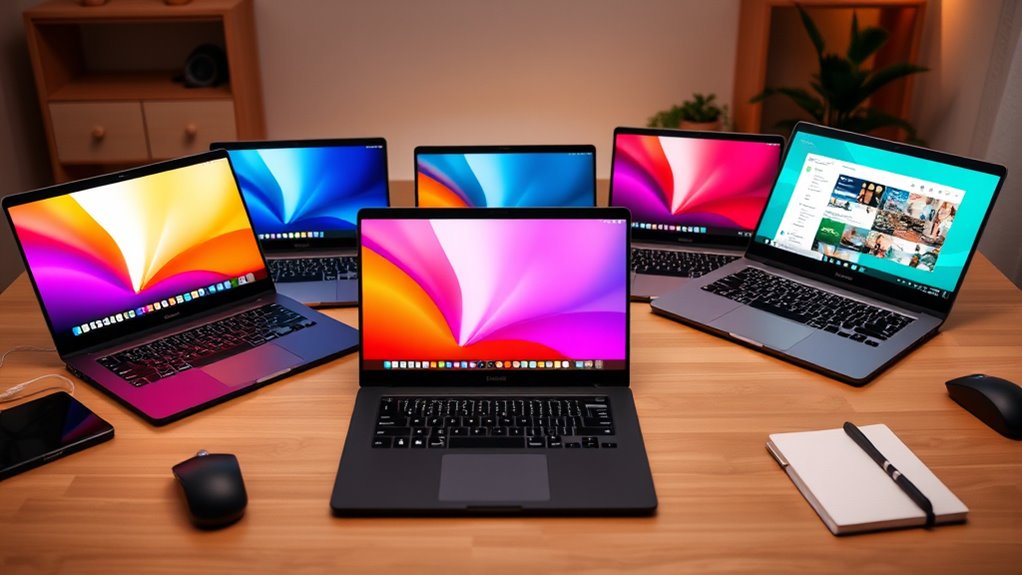

Budget laptops offer an affordable way to handle everyday tasks like browsing, streaming, and basic productivity. The HP New Everyday Slim Laptop stands out as the best overall choice, offering a balanced mix of performance and portability. For those who prioritize affordability above all, models like the HP Essential Laptop 2026 and Lenovo Essential 15.6″ provide reliable options at lower prices. However, tradeoffs such as limited storage, basic processors, and simpler screens remain common across this category. Continue reading for a detailed comparison of the top models and guidance on how to choose the best fit for your needs.

Get business pricing on tech for your team
- Business-only prices and quantity discounts
- Tax-exempt purchasing
- Multiple users, one account, clear invoices
Key Takeaways
- The best overall budget laptop balances performance, build quality, and price, making the HP New Everyday Slim a standout.
- Many budget options rely on basic processors and small displays, which can limit usability for more demanding tasks.
- Chromebooks remain popular in this category for light browsing and streaming, often offering excellent battery life and affordability.
- RAM size and storage capacity are often limited, so consider your storage needs and multitasking habits before buying.
- Build quality varies widely; rugged models like the ASUS Chromebook C203XA can withstand more wear and tear for students or travelers.


| budget laptop | Processor | Storage | RAM | Display |
|---|---|---|---|---|
| HP New Everyday Slim Laptop wi | AMD High Performance | 128GB SSD | 4GB DDR5 | — |
| HP Essential Laptop 2026 | Intel N150 | 128GB UFS | 4GB LPDDR5 | 14-inch HD (1366 x 768) |
| Acer Aspire Go 15 AI Ready Lap | Intel Core 3 N355 | 128GB UFS | — | 15.6" FHD IPS |
| ASUS Vivobook Go 15.6” FHD Sli | AMD Ryzen 3 7320U | 128GB SSD | 8GB DDR5 | 15.6” FHD NanoEdge |
| 15.6-inch Laptop Computer | Pentium Gold 6500Y | 128GB SSD | 12GB DDR3 SDRAM | 15.6" FHD IPS |
| Dell Chromebook 11 3100 11.6" | Celeron N4020 | 16 GB Flash Memory | 4 GB | — |
| Lenovo Essential 15.6" FHD Lap | Intel N150 Quad-Core | 128GB UFS 3.1 | 8GB LPDDR5 | 15.6-inch FHD (1920×1080) anti-glare |
| ASUS Chromebook C203XA Rugged | MediaTek Quad-Core | 32GB eMMC | 4GB | 11.6" HD |
| HP 14" HD Chromebook Laptop fo | Intel Quad-Core N4120 | 64GB eMMC | 4GB | 14-inch HD (1366 x 768) |
| Acer Aspire 3 A315-24P-R7VH Sl | AMD Ryzen 3 7320U | 128GB NVMe SSD | 8GB LPDDR5 | 15.6" Full HD IPS |
| 15.6-inch Laptop with Windows | Intel Celeron N4020 | 128 GB SSD | 4 GB DDR4 SDRAM | — |
| Lenovo 100E Chromebook 2nd Gen | MediaTek MT8173C | 16GB eMMC TLC SSD | 4GB DDR4 SDRAM | 11.6" HD (1366 x 768) |
| Samsung 14" Galaxy Chromebook | Intel Celeron N4500 | 64GB | 4GB | 14 inches |
| Acer Aspire Go 15 AI Ready Lap | Intel Core i3 N355 | 128GB UFS | — | 15.6" FHD IPS |
| HP Chromebook 14 Laptop | Intel Celeron N4120 | 64 GB eMMC | 4 GB | 14" HD (1366 x 768) |
More Details on Our Top Picks
HP New Everyday Slim Laptop with AMD Processor, 4GB DDR5 RAM, 128GB SSD, Windows 11
This slim HP model stands out for its combination of portability and decent performance, making it ideal for users who need a lightweight machine for basic tasks. Its AMD processor delivers faster data processing compared to the Intel N150 in the HP Essential, though it sacrifices some multitasking ability due to only 4GB of RAM. The 128GB SSD is sufficient for everyday applications but might fill quickly if you store large files or install many programs. Preloaded with Windows 11 and AI features, it offers enhanced productivity, especially for research and browsing. Compared with the Acer Aspire Go, this HP is slightly more portable but less powerful for multitasking. Tradeoffs include limited RAM and storage, which could hinder heavier multitasking or storage-heavy workflows.
Pros:- Fast data processing with DDR5 memory
- Preloaded with Windows 11 and AI features
- Slim and portable design
Cons:- Limited RAM for demanding multitasking
- Small 128GB SSD can fill quickly
Best for: Users who prioritize portability and basic productivity for daily tasks
Not ideal for: Heavy multitaskers or those needing extensive storage or demanding applications
- Processor:AMD High Performance
- RAM:4GB DDR5
- Storage:128GB SSD
- Operating System:Windows 11
- Battery Life:Long
- Weight:Not specified
Our verdict“This is a well-rounded choice for those seeking a portable, budget-friendly laptop for light daily use.”
HP Essential Laptop 2026, Intel CPU, 128GB Storage, Office 365, Windows 11
This HP Essential model makes sense for students or professionals who need a lightweight device that lasts all day. Its Intel N150 processor and 4GB RAM are suitable for browsing, streaming, and document editing, but fall short for multitasking or heavier workloads. The 14-inch HD display is functional but lower in resolution than the Acer Aspire Go’s FHD screen, which impacts visual clarity. The long battery life of up to 11 hours supports all-day use, and modern connectivity like Wi-Fi 6 and Bluetooth 5.4 keeps it future-proof. Unlike the Acer Aspire Go with its more powerful processor and larger display, this HP is more portable but less capable for multitasking or multimedia editing. Tradeoffs involve lower display resolution and limited RAM, which can affect productivity in demanding tasks.
Pros:- Lightweight and portable design
- Long battery life of up to 11 hours
- Includes Office 365 for productivity
Cons:- Lower resolution display (1366 x 768)
- Limited 4GB RAM may hinder multitasking
- No dedicated graphics card
Best for: Students or professionals needing a portable device for basic tasks and long battery life
Not ideal for: Users requiring high-resolution screens or heavy multitasking capabilities
- Processor:Intel N150
- RAM:4GB LPDDR5
- Storage:128GB UFS
- Display:14-inch HD (1366 x 768)
- Battery Life:Up to 11 hours
- Weight:3.24 lbs
Our verdict“This laptop suits users who prioritize portability and battery life over high-res visuals or heavy multitasking.”
Acer Aspire Go 15 AI Ready Laptop, 15.6″ FHD IPS Display, Intel Core 3 N355, 8GB DDR5, 128GB UFS, Wi-Fi 6, Windows 11 Home in S Mode
The Acer Aspire Go 15 offers a larger 15.6-inch FHD IPS display, making it a good choice for media consumption and multitasking. Its Intel Core 3 N355 and 8GB DDR5 RAM outperform the other models with 4GB, enabling smoother multitasking and light productivity. Its Wi-Fi 6 connectivity enhances internet speeds, and the eco-friendly packaging appeals to environmentally conscious buyers. Compared to the ASUS Vivobook Go, this Acer provides a bigger screen but is slightly heavier and less portable. The main tradeoff is still limited storage at 128GB, which might require external drives or upgrades in the future. This model balances performance and portability well for users who want a bigger display without overspending.
Pros:- Large 15.6-inch FHD IPS display
- 8GB DDR5 RAM for smoother multitasking
- Wi-Fi 6 connectivity for fast internet
Cons:- Limited 128GB storage, may need external storage
- Weight slightly higher than smaller models
- Processor may struggle with very demanding apps
Best for: Students or remote workers needing a larger screen and decent multitasking performance
Not ideal for: Power users or gamers needing dedicated graphics or more storage
- Display:15.6″ FHD IPS
- Processor:Intel Core 3 N355
- Memory:8GB DDR5
- Storage:128GB UFS
- Connectivity:Wi-Fi 6, Bluetooth 5.1
- Operating System:Windows 11 Home in S Mode
Our verdict“Ideal for those who want a bigger screen and better multitasking without paying a premium.”
ASUS Vivobook Go 15.6” FHD Slim Laptop, AMD Ryzen 3 7320U, 8GB RAM, 128GB SSD, Windows 11 Home
The ASUS Vivobook Go impresses with its slim design and full-range ports, including USB-C, making it appealing for users who need a portable machine with flexible connectivity options. Its AMD Ryzen 3 7320U and 8GB DDR5 RAM provide a noticeable performance boost over the 4GB models, supporting light multitasking and media use. The privacy shutter on the webcam adds security, and the 15.6-inch FHD display offers good visual quality. However, compared to the Acer Aspire Go, it’s slightly heavier and has a less vibrant display brightness, which may be an issue in bright environments. The 128GB SSD is sufficient for basic tasks but may fill quickly, and no dedicated graphics limit gaming or graphic-intensive work. This pick makes the most sense for users who value portability, versatile ports, and security features.
Pros:- Slim and lightweight design for portability
- Full range of connectivity ports including USB-C
- Privacy shutter on webcam enhances security
Cons:- Limited storage with only 128GB SSD
- Display brightness may be insufficient outdoors
- No dedicated graphics for gaming
Best for: Students or mobile professionals needing a slim, feature-rich, portable laptop
Not ideal for: Power users or gamers requiring dedicated graphics or larger storage
- Display:15.6” FHD NanoEdge
- Processor:AMD Ryzen 3 7320U
- RAM:8GB DDR5
- Storage:128GB SSD
- Connectivity:Wi-Fi 5, Bluetooth 5.1
- Weight:3.59 lbs
Our verdict“A strong choice for users who want a portable, well-connected laptop with security features.”
15.6-inch Laptop Computer, 12GB RAM, 128GB SSD, FHD IPS Display
This 15.6-inch laptop offers a compelling mix of high RAM and a sharp FHD IPS display, making it suitable for users who need to run multiple applications smoothly. The Pentium Gold processor is less powerful than the Core 3 or Ryzen 3 options but still capable of handling everyday tasks. The 12GB RAM is a standout for multitasking, outperforming the other models with 4GB or 8GB. Its 300-nit brightness and full HD screen provide clear visuals even outdoors. However, the older DDR3 SDRAM and limited storage mean it’s less future-proof and might require upgrades for long-term use. Compared to the other options, this model targets users who prioritize multitasking and display quality over raw processing power or portability. Tradeoffs include older RAM technology and limited storage, which could impact future expandability.
Pros:- Bright, clear FHD IPS display
- Large 12GB RAM supports multitasking
- Lightweight and portable for its size
Cons:- Older DDR3 SDRAM limits future upgrades
- Limited 128GB SSD storage
- Processor may be less responsive for demanding tasks
Best for: Power users who need reliable multitasking and a bright display on a tight budget
Not ideal for: Those who need a fast processor or more storage space for large files
- Display:15.6″ FHD IPS
- Processor:Pentium Gold 6500Y
- RAM:12GB DDR3 SDRAM
- Storage:128GB SSD
- Maximum Brightness:300 nit
- Weight:Not specified
Our verdict“Best suited for multitasking-focused users who want a bright display without overspending.”
Dell Chromebook 11 3100 11.6″ Chromebook – 1366 x 768 – Celeron N4020 – 4 GB RAM – 16 GB Flash – Chrome OS – Intel HD Graphics – US Keyboard (Renewed)
This renewed Dell Chromebook 11 3100 stands out for its portability and affordability, making it ideal for students or users who need a simple device for browsing, streaming, and light productivity. Compared to the ASUS Chromebook C203XA, it offers a more traditional laptop feel but has a lower-resolution display and limited storage, which can be a drawback for users needing more multimedia space. Its 11.6-inch screen and lightweight design make it perfect for on-the-go use, but the 16GB storage is restrictive, especially if you plan to store files locally. This device excels in basic tasks but isn’t suited for multitasking or heavy apps. The fact that it’s renewed helps keep costs down, but may also impact longevity.
Pros:- Lightweight and highly portable design
- Affordable price point, especially as renewed
- Reliable performance for basic tasks
Cons:- Limited storage capacity of only 16GB, restricting file storage
- Lower resolution display (1366×768) can impact viewing quality
- Performance may lag with multiple tabs or demanding apps
Best for: Students or casual users needing a portable, low-cost device for browsing and note-taking
Not ideal for: Power users or professionals who require more storage or higher resolution screens for editing or multitasking
- Storage:16 GB Flash Memory
- OS:Chrome OS
- Screen Size:11.6″
- Resolution:1366 x 768
- Processor:Celeron N4020
- RAM:4 GB
- Graphics:Intel HD Graphics
Our verdict“This Chromebook suits users who prioritize portability and budget over storage and display quality.”
Lenovo Essential 15.6″ FHD Laptop, Intel Processor, 8GB DDR5, 128GB Storage
The Lenovo Essential offers a compelling balance of performance and portability, with a 15.6-inch FHD anti-glare screen and 8GB RAM, making it ideal for students and professionals who need a reliable machine for daily tasks. Compared to the Acer Aspire 3, it provides a brighter display and a more durable build, though its 128GB storage could fill up quickly with larger files. Its privacy shutter and MIL-STD-810H testing add extra durability and security, making it suitable for frequent travelers or those concerned about privacy. The Intel N150 processor handles multitasking well, but it’s not designed for heavy editing or gaming. Its lightweight profile and multiple ports enhance usability, though the limited storage remains a concern for some users.
Pros:- Bright, anti-glare FHD display enhances viewing comfort
- 8GB RAM supports multitasking efficiently
- Lightweight and durable, easy for travel
Cons:- Limited storage capacity of 128GB, requiring external solutions
- Integrated graphics are not suitable for demanding graphics tasks
- Pre-installed Windows 11 in S mode may restrict app flexibility
Best for: Students or remote workers needing a reliable, portable Windows laptop with good screen quality
Not ideal for: Users who need extensive local storage or high-end graphics for gaming or creative work
- Display:15.6-inch FHD (1920×1080) anti-glare
- Processor:Intel N150 Quad-Core
- RAM:8GB LPDDR5
- Storage:128GB UFS 3.1
- Weight:3.42 lbs
- Dimensions:0.70-inch thick
Our verdict“This model is best for users wanting a portable, reliable Windows laptop with a clear display, but storage might need supplementing.”
ASUS Chromebook C203XA Rugged & Spill-Resistant Laptop, 11.6″ HD, 180° Hinge, MediaTek Quad-Core, 4GB RAM, 32GB eMMC, MIL-STD 810G, Chrome OS
This ASUS Chromebook C203XA is built for durability, featuring MIL-STD 810G certification, spill resistance, and a 180-degree hinge—making it perfect for students or children who need a sturdy device. The 11.6-inch HD display and MediaTek quad-core processor provide sufficient performance for basic educational tasks, though it won’t handle intensive multitasking or multimedia editing well. The 32GB eMMC storage is minimal, which can be limiting for storing files locally, but cloud storage can compensate. Compared with the Dell Chromebook 11, the ASUS offers better durability and a more rugged design, though at the expense of slightly smaller storage and a lower-resolution display. This Chromebook is ideal for active environments but less so for media-heavy tasks.
Pros:- Rugged, spill-resistant, and MIL-STD 810G certified
- 180-degree hinge allows flexible viewing angles
- Lightweight and designed for active environments
Cons:- Limited storage of only 32GB eMMC
- Lower resolution (HD only) may affect media viewing
- Processor less capable for multitasking or demanding apps
Best for: Students, children, or teachers in need of a tough, spill-resistant device for everyday learning
Not ideal for: Power users or students who require more local storage or higher display resolution
- Display:11.6″ HD
- Processor:MediaTek Quad-Core
- RAM:4GB
- Storage:32GB eMMC
- Durability:MIL-STD 810G
- Hinge:180°
Our verdict“This Chromebook is best for active learners needing a durable, spill-resistant device, but it’s not suited for multimedia or heavy multitasking.”
HP 14″ HD Chromebook Laptop for Students, Intel Quad-Core N4120, 4GB RAM, 64GB eMMC, WiFi, Webcam, HDMI, USB-A & C, 14 Hours Battery Life
The HP 14-inch Chromebook offers a solid combination of portability, battery life, and performance for students or casual users. Its 14-hour battery life surpasses most competitors like the Acer Aspire 3, making it ideal for all-day classes or travel. The Intel Quad-Core N4120 processor and 4GB RAM provide reliable multitasking for browsing, streaming, and light productivity, but the HD display (1366×768) may feel dated to some. The 64GB eMMC storage strikes a better balance than some smaller options, but still requires cloud or external storage for larger files. Compared to the Dell Chromebook 11, it offers a larger screen and longer battery life at a similar price point. This Chromebook is best for users who prioritize battery longevity and portability over high resolution or large local storage.
Pros:- Exceptional 14-hour battery life for all-day use
- Lightweight, portable design
- Reliable performance for everyday tasks
Cons:- HD display resolution may feel limited for media viewing
- Limited storage of 64GB eMMC can require external solutions
- Basic specs not suitable for demanding applications
Best for: Students or travelers needing a lightweight device with extended battery life
Not ideal for: Users who need high-resolution screens or substantial local storage for media files
- Display:14-inch HD (1366 x 768)
- Processor:Intel Quad-Core N4120
- RAM:4GB
- Storage:64GB eMMC
- Battery Life:Up to 14 hours
- Ports:USB-A, USB-C, HDMI
Our verdict“This Chromebook excels for users who need all-day battery life and portability, but display resolution may be a drawback for media-heavy tasks.”
Acer Aspire 3 A315-24P-R7VH Slim Laptop, 15.6″ Full HD, AMD Ryzen 3 7320U, 8GB LPDDR5, 128GB NVMe SSD, Wi-Fi 6, Windows 11 Home
The Acer Aspire 3 provides a well-rounded experience for budget-conscious users who want more than just basic browsing. Its 15.6-inch Full HD IPS display offers sharp visuals, making it suitable for streaming or light work. The AMD Ryzen 3 7320U processor and 8GB RAM deliver smooth multitasking, outperforming lower-spec models like the Dell Chromebook or ASUS Rugged Chromebook for general productivity. The 128GB NVMe SSD ensures faster boot times and file access, though storage might still fill quickly if you work with large media files. Compared with other low-cost options, this laptop’s larger screen and more powerful processor make it a better fit for students or casual users who want a bit more versatility without a hefty price increase. However, it lacks a dedicated graphics card, limiting gaming or creative work.
Pros:- Large, sharp Full HD IPS display enhances viewing experience
- 8GB RAM supports multitasking smoothly
- Fast NVMe SSD speeds up data access and system boot
Cons:- Limited storage of 128GB, which can fill quickly with large files
- No dedicated graphics card for gaming or intensive creative work
- Basic AMD Ryzen 3 processor may struggle with very demanding tasks
Best for: Students or casual users seeking a versatile, full-featured laptop for daily tasks and media consumption
Not ideal for: Power users or gamers needing dedicated graphics or extensive local storage
- Display:15.6″ Full HD IPS
- Processor:AMD Ryzen 3 7320U
- Graphics:AMD Radeon Graphics
- RAM:8GB LPDDR5
- Storage:128GB NVMe SSD
- Connectivity:Wi-Fi 6
Our verdict“This laptop offers a versatile mix of display quality and performance, making it ideal for daily multitasking and media needs on a budget.”
15.6-inch Laptop with Windows 11, N4020 CPU, 4GB RAM, 128GB SSD, FHD 1080P Display
This 15.6-inch Windows 11 laptop stands out for its combination of a vivid IPS display and fanless design, making it ideal for users who value silent operation and portability. Compared with the Samsung Galaxy Chromebook Go, it offers a larger screen and a more familiar Windows environment, though it sacrifices some durability features. The 4GB RAM and modest processor mean multitasking can be sluggish, especially with demanding applications, and the 128GB SSD might fill quickly if you store many files locally. Still, for students or remote workers who need a lightweight device with a crisp display, this model delivers a balanced experience.
Pros:- Vivid 15.6-inch Full HD IPS display with wide viewing angles
- Fanless design ensures silent operation
- Lightweight and portable at just 1.45 kg
- Pre-installed with Windows 11 for modern usability
Cons:- Limited to 4GB RAM, which can hinder multitasking
- 128GB storage may be insufficient for larger files or media
- Processor may be slow for demanding applications
Best for: Students and remote workers needing a portable, silent laptop with a full-sized display
Not ideal for: Power users or those handling large files or multitasking heavily, due to limited RAM and storage
- Display Size:15.6 inches
- Display Resolution:1920×1080 pixels
- Display Technology:IPS
- Processor:Intel Celeron N4020
- RAM:4 GB DDR4 SDRAM
- Storage:128 GB SSD
- Weight:1.45 kg
- Operating System:Windows 11 Home
- Graphics:Integrated
Our verdict“This laptop is perfect for budget-conscious users who prioritize portability and a clear display over heavy multitasking or storage capacity.”
Lenovo 100E Chromebook 2nd Gen Laptop, 11.6″ HD Display, MediaTek Processor, 4GB RAM, 16GB eMMC Storage, Chrome OS, Black (Renewed)
This Chromebook is designed for entry-level users, especially students, offering a compact 11.6-inch HD display and simple Chrome OS, making it ideal for online classes and basic browsing. Compared to the HP Chromebook 14, it is more portable and affordable, but the smaller screen and limited storage mean it’s less suitable for multitasking or media-heavy use. The MediaTek processor handles straightforward tasks well, but it struggles with more demanding apps or multitasking. If you prioritize ease of use and affordability over screen size and storage, this Chromebook makes a reliable choice for beginners.
Pros:- Highly portable and lightweight design
- Affordable price point
- Reliable performance for basic tasks
- Chrome OS offers quick updates and security
Cons:- Limited storage capacity of only 16GB
- Processor may be slow for multitasking or intensive web applications
- Basic display resolution may be less sharp
Best for: Students or first-time laptop users focusing on browsing, streaming, and basic productivity
Not ideal for: Power users or those needing extensive local storage or multitasking capabilities
- Display:11.6″ HD (1366 x 768)
- Processor:MediaTek MT8173C
- RAM:4GB DDR4 SDRAM
- Storage:16GB eMMC TLC SSD
- Operating System:Chrome OS
- Color:Black
Our verdict“This Chromebook is ideal for newcomers or students who need a simple, budget-friendly device for everyday online tasks.”
Samsung 14″ Galaxy Chromebook Go Laptop PC, Intel Celeron N4500, 4GB RAM, 64GB Storage, ChromeOS, Silver
The Galaxy Chromebook Go offers a sleek, lightweight design with a 14-inch display and a durable build suited for students and mobile users. Its long 12-hour battery life and fast Wi-Fi connectivity stand out for users who need to stay productive all day. Compared to the Lenovo 100E, it has a slightly larger screen and more robust construction, but the storage remains limited at 64GB, which can be restrictive for media or large files. The Intel Celeron N4500 processor handles basic tasks efficiently but isn’t designed for multitasking or demanding applications. If portability and battery life are your priorities, this Chromebook is a solid choice.
Pros:- Slim, lightweight, and durable design
- Long-lasting battery up to 12 hours
- Fast Wi-Fi for seamless online work
- Chrome OS offers security and quick updates
Cons:- Limited storage of 64GB
- Processor may be insufficient for multitasking
- No LTE connectivity at launch
Best for: Students or commuters requiring a durable, lightweight device with long battery life
Not ideal for: Users needing extensive storage or running demanding software or multitasking heavily
- Processor:Intel Celeron N4500
- RAM:4GB
- Storage:64GB
- Display:14 inches
- Operating System:ChromeOS
- Color:Silver
Our verdict“This Chromebook makes sense for mobile users who prioritize battery life and durability over storage and processing power.”
Acer Aspire Go 15 AI Ready Laptop, 15.6″ FHD IPS Display, Intel Core i3 N355, 8GB DDR5, 128GB UFS, Wi-Fi 6, Windows 11 Home in S Mode
The Acer Aspire Go 15 strikes a balance between performance and eco-conscious design, featuring a 15.6-inch FHD IPS display and a responsive 8-core Intel Core i3 N355 processor. Compared with lower-powered options like the HP Chromebook 14, it offers a full Windows environment and more versatile storage, though the 128GB UFS storage might be tight for users with large media collections. Its fast Wi-Fi 6 and multiple ports support modern connectivity needs, while the eco-friendly materials appeal to environmentally conscious buyers. However, its less powerful processor limits heavy multitasking, and the integrated graphics are not suited for gaming or intensive graphics work. This model fits users who want a capable, eco-friendly Windows machine for everyday tasks.
Pros:- Responsive performance with 8-core processor and fast storage
- High-quality 15.6” FHD IPS display
- Wi-Fi 6 and multiple connectivity options
- Eco-friendly design with recycled materials and certifications
Cons:- Limited storage at 128GB, which may require external storage
- Processor may struggle with demanding multitasking
- Integrated graphics limit high-end gaming or graphics-intensive tasks
Best for: Budget-conscious users needing a responsive Windows laptop for multitasking and productivity
Not ideal for: Heavy gamers or creative professionals requiring high-end graphics or extensive storage
- Display:15.6″ FHD IPS
- Processor:Intel Core i3 N355
- Memory:8GB DDR5
- Storage:128GB UFS
- Graphics:Intel Graphics
- Connectivity:Wi-Fi 6, Bluetooth 5.1
- Ports:2 x USB Type-C, 2 x USB 3.2, HDMI, Headphone jack
- Eco Certifications:Energy Star, EPEAT Gold
Our verdict“This laptop is well-suited for users seeking a versatile, eco-friendly Windows device for daily productivity on a budget.”
HP Chromebook 14 Laptop, Intel Celeron N4120, 4 GB RAM, 64 GB eMMC, 14″ HD Display, Chrome OS, Thin Design, 4K Graphics, Long Battery Life, Ash Gray Keyboard
The HP Chromebook 14 combines a compact design with impressive battery life, making it suitable for users who need a reliable device for streaming, browsing, and light productivity. Its 14-inch HD display and basic processor prioritize portability and ease of use, but the resolution may feel dated compared to Full HD options. The 64GB eMMC storage limits local file storage, so cloud services are recommended. Compared to the Samsung Galaxy Chromebook Go, it offers similar battery life but with slightly less durable build quality. This Chromebook fits those who want a straightforward, budget-friendly device for everyday tasks, especially if long battery life is a priority.
Pros:- Lightweight and portable with a slim profile
- Up to 14 hours of battery life
- Fast charging with HP Fast Charge technology
- Chrome OS provides quick, secure updates
Cons:- HD display resolution may appear less sharp
- Limited local storage of 64GB
- Processor suitable mainly for basic tasks
Best for: Home users or students needing a lightweight device with excellent battery life for casual use
Not ideal for: Power users or those with large media libraries or demanding applications
- Processor:Intel Celeron N4120
- RAM:4 GB
- Storage:64 GB eMMC
- Display:14″ HD (1366 x 768)
- Graphics:Intel UHD Graphics 600
- Battery Life:Up to 14 hours
- Operating System:Chrome OS
- Weight:Lightweight
Our verdict“This Chromebook is ideal for casual users who prioritize portability and long battery life over high-resolution display or large storage capacity.”

How We Picked
We evaluated these laptops based on key factors that matter most to budget-conscious buyers: performance relative to price, build quality, usability for everyday tasks, battery life, and overall value. We looked for models that strike a balance between affordability and functionality, avoiding overly basic specs that hinder usability. Additionally, we considered user reviews and reliability reports to favor brands with consistent quality. Our ranking emphasizes options suitable for first-time buyers, students, or anyone seeking reliable performance without overspending, ensuring every pick offers a clear advantage for its target user.Factors to Consider When Choosing Budget Laptops
When choosing a budget laptop, it’s important to focus on more than just the price. Consider how you’ll use the device daily and what compromises are acceptable. Key factors include processor performance, RAM, storage capacity, display quality, and build durability. Avoid models with underpowered CPUs or tiny SSDs if you plan to multitask or store files locally. Also, think about battery life and portability—these details can make a big difference in day-to-day use. Understanding these tradeoffs helps you pick a laptop that meets your needs without overspending.Processor and Performance
The processor determines how smoothly your laptop handles tasks like browsing, streaming, and document editing. In budget models, you’ll mostly find entry-level CPUs like Intel Celeron, N4020, or AMD Ryzen 3. These chips are sufficient for light use but can struggle with multitasking or more demanding applications. If you want a laptop for simple tasks, prioritize models with at least 4GB RAM and a newer processor, as this combination improves responsiveness and longevity.
Memory and Storage
RAM size directly impacts multitasking ability. Many budget laptops offer 4GB or 8GB, with 8GB being more future-proof for basic multitasking. Storage options are primarily eMMC or SSDs, with SSDs offering much faster performance. While 128GB is common, consider whether you need more space for files or offline apps. For light users, 64GB or 128GB is often enough, but if you store many files locally, look for options with larger SSDs or plan to use cloud storage.
Display Quality and Size
Display size typically ranges from 11.6 to 15.6 inches in this category. A larger screen offers more comfort for extended use but can reduce portability. Screen resolution varies from HD (1366×768) to Full HD (1920×1080). Full HD screens provide sharper images, especially useful for media consumption and productivity. For budget laptops, prioritize at least HD resolution, but be aware that cheaper models often compromise on color accuracy and viewing angles.
Build Quality and Durability
While many budget laptops are made with plastic shells, some offer rugged features like spill resistance or reinforced hinges. For students or frequent travelers, a more durable build can extend the lifespan of your device. However, rugged models often come at a slightly higher price or bulkier design. We recommend considering your environment and whether additional durability justifies a small cost increase.
Battery Life and Portability
Long battery life is essential if you plan to use your laptop on the go. Many budget models advertise 8-12 hours of life, but real-world results often vary. Smaller screens and energy-efficient processors tend to last longer. If portability is your priority, look for lightweight options with at least 8 hours of battery life, ensuring you won’t need frequent recharges during the day.
Frequently Asked Questions
Is a Chromebook a good choice for a budget laptop?
Chromebooks are often excellent options for budget buyers who mainly need a device for browsing, streaming, and using cloud-based apps. They typically cost less than Windows laptops and offer longer battery life. However, they may not be suitable if you need to run specific software or offline work that requires Windows or macOS. Consider your software needs and whether a Chromebook can meet those before choosing one.
Should I prioritize a larger screen or better performance in a budget laptop?
This depends on your primary use. If you do a lot of media consumption or multitasking, a larger, Full HD display will improve your experience. Conversely, if portability is key, a smaller 11.6-inch model may be more convenient, even if it means sacrificing some performance or screen quality. Balancing size and performance is essential to finding a device that feels right for your daily tasks.
How much RAM do I need in a budget laptop?
For basic tasks like browsing, email, and streaming, 4GB RAM can suffice, especially on Chromebooks or lower-end Windows models. However, if you want smoother multitasking or plan to keep multiple tabs and apps open, 8GB RAM offers more headroom and better future-proofing. Most budget laptops now include at least 4GB, but 8GB models tend to offer better long-term usability without a significant price increase.
Are SSDs worth the extra cost in a budget laptop?
Yes, SSDs dramatically improve boot times, app loading, and overall responsiveness. While many budget laptops come with eMMC storage, upgrading to or choosing models with SSDs can make everyday use much smoother. Even small SSDs like 128GB can provide a noticeable performance boost compared to traditional HDDs or eMMC storage, making them a worthwhile investment within a budget.
What should I do if I need more storage but want to stay within budget?
If internal storage is limited, consider options that support microSD cards or external drives. Many budget models have USB ports that allow for easy expansion. Cloud storage services can also supplement local space, especially if you primarily work online. Prioritizing a model with at least 128GB SSD or eMMC will reduce reliance on external storage and improve performance.
Conclusion
For general use and everyday tasks, the HP New Everyday Slim Laptop makes the best overall choice thanks to its balanced specs and portability. Budget-conscious students or casual users will find good value in models like the HP Essential 2026 or Lenovo Essential. Those seeking a more durable design or longer battery life might prefer rugged options like the ASUS Chromebook C203XA. If you’re new to laptops and want an easy, affordable device, a Chromebook remains an excellent entry point. Ultimately, your choice depends on your specific needs, but staying within your budget doesn’t mean sacrificing essential performance or durability.
As an affiliate, we earn on qualifying purchases.Fall Picks
fall essentials