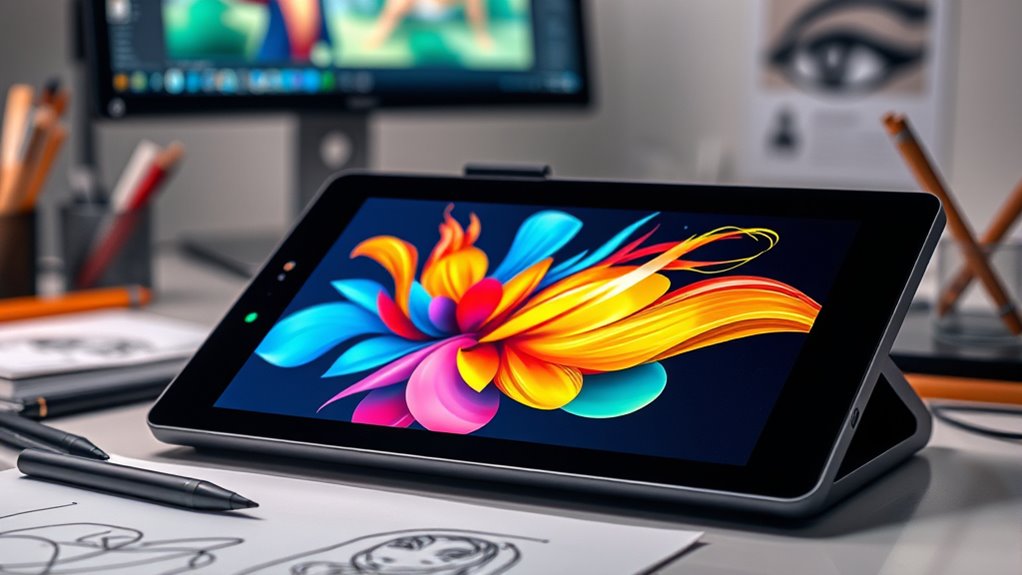

For artists seeking to bring their digital creations to life, choosing the right drawing tablet can be a game-changer. The XP-PEN Artist 12 3rd Generation stands out as the best overall pick, offering a balanced mix of screen quality, pen accuracy, and affordability. Meanwhile, the HUION Kamvas 13 (Gen 3) provides excellent portability and a responsive display, making it ideal for artists on the go. The RubensTab T11 Pro shines as a standout standalone device, freeing creators from needing a computer. With so many options, the main tradeoffs involve balancing price, screen size, pressure sensitivity, and whether a device is standalone or requires connection to a PC. Continue reading for the full breakdown to find the perfect fit for your artistic needs.

Get business pricing on tech for your team
- Business-only prices and quantity discounts
- Tax-exempt purchasing
- Multiple users, one account, clear invoices
Key Takeaways
- The top-ranked tablets combine high pen pressure sensitivity with durable build quality, ensuring precise control for detailed work.
- Standalone devices like the RubensTab T11 Pro offer freedom from external computers but tend to come at a higher price point.
- Larger screens can enhance workflow but often add to the overall cost and reduce portability, making size a key consideration.
- Features like customizable shortcut keys and dual dials improve efficiency but may vary in quality and ease of use.
- There’s a clear tradeoff between affordability and advanced features; budget options often lack some premium capabilities but serve beginners well.
| XPPen Artist 12 3rd Generation 11.9″ Drawing Tablet with Screen, 16K Pen, AG Glass |  | Best Portable Artist Drawing Tablet | Display Size: 11.9 inches | Resolution: 1920×1080 Full HD | Color Accuracy: 99% sRGB, ΔE<1.5 | VIEW ON AMAZON | See Our Full Breakdown |
| UGEE M708 Drawing Tablet, 10×6 inch Large Active Drawing Space |  | Best Large Active Area for Budget-Conscious Artists | Active Drawing Space: 10 x 6 inches | Pressure Sensitivity: 16,384 levels | Compatibility: Windows, macOS, Android, Linux | VIEW ON AMAZON | See Our Full Breakdown |
| HUION Inspiroy H1060P Graphics Drawing Tablet, 10 x 6.25 inches, 12+16 Hot Keys |  | Best for Versatile, Professional-Grade Workflow | Working Area: 10 x 6.25 inches | Stylus: Battery-free, tilt support | Number of Shortcut Keys: 12 programmable + 16 soft keys | VIEW ON AMAZON | See Our Full Breakdown |
| XPPen Magic Drawing Pad 12.2 Inch Standalone Drawing Tablet with 16K Pressure Levels and Paper-Like Screen |  | Best Standalone Drawing Tablet with Android Ecosystem | Screen Size: 12.2 inches | Resolution: 2160 x 1440 | Color Gamut: 97% sRGB | VIEW ON AMAZON | See Our Full Breakdown |
| XPPen 16K Artist 15.6 Pro V2 Drawing Tablet with Screen |  | Best High-Precision Screen for Professional Artists | Screen Size: 15.6 inches | Color Gamut: 99% sRGB, 96% Adobe RGB, 96% P3 | Pressure Sensitivity: 16384 levels | VIEW ON AMAZON | See Our Full Breakdown |
| Huion Inspiroy H640P 6×4 inch Drawing Tablet with 8192 Pen Pressure |  | Best Portable Drawing Tablet for Artists on the Move | Active Area: 6×4 inches | Pen Pressure: 8192 levels | Resolution: 5080 LPI | VIEW ON AMAZON | See Our Full Breakdown |
| HUION Kamvas 13 (Gen 3) Drawing Tablet with Screen and Pen |  | Best Portable Pen Display with High Color Accuracy | Display Size: 13.3 inches | Color Accuracy: Avg. ΔE<1.5 | Color Gamut: 99% sRGB, Rec.709 | VIEW ON AMAZON | See Our Full Breakdown |
| XP-PEN Artist12 11.6 Inch FHD Drawing Monitor with Battery-Free Pen and Accessories |  | Best Compact FHD Monitor for Beginners and Students | Display Size: 11.6 inches | Resolution: 1920×1080 | Color Gamut: 72% NTSC (100% sRGB) | VIEW ON AMAZON | See Our Full Breakdown |
| HUION Kamvas 13 (Gen 3) Drawing Tablet with Screen, Dual Dial, 13.3″ |  | Best Versatile Pen Display with Customizable Controls | Screen Size: 13.3 inches | Color Accuracy: Avg. ΔE<1.5 | Color Gamut: 99% sRGB, Rec.709 | VIEW ON AMAZON | See Our Full Breakdown |
| XPPen Artist 13.3 Pro Drawing Tablet with Screen |  | Best All-Rounder for Color and Functionality | Display Size: 13.3 inches | Resolution: Full HD | Color Gamut: 88% NTSC | VIEW ON AMAZON | See Our Full Breakdown |
| XPPen Deco 01 V3 10×6 Drawing Tablet with Battery-Free Stylus and 8 Shortcut Keys |  | Best for Beginners and Portability | Pressure Levels: 16,384 | Active Area: 10 x 6.25 inches | Stylus: Battery-free, supports tilt | VIEW ON AMAZON | See Our Full Breakdown |
| XP-Pen Artist 13.3 Pro V2 Drawing Tablet with Screen, 16K Pressure Levels, Red Dial, 8 Keys |  | Best for Versatile Creativity and Color Accuracy | Screen Size: 13.3 inches | Pressure Levels: 16,384 | Color Gamut: 125% sRGB, 107% Adobe RGB | VIEW ON AMAZON | See Our Full Breakdown |
| RubensTab T11 Pro Standalone Drawing Tablet |  | Best for Portability and All-in-One Use | Screen Size: 10.1 inches | Resolution: 1920×1200P | Battery Capacity: 5800mAh | VIEW ON AMAZON | See Our Full Breakdown |
| artist drawing tablet | Resolution | Connectivity | Color Gamut |
|---|---|---|---|
| XPPen Artist 12 3rd Generation | 1920×1080 Full HD | — | — |
| UGEE M708 Drawing Tablet | — | USB-C | — |
| HUION Inspiroy H1060P Graphics | — | USB with adapters | — |
| XPPen Magic Drawing Pad 12.2 I | 2160 x 1440 | — | 97% sRGB |
| XPPen 16K Artist 15.6 Pro V2 D | — | — | 99% sRGB, 96% Adobe RGB, 96% P3 |
| Huion Inspiroy H640P 6×4 inch | 5080 LPI | — | — |
| HUION Kamvas 13 | — | USB-C | 99% sRGB, Rec.709 |
| XP-PEN Artist12 11.6 Inch FHD | 1920×1080 | HDMI, USB-A | 72% NTSC (100% sRGB) |
| HUION Kamvas 13 | — | USB-C | 99% sRGB, Rec.709 |
| XPPen Artist 13.3 Pro Drawing | Full HD | Multi-cable (HDMI, USB) | 88% NTSC |
| XPPen Deco 01 V3 10×6 Drawing | — | USB-C, adapters included | — |
| XP-Pen Artist 13.3 Pro V2 Draw | Full HD | — | 125% sRGB, 107% Adobe RGB |
| RubensTab T11 Pro Standalone D | 1920×1200P | — | — |
More Details on Our Top Picks
XPPen Artist 12 3rd Generation 11.9″ Drawing Tablet with Screen, 16K Pen, AG Glass
This model stands out for its compact form factor and high-precision pen, making it an excellent choice for artists who need a portable setup. Compared with the XPPen Artist 13.3 Pro, the Artist 12 offers slightly smaller screen real estate, which can be a drawback for detailed work but enhances portability. Its 16,384 pressure levels and tilt support enable nuanced strokes, matching professional-grade tablets in performance. The ergonomic stand and customizable keys improve workflow, but the smaller size limits workspace for complex projects. This pick makes the most sense for digital artists, students, or professionals who prioritize mobility over screen size and are comfortable with slightly smaller drawing areas.
Pros:- Lightweight and portable design for travel
- High-precision 16,384 pressure levels with tilt support
- Excellent color accuracy and ergonomics
Cons:- Limited screen size may restrict detailed work
- Requires compatible software for full feature use
Best for: Artists and students who need a lightweight, highly portable drawing tablet for on-the-go use
Not ideal for: Artists working on large, detailed projects who require a bigger workspace or a standalone device
- Display Size:11.9 inches
- Resolution:1920×1080 Full HD
- Color Accuracy:99% sRGB, ΔE<1.5
- Pressure Levels:16,384
- Tilt Support:60 degrees
- Weight:1.58 lbs
Our verdict“Ideal for mobile artists who value portability without sacrificing high-level pen sensitivity.”
UGEE M708 Drawing Tablet, 10×6 inch Large Active Drawing Space
The UGEE M708 V3 offers a generous 10×6 inch drawing space, making it suitable for artists who need room to work comfortably. While it doesn’t feature the higher pressure sensitivity of 16,384 levels found in the HUION Inspiroy H1060P, its 16,384 levels still support detailed digital art. Its textured surface mimics paper, providing a natural feel that appeals to traditional artists transitioning to digital. Compatibility across multiple operating systems and software makes it versatile, but setup and driver installation can be time-consuming, especially for beginners. This tablet is best for hobbyists or students who want a large workspace at an accessible price point, but it may be less ideal for those seeking ultra-high sensitivity or wireless operation.
Pros:- Large drawing area with textured, natural-feel surface
- Wide OS compatibility and 16,384 pressure levels
- Easy to connect via USB-C with adapters
Cons:- Driver setup can be complex for new users
- Limited shortcut keys (only 8) may hinder workflow
Best for: Beginners, hobbyists, or students needing a large drawing area on a budget
Not ideal for: Professional artists requiring higher stylus pressure sensitivity or wireless connectivity
- Active Drawing Space:10 x 6 inches
- Pressure Sensitivity:16,384 levels
- Compatibility:Windows, macOS, Android, Linux
- Connectivity:USB-C
- Shortcut Keys:8
- Stylus Technology:Passive stylus
Our verdict“A solid choice for artists wanting a large workspace without a high price, provided they’re comfortable with setup.”
HUION Inspiroy H1060P Graphics Drawing Tablet, 10 x 6.25 inches, 12+16 Hot Keys
This tablet excels with its large 10 x 6.25-inch working area, making it comparable to the UGEE M708 but with more customizable shortcut options. Its battery-free stylus with tilt support offers precise control, especially suited for detailed illustration or animation. While it supports multiple operating systems, it requires an OTG connector for phone use, and some users report cursor issues on certain Android devices. The 12 programmable keys combined with 16 soft keys provide a flexible workflow, but the need for additional adapters on Mac can complicate setup. This device targets professional artists or hobbyists who want a versatile, large-format tablet with extensive shortcut options, though it may require some technical fiddling for full compatibility.
Pros:- Large, comfortable working area
- Battery-free stylus with tilt support
- Numerous shortcut customization options
Cons:- Requires OTG connector for Android phone use
- Cursor may not display correctly on some Android devices
Best for: Professional or semi-professional artists seeking a large, highly customizable drawing surface
Not ideal for: Artists who need plug-and-play simplicity or mobile use without extra adapters
- Working Area:10 x 6.25 inches
- Stylus:Battery-free, tilt support
- Number of Shortcut Keys:12 programmable + 16 soft keys
- Compatibility:Windows, macOS, Android, Linux
- Connectivity:USB with adapters
Our verdict“Best suited for artists who value extensive shortcut customization and a large drawing area with flexible OS support.”
XPPen Magic Drawing Pad 12.2 Inch Standalone Drawing Tablet with 16K Pressure Levels and Paper-Like Screen
The XPPen Magic Drawing Pad offers a 12.2-inch high-resolution display with a 16K pressure-sensitive stylus, enabling detailed artwork without a computer. Its standalone design, powered by Android 14, supports a wide range of creative apps directly on the device, making it ideal for artists who need mobility and flexibility. The paper-like screen reduces eye strain and enhances natural drawing feel, while the long battery life allows extended sessions. However, its 12.2-inch size might feel cramped for detailed projects, and expandable storage requires purchasing a micro SD card separately. Compared with the XPPen Artist 12, this device is more mobile but sacrifices some workspace, making it best for artists who prioritize independence from external devices and are comfortable with a smaller display.
Pros:- High-precision 16K stylus for detailed work
- Standalone Android device for app flexibility
- Eye-friendly, paper-like display reduces fatigue
Cons:- Limited to 12.2-inch screen size
- Expandable storage costs extra
- No included stylus charging accessories detailed
Best for: Mobile artists and professionals who want a standalone device with high-pressure sensitivity
Not ideal for: Artists needing large canvases or working on complex, detailed projects in a static studio setup
- Screen Size:12.2 inches
- Resolution:2160 x 1440
- Color Gamut:97% sRGB
- Pressure Levels:16K
- Operating System:Android 14
- Battery Life:13 hours
Our verdict“Great for artists seeking a portable, standalone drawing device with high sensitivity and a natural feel, if smaller screen size isn’t an issue.”
XPPen 16K Artist 15.6 Pro V2 Drawing Tablet with Screen
The XPPen Artist 15.6 Pro V2 brings a larger 15.4-inch laminated anti-glare screen, making it a favorite for artists who need detailed visuals and accurate color reproduction. Its 16,384 pressure levels and wide color gamut (99% sRGB, 96% Adobe RGB, 96% P3) deliver professional-grade accuracy, rivaling higher-end models like the Huion Kamvas 13. The inclusion of a smart control dial and customizable shortcut keys streamlines workflow, but its reliance on a computer means it lacks standalone capability, which could be restrictive for artists seeking mobility. Its foldable stand adds comfort for long sessions, but the need to connect to a device limits flexibility. This tablet is best for serious hobbyists or professionals who want a large, detailed screen with premium features, accepting the need for external power and connectivity.
Pros:- Large, high-quality laminated display
- Exceptional color accuracy with wide gamut
- Customizable shortcut keys and smart control dial
Cons:- Requires connection to a computer or laptop
- Learning curve for new users due to advanced features
Best for: Professional digital artists and serious hobbyists who prioritize screen quality and detailed control features
Not ideal for: Artists seeking a portable or standalone device for on-the-go use
- Screen Size:15.6 inches
- Color Gamut:99% sRGB, 96% Adobe RGB, 96% P3
- Pressure Sensitivity:16384 levels
- Brightness:250 cd/m²
- Contrast Ratio:1000:1
- Stand:Foldable AC41
Our verdict“Perfect for artists who need a large, accurate display for detailed work and are okay with tethered operation.”
Huion Inspiroy H640P 6×4 inch Drawing Tablet with 8192 Pen Pressure
This compact tablet stands out for its portability and high pen pressure sensitivity, making it ideal for artists who need a reliable digital drawing tool outside a traditional setup. Compared with larger options like the HUION Kamvas 13 (Gen 3), the H640P sacrifices screen size for a lightweight design, which can limit working space for detailed sketches. Its customizable shortcut keys streamline workflow, but the small active area can be restrictive for larger projects. The need for driver installation might be a hassle for some, and it doesn’t support iOS devices, which could limit flexibility. Overall, this is a strong choice for mobile artists or note-takers who prioritize size and sensitivity over screen real estate.
Pros:- Compact and portable design for on-the-go use
- High pen pressure sensitivity for natural drawing experience
- Customizable shortcut keys to enhance workflow
Cons:- Limited active area may restrict larger sketches
- Requires driver installation for full functionality
Best for: Digital artists or students who need a portable, precise drawing tool for quick sketches and note-taking.
Not ideal for: Artists working on large, detailed compositions or those who prefer a standalone device without needing a computer.
- Active Area:6×4 inches
- Pen Pressure:8192 levels
- Resolution:5080 LPI
- Report Rate:233 PPS
- Weight:0.61 lbs
- Compatibility:Mac, Windows, Linux, Android (OS 6.0+)
Our verdict“This pick suits mobile artists who prioritize portability and sensitivity over screen size and standalone capability.”
HUION Kamvas 13 (Gen 3) Drawing Tablet with Screen and Pen
The HUION Kamvas 13 (Gen 3) is a versatile, portable drawing tablet with a 13.3-inch full-laminated display, making it ideal for artists who want a high-quality screen in a lightweight package. Its 99% sRGB coverage and factory calibration deliver vibrant, accurate colors, surpassing the color precision of the XP-PEN Artist12. Although it requires connection to a computer, it offers a pro-grade pen with tilt support and a host of shortcut buttons, streamlining creative workflows. The laminated screen reduces glare and enhances drawing clarity, but the need for external power and the absence of standalone functionality may be limiting for some users. This device targets artists seeking a premium portable display with excellent color fidelity.
Pros:- High color accuracy with 99% sRGB and factory calibration
- Lightweight and portable at 865g
- Pro-grade pen with tilt support and customizable buttons
Cons:- Requires connection to a computer, no standalone mode
- Limited to 13.3 inches, which might feel small for some workflows
Best for: Professional artists and designers who need a portable, high-precision display connected to a computer.
Not ideal for: Artists seeking a standalone device or those with limited desk space for external connections.
- Display Size:13.3 inches
- Color Accuracy:Avg. ΔE<1.5
- Color Gamut:99% sRGB, Rec.709
- Pressure Sensitivity:16384 levels
- Weight:865g
- Connectivity:USB-C
Our verdict“This tablet fits artists desiring a high-fidelity portable display for connected use, sacrificing standalone convenience.”
XP-PEN Artist12 11.6 Inch FHD Drawing Monitor with Battery-Free Pen and Accessories
The XP-PEN Artist12 offers a vivid 11.6-inch FHD IPS display with a battery-free stylus, making it an excellent choice for students and hobbyists. Its compact size makes it easy to transport, and the 72% NTSC color gamut ensures decent color reproduction for casual work. The customizable shortcut keys and touch bar boost efficiency, but the small screen size can be limiting for detailed projects or professional workflows. While some users find the initial setup a bit complex, its compatibility with multiple OS and software makes it accessible for beginners. This monitor strikes a balance between portability and affordability, perfect for those starting out or working remotely.
Pros:- Vivid FHD IPS display with good color clarity
- Battery-free stylus with eraser for natural drawing
- Compatible with multiple operating systems and software
Cons:- Limited to 11.6 inches, which may feel small for some users
- Setup process can be complex for newcomers
Best for: Students, beginners, or educators needing a portable, versatile drawing monitor for learning and casual projects.
Not ideal for: Professional artists requiring larger, more color-accurate displays for detailed work or print-ready projects.
- Display Size:11.6 inches
- Resolution:1920×1080
- Color Gamut:72% NTSC (100% sRGB)
- Stylus:Battery-free with digital eraser
- Shortcut Keys:6 customizable
- Connectivity:HDMI, USB-A
Our verdict“This monitor is excellent for beginners or students needing a portable display with solid visuals at an affordable price.”
HUION Kamvas 13 (Gen 3) Drawing Tablet with Screen, Dual Dial, 13.3″
The HUION Kamvas 13 (Gen 3) combines high color accuracy, a laminated display, and a dual dial setup that accelerates workflows for professional artists and designers. Its 16.7 million color support and high-pressure sensitivity make shading and detail work precise and natural. The adjustable stand adds to ergonomic comfort, especially when compared with the fixed-elevation models. However, like the other Kamvas 13, it needs to be connected to a computer, which could be a drawback for artists seeking standalone solutions. This device appeals to those who want a high-quality, versatile display with customizable controls for complex projects.
Pros:- High color accuracy with 99% sRGB and high contrast
- Dual dial and customizable keys for efficient workflows
- Adjustable stand for ergonomic comfort
Cons:- Requires connection to a computer, no standalone mode
- Limited to 13.3 inches, which may be small for detailed work
Best for: Professional artists and designers who want a portable, feature-rich pen display with adjustable angles and customizable controls.
Not ideal for: Artists preferring standalone tablets or those with limited desk space for external connections.
- Screen Size:13.3 inches
- Color Accuracy:Avg. ΔE<1.5
- Color Gamut:99% sRGB, Rec.709
- Pressure Sensitivity:16384 levels
- Dual Dial:Yes
- Connectivity:USB-C
Our verdict“This device suits professionals needing a flexible, color-accurate display with customizable controls for intense creative tasks.”
XPPen Artist 13.3 Pro Drawing Tablet with Screen
The XPPen Artist 13.3 Pro balances vibrant visuals with tilt support and customizable controls, making it suitable for artists needing both accuracy and natural shading capabilities. Its 13.3-inch full-laminated display with 88% NTSC color gamut offers rich, vivid colors, comparable to larger, more expensive models like the HUION Kamvas 13. The tilt support adds a natural shading experience, but the device needs to be connected to a computer, limiting portability. Its adjustable stand and high stylus sensitivity make it a flexible choice for serious hobbyists and semi-professionals. For users seeking a versatile drawing tablet with excellent color and tilt functions, this model delivers substantial value.
Pros:- Vibrant full-laminated display with 88% NTSC
- Tilt support up to 60 degrees for shading
- Customizable shortcut keys and red dial enhance workflow
Cons:- Requires external connection, no standalone use
- Potential learning curve for new users unfamiliar with tilt features
Best for: Artists and designers who want a portable, color-rich display with tilt functionality for natural shading and detailed work.
Not ideal for: Those looking for a standalone device or working primarily on a desktop without portability needs.
- Display Size:13.3 inches
- Resolution:Full HD
- Color Gamut:88% NTSC
- Tilt Support:up to 60 degrees
- Stylus:Battery-free, ergonomic
- Connectivity:Multi-cable (HDMI, USB)
Our verdict“This tablet is well-suited for artists who value accurate colors and natural shading in a portable, connected device.”
XPPen Deco 01 V3 10×6 Drawing Tablet with Battery-Free Stylus and 8 Shortcut Keys
The XPPen Deco 01 V3 stands out for its large 10×6.25-inch active area, making it a versatile choice for artists needing space for detailed sketches or complex projects. Compared to the XP-Pen Artist 13.3 Pro, it lacks a built-in screen but offers a more affordable and portable entry point into digital art. Its 16,384 pressure levels provide a natural drawing experience, though it requires users to download specific Android apps for full functionality, which can be an extra step for those new to digital tablets. The Deco V3 excels for artists on the move who prefer a simple setup without a screen, but it’s limited to beginners and intermediate users who don’t need the added complexity of a display.
Pros:- Large active drawing area supports detailed sketches
- High pressure sensitivity with 16,384 levels for natural strokes
- Compatible with multiple OS including Android and Linux
- Lightweight and portable for on-the-go use
Cons:- Requires downloading an Android app for full functionality
- Some users may need adapters for certain connections
- Limited to beginner and intermediate skill levels
Best for: Beginners or hobbyists looking for a large, portable tablet for digital drawing and note-taking.
Not ideal for: Professional artists or those seeking a screen-based device for detailed, high-precision work.
- Pressure Levels:16,384
- Active Area:10 x 6.25 inches
- Stylus:Battery-free, supports tilt
- Connectivity:USB-C, adapters included
- Compatibility:Windows 7+, macOS 10.13+, Android 10+, Linux
- Thickness:8 mm
Our verdict“A strong choice for beginners or mobile artists who need a large drawing surface without the cost of a screen tablet.”
XP-Pen Artist 13.3 Pro V2 Drawing Tablet with Screen, 16K Pressure Levels, Red Dial, 8 Keys
The XP-Pen Artist 13.3 Pro V2 makes a compelling case for artists who want a compact tablet with a screen, offering high color fidelity with 125% sRGB and 107% Adobe RGB. It compares favorably to the RubensTab T11 Pro in terms of color accuracy and overall precision, though it requires a connection to a computer and isn’t standalone. Its full-laminated 13.3-inch display minimizes glare and parallax, providing a more natural drawing experience, perfect for detailed work and color-sensitive projects. The inclusion of customizable keys and the Red Dial improves workflow efficiency, but setup can be challenging for beginners unfamiliar with driver installations. This tablet suits artists who need a professional-grade display in a portable format, but it’s less ideal for those who prefer a standalone device or are new to digital art.
Pros:- High-precision 16K pressure sensitivity for detailed work
- Vivid, accurate color reproduction with wide color gamut
- Full-laminated screen reduces glare and parallax
- Customizable controls including Red Dial for workflow speed
Cons:- Requires a computer or laptop for operation
- Setup can be complex for newcomers
- Limited operating system compatibility with some Linux distributions
Best for: Artists, designers, and students who want a compact, high-quality screen tablet with excellent color precision.
Not ideal for: Beginners or those seeking a standalone device without the need for a computer connection.
- Screen Size:13.3 inches
- Pressure Levels:16,384
- Color Gamut:125% sRGB, 107% Adobe RGB
- Brightness:250 cd/m²
- Contrast Ratio:1000:1
- Resolution:Full HD
- Viewing Angle:178°
Our verdict“Ideal for artists needing a portable, professional-grade screen tablet with superb color fidelity, but not suited for those who prefer standalone devices or are new to digital drawing.</p>”
RubensTab T11 Pro Standalone Drawing Tablet
The RubensTab T11 Pro stands apart as a fully standalone device, eliminating the need for a computer with its 10.1-inch Full HD IPS screen and built-in battery. It offers a natural drawing experience with a responsive pressure-sensitive pen and supports Wi-Fi for online resources and app access. Compared to the XPPen Deco 01 V3, it sacrifices a larger active area for portability but gains true independence from external devices. Its 5-hour battery life is sufficient for casual work, though extended sessions require recharging or external power. This tablet is best suited for artists, students, or professionals who prioritize flexibility and portability, but it may fall short for those needing longer battery life or larger screens for detailed projects.
Pros:- Completely portable and standalone, no PC required
- High-resolution, vibrant display for detailed work
- Responsive pressure-sensitive pen for natural drawing
- Supports Wi-Fi for online resources and apps
Cons:- Battery life limited to about 5 hours per charge
- Small screen size may be restrictive for detailed projects
- Requires external power for prolonged use
Best for: Artists or students who want a portable, all-in-one device for sketching and creative work without being tethered to a computer.
Not ideal for: Professional digital illustrators requiring extended working hours or large screen real estate, due to limited battery life and size.
- Screen Size:10.1 inches
- Resolution:1920×1200P
- Battery Capacity:5800mAh
- Battery Life:Up to 5 hours
- Charging:USB-C
- Pen:Pressure-sensitive, no battery
Our verdict“Perfect for artists or students needing a portable, all-in-one drawing device that works independently of a computer, despite limited battery life.”

How We Picked
These drawing tablets were selected based on a combination of performance, build quality, usability, and value. We prioritized devices with high-pressure sensitivity, reliable stylus performance, and good display quality, ensuring artists get precise control for detailed work. Ease of use, such as intuitive interface and shortcut customization, also played a key role. We included a mix of models—some standalone, others requiring connection to a computer—to suit different workflows. Devices were ranked considering price-to-performance ratio, user reviews, and brand reputation, aiming to help both amateurs and professionals find the best fit.
| artist drawing tablet | Connectivity |
|---|---|
| XPPen Artist 12 3rd Generation | — |
| UGEE M708 Drawing Tablet | USB-C |
| HUION Inspiroy H1060P Graphics | USB with adapters |
| XPPen Magic Drawing Pad 12.2 I | — |
| XPPen 16K Artist 15.6 Pro V2 D | — |
| Huion Inspiroy H640P 6×4 inch | — |
| HUION Kamvas 13 | USB-C |
| XP-PEN Artist12 11.6 Inch FHD | HDMI, USB-A |
| HUION Kamvas 13 | USB-C |
| XPPen Artist 13.3 Pro Drawing | Multi-cable (HDMI, USB) |
| XPPen Deco 01 V3 10×6 Drawing | USB-C, adapters included |
| XP-Pen Artist 13.3 Pro V2 Draw | — |
| RubensTab T11 Pro Standalone D | — |
Factors to Consider When Choosing Artist Drawing Tablets
When choosing an artist drawing tablet, it’s important to consider several key factors to ensure the device matches your creative style and workflow. From display quality to pressure sensitivity, each element impacts your drawing experience and long-term satisfaction. Knowing what features matter most can help you avoid costly mistakes and select a tablet that grows with your skills.Display Size and Resolution
The size of the screen directly affects your workspace and level of detail. Larger screens—like 13 to 15 inches—offer more room for complex compositions but tend to be less portable and more expensive. Resolution also matters; higher resolutions provide sharper, more detailed images, which is especially important for professional artists working on high-quality projects. Balance your need for space with portability and budget constraints to choose the best size for your work style.
Pressure Sensitivity and Stylus Performance
High pressure sensitivity—typically 8,192 levels—is essential for nuanced shading and line work. A responsive stylus with tilt and multi-touch capabilities enhances control and mimics traditional brushes or pencils. Cheaper models often compromise on stylus responsiveness or lack pressure sensitivity, which can frustrate serious artists. Investing in a device with precise, reliable stylus input ensures your digital art feels natural and expressive.
Connectivity and Portability
Deciding between a standalone tablet and one that requires connection to a computer impacts your workflow and flexibility. Standalone tablets like the RubensTab T11 Pro offer portability and simplicity but usually come at a higher cost. Connected tablets can be more affordable but limit mobility and require a compatible PC or Mac. Consider how and where you create to choose a device that aligns with your environment and needs.
Build Quality and Ergonomics
Durability and comfort matter for long drawing sessions. Look for tablets with sturdy construction, anti-glare screens, and ergonomic stylus design. Some devices include adjustable stands or tilt support, which can reduce fatigue. A well-built device minimizes frustration and helps you focus on your art rather than hardware issues.
Additional Features and Software Compatibility
Extra features like customizable shortcut keys, dual dials, and express keys can boost productivity. Compatibility with popular creative software (Photoshop, Clip Studio Paint, etc.) is essential for seamless workflow. Check whether the device supports your preferred programs and whether it includes driver support or bundled software, as these can influence your overall experience and cost.
Frequently Asked Questions
Can I use a drawing tablet without a computer?
Yes, standalone drawing tablets like the RubensTab T11 Pro allow you to create art without connecting to a PC or Mac. These devices have integrated screens and internal storage, making them ideal for artists who want a portable, all-in-one solution. However, they tend to be more expensive and might have fewer advanced features compared to tablet-computer combos. Consider your mobility needs and budget when choosing between a standalone or a connected device.
Is a larger screen always better for digital art?
Not necessarily. While larger screens provide more workspace and can improve precision, they also reduce portability and typically cost more. Smaller tablets, like 10 inches, are more portable and easier to carry around but might limit your workspace for complex projects. The best choice depends on your typical workflow, whether you prioritize detail and comfort or mobility and convenience.
How important is pen pressure sensitivity?
Pen pressure sensitivity is a key feature that determines how naturally your stylus responds to different levels of pressure, affecting shading, line weight, and overall expressiveness. Higher sensitivity—8,192 levels—is standard among professional-grade tablets and provides finer control. Lower sensitivity can feel less responsive and may hinder detailed work, especially for artists who rely on subtle variations. Investing in higher sensitivity devices typically pays off in improved control.
Should I prioritize a model with customizable shortcut keys?
Customizable shortcut keys can significantly speed up your workflow by allowing quick access to frequently used tools and commands. They are especially valuable for professional or intensive artists who spend hours working on detailed projects. However, the quality and ease of customizing these keys vary; some devices have tactile, programmable buttons, while others have less intuitive configurations. Weigh the convenience against your workflow needs and whether the added features justify the price.
Is it worth paying more for a premium drawing tablet?
Higher-priced tablets often offer superior display quality, better stylus responsiveness, and more advanced features like tilt sensitivity and customizable controls. For professional artists or those working on high-detail projects, these improvements can translate into more precise, efficient work. However, for beginners or casual users, mid-range or budget models often provide plenty of functionality without the hefty price tag. Your decision should align with your skill level, budget, and long-term artistic goals.
Conclusion
If you’re new to digital art, the XP-PEN Artist 12 3rd Generation offers excellent value and performance for its price, making it a solid starting point. Professionals seeking the best overall experience should consider the HUION Kamvas 13 (Gen 3) for its portability and responsiveness. For those who want a device that works independently without a PC, the RubensTab T11 Pro stands out as the best standalone option. Budget-conscious creators will find the HUION Inspiroy H1060P or XP-PEN Deco 01 V3 provide reliable features at accessible prices. Ultimately, your choice depends on your specific workflow, budget, and how much you value portability versus screen size and features.
Fall Picks
fall essentials
As an affiliate, we earn on qualifying purchases.