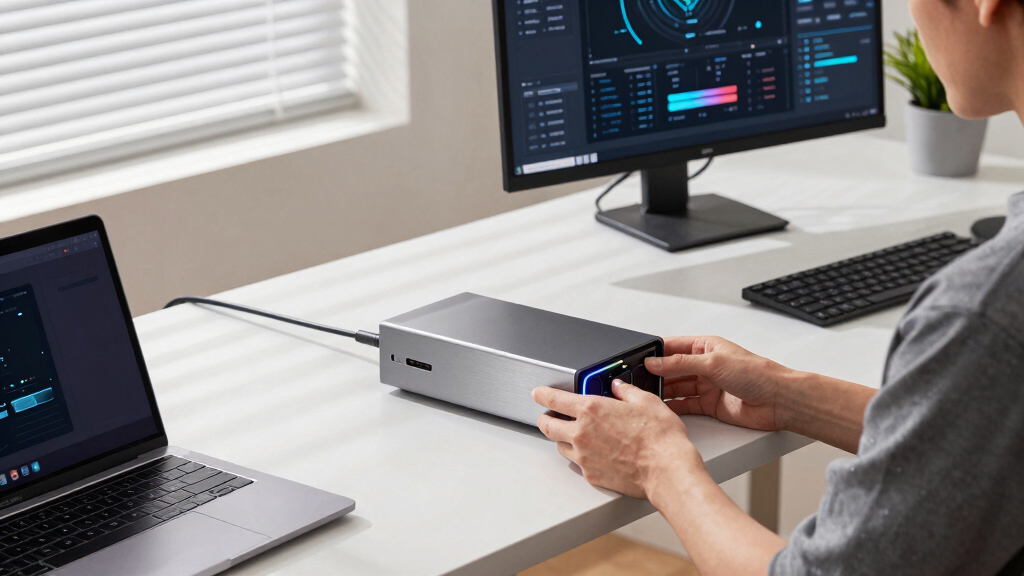

For anyone seeking the best premium external GPU enclosure, the options combine top-tier performance, robust build quality, and advanced connectivity. The Razer Core X V2 stands out as the overall best, offering excellent compatibility and support for high-end graphics cards. The MINISFORUM DEG1 provides impressive support for larger power supplies and versatile interfaces, making it ideal for power users. However, these premium enclosures often come with tradeoffs like higher costs, larger size, and compatibility considerations. Continue reading for a detailed breakdown of each option and what makes them suitable for different needs.
Key Takeaways
- High-end external GPU enclosures differ mainly in supported graphics card sizes, connectivity options, and power supply compatibility.
- Thunderbolt 4/3 remains the most common interface, but some models support PCIe and Oculink for increased flexibility.
- Build quality and cooling are critical for maintaining performance during sustained workloads in premium enclosures.
- Price varies significantly based on features like PCIe support, power delivery, and design complexity, influencing overall value.
- Compatibility with specific laptops and systems is essential; not all enclosures suit every device, especially with differing Thunderbolt standards.


More Details on Our Top Picks
MINISFORUM DEG1 External GPU Dock Station, Mini eGPU Enclosure for RTX 4090, AMD RX 7900 XTX, Support ATX/SFX Standard Power Supplies, Oculink Interface Graphics Dock Station
This option stands out for its ability to support full-sized ATX and SFX power supplies, making it highly adaptable for top-tier GPUs like the RTX 4090 or AMD RX 7900 XTX. Compared with the Razer Core X V2, it offers a more versatile power input option, catering to custom builds and larger power supplies. The tradeoff is that its Oculink interface does not support hot plugging, requiring shutdowns for disconnections, which can be inconvenient. Its support for PCIe 4.0 ensures fast data transfer, and its compact form fits well on desks. This pick makes the most sense for users who want maximum upgrade flexibility without sacrificing performance, especially those comfortable with assembly. However, it’s better suited for experienced builders rather than plug-and-play users.
Pros:- Supports both ATX and SFX power supplies for maximum customization
- PCIe 4.0 compatibility ensures high data transfer speeds
- Compact design suitable for desktop use
Cons:- Oculink interface does not support hot plugging, requiring shutdowns
- Requires assembly and familiarity with PC hardware
Best for: Power users who want to install high-end GPUs with custom PSU setups and require flexibility in hardware support.
Not ideal for: Beginners or users seeking a hassle-free, pre-assembled enclosure for quick setup.
- Hardware Interface:PCI Express 4.0
- Compatible Devices:RTX 4090, AMD RX 7900 XTX
- Number of Ports:1
- Wattage:240W
- Item Dimensions:10.64″L x 6.87″W x 1.6″H
- Item Weight:1.15 kg
Bottom line: Ideal for experienced enthusiasts who want a highly customizable external GPU enclosure with flexible power options.
eGPU Enclosure Thunderbolt 3/4 USB4 40Gbps PD 85W Charging External GPU Dock Compatible with NVIDIA/AMD Graphics Cards on Win 10/11 Linux System, ATX Power Supply (MK-L18)
This model makes the most sense for users needing Thunderbolt 4/3 or USB4 compatibility with high-speed data transfer up to 40Gbps, making it perfect for AI development and deep learning workloads. It supports NVIDIA and AMD GPUs including the latest RTX 50 series, with an 85W PD charging port that simplifies power delivery and device charging with a single cable. Compared to the Razer Core X V2, it adds support for USB4 and Thunderbolt 4/3, enhancing compatibility with newer devices. The tradeoff is that it relies on separate power supplies and does not include a GPU, so installation is more DIY. Its open-frame design promotes excellent airflow, but the lack of integrated power limits plug-and-play convenience. This makes it perfect for AI/ML developers or tech-savvy users who want maximum connectivity options.
Pros:- Supports Thunderbolt 4/3 and USB4 with 40Gbps bandwidth
- Compatible with latest NVIDIA and AMD GPUs including RTX 5090
- Supports external device charging with 85W PD port
Cons:- Requires separate, compatible ATX power supply
- No included GPU, requiring user assembly and compatibility checks
Best for: Developers and researchers focusing on AI, deep learning, or workflows requiring high-speed data transfer and flexible connectivity.
Not ideal for: Casual gamers or users seeking a simple, pre-assembled gaming GPU enclosure.
- Case Type:Open-frame
- Compatibility:NVIDIA/AMD GPUs, Windows 10/11, Linux
- Data Transfer Rate:40Gbps
- Power Delivery:85W
- Cooling Method:Active (120mm fan)
- Dimensions:16.59″D x 7.76″W x 8.51″H
Bottom line: Designed for power users needing high-speed data transfer and flexible connection options for AI or professional workloads.
JMT PCIe 4.0 X16 to Oculink SFF-8612 eGPU Graphics Card Docking Station 64GB/s External GPU Enclosure Support Small 1U / Flex Power Supply (Acrylic,AC7 38 * 35 * 14cm)
This product is tailored for users needing a compact PCIe expansion with support for seamless GPU or PCIe card integration via Oculink SFF-8612. Compared with the MINISFORUM DEG1, it excels in supporting PCIe x16 graphics cards up to 336mm long and offers 64Gbps transfer speeds, making it suitable for high-performance data transfer or GPU tasks in tight spaces. The main tradeoff is the need for an external FLEX power supply, which requires separate purchase and assembly. Its supports multiple card sizes and adjustable housing height, providing flexibility for various hardware configurations. Its drop-resistant build and premium materials make it ideal for mobile or space-constrained environments, especially in professional or industrial settings.
Pros:- Supports PCIe x16 graphics cards up to 336mm in length
- 64Gbps Oculink high-speed transfer
- Adjustable housing height for different GPU sizes
Cons:- Requires separate FLEX power supply, adding complexity
- No integrated power supply or included GPU
Best for: Advanced users in need of a small, high-speed PCIe enclosure for GPU or PCIe card testing, expansion, or industrial applications.
Not ideal for: Casual gamers or beginners preferring an all-in-one, ready-to-use eGPU solution.
- Graphics Card Slots:3 slots, 60mm thickness, up to 336mm length
- Transfer Speed:64Gbps
- Dimensions:340mm L × 86mm W × 203mm H
- Material:Galvanized steel and acrylic
- Power Supply:Separate FLEX 1U power supply required
- Support:Synchronous start/stop, no hot swap
Bottom line: Perfect for professionals needing a compact, high-speed PCIe expansion with flexible physical support for high-performance cards.
ASUS TUF Gaming A1 External M.2 NVMe SATA PCIe SSD Enclosure – USB-C, M.2 Q-Latch for Easy Installation, Drop Resistance, IP68 Water and dust Resistance, PS5 and Xbox Support,Black
This enclosure is tailored for users needing rugged, portable SSD storage, with support for M.2 NVMe and SATA SSDs. Compared with the more complex eGPU options, this unit excels in durability and ease of use, with an IP68 rating and MIL-STD-810H drop resistance. Its Q-Latch mechanism simplifies SSD installation, making it ideal for quick swaps or backups. The tradeoff is that it is limited to SSDs only, and does not support external GPU functions. Its compact, lightweight design makes it perfect for gaming on the go or fieldwork, while still providing high transfer speeds up to 10Gbps via USB-C. It’s best suited for gamers, content creators, or professionals who need a durable external storage solution.
Pros:- IP68 water and dust resistance for durability
- Q-Latch mechanism for easy SSD installation
- Supports multiple SSD sizes (2242/2260/2280)
Cons:- Limited to SSD storage, no GPU support
- Transfer speeds up to 10Gbps, less than PCIe enclosures
Best for: Gamers and professionals seeking rugged, portable SSD expansion compatible with PS5 and Xbox.
Not ideal for: Users looking for external GPU enclosures or high-end PCIe GPU support.
- Connectivity:USB-C 3.2 Gen 2×1
- Supported Drives:M.2 NVMe/SATA SSD
- Transfer Speed:Up to 10Gbps
- Water Resistance:IP68
- Drop Resistance:MIL-STD-810H
- Form Factor:External enclosure
Bottom line: Excellent for rugged, portable SSD storage in demanding environments, but not suited for GPU expansion or gaming performance boosts.
GMKtec AD-GP1 External GPU Docking Station, eGPU Enclosure with AMD Radeon 7600M XT GPU Graphics Card, HDMI2.1, DisplayPort2.0, Oculink, USB4, eGPU Dock
This compact eGPU dock stands out for integrating an AMD Radeon RX 7600M XT GPU, delivering exceptional graphics power in a portable form. Unlike the Razer Core X V2, which requires a separate GPU, the GMKtec AD-GP1 comes with a built-in high-end card, simplifying setup and reducing compatibility concerns. Its four video outputs enable multi-monitor configurations at 8K resolution, ideal for professional workflows or immersive gaming. The inclusion of Oculink and USB4 ports ensures higher bandwidth and compatibility with the latest laptops and mini PCs. However, the unit’s size is limited to cooling constraints—standing it vertically could block vents, and its lightweight design may affect durability over time. It’s perfect for gamers and creators needing a portable yet powerful graphics solution, but less suited for long-term heavy use in a fixed setup.
Pros:- Built-in AMD Radeon RX 7600M XT GPU offers high-end graphics performance.
- Supports four 8K video outputs for extensive multi-monitor setups.
- Compact, lightweight design for easy portability.
- High bandwidth connections via Oculink and USB4 ports.
Cons:- Vertical placement can block cooling vents, risking overheating.
- Limited to portable use—less durable for continuous, heavy workloads.
- No internal upgradeability for the GPU.
Best for: Power users who want a portable, all-in-one high-performance eGPU with multi-display support.
Not ideal for: Users seeking a stationary setup with maximum cooling and expansion options, like large workstation environments.
- Graphics Card:AMD Radeon RX 7600M XT 8GB GDDR6
- Video Outputs:2x HDMI2.1, 2x DisplayPort2.0
- Size:16.4 x 11.1 x 4.0 cm
- Weight:0.7 kg
- Connectivity:USB4, Oculink PCIe x4
- Maximum Resolution:7680 x 4320
Bottom line: This pick suits gamers and content creators needing a portable, premium GPU solution with extensive display support.
DOCKCASE Explorer Edition M.2 NVMe SSD Enclosure,Support 10s PLP Prevents Write Data Loss,USB 3.2 Gen 2 Type-C (10 Gbps), fits NVMe PCIe,Size 2230/2242/2260/2280,Support M-Key B+M Key UASP
Compared to the OwlTree PCIe 4.0 x4 64Gbps eGPU dock, the DOCKCASE Explorer is designed specifically for high-speed NVMe SSDs, emphasizing data safety and health monitoring. Its built-in HD display allows real-time SSD health diagnostics, setting it apart from standard enclosures like the OwlTree model which focuses solely on GPU support. The 10Gbps USB 3.2 Gen 2 interface enables fast transfer speeds exceeding 900 MB/sec, perfect for professional data transfer and backup tasks. The enclosure’s dual heat dissipation and power loss protection ensure longevity and data integrity—features lacking in many basic SSD enclosures. The tradeoff is its limited compatibility with GPUs, making it unsuitable for gaming or graphical tasks. It’s best for users who need a reliable, portable SSD enclosure with smart diagnostics, not for gaming or high-performance GPU needs.
Pros:- Real-time SSD health and lifespan diagnostics via HD display.
- Supports multiple NVMe sizes (2230/2242/2260/2280) and B+M key modules.
- Power Shortage Reminder and 10s PLP for data safety.
- High-speed data transfer up to 10Gbps.
Cons:- Limited to SSD storage—does not support external GPUs.
- Requires system to be powered off before unplugging, no hot-swap.
- Display and diagnostics add complexity and cost.
Best for: Data analysts, video editors, and SSD enthusiasts requiring safe, fast external storage with health monitoring.
Not ideal for: Gamers or users needing external GPU support for rendering or gaming, as this is primarily an SSD enclosure.
- Interface:USB 3.2 Gen 2 Type-C
- Speed:Up to 10Gbps
- Supported SSDs:NVMe PCIe M.2 (2230/2242/2260/2280)
- Dimensions:Supports M-Key & B+M Key
- Features:SSD health prediction, power loss protection
- Color:Black
Bottom line: This enclosure excels for professionals needing fast, safe SSD access with health monitoring, not for graphical or gaming applications.
Thunderbolt 3/4 eGPU Enclosure Compatible with USB4 40Gbps PD 85W Charging External GPU Dock
This open-frame Thunderbolt 3/4 enclosure supports a wide range of NVIDIA and AMD graphics cards, comparable to OwlTree PCIe 4.0 x4 dock, but adds the advantage of compatibility with standard ATX power supplies. Its open design improves airflow and cooling for large, high-performance GPUs—ideal for AI research and deep learning, especially with the support for TinyGPU app and systems like Apple Silicon Mac via Tinygrad. Unlike the GMKtec AD-GP1, which has a built-in GPU, this enclosure offers flexibility to upgrade or swap cards as needed, but it requires a separate power supply and manual installation. The open-frame design sacrifices some physical protection for maximum airflow, which is beneficial for thermals but not suited for environments with high dust or physical hazards. It’s best for advanced users who want a flexible, high-power GPU dock for AI or creative workloads, but less so for casual gaming.
Pros:- Supports latest NVIDIA RTX 50 Series and AMD RX 9000 Series GPUs.
- Open-frame design for superior airflow and cooling.
- Compatible with ATX power supplies for high wattage support.
- Blazing PCIe 4.0 x4 speeds for minimal latency.
Cons:- Requires manual GPU installation and external power supply setup.
- Open design offers less physical protection against dust and impacts.
- No built-in graphics card—users must supply their own.
Best for: AI researchers, deep learning developers, and professionals needing a flexible, high-performance external GPU with upgradeability.
Not ideal for: Casual gamers or users seeking a plug-and-play portable solution, as setup is more technical and requires external power.
- GPU Support:NVIDIA RTX 50 Series, AMD RX 9000 Series
- Connectivity:Thunderbolt 4, USB4
- Power:Supports standard ATX power supplies
- Speed:PCIe 4.0 x4
- Charging Power:85W via Thunderbolt
- Material:Anodized Aluminum
Bottom line: Ideal for AI developers and professionals needing maximum upgradeability and thermal performance, not for casual or portable use.
OwlTree PCIe 4.0 x4 64Gbps eGPU External Graphics Cards Dock, with OCuLink SFF-8612 8311 to PCIe x16 and SFF-8611 Male Cable 50cm
This dock emphasizes broad GPU compatibility, supporting large cards like RTX 4090 and AMD RX 7900 XTX, similar to the OwlTree PCIe 4.0 dock but with added flexibility thanks to its detachable riser cable. It features a PCIe 4.0 x4 interface with 64Gbps bandwidth, ideal for demanding gaming, rendering, or AI tasks. The included 50cm SFF-8612 to PCIe x16 riser cable is ultra-thin and shielded, reducing interference and damage risk, making it suitable for custom builds or mobile setups. Unlike GMKtec’s compact dock, this model’s larger size and need for system shutdown for hot unplugging make it less portable but more adaptable for fixed setups. Its dual screw mounting ensures stability on desktops or racks. It’s perfect for users who need maximum GPU compatibility and high-speed data transfer, but not for those prioritizing plug-and-play portability.
Pros:- Supports large, high-end GPUs like RTX 4090 and RX 7900 XTX.
- Ultra-thin, shielded riser cable minimizes interference and damage.
- Supports PCIe 4.0 x4 with 64Gbps bandwidth.
- Detachable design for portability and easy storage.
Cons:- Requires system shutdown for cable disconnection—no hot plug.
- Size and design are less suited for portable use.
- Assembly and setup are more complex, suitable for experienced users.
Best for: Enthusiasts and professionals needing support for large GPUs and high bandwidth for intensive tasks.
Not ideal for: Casual users or those wanting a simple, portable eGPU solution, due to the need for system shutdown and manual setup.
- GPU Support:RTX 4090, AMD RX 7900 XTX
- Data Transfer:PCIe 4.0 x4, 64Gbps
- Cable Length:50cm
- Interface:OCuLink SFF-8612 to PCIe x16
- Material:Aluminum
- Power Support:Requires external ATX power supply
Bottom line: This dock is best for advanced users with high-performance GPU needs and fixed setups, not for casual or portable use.
How We Picked
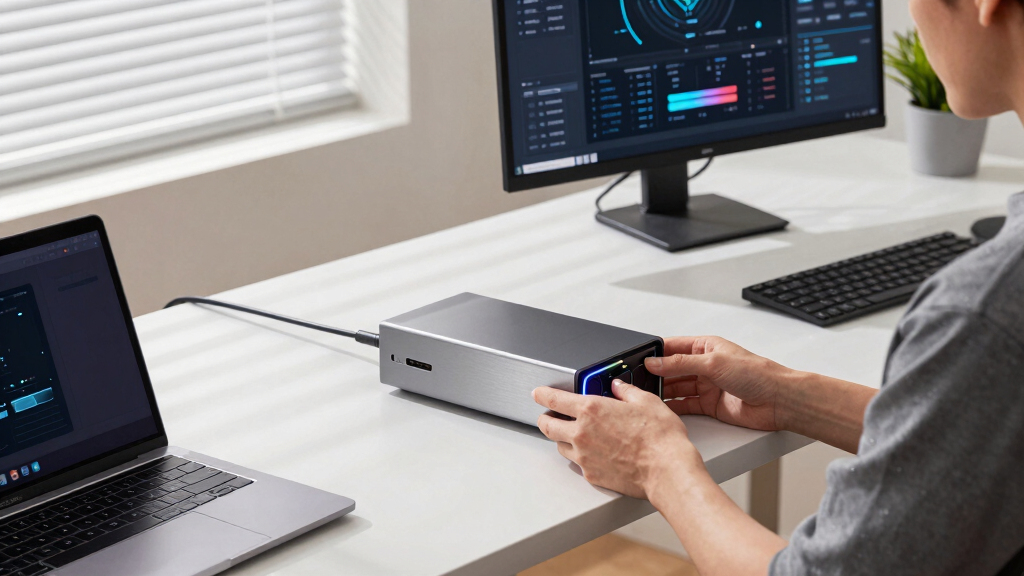
Products were evaluated based on key factors including performance potential, build quality, ease of setup, compatibility with a variety of GPUs and systems, and overall value. Preference was given to enclosures supporting recent PCIe standards, high wattage power delivery, and durable construction. We also considered user feedback on reliability and thermal management. The ranking reflects a balance between cutting-edge features and practical usability, aiming to highlight options that serve different premium needs while avoiding overly niche or incompatible models.Factors to Consider When Choosing Best Premium External Gpu Enclosure
Choosing a premium external GPU enclosure requires balancing performance, compatibility, and future-proofing. Beyond raw specs, buyers should consider how the enclosure integrates with their existing setup, whether it supports their preferred graphics cards, and if it offers enough power and cooling for sustained workloads. Recognizing these broader factors helps avoid costly mistakes and ensures long-term satisfaction.Compatibility and System Support
Ensuring the enclosure works seamlessly with your laptop or desktop is crucial. Check if it supports your system’s Thunderbolt version or PCIe interface, and verify compatibility with your GPU size and power requirements. Some premium enclosures are optimized for specific systems or brands, which can influence setup and performance. Overlooking compatibility can lead to frustration or the need for costly upgrades later.
Connectivity and Interface Options
The interface determines data transfer speed and ease of use. Thunderbolt 4/3 offers fast, universal support, but some premium models include PCIe or Oculink for more flexible configurations. Consider if you need daisy-chaining capabilities or multiple display outputs. A well-chosen enclosure balances high-speed connectivity with practical usability, avoiding bottlenecks during intensive tasks.
Power Delivery and Cooling
Premium enclosures often support high wattage power supplies to run demanding GPUs, but verify if they include or support your preferred PSU. Adequate cooling is vital for maintaining performance and longevity; look for models with good ventilation, heatsinks, or fans. Poor cooling can cause thermal throttling, reducing overall performance and risking hardware damage.
Build Quality and Design
Durability matters in premium enclosures, especially for portable setups. Materials like aluminum improve heat dissipation and sturdiness. Consider the size and weight if portability is a concern, and evaluate aesthetic factors if visual integration matters. A well-constructed enclosure minimizes vibrations and noise, enhancing the overall experience.
Price and Future-Proofing
While premium enclosures tend to be expensive, investing in a model with support for upcoming GPU and system standards can save money long-term. Think about your upgrade path—will this enclosure support next-generation GPUs? Price should reflect not only current features but also potential future needs, preventing quick obsolescence and additional costs.
Frequently Asked Questions
Can I use a premium external GPU enclosure with my gaming laptop?
Yes, most premium enclosures are designed to work with gaming laptops via Thunderbolt 3 or 4, provided your laptop supports these interfaces. Confirm that your device has the compatible port and meets the power and bandwidth requirements. Keep in mind that some enclosures may require specific drivers or software updates to ensure optimal performance, so verifying compatibility beforehand is essential.
Do I need a specific power supply for a premium external GPU enclosure?
Many premium enclosures support standard ATX or SFX power supplies, but it’s important to match the wattage with your GPU’s needs. Higher-end graphics cards often require 600W or more, so selecting an enclosure that supports a PSU capable of delivering sufficient power is critical. Using an underpowered supply can lead to instability or hardware limitations, so check the enclosure’s compatibility and recommended wattage carefully.
Are Thunderbolt 4 enclosures significantly better than Thunderbolt 3 for premium setups?
Thunderbolt 4 offers increased bandwidth, better daisy-chaining, and universal compatibility, which can translate into smoother performance in demanding applications. However, if your system only supports Thunderbolt 3, an enclosure with Thunderbolt 4 will still work but won’t unlock the full potential of Thunderbolt 4. For future-proofing and maximum performance, investing in Thunderbolt 4-compatible enclosures makes sense, especially if you plan to upgrade your system later.
How important is cooling in a premium external GPU enclosure?
Cooling is vital to maintain optimal performance and hardware longevity. High-performance GPUs generate significant heat, and a premium enclosure with good ventilation, heatsinks, or active cooling can prevent thermal throttling. Overlooking cooling solutions can cause performance drops during extended gaming or rendering tasks, and may even damage your GPU over time. Therefore, assess the cooling design as part of your overall decision.
Should I prioritize size and portability in a premium external GPU enclosure?
Size and portability depend on your usage scenario. If you need a portable setup for travel or LAN parties, look for compact and lightweight models. Conversely, larger enclosures often support better cooling, more extensive power supplies, and easier upgradeability, making them better suited for stationary use. Balance your portability needs with the enclosure’s build quality and feature set to avoid compromising performance or convenience.
Conclusion
The best overall pick, the Razer Core X V2, offers a balanced combination of compatibility, performance, and build quality, making it suitable for most users. For those prioritizing value, the GMKtec AD-GP1 delivers premium features at a more accessible price. High-end users or professionals should consider the MINISFORUM DEG1 for its support for larger power supplies and versatile interfaces. Beginners or casual users will find simpler, more portable options easier to manage, while enthusiasts aiming for future-proofing should focus on models supporting the latest standards like Thunderbolt 4 or PCIe 4.0. Each choice aligns with different priorities—performance, price, portability, or upgradeability—ensuring every buyer finds a fitting solution.