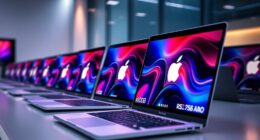
AI-powered student laptops in 2026 split into two camps: machines with dedicated AI chips that run Copilot and on-device assistants quickly, and budget models that badge regular hardware with an AI sticker. The HP OmniBook 3 16-inch stands out as my best overall pick because its Ryzen AI 5 processor delivers genuine on-device AI acceleration, paired with 16GB of RAM and a touchscreen that suits note-taking. The Apple MacBook Neo with A18 Pro is the premium choice for students who want the fastest AI-driven creative and productivity apps, while the HP 15.6″ i7 model wins on value with 16GB of RAM and 1TB of storage for less money. The main tradeoff you’ll face is AI processing power versus raw storage and screen size — and whether a Mac or Windows ecosystem fits your coursework. Read on for the full breakdown of what each machine actually does well.

Get business pricing on tech for your team
- Business-only prices and quantity discounts
- Tax-exempt purchasing
- Multiple users, one account, clear invoices
Key Takeaways
- Only three models in this lineup — the HP OmniBook 3, MacBook Neo, and HP 14-inch Flagship — have hardware built specifically for on-device AI; the rest rely on cloud-based Copilot, which needs strong Wi-Fi to feel fast.
- 8GB of RAM on the MacBook Neo is its weakest point: AI features plus a browser full of tabs can push it hard, while the 16GB HP models handle multitasking with more headroom.
- The cheapest option (HP Student Business, 128GB SSD) fills its drive alarmingly fast once Office 365, Windows updates, and a semester of files land on it — budget for external storage.
- Screen size emerged as the real differentiator among the Windows picks: the 17.3″ HP suits dorm-room desk work, the 16″ OmniBook 3 balances size and portability, and the 14″ models win for carrying to class.
- Every HP in this roundup ships with Windows 11, but only three include the Pro version — a real advantage if your program requires remote desktop or BitLocker encryption for coursework.
| Apple 2026 MacBook Neo 13-inch Laptop with A18 Pro Chip |  | Best Premium Pick | Display: 13-inch Liquid Retina | Processor: A18 Pro chip | Memory: 8GB Unified Memory | VIEW LATEST PRICE | See Our Full Breakdown |
| HP Laptop 2026 Student Business with Copilot AI, Office 365 |  | Best Budget Pick | Processor: AMD Athlon Silver 7120U | RAM: 4GB LPDDR5-5500 | Storage: 128GB PCIe NVMe M.2 SSD | VIEW LATEST PRICE | See Our Full Breakdown |
| HP 15.6” FHD Touchscreen Laptop with Intel i7, 16GB RAM, 1TB Storage |  | Best for Multitaskers | Display: 15.6-inch FHD IPS Touchscreen | Processor: Intel Core i7-1355U, 10 cores, up to 5.0 GHz | RAM: 16GB DDR4 | VIEW LATEST PRICE | See Our Full Breakdown |
| HP OmniBook 3 16-inch Next Gen AI PC with AMD Ryzen AI 5 |  | Best Overall | Display: 16-inch 2K IPS Touchscreen (1920 x 1200) | Processor: AMD Ryzen AI 5 430 | RAM: 16GB DDR5 | VIEW LATEST PRICE | See Our Full Breakdown |
| HP Ultrabook 14 Laptop with Windows 11 and MS Office for Web |  | Best for Light-Duty Note-Taking | Processor: 13th Gen Intel N150, up to 3.6 GHz | Cores/Threads: 4 cores, 4 threads | Storage: 128GB SSD | VIEW LATEST PRICE | See Our Full Breakdown |
| HP 14-Inch Flagship Laptop 2025 – AI-Powered, Windows 11 Pro, 16GB RAM, 628GB Storage |  | Best Accessory Bundle | Processor: 13th Gen Intel N150, up to 3.6 GHz | RAM: 16GB DDR4 | Storage: 128GB UFS + 500GB external drive (628GB total) | VIEW LATEST PRICE | See Our Full Breakdown |
| HP 17.3″ FHD IPS LED Anti-Glare Laptop with AMD Ryzen 5 7430U, 16GB RAM, 1TB Storage |  | Best Big-Screen Desktop Replacement | Display: 17.3-inch FHD IPS LED, 1920 x 1080, 300 nits | Processor: AMD Ryzen 5 7430U, 6-core, up to 4.3 GHz | RAM: 16GB | VIEW LATEST PRICE | See Our Full Breakdown |
| AI-powered student laptop | Processor | Storage | Display | RAM |
|---|---|---|---|---|
| Apple 2026 MacBook Neo 13-inch | A18 Pro chip | 512GB SSD | 13-inch Liquid Retina | — |
| HP Laptop 2026 Student Busines | AMD Athlon Silver 7120U | 128GB PCIe NVMe M.2 SSD | 14-inch HD (1366 x 768) | 4GB LPDDR5-5500 |
| HP 15.6” FHD Touchscreen Lapto | Intel Core i7-1355U, 10 cores, up to 5.0 GHz | 512GB PCIe NVMe SSD + 500GB external drive | 15.6-inch FHD IPS Touchscreen | 16GB DDR4 |
| HP OmniBook 3 16-inch Next Gen | AMD Ryzen AI 5 430 | 512GB PCIe Gen4 NVMe SSD | 16-inch 2K IPS Touchscreen (1920 x 1200) | 16GB DDR5 |
| HP Ultrabook 14 Laptop with Wi | 13th Gen Intel N150, up to 3.6 GHz | 128GB SSD | — | — |
| HP 14-Inch Flagship Laptop 202 | 13th Gen Intel N150, up to 3.6 GHz | 128GB UFS + 500GB external drive (628GB total) | 14-inch HD anti-glare | 16GB DDR4 |
| HP 17.3" FHD IPS LED Anti-Glar | AMD Ryzen 5 7430U, 6-core, up to 4.3 GHz | 1TB SSD | 17.3-inch FHD IPS LED, 1920 x 1080, 300 nits | 16GB |
More Details on Our Top Picks
Apple 2026 MacBook Neo 13-inch Laptop with A18 Pro Chip
For students who want a machine that feels built around AI rather than sold alongside it, the MacBook Neo is the most polished option here. The A18 Pro chip handles on-device AI features without lag, and Apple’s neural engine ecosystem means features like live transcription and image processing run locally. Compared with the HP OmniBook 3, the Neo trades screen size for portability — at 13 inches and under three pounds, it slips into a backpack the OmniBook simply can’t match. Battery life is comparable, around 16 hours, though the OmniBook edges ahead slightly. The real tradeoff is capacity: 8GB of unified memory is workable for AI-assisted notes and research, but heavy multitaskers will feel the ceiling, and the premium price puts pressure on a student budget.
Pros:- Lightweight recycled aluminum build that survives daily campus life
- Vivid Liquid Retina display with 1 billion colors for creative work
- Up to 16 hours of battery for full-day classes without a charger
- A18 Pro chip runs on-device AI features quickly and quietly
Cons:- 8GB of unified memory caps heavy multitasking and large AI workloads
- Premium price is steep for most student budgets
- No dedicated GPU for demanding graphics or 3D coursework
Best for: Students in creative or writing-heavy programs who value portability and want AI features that run smoothly on-device
Not ideal for: Budget-conscious students or anyone running multiple VMs, large datasets, or heavy simulations — the 8GB RAM and price are limiting
- Display:13-inch Liquid Retina
- Processor:A18 Pro chip
- Memory:8GB Unified Memory
- Storage:512GB SSD
- Battery Life:Up to 16 hours
- Camera:1080p FaceTime HD
- Security:Touch ID, FileVault encryption
Our verdict“Buy this if you want the most refined AI laptop experience and can justify the premium; skip it if budget or heavy multitasking rules your decision.”
HP Laptop 2026 Student Business with Copilot AI, Office 365
Not every student can spend four figures on a laptop, and this HP Student Business model acknowledges that reality. Its standout value is the bundled Copilot AI plus a 1-year Microsoft 365 Personal subscription — real software you’d otherwise pay for, included on day one. Compared with the HP Ultrabook 14, it costs similarly but adds a sharper 1080p webcam, which matters for online classes and presentations. The tradeoffs are honest ones: a 1366 x 768 HD display looks dated next to the OmniBook 3’s 2K panel, and 4GB of RAM means Copilot responses and browser tabs compete for the same scarce memory. This pick makes the most sense for word processing, email, and web-based coursework — students in technical or media programs should look elsewhere.
Pros:- Includes Copilot AI and a full year of Microsoft 365 Personal
- Light 3.09-pound design that’s easy to carry between classes
- Fast NVMe SSD boot and load times despite the low price
- 1080p FHD webcam suitable for online lectures and calls
Cons:- 1366 x 768 HD display is noticeably less sharp than rival panels
- 4GB of RAM limits multitasking and slows AI-heavy workflows
- Athlon Silver processor struggles with demanding coursework
Best for: First-year or budget-limited students doing essays, email, browsing, and online learning who need Copilot access without a big spend
Not ideal for: Engineering, design, or data students — 4GB RAM and an Athlon Silver processor will choke on demanding software
- Processor:AMD Athlon Silver 7120U
- RAM:4GB LPDDR5-5500
- Storage:128GB PCIe NVMe M.2 SSD
- Display:14-inch HD (1366 x 768)
- Camera:HP True Vision 1080p FHD
- Wireless:WiFi 6, Bluetooth 5.4
- Weight:3.09 lbs
- Includes:1-year Microsoft 365 Personal
Our verdict“The cheapest way into a Copilot-enabled student laptop, as long as your workload stays light.”
HP 15.6” FHD Touchscreen Laptop with Intel i7, 16GB RAM, 1TB Storage
Where the budget HP options ask you to compromise on power, this 15.6-inch touchscreen model goes the opposite direction: a 10-core Intel i7-1355U and 16GB of RAM mean you can keep a research paper, a dozen browser tabs, and Copilot open simultaneously without the slowdowns that plague the 4GB machines in this lineup. The 1TB of combined storage (512GB internal plus a 500GB external drive) is generous compared with the OmniBook 3’s lone 512GB SSD, though you’ll need to manage files across two drives. The bundle is unusually rich — lifetime Office 2024, wireless mouse, earbuds — which offsets some of the clutter of accessories you may not want. The main sacrifices are size and battery: this is a desk-first machine, not something you carry all day like the MacBook Neo.
Pros:- 10-core i7 with 16GB RAM handles heavy multitasking without stutter
- Vibrant FHD IPS touchscreen with wide viewing angles
- 1TB total storage plus lifetime Office 2024 included
- Wi-Fi 6 connectivity for fast campus networks
Cons:- Split storage across internal and external drives requires file management
- Larger and heavier than portable picks like the MacBook Neo
- Touchscreen attracts fingerprints and needs frequent wiping
Best for: Students who juggle heavy multitasking — research, coding, streaming, and Office work — and mostly work from a desk
Not ideal for: Commuters and lecture-hall nomads — the 15.6-inch footprint and shorter battery life make it a poor carry-everywhere machine
- Display:15.6-inch FHD IPS Touchscreen
- Processor:Intel Core i7-1355U, 10 cores, up to 5.0 GHz
- RAM:16GB DDR4
- Storage:512GB PCIe NVMe SSD + 500GB external drive
- Graphics:Intel Iris Xe
- Operating System:Windows 11 Pro
- Includes:Lifetime Office 2024, earbuds, wireless mouse, cables
Our verdict“The strongest raw-performance value here for students whose workload outgrows budget machines — if you don’t need all-day portability.”
HP OmniBook 3 16-inch Next Gen AI PC with AMD Ryzen AI 5
This is the machine the roundup title points toward: a dedicated AI processor in the AMD Ryzen AI 5 that accelerates Copilot and on-device AI workloads without eating your main CPU budget. Compared with the Intel i7-powered HP 15.6-inch, the OmniBook 3 matches the 16GB RAM while adding a 2K touchscreen at 16 inches — noticeably more screen real estate for split-screen note-taking — and roughly doubling the realistic battery endurance at up to 19.5 hours. AI-driven noise reduction and an HDR webcam make it the best pick for students who attend hybrid classes or record presentations. The tradeoffs are real, though: there’s no dedicated GPU option, the 512GB SSD is smaller than the i7 model’s combined 1TB, and the large footprint means it’s a messenger-bag laptop rather than a toss-in-a-tote one.
Pros:- Dedicated Ryzen AI 5 processor accelerates on-device AI features
- Up to 19.5 hours of battery outlasts every other pick here
- 16-inch 2K touchscreen ideal for split-screen study sessions
- AI noise reduction and HDR webcam elevate online classes
Cons:- No dedicated GPU for gaming or graphics-intensive coursework
- 512GB SSD fills fast if you store lots of media
- 16-inch size reduces everyday portability
Best for: Students who want a genuine AI-first laptop with all-day battery, a big touchscreen, and strong hybrid-class features
Not ideal for: Gamers and 3D or video-production students — integrated Radeon graphics won’t drive serious creative or gaming workloads
- Display:16-inch 2K IPS Touchscreen (1920 x 1200)
- Processor:AMD Ryzen AI 5 430
- RAM:16GB DDR5
- Storage:512GB PCIe Gen4 NVMe SSD
- Graphics:AMD Radeon 840M
- Battery Life:Up to 19 hours 30 minutes
- Connectivity:Wi-Fi 6, Bluetooth 5.4
- Operating System:Windows 11 Home
Our verdict“The best-balanced AI laptop in this lineup — buy it if battery life and AI features top your list, skip it if you need GPU power.”
HP Ultrabook 14 Laptop with Windows 11 and MS Office for Web
The HP Ultrabook 14 occupies a middle lane: more polished than the budget HP Student Business model thanks to its rose gold styling and newer Intel N150 chip, but far less capable than the OmniBook 3 above it. Its appeal is simplicity — Office for web, a one-year Microsoft 365 subscription, and a fast-booting 128GB SSD cover the core needs of note-taking, email, and streaming lectures. Compared with the budget HP, you get a sleeker chassis and WiFi 6, but you give up a sharper camera and Copilot prominence. The 128GB storage is the biggest constraint in the entire roundup — one semester of lecture recordings and downloads can fill it — and HP doesn’t publish battery figures, which is a yellow flag for anyone attending all-day classes without outlet access.
Pros:- Lightweight, stylish rose gold design that stands out from gray laptops
- Quad-core Intel N150 handles everyday browsing and documents smoothly
- Includes 1-year Microsoft 365 Personal subscription
- WiFi 6 keeps campus and home connections fast
Cons:- 128GB SSD fills quickly with a single semester of files
- No dedicated graphics and modest CPU for anything demanding
- Battery life is unspecified, making all-day use a gamble
Best for: Students who mostly live in the browser — notes, docs, email, and streaming — and want a stylish, low-cost secondary or first laptop
Not ideal for: Anyone storing large files locally or running installed software like MATLAB, Adobe apps, or games — storage and power fall short fast
- Processor:13th Gen Intel N150, up to 3.6 GHz
- Cores/Threads:4 cores, 4 threads
- Storage:128GB SSD
- Operating System:Windows 11 Home
- Wireless:WiFi 6
- Color:Rose Gold
- Included Software:1-year MS Office 365 Personal
Our verdict“A fashionable, low-commitment laptop for browser-based coursework — just don’t expect it to grow with a heavier major.”
HP 14-Inch Flagship Laptop 2025 – AI-Powered, Windows 11 Pro, 16GB RAM, 628GB Storage
Where most student laptops in this roundup ship as bare machines, this HP 14 arrives as a complete out-of-the-box kit: wireless earbuds, a mouse, cables, a 500GB external drive, and a lifetime Office 2024 license rather than a subscription. That bundle is the real story here, because the hardware underneath is modest — the Intel N150 is an entry-level chip that trails the AMD Ryzen 5 7430U in the HP 17.3″ model by a wide margin for demanding coursework. Compared with the HP Ultrabook 14, this option wins on screen size and included software, but the 128GB of internal UFS storage is tight, which is why the bundled external drive matters. This pick makes the most sense for a first-year student who wants everything in one purchase without chasing accessories separately.
Pros:- Lifetime Office 2024 license included — no recurring subscription costs
- Generous accessory bundle eliminates separate purchases for peripherals
- 16GB RAM handles everyday multitasking and browser-heavy student workloads
- Anti-glare HD display works well in bright classrooms and outdoors
Cons:- Only 128GB of internal storage, so the external drive becomes a permanent dependency
- Entry-level N150 processor is the weakest CPU in this lineup
- No dedicated GPU limits any graphics-intensive coursework
Best for: First-year students on a budget who want a laptop, Office software, and all the accessories in a single purchase
Not ideal for: Engineering or design students — the N150 processor lacks the power for CAD, video editing, or heavy multitasking
- Processor:13th Gen Intel N150, up to 3.6 GHz
- RAM:16GB DDR4
- Storage:128GB UFS + 500GB external drive (628GB total)
- Display:14-inch HD anti-glare
- Operating System:Windows 11 Pro
- Camera:HP True Vision 720p HD webcam
- Accessories:Wireless earbuds, mouse, HDMI cable, USB extension cord, mouse pad, lifetime Office 2024
Our verdict“Buy this if you value a bundled setup over raw performance; skip it if your degree demands serious processing power.”
HP 17.3″ FHD IPS LED Anti-Glare Laptop with AMD Ryzen 5 7430U, 16GB RAM, 1TB Storage
Among these AI-powered picks, this HP 17.3″ is the one built for students who rarely leave their desk. The FHD IPS panel at 300 nits with wide viewing angles outclasses the HD screen on the HP 14-Inch Flagship — split-screen research papers and lecture slides are simply easier at this size and resolution. The Ryzen 5 7430U’s six cores give it real headroom for statistics software, coding environments, and dozens of tabs, putting it well ahead of the Intel i7-powered 15.6″ touchscreen for sustained multitasking value once you factor in the 1TB SSD. The tradeoff is obvious: a 17.3-inch chassis is a burden in a backpack, and HP doesn’t publish weight or battery figures, so expect a plugged-in, dorm-room experience rather than all-day mobility. With Copilot built in, it doubles as a capable home-base machine for AI-assisted studying.
Pros:- 17.3-inch FHD IPS display at 300 nits is the best viewing experience in this roundup
- Six-core Ryzen 5 7430U handles demanding student software smoothly
- 1TB SSD stores four years of coursework without external drives
- AI Copilot, Wi-Fi 6, and Bluetooth 5.4 round out a modern connectivity package
Cons:- Large chassis with no published weight — portability is a genuine concern
- No dedicated GPU rules out gaming or 3D graphics coursework
- Battery life is unspecified, which is risky for anyone working away from an outlet
Best for: Students who work mainly from a dorm or home office and want a large, comfortable screen for research, writing, and streaming
Not ideal for: Commuters and lecture-hall note-takers — a 17.3-inch laptop is impractical to carry daily and battery life is unverified
- Display:17.3-inch FHD IPS LED, 1920 x 1080, 300 nits
- Processor:AMD Ryzen 5 7430U, 6-core, up to 4.3 GHz
- RAM:16GB
- Storage:1TB SSD
- Graphics:AMD Radeon integrated
- Operating System:Windows 11 Home with AI Copilot
- Connectivity:Wi-Fi 6, Bluetooth 5.4
- Extras:Webcam with shutter, dual microphones, dual speakers
Our verdict“The right choice if your laptop lives on a desk and you prize screen real estate; the wrong one if you carry it across campus daily.”

How We Picked
I evaluated these seven laptops through the specific lens of student AI workflows: running Copilot or Apple Intelligence alongside a browser, documents, and video calls without slowing down. That meant prioritizing dedicated AI silicon or NPUs, 16GB of RAM where available, fast SSD storage, battery life that survives a full day of lectures, and displays comfortable for long study sessions. Price-per-capability mattered too, because most students are buying on a budget that also has to cover textbooks.
The ranking logic is straightforward: machines with hardware-accelerated AI and balanced specs sit at the top, versatile mid-range performers fill the middle, and budget models that make real compromises (tiny SSDs, older processors) land lower — even when they’re marketed with the same AI branding. I also weighed ecosystem fit, since a brilliant laptop that fights your software requirements is a bad buy.
| AI-powered student laptop | Operating System |
|---|---|
| Apple 2026 MacBook Neo 13-inch | — |
| HP Laptop 2026 Student Busines | — |
| HP 15.6” FHD Touchscreen Lapto | Windows 11 Pro |
| HP OmniBook 3 16-inch Next Gen | Windows 11 Home |
| HP Ultrabook 14 Laptop with Wi | Windows 11 Home |
| HP 14-Inch Flagship Laptop 202 | Windows 11 Pro |
| HP 17.3" FHD IPS LED Anti-Glar | Windows 11 Home with AI Copilot |
Factors to Consider When Choosing AI-powered Student Laptops
Before you pick a specific model, it helps to understand what actually makes a laptop “AI-powered” and which specs determine whether that label means anything. These are the factors that separated the strong picks from the weak ones in this comparison.On-Device AI vs. Cloud AI: Know the Difference
The single biggest source of confusion in this category is the AI label itself. Some laptops include a Neural Processing Unit (NPU) — dedicated silicon that runs AI features locally, so Copilot suggestions, transcription, and background blur work instantly even on weak café Wi-Fi. Others simply ship with Copilot pre-installed, which processes everything in the cloud and depends entirely on your connection speed. A common mistake is paying a premium for cloud-AI branding when a cheaper laptop would deliver the identical experience. Check whether the processor name includes “AI” (like AMD’s Ryzen AI series) or whether the manufacturer advertises NPU TOPS — that’s the real signal. Students who work in libraries, on trains, or in shared housing with congested networks benefit most from on-device AI, because that’s exactly where cloud features stall.
RAM: Where AI Laptops Falter First
AI features are memory-hungry, and this is where premium brands quietly cut corners. Apple’s base configurations are the classic example: 8GB sounds adequate until Copilot-style features, a dozen Chrome tabs, and a Zoom call compete for the same pool. On Windows machines, 16GB has become the practical floor for AI-era multitasking, and every top-performing model in this comparison hit that number. Upgrading RAM later is either impossible (soldered memory in Macs and most thin laptops) or impractical, so buy the capacity you’ll need in year three, not year one. If your budget forces a choice between a faster chip with 8GB or a modest chip with 16GB, the extra memory usually produces a smoother everyday experience for student workloads. Storage can be extended with an external drive; RAM cannot.
Storage: The Budget-Laptop Trap
The 128GB SSD found on entry-level student laptops is the most common regret in this category. Windows 11 alone consumes a large chunk, Office 365 and its cached files take more, and after two semesters of lecture recordings, PDFs, and projects, you’ll be managing space weekly. 512GB is the comfortable minimum for a four-year degree, and 1TB removes storage anxiety entirely — which is why the HP 15.6 and 17.3 models rank well despite lacking cutting-edge AI hardware. Cloud storage helps, but relying on it entirely fails the moment you’re offline before an exam. When comparing prices, factor in the cost of an external SSD if you’re tempted by a small-drive machine. A laptop that seems $150 cheaper isn’t a deal if you spend $100 fixing its storage problem and still juggle files.
Screen Size and Portability Tradeoffs
Students underestimate how much screen real estate affects daily work until they’re writing a paper with three sources open side by side. A 17.3-inch display is superb at a desk but miserable in a lecture-hall tablet arm, while 14-inch models slip into any bag but feel cramped for serious research sessions. The 15.6-to-16-inch range is the sweet spot most students settle into, which is part of why the OmniBook 3 earned the top slot. Touchscreens add value for note-taking and reading long PDFs — annotating with a finger beats scroll-dragging through 40 pages. Also check weight in the specs: the difference between a 3-pound and 5.5-pound laptop is felt every single day on a spread-out campus. Pick based on where you’ll actually work, not where you imagine you will.
Windows 11 Home vs. Pro (and Mac vs. Windows)
Windows edition seems like fine print until it blocks something you need. Pro adds BitLocker encryption, remote desktop, and better domain support — occasionally required by business, engineering, or healthcare programs that handle sensitive data. Ask your department about software requirements before buying, because some specialized academic tools are Windows-only, and others run poorly (or not at all) on Apple silicon. Conversely, if your coursework leans creative — design, video, music production — the Mac ecosystem’s AI-accelerated apps often outperform Windows equivalents. Battery life follows the same divide: Apple silicon still leads for all-day endurance, while Windows AI laptops have closed much of the gap. There’s no universally correct platform; there’s only the one matching your required software.
Total Cost of Ownership Beyond the Sticker Price
The listed price is the beginning of the math, not the end. Microsoft’s Office suite is bundled as a trial on many of these machines, and a student subscription — though discounted — is a recurring cost; models that include Office 365 or Office for Web outright offset real money. Factor in a sleeve or bag, potentially a dongle for laptops with limited ports, and warranty coverage, since a dead laptop mid-semester costs more than any repair bill. Cheaper AMD-based models often deliver 90% of the experience for 60% of the price, which is why value picks dominate the middle of this ranking. Resale value matters too if you upgrade every few years: MacBooks historically hold value better than budget Windows machines. The best-value laptop is the one still meeting your needs in year four, not the cheapest one on day one.
Frequently Asked Questions
Do I actually need an NPU-equipped laptop for AI features as a student, or is that just marketing?
For most coursework, cloud-based Copilot on any modern laptop covers the basics: drafting emails, summarizing documents, and answering questions. An NPU earns its keep in specific situations — when you frequently work offline or on poor Wi-Fi, when you use features like live transcription, background noise removal, or auto-framing in video calls, or when your field’s software leverages local AI for photo, video, or code work. NPU machines also tend to handle these tasks without draining the battery or spinning up fans, which matters during long lectures. If you’re a humanities student who studies at home with reliable internet, the premium for dedicated AI silicon is hard to justify. STEM and creative students will feel the difference daily.
Is 8GB of RAM really a problem on the MacBook Neo, or does Apple’s memory management make up for it?
Apple’s unified memory is efficient, and the A18 Pro is genuinely fast, so light users can be perfectly happy with 8GB. The friction appears when AI features run concurrently with heavy workloads — a browser with fifteen tabs, Spotify, and a video call is where memory pressure builds and things start swapping. Students in coding, engineering, or media programs will hit that wall within a semester. My honest advice: the 8GB configuration suits note-takers and essay-writers, but anyone planning to keep this laptop for four years of increasingly AI-heavy software should pay for more memory at purchase. You cannot add it later on any Apple machine, so the decision is permanent.
Why is a 128GB SSD laptop so much cheaper — is it a false economy for students?
In most cases, yes. Windows 11 with updates, plus a semester of cached files, recorded lectures, and installed applications, can consume well over half of 128GB before you’ve saved a single project. You’ll spend real time offloading files, and tools that need scratch space — video editing, large datasets, even some game design software — simply won’t fit. An external SSD is a workaround, but it’s another thing to carry, another point of failure, and slower for actively-used files. The price gap between a 128GB and 512GB laptop is usually smaller than the frustration costs. Unless the laptop is purely a cloud-dependent secondary machine, treat 512GB as the floor.
Which of these laptops will survive a full day of classes without a charger?
Battery performance in this lineup follows silicon more than brand. The MacBook Neo is the clear endurance leader thanks to Apple’s efficiency, comfortably handling a full lecture day. Among the Windows machines, the HP 14-inch Flagship specifically emphasizes long battery life and is the safest all-day choice there. The larger models — the 17.3-inch HP and the 16-inch OmniBook — drive bigger screens and will typically need a top-up by mid-afternoon under heavy use. Realistically, any Windows laptop lasts longer if you keep brightness moderate and close background apps. If your campus days run eight-plus hours without reliable outlets, that constraint alone should narrow your shortlist to the MacBook or the 14-inch HP.
Should I choose Windows 11 Pro or Home for my degree program?
For most students, Home is sufficient — Pro’s headline additions are BitLocker encryption, remote desktop hosting, and group policy tools, which are business-oriented. The exception is when your program requires them: some business, cybersecurity, and healthcare courses mandate BitLocker for handling sensitive data, and IT-related programs sometimes require remote desktop for lab access. Check your department’s requirements page or ask an advisor before paying extra; upgrading later is possible but costs more than buying Pro upfront. Pro also receives some feature updates slightly differently, though for student use the experience is otherwise identical. If you’re unsure and the price difference is under $50, Pro is cheap insurance; beyond that, Home rarely holds anyone back.
Conclusion
The right choice here depends less on spec sheets and more on how you study. For best overall, the HP OmniBook 3 16-inch balances genuine on-device AI, a 16GB/512GB configuration, and a touchscreen at a student-friendly price — it’s the machine that handles everything a degree throws at it. The Apple MacBook Neo is my best premium pick for creative and technical students who live in Apple’s ecosystem and value battery endurance, provided you accept the 8GB memory ceiling. For best value, the HP 15.6″ i7 delivers the most RAM and storage per dollar in the lineup, even without dedicated AI silicon.
Best for beginners goes to the HP Student Business — its bundled Office 365 and low price make it a low-risk first laptop, as long as you add external storage early. For specific needs: the HP 14-inch Flagship for all-day battery on the go, the 17.3-inch HP for desk-bound students who want maximum screen, and the HP Ultrabook 14 for anyone prioritizing portability and style on a modest budget. Whichever you pick, match the machine to your software requirements and where you’ll actually use it — that’s the decision that determines whether you’re happy in year four.
Halloween Picks
halloween
As an affiliate, we earn on qualifying purchases.