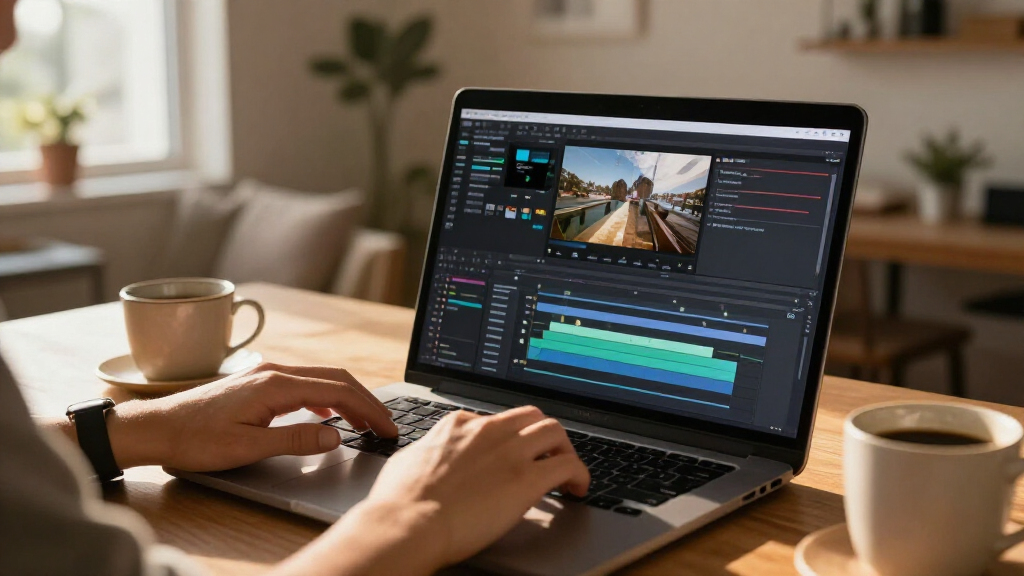

The best AI video editing software for most buyers is CyberLink PowerDirector 2027 Ultra, which pairs an approachable editing workflow with AI-assisted tools and broad creative features. Adobe Premiere Elements 2027 is a strong alternative for guided editing on PC or Mac, while VEGAS Pro Edit 21 suits editors who want more control over video and audio. The main tradeoff is between ease of use and the control, format support, and learning time offered by more advanced software. Bundles may add photo tools, but they are not automatically the better choice if video is your priority. Read on for how the 12 options compare and which one fits your workflow.

Get business pricing on tech for your team
- Business-only prices and quantity discounts
- Tax-exempt purchasing
- Multiple users, one account, clear invoices
Key Takeaways
- PowerDirector 2027 Ultra is the lead all-rounder among the listed options, balancing AI-assisted editing, creative range, and a Windows-focused workflow.
- Premiere Elements 2027 is the clearest guided option for buyers who want structured editing help and compatibility across PC and Mac.
- VEGAS Pro Edit 21 favors hands-on control over a beginner-first approach, making it a better fit for editors who value detailed video and audio work.
- Several entries are editions or bundles from the same software families; compare included tools and platform support instead of treating every listing as a different editing approach.
- AI features do not replace workflow fit: platform, subscription or term length, editing skill, and whether photo editing is useful can matter as much as the AI toolkit.
| Adobe Premiere Elements 2027 Video Editing Software, 3-Year License, PC and Mac |  | Best for Guided Editing | License term: 3 years | Platforms: PC and Mac | Windows requirement: Windows 11 version 24H2 or later, 64-bit | VIEW LATEST PRICE | See Our Full Breakdown |
| CyberLink PowerDirector 2027 Ultra Video Editing Software for Windows |  | Best Value for a Subscription-Free AI Editor | Platform: Windows | License: Subscription-free, one-time purchase | Included AI credits: 500 credits for the first year | VIEW LATEST PRICE | See Our Full Breakdown |
| Nero Video Maker Video Editing Software for Windows |  | Best for Lifetime Ownership and High-Resolution Projects | Supported resolutions: HD, 4K, and 8K | Editing features: Multi-track editing, green screen, picture-in-picture, and motion tracking | Templates and effects: Over 1,000 | VIEW LATEST PRICE | See Our Full Breakdown |
| CyberLink PowerDirector 2027 Ultimate Video Editing Software for Windows |  | Best for AI Creation and Audio Cleanup | Platform: Windows | License: One-time purchase; subscription-free | Included AI credits: 500 credits for the first year | VIEW LATEST PRICE | See Our Full Breakdown |
| VEGAS Pro Edit 21 Video and Audio Editing Software for PC |  | Best for Hands-On Timeline Editing | Platform: PC | License: 1 license | Operating system: Windows 10 or 11 | VIEW LATEST PRICE | See Our Full Breakdown |
| Adobe Photoshop Elements & Premiere Elements 2027, 3-Year Term License for PC and Mac |  | Best for Guided Photo-and-Video Editing | License term: 3 years | Platforms: PC and Mac | Windows requirement: Windows 11 version 24H2 or later, 64-bit | VIEW LATEST PRICE | See Our Full Breakdown |
| CyberLink PowerDirector 2027 Ultra & PhotoDirector 2027 Ultra – AI Video & Photo Editing Software for Windows |  | Best for Prompt-Based AI Editing | Platform: Windows | License type: One-time purchase | Included AI credits: 800 credits for the first year | VIEW LATEST PRICE | See Our Full Breakdown |
| Movavi Video Editor 2026 Personal License for PC (Download) |  | Best for Social Clips and Automatic Subtitles | License: Personal | Platform: PC | Delivery format: Download | VIEW LATEST PRICE | See Our Full Breakdown |
| Adobe Photoshop Elements & Premiere Elements 2027 Student & Teacher Edition – AI-Powered Photo & Video Editing Software, 3-Year Term License (PC/Mac Online Code) |  | Best for Student and Teacher Media Projects | License term: 3 years | Platforms: PC and Mac | Windows requirement: Windows 11 version 24H2 or later | VIEW LATEST PRICE | See Our Full Breakdown |
| CyberLink PowerDirector 2026 Video Editing Software for Windows |  | Best for Screen Recording and AI Cleanup | Platform: Windows | Format: Box with download code | Software type: Video editing | VIEW LATEST PRICE | See Our Full Breakdown |
| Adobe Premiere Video Editing Software, 1-Year Subscription, PC/Mac Online Code |  | Best for Cross-Device Creative Work | Subscription: 1 year | Platforms: Windows, macOS, iPhone | Activation: Required; online code | VIEW LATEST PRICE | See Our Full Breakdown |
| CyberLink PowerDirector 2026 and PhotoDirector 2026 for Windows |  | Best Lifetime Bundle for Video and Photo | Included software: CyberLink PowerDirector 2026 and PhotoDirector 2026 | License: Lifetime licenses; one-time purchase | Compatibility: Windows 10/11 (64-bit) | VIEW LATEST PRICE | See Our Full Breakdown |
| AI video editing software | Platform | License |
|---|---|---|
| Adobe Premiere Elements 2027 V | — | — |
| CyberLink PowerDirector 2027 U | Windows | Subscription-free, one-time purchase |
| Nero Video Maker Video Editing | — | Lifetime license for 1 PC |
| CyberLink PowerDirector 2027 U | Windows | One-time purchase; subscription-free |
| VEGAS Pro Edit 21 Video and Au | PC | 1 license |
| Adobe Photoshop Elements & Pre | — | — |
| CyberLink PowerDirector 2027 U | Windows | — |
| Movavi Video Editor 2026 Perso | PC | Personal |
| Adobe Photoshop Elements & Pre | — | — |
| CyberLink PowerDirector 2026 V | Windows | — |
| Adobe Premiere Video Editing S | — | — |
| CyberLink PowerDirector 2026 a | — | Lifetime licenses; one-time purchase |
More Details on Our Top Picks
Adobe Premiere Elements 2027 Video Editing Software, 3-Year License, PC and Mac
Premiere Elements 2027 is the most approachable pick here for buyers who want AI assistance without starting in a heavily technical editor. Its Quick, Guided, and Advanced modes let newcomers follow step-by-step edits while leaving room to take more control later. AI tools for trimming, resizing, audio fixes, and color adjustments can reduce repetitive work, while generated image and title art add options for finishing a project. Compared with PowerDirector 2027 Ultimate, Elements is more centered on guided workflows than an expansive suite of AI creation features. It also supports 360° and VR editing, a useful niche capability among these choices. The tradeoffs are its three-year license, required online activation, and restrictive Mac support: Apple silicon is required, and Intel processors are unsupported.
Pros:- Quick, Guided, and Advanced modes serve different experience levels
- AI tools assist with trimming, resizing, audio fixes, and color adjustments
- Can generate images or title art and supports 360° and VR editing
- Includes effects, transitions, slideshows, and highlight reel tools
Cons:- License lasts three years rather than being perpetual
- Online activation and an internet connection are required
- Mac support requires Apple silicon; Intel Macs and Windows on ARM are unsupported
Best for: New video editors who want guided lessons, AI-assisted cleanup, and a path from simple edits to more hands-on projects on a compatible PC or Apple silicon Mac.
Not ideal for: Intel Mac owners, Windows on ARM users, and editors who want a perpetual license or a broad set of generative AI tools without credit limits.
- License term:3 years
- Platforms:PC and Mac
- Windows requirement:Windows 11 version 24H2 or later, 64-bit
- Mac requirement:macOS 15.5 or later, or macOS 26.5 or later; Apple silicon M1 or newer
- Memory:8 GB minimum; 16 GB recommended for HD; 32 GB or more for 4K
- Storage:10.5 GB for Windows; 8.2 GB for macOS
- Display:1440 × 900 minimum; 1920 × 1080 or higher recommended
- Activation:Internet connection required
Our verdict“Choose Premiere Elements if guided editing and a gradual learning curve matter more than PowerDirector 2027 Ultimate’s wider AI feature set.”
CyberLink PowerDirector 2027 Ultra Video Editing Software for Windows
PowerDirector 2027 Ultra pairs a one-time, subscription-free license with a broad editing toolkit, making it a practical choice for Windows creators who want AI features but do not want an ongoing software subscription. Timeline editing, screen recording, motion tracking, color grading, and green screen work give it more room for conventional editing than a tool focused mainly on automated clips. Auto Reframe also helps adapt a project for vertical, square, and widescreen publishing without rebuilding each version by hand. Compared with PowerDirector 2027 Ultimate, Ultra is the more restrained option: it offers useful AI assistance, but not the same extensive list of generation and audio-cleanup tools. The main caveat is that its 500 AI credits last only the first year; generative and agentic features can require additional paid credits.
Pros:- One-time purchase with no standard subscription
- Combines timeline editing, screen recording, motion tracking, and green screen tools
- Auto Reframe supports vertical, square, and widescreen formats
- AI tools include chat-based editing, object removal, and AI storytelling
Cons:- The included 500 AI credits are limited to the first year
- Generative and agentic features may require additional paid credits
- Windows-only, unlike Premiere Elements 2027
Best for: Windows creators who want a one-time-purchase editor for timeline projects, screen recordings, and social-format exports, with AI tools available for occasional use.
Not ideal for: Editors who rely heavily on generative AI after the first year, or Mac users who need cross-platform software.
- Platform:Windows
- License:Subscription-free, one-time purchase
- Included AI credits:500 credits for the first year
- Editing features:Timeline editing, motion tracking, color grading, green screen editing, and screen recording
- AI features:Chat-based editing, AI storytelling, object removal, and Auto Reframe
Our verdict“Pick PowerDirector Ultra for a subscription-free Windows workflow with flexible editing tools, provided AI credit limits fit your plans.”
Nero Video Maker Video Editing Software for Windows
Nero Video Maker is the straightforward pick for Windows editors who value a lasting license and support for projects up to 8K more than a large suite of named AI tools. Its multi-track editing, motion tracking, green screen, and picture-in-picture features give users ways to build layered projects, while more than 1,000 templates and effects can speed up routine assembly. Compared with PowerDirector 2027 Ultra, Nero does not list a first-year AI credit allowance or subscription model; its appeal is the lifetime license for one PC. The tradeoff is that the supplied product details describe AI media tools without specifying their capabilities, so buyers seeking clearly defined AI editing workflows may prefer PowerDirector or Premiere Elements. Nero is also limited to Windows 10 and 11 and cannot be moved across multiple PCs under the stated license.
Pros:- Supports HD, 4K, and 8K video
- Lifetime license for one PC with no subscription
- Includes multi-track editing, green screen, picture-in-picture, and motion tracking
- Offers more than 1,000 templates and effects
Cons:- Runs only on Windows 10 and Windows 11
- License is limited to one PC
- AI media tools are listed without detailed capabilities in the product information
Best for: Windows 10 or 11 creators who want a perpetual single-PC editor for multi-track HD, 4K, or 8K projects and value templates and effects.
Not ideal for: Mac users, people who need one license across several computers, and buyers choosing primarily for detailed, clearly specified AI features.
- Supported resolutions:HD, 4K, and 8K
- Editing features:Multi-track editing, green screen, picture-in-picture, and motion tracking
- Templates and effects:Over 1,000
- License:Lifetime license for 1 PC
- Operating systems:Windows 11 and Windows 10
- Subscription:None
Our verdict“Choose Nero Video Maker if a lifetime Windows license and high-resolution project support matter more than a clearly defined AI toolkit.”
CyberLink PowerDirector 2027 Ultimate Video Editing Software for Windows
PowerDirector 2027 Ultimate earns its place for creators who want AI involved in both editing and making new material. Chat-based editing, object removal, AI Replace, scene generation, and image- or text-to-video tools go beyond the more focused assistance in Premiere Elements 2027. The package also brings substantial traditional controls, including motion tracking, HDR output, 4K preview, screen recording, and social-format reframing, so AI features are not the only route through a project. Its audio cleanup suite—including speech enhancement, wind removal, denoising, and de-reverb—makes it especially capable for footage recorded in imperfect conditions. The key tradeoff is credit-based access: 500 credits are included for the first year, while some generative and agentic tools may require extra credits. It is Windows-only, too.
Pros:- Broad AI feature set includes chat editing, object removal, AI Replace, and video generation
- Audio tools cover speech enhancement, wind removal, denoising, and de-reverb
- Includes HDR output, 4K preview, motion tracking, and screen recording
- Auto Reframe helps prepare projects for social formats
Cons:- Some generative and agentic AI features may require extra credits
- The included 500 credits cover only the first year
- Windows-only, unlike Premiere Elements 2027
Best for: Windows creators who want generative AI, detailed audio repair, social reframing, and conventional editing controls in one editor.
Not ideal for: Mac users or editors who expect frequent generative AI use without tracking credits or paying for additional ones.
- Platform:Windows
- License:One-time purchase; subscription-free
- Included AI credits:500 credits for the first year
- Video features:HDR output, 4K preview, motion tracking, screen recording, and Auto Reframe
- Audio tools:Speech Enhancement, Wind Removal, Audio Denoise, DeReverb, and Voice Changer
- AI features:Video Edit by Chat, AI Storytelling, Object Removal, AI Replace, Character Motion Swap, Image to Video, and Text to Video
- Additional costs:Generative and agentic AI features may require extra credits
Our verdict“Choose PowerDirector Ultimate if you want the broadest AI creation and audio toolkit here and can work within its credit system.”
VEGAS Pro Edit 21 Video and Audio Editing Software for PC
VEGAS Pro Edit 21 suits editors who want AI assistance inside a traditional timeline workflow rather than a heavily guided or chat-led process. AI-assisted masking and video repair can help with targeted fixes, while compositing, color grading, effects, titles, and transitions give experienced users room to shape a detailed edit. Its GPU-accelerated export can make rendering more efficient on supported systems, and VST3 plug-in support gives audio-focused editors another way to extend the workflow. Compared with PowerDirector 2027 Ultimate, VEGAS presents a more conventional editing toolset, with fewer explicitly listed generative AI features and no stated credit allowance. That can suit hands-on editors, but it is a less direct match for buyers who want AI to create scenes or assemble edits by chat. It also requires Windows, 16 GB of RAM, and an internet connection.
Pros:- AI-assisted masking and video repair support targeted edits
- Combines effects, transitions, titles, compositing, and color grading
- GPU-accelerated export can speed rendering on supported hardware
- VST3 plug-in support adds flexibility for audio work
Cons:- Requires a Windows 10 or 11 PC
- Requires 16 GB of RAM and an internet connection
- Its listed AI capabilities are less focused on generative creation than PowerDirector 2027 Ultimate
Best for: Experienced Windows editors who prefer timeline control and want AI-assisted masking, video repair, compositing, and audio plug-in support.
Not ideal for: Beginners seeking guided AI workflows, Mac users, or creators whose main goal is generative video creation.
- Platform:PC
- License:1 license
- Operating system:Windows 10 or 11
- Processor:4-core, 2.5 GHz
- RAM:16 GB
- Internet connection:Required
- Audio plug-in support:VST3
Our verdict“Pick VEGAS Pro Edit 21 if you want AI-assisted fixes within a hands-on Windows timeline rather than a generation-first editor.”
Adobe Photoshop Elements & Premiere Elements 2027, 3-Year Term License for PC and Mac
This bundle is the strongest fit here for buyers who want to edit photos and videos in one approachable workspace. Quick, Guided, and Advanced modes let beginners follow help through common edits while leaving room to take more control later. Its AI-assisted video tools sit alongside photo cleanup and media organization, a broader mix than the video-focused Movavi Video Editor 2026. The tradeoff is a three-year term license, rather than a perpetual license, and the software needs online activation. System requirements are also specific: older computers may not qualify, and 4K work calls for substantially more memory than the minimum. I’d choose it for a mixed-media household or creator who wants built-in guidance; dedicated video editors may prefer a more video-centered tool.
Pros:- Combines photo and video editing in one package
- Quick, Guided, and Advanced modes accommodate different skill levels
- AI-assisted tools support photo cleanup and video editing
- Includes media organization tools
Cons:- The license lasts three years rather than being perpetual
- Online activation and internet access for online content are required
- Newer operating system and processor requirements may rule out older computers
Best for: PC or Mac users who want guided editing for family videos and photos in one bundle, with room to move from basic to advanced controls.
Not ideal for: Owners of older computers, people who need a perpetual license, or video-only editors who do not need the included photo software.
- License term:3 years
- Platforms:PC and Mac
- Windows requirement:Windows 11 version 24H2 or later, 64-bit
- macOS requirement:macOS 15.5 or later, or macOS 26.5 or later
- Memory:8 GB minimum; 16 GB recommended for HD; 32 GB or more recommended for 4K
- Storage:14.7 GB for Windows; 12 GB for macOS
- Display:1440 × 900 minimum; 1920 × 1080 or higher recommended
- Internet:Required for activation and downloading online content
Our verdict“Choose this bundle if you want guided photo and video editing on a supported PC or Mac; skip it if you need a perpetual or video-only editor.”
CyberLink PowerDirector 2027 Ultra & PhotoDirector 2027 Ultra – AI Video & Photo Editing Software for Windows
For Windows users who want AI to handle more of the editing workflow, this video-and-photo bundle stands out for Video Edit by Chat and related prompt-based tools. It pairs those features with object removal and image generation, making it more focused on conversational and generative editing than the traditional Guided-mode lessons in Adobe Photoshop Elements & Premiere Elements 2027. The one-time purchase avoids a recurring license, but it does not make every AI feature unlimited: the package includes 800 credits for the first year, and further generative use may require buying more. That credit limit is the main decision point for creators who expect to rely heavily on AI. I’d pick it over the Adobe bundle for prompt-led editing on Windows, but not for Mac compatibility or predictable ongoing access to generative tools.
Pros:- Combines PowerDirector video editing with PhotoDirector photo editing
- Video Edit by Chat supports prompt-led editing
- Includes object removal, replacement, and image-generation features
- One-time purchase includes 800 AI credits for the first year
Cons:- Windows only
- Included AI credits cover only the first year
- Generative features may require additional credit purchases
Best for: Windows creators who want video and photo tools together and plan to use text prompts for edits while keeping to a one-time software purchase.
Not ideal for: Mac users or frequent generative-AI users who want to avoid credit limits and possible additional purchases.
- Platform:Windows
- License type:One-time purchase
- Included AI credits:800 credits for the first year
- Video AI features:Video Edit by Chat, object removal, replacement, and storytelling tools
- Photo AI features:Photo Edit by Chat, object removal, replacement, and image generation
- Included applications:PowerDirector 2027 Ultra and PhotoDirector 2027 Ultra
Our verdict“Choose this if prompt-based AI editing and a one-time purchase matter more than Mac support or unlimited generative use.”
Movavi Video Editor 2026 Personal License for PC (Download)
Movavi makes the most sense for PC creators who want practical assistance for short videos without stepping into a more feature-dense suite. Its automatic subtitles, silence removal, and background-noise cleanup can cut down routine work on vlogs, family clips, and social posts. Compared with CyberLink PowerDirector 2026, which adds screen and webcam recording plus object masking, Movavi leans more toward a straightforward timeline with effects, speed controls, and subtitle styling. That approachable scope is also a limit: the license is marked Personal, so it may not fit commercial projects, and the provided product data does not list system requirements. Its AI tools assist specific tasks rather than offering the prompt-led workflow found in PowerDirector 2027 Ultra. I’d favor Movavi for individual creators who value quick captions over advanced production tools.
Pros:- Automatic subtitle generation offers more than 30 styles
- AI-assisted noise removal and background swapping support common cleanup tasks
- Silence removal can shorten spoken clips
- Includes speed controls up to 100x and a broad selection of effects
Cons:- Personal license may not permit commercial use
- System requirements are not specified in the supplied product details
- AI assistance is more task-specific than the prompt-based tools in PowerDirector 2027 Ultra
Best for: PC-based vloggers, family video makers, and social creators who want automatic captions and basic AI-assisted cleanup for personal projects.
Not ideal for: Commercial video editors, Mac users, or buyers who need published system requirements before choosing software.
- License:Personal
- Platform:PC
- Delivery format:Download
- Subtitle generation:Automatic, with more than 30 styles
- Video speed control:Up to 100x
- Effects:Hundreds of filters, transitions, titles, and overlays
- AI tools:Subtitle generation, noise removal, and background swapping
Our verdict“Choose Movavi for personal PC videos where automatic captions and simple cleanup matter more than commercial rights or advanced AI workflows.”
Adobe Photoshop Elements & Premiere Elements 2027 Student & Teacher Edition – AI-Powered Photo & Video Editing Software, 3-Year Term License (PC/Mac Online Code)
This edition suits eligible students and teachers who want a guided route into photo and video editing, with support for more than basic cuts. Quick, Guided, and Advanced modes help new editors learn common workflows, while 360°/VR video and stop-motion tools give classroom projects options that a simpler clip editor such as Movavi Video Editor 2026 does not list. The bundle also includes Photoshop Elements, so photo work does not require a separate application. Compared with the standard Adobe Photoshop Elements & Premiere Elements 2027 bundle, the Student & Teacher Edition is distinguished by its intended audience, not by a different editing approach in the supplied details. Its three-year online license and demanding computer requirements are real constraints, particularly for students using older or school-managed devices.
Pros:- Includes both Photoshop Elements and Premiere Elements
- Quick, Guided, and Advanced modes support different levels of editing experience
- Supports 360°/VR video and stop-motion creation
- AI-powered tools assist photo enhancements and video creation
Cons:- The license is limited to three years
- Internet access is required for activation and online content
- Newer operating system and hardware requirements can exclude older computers
Best for: Eligible students and teachers creating coursework, classroom media, or personal projects who want guided video editing alongside photo tools.
Not ideal for: People who do not qualify for the education edition, users with older computers, or editors who need a perpetual license or offline activation.
- License term:3 years
- Platforms:PC and Mac
- Windows requirement:Windows 11 version 24H2 or later
- macOS requirement:macOS 15.5 or macOS 26.5
- Processor:Windows: Intel Core 9th Generation or newer, or AMD equivalent; Mac: Apple silicon M1 or newer
- RAM:8 GB minimum; 16 GB recommended for HD; 32 GB or more for 4K
- Storage:14.7 GB for Windows; 12 GB for macOS
- Internet requirement:Required for activation and online content
Our verdict“Choose this education edition for guided photo and video projects if you qualify and have a compatible computer.”
CyberLink PowerDirector 2026 Video Editing Software for Windows
PowerDirector 2026 is the more practical pick for Windows users who need to capture footage as well as edit it. Screen and webcam recording give it a role that Movavi Video Editor 2026, as described here, does not emphasize, while AI object masking, background removal, audio denoising, and speech-to-text captions cover common cleanup jobs. Those tools make it useful for tutorials, presentations, and talking-head clips. Compared with PowerDirector 2027 Ultra & PhotoDirector 2027 Ultra, this version is a video-focused option rather than a combined video-and-photo bundle with chat-based editing. The tradeoff is that generative AI credits are sold separately, and frame interpolation is limited to Intel AI PCs. Buyers should check hardware fit before counting on that feature.
Pros:- Includes screen and webcam recording
- AI object masking and background removal support subject-focused edits
- Audio denoising can help clean recorded speech
- Speech-to-text captions support subtitle creation
Cons:- Frame interpolation is available only on Intel AI PCs
- Generative AI credits are sold separately
- Windows only
Best for: Windows tutorial makers, presenters, and educators who need screen or webcam capture alongside editing and AI-assisted cleanup.
Not ideal for: Mac users, creators seeking included generative AI credits, or PC owners without Intel AI hardware who specifically want frame interpolation.
- Platform:Windows
- Format:Box with download code
- Software type:Video editing
- Recording:Screen and webcam recording
- AI editing features:Object masking and background removal
- Audio and captions:Audio denoise and speech-to-text captions
- Frame interpolation:Available on Intel AI PCs only
- Generative AI credits:Sold separately
Our verdict“Choose PowerDirector 2026 for Windows screen capture and editing with AI cleanup, but not if you need included generative credits or broad hardware access to frame interpolation.”
Adobe Premiere Video Editing Software, 1-Year Subscription, PC/Mac Online Code
Adobe Premiere is the stronger fit for editors who want AI tools inside a desktop-focused professional workflow, with the added option to keep projects moving between iPhone and desktop. Its masking, clip-extension, and caption features can reduce repetitive editing work, while color correction, audio enhancement, effects, and transitions support more detailed finishing than a simpler editor such as Movavi Video Editor 2026. The tradeoff is a one-year subscription rather than a lifetime license like CyberLink PowerDirector 2026, and some features, including Object Mask, are still in beta. Hardware requirements also matter: the listed minimum is 8 GB of RAM, with higher memory recommended for HD and 4K work. I’d choose Premiere for cross-device flexibility and a broader creative toolkit, not for buyers seeking a fixed-cost license or the lightest setup.
Pros:- AI tools support masking, caption generation, and clip extension.
- Projects can sync between iPhone and desktop.
- Effects, transitions, audio enhancement, and color correction support detailed editing.
- Available for Windows, macOS, and iPhone.
Cons:- Requires a paid one-year subscription rather than a lifetime license.
- Some features, including Object Mask, are in beta.
- Compatible operating systems and graphics hardware are required.
Best for: Editors who work between an iPhone and a Windows or Mac desktop and want AI-assisted masking, captions, and clip extension alongside professional editing tools.
Not ideal for: Buyers who want a one-time license, need guaranteed access to fully mature masking features, or use a computer that does not meet the listed operating-system and graphics requirements.
- Subscription:1 year
- Platforms:Windows, macOS, iPhone
- Activation:Required; online code
- Operating system:Windows 11 version 24H2 or later; macOS 14 Sonoma or later
- RAM:8 GB minimum; 16 GB recommended for HD; 32 GB or more for 4K
- Storage:8 GB available space
- GPU memory:At least 4 GB on Windows; compatible graphics required on Mac
- Display resolution:1920 × 1080
Our verdict“Choose Premiere if you value AI-assisted professional editing and iPhone-to-desktop project syncing more than a one-time license.”
CyberLink PowerDirector 2026 and PhotoDirector 2026 for Windows
This PowerDirector and PhotoDirector bundle suits Windows users who want AI-assisted video editing plus a separate photo application under lifetime licenses. Object masking and removal can help clean up footage, while screen and webcam recording together are useful for tutorials, demos, and presentations. The included PhotoDirector adds batch photo enhancements, giving this bundle broader media coverage than CyberLink PowerDirector 2026 Video Editing Software on its own. That breadth comes with a Windows-only limitation, and buyers should distinguish the included AI editing features from generative AI tools, which require separately purchased credits. The boxed format supplies a printed download code, not a disc. I’d rank it for people who want both video and photo tools without recurring subscription fees, rather than editors seeking cross-platform access or a bundle with all AI generation costs included.
Pros:- Includes both PowerDirector 2026 for video and PhotoDirector 2026 for photos.
- Lifetime licenses avoid recurring subscription fees.
- AI tools include object masking and removal, plus image enhancement.
- Screen and webcam footage can be captured together.
Cons:- Runs only on Windows 10 or 11 (64-bit).
- Generative AI tools require separately purchased credits.
- The box contains a download code and no physical disc.
Best for: Windows 10 or 11 users who edit videos, make screen-and-webcam tutorials, and also want a dedicated photo editor under one-time licenses.
Not ideal for: Mac users, buyers who want generative AI included without separate credit purchases, or anyone expecting a physical installation disc.
- Included software:CyberLink PowerDirector 2026 and PhotoDirector 2026
- License:Lifetime licenses; one-time purchase
- Compatibility:Windows 10/11 (64-bit)
- Format:Box with printed download code; no physical disc
- AI editing features:Object masking and removal; image enhancement
- Recording:Screen and webcam recording
- Photo editing:Batch photo editing
- Generative AI:Requires separately purchased AI credits
Our verdict“Pick this bundle if you want lasting access to Windows video and photo editors, and are comfortable paying separately for generative AI credits.”
How We Picked
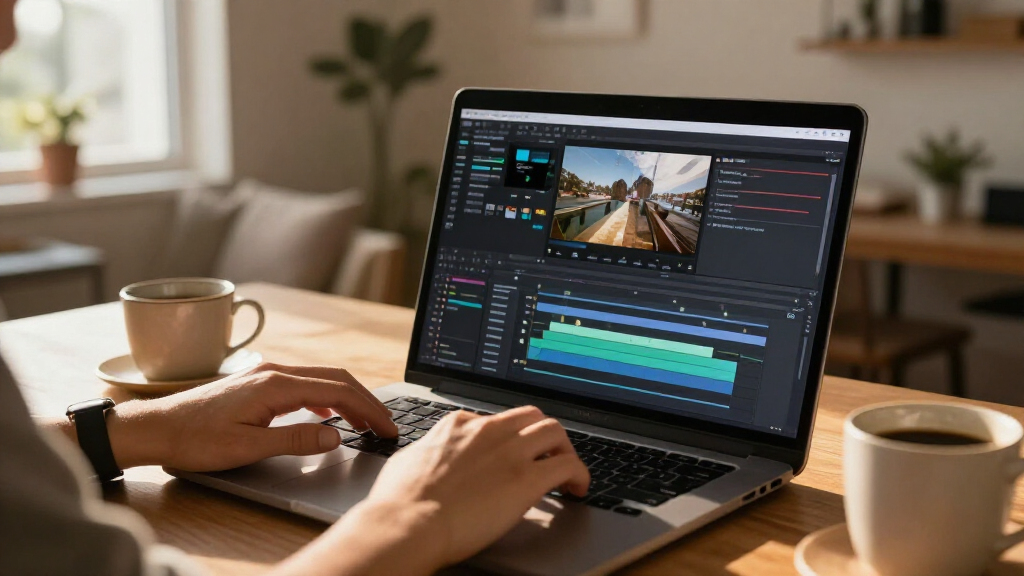
I ranked these options by how well they serve buyers searching specifically for AI video editing software, not by brand familiarity or the number of features named in a listing. I weighed the balance between AI-assisted tools and practical editing control, the expected learning curve, supported platforms, and whether the product is focused on video or bundled with photo software. I also treated licensing details as part of the buying decision: a term license, subscription, and personal license can shape the fit for a one-time project or an ongoing workflow.
PowerDirector 2027 Ultra leads because it offers the strongest overall balance for a broad Windows audience. Premiere Elements ranks highly for buyers who value guided editing and Mac support, while VEGAS Pro Edit is positioned for users who want a more hands-on workflow. Lower-ranked entries are not automatically poor choices; they are placed lower when they are older versions, narrower in platform fit, or less directly suited to buyers seeking a balanced AI video editor. Where product titles do not establish specific AI functions or performance, I avoid treating those details as confirmed advantages.
Factors to Consider When Choosing AI Video Editing Software
Before choosing, separate the appeal of AI tools from the day-to-day realities of editing. A fast automatic edit may help with routine tasks, but your platform, project type, experience, and licensing needs determine whether the software will keep working for you after the first video.
Choose AI assistance for the tasks you actually repeat
AI labels can cover very different jobs, from automating edits to helping with cleanup or creative adjustments. Start by listing the parts of your workflow that take the most time, then check whether a product supports those specific tasks. A tool that speeds up one step you perform every week may be more useful than a longer feature list you rarely touch. Avoid buying on the promise of automation alone: you may still need to review results and make manual corrections. For occasional family or social videos, guided tools can reduce setup work. For detailed storytelling, look for a workflow that keeps manual control within easy reach.
Match editing control to your current skill and future plans
Beginner-friendly software often makes common actions easier to find, while more advanced editors can offer a less guided workspace with room for detailed decisions. Neither approach is inherently better; the mismatch is what causes frustration. If you are new, consider whether tutorials or guided steps will help you finish projects without slowing you down. If you already edit regularly, a simple interface may feel limiting when you need to refine timing, sound, or layered sequences. Think about the videos you expect to make over the next year, not only your first project. A modest learning curve can pay off when your editing needs grow, but only if you have time to learn the workflow.
Check operating system and device requirements before comparing features
These listings do not all target the same platforms: several are Windows-focused, while Adobe Elements options include PC and Mac support. Confirm the exact edition and system compatibility before purchase, especially if you share projects across devices or plan to change computers. Software performance also depends on the editing machine, the size of your footage, and the complexity of your timeline. A feature-rich editor can feel sluggish on a system that is not suited to the workload. Check current system requirements from the publisher rather than relying on a product title alone. Compatibility is a practical filter that can remove unsuitable options before you compare creative tools.
Compare license duration with how often you edit
A license term can matter as much as the software itself. The lineup includes a three-year Elements license, a one-year Adobe Premiere subscription, and products described as personal licenses or software editions. Before committing, confirm what happens when a term ends, whether updates or continued access are included, and which devices the license covers. A subscription may suit a continuing workflow, while a defined term may fit a planned period of use. Do not assume that two products with similar names carry the same licensing conditions. Read the current publisher terms and the exact listing details before purchase.
Treat photo bundles as a separate value decision
Some PowerDirector and Adobe listings add photo-editing software, which can be useful if you also manage still images. A bundle is less compelling when your main goal is video editing and the added application will sit unused. Compare the video workflow on its own first, then decide whether the photo tools solve a real need. Bundled apps may also have separate system requirements or licensing details, so check both parts rather than assuming they work as one package. For a creator who regularly prepares thumbnails, stills, or mixed media, a bundle can simplify software choices. For video-only work, a focused editor may be the clearer fit.
Check version and edition differences instead of relying on names
This roundup includes multiple versions and editions of PowerDirector, as well as distinct Adobe Elements and Premiere products. A newer year in a title does not by itself prove that an edition includes the tools you need, and labels such as Ultra or Ultimate should not replace a feature check. Compare the publisher’s current feature lists, supported formats, and edition-specific details before deciding. Older versions may still suit a buyer whose workflow is already established, but they can be a poor choice if a required feature is absent. Also confirm that the listing matches your intended operating system. This extra check helps prevent paying for a bundle or edition that does not address your actual editing needs.
Frequently Asked Questions
Is PowerDirector 2027 Ultra a better choice than Adobe Premiere Elements 2027?
They suit different priorities rather than one being the automatic winner. PowerDirector 2027 Ultra is the leading all-round Windows pick in this comparison, while Premiere Elements 2027 makes more sense for buyers who value guided editing and PC or Mac support. Check the current feature lists to confirm that the AI-assisted tasks you want are included in the exact edition. Also compare the license terms and your computer’s operating system. Choose based on workflow fit, not on the product family name alone.
Should I choose a photo-and-video bundle if I mainly edit video?
Only if the photo software has a clear job in your workflow, such as preparing stills or related assets alongside videos. The PowerDirector and Adobe bundles in this roundup add photo tools, but those extras do not automatically make the video editor a better fit. Compare the video features and license details first, then decide whether the added application is useful enough to justify choosing that package. A video-only buyer may prefer to focus on the editor that best matches their projects. Verify whether the bundle’s components have separate requirements or terms.
Is a subscription or a fixed-term license better for occasional editing?
That depends on how long you need access and how often you expect to edit. A one-year subscription may fit a sustained project period or regular use, while a three-year term may suit someone planning to keep editing over a longer defined span. The lineup also includes products described as personal licenses, so check the exact terms rather than assuming all licenses work alike. Confirm what access, updates, and device coverage apply after purchase. If your editing is occasional, plan around the dates and projects you expect to complete before choosing.
Can a beginner start with VEGAS Pro Edit 21?
A beginner can start with an advanced editor, but should be ready for a more hands-on learning process than a guided editing product may offer. VEGAS Pro Edit 21 is better suited to buyers who want detailed video and audio control, while Premiere Elements is a more natural comparison for someone seeking structured help. Consider whether you want to learn a professional-style workflow or simply finish straightforward videos with less setup. Tutorials and practice time can make a difference. If you need quick results with minimal learning, choose the workflow that feels easiest to understand before adding more control.
What should I verify before buying an older version such as PowerDirector 2026?
Check whether the version supports your operating system, files, and the AI-assisted tasks you plan to use. Compare its edition-specific feature list with the 2027 options instead of assuming the difference is only the year. Review license conditions and any included companion software, particularly for the PowerDirector and PhotoDirector bundle. Confirm that the product can be installed and activated under the current publisher terms. An older version can suit an established workflow, but it is a risky choice if you are relying on a specific feature that is not clearly listed.
Conclusion
Best overall: choose CyberLink PowerDirector 2027 Ultra for a balanced Windows editing workflow. Best for beginners: Adobe Premiere Elements 2027 is the guided choice, especially if Mac support matters. Best for hands-on control: VEGAS Pro Edit 21 suits editors who want more detailed video and audio work. Best for photo-and-video needs: compare the PowerDirector and PhotoDirector or Adobe Elements bundles, then choose based on which photo tools you will use. Best for an ongoing Adobe workflow: Adobe Premiere is the subscription option in this lineup. Before deciding, confirm platform compatibility, the exact edition, and license terms; those details can matter more than a product’s AI label.
Halloween Picks
halloween
As an affiliate, we earn on qualifying purchases.