

If you need precise and trustworthy colors, sharp resolution isn’t enough. Accurate color fidelity guarantees your images or videos match real-world scenes, which is crucial for photographers, designers, and video editors. High resolution can look impressive but won’t fix inaccurate colors. By prioritizing calibration and display quality, you get true-to-life visuals essential for professional work. Keep exploring to understand how choosing the right display can make all the difference in your projects.

Get business pricing on tech for your team
- Business-only prices and quantity discounts
- Tax-exempt purchasing
- Multiple users, one account, clear invoices
Key Takeaways
- Accurate colors ensure true representation of scenes and products, crucial for photographers, designers, and video editors.
- Proper calibration maintains consistent and reliable color reproduction, essential for professional work.
- High resolution alone does not guarantee accurate colors; calibration and display technology are more important.
- Better color fidelity enhances creative output, making images look more realistic and trustworthy.
- Prioritizing color accuracy over resolution leads to more precise editing and higher quality visual content.
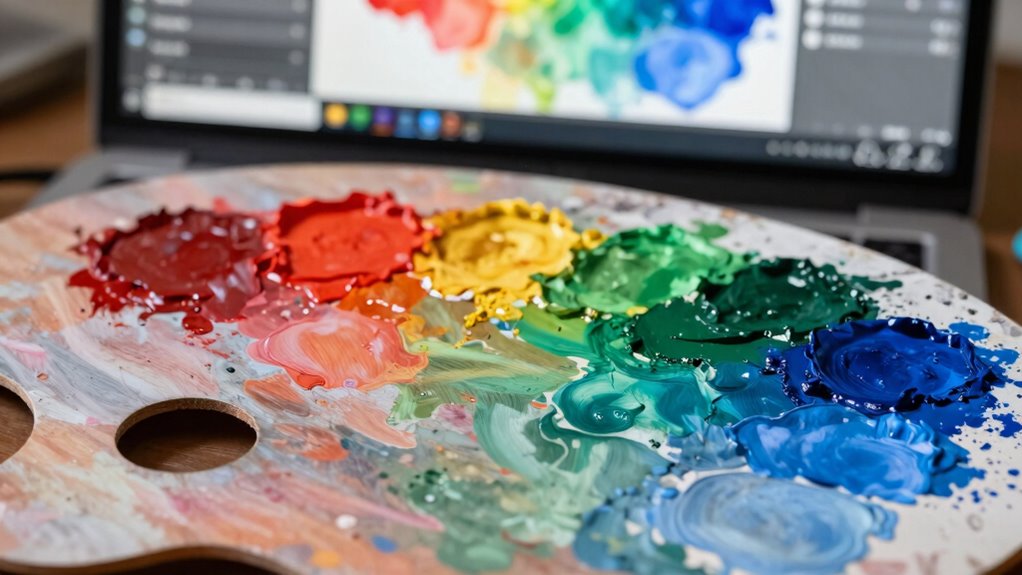
When choosing a display, understanding the trade-off between color accuracy and resolution is essential because each impacts your viewing experience differently. If you’re someone who works with visual content, such as photographers, designers, or video editors, color accuracy becomes a top priority. Accurate colors ensure that what you see on your screen matches the final output or real-world scenes. This is where proper color calibration plays a crucial role. By calibrating your display, you ensure that colors are true to life, which is vital for tasks that demand precision. While resolution determines how sharp and detailed the images appear, it’s not always the most critical factor for your work. A high-resolution display can showcase tiny details, but if the colors are off, those details might be misleading or untrustworthy.
Display technology significantly influences both color accuracy and resolution. Different screen types—such as IPS panels, OLEDs, or TN displays—offer varying benefits. IPS panels, for example, excel in color reproduction and viewing angles, making them ideal for color-critical tasks. OLED screens typically provide richer colors and better contrast, further enhancing color fidelity. On the other hand, resolution is more about pixel count. While a 4K display offers more pixels than a 1080p, it doesn’t automatically mean your colors will be more accurate. For certain buyers, especially creative professionals, the priority is having a display that can render colors precisely, even if that means sacrificing some resolution or viewing sharpness. Additionally, display calibration plays a vital role in ensuring consistent color accuracy over time, regardless of resolution. Regular calibration helps maintain color consistency, which is essential for professionals who need to trust their display’s output day after day. It’s tempting to chase higher resolutions because they seem to promise better clarity, but if your display isn’t properly calibrated, those extra pixels are almost meaningless. You might think you’re seeing more detail, but in reality, the colors could be off or inconsistent. This discrepancy can be frustrating, especially when color matching or editing images. In these cases, investing in a monitor with superior display technology that supports accurate color reproduction outweighs the benefits of ultra-high resolution. For many buyers, especially those in creative fields, the ability to trust their display’s color accuracy is more valuable than pixel count. Recognizing the importance of color calibration and how it maintains color fidelity over time helps ensure your display remains reliable. Moreover, understanding the impact of display technology can help you choose a device that aligns better with your specific needs. Ultimately, the right choice depends on your specific needs, but knowing that color calibration and display technology directly influence color fidelity helps you make an informed decision.
professional color calibration monitor
As an affiliate, we earn on qualifying purchases.
As an affiliate, we earn on qualifying purchases.
Frequently Asked Questions
How Does Color Accuracy Impact Professional Photo Editing?
Color accuracy directly impacts your professional photo editing by ensuring true-to-life hues during color calibration. When your monitor accurately displays colors, you can confidently perform color grading without surprises, maintaining consistency across your work. This precision helps you make informed adjustments, resulting in polished images that match your creative vision. Ultimately, accurate color representation enhances your workflow and guarantees your final product looks perfect on any display.
Can a High-Resolution Monitor Still Have Poor Color Accuracy?
Yes, a high-resolution monitor can still have poor color accuracy if it lacks proper color calibration and screen uniformity. Even with sharp images, inaccurate colors can distort your work or viewing experience. To guarantee true-to-life colors, you should regularly calibrate your display and check for screen uniformity issues. This way, you get the best color performance, regardless of resolution, making your work more precise and consistent.
What Industries Prioritize Color Accuracy Over Resolution?
In industries like photography, graphic design, and video editing, you prioritize color accuracy over resolution. You need monitors with precise color calibration and a wide color gamut to guarantee your work displays true-to-life colors. Accurate color calibration helps maintain consistency, while an ample color gamut allows you to see a broader range of hues. This focus ensures your creative output remains vibrant and true, which resolution alone can’t guarantee.
Are There Specific Display Technologies That Enhance Color Accuracy?
You’ll find that display technologies like IPS panels and OLED screens enhance color accuracy by supporting wider color gamuts and better viewing angles. Regular display calibration guarantees colors stay true to their source, which is vital for industries relying on precise color reproduction. Look for monitors with high color gamut coverage, such as Adobe RGB or DCI-P3, to achieve vibrant, accurate colors necessary for professional work.
How Does Ambient Lighting Affect Color Perception on Screens?
Ambient lighting greatly impacts your color perception on screens. When the room’s lighting is too bright or uneven, it can wash out colors, making them appear less vibrant or accurate. Conversely, dim or controlled lighting helps you see true colors more clearly. To get the best color accuracy, try to keep ambient lighting consistent and avoid glare, allowing your display’s color details to stand out and be perceived precisely.
Conclusion
So, when choosing your display, remember: it’s not just about pixels piling up—it’s about the colors that breathe life into your work. Think of color accuracy as the soul of your visuals, while resolution is just the frame. If vibrant, true-to-life hues matter more to you than sheer pixel count, prioritize color precision. After all, isn’t it better to see the world in its true colors than just a high-resolution facsimile?
Fall Picks
fall essentials
As an affiliate, we earn on qualifying purchases.