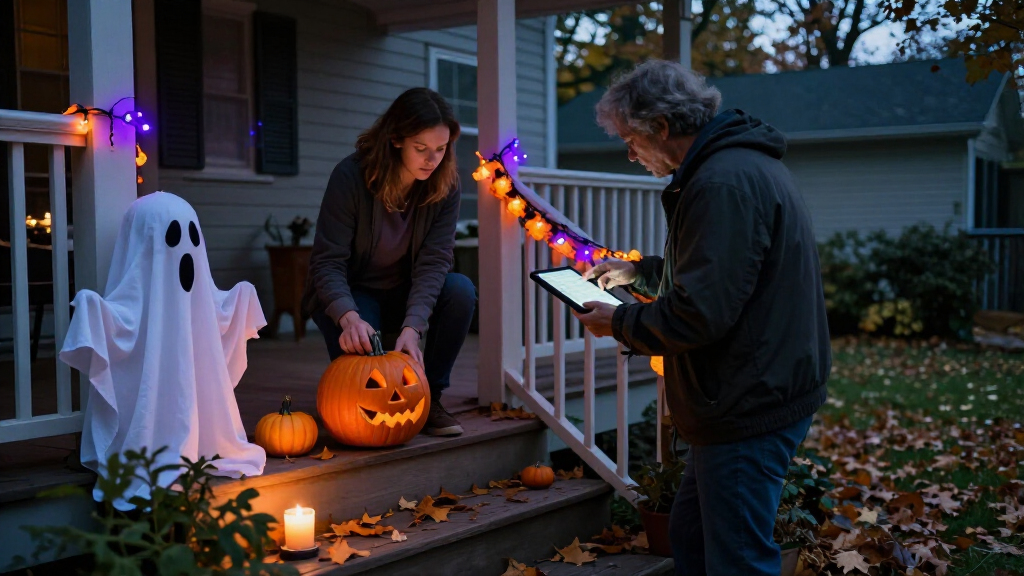

🔍 Read the full analysis: Use AI To Reimagine Your Halloween Decorations on ThorstenMeyerAI.com

Get business pricing on tech for your team
- Business-only prices and quantity discounts
- Tax-exempt purchasing
- Multiple users, one account, clear invoices
TL;DR
AI can add generated visuals, voices or adaptive responses to Halloween displays, while motion-triggered recordings remain ordinary automation. A clear, well-timed effect may work better than a complex setup, and buyers should check how devices handle data and whether they work offline.
ThorstenMeyerAI.com has published the original guide to using artificial intelligence in Halloween decorations, explaining how generated art, responsive dialogue and coordinated effects differ from props that simply play a recording when a motion sensor detects a visitor. The distinction can help people choose suitable displays and check privacy, reliability and setup needs before buying or building.
The guide describes several ways AI might contribute to a display: generative tools can produce images, dialogue or audio; speech recognition can let a character respond to spoken input; and computer vision can analyze camera images, as explored in this Halloween guide to AI assistants. A prop that repeats the same growl after a motion sensor trips is automated, but does not use AI just because it reacts to a visitor. Product labels may not make that difference clear, the guide says, so shoppers should check the specific features and current product information.
It recommends assigning each effect a clear purpose, such as making a portrait speak or changing a light when guests approach. A scene might pair a generated portrait with a speaker and a smart bulb, alongside outdoor effects from Halloween projectors. But connected devices can introduce delays or fail when a network connection drops. A local recording or fallback light cue can keep the moment working if an online service is unavailable.
The guide also lays out a practical sequence: choose one visitor-facing moment, create and review the content, select a trigger and output, then test the scene from the visitor’s point of view. Generated material may need editing, and its license may restrict commercial use or sharing. More elaborate displays can involve coding and additional troubleshooting.
A motion-triggered recording is automation; AI usually means a system generates or interprets content.
Use generated art, voices, or dialogue to personalize a scene, then review the results and usage terms.
Plan one clear visitor moment before choosing sensors, lights, speakers, or controllers.
Test offline behavior, sensor timing, audio, cable placement, and outdoor protection before Halloween night.
Tell visitors when a display processes faces or voices, limit collection, and provide a way to pass without interacting.
Choosing Effects That Work
For households planning seasonal displays, the distinction between AI and basic automation affects what a decoration can do, how much setup it needs and whether it depends on an online service. A feature that adapts dialogue may add variety, while a fixed recording can be simpler and more predictable. The guide’s practical point is that timing and atmosphere matter more than the AI label.
That tradeoff also affects visitors. A single cue that is easy to notice can make a scene feel intentional; several competing sounds and lights may be harder to follow and more difficult to coordinate. Checking local playback, network needs and data settings can help people match the technology to the scene they want.
Top picks for "reimagine halloween decoration"
As an affiliate, we earn on qualifying purchases.
From Motion Sensors to AI
Halloween props have long used motion sensors to trigger a sound or movement. The guide places these familiar effects alongside newer tools that can generate media or interpret speech. Both can be used in the same display, but they do different jobs: a sensor starts a predefined action, while an AI feature may create content or respond to input.
The guide is advice for planning, not a report of a new product launch or a measured comparison of devices. It does not identify specific products or provide independent performance testing. It advises checking current capabilities, availability, pricing and privacy settings because product details can change.
“A motion sensor that triggers a prerecorded shriek can still make an excellent scare, but by itself it is ordinary automation.”
— ThorstenMeyerAI.com guide
What Product Labels Leave Open
The guide does not assess named products, verify their marketing claims or establish how reliably particular features perform. It also does not provide prices or confirm which devices are currently available. Buyers will need to check each product’s latest specifications, whether processing happens locally or online, what information may be transmitted, and whether the feature works without internet access.
AI-generated voices and visuals may need editing, and usage rights can vary. The guide does not specify the terms for any particular tool, so those terms remain a product-by-product question.
Test the Scene Before Opening
The recommended next step is to assemble one scene and test it as a visitor would experience it. Check whether the trigger fires at the right distance, whether audio and lighting stay in sync, and whether the effect still works if a network connection fails. Review generated content and confirm the relevant privacy settings and usage terms before sharing or using it commercially.
Key Questions
Does a motion-triggered Halloween prop use AI?
Not necessarily. A sensor that starts the same prerecorded sound or movement is ordinary automation. AI may be involved when a device interprets speech, generates content or adapts a response.
What should I check before buying an AI decoration?
Check what the feature actually does, whether it needs an internet connection, what data it handles, and whether it works locally. Confirm current availability, pricing and privacy settings with the seller.
Can a display work if the internet goes down?
That depends on the devices and features. Local playback can keep a fixed effect running, while online generation or connected controls may depend on a service. The guide suggests testing a fallback cue.
Do generated Halloween visuals or voices need review?
Yes. The guide advises editing generated material and checking that it fits the character and audience. Usage licenses may also limit sharing or commercial use.
Source: ThorstenMeyerAI.com
Fall Picks
fall essentials
As an affiliate, we earn on qualifying purchases.