
🔍 Read the full analysis: The 2027 Guide To 10 Best Gaming Handhelds For Portable Play on ThorstenMeyerAI.com

Get business pricing on tech for your team
- Business-only prices and quantity discounts
- Tax-exempt purchasing
- Multiple users, one account, clear invoices
TL;DR
This 2027 guide compares 10 gaming handhelds across Windows PC, Android and retro-focused categories. The source ranks the MSI Claw A8 first for listed PC hardware, while the ASUS ROG Xbox Ally, Retroid Pocket 5 and other devices suit different priorities; configurations, compatibility and real-world performance still need checking.
ThorstenMeyerAI.com has published a 2027 guide to 10 gaming handhelds, ranking devices for different kinds of portable play rather than treating them as direct substitutes. The guide puts the MSI Claw A8 first for demanding PC gaming on its listed specifications, while pointing to the ASUS ROG Xbox Ally for Xbox-oriented controls and the Retroid Pocket 5 for Android gaming and retro libraries.
The Claw A8 is listed with an AMD Ryzen Z2 Extreme processor, 24GB of RAM and an 8-inch, 120Hz display. The guide describes it as the lineup’s performance-led pick, but flags its larger size and Windows setup as tradeoffs. It does not establish how the device performs across specific games or settings.
The ASUS ROG Xbox Ally is presented as a Windows option with Xbox-style controls and a 1TB SSD. The Legion Go S and original MSI Claw are other large-screen Windows choices; the guide says they have 120Hz displays, with different processor, memory and storage configurations. Buyers are advised to compare the exact versions available to them.
The remaining models—the Retroid Pocket 5, ANBERNIC RG476H, RG52MINI, R36Max 2, RG SP Flip and ZWYING X51—are grouped as Android or retro-focused devices. The guide says these are better compared by portability, software and supported game libraries than by PC-game performance. Its rankings reflect intended use and listed specifications, not an independently reported benchmark test.
The 10 picks
- 1
 MSI Claw Gaming Handheld, Intel Arc G3 Extreme, 8-inch FHD+ 120Hz Display, 32…View on Amazon →
- 2
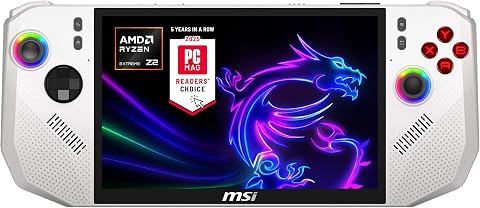 MSI Claw A8 Gaming Handheld, AMD Ryzen Z2 Extreme, 8-inch FHD+ 120Hz Display,…View on Amazon →
- 3
 ASUS ROG Xbox Ally Gaming Handheld 7" 120Hz Touchscreen IPS Display with AMD…View on Amazon →
- 4
 Lenovo Legion Go S – 2025 – Mobile Gaming Console – AMD Radeon graphics – 8"…View on Amazon →
- 5
 Retroid Pocket 5 Android Handheld Game Console, 128GB, 5.5-Inch 1080p Touchsc…View on Amazon →
- 6
 ANBERNIC RG476H Android Handheld Retro Game ConsoleView on Amazon →
- 7
 RG52MINI Retro Handheld Game Console, 5.5-Inch IPS Display, 64GB, BlackView on Amazon →
- 8
 RG SP Flip Retro Handheld Game Console, 3.4-Inch IPS Screen, 16 GB StorageView on Amazon →
- 9
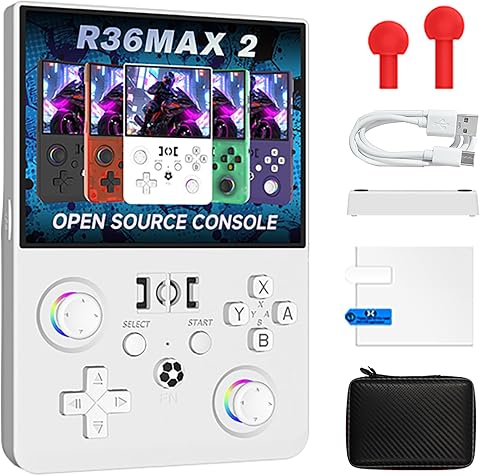 R36Max 2 Retro Handheld Game Console with 4.5-Inch IPS DisplayView on Amazon →
- 10
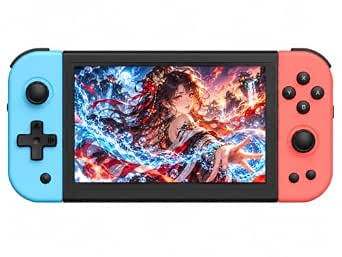 ZWYING X51 Handheld Retro Game Console, 5-Inch IPS Display, 32GB, Linux, Red…View on Amazon →
Choosing Between PC Power and Portability
The guide’s central distinction is between Windows handhelds built for PC games and smaller Android or retro systems intended for more focused libraries. That matters because a compact retro device is not a direct, lower-cost replacement for a Windows handheld if a buyer wants current PC releases. Conversely, the extra power and setup of a Windows device may offer little practical benefit to someone mainly playing older games.
Screen size, operating system and physical comfort shape the choice as much as headline specifications. A larger display can make interfaces easier to read, but a bigger device may be less convenient to carry or hold for long sessions. Buyers can use the guide to narrow their options, then check compatibility and comfort against their own routine.
Products Worth Considering

LG UltraGear evo 27-inch 5K Mini-LED Gaming Monitor
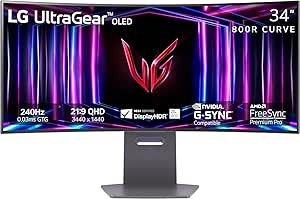
LG UltraGear 34-inch Curved OLED Gaming Monitor, WQHD 1440p, 240Hz, 0.03ms, 800R

Samsung 32-inch Odyssey G5 G51F QHD 180Hz Gaming Monitor
As an affiliate, we earn on qualifying purchases.
How the Guide Separates Its Picks
The source says it ranks devices by their likely use rather than comparing every model on a single performance scale. For Windows systems, its criteria include processor, memory, storage, display size and refresh rate. For Android and retro devices, it gives more weight to portability, screen format and whether the software category suits a focused game library.
It also cautions that a high-refresh display does not mean every demanding game will run at that refresh rate. Performance can depend on settings, power limits, cooling and software updates, according to the guide. It recommends checking support for specific games rather than treating a processor name or memory figure as a guarantee.
“The main tradeoff is power versus portability.”
— ThorstenMeyerAI.com guide
Compatibility and Configurations to Verify
The source does not provide independent benchmark results, battery-life comparisons, prices or hands-on comfort testing for the 10 devices. It also does not identify specific games and settings to establish how each Windows handheld performs in practice. The guide notes that product configurations and software support can vary, so listed memory, storage and screen specifications may not describe every version on sale.
Compatibility for Android and retro systems depends on the supported platforms and software; the source does not claim that every device includes games or supports every title a buyer may own. Readers should confirm the exact model, operating system, supported library and setup process before purchasing.
Check Models Before Buying
The immediate next step for buyers is to match a shortlist to their intended games, preferred operating system and usual play setting. Check the exact product configuration and compatibility for must-play titles, then consider whether screen size and controls fit the planned session length. Real-world performance and software support may change with updates, and the source provides no future product-release schedule or testing milestone.
Key Questions
Which handheld does the guide rank first?
The guide ranks the MSI Claw A8 first for demanding PC play, citing its listed Ryzen Z2 Extreme processor, 24GB of RAM and 8-inch, 120Hz display. That ranking is based on the source’s criteria, not independent game benchmarks.
Is the ASUS ROG Xbox Ally a better choice than the Claw A8?
They are presented for different priorities. The guide describes the ROG Xbox Ally as an option for Windows users who want Xbox-oriented controls and a 1TB SSD; it describes the Claw A8 as more performance-focused on the listed specifications.
Which device is aimed at Android or retro gaming?
The guide identifies the Retroid Pocket 5 as a fit for Android gaming and retro libraries. It also groups the ANBERNIC RG476H, RG52MINI, R36Max 2, RG SP Flip and ZWYING X51 among the Android or retro-focused options.
Does a 120Hz screen guarantee games will run at 120 frames per second?
No. The guide says a high-refresh display does not guarantee that demanding games will reach its maximum refresh rate. Results can vary with game settings, power limits, cooling and software updates.
What should buyers verify before choosing a handheld?
Check the exact configuration, operating system and game compatibility for the model being sold. Also consider device size, controls and whether the setup process suits your needs; the source says configurations and software support can vary.
Source: ThorstenMeyerAI.com