🔍 Read the full analysis: How To Set Up A Mac Mini For Local AI On A Budget on ThorstenMeyerAI.com

Get business pricing on tech for your team
- Business-only prices and quantity discounts
- Tax-exempt purchasing
- Multiple users, one account, clear invoices
TL;DR
Apple’s Mac mini is being marketed for always-on AI agents, but the amount of unified memory determines which local models can run. A 16GB model can handle some compact models; 32GB or 64GB provides room for larger ones, though Apple’s desktop remains far slower than data-center GPUs and the source does not provide complete setup or performance testing.
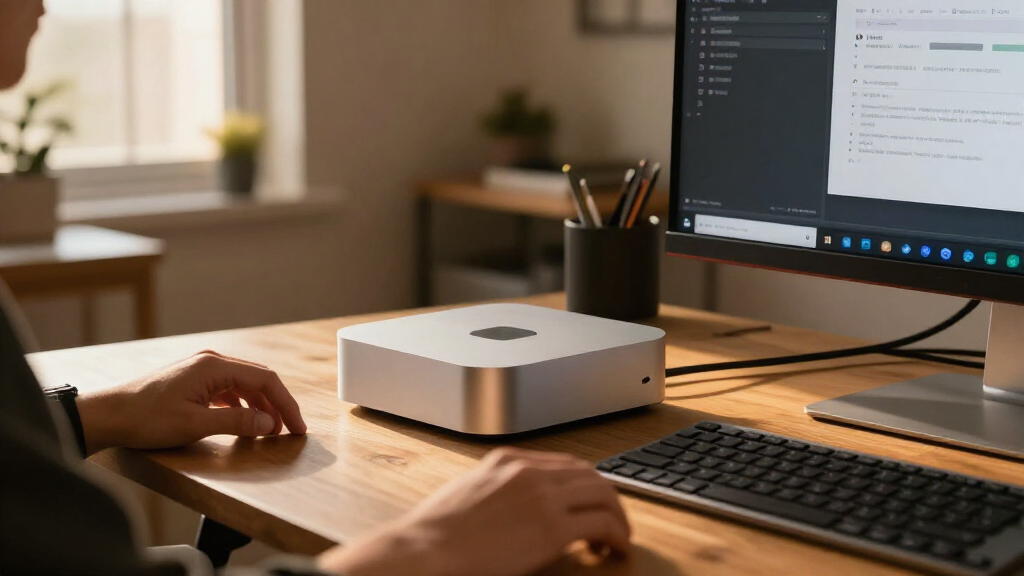
Apple is positioning its Mac mini as a desktop for always-on AI agents, but a budget local-AI setup depends less on the word “AI” in the pitch than on one purchase decision: how much unified memory the machine has. Published model requirements indicate that 16GB can accommodate some smaller models, while 32GB and 64GB configurations can load larger ones, subject to extra memory needs for macOS, apps and longer conversations.
For U.S. buyers, the cited November 16 price list starts at $899 for an M6 Mac mini with 16GB of memory. The M6 can be configured with up to 32GB; the M5 Pro starts at 24GB and reaches 64GB. The listed 64GB M5 Pro configuration costs $3,199. Memory is selected when ordering, so buyers cannot treat it as a later upgrade in this comparison.
Model makers’ published figures offer a way to match hardware to workloads. Google lists 6.7GB for Gemma 4 12B at 4-bit precision, 14.4GB for Gemma 4 26B A4B at 4-bit, and 17.5GB for Gemma 4 31B at 4-bit. OpenAI says its gpt-oss-20b runs “within 16GB of memory.” Those numbers describe model weights, not the full memory a working computer needs.
The source recommends leaving room for the operating system, applications and context—the extra material a model handles in a conversation or document. Google says larger context windows require additional memory beyond the weights. Its figures put Gemma 4 31B at 34.9GB at 8-bit precision, but 69.9GB at 16-bit, beyond the Mac mini’s largest 64GB option before system overhead is considered.
Memory Sets the Local AI Ceiling
For people considering local AI, the Mac mini offers a compact way to keep some model processing on their own machine. The source identifies potential benefits as avoiding per-token cloud charges, keeping data on the computer and using models offline. These are practical advantages, not a guarantee that every model or workflow will be cheaper or more private: users still need to choose software and manage the data they provide.
Memory also makes the price gap meaningful. The listed $899 machine has 16GB, while the 64GB option costs $3,199. A buyer who only needs a smaller model may not benefit from paying for the larger configuration; someone aiming to load bigger models or use longer context may find 16GB restrictive. The published figures are a starting point, not a promise of smooth performance on a particular task.
Speed is another limit. Apple lists 153–170GB/s of memory bandwidth for the M6 and 307GB/s for the M5 Pro. Nvidia lists 3.35TB/s for the H100 SXM. That comparison is a hardware specification, not a direct benchmark of model response times, but it shows why a desktop Mac mini should not be assumed to match a data-center GPU for throughput.
Products Worth Considering

Bose Smart Ultra Dolby Atmos Soundbar

Samsung Galaxy Tab A11+ 11-Inch Tablet, 6GB RAM, 128GB Storage, Expandable, Gray

Jackery Explorer 1500 v2 Portable Power Station with 200W Solar Panel
As an affiliate, we earn on qualifying purchases.
Why Unified Memory Matters
AI model weights are numerical parameters that must be available as a model generates a response. Apple’s MLX documentation describes Apple silicon’s unified memory architecture: the CPU and GPU access the same memory pool. That differs from a common PC arrangement in which a discrete graphics card has its own memory separate from system RAM. The shared pool can make a high-memory Mac useful for loading models, but it is not all available to the model.
Apple announced the new Mac mini on August 25, 2026, describing it in its press release as “the leading desktop for always-on agentic computing.” At an April 30 earnings call, CEO Tim Cook said demand recognition for the Mac mini and Mac Studio as AI platforms was happening faster than Apple had predicted, according to MacRumors. The supplied source also says Apple had warned it could not build enough units, though it gives no detail on the scale or duration of any supply constraint.
Quantization reduces the memory needed for model weights by using lower numerical precision, such as 4-bit rather than 16-bit. The listed Gemma figures show the trade-off in capacity, but the source provides no independent quality or speed tests for these Mac mini configurations. A model fitting into memory does not by itself establish how well it will perform.
“the leading desktop for always-on agentic computing”
— Apple, in its August 25, 2026 press release
Real-World Performance Still Varies
The published memory requirements do not say how quickly each model will respond on each Mac mini configuration. The source includes bandwidth specifications but no controlled throughput tests, power measurements under sustained AI workloads, or comparisons of answer quality at different quantization levels. Actual results will depend on the model, software, context size and other applications running.
The source says the Mac mini can idle at 4W while an agent waits, but does not provide a measurement method, test conditions or a source citation for that figure. It should not be read as power use during model inference. Nor does the material quantify whether local use saves money after the computer’s purchase price and electricity are included.
Apple says Thunderbolt 5 allows users to cluster multiple Mac minis to run larger models on device. The supplied material does not give setup instructions, compatibility limits, cluster performance data or the total cost of such a system. Availability and delivery timing are also not specified beyond the cited U.S. prices and configurations.
Choose Hardware Around the Model
A practical next step is to identify the model and workload before ordering. Check the model maker’s current memory guidance, then leave capacity for macOS, the local-model application and the intended context length. For a smaller model, the 16GB entry configuration may be a starting point; users seeking larger models should compare the 32GB and 64GB options against their budget rather than relying on the model-weight number alone.
Before treating the purchase as a replacement for cloud AI, test the specific model and application on the intended workload. Buyers should check current Apple pricing, stock and software support, since the cited prices are a snapshot from November 16, 2026. Further performance tests and clearer details on multi-Mac clustering would help establish how the hardware works for sustained agent tasks.
Key Questions
Can a 16GB Mac mini run a local AI model?
Published figures indicate that some smaller models can fit. Google lists 6.7GB for Gemma 4 12B at 4-bit precision, and OpenAI says gpt-oss-20b runs within 16GB. Those figures do not include all the memory needed by macOS, applications and context, so fitting the weights is not the same as guaranteeing a workable setup.
Is 64GB enough for the largest models?
No, not for every model. Google lists Gemma 4 31B at 69.9GB at 16-bit precision, above the Mac mini’s 64GB maximum before system use. OpenAI sizes gpt-oss-120b for a single 80GB GPU. Smaller quantized versions may fit, but capacity and performance depend on the model and configuration.
Which Mac mini is the budget option?
The cited U.S. list price starts at $899 for an M6 with 16GB memory and a 256GB SSD, as of November 16, 2026. The source lists the 64GB M5 Pro configuration at $3,199. These are dated prices; check Apple for current cost and availability.
Does running AI locally make it faster than using the cloud?
The supplied material does not provide direct response-time tests against cloud services. It reports lower memory bandwidth for the Mac mini than for an Nvidia H100 SXM, but bandwidth specifications alone do not determine end-to-end speed. Results vary by model, software, task and network conditions.
What should I check before buying?
Match the computer’s unified memory to the model’s published requirements, then allow extra capacity for the system, other apps and the context you plan to use. Also check model support in your chosen local-AI software, current pricing and whether the expected local workload justifies the upfront cost.
Source: ThorstenMeyerAI.com