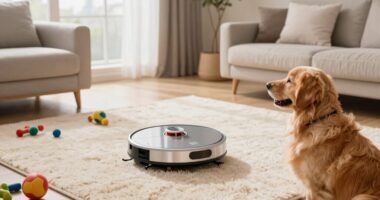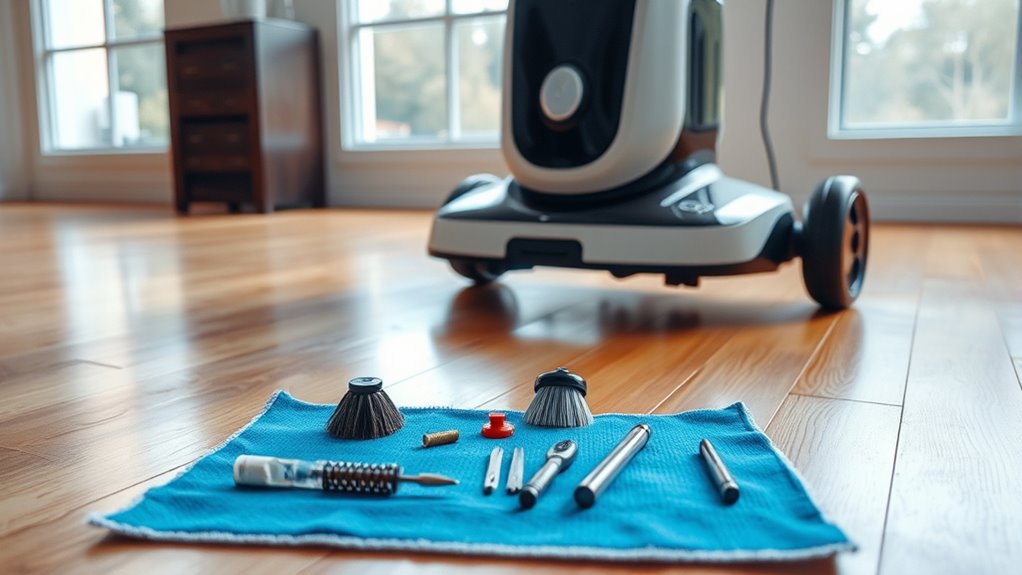

To keep your robot cleaner running smoothly and efficiently, regularly check the battery status and replace it when needed. Clean the brushes of hair and debris, and wipe the sensors to maintain accurate navigation. Empty the dustbin after each use to avoid performance issues, and keep the software updated for peak functionality. Following these simple maintenance tips can help prolong your device’s lifespan and improve its performance. There’s even more you’ll discover about maintaining your cleaner effectively.

Get tech for your team delivered free — and shop member deals
- Fast, free delivery on millions of items
- Access to Prime Big Deal Days deals on October 6–7
- Prime Video, Amazon Music and more included
Key Takeaways
- Regularly check and replace the battery to maintain optimal performance and prevent unexpected failures.
- Clean brushes frequently to remove hair and debris, ensuring effective cleaning and reducing motor strain.
- Keep sensors clear of dust and empty the dustbin after each use to enhance navigation and efficiency.
- Install software and firmware updates promptly to improve performance and extend the device’s lifespan.
- Follow a consistent maintenance schedule for all components to minimize damage and ensure top functionality.

While robot cleaners can make your life easier, they still require regular maintenance to keep them running smoothly. One of the most crucial aspects of maintaining your robot cleaner is ensuring the battery’s health. Over time, batteries can lose their capacity, leading to shorter run times. To avoid this, you should regularly check the battery status and replace it when necessary. Most robot cleaners will provide alerts when the battery needs replacing, but it’s a good idea to keep an eye on the age of the battery as well. If you notice your cleaner isn’t performing as well as it used to, it might be time for a battery replacement.
Regularly checking and replacing your robot cleaner’s battery is essential for maintaining optimal performance and run times.
In addition to battery maintenance, brush cleaning is another vital task you shouldn’t overlook. Robot cleaners use brushes to pick up dirt and debris, but hair and other materials can get tangled in them. This not only reduces the cleaning efficiency but can also strain the motor, leading to potential damage over time. To keep your robot cleaner performing at its best, make it a habit to check the brushes regularly. You can usually remove them easily for cleaning. Use a pair of scissors to snip away any hair or string that’s wrapped around the brushes, and make sure to clean any debris from the brush housing.
Another maintenance tip involves keeping the sensors clean. Dust and dirt can accumulate on the sensors, affecting their ability to navigate your home. A quick wipe with a soft cloth can restore their functionality. Likewise, emptying the dustbin after each use ensures that your robot cleaner doesn’t have to work harder than necessary. A full dustbin can also trigger performance issues, so make it a routine to check and empty it regularly.
Finally, update your robot cleaner’s software when prompted. Manufacturers often release updates to improve performance and add features. Keeping your device updated can help you maximize its efficiency and longevity. By following these simple maintenance tips—battery replacement, brush cleaning, sensor maintenance, emptying the dustbin, and software updates—you’ll ensure that your robot cleaner stays in top condition. In turn, you’ll enjoy the convenience and efficiency these devices bring to your daily life for years to come. Additionally, understanding industry trends around robot cleaners can help you make informed choices about upgrades and replacements.
robot vacuum battery replacement
As an affiliate, we earn on qualifying purchases.
As an affiliate, we earn on qualifying purchases.
Frequently Asked Questions
Can I Use My Robot Cleaner on Carpets and Hardwood Floors?
Yes, you can use your robot cleaner on both carpets and hardwood floors! Most modern models are designed with carpet compatibility, allowing them to effectively navigate and clean various carpet types. They also feature hardwood suitability, ensuring gentle cleaning without scratching the surface. Just make sure to check your cleaner’s specifications to confirm its versatility. Regularly maintaining it will help maximize its performance on both surfaces, keeping your home spotless!
How Often Should I Replace the Filters?
You should replace the filters in your robot cleaner every three to six months, depending on usage. Regular filter replacement is vital for peak performance. To maintain efficiency, integrate this task into your maintenance schedule. If you notice decreased suction or increased dust left behind, it’s a sign you might need to change them sooner. Keeping your filters clean ensures your robot cleaner operates at its best and prolongs its lifespan.
Are Robot Cleaners Safe for Pets?
Yes, robot cleaners are generally safe for pets. They’re designed to navigate around your furry friends, providing convenience without compromising pet safety. However, keep allergen concerns in mind; some models may stir up dust or pet hair, which can affect allergies. To guarantee your pets’ comfort, monitor them around the robot, and choose a cleaner with features like quiet operation and gentle brushes. A little attention goes a long way in keeping everyone happy!
What Should I Do if My Robot Cleaner Gets Stuck?
If your robot cleaner gets stuck, first check for any obstacles blocking its path. Remove any debris or tangled hair that might be causing the jam. Once you’ve cleared the area, reset the robot by turning it off and back on. If it still struggles, consult the troubleshooting guide for specific solutions. Regularly checking for robot obstacles can prevent future jams and keep your cleaner running smoothly.
Can I Schedule Cleaning Times for My Robot Cleaner?
Absolutely, you can schedule cleaning times for your robot cleaner! With its advanced scheduling features, you can set specific times for it to start cleaning, ensuring your home stays tidy without you lifting a finger. Plus, timer customization allows you to adjust the cleaning schedule based on your routine. Just set it and forget it, much like a fine clockwork mechanism, and enjoy a cleaner space effortlessly!
Conclusion
By following these maintenance tips, you’re not just prolonging your robot cleaner’s life; you’re also ensuring it runs like a well-oiled machine. Regular upkeep keeps dust bunnies at bay and enhances its efficiency, making your cleaning routine a breeze. Think of your robot cleaner as a trusty sidekick; the better you care for it, the more it’ll help you conquer the mess in your home. So, roll up your sleeves and give your robot the TLC it deserves!
Fall Picks
fall essentials
As an affiliate, we earn on qualifying purchases.