
Before overbuying smart home devices, it’s essential to understand the upgrade layers involved. Start with a reliable central hub to guarantee smooth device connectivity and compatibility. Add voice control for convenience and energy management to save costs and promote sustainability. Planning for future upgrades means choosing devices that fit together and can be updated easily. By focusing on these layers, you’ll avoid unnecessary expenses and build a system that grows with your needs. Keep going to learn more about creating a smarter, more efficient home.

Get business pricing on tech for your team
- Business-only prices and quantity discounts
- Tax-exempt purchasing
- Multiple users, one account, clear invoices
Key Takeaways
- Focus on a reliable central hub to ensure compatibility before expanding with multiple devices.
- Understand the layering of voice control and energy management to plan effective upgrades.
- Prioritize essential devices that support future scalability and system compatibility.
- Regularly update your system to maintain security and ensure new devices remain compatible.
- Avoid overbuying by assessing how new devices integrate into existing layers and infrastructure.
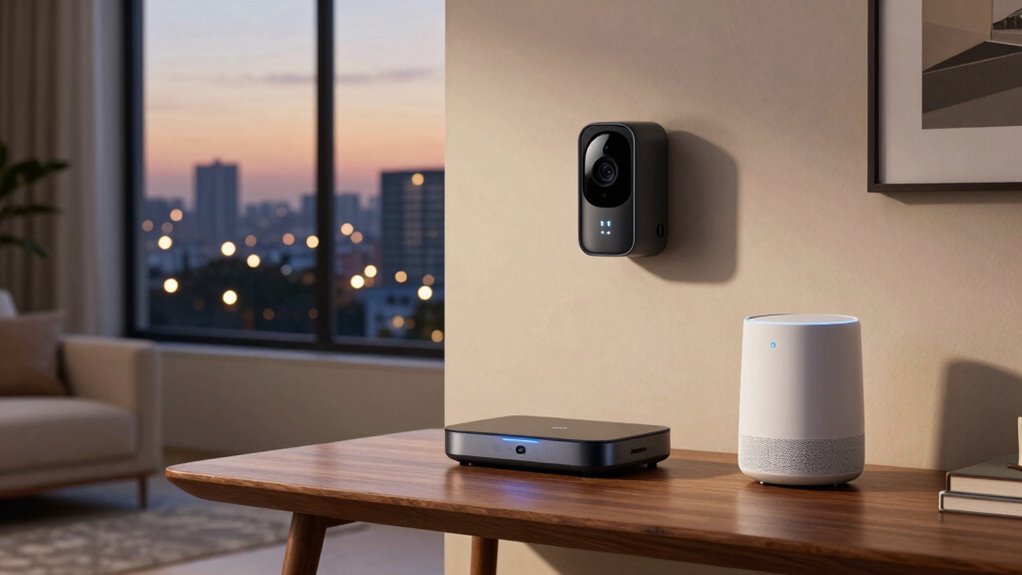
As smart home technology continues to evolve, upgrading its layers becomes essential to stay current and maximize your home’s efficiency. When you’re considering new devices or systems, it’s tempting to buy the latest gadgets, but understanding the upgrade layers helps you make smarter choices. These layers aren’t just about adding more devices—they’re about enhancing how your home functions, especially in areas like voice control and energy management.
First, recognize that a solid foundational layer is key. This includes a reliable hub or central system that connects all your smart devices. Without this core, adding more gadgets can lead to chaos or compatibility issues. Once your base is stable, you can layer in voice control. This layer allows you to operate your devices hands-free, making daily routines more seamless. For example, you can simply ask your smart speaker to turn off lights, adjust thermostats, or lock doors. Voice control not only adds convenience but also enhances accessibility for everyone in your household.
A reliable hub is essential for a stable smart home foundation, ensuring seamless device connectivity and compatibility.
Next, focus on energy management. This layer helps you monitor and optimize your energy usage, saving money and reducing your environmental footprint. Smart meters, energy-efficient thermostats, and automated lighting systems form this layer. These devices work together to analyze your habits and adjust settings accordingly. For example, your smart thermostat can learn your schedule and lower the temperature when you’re away, cutting energy waste. Integrating energy management with voice control creates a powerful combination; you can ask your system to lower the temperature or turn off appliances without manual intervention, making your home more efficient effortlessly. Understanding the compatibility of your devices and systems ensures that these layers function smoothly together. Additionally, regularly updating your systems can help maintain their performance and security.
As you build these layers, consider scalability. Start with essential devices, then add voice control features and energy management systems as your needs grow. Avoid overbuying by focusing on what truly improves your daily life and aligns with your home’s infrastructure. Keep in mind that each layer should complement the others—your voice-controlled devices should work seamlessly with your energy-saving systems, creating a cohesive smart home experience. Additionally, understanding the upgrade layers involved in smart home tech can help you plan for future additions more effectively.
Finally, remember that technology constantly advances. Upgrading layers isn’t just about adding new gadgets but ensuring your existing system remains compatible and optimized. Staying informed about new features and integrations ensures you don’t waste money on unnecessary devices. By understanding these upgrade layers—foundational connectivity, voice control, and energy management—you’re better equipped to make smart investments. Your home becomes more efficient, more intuitive, and more tailored to your lifestyle, without the risk of overbuying or ending up with a disjointed setup.
Products Worth Considering

Sonos Era 100 SL Compact Microphone-Free Speaker – Black

Bose TV Speaker Compact Soundbar with Bluetooth and HDMI-ARC, Black

Bose SoundLink Flex (2nd Gen) Portable Bluetooth Speaker, Black
As an affiliate, we earn on qualifying purchases.
Frequently Asked Questions
How Do I Determine Which Upgrade Layer Is Right for My Needs?
To determine which upgrade layer suits your needs, start by evaluating device compatibility with your current setup. Consider how much user customization you want—if you prefer personalized settings and automation, focus on higher layers that support these features. Think about your budget and tech comfort level. By matching device compatibility and customization options to your lifestyle, you’ll choose the right upgrade layer that enhances your smart home experience.
Can I Mix Different Brands and Protocols Within the Same Upgrade Layer?
Yes, you can mix different brands and protocols within the same upgrade layer, but you need to ensure brand compatibility and protocol integration. Some brands work better together, offering seamless communication, while others may require additional hubs or bridges. Always check compatibility and supported protocols beforehand. This way, you guarantee your smart home system functions smoothly without hiccups, giving you flexibility in choosing devices from various brands.
What Are the Common Security Risks at Each Upgrade Layer?
Did you know 80% of smart home security breaches stem from user vulnerabilities? At each upgrade layer, security risks include privacy concerns from data leaks, device compatibility issues creating security gaps, and weak passwords. You must stay vigilant, keep firmware updated, and choose reputable brands. This approach helps defend your network from hackers and guarantees your smart home remains safe and private.
How Often Should I Upgrade or Expand My Smart Home System?
You should upgrade or expand your smart home system when your devices no longer support user customization or when new devices improve device compatibility. Regularly assess your needs, perhaps every 6 to 12 months, to guarantee your setup remains efficient. Upgrading in manageable layers helps avoid compatibility issues, ensures security, and keeps your system tailored to your lifestyle, making your smart home more seamless and secure.
Are There Cost-Effective Ways to Upgrade Multiple Layers Simultaneously?
You can save money by upgrading multiple layers simultaneously through bundled smart home packages, which often offer discounts. Did you know that smart upgrades can boost energy efficiency by up to 30%? To balance cost and privacy concerns, choose devices with strong security features and prioritize essential upgrades first. This approach guarantees you improve your system’s overall performance without overspending or risking your privacy.
Conclusion
Think of your smart home as a garden—each upgrade is like planting a seed. If you rush to plant everything at once, you risk overwhelming your space and your senses. By understanding the layers—core, expansion, and integration—you nurture each part patiently. Remember, a garden flourishes when tended with care and foresight. So, don’t overbuy; instead, cultivate your smart home thoughtfully, allowing each upgrade to bloom and grow into a seamless, beautiful sanctuary.