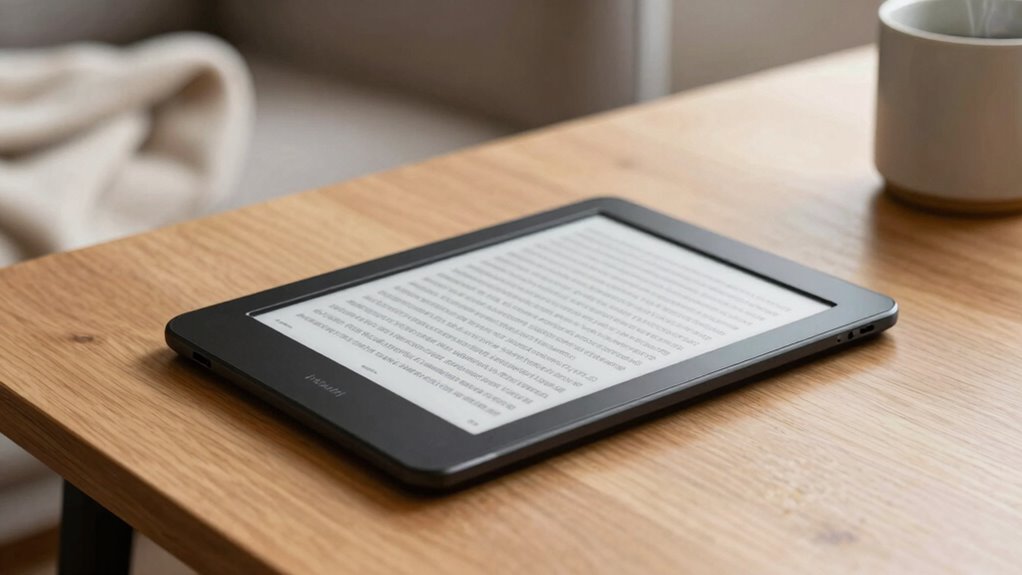

For those seeking a large, high-quality display in an e reader, a 10-inch premium model offers an ideal blend of readability and versatility. The Amazon Kindle Scribe stands out as the best overall choice, thanks to its integrated note-taking and document features. The BOOX Note Air 5 C excels with its color e-paper display, perfect for more dynamic content, while the Kobo Elipsa 2E offers a sleek, glare-free touchscreen with stylus support. These devices all face the challenge of balancing display quality, functionality, and price, with tradeoffs often involving size, ecosystem compatibility, and feature depth. Continue reading for a detailed breakdown of the top options and what makes each uniquely suited for different users.

Get business pricing on tech for your team
- Business-only prices and quantity discounts
- Tax-exempt purchasing
- Multiple users, one account, clear invoices
Key Takeaways
- The best overall premium 10-inch e reader combines versatile note-taking with a high-quality display, as exemplified by the Kindle Scribe.
- Color e-paper models like the amazon.com/dp/B0H94DC8FQ?tag=avaoroi-20&ascsubtag=dc-1032997″ target=”_blank” rel=”nofollow sponsored noopener”>Bigme B10 and BOOX Note Air 5 C are ideal for users who want more vibrant content but usually come at a higher price and sometimes shorter battery life.
- Stylus support is a common feature among top picks, yet the quality and responsiveness of the stylus vary, impacting usability for note-taking or drawing.
- Build quality and ecosystem compatibility significantly influence long-term value; premium brands typically offer better support and durability.
- Tradeoffs often involve choosing between a larger, more feature-rich device and a more compact, cost-effective option, depending on your primary use case.
| Amazon Kindle Scribe (64GB) – Your notes, documents and books, all in one place. With built-in AI notebook summarization. Includes Premium Pen – Tungsten |  | Best Overall for Writing and Reading Integration | Display Technology: 300 ppi glare-free front-lit | Screen Size: 10.2 inches | Storage Capacity: 64GB | VIEW ON AMAZON | See Our Full Breakdown |
| BOOX Tablet Go 10.3 Gen II Lumi ePaper E Ink Tablet Notebook |  | Best for Versatile Reading and Note-Taking with Android | Display Technology: 10.3″ HD ePaper | Resolution: 2480×1860 (300 ppi) | Storage Capacity: 64GB | VIEW ON AMAZON | See Our Full Breakdown |
| Kobo Elipsa 2E eReader with 10.3” Glare-Free Touchscreen and Stylus |  | Best Eco-Friendly and Long Battery Life | Display Technology: 10.3″ E Ink Carta 1200 | Resolution: 1200+ levels | Stylus: Rechargeable Kobo Stylus 2 | VIEW ON AMAZON | See Our Full Breakdown |
| Bigme B10 Color E-Ink eReader Tablet 10.3″ Epaper Tablet with 8GB +256GB, Fingerprint Unlock, 4G Connectivity, Stylus Pen, Android Ebook Readers Device with Octa Core 2.6Hz, Long Battery Life White |  | Best for Color Content and Connectivity | Display Technology: Kaleido 3 Color e-ink | Resolution: HD | Storage Capacity: 256GB | VIEW ON AMAZON | See Our Full Breakdown |
| Amazon Kindle Scribe 32GB (newest model) — 11” display with front light, paper-like feel, and no distractions — Write in notebooks, docs, and books. Pen included – Graphite |  | Best for Large Screen and Distraction-Free Note-Taking | Display Technology: 11″ glare-free front-lit | Pen Included: Yes | Battery Life: Weeks | VIEW ON AMAZON | See Our Full Breakdown |
| PocketBook InkPad Eo 10.3″ Color E Ink E-Reader with Stylus |  | Best for Color Reading and Note-Taking | Screen Size: 10.3 inches | Display Technology: Color E Ink Kaleido 3 | Operating System: Android 11 | VIEW ON AMAZON | See Our Full Breakdown |
| BOOX Note Air 5 C 10.3″ E Ink Tablet with Color ePaper, 6GB RAM, 64GB Storage |  | Best for Versatile Document Handling | Display: 10.3-inch Kaleido 3 color e-ink | Resolution: 2480 x 1860 (black/white), 1240 x 930 (color) | Touch: Stylus with 4,096 pressure levels + capacitive | VIEW ON AMAZON | See Our Full Breakdown |
| BOOX Note Air 5 C 10.3″ E Ink Tablet with 6GB RAM and 64GB Storage | | Best for Static Content and Reading | Display: 10.3 inches | Color Technology: Kaleido 3 | RAM: 6GB | VIEW ON AMAZON | See Our Full Breakdown |
| Bigme 10.3″ Color E-Ink Read-Write Tablet with 8GB RAM and 256GB Storage |  | Best for Power and Storage | Display Technology: Electronic Ink | Screen Size: 10.3 inches | Resolution: 2480 x 1860 | VIEW ON AMAZON | See Our Full Breakdown |
| BOOX Tablet Go 10.3 Gen II ePaper eInk Tablet |  | Best for Lightweight Portability and Basic Reading | Display: 10.3″ HD ePaper | Stylus Support: BOOX InkSense Plus | Processor: Octa-core | VIEW ON AMAZON | See Our Full Breakdown |
| premium e reader 10 inch | Display Technology | Storage | Connectivity | Resolution |
|---|---|---|---|---|
| Amazon Kindle Scribe | 300 ppi glare-free front-lit | — | Wi-Fi | — |
| BOOX Tablet Go 10.3 Gen II Lum | 10.3" HD ePaper | — | Wi-Fi, Bluetooth | 2480×1860 (300 ppi) |
| Kobo Elipsa 2E eReader with 10 | 10.3" E Ink Carta 1200 | 32GB | — | 1200+ levels |
| Bigme B10 Color E-Ink eReader | Kaleido 3 Color e-ink | — | 4G, Wi-Fi | HD |
| Amazon Kindle Scribe 32GB | 11" glare-free front-lit | 32GB | Wi-Fi | — |
| PocketBook InkPad Eo 10.3" Col | Color E Ink Kaleido 3 | — | Wi-Fi, USB, Bluetooth 5.0 | — |
| BOOX Note Air 5 C 10.3" E Ink | — | 64GB | — | 2480 x 1860 (black/white), 1240 x 930 (color) |
| BOOX Note Air 5 C 10.3" E Ink | — | 64GB | — | — |
| Bigme 10.3" Color E-Ink Read-W | Electronic Ink | 256GB | — | 2480 x 1860 |
| BOOX Tablet Go 10.3 Gen II ePa | — | 64GB | — | — |
More Details on Our Top Picks
Amazon Kindle Scribe (64GB) – Your notes, documents and books, all in one place. With built-in AI notebook summarization. Includes Premium Pen – Tungsten
The Kindle Scribe stands out for combining an exceptional writing experience with versatile reading capabilities, making it ideal for those who want a single device for notes, documents, and books. Unlike the BOOX Tablet Go 10.3 which emphasizes flexibility through Android apps, the Scribe offers a distraction-free environment with AI-powered note management. Its 10.2-inch glare-free display provides comfortable reading indoors and out, while the Premium Pen feels natural for writing. The AI tools for summarization and handwriting conversion add productivity, but this focus on writing and reading means it lacks the full app ecosystem of Android devices and a dedicated stylus with pressure sensitivity. This pick makes the most sense for professionals seeking a seamless blend of note-taking and reading in one device.
Pros:- Excellent pen-to-paper feel with the Premium Pen
- Integrated AI tools for summarization and handwriting conversion
- High-quality glare-free 10.2″ display suitable for any lighting
Cons:- Limited app ecosystem compared to Android-based tablets
- Lacks color display options for visual content
- No waterproof or rugged features
Best for: Writers, students, or professionals who need a dedicated device for both reading and note-taking with AI support
Not ideal for: Tech enthusiasts wanting extensive third-party app support or color display capabilities
- Display Technology:300 ppi glare-free front-lit
- Screen Size:10.2 inches
- Storage Capacity:64GB
- Pen Included:Yes
- Battery Life:Months of reading, weeks of writing
- Connectivity:Wi-Fi
Our verdict“This device is best suited for users prioritizing a dedicated, high-quality reading and writing experience with AI enhancements.”
BOOX Tablet Go 10.3 Gen II Lumi ePaper E Ink Tablet Notebook
The BOOX Tablet Go 10.3 excels as a flexible Android-based eReader and note device, suitable for users who want to install third-party apps and switch between reading and browsing. Compared to the Kobo Elipsa 2E, which offers a more eco-friendly approach and stylus support, the BOOX emphasizes performance with an octa-core processor and extensive format support. Its 10.3-inch HD ePaper display and stylus with pressure sensitivity make note-taking precise. However, the device’s complexity and Android OS can be overwhelming for beginners, and it’s slightly heavier at 364g. This model makes the most sense for tech-savvy users who need a powerful, customizable e-ink device for work and leisure.
Pros:- Supports a wide range of document formats and third-party apps
- Powerful octa-core processor ensures smooth performance
- Color e-paper display with refresh mode options
Cons:- More complex interface may require a learning curve
- Slightly heavier than competitors at 364g
- Higher price point for advanced features
Best for: Tech enthusiasts and professionals requiring a customizable Android eReader with stylus support
Not ideal for: Casual readers or beginners seeking a simple, plug-and-play device
- Display Technology:10.3″ HD ePaper
- Resolution:2480×1860 (300 ppi)
- Storage Capacity:64GB
- Stylus:Capacitive + pressure sensitive
- Connectivity:Wi-Fi, Bluetooth
- Battery:3,700mAh
Our verdict“Ideal for users who want a robust, Android-powered e-ink device capable of multitasking and app customization.”
Kobo Elipsa 2E eReader with 10.3” Glare-Free Touchscreen and Stylus
The Kobo Elipsa 2E offers a compelling combination of eco-conscious materials and a high-resolution glare-free display, making it perfect for environmentally minded readers who also value long battery life. Unlike the Amazon Kindle Scribe, which emphasizes AI-powered notes, the Elipsa 2E focuses on simple, effective note-taking with its Kobo Stylus 2. The device’s 10.3-inch display makes reading PDFs and taking notes more comfortable, though it doesn’t support color or extensive app ecosystems. Its long battery life and environmentally friendly materials make it a standout for eco-aware users, but the lack of waterproofing and Wi-Fi dependency for full library access could be limiting for some.
Pros:- Eco-friendly recycled and ocean-bound plastic materials
- Large high-resolution glare-free display
- Stylus included for annotations and notes
Cons:- No waterproof or rugged features
- Wi-Fi needed for full library access
- Stylus may be less precise than pressure-sensitive pens
Best for: Eco-conscious readers and students who prioritize sustainability and long-lasting battery performance
Not ideal for: Power users seeking color content or extensive app support
- Display Technology:10.3″ E Ink Carta 1200
- Resolution:1200+ levels
- Stylus:Rechargeable Kobo Stylus 2
- Storage:32GB
- Battery Life:Weeks
- Materials:Recycled plastic, ocean-bound plastic
Our verdict“This device is a great choice for environmentally aware users who want a large, glare-free display for reading and note-taking with impressive battery life.”
Bigme B10 Color E-Ink eReader Tablet 10.3″ Epaper Tablet with 8GB +256GB, Fingerprint Unlock, 4G Connectivity, Stylus Pen, Android Ebook Readers Device with Octa Core 2.6Hz, Long Battery Life White
The Bigme B10 distinguishes itself with a vibrant color e-ink display and extensive connectivity options, appealing to users who want to view images and multimedia while reading or taking notes. Compared to the monochrome Kindle Scribe or Kobo Elipsa, this model’s Kaleido 3 HD display offers vivid color, making it suitable for magazines, art, and color-coded annotations. Its 4G support and large 256GB storage make it ideal for on-the-go use and extensive archiving. However, the device’s bulk and heavier weight (175g) can be less comfortable for extended use, and its color e-paper refresh rate may not match traditional LCDs for video or fast animations. This is best for users needing a color-rich experience outside traditional e-readers.
Pros:- Vivid Kaleido 3 color e-ink display
- Supports 4G connectivity for outside access
- Massive 256GB storage for files and media
Cons:- Heavier at 175g, less comfortable for prolonged holding
- Color refresh rate is slower than LCDs, possibly affecting video viewing
- Bulkier design may be less portable
Best for: Color content creators, art students, or travelers needing cellular connectivity
Not ideal for: Purely text-focused readers who prefer monochrome screens for less distraction
- Display Technology:Kaleido 3 Color e-ink
- Resolution:HD
- Storage Capacity:256GB
- Connectivity:4G, Wi-Fi
- Stylus:Wireless stylus included
- Battery:Long-lasting
Our verdict“This device is perfect for users who want vibrant color content with connectivity and large storage in an e-ink format.”
Amazon Kindle Scribe 32GB (newest model) — 11” display with front light, paper-like feel, and no distractions — Write in notebooks, docs, and books. Pen included – Graphite
The Kindle Scribe 11” offers the largest screen in this lineup, making it ideal for extensive note-taking, sketching, and reading large documents. Its 11-inch glare-free display creates a near-paper experience, and the included pen with a textured surface enhances the writing feel. Compared to the Amazon Kindle Scribe (64GB), this latest model boasts a bigger display and faster response times, perfect for detailed work. However, its size and weight (just over 400g) make it less portable for casual use. Its AI tools for note management are powerful, but the device’s primary focus on distraction-free writing means it lacks app flexibility of Android options. It’s best for users needing a large, dedicated writing surface combined with reading in a single device.
Pros:- Largest 11” glare-free display for detailed work
- Responsive pen with textured, paper-like feel
- Supports note-taking in notebooks, PDFs, and books
Cons:- Heavy at over 400g, less portable
- Limited app ecosystem compared to Android tablets
- Higher price point for the larger screen
Best for: Professionals or students who need a large, distraction-free device for long-form writing and reading
Not ideal for: Travelers or casual readers who prefer compact, lightweight devices
- Display Technology:11″ glare-free front-lit
- Pen Included:Yes
- Battery Life:Weeks
- Weight:Approx. 400g
- Connectivity:Wi-Fi
- Storage:32GB
Our verdict“This device is best suited for users who prioritize a large, distraction-free surface for extensive note-taking and reading without app distractions.”
PocketBook InkPad Eo 10.3″ Color E Ink E-Reader with Stylus
The PocketBook InkPad Eo stands out for its large 10.3-inch color E Ink Kaleido 3 display, offering a significant improvement in color resolution over earlier models like the BOOX Note Air 5 C. Its glare-free screen mimics paper, reducing eye strain during long reading sessions, and the inclusion of a stylus makes it a strong choice for handwritten notes and sketches. Running on Android 11, it supports third-party apps, adding versatility compared to basic e-readers. However, with only 16 GB of storage, it may quickly fill up if you handle many multimedia files, and the color display still cannot match the vibrancy of LCD or OLED screens. This pick makes the most sense for readers who want a dedicated, portable device for color annotations, sketching, and audiobooks without the distraction of a full-color LCD tablet.
Pros:- Large 10.3-inch glare-free color display that reduces eye strain
- Includes stylus for handwriting, drawing, and notes
- Android 11 support allows third-party app installation
- Good audio options with stereo speakers and Bluetooth
Cons:- Only 16 GB of internal storage limits large file handling
- Color saturation is lower than LCD/OLED devices
- No customer review data available for performance validation
Best for: Color content creators, students, and avid note-takers who prefer a dedicated device with stylus support.
Not ideal for: Users needing extensive app ecosystems or high storage for large multimedia libraries, as the storage is limited and app support is constrained compared to Android tablets.
- Screen Size:10.3 inches
- Display Technology:Color E Ink Kaleido 3
- Operating System:Android 11
- Storage Capacity:16 GB
- Weight:470 g
- Connectivity:Wi-Fi, USB, Bluetooth 5.0
Our verdict“This device is ideal for those seeking a portable, color-capable e-ink reader with note-taking features, but not for multimedia-heavy use.”
BOOX Note Air 5 C 10.3″ E Ink Tablet with Color ePaper, 6GB RAM, 64GB Storage
The BOOX Note Air 5 C offers a high-resolution 10.3-inch Kaleido 3 color display that supports a broad range of formats, making it a flexible choice for reading, annotation, and light multimedia, especially compared to other color e-ink devices like the PocketBook InkPad Eo. Its Android 15 platform and 64GB storage provide a more robust app ecosystem and space for files, ideal for users who want a tablet that doubles as an e-reader and a note-taking device. Nevertheless, its darker, grayer screen and slower refresh rates mean it’s less suited to animation or fast-paced reading; color vibrancy remains limited. This makes it better suited for users who prioritize document versatility and color annotations over vivid visuals or multimedia performance.
Pros:- High-resolution color display with support for various formats
- Runs on Android 15, offering access to many apps
- Large 64GB storage capacity for documents and media
- Lightweight and portable at approx. 430 g
Cons:- Color screens are darker and less vibrant than LCDs
- Slower refresh rates reduce smoothness and animation support
- Limited multimedia capabilities compared to standard tablets
Best for: Academic professionals or students needing to annotate documents and handle multiple formats in color.
Not ideal for: Those expecting vibrant colors or smooth animations, as the color display’s inherent limitations and slower refresh rates hinder multimedia use.
- Display:10.3-inch Kaleido 3 color e-ink
- Resolution:2480 x 1860 (black/white), 1240 x 930 (color)
- Touch:Stylus with 4,096 pressure levels + capacitive
- Processor:Octa-core
- RAM:6GB
- Storage:64GB
Our verdict“This model makes sense for users needing a versatile, color e-ink device for note-taking and document management, accepting the tradeoff of lower color vibrancy.”
BOOX Note Air 5 C 10.3″ E Ink Tablet with 6GB RAM and 64GB Storage
This version of the BOOX Note Air 5 C emphasizes a large, energy-efficient 10.3-inch color E Ink display for extended reading and note-taking sessions, similar to the previous model but with a focus on static content. Its darker, grayscale appearance and slower refresh rate are inherent to e-ink tech, making it less suitable for animations or fast scrolling. The 6GB RAM and 64GB storage support multiple files and apps, but the device’s core strength remains in long-lasting battery life and eye-friendly reading. Compared with the Bigme device, it offers a more subdued, less feature-rich experience but with a proven track record for serious reading. It’s a good pick for those who prioritize screen comfort and static content over multimedia performance.
Pros:- Large 10.3-inch color display suitable for reading and notes
- Energy-efficient with excellent battery life
- Supports multiple formats for versatile content handling
- Lightweight for extended use
Cons:- Colors appear darker and less vibrant than LCD screens
- Slow refresh rates can cause lag, less suited for animations
- Limited multimedia capabilities
Best for: Readers and note-takers who need a dedicated, long-lasting device for static color content and annotations.
Not ideal for: Multimedia enthusiasts or users expecting vibrant colors and fast refresh rates, as e-ink technology limits those features.
- Display:10.3 inches
- Color Technology:Kaleido 3
- RAM:6GB
- Storage:64GB
Our verdict“Perfect for static content and long reading sessions, but not for multimedia or fast-paced interactions.”
Bigme 10.3″ Color E-Ink Read-Write Tablet with 8GB RAM and 256GB Storage
The Bigme 10.3″ color e-ink tablet emphasizes high-end specs, with an 8GB RAM and 256GB storage, making it the most capable in terms of file capacity among the lineup. Its high-resolution 2480×1860 display with adjustable brightness and color temperature offers a customizable reading experience. Its large storage capacity supports extensive collections of books, notes, and images, and the lightweight, ultra-thin design enhances portability. However, as it relies solely on e-ink technology, it’s not suitable for multimedia consumption requiring vibrant colors or animations. The absence of a stylus in the package and the basic multimedia capabilities mean it’s best for serious readers and note-takers with large libraries or those who need a device for extended, dedicated reading sessions.
Pros:- High-resolution, colorful display with adjustable settings
- Large 256GB storage plus support for TF card expansion
- Lightweight and ultra-thin design for portability
- Powerful octa-core processor with 8GB RAM
Cons:- Limited to e-ink display technology, not suitable for multimedia
- No stylus included or pressure sensitivity features
- Battery life may vary with heavy usage
Best for: Power users with large libraries and storage needs seeking a highly capable reading device with note-taking capacity.
Not ideal for: Users looking for vibrant color displays or multimedia entertainment, as e-ink technology limits visual vibrancy and responsiveness.
- Display Technology:Electronic Ink
- Screen Size:10.3 inches
- Resolution:2480 x 1860
- Memory:8GB RAM
- Storage:256GB
- Battery:3700mAh
Our verdict“This device excels for large libraries and extended reading, but isn’t designed for vibrant multimedia or stylus input.”
BOOX Tablet Go 10.3 Gen II ePaper eInk Tablet
The BOOX Tablet Go 10.3 Gen II offers a compact, lightweight option with a 10.3-inch HD ePaper display, making it highly portable for casual reading and note-taking. Its 4GB RAM and 64GB storage are modest but sufficient for basic e-book collections and annotations, especially considering its ultra-light design at around 350 grams. Running on Android 15, it supports a decent selection of apps, but the limited RAM and absence of stylus support in the basic package restrict advanced note-taking or multimedia tasks. Compared to the larger, more feature-rich BOOX Note models, this device prioritizes portability over extensive functionality, making it ideal for commuters or casual users who want a simple, effective e-ink device without bulk.
Pros:- Very lightweight and compact for easy carrying
- High-resolution 10.3-inch display with clear text
- Supports various document formats
- Stylus support with pressure sensitivity included
Cons:- No front light for reading in low-light conditions
- Battery life around one day with regular use
- Limited RAM may hinder multitasking or heavy app use
Best for: Casual readers and note-takers who prioritize portability and simplicity over high-end features.
Not ideal for: Power users or those needing stylus input or robust app support, as the device’s basic specs restrict complex tasks.
- Display:10.3″ HD ePaper
- Stylus Support:BOOX InkSense Plus
- Processor:Octa-core
- RAM:4GB
- Storage:64GB
- Battery:3700mAh
Our verdict“This model suits users seeking a portable, straightforward e-ink device for reading and light note-taking, with some limitations in lighting and multitasking.”
How We Picked
To select these 10 best premium 10-inch e readers, I evaluated a combination of performance, display quality, build durability, and feature set. Devices were scored on their screen resolution, touch responsiveness, stylus support, battery life, and overall usability. I also considered ecosystem compatibility—how well each device integrates with popular e-book stores, note apps, and cloud services—and the value offered relative to price. Devices were ranked based on their ability to serve different user needs, from casual readers to professionals requiring extensive note-taking or color content. The top picks strike a balance between premium features and practical usability, ensuring they stand out in this competitive segment.Factors to Consider When Choosing Premium E Reader 10 Inch
Choosing a premium 10-inch e reader involves more than just display size. You should consider how you plan to use the device—whether for reading, note-taking, or multimedia—and what features matter most. To make a smart purchase, evaluate display technology, stylus support, ecosystem integration, and durability. Understanding these factors will help you avoid common pitfalls like overspending on unnecessary features or selecting a device incompatible with your preferred content sources.Display Technology and Quality
The core of any e reader is its display. For a 10-inch device, look for high resolution (at least 300 PPI) to ensure sharp text and images. E Ink Carta or Kaleido displays are common in premium models, offering paper-like readability and glare-free viewing, which reduces eye strain. Color e-paper options, like those in some models, add vibrancy but may compromise contrast and battery life. Prioritize a display that matches your reading habits—whether you need crisp black-and-white text or colorful content for comics and magazines.
Stylus Support and Note-Taking Capabilities
If note-taking or drawing is important, consider a device with a responsive stylus. Premium models typically include or support high-quality styluses that offer pressure sensitivity and low latency. Some devices have dedicated note apps or handwriting recognition, enhancing productivity. Be aware that stylus quality varies—cheaper styluses may feel imprecise or uncomfortable, reducing the device’s utility. Decide if stylus support is a must, or if a simpler touch interface suffices for your needs.
Ecosystem Integration and Content Management
Compatibility with your existing ecosystem can significantly influence your satisfaction. Amazon devices work seamlessly with Kindle stores and Amazon’s cloud services, while Kobo and PocketBook lean toward broader EPUB support and open standards. Boox devices often support multiple formats and cloud integrations, making them versatile for diverse content sources. Consider whether you prefer a closed ecosystem with curated content or an open one that offers more flexibility. This choice impacts how easily you can access and organize your library over time.
Battery Life and Portability
Premium 10-inch e readers tend to have larger displays that consume more power, but many still offer impressive battery life—often a week or more with typical use. If portability is key, weigh the device’s weight and thickness, as larger screens often mean bulkier units. Some models, especially those with color or advanced features, may drain faster, requiring more frequent charging. Balance your need for a large display with the practicality of carrying and recharging your device regularly.
Price and Value Considerations
Premium devices come with a higher price tag, but not all offer the same value. Features like color displays, extensive note support, or larger storage can justify higher costs if they match your needs. Conversely, if your primary goal is simple reading without extras, a more affordable model might suffice. Be wary of paying for features you won’t use often, and look for devices that offer reliable support and durability to maximize your investment over time.
Frequently Asked Questions
Can I read EPUB files on these premium 10-inch e readers?
Most premium e readers, especially those from Kobo, PocketBook, and Boox, support EPUB formats either natively or through firmware updates. Amazon Kindle devices typically rely on their proprietary formats, but some can read EPUBs via sideloading or conversion. If EPUB support is essential, prioritize devices known for broader format compatibility, such as Boox or PocketBook models, which offer more flexible content management options.
Is stylus support worth paying extra for on a 10-inch e reader?
For users who intend to take notes, annotate documents, or draw, stylus support can vastly enhance the device’s functionality. High-quality styluses with pressure sensitivity and low latency make writing feel natural, like on paper. However, if your main goal is reading without annotations, you might find the extra cost unnecessary. Carefully assess how often you’ll use stylus features to determine if the added expense aligns with your needs.
Do color e-paper screens significantly impact battery life?
Color e-paper displays, such as those in some models like Bigme B10 or BOOX Note Air 5 C, tend to consume more power than monochrome screens, leading to shorter battery life. While they provide vibrant visuals ideal for magazines or comics, they may require more frequent charging. If long battery life is a priority, sticking with black-and-white e-ink screens could be more practical, especially for extended reading sessions away from charging sources.
Are larger screens more fragile or difficult to carry around?
Generally, larger screens mean bigger and potentially heavier devices, which can make daily portability less convenient. The increased size can also make the device more susceptible to accidental drops or damage. If you plan to carry your e reader everywhere, consider models that strike a balance between screen size and weight, or look for ruggedized options with reinforced cases. For home or office use, larger screens often provide a better reading and note-taking experience without the burden of portability.
Is investing in a premium e reader worth it compared to budget options?
Premium e readers typically offer superior display quality, build materials, and feature sets that enhance the reading experience and device longevity. They often include better screens, stylus support, and ecosystem integration, which can justify the higher cost for frequent or serious users. However, if your usage is limited or occasional, a more affordable model might meet your needs without the extra expense. Carefully consider how much value you place on display clarity, note-taking, and durability before choosing a premium device.
Conclusion
For casual readers or those new to large e readers, the Kobo Elipsa 2E offers an approachable entry point with a good balance of features and price. Professionals or students needing extensive note-taking will find the Kindle Scribe or BOOX Note Air 5 C to be the best choices, combining large displays with stylus support. Tech enthusiasts seeking vibrant content and color support should consider the Bigme B10 or similar models, despite their higher price and shorter battery life. Ultimately, your choice depends on how you prioritize display quality, note capabilities, ecosystem compatibility, and portability—aligning your needs with the right premium 10-inch e reader.Fall Picks
fall essentials
As an affiliate, we earn on qualifying purchases.