
Choosing an AI-powered virtual assistant is less about picking the most impressive demo and more about deciding where the assistant should work. Microsoft Copilot and Google Gemini both answer questions, help draft and summarize content, and connect AI features to productivity tools. Their value changes, though, depending on whether your work already lives in Microsoft 365 or Google Workspace. Copilot has the clearest advantage for users who spend their day in Word, Excel, Outlook, Teams, and company-managed Microsoft systems. Gemini makes more sense for people who rely on Gmail, Docs, Drive, and Google’s wider services. This comparison focuses on integration, everyday usefulness, research, administration, and value so you can tell whether paying for an AI assistant adds enough to your existing setup.

Get business pricing on tech for your team
- Business-only prices and quantity discounts
- Tax-exempt purchasing
- Multiple users, one account, clear invoices

The AI-Powered Virtual Assistant: How to Use Automation, Systems, and Smart Tools to Deliver High-Value VA Services at Scale
- ✔ Format: Book
- ✔ Primary topic: AI-powered virtual assistant work
- ✔ Named methods: Automation, systems, and smart tools
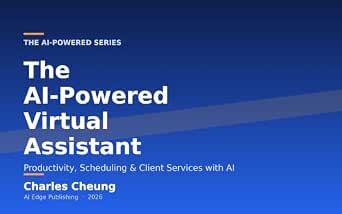
The AI-Powered Virtual Assistant: Productivity, Scheduling & Client Services with AI (AI Workflow Series, Book 22)
- ✔ Format: Book
- ✔ Series: AI Workflow Series
- ✔ Series number: Book 22

The AI-Powered Virtual Assistant Business: How to Start a Profitable VA Side Hustle from Home Using AI and Automation
- ✔ Format: Book
- ✔ Primary topic: Starting a virtual assistant business
- ✔ Business model: Home-based VA side hustle
At a Glance
| Criteria | Microsoft Copilot | Google Gemini | Winner |
|---|---|---|---|
| Productivity suite integration | Deepest fit with Microsoft 365 apps and workflows | Deep fit with Gmail, Docs, Drive, and other Google services, depending on plan | Depends |
| Writing and document work | Useful for drafting and working with files across Microsoft apps; capabilities depend on license and app | Useful for drafting, summarizing, and handling work in Google’s apps | Depends |
| Meetings and email | Strong fit with Outlook and Teams workflows where the right subscription and settings are in place | Strong fit with Gmail and Google Meet workflows where the plan supports those features | Depends |
| Research and general assistance | General assistant capabilities plus access to Microsoft-connected work context, subject to permissions | General assistant capabilities combined with Google services and connected information, subject to permissions | Depends |
| Organizational controls | Enterprise administration and Microsoft identity controls suit organizations already using its ecosystem | Administrative controls are strongest for organizations already managing Google Workspace | Depends |
| Ease of adoption | Best for people already comfortable with Microsoft apps | Best for people already comfortable with Google’s apps | Depends |
| Value for existing customers | Most compelling when an organization already pays for Microsoft 365 and the chosen Copilot plan | Most compelling when an organization already pays for Google Workspace and the chosen Gemini plan | Depends |
The AI-Powered Virtual Assistant: How to Use Automation, Systems, and Smart Tools to Deliver High-Value VA Services at Scale
This is the broadest match for readers who want AI to support a more organized virtual assistant practice. Its description brings together automation, systems, and smart tools, then connects them to delivering services at scale. That framing matters: automation can reduce repeated manual work, while documented systems can make a service easier to deliver consistently as client needs grow.Compared with the AI Workflow Series book, which is framed around individual work areas such as scheduling and client services, this title appears to emphasize the structure around those tasks. That makes it the stronger overall choice for someone thinking about repeatability across a service business. The tradeoff is that the description does not name specific workflows or tools, so buyers looking for detailed, task-by-task instruction may find the workflow book’s named topics easier to evaluate.Its scale-oriented promise also may be more relevant to assistants who already have services to organize than to someone still deciding whether to become a VA. In that respect, the beginner business guide has a clearer starting point. We rank this first because its supplied description spans both systems and service delivery, but the listing provides no detailed contents or confirmed examples. Treat the title as a promising fit, then check the listing to confirm the depth suits your needs.
Pros:
- Combines AI, automation, and systems in one VA-focused framing
- Connects tools to service delivery rather than discussing AI in the abstract
- Explicitly addresses delivering services at scale
- Broadest stated fit for assistants improving an existing operation
Cons:
- The supplied description does not identify specific tools or workflows
- No contents, examples, or supporting detail were provided to confirm depth
- Its scale focus may be less relevant before a reader has defined services
Best for: Virtual assistants who already offer services and want to explore automation and repeatable systems for handling work at greater scale.
Not ideal for: Readers seeking a clearly itemized beginner business launch plan or detailed scheduling instruction confirmed by the available description.
Bottom line: Choose this as the most broadly positioned guide for organizing and scaling VA services with AI, while checking the listing for the practical detail you need.
“Choose this as the most broadly positioned guide for organizing and scaling VA services with AI, while checking the listing for the practical detail you need.”
The AI-Powered Virtual Assistant: Productivity, Scheduling & Client Services with AI (AI Workflow Series, Book 22)
For readers who want to connect AI with recognizable parts of a VA’s workday, this title has the clearest task-oriented framing. Its stated subjects are productivity, scheduling, and client services, placing it closer to operational work than to the broader service-scaling emphasis of our top pick. Those topics can help readers decide whether they want guidance aimed at managing time, coordinating calendars, or supporting client interactions.The comparison is useful: the first book foregrounds systems and scale, whereas this one names the work areas a reader might want to improve. That makes it easier to shortlist when your immediate interest is scheduling or client service. The limitation is that the supplied information does not describe how the book treats those areas. We cannot confirm particular AI tools, examples, methods, or exercises, so the topic list should not be mistaken for a detailed syllabus.Its place in the AI Workflow Series identifies it as book 22, but the series label alone does not establish prerequisites or how much context it provides. Compared with the beginner business title, this one is less clearly about launching a practice and more clearly about work tasks. It earns a distinct role for that reason, though readers should inspect the listing before expecting a step-by-step workflow manual.
Pros:
- Names productivity as a central work area
- Specifically includes scheduling
- Includes client services alongside individual tasks
- Belongs to a named AI workflow series
Cons:
- No description beyond the topic framing was supplied
- Specific tools, examples, and instructional depth are unknown
- The available details do not establish its fit for complete beginners
Best for: Working or aspiring VAs whose main interests are productivity, scheduling, and client-service work with AI.
Not ideal for: Readers who need a clearly described business-startup roadmap or verified, detailed tool tutorials before choosing.
Bottom line: Pick this when productivity, scheduling, and client services are your priorities, and verify the listing for the level of instruction before committing.
“Pick this when productivity, scheduling, and client services are your priorities, and verify the listing for the level of instruction before committing.”
The AI-Powered Virtual Assistant Business: How to Start a Profitable VA Side Hustle from Home Using AI and Automation
This title is the clearest starting point for a reader who has not yet established a VA practice. Its description centers on starting a virtual assistant business from home and presents the guide as suitable for people without prior experience. AI and automation are framed as part of that business idea, making the book more relevant to deciding how to enter the field than to improving a mature service operation.That distinction separates it from our top pick, which is aimed more naturally at organizing and scaling services, and from the AI Workflow Series title, which names recurring task areas. If your first question is how to begin, this book’s positioning is the most direct. If you already serve clients and need help refining scheduling or client workflows, the other two titles have more clearly aligned descriptions.The main caution is the gap between the promise and the available detail. The supplied information does not outline a launch sequence, explain which AI tools are covered, or describe how the business advice is developed. The word profitable is part of the title’s promise, not a guaranteed result. We give this book a focused beginner role, but readers should check its listing for evidence that the contents match their expectations before treating it as a complete startup roadmap.
Pros:
- Directly focuses on starting a virtual assistant business
- Explicitly positions the reader as a beginner
- Connects the business concept with AI and automation
- Targets a home-based side-hustle path
Cons:
- The supplied description gives no contents or launch steps
- Specific AI tools and automation methods are not identified
- The title’s profitability framing does not establish an outcome
Best for: People with little or no VA experience who want an introduction to starting a home-based virtual assistant business using AI and automation.
Not ideal for: Established assistants primarily seeking detailed task workflows, scheduling guidance, or confirmed methods for scaling client delivery.
Bottom line: Consider this the most beginner-oriented business option, but check the listing to confirm it offers the startup guidance you expect.
“Consider this the most beginner-oriented business option, but check the listing to confirm it offers the startup guidance you expect.”
As an Amazon Associate we earn from qualifying purchases.
Key Differences
The main difference is the work environment each assistant is designed to complement. Copilot’s advantage appears when a task moves through Microsoft apps: turning notes into a draft, working with spreadsheet information, preparing for a Teams meeting, or finding material in an organization’s Microsoft environment. Gemini has a comparable advantage for users whose mail, documents, meetings, and stored files are in Google’s ecosystem. In both cases, access to work information depends on the subscription, configuration, permissions, and the specific feature being used. Neither assistant automatically makes every connected file available in every conversation.
For occasional questions, brainstorming, or first drafts, the distinction may be less important than which interface feels easier to use. For recurring work, integration can save more time than a small difference in general answers: an assistant that can act in the apps you already use is easier to put into practice. That benefit comes with a tradeoff. If your organization uses both suites, choosing one assistant may leave some workflows less connected; if it uses neither heavily, a dedicated AI assistant or another product may offer a better match.
Detailed Comparison
Productivity suite integration (major difference)
Winner: Depends; the gap is major when work is concentrated in one suite. Copilot fits Microsoft 365 workflows, while Gemini fits Google Workspace workflows. If your team keeps its documents, mail, meetings, and shared files in Microsoft, Copilot has the practical edge; if those activities center on Google, Gemini does. Switching ecosystems to get an assistant is rarely worth the disruption. Check the specific plan and app support before buying, since integrations and features vary.
Writing and document work (moderate difference)
Winner: Depends; the difference is moderate. Both can help draft, rewrite, summarize, and organize ideas. Copilot is more convenient when the work product belongs in Word or another supported Microsoft app; Gemini has the advantage when it belongs in Docs or another supported Google app. For standalone writing, the deciding factors are output quality for your tasks, available context, and how much editing you expect to do. Treat either result as a draft that needs review, especially for factual claims and sensitive material.
Meetings and email (moderate difference)
Winner: Depends; the gap is moderate for frequent users. Copilot suits Outlook and Teams-centered work, while Gemini suits Gmail and Google Meet-centered work, provided the subscription includes the relevant features. The day-to-day benefit is less time assembling meeting notes, drafting follow-ups, or finding a message. Organizations should confirm that recording, transcript, retention, and access settings meet their policies; an assistant cannot summarize information it was not allowed to access.
Research and general assistance (moderate difference)
Winner: Depends; the gap is minor to moderate for ordinary questions. Both can explain concepts, brainstorm, and help organize research. Their connected services can make one more useful for a particular user’s files and information, but this depends on configuration and available features. For research that informs a decision, verify sources and figures independently. If most requests are general questions rather than work inside office apps, choose based on answer quality in your own use cases and the plan’s included limits.
Organizational controls (major difference)
Winner: Depends; the gap is major for managed deployments. A company already administering Microsoft identities, devices, and Microsoft 365 will usually find Copilot easier to evaluate within its existing setup. A company using Google Workspace will have a more natural route with Gemini. Neither should be selected on brand alone: administrators need to review data handling, permissions, feature availability, and applicable compliance terms for the exact edition. For a personal account, these administrative differences matter less.
Ease of adoption (moderate difference)
Winner: Depends; the gap is moderate. Familiarity sets the pace. Microsoft users can start with Copilot in tools they already know; Google users can begin with Gemini in their usual services. Staff may need guidance on writing effective prompts and checking outputs either way. If the assistant requires users to open a separate app, move files, or change established habits, its theoretical capabilities may not translate into much time saved.
Value for existing customers (major difference)
Winner: Depends; the gap is major when a suitable bundle is already included. The better value is the assistant that gives useful capabilities through a plan your organization already has, after confirming its exact terms and limits. If a separate add-on is required, paying makes sense when frequent, repeatable tasks save enough staff time to justify the added cost. A casual user should be cautious about paying for a premium tier based on occasional drafting; test representative tasks and account for review time before expanding access.
Microsoft Copilot: Pros and Cons
Pros:
- Fits organizations centered on Microsoft 365 apps and workflows.
- Can bring assistance closer to Word, Excel, Outlook, and Teams tasks when supported by the plan.
- A natural choice for workplaces already administering Microsoft accounts and services.
Cons:
- Less convenient when most work happens in Google Workspace.
- Features, access to work context, and cost depend on the specific subscription and configuration.
- Generated content still needs review and may not suit high-stakes use without additional checks.
Google Gemini: Pros and Cons
Pros:
- Fits organizations centered on Gmail, Docs, Drive, and Google Workspace workflows.
- Can bring assistance closer to writing, mail, and meetings in Google’s services when supported by the plan.
- A natural choice for workplaces already administering Google Workspace.
Cons:
- Less convenient when most work happens in Microsoft 365.
- Features, access to work context, and cost depend on the specific subscription and configuration.
- Generated content still needs review and may not suit high-stakes use without additional checks.
Who Should Choose What
Choose Microsoft Copilot if:
- Your organization uses Microsoft 365 for documents, spreadsheets, email, and meetings.
- You want AI assistance close to Word, Excel, Outlook, or Teams workflows that your plan supports.
- Your IT team already manages Microsoft accounts and wants to evaluate AI within that environment.
Choose Google Gemini if:
- Your organization uses Google Workspace for mail, documents, meetings, and shared files.
- You want assistance close to Gmail, Docs, Drive, or Google Meet workflows that your plan supports.
- Your IT team already manages Google accounts and wants to evaluate AI within that environment.
Skip both if: Your work does not center on either ecosystem, you only need occasional general-purpose answers, or your privacy and data requirements are not met by the available plans. Compare standalone assistants or wait until a clear recurring use case justifies the cost.
Value for Money
Paying more is worthwhile only when the assistant is connected to work people do often and measurably reduces the effort. For a company already using Microsoft 365, Copilot may be the better value if its included or add-on features support recurring tasks in that suite; for a Google Workspace company, the same logic favors Gemini. Verify what your current plan includes before adding another subscription, because product names, feature access, and prices can change. A small trial with real but appropriate tasks can reveal whether time saved exceeds the cost and the effort of checking results. For light personal use, a premium workplace plan may be poor value if a basic assistant meets the need.
Final Verdict
There is no universal winner: the decisive factor is where your work already happens. Choose Microsoft Copilot if your documents, spreadsheets, messages, meetings, and managed work accounts are centered on Microsoft 365. Choose Google Gemini if those workflows are centered on Google Workspace. In either case, confirm the exact plan’s app support, connected data access, administration, and price before committing. For organizations split evenly between the two suites, run a limited comparison using the same common tasks in each environment. If neither suite is central and your use is occasional, skip both paid workplace options until you have a recurring need that justifies the expense.
Frequently Asked Questions
Is Microsoft Copilot better than Google Gemini?
Neither is better for every user. Copilot is the more natural fit for Microsoft 365 workflows, while Gemini is the more natural fit for Google Workspace. For general questions, compare them on your own tasks rather than assuming suite integration will matter.
Which assistant is better for a business?
Usually the one that matches the business’s existing productivity suite and administration. A Microsoft-centered organization should evaluate Copilot; a Google Workspace-centered organization should evaluate Gemini. IT should check the specific edition, permissions, data terms, and feature availability before rollout.
Is it worth paying for an AI assistant subscription?
It can be worth paying when employees repeatedly save time on tasks such as drafting, summarizing, or preparing follow-ups, and the plan supports those workflows. Occasional users may not get enough value. Confirm what is already included and compare the subscription cost with actual time saved and review effort.
Can Copilot and Gemini use my work files?
Some plans and configurations connect the assistant to work content, subject to permissions and product support. Access is not automatic or identical across editions. Review your administrator’s settings and the current plan details before relying on an assistant to find or summarize a file.
Fall Picks
fall essentials
As an affiliate, we earn on qualifying purchases.