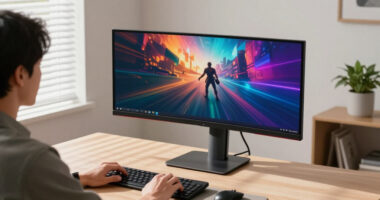
🔍 Read the full analysis: Which Features Matter In A High Refresh Gaming Monitor? on ThorstenMeyerAI.com

Get business pricing on tech for your team
- Business-only prices and quantity discounts
- Tax-exempt purchasing
- Multiple users, one account, clear invoices
TL;DR
A comparison published by ThorstenMeyerAI.com highlights eight monitors with different approaches to high-refresh gaming, from MSI’s 4K 320Hz combination to compact 1080p models and a QD-OLED option. The key buying question is whether a PC can use a monitor’s refresh rate at its resolution, and whether the screen’s size and panel fit the player’s games and setup.
ThorstenMeyerAI.com has compared eight high-refresh gaming monitors, including MSI’s 4K, 320Hz MAG 272URDFA E16, a QHD AOC model and Samsung’s QD-OLED Odyssey OLED G6. The comparison’s central finding is that a large refresh-rate number alone does not determine a good fit: resolution, graphics-card capability, panel type and screen format all affect what players can use and see. The original analysis covers the eight models in detail.
The site names the MSI MAG 272URDFA E16 its best overall pick, citing the combination of 4K resolution and 320Hz refresh. That pairing offers both high detail and substantial refresh headroom, but 4K gaming can place a heavier rendering load on a graphics card than QHD or 1080p. The comparison says the display is most suited to buyers with hardware able to produce high frame rates at that resolution. For more guidance, see how to pick a high-refresh gaming monitor.
The AOC Q27G41ZE is presented as a more conventional 27-inch QHD speed option, with a native 240Hz refresh and an overclocked 260Hz mode. The Samsung Odyssey OLED G6 is distinguished by its QD-OLED panel, positioning it as an image-quality alternative to the IPS-focused options rather than simply another high-refresh model; see also these 34-inch OLED gaming monitors. The source does not provide measured performance or image-quality test results in the supplied material.
Other entries target particular setups: the ASUS VG259QM5A and Dell SE2426HG are 24-inch-class 1080p choices focused on high refresh and more manageable graphics demands. Larger formats include the 34-inch Sceptre ultrawide and 32-inch SANSUI, while the curved AOC C27G4ZH pairs a 27-inch screen with 1080p. The comparison cautions that this resolution can look less crisp at close viewing distances on a larger display.
The 8 picks
- 1
 Samsung 27" Odyssey OLED G6 (G61SH) QD-OLED Gaming MonitorView on Amazon →
- 2
 msi MAG 272URDFA E16 27-inch 3840 x 2160 (UHD) Gaming Office Monitor, 320Hz,…View on Amazon →
- 3
 Sceptre C345B-QU240T 34-inch Curved Ultrawide Gaming MonitorView on Amazon →
- 4
 SANSUI 32 Inch Curved 240Hz Gaming Monitor High Refresh Rate, FHD 1080PView on Amazon →
- 5
 AOC 27" Gaming Monitor QHD 240Hz Overclocked IPS NVIDIA G‑Sync Q27G41ZEView on Amazon →
- 6
 AOC C27G4ZH 27-Inch Curved FHD Gaming MonitorView on Amazon →
- 7
 ASUS TUF Gaming VG259QM5A 24.5-Inch 1080p 240Hz Gaming MonitorView on Amazon →
- 8
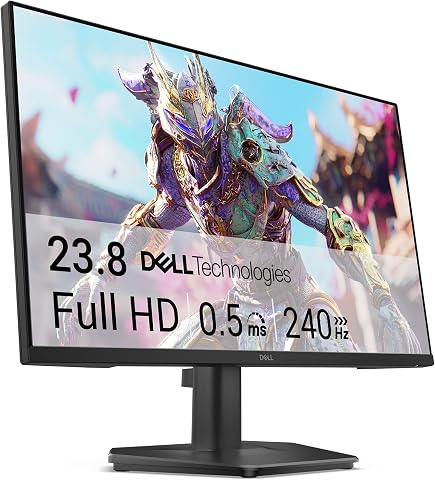 Dell 24 240Hz Gaming Monitor – SE2426HG – 23.8-inch FHD (1920×1080) 240Hz Dis…View on Amazon →
How Resolution Shapes Refresh-Rate Value
The comparison matters because a monitor’s maximum refresh rate is not the same as a PC’s actual frame rate. A display rated for 320Hz cannot make a game run at 320 frames per second; the graphics card and game must produce those frames. At higher resolutions, that can be harder to achieve, so buyers may pay for refresh headroom they rarely use.
Resolution also affects perceived detail. QHD can balance sharpness and rendering demand, while 1080p can make high frame rates more attainable on less powerful systems. Screen size changes the equation: a 1080p image spread across a 27- or 32-inch panel may appear less sharp at a typical desk distance than on a compact display. The practical choice depends on the games played, the hardware available and how far away the player sits.
Panel and shape add different considerations. The Samsung’s QD-OLED panel is a distinct technology choice, while a curve or ultrawide format changes the viewing experience and desk fit. Neither a curve nor a wider screen is automatically a performance benefit; game support and personal preference matter.
Products Worth Considering

Bose QuietComfort Headphones (2nd Gen), Wireless Noise-Cancelling Over-Ear Headphones, Black

Apple MacBook Air 15-inch with M5 chip, 32GB memory, 512GB SSD, Midnight

Samsung Odyssey G55C 32-Inch QHD 1000R Curved Gaming Monitor
As an affiliate, we earn on qualifying purchases.
Eight Monitors, Different Gaming Setups
The source says its ranking weighs how refresh rate, resolution and screen format work together, rather than treating the highest refresh figure as an automatic winner. It also says it considered panel type, adaptive-sync support where specified, connectivity and adjustment details. The supplied material does not list all specifications for each product, and the comparison says it does not assume a feature is present when details do not specify it.
The models fall into several broad use cases. MSI’s 4K 320Hz model targets buyers seeking unusually high resolution and refresh together. The AOC QHD option reduces the resolution burden while retaining a high refresh rate. The 1080p 24-inch-class displays emphasize speed with less demand on the GPU, and the Sceptre ultrawide and curved models prioritize larger or more immersive formats. The source’s rankings are recommendations, not independent laboratory findings established in the provided text.
“I ranked these monitors by how well their refresh rate, resolution, and screen format work together, rather than treating the largest refresh number as an automatic win.”
— ThorstenMeyerAI.com comparison
Testing Data and Model Details
The supplied source material does not state a publication date, street prices, regional availability or a full set of model specifications. It also does not provide independent benchmark results, measured response times, brightness figures or comparative test conditions. Its labels, including “best overall,” are the publisher’s recommendations and should not be read as universal findings.
Some features are mentioned only where specified, so the material does not establish that every model supports adaptive sync or offers the same connectivity and adjustment options. Buyers should check current product listings and confirm details such as ports, stand adjustment, adaptive-sync compatibility and any settings needed to enable an overclocked refresh mode. The source also does not say how well individual games support ultrawide resolutions.
Check Your Games and Hardware
Before buying, compare the monitor’s resolution and refresh rate with the frame rates your PC can sustain in the games you play. Check product specifications for the exact refresh modes and connectivity, and confirm that a game supports ultrawide output if considering the Sceptre. For a large display, consider desk depth and viewing distance as well as resolution.
The comparison supplies recommendations but does not identify a forthcoming test or product launch. Prices, stock and model specifications can change, so readers should verify those details with sellers and manufacturers before making a purchase.
Key Questions
Is a 320Hz monitor always better than a 240Hz model?
No. A 320Hz rating describes the display’s maximum refresh capability, not the frame rate a PC will deliver. The difference is most relevant when the computer can produce very high, stable frame rates in the games being played.
Which resolution is the best fit for a high-refresh gaming monitor?
It depends on the PC and priorities. 1080p is generally less demanding to render than 4K, while QHD offers a middle ground in resolution and graphics workload. The source recommends matching the choice to actual game performance and viewing distance.
What makes the Samsung Odyssey OLED G6 different in this comparison?
The source singles it out for its QD-OLED panel, making it the panel-technology alternative among the listed picks. The supplied material does not include comparative test measurements for image quality.
Should I choose an ultrawide gaming monitor?
An ultrawide can offer a broader view and extra desktop space, but game support varies. Check whether the games you play support the format properly, and consider available desk space and viewing distance.
Source: ThorstenMeyerAI.com