
AI video editing software now handles the tasks that used to eat hours of your day — auto-cutting silences, generating subtitles, removing backgrounds, and restabilizing shaky footage. CyberLink PowerDirector 2026 earns my best overall pick because it pairs the most complete AI toolset with a timeline that beginners and experienced editors can both grow into. Adobe Premiere Elements 2026 stands out for fully automated edits, while Movavi Video Editor 2026 wins on simplicity and value. The main tradeoff in this category: the more AI does for you, the less manual control you tend to have, and professional-grade suites like VEGAS Pro Edit 21 still demand a real learning curve. Keep reading for the full breakdown of which option fits your skill level, budget, and project type.

Get business pricing on tech for your team
- Business-only prices and quantity discounts
- Tax-exempt purchasing
- Multiple users, one account, clear invoices
Key Takeaways
- CyberLink PowerDirector 2026 takes the top spot because it is the only pick in this lineup that serves both AI-dependent beginners and hands-on advanced editors on the same timeline, though it leans Windows-first.
- The ‘AI’ label varies wildly here: Adobe Premiere Elements 2026 and CyberLink genuinely automate editing decisions, while VideoPad and older Corel versions (2020/2021) market effects and templates as AI with little real automation.
- Older versions like VideoStudio Pro 2020 and 2021 carry budget appeal, but their AI features lag years behind 2026 releases — paying less often means losing the exact capability you’re shopping for.
- Movavi Video Editor 2026 is the clearest beginner path: fastest route from import to finished video, but its ceiling is low compared with PowerDirector or VEGAS Pro for longer or multi-track projects.
- VEGAS Pro Edit 21 is the only true professional suite in this group; its AI audio cleanup and color tools reward experienced editors but will overwhelm anyone who mainly wants automation.
- Watch the platform split: Movavi and Adobe offer Mac versions, but PowerDirector, VEGAS, and Corel are Windows-only, which immediately narrows the field for Mac buyers.
| CyberLink PowerDirector 2026 and PhotoDirector 2026 for Windows |  | Best Overall Bundle | Included software: PowerDirector 2026 and PhotoDirector 2026 | Platform: Windows 10/11 (64-bit) | License: Lifetime license for both applications | VIEW LATEST PRICE | See Our Full Breakdown |
| Movavi Video Editor 2026 Personal License [PC Download] | ” image=”https://m.media-amazon.com/images/I/619PZtyn1fL._AC_SY445_SX342_QL70_FMwebp_.jpg” link=”0″] | Best for Quick Social Content | License type: Personal | Platform: PC download (Windows) | Version: 2026 | VIEW LATEST PRICE | See Our Full Breakdown |
| CyberLink PowerDirector 2026 Video Editing Software for Windows |  | Best AI Editing Toolkit | Platform: Windows | Format: Box with download code | Core features: Video editing, screen recording, slideshow creation, effects and transitions | VIEW LATEST PRICE | See Our Full Breakdown |
| Corel VideoStudio Pro 2021 Video Editing Software for PC |  | Best for Learning the Craft | Platform: PC (Windows 7, 8, or 10, 64-bit) | Processor: Core i3/AMD A4 minimum; Core i7/AMD A10 for HD and UHD | Memory: 4 GB minimum; 8 GB+ recommended for HD/UHD | VIEW LATEST PRICE | See Our Full Breakdown |
| Corel VideoStudio Pro 2020 Video Editing Software for PC |  | Best Budget Pick for Casual Projects | Operating system: Windows 7, 8, or 10 (64-bit) | Processor: Intel Core i3/AMD A4 minimum; Core i7/Athlon A10 for HD and UHD | RAM: 4 GB minimum; 8 GB+ recommended for HD/UHD | VIEW LATEST PRICE | See Our Full Breakdown |
| VideoPad Video Editor Free |  | Best Free Starter Option | Format: Digital download | License type: Free (non-commercial use only) | Audio effects: Pan, Reverb, Echo | VIEW LATEST PRICE | See Our Full Breakdown |
| Adobe Premiere Elements 2026 (3-Year License) |  | Best for Guided Learning | Version: 2026 | License term: 3 years from redemption | License renewal: No automatic renewal | VIEW LATEST PRICE | See Our Full Breakdown |
| Corel VideoStudio Ultimate 2021 | 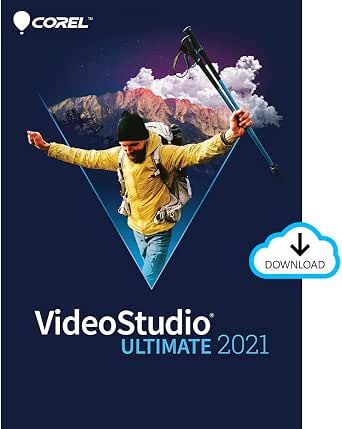 | Best Effects Library | Platform: PC download | Operating systems: Windows 7, 8, or 10 (64-bit) | Minimum RAM: 4 GB (8 GB+ for HD/UHD) | VIEW LATEST PRICE | See Our Full Breakdown |
| Nero Video Maker |  | Best Lifetime License Value | Supported resolutions: HD, 4K, 8K | Editing features: Multi-track timeline, green screen, picture-in-picture, motion tracking | Templates and effects: Over 1,000 | VIEW LATEST PRICE | See Our Full Breakdown |
| CyberLink PowerDirector 2026 |  | Best AI Workflow Pick | Operating system: Windows 11 | Software type: Video editing software | AI features: AI frame interpolation, AI object masking | VIEW LATEST PRICE | See Our Full Breakdown |
| VideoPad Video Editor |  | Best Budget Pick for Older PCs | Platform: Windows 8, 7, Vista, XP | Processor: Celeron 2.1 GHz | RAM: 512 MB | VIEW LATEST PRICE | See Our Full Breakdown |
| VEGAS Pro Edit 21 Video and Audio Editing Software, 1 License for PC |  | Best Premium Suite for Serious Projects | Platform: PC | License: 1 license | Operating system: Windows 10 and 11 | VIEW LATEST PRICE | See Our Full Breakdown |
| Movavi Video Editor 2026 for Mac, Personal License |  | Best for Mac Beginners | Platform: Mac | License: Personal | Version: 2026 | VIEW LATEST PRICE | See Our Full Breakdown |
| AI video editing software | Platform |
|---|---|
| CyberLink PowerDirector 2026 a | Windows 10/11 (64-bit) |
| Movavi Video Editor 2026 Perso | PC download (Windows) |
| CyberLink PowerDirector 2026 V | Windows |
| Corel VideoStudio Pro 2021 Vid | PC (Windows 7, 8, or 10, 64-bit) |
| Corel VideoStudio Pro 2020 Vid | — |
| VideoPad Video Editor Free | — |
| Adobe Premiere Elements 2026 | — |
| Corel VideoStudio Ultimate 202 | PC download |
| Nero Video Maker | — |
| CyberLink PowerDirector 2026 | — |
| VideoPad Video Editor | Windows 8, 7, Vista, XP |
| VEGAS Pro Edit 21 Video and Au | PC |
| Movavi Video Editor 2026 for M | Mac |
More Details on Our Top Picks
CyberLink PowerDirector 2026 and PhotoDirector 2026 for Windows
For creators who work across both video and photo, this pairing makes the most sense as the strongest all-around value in the roundup. The AI object masking and removal tools handle tasks that once required tedious manual keyframing, and batch photo editing means a single purchase covers your whole content workflow. Compared with the standalone CyberLink PowerDirector 2026, this bundle adds PhotoDirector for creators whose projects mix stills and footage — think YouTube thumbnails or social posts built around edited photos. The lifetime license also avoids the subscription treadmill that Adobe products impose. The tradeoff: generative AI tools consume credits sold separately, so the headline AI features aren’t fully unlocked out of the box. Windows-only licensing further narrows the audience.
Pros:- Two full applications — video and photo editing — under one license
- AI object masking, removal, and image enhancement save manual editing time
- Batch photo editing speeds up multi-image projects
- Lifetime licenses with no recurring subscription fees
Cons:- Generative AI tools require separately purchased credits
- Windows 10/11 (64-bit) only — no Mac version
Best for: Windows-based content creators who edit both video and photos and want a one-time purchase instead of a subscription
Not ideal for: Mac users or anyone expecting full generative AI capability without budgeting extra for credits
- Included software:PowerDirector 2026 and PhotoDirector 2026
- Platform:Windows 10/11 (64-bit)
- License:Lifetime license for both applications
- Delivery format:Box with printed download code; no physical disc
- AI features:Object masking, object removal, image enhancement
- Photo tools:Batch editing supported
- Recording:Screen and webcam recording included
- AI credits:Generative AI tools use credits sold separately
Our verdict“Buy this if you want a complete, subscription-free editing suite for photo and video on Windows and are willing to pay extra for generative AI credits.”
Movavi Video Editor 2026 Personal License [PC Download]
” image=”https://m.media-amazon.com/images/I/619PZtyn1fL._AC_SY445_SX342_QL70_FMwebp_.jpg” link=”0″]Best for Quick Social Content
View Latest PriceWhere Corel VideoStudio Pro 2021 leans on structure — multicamera editing, 360° tools, disc burning — Movavi goes the opposite direction and optimizes for speed and visual punch. The 180+ filters and effects, including Glitch, Blur, and VHS looks, are exactly the kind of ready-made styling that short-form creators want without grading skills, and AI background replacement and audio denoising handle the two most common quick-fix problems in amateur footage. Fast export speeds matter when you’re publishing weekly or daily. The compromises are real, though: this is a personal license only, so freelancers producing paid client work may be out of compliance, and there’s no Mac version here — Mac editors need the separate Movavi 2026 for Mac release.
Pros:- 180+ filters and effects including Glitch, Blur, and VHS styles
- AI background removal and audio denoising fix common amateur footage problems
- Includes transitions, titles, intros, and color correction
- Fast export speeds suit frequent publishing
Cons:- Personal license only — commercial use not covered
- PC only; no Mac version included
Best for: Hobbyist YouTubers and social media creators on PC who value fast turnaround and stylized looks over deep editing control
Not ideal for: Freelancers or businesses producing commercial work — the personal license doesn’t cover it
- License type:Personal
- Platform:PC download (Windows)
- Version:2026
- Filters and effects:180+
- AI features:Audio denoising, background replacement
- Included extras:Transitions, titles, intros, color correction
- Export:High-speed export
Our verdict“Pick this if you’re a PC hobbyist chasing quick, stylish edits for social platforms and don’t need commercial licensing.”
CyberLink PowerDirector 2026 Video Editing Software for Windows
This standalone PowerDirector release earns its spot as the most AI-dense single application in this batch. Speech-to-text caption generation, AI audio cleanup, background removal, and object masking cover nearly every repetitive chore that slows down a working editor, and the ability to record screen and webcam as separate simultaneous clips is a genuine advantage for tutorial and stream-highlight creators. Compared with Movavi Video Editor 2026, it trades some of Movavi’s instant-filter fun for more production-grade capability. Two caveats shape the buying decision: frame interpolation only works on Intel AI PCs, so AMD users lose a marquee feature, and like the bundle version, generative AI credits are sold separately. If you don’t need photo editing, this beats the PowerDirector/PhotoDirector bundle on simplicity and up-front focus.
Pros:- Screen and webcam record together as separate clips
- AI captions, audio denoise, background removal, and object masking in one app
- Combines editing, recording, and slideshow creation
- Box with download code suits clean installs on multiple machines over time
Cons:- Frame interpolation limited to Intel AI PCs
- Generative AI tools require separately purchased credits
Best for: Tutorial makers, streamers, and screen-recorded-content creators on Intel AI PCs who want heavy AI assistance
Not ideal for: AMD-based PC owners who would lose frame interpolation, or editors who want generative AI included at purchase
- Platform:Windows
- Format:Box with download code
- Core features:Video editing, screen recording, slideshow creation, effects and transitions
- AI features:Object masking, audio denoise, background removal, speech to text
- Frame interpolation:Available on Intel AI PCs only
- Recording:Screen and webcam recorded together as separate clips
- Generative AI credits:Sold separately
Our verdict“Choose this over the bundle if video is your only focus and you want the deepest set of practical AI tools — ideally on an Intel AI PC.”
Corel VideoStudio Pro 2021 Video Editing Software for PC
VideoStudio Pro 2021 takes a different teaching approach than Movavi: instead of one-click looks, it offers structured features like multicamera editing, stop-motion animation, and 360° video tools that let a beginner grow into more advanced work without switching software. The template-driven workflow gets you to a finished video fast, while green screen and multicam open doors that VideoStudio Pro 2020 doesn’t fully match. DVD burning and direct online sharing round out a genuinely broad toolkit. The tradeoffs come from age and hardware demands: it targets Windows 7 through 10 with no stated Windows 11 support, and HD or UHD editing realistically wants a Core i7-class processor and 8 GB of RAM. Blu-ray burning also requires a separate paid plug-in, which stings on physical-media projects.
Pros:- Multicamera editing, stop-motion, and 360° tools rarely bundled at this level
- Beginner-friendly templates, titles, and transitions
- Screen recording included
- Flexible output: export, upload, or burn to DVD
Cons:- No stated Windows 11 support
- Blu-ray burning requires a separate paid plug-in
- HD/UHD editing demands Core i7-class CPU and 8 GB RAM
Best for: Beginners on Windows 10 or older who want room to grow into multicam, stop-motion, and 360° editing
Not ideal for: Windows 11 users or those with older dual-core machines — modern OS support isn’t stated and HD editing needs stronger hardware
- Platform:PC (Windows 7, 8, or 10, 64-bit)
- Processor:Core i3/AMD A4 minimum; Core i7/AMD A10 for HD and UHD
- Memory:4 GB minimum; 8 GB+ recommended for HD/UHD
- Storage:6 GB available space
- Graphics:1024 x 768 display, 512 MB VRAM minimum
- Key features:Screen recording, multicamera editing, 360° video, stop-motion, green screen
- Disc burning:DVD supported; Blu-ray requires separate plug-in
- Internet:Required for installation, registration, and updates
Our verdict“This is the pick for a patient beginner who wants a skill-building suite rather than a quick-effects editor — provided you’re on Windows 10 or earlier.”
Corel VideoStudio Pro 2020 Video Editing Software for PC
As the value play of this lineup, VideoStudio Pro 2020 delivers a 1,500+ filter and effects library plus drag-and-drop templates that make home-movie assembly nearly effortless. Where Corel VideoStudio Pro 2021 adds multicam and 360° tools for growing editors, the 2020 version is content to do one job well: turning photos and clips into watchable movies with green-screen effects, screen recording, stop-motion, and DVD menu creation on board. For family videos, event recaps, and school projects, the older toolset rarely feels limiting. What you give up is currency: this is a Windows 7-to-10 release with no modern AI features, and the internet-connection requirement for installation and registration adds friction on older offline machines. Hardware needs are modest by modern standards, which is part of the appeal.
Pros:- More than 1,500 filters and effects included
- Drag-and-drop templates and easy slideshow/movie creation
- Screen recording, stop-motion, and green-screen effects on board
- Export, online upload, and DVD burning with menu creation
Cons:- No AI features — dated compared with PowerDirector 2026 or Movavi 2026
- Requires 64-bit Windows 7, 8, or 10
- Internet connection required for installation and registration
Best for: Casual home-movie editors and family archivists on older Windows PCs who want maximum content for minimal spend
Not ideal for: Creators wanting AI-assisted editing, captions, or background removal — this version predates those tools entirely
- Operating system:Windows 7, 8, or 10 (64-bit)
- Processor:Intel Core i3/AMD A4 minimum; Core i7/Athlon A10 for HD and UHD
- RAM:4 GB minimum; 8 GB+ recommended for HD/UHD
- Graphics:1024 x 768 display, 512 MB VRAM minimum
- Hard drive space:6 GB minimum
- Filters and effects:1,500+
- Key features:Screen recording, stop-motion, green screen, DVD menu creation
- Internet connection:Required for installation, registration, and updates
Our verdict“Skip the newer releases and grab this if your ambitions stop at family movies and DVDs on an older Windows PC.”
VideoPad Video Editor Free
VideoPad stands out as the zero-cost entry point in this lineup, which is exactly why it earns a slot despite its limits. Compared with Nero Video Maker, which demands payment up front for its 8K pipeline, VideoPad lets a curious beginner stitch together clips, add effects and audio treatments like reverb and echo, and publish straight to YouTube without spending anything. The built-in NCH Sound Library is a nice touch that Movavi and Corel don’t match at the free tier. The tradeoff is real, though: this is licensed for non-commercial use only, and some features behave like trial teasers that nudge you toward the paid edition. Anyone building a channel or client work should treat this as a trial run, not a destination.
Pros:- Completely free entry into video editing with a full effects and transitions library
- Built-in access to stock sounds through the NCH Sound Library
- Audio effects like Pan, Reverb, and Echo included
- Direct export to YouTube, Facebook, and disc burning
Cons:- Free license is restricted to non-commercial projects only
- Includes trial features that push you toward the paid version
Best for: First-time hobbyists and casual home-movie makers who want to learn editing basics without any upfront cost
Not ideal for: Anyone monetizing content — the free license forbids commercial use and gates key features
- Format:Digital download
- License type:Free (non-commercial use only)
- Audio effects:Pan, Reverb, Echo
- Sound library:NCH Sound Library
- Sharing options:Facebook, YouTube, direct disc burning
Our verdict“A sensible zero-risk way to learn editing fundamentals, as long as your projects stay personal and unpaid.”
Adobe Premiere Elements 2026 (3-Year License)
Premiere Elements earns its place through tiered editing modes — Quick, Guided, and Advanced — that let a novice grow into the software instead of outgrowing it. Where VideoPad’s free tier stops at basics, Elements layers in AI-assisted enhancement, automatic tagging, and face recognition to tame large clip libraries. Its 360° and VR editing plus stop-motion tools go beyond what Nero Video Maker offers for creative formats. The structure differs from CyberLink PowerDirector 2026, which leans on AI masking and brand kits for faster output; Elements instead invests in teaching you the craft. The main tradeoff: this is a three-year license, not ownership — after redemption the clock runs, and activation is mandatory, so anyone wanting a perpetual tool should weigh Corel’s one-time model instead.
Pros:- Quick, Guided, and Advanced modes support skill progression
- Automatic video tagging, sorting, and face recognition for large libraries
- Unusual creative formats including 360°/VR video and stop-motion
- Works on both PC and Mac
Cons:- License expires after three years with no ownership path
- Online activation required before use
Best for: Developing editors who want guided tutorials and AI help while they build skills toward more advanced work
Not ideal for: Buyers wanting perpetual ownership — access expires three years after redemption
- Version:2026
- License term:3 years from redemption
- License renewal:No automatic renewal
- Compatibility:PC and Mac
- Delivery method:Online code
- Editing modes:Quick, Guided, Advanced
- Video features:360°/VR editing, stop-motion, color correction, effects, titles, music
Our verdict“The right pick if you want an editor that actively teaches you, provided a three-year horizon fits your plans.”
Corel VideoStudio Ultimate 2021
This option stands out for sheer creative firepower per dollar: more than 2,000 effects, AR stickers, video masking, motion tracking, and color grading in a one-time purchase. Compared with Adobe Premiere Elements 2026, which spreads a smaller toolkit across guided modes, VideoStudio Ultimate hands you professional-grade tools immediately — masking and stabilization that hobbyists would otherwise pay subscriptions for. Nero Video Maker counters with 8K export, but VideoStudio’s depth in color grading and its bundled screen recording make it the stronger creative package. The tradeoffs are dated platform support — Windows 7 through 10, with no Windows 11 listed — and Blu-ray burning requiring a separate plug-in purchase, an annoyance for archival-minded users.
Pros:- Over 2,000 effects plus AR stickers and creative extras
- Advanced tools including video masking, motion tracking, and color grading
- Built-in screen recording and 360° video editing
- Flexible output: export, upload to YouTube, or burn to disc
Cons:- Officially supports Windows 7/8/10 only — no Windows 11 listed
- Blu-ray burning requires a separately purchased plug-in
- Older 2021 release may lag behind newer AI features in 2026 rivals
Best for: Effects-hungry hobbyists and YouTube creators who want masking, motion tracking, and color grading without a subscription
Not ideal for: Windows 11 users and anyone who burns Blu-ray discs — the OS listing stops at Windows 10 and Blu-ray needs a paid plug-in
- Platform:PC download
- Operating systems:Windows 7, 8, or 10 (64-bit)
- Minimum RAM:4 GB (8 GB+ for HD/UHD)
- Minimum hard drive space:10 GB
- Minimum processor:Intel Core i3 or AMD A4
- Effects library:2,000+ effects, AR stickers, screen recording, 360° editing
- Internet connection:Required for installation, registration, and updates
Our verdict“A one-time-purchase effects powerhouse for Windows 10 creators who want pro tools without recurring fees.”
Nero Video Maker
Nero’s pitch is simple and rare in this roundup: a lifetime license for one PC with no subscription, ever. Set that against Adobe Premiere Elements’ three-year countdown and the value logic shifts — Nero keeps working indefinitely. It also pushes resolution further than anything else here, supporting exports up to 8K, ahead of Corel VideoStudio Ultimate 2021. The AI media management, green screen, and motion tracking tools cover the features most creators actually reach for, backed by over 1,000 templates. What you give up is polish and community: Corel and CyberLink offer deeper color-grading and AI masking ecosystems, and Nero’s effect quality doesn’t always match its quantity. Broad Windows 7–11 support is a genuine plus for older machines.
Pros:- Lifetime license for one PC with no subscription fees
- Export support up to 8K, the highest in this lineup
- Over 1,000 templates and effects plus green screen and motion tracking
- Runs on Windows 7 through 11, including older machines
Cons:- Effects and templates emphasize quantity over refinement
- Single-PC license with no cross-platform option
Best for: Budget-conscious creators who want one payment, maximum resolution headroom, and no recurring fees
Not ideal for: Editors who need boutique color-grading depth or the AI masking refinement of CyberLink and Corel
- Supported resolutions:HD, 4K, 8K
- Editing features:Multi-track timeline, green screen, picture-in-picture, motion tracking
- Templates and effects:Over 1,000
- License:Lifetime, 1 PC
- Subscription:None
- Compatibility:Windows 7, 8, 10, 11
Our verdict“The strongest pick for buyers who hate subscriptions and want 8K headroom for a single upfront payment.”
CyberLink PowerDirector 2026
PowerDirector 2026 is the most AI-forward option in this batch. Its AI frame interpolation smooths footage and slows motion cleanly, while AI object masking isolates subjects without manual rotoscoping — tasks that would eat hours in Corel VideoStudio Ultimate 2021. Combined screen-and-webcam recording plus brand kit management, this model makes the most sense for streamers, course creators, and anyone producing recurring branded content. Compared with Nero Video Maker, which matches on resolution but not intelligence, PowerDirector trades raw format breadth for smarter, faster editing. The standout drawback is narrow platform support: it lists Windows 11 only, so owners of older PCs should check Corel or Nero instead before buying.
Pros:- AI frame interpolation and AI object masking cut hours of manual work
- Combined screen and webcam recording in one capture
- Brand kit management keeps recurring content visually consistent
- Color adjustment tools round out a modern workflow
Cons:- Windows 11 only, excluding older systems
- No Mac version, unlike Adobe Premiere Elements
Best for: Content creators and small brands on modern Windows 11 PCs who produce regular video with consistent styling
Not ideal for: Anyone on Windows 10 or earlier — the listed requirement is Windows 11 only
- Operating system:Windows 11
- Software type:Video editing software
- AI features:AI frame interpolation, AI object masking
- Recording:Screen and webcam capture
- Other tools:Color adjustment, brand kit management
Our verdict“The smartest workflow choice here for Windows 11 creators who value speed and brand consistency over platform flexibility.”
VideoPad Video Editor
VideoPad earns its place here for one reason the flashier options can’t match: it runs on hardware that would choke VEGAS Pro Edit 21, which wants 16 GB of RAM and a quad-core CPU. With a footprint of just 100 MB and a 2.1 GHz Celeron as its baseline, this option makes sense for anyone editing on an aging Windows machine. The drag-and-drop timeline and 50-plus effects and transitions cover basic cuts, titles, and audio mixing without a steep learning curve. Compared with Movavi Video Editor 2026, the effect library feels dated and there are no AI conveniences like automatic subtitles or noise removal. Export flexibility is a genuine strength, spanning DVD, Blu-ray, and direct YouTube upload. The tradeoff is polish — this is a serviceable editor, not a creative powerhouse.
Pros:- Runs on very old, low-spec Windows hardware
- Drag-and-drop timeline that beginners can learn quickly
- Broad export options including DVD, Blu-ray, and direct YouTube upload
- Built-in audio mixing and narration recording
Cons:- System requirements reference outdated Windows versions, raising compatibility questions
- Requires online activation and registration for a permanent license
- No AI features compared with newer rivals
Best for: Casual editors and families working on older Windows PCs who need simple movie projects and YouTube uploads
Not ideal for: Creators who want modern AI-assisted tools like auto subtitles or smart masking — those need Movavi or VEGAS Pro instead
- Platform:Windows 8, 7, Vista, XP
- Processor:Celeron 2.1 GHz
- RAM:512 MB
- Hard disk space:100 MB
- Video card:16 MB
- Effects and transitions:Over 50
- Export formats:DVD, CD, Blu-ray, HD-DVD, AVI, WMV, ASF, MPG, 3GP, MP4, MOV
Our verdict“A practical choice if your hardware rules out everything else on this list, but not for anyone chasing AI-driven editing.”
VEGAS Pro Edit 21 Video and Audio Editing Software, 1 License for PC
This is the heavyweight of the batch. Where VideoPad covers the basics and Movavi Video Editor 2026 targets quick, guided edits, VEGAS Pro Edit 21 stands out for combining professional video and audio workflows in one package — full timeline editing, compositing, color grading, and native VST3 audio plugin support. Its AI-assisted masking and video repair tools go beyond Movavi’s subtitle-and-noise-removal toolkit, making it better suited to longer, multi-layer projects. GPU-accelerated export shaves real time off rendering when you’re producing finished work regularly. The tradeoffs are real: you need a Windows 10 or 11 machine with 16 GB of RAM and a persistent internet connection, and the depth that professionals want translates into a steeper learning curve than anything else here. This pick rewards commitment.
Pros:- Unified video and audio editing with VST3 plugin support
- AI-assisted masking and video repair tools
- Full color grading, compositing, and titling toolkit
- GPU-accelerated export speeds up rendering
Cons:- Windows 10 or 11 only — no Mac version
- Demands 16 GB of RAM and an internet connection
- Deeper feature set means a longer learning curve
Best for: Intermediate-to-advanced Windows creators and freelance editors producing client work with heavy audio and effects needs
Not ideal for: Mac users and casual hobbyists — the platform restriction and learning curve outweigh the advanced toolset for occasional projects
- Platform:PC
- License:1 license
- Operating system:Windows 10 and 11
- CPU:4-core, 2.5 GHz
- RAM:16 GB
- Internet connection:Required
- Audio plugin support:VST3
Our verdict“The most capable option in this roundup for Windows-based creators who need pro-grade audio and video tools in one license.”
Movavi Video Editor 2026 for Mac, Personal License
This option fills a gap the rest of the lineup ignores: it’s the only Mac-native AI editor in the batch, since VEGAS Pro Edit 21 is Windows-only and VideoPad targets legacy PCs. Its AI subtitle generation across more than 30 styles — exportable as SRT files — plus automatic noise and silence removal handles the tedious chores that eat a beginner’s afternoon. Speed control up to 100x and fast effect copying between clips keep the workflow brisk, and the drag-and-drop timeline means there’s no manual-reading phase before your first export. Compared with VideoPad, the effect library is far more modern; compared with VEGAS, it trades professional depth for accessibility. The honest tradeoff: AI results sometimes need manual cleanup, and the listing gives no system requirements, so verify your Mac’s specs before buying.
Pros:- AI tools for subtitles, background noise removal, and silence removal
- Hundreds of filters, transitions, titles, and overlays
- Automatic subtitles exportable as SRT files
- Drag-and-drop timeline with fast effect copying between clips
Cons:- AI features sometimes need manual adjustment for polished results
- No published system requirements to verify compatibility
- Personal license limits commercial flexibility
Best for: Mac-using beginners and content creators who want AI subtitles and cleanup tools without a professional learning curve
Not ideal for: Professionals needing compositing, VST3 audio support, or advanced color grading — VEGAS Pro Edit 21 is the better investment
- Platform:Mac
- License:Personal
- Version:2026
- Subtitle generation:Supports over 30 styles
- Subtitle export:SRT
- Maximum video speed:Up to 100x
Our verdict“The clear Mac pick for newcomers who want AI to handle subtitles and audio cleanup at a beginner-friendly level.”

How We Picked
I judged every option through one lens: how much genuine AI assistance it delivers relative to its learning curve and price tier. That meant looking at which tools actually automate editing work — speech-to-text subtitling, silence removal, object detection, background removal, auto-reframing, and AI color or audio correction — versus software that simply labels preset effects as intelligent. A polished interface with weak automation ranked lower than a plainer tool that genuinely saves time.
Beyond the AI question, I weighed usability for different skill levels, timeline performance on mid-range hardware, export flexibility (formats, resolutions, aspect ratios for social platforms), and platform availability, since several strong options skip macOS entirely. Value played a large role too: older releases like VideoStudio 2020 and 2021 were judged on whether their savings justify missing modern features, and near-duplicate listings (such as the repeated PowerDirector entries and the two VideoPad versions) were separated by what each actually bundles. The ranking favors tools that give buyers a clear growth path — start with AI assistance, graduate to manual control — without forcing a second purchase.
Factors to Consider When Choosing AI Video Editing Software
Before you settle on a specific title, it helps to understand what actually separates these products — and where buyers most often regret their choice. These are the factors that shaped my ranking and the ones I’d weigh before clicking buy.Real AI Versus AI Marketing
The biggest trap in this category is the label itself. Almost every video editor in 2026 claims AI features, but there’s a real difference between software that analyzes your footage and makes editing decisions and software that packages pre-built templates under an intelligent-sounding name. Auto-generated edits, silence detection, subject tracking, and speech-to-text subtitling save genuine hours; a “smart” filter gallery saves seconds. Read feature lists looking for verbs — what does the software do automatically — rather than adjectives. A common mistake is paying a premium for an AI-branded version of a product whose standard edition already includes the same tools. When in doubt, check the publisher’s comparison chart, not the product page headline.
Your Skill Level and Growth Path
Buying software above your skill level wastes money just as fast as buying below it. Beginners who grab a professional suite like VEGAS Pro often abandon it within a month because the interface assumes vocabulary they haven’t learned yet. The smarter approach is picking an editor with layered complexity — guided or automatic modes at the start, with a full manual timeline available when you outgrow them. PowerDirector and Premiere Elements both follow this philosophy; Movavi leans almost entirely toward the guided end. Consider also whether you’ll want to grow: if you expect to edit client work or YouTube content long-term, a cheap entry-level tool becomes a bottleneck you’ll replace within a year, which makes a mid-tier purchase the better value.
License Models: Subscription, Perpetual, and Version Traps
This roundup mixes perpetual licenses, time-limited deals, and versioned releases, and the differences matter more than the sticker price suggests. A perpetual license keeps working forever but locks you to that year’s feature set — a 2020 or 2021 edition will never receive the newer AI models its successor ships with. Adobe Premiere Elements 2026 takes a middle path with a three-year license, which suits buyers who upgrade infrequently. The mistake to avoid: buying an older version at a discount specifically for AI features, only to find those features are the ones the publisher reserved for the current release. Also confirm how many machines a license covers, since “one license” can mean one install or one active user across devices depending on the publisher.
Platform and Hardware Requirements
Several of the strongest picks here — PowerDirector, VEGAS Pro, and the Corel line — are Windows-only, which eliminates them before any feature comparison if you’re on a Mac. Movavi and Adobe offer cross-platform versions, though always verify the specific edition, as licenses are often sold per-platform. On the hardware side, AI features shift the bottleneck: object detection, background removal, and AI upscaling lean heavily on your GPU, so a machine that ran a 2021 editor comfortably may struggle with 2026 AI workloads. Check both minimum and recommended specs, and treat the minimum as the floor for basic editing only, not for AI rendering. Buyers with older hardware often get better results from a lighter editor running smoothly than a flagship running at a crawl.
Output Destinations and Export Flexibility
Where your video ends up should shape which editor you buy. If you produce content for TikTok, Reels, or YouTube Shorts, auto-reframing — where AI re-crops horizontal footage to vertical — saves you from manually re-editing every clip, and only the newer releases do it well. Podcasters and talking-head creators should prioritize auto-subtitling and silence removal above fancy effects. 4K and HDR export support separates modern releases from older bargains; VideoStudio 2020 can technically handle high-resolution files, but the workflow is slower and less stable. A practical habit before buying: make a shortlist of your three most frequent output formats and aspect ratios, then confirm the editor handles all three natively rather than through a cumbersome workaround.
Avoiding Duplicate and Bundled Listings
This category is cluttered with near-identical store listings, and comparing them carelessly leads to paying twice or buying the wrong edition. You’ll find the same core product sold as a standalone editor, as part of a bundle (like PowerDirector paired with PhotoDirector), or as a cut-down free version with export limits — VideoPad appears twice in exactly this fashion. Bundles can be genuine value if you also edit photos, but they inflate the price for buyers who don’t. Free editions deserve special scrutiny: they often cap resolution, add watermarks, or omit the AI features that drew you in. My advice is to identify the specific edition name and version number before purchase, then check the publisher’s own site for what that edition includes, since marketplace descriptions frequently blur the lines between tiers.
Frequently Asked Questions
Is it worth buying an older version like VideoStudio 2021 to save money?
Only if your editing needs are basic and you’re certain you won’t want modern AI features. The 2021 Corel releases include some automated tools, but they predate the current generation of AI — auto-reframing, improved speech-to-text, and modern background removal — so you’re buying a capable traditional editor rather than an AI one. Buyers who choose the older version specifically hoping for AI assistance are usually disappointed. The savings make more sense for someone who edits occasionally, works with standard HD footage, and values a familiar manual timeline over automation. If AI is the reason you’re shopping, the current releases are worth the extra cost.
Which of these works best if I’m on a Mac?
Your realistic options are Adobe Premiere Elements 2026 and Movavi Video Editor 2026 for Mac. Premiere Elements is the stronger choice for buyers who want robust automated editing with room to learn manual techniques, and its three-year license softens the cost over time. Movavi suits Mac users who want the shortest possible path from footage to finished video and don’t need deep control. Everything else in this lineup — PowerDirector, VEGAS Pro, the Corel family, and Nero — is Windows-only, so double-check platform listings before purchasing. Also verify your macOS version is supported, since editors updated for 2026 sometimes drop older operating systems.
Do I need a powerful computer to run AI video editing features?
Genuine AI features do raise hardware demands, because tasks like background removal and AI upscaling lean on your processor and graphics card rather than just cutting and arranging clips. A machine that handled a 2020-era editor comfortably may slow down noticeably when rendering AI effects in a 2026 release. That said, the lighter picks in this roundup — Movavi and VideoPad — run acceptably on modest hardware precisely because their automation is less computationally heavy. If your computer is aging, my suggestion is a mid-weight editor rather than a flagship suite: smooth performance on simpler software beats stuttering on advanced tools. Check the recommended (not minimum) specs of any 2026 release before buying.
Should I get the PowerDirector and PhotoDirector bundle or just the standalone editor?
The bundle only earns its price if you genuinely edit still images as part of your workflow. Content creators who produce thumbnails, social posts, or product photography alongside video get real value from having both tools under one license. If your work is video-only, the standalone PowerDirector is the better buy — the bundle’s extra cost buys photo tools that will sit unused. Something else to weigh: bundles are sometimes the same editor generation as the standalone, but occasionally lag a release behind, so confirm both components are the 2026 versions. Compare what the standalone includes first, because PowerDirector already ships with color and correction tools that overlap with casual photo editing needs.
What’s the difference between the free VideoPad and the paid version — and is the free one enough?
The free edition of VideoPad works for very short, simple projects, but it typically restricts export options and caps commercial use, which immediately disqualifies it for anyone publishing monetized content. It’s best treated as an extended trial: a way to learn the interface before committing. The paid version unlocks full export formats and removes the usage restrictions, though even then VideoPad sits at the light end of this lineup — its automation is modest compared with Movavi or PowerDirector. If your projects are occasional home movies, the free version may genuinely be all you need. For anything regular or public-facing, the paid tiers of better-equipped editors deliver more long-term value.
Conclusion
The right choice here depends less on which product is “best” and more on what kind of editor you are. Best overall goes to CyberLink PowerDirector 2026: it combines the strongest AI toolset in this lineup with a full manual timeline, so it works on day one and still fits your skills a year from now. Best value belongs to Movavi Video Editor 2026, which delivers fast, guided editing at a personal-license price — ideal for occasional creators, though you may outgrow it. Best premium pick is VEGAS Pro Edit 21, the only true professional suite here, with audio and color tools that reward experienced editors who need broadcast-grade control. Best for beginners is Adobe Premiere Elements 2026, whose automated editing does the heavy lifting while its guided mode teaches you the craft, and its three-year license plus Mac support add flexibility. For specific needs: Mac users should choose between Premiere Elements and Movavi, social-content creators should prioritize PowerDirector or Movavi for auto-reframing and subtitles, and budget buyers who accept older AI features can look at VideoStudio Pro 2021 or the paid VideoPad tier. Whatever you pick, match the tool to your current skill level and your output goals — the biggest waste in this category is buying power you’ll never use or a bargain that lacks the automation you came for.
Fall Picks
fall essentials
As an affiliate, we earn on qualifying purchases.