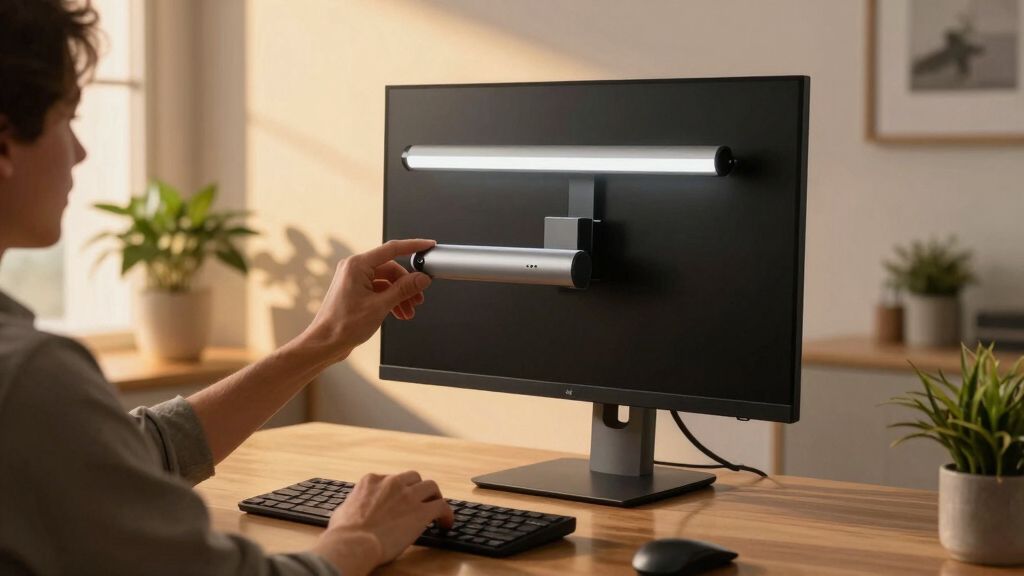
Searching for the best premium monitor light bar means looking for a combination of superior build quality, advanced features, and seamless usability. The BenQ ScreenBar Pro stands out as the overall top pick thanks to its ultrawide lighting and motion sensor, making it ideal for professional setups. Meanwhile, the BenQ ScreenBar Halo 2 offers wireless control and a stylish design for those who prioritize convenience and aesthetics. However, these high-end options often come with tradeoffs such as higher cost or complex features that may not suit every user. Continue reading for a detailed comparison to help you find the perfect fit for your workspace.
Key Takeaways
- Top picks like the BenQ ScreenBar Pro and Halo 2 excel in eye comfort and adjustable lighting, justifying their premium price tags.
- Features like motion sensors and wireless controls significantly enhance user convenience but can add complexity and cost.
- Most premium light bars offer auto-dimming and multiple color temperature options, catering to various working conditions.
- Design and compatibility vary, with some models optimized for curved screens and others designed for universal fit, affecting ease of installation.
- Price differences are often linked to extra features such as RGB modes or advanced glare reduction, requiring buyers to prioritize their needs.




More Details on Our Top Picks
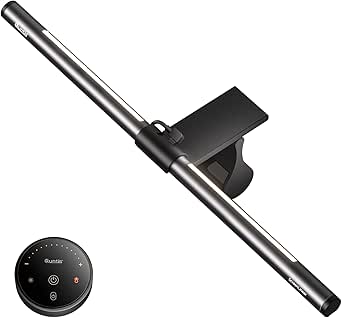
Quntis Curved Monitor Light Bar 15 RGB Backlight for 34+ Screens, Computer Bar Lights Fold Dual Light with Color Temperature Brightness Stepless Dimming, No Glare Desk Lamp for Home Office Gaming
This model stands out for its tailored design for large ultrawide curved screens, extending up to 25.74 inches and fitting monitors over 34 inches with high curvature. Its foldable dual-light setup ensures even, shadow-free illumination across ultra-wide surfaces, making it ideal for creative professionals or gamers who demand uniform lighting. Compared with the BenQ ScreenBar Pro, this offers more coverage for expansive screens but sacrifices some of the sleekness and compactness. The clamp system is robust yet gentle, preventing damage to delicate or curved displays, though it may be slightly bulkier. The RGB backlight adds ambiance, and stepless dimming with adjustable color temperature offers personalized comfort. The included remote control enhances usability, especially for late-night use. It’s best suited for users who need comprehensive coverage without compromising display integrity, but those with smaller or flat monitors might find it excessive.
Pros:- Designed specifically for ultra-wide curved screens
- Foldable dual-light design for customizable angles
- RGB backlight creates ambient atmosphere
- Stepless dimming with adjustable color temperature
Cons:- Bulkier than standard light bars, may clutter desk space
- Clamp system, while secure, may be less suitable for very thin or unusual monitor edges
Best for: Owners of large ultrawide curved monitors needing shadow-free, uniform lighting for detailed work or gaming.
Not ideal for: Users with standard or small flat screens who prefer a more minimalist or space-saving solution.
- Length:25.74 inches
- Curvature Compatibility:1000R to 3000R
- Color Temperature:3000K to 6500K
- Brightness Range:500 to 1400 Lux
- Lighting Modes:15 RGB modes
- Control Method:Remote
Bottom line: This pick is perfect for those with large curved screens who require extensive, shadow-free lighting with customizable ambiance.
Quntis Computer Monitor Lamp, Screen Monitor Light Bar for Eye Caring, USB Reading LED Task Lamp with Auto-Dimming, Dimmable Light Bar, Touch Control, No Glare Space Saving Home Office Desk Lamps
This pick makes the most sense for users prioritizing eye protection and desk space, featuring IEC/TR 62778 certification to eliminate blue light hazards and flicker-free operation. Its asymmetrical optical design directs light downward, preventing glare on the screen—a key advantage over traditional desk lamps. Compared with the Quntis RGB Backlight, this offers more straightforward task lighting without RGB effects, ideal for focused work or reading. Its auto-dimming sensor keeps lighting consistent with ambient conditions, reducing eye strain during long hours. The ultra-compact design and clip mounting make it perfect for workspaces with limited space or irregular monitor shapes, though it may lack the ambiance features of RGB models. The touch control is highly responsive, allowing seamless brightness and temperature adjustments. Best for students, designers, or office workers who need reliable, flicker-free illumination without clutter.
Pros:- Blue light hazard certification
- No glare with asymmetrical optical design
- Auto-dimming with ambient light sensor
- Space-saving clip mount
Cons:- Limited color temperature range (3000K-6500K)
- Lacks RGB or mood lighting features
- May be less effective for very large or multi-monitor setups
Best for: Students or professionals seeking eye-friendly, flicker-free task lighting in tight or unconventional desk setups.
Not ideal for: Gamers or creative users looking for colorful or customizable lighting effects.
- Length:15.7 inches
- CRI:98
- Brightness Range:up to 900 Lux
- Color Temperature:3000K-6500K
- Control Method:Touch
- Power Source:USB
Bottom line: This monitor lamp offers excellent eye protection and space efficiency for users focused on task clarity and comfort.
Quntis Monitor Light Bar PRO+ with Remote Control, Fit for Curved/Flat Monitor, Eye-Care USB Computer Lamp Dimmable Screen Light Bar with Auto-Dimming, No Glare Home Office Gaming Desk Lamp
This model excels for its multifunction remote control and adjustable fit for curved or flat monitors, making it highly versatile. The 45° adjustable shaft and stable clip ensure secure mounting on various monitor shapes, similar to the BenQ ScreenBar Pro but with more precise remote operation. Its dimmable, flicker-free light with a high CRI of 95 provides vivid, true-to-color illumination suitable for color-sensitive tasks, unlike the RGB models focusing on ambiance. The auto-dimming feature with a built-in ambient sensor enhances comfort during long use, though its design is less suitable for ultra-wide or curved screens over 34 inches. The remote’s long lifespan and intuitive interface make it accessible for users who prefer remote adjustments over manual controls. Ideal for designers or professionals who need detailed lighting control without cluttering their workspace, though not the best for RGB mood lighting.
Pros:- Remote control with multifunctionality
- Adjustable shaft for fit on curved or flat screens
- High CRI (95) for color accuracy
- Auto-dimming with ambient sensor
Cons:- Does not support RGB lighting modes
- Limited to 20.1 inches length
- Less coverage for ultra-wide monitors
Best for: Designers or professionals requiring precise remote control and adaptable mounting for various monitor types.
Not ideal for: Casual users or gamers seeking colorful, animated backlighting effects.
- Length:20.1 inches
- CRI:95
- Color Temperature:3000K-6500K
- Auto-Dimming:Yes
- Control Method:Remote
- Mounting Type:Clamp with adjustable shaft
Bottom line: This pick provides excellent remote-controlled lighting with high color fidelity for demanding visual tasks.
BenQ ScreenBar Pro LED Monitor Light Bar (Black) – Ultrawide Lighting, Motion Sensor, Adjustable Brightness/Color Temperature, Eye-Care USB-C Monitor lamp, No Glare, Curved Monitors, Monitor accessory
This product is ideal for users with ultrawide or curved monitors who need powerful, glare-free illumination. Its high central brightness of over 1000lx and expansive coverage up to 33″x20″ make it comparable to the Quntis Curved model but with a more premium build and motion sensor convenience. The clamp is designed for easy setup on curved or irregular monitor shapes, similar to the Quntis PRO+ but with a more refined finish. Its adjustable brightness and color temperature ensure tailored lighting, and the built-in ultrasonic motion sensor turns the light on/off automatically—great for ergonomic use. While it’s slightly heavier and more expensive than other models, it offers a seamless, flicker-free experience with excellent color accuracy. Best for professionals or gamers with large, curved screens who want both automatic control and high-quality illumination.
Pros:- High brightness (>1000lx)
- Expansive coverage
- Motion sensor for convenience
- Adjustable brightness and temperature
Cons:- Heavier and more costly than basic models
- Requires USB-C power, some may lack ports
- Less suitable for smaller or flat monitors
Best for: Owners of large, curved, or ultrawide monitors looking for automatic, high-brightness, glare-free lighting.
Not ideal for: Small or flat monitor users who do not need extensive coverage or motion-based features.
- Brightness:Over 1000lx
- Coverage:Up to 33″x20″
- Color Temperature:Adjustable
- Control:Motion sensor, USB-C
- Mounting:Ultrawide clip
- Power:USB-C
Bottom line: This is the best choice for large or curved monitor owners seeking automatic, powerful lighting with premium features.
Quntis Computer Monitor Light Bar with Remote, Eye-Care Monitor Light Backlight Desk Lamp for Home Office Gaming, Stepless Dimming Brightness and Color Temperature, No Screen Glare, Gray
This model makes a compelling choice for users who want a versatile, eye-care lighting solution that fits home office, gaming, and study setups. Its dual-protection design, combining optical shaping and soft light covers, effectively prevents glare and eye fatigue. Compared with RGB backlights, this offers more straightforward task-oriented illumination with stepless dimming and adjustable color temperature, making it ideal for long working hours or late-night gaming. The remote control with touch response simplifies adjustments, and the 15.7-inch length ensures broad coverage for standard monitors. Its stable clip mount and flicker-free operation make it suitable for users who prioritize comfort and simplicity over ambiance effects. While it lacks RGB modes, it excels in delivering consistent, customizable lighting for general use.
Pros:- Dual-protection glare prevention
- Stepless dimming and adjustable temperature
- Remote control with touch response
- Broad coverage for standard monitors
Cons:- No RGB or mood lighting modes
- Limited to 15.7 inches length
- Less suited for ultra-wide or multi-monitor setups
Best for: Home office workers, gamers, or students seeking adjustable, flicker-free lighting with glare prevention.
Not ideal for: Creative professionals or enthusiasts seeking colorful, animated lighting effects.
- Length:15.7 inches
- Color Temperature:Adjustable
- Brightness:Stepless
- Control Method:Remote
- Light Source:LED
- Power:USB
Bottom line: This is an excellent all-around choice for users who value comfort, adjustability, and glare-free illumination in a home or gaming setup.
BenQ ScreenBar Halo 2 LED Monitor Light Bar – Wireless Controller, Backlight, Motion Sensor, Adjustable Brightness/Color Temperature, Eye-Care, No Screen Glare, Fits Curved Monitor, Monitor Accessory
The BenQ ScreenBar Halo 2 stands out for its seamless combination of high-quality build and versatile features that cater to professionals and aficionados alike. Its enhanced backlight reduces contrast and eye strain, making long hours in front of the screen more comfortable, especially compared to simpler models like the Quntis RGB Pro+ which lacks ambient backlighting. The glare-free front light with asymmetrical technology ensures no reflections or direct glare hits your eyes, a common flaw in less advanced lights. The wireless dial provides intuitive control over brightness and color temperature, while the CRI > 95 guarantees accurate color rendering—critical for photographers or designers. Importantly, it fits curved monitors 0.17” to 2.36” thick, accommodating a wide range of setups without damaging screens. The long lifespan and premium aluminum construction add durability, though this comes at a higher cost. Compared to the Quntis models, it offers more refined lighting control and better compatibility with curved displays but is less budget-friendly.
Pros:- Exceptional color accuracy with CRI > 95
- Wide compatibility with curved monitors up to 2.36 inches thick
- Intuitive wireless control with memory and auto-on/off features
- Glare-free asymmetrical front lighting reduces eye fatigue
Cons:- Higher price point compared to basic models like Quntis RGB Pro+
- Installation may require monitor thickness within specified range; incompatible with very thin or thick screens
Best for: Professionals who need precise, glare-free, and adjustable lighting for color-critical work or extended screen time.
Not ideal for: Casual users or gamers who prioritize RGB effects over professional eye-care and color accuracy, as this model is more suited for work and creative tasks.
- Light Source Type:LED
- Color Temperature Range:2700K – 6500K
- CRI:> 95
- Control Method:Wireless dial, app features
- Mounting:Clamp for monitors 0.17″ – 2.36″ thick
- Lifespan:50,000 hours
Bottom line: This model is perfect for professionals and enthusiasts seeking premium, customizable, and glare-free lighting that enhances visual comfort on curved monitors.
Quntis RGB Pro+ Monitor Light Bar with Remote, 15 Modes Gaming Backlight, 4 Colors & Brightness Dimmable Fronlight, 20″ Ra95 Eye-Care USB Reading Monitor Lamp, No Glare, Upgraded Clip for All Monitor
The Quntis RGB Pro+ excels as a versatile, feature-rich light bar designed for users who want to customize their workspace ambiance. Its 15 RGB modes and multiple color options allow for immersive gaming, relaxing, or aesthetic setups, unlike the more utilitarian BenQ Halo 2, which focuses on professional-grade lighting. The stepless dimming and broad color temperature range (3000K – 6500K) make it suitable for varied tasks from reading to creative work. Its Ra95 high color rendering index ensures objects appear vivid and true to life, ideal for artists or content creators. The easy installation with an upgraded clip fits most large monitors, and the remote control simplifies adjustments without disturbing your workflow. However, it lacks the high-precision backlight and glare-free asymmetry of premium models, making it less suitable for prolonged, critical visual tasks. Compared to the BenQ Halo 2, it offers more aesthetic flexibility but less focus on professional color accuracy and eye health.
Pros:- 15 RGB lighting modes for immersive customization
- Ra95 high color rendering index for vivid, true colors
- Stepless brightness control with broad temperature range
- Easy-to-install, upgraded clip suitable for large monitors
Cons:- Less suited for color-critical tasks compared to BenQ Halo 2
- Limited ambient backlighting features, which may cause eye fatigue over long sessions
Best for: Gamers, streamers, or creatives who want a customizable, colorful setup with multiple lighting modes and easy remote control.
Not ideal for: Professionals needing accurate color rendering and glare-free lighting for long hours of detailed work, as its RGB features prioritize aesthetic over precision.
- Length:20 inches
- Number of LEDs:144
- Color Temperature Range:3000K – 6500K
- RGB Modes:15 modes
- Dimming:Stepless
- Control Method:Remote control
Bottom line: This light bar is ideal for users seeking vibrant, customizable lighting effects that enhance entertainment and creative atmospheres on large monitors.

How We Picked
The products in this roundup were evaluated based on build quality, lighting performance, ease of installation, and feature set. We prioritized devices that offer consistent, flicker-free illumination with adjustable brightness and color temperature, ensuring eye comfort during long hours. Additional factors like smart controls, compatibility with different monitor types, and overall design aesthetic influenced the rankings. Cost was considered relative to feature richness and durability, so higher-priced options were scrutinized for tangible benefits. The top picks represent the best balance of premium features, user experience, and value for those seeking high-end monitor lighting solutions.Factors to Consider When Choosing Best Premium Monitor Light Bar
Choosing a premium monitor light bar involves weighing several important factors beyond basic functionality. Understanding these considerations helps you avoid common pitfalls like poor compatibility or subpar lighting quality. Here are key aspects to keep in mind when selecting the best high-end model for your workspace.Lighting Quality and Brightness
For a premium light bar, look for models offering flicker-free, uniform illumination with adjustable brightness levels. High-quality LEDs and diffusers prevent eye strain and glare, especially in prolonged use. A light bar with multiple brightness settings allows you to customize the ambience based on your environment, whether for work, gaming, or relaxing. Many premium options include auto-dimming features that adapt to ambient light, reducing manual adjustments and enhancing comfort.
Color Temperature and RGB Capabilities
Flexible color temperature controls, typically ranging from warm to cool white, help you match your lighting to the task or time of day. Some models also feature RGB backlighting, allowing for decorative or immersive effects. While these add aesthetic appeal, they can increase complexity and cost. Consider whether you need color customization or prefer a simple, adjustable white light for focus and reduced eye fatigue.
Design, Compatibility, and Installation
Premium light bars vary in design, with some optimized for curved monitors and others universally adaptable. Pay attention to mounting options, ensuring the light bar securely attaches without damaging your screen or desk. A sleek, minimalist design can complement your workspace’s aesthetic, but ensure it doesn’t compromise functionality. Compatibility with your monitor size and type, along with straightforward installation, can make a significant difference in user satisfaction.
Smart Features and Controls
Features like remote control, touch operation, or wireless connectivity add convenience, especially in busy environments. Motion sensors can automatically turn lights on or off, saving energy and reducing manual effort. However, more advanced controls often come with a higher price tag and potential compatibility issues. Decide which smart features genuinely improve your workflow or leisure experience before paying extra.
Build Quality and Durability
Premium monitor light bars should feature sturdy construction with quality materials that resist wear and tear over time. Look for models with reliable electrical components, protective housings, and warranties. While investing more often guarantees better longevity, some high-priced options might have complex assemblies that are harder to repair or replace. Balance build quality with your expectations for durability and ease of maintenance.
Frequently Asked Questions
Will a premium monitor light bar work with any monitor?
Most premium monitor light bars are designed to be compatible with a wide range of monitor sizes and types, especially those with universal mounting options. However, some models may be optimized for curved screens or specific dimensions, so checking the product specifications is essential. Proper mounting is also crucial to avoid damaging your monitor or desk. If you use an ultra-wide or non-standard monitor, ensure the light bar’s length and mounting method are suitable for your setup.
Are RGB features worth the extra cost in a monitor light bar?
RGB lighting can add a dynamic visual element to your workspace, especially if aesthetics or immersive gaming are priorities. For most users, RGB features are more about customization and mood setting rather than essential functionality. If your focus is on reducing eye strain and improving task lighting, a high-quality white light with adjustable temperature and brightness will typically serve you better. Consider whether the extra cost aligns with your intended use and preferences.
How important is auto-dimming in a premium monitor light bar?
Auto-dimming enhances comfort by adjusting the light intensity based on ambient lighting conditions, reducing eye fatigue during long work or gaming sessions. It also minimizes manual adjustments, creating a more seamless experience. While most premium models include this feature, its effectiveness can vary. If you work in fluctuating lighting environments or spend many hours at your desk, auto-dimming adds significant convenience and comfort.
Can a premium monitor light bar help reduce eye strain?
Yes, high-end monitor light bars are designed with eye health in mind, offering flicker-free, evenly distributed light that minimizes glare and contrasts that can cause fatigue. Features like adjustable brightness, color temperature, and anti-glare diffusers contribute to a more comfortable viewing experience. Investing in a quality light bar can make a noticeable difference during extended periods of screen time, especially in low-light environments.
Is it worth paying extra for a wireless or remote-controlled light bar?
Wireless and remote-controlled models provide added convenience, allowing you to adjust settings without interrupting your workflow or gaming. They are especially useful for multi-monitor setups or shared workspaces where quick adjustments are needed. However, these features generally come at a higher price and may introduce potential connectivity issues. Consider how often you’ll benefit from remote control when deciding if the extra cost is justified.
Conclusion
For most users prioritizing overall quality and ease of use, the BenQ ScreenBar Pro offers the best balance of performance, durability, and smart features. Those seeking a sleek, convenience-focused option might prefer the BenQ ScreenBar Halo 2 with wireless controls. If budget is a concern but you still want premium features, some of the other Quntis models provide excellent value with customizable lighting and auto-dimming. Beginners or casual users should focus on models with straightforward installation and reliable eye care features, while professionals will benefit from advanced controls and wider illumination coverage. Ultimately, your choice depends on your specific workspace needs and feature preferences.