
To protect your work, understand that RAID improves performance and provides redundancy, but it’s not a replacement for backups. Regularly back up files, preferably with cloud services that add security and off-site safety. Use synchronization tools for seamless project access across devices and keep data secure with encryption and two-factor authentication. Managing your storage effectively keeps everything accessible and cost-efficient. Keep exploring these strategies to build a reliable, resilient storage system tailored for your needs.
Key Takeaways
- RAID enhances performance and redundancy but is not a substitute for regular backups.
- Regular backups, especially off-site, protect against hardware failure, accidental deletion, and malware.
- Cloud sync ensures seamless project continuity and version control across multiple devices.
- Effective storage management and organization prevent data loss and improve workflow efficiency.
- Always monitor storage health and stay updated on technology to optimize resources and security.
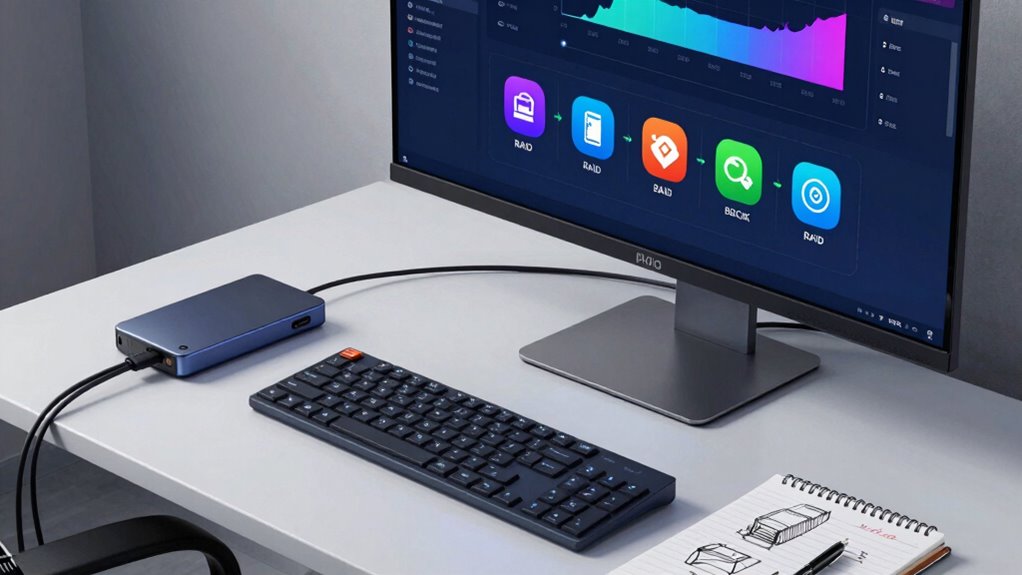
Whether you’re a photographer, designer, or videographer, managing your storage efficiently is vital to keep your creative process smooth. As your projects grow in size and complexity, understanding how to protect and organize your files becomes more significant. One key aspect is choosing the right storage setup, which often involves RAID configurations, backups, and synchronization methods. These tools work together to guarantee your work stays safe, accessible, and ready to use whenever you need it.
RAID, or Redundant Array of Independent Disks, offers a way to improve storage performance and redundancy. Depending on the level you choose, RAID can mirror your data across multiple drives, protecting you against drive failures. For example, RAID 1 duplicates your files onto a second disk, so if one drive crashes, your data remains intact. This setup is especially useful when working with large files that take hours to recreate or recover. But remember, RAID isn’t a substitute for backups—it’s primarily about improving resilience and speed. Incorporating storage redundancy techniques can further enhance data protection and minimize downtime. Regularly monitoring your RAID array’s health is crucial to prevent unexpected data loss due to hardware issues.
Backing up your files remains a non-negotiable step. No matter how robust your RAID setup is, disasters happen. Hardware failures, accidental deletions, or malware can wipe out your entire collection. Regular backups ensure you can restore files quickly without losing precious work. Cloud backup services are popular because they automate this process and provide off-site protection. When choosing a cloud provider, pay attention to data encryption—your files should be protected both during transfer and at rest. Most reputable services offer end-to-end data encryption, so your content stays private, even if someone gains access to the servers. Incorporating proper storage organization techniques can further enhance your workflow and prevent clutter from accumulating over time. Regularly reviewing your backup and storage strategies is also crucial to adapt to evolving project needs.
Syncing your files across devices is another essential element. Cloud integration enables you to keep your projects synchronized across your laptop, desktop, and mobile devices. This way, you can start editing on one device and seamlessly continue on another without manual transfers. Many cloud storage solutions also come with built-in version control, allowing you to revert to previous versions if needed. When setting up sync, ensure your provider uses secure protocols, and enable two-factor authentication for added security. Additionally, understanding storage management techniques can help you optimize your space and prevent clutter. Properly managing your storage resources ensures you maintain quick access and avoid unnecessary costs. Staying informed about storage technology advancements can also help you select more efficient solutions as your needs evolve.
As an affiliate, we earn on qualifying purchases.
Frequently Asked Questions
How Often Should I Test My Backup Restore Process?
You should test your backup restore process at least once every three months to guarantee restoration reliability. Regular testing helps identify potential issues with backup frequency and guarantees your data can be recovered quickly when needed. By proactively verifying your backups, you avoid surprises during emergencies, maintaining confidence that your data is safe and accessible. Consistent testing keeps your backup system effective and ready for any unexpected data loss.
What’s the Best RAID Level for Small Creative Projects?
For small creative projects, RAID 1 is your best choice, offering a simple mirror setup that guarantees data safety. Did you know that over 60% of data loss incidents involve hardware failure? RAID configurations like RAID 1 provide ideal storage solutions by duplicating your files across drives, giving you peace of mind. It’s affordable, easy to manage, and keeps your creative work safe without complicated setups.
Can Cloud Sync Replace Local Storage Completely?
Cloud sync can’t fully replace local storage because of cloud dependency and potential internet outages. While it offers convenience and off-site backup, hardware redundancy on local drives guarantees your work stays accessible even if the connection drops. Relying solely on cloud sync exposes you to risks like slow upload speeds and data loss during outages. Combining local storage with cloud sync provides a balanced, secure approach for your creative projects.
How Do I Secure My Backups From Cyber Threats?
Think of your backups as a fortress; you must lock every gate to keep cyber threats out. To safeguard them, use strong encryption protocols that scramble your data, making it unreadable to intruders. Regularly update your security measures and test your disaster recovery plans to ensure quick restoration if breached. These steps turn your backups into a well-guarded vault, protecting your valuable creations from digital bandits.
What Are the Cost Differences Between Various Storage Options?
You’ll find that storage options vary in cost, largely influenced by data redundancy and storage scalability. Cloud services often charge monthly fees based on storage size, making them flexible but sometimes pricey as you grow. External drives are usually cheaper upfront but lack scalability. Network-attached storage (NAS) offers a good balance, providing data redundancy and scalability, but with higher initial costs. Consider your budget and growth plans to choose the most cost-effective solution.
Conclusion
Ultimately, understanding how RAID, backup, and sync work empowers you to protect your creative work effectively. Did you know that 30% of creators lose data annually due to hardware failures or accidents? Don’t let that be you. By implementing reliable storage strategies, you guarantee your projects stay safe and accessible, no matter what. Stay proactive, stay protected, and keep creating without fear—your work deserves the best storage security available.