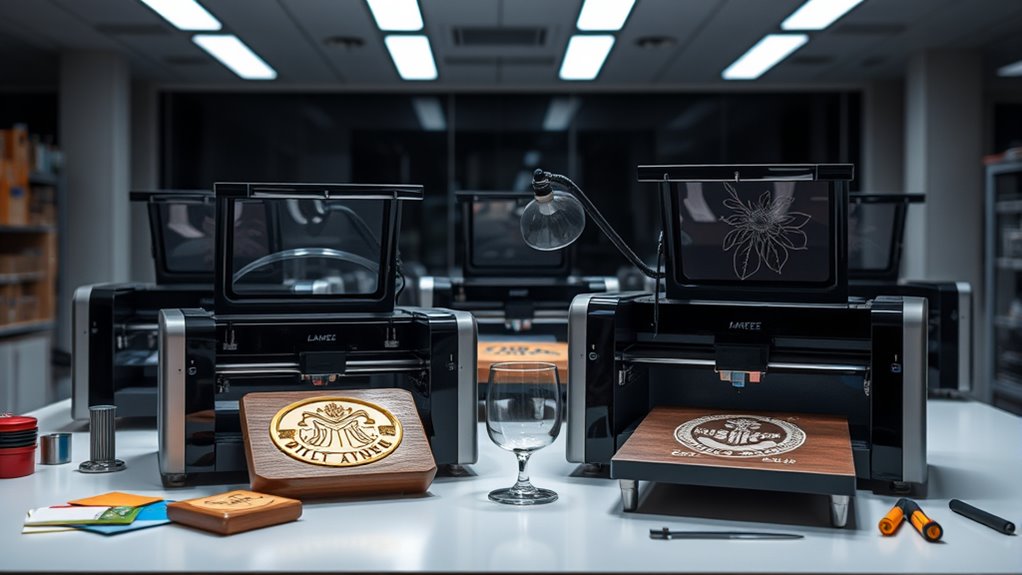

For most buyers, the xTool S1 40W is the strongest all-around choice in this lineup, pairing substantial diode power with an enclosed design and rotary bundle. The xTool F2 Ultra Dual Laser stands out for buyers who need broader material flexibility, while the LONGER Ray5 10W/60W offers a more accessible route into engraving and cutting. The central tradeoff is between affordable, open-frame machines and pricier enclosed systems with added safety and workflow features. Laser type, usable work area, material compatibility, and ventilation can matter more than headline wattage. Read on for the full breakdown and guidance on choosing the right machine for your projects.

Get business pricing on tech for your team
- Business-only prices and quantity discounts
- Tax-exempt purchasing
- Multiple users, one account, clear invoices
Key Takeaways
- The xTool S1 40W leads for broad workshop use: its higher-power diode setup and rotary bundle make it the most capable general-purpose pick here, though its footprint and investment are greater than compact machines.
- The F2 models serve different material priorities: the F2 Ultra Dual Laser favors versatility, while the F2 5W IR and 15W diode option puts infrared and diode capabilities together in one machine.
- The M2 lineup is more than a wattage comparison: 10W and 20W versions combine engraving with CMYK printing and camera guidance, so the choice depends on workflow and output needs as much as cutting power.
- Small machines trade capacity for convenience: the LaserPecker LP1 Plus, ACMER S1, and Artilume 7W are easier to fit into limited spaces, but they are not substitutes for a larger cutting-focused setup.
- Safety and setup change the value equation: enclosed options such as the xTool M2 and BlazeX M3 can suit shared workspaces better, while open-frame designs often need more deliberate guarding, ventilation, and operating space.
| LaserPecker LP1 Plus Mini Laser Engraver |  | Best for Portable Projects | Engraving distance: 200 mm | Power source: USB power bank | Supported materials: Wood, leather, acrylic, and other non-metal materials | VIEW ON AMAZON | See Our Full Breakdown |
| K15 Pro Laser Engraver 10W |  | Best for Expandable Hobby Work | Laser power: 10W | Work area: 11.8 × 7.9 inches (A4) | Material compatibility: Wood, acrylic, leather, coated metal, and more | VIEW ON AMAZON | See Our Full Breakdown |
| ACMER S1 Laser Engraver Machine |  | Best for a Straightforward Starter Setup | Laser power: 2500 mW | Wavelength: 455 ± 5 nm | Focal length: 2 mm | VIEW ON AMAZON | See Our Full Breakdown |
| Artilume 7W Laser Engraver with App Control |  | Best for App-Controlled Crafting | Laser power: 7W (7000 mW) | Working area: 200 × 150 mm | Precision: 0.01 mm | VIEW ON AMAZON | See Our Full Breakdown |
| xTool M2 10W Color Craft Laser Engraver with Full-Color CMYK Printer and Dual Cameras |  | Best Premium All-in-One Craft System | Laser output power: 10W (10,000 mW) | Material compatibility: Wood, leather, felt, fabric, paper, and cardstock | Included modules: CMYK inkjet printing module and deluxe material kit | VIEW ON AMAZON | See Our Full Breakdown |
| xTool M2 20W Color Craft Laser Engraver with Dual Cameras, CMYK Inkjet Printer, and RA3 Lite Rotary |  | Best All-in-One Crafting Setup | Laser output: 20W (20,000mW) | Included configuration: M2 Basic, CMYK inkjet, and RA3 Lite rotary | Material compatibility: More than 300 materials, per product description | VIEW ON AMAZON | See Our Full Breakdown |
| xTool M2 10W Laser Engraver with Dual Cameras, Enclosed Safe Design for DIY Crafts |  | Best for Beginner-Friendly Home Crafting | Laser power: 10W | Cameras: Dual cameras | Safety class: Class 1 | VIEW ON AMAZON | See Our Full Breakdown |
| xTool F2 Ultra UV Laser Engraver, 5W UV Laser 3D Inner Fine Glass Engraving |  | Best for Engraving Glass and Crystal | Laser power: 5W (5,000mW) | Laser type: UV | Maximum speed: 15,000 mm/s | VIEW ON AMAZON | See Our Full Breakdown |
| Twotrees TTS-55 Pro Laser Engraver 5500mW |  | Best for Hands-On Cutting and Engraving | Laser power: 5,500mW | Working area: 300 x 300mm | Focus spot: 0.08 x 0.46mm | VIEW ON AMAZON | See Our Full Breakdown |
| xTool M2 20W Color Craft Laser Engraver with Full-Color CMYK Inkjet Printer, Dual Cameras, Class 1 Enclosed Safe Machine |  | Best for Color-Integrated Craft Production | Laser power: 20W (20,000mW) | Laser type: Diode | Inkjet module: Full-color CMYK | VIEW ON AMAZON | See Our Full Breakdown |
| xTool F2 Ultra Dual Laser Engraver |  | Best for Metal and Multi-Material Production | Fiber laser power: 60W MOPA | Diode laser power: 40W | Work area: 8.7 x 8.7 inches; expandable to 8.7 x 19.7 inches | VIEW ON AMAZON | See Our Full Breakdown |
| LONGER Ray5 10W/60W Laser Engraver and Cutter with 3.5-inch Touch Screen |  | Best for a Large Open Work Area | Laser power options: 10W or 60W | Laser spot: 0.06mm | Engraving speed: 10,000mm/min | VIEW ON AMAZON | See Our Full Breakdown |
| xTool F2 5W IR and 15W Diode Dual Laser Engraver with Built-in 50MP Camera |  | Best Compact Dual-Laser Pick | IR laser power: 5W | Diode laser power: 15W | Camera: 50MP | VIEW ON AMAZON | See Our Full Breakdown |
| BlazeX M3 10W Laser Engraver and Cutter Machine with Enclosure and Honeycomb Bed |  | Best Starter Kit for Enclosed Home Use | Laser power: 10W | Stated precision: 0.01mm | Weight: 8 pounds | VIEW ON AMAZON | See Our Full Breakdown |
| xTool S1 40W Laser Cutter and Engraver with Rotary Bundle |  | Best for Large Wood Projects | Laser power: 40W | Bed size: 23.93 x 15.16 inches | Maximum speed: 600mm/s | VIEW ON AMAZON | See Our Full Breakdown |
More Details on Our Top Picks
LaserPecker LP1 Plus Mini Laser Engraver
The LaserPecker LP1 Plus is the easiest pick here to carry between workspaces—or take along for small outdoor projects. Its USB power-bank operation and setup time of under two minutes favor quick, occasional engraving over a permanent bench setup. The adjustable 360° stand and magnetic base help position small objects at different angles, a useful distinction from the fixed work areas of the ACMER S1 and K15 Pro. It handles wood, leather, and acrylic, but its non-metal material limit rules out direct metal engraving. Its 200 mm engraving distance is not a substitute for a larger, defined work area, so this is best for small, personal pieces rather than batch work. Choose it for portability and flexible positioning; skip it if you need cutting power, metal marking, or room for larger designs.
Pros:- Pocket-sized design and power-bank operation make it easy to move between workspaces.
- Setup takes under two minutes, suiting quick personal projects.
- Adjustable 360° stand and magnetic base help position small items at varied angles.
- Supports wood, leather, acrylic, and other non-metal materials through a cross-platform app.
Cons:- Cannot engrave metal surfaces.
- Its compact format and 200 mm engraving distance are less suited to larger pieces or production batches.
Best for: Makers who want a lightweight engraver for occasional small projects at home, workshops, or outdoor locations where a power bank is convenient.
Not ideal for: Small businesses needing repeatable batch production, users engraving bare metal, or anyone working on large panels that need a broad fixed work area.
- Engraving distance:200 mm
- Power source:USB power bank
- Supported materials:Wood, leather, acrylic, and other non-metal materials
- Stand:Adjustable 360° stand
- Base:Magnetic base
- Setup time:Under 2 minutes
Our verdict“Choose the LP1 Plus for portable, small-scale non-metal engraving; choose the K15 Pro or ACMER S1 if you need a more conventional work area.”
K15 Pro Laser Engraver 10W
The K15 Pro earns its place for buyers who want a small-footprint machine with room to add capabilities later. Its 10W laser, A4 work area, and stated cutting capacity make it a more versatile starting point for wood and acrylic projects than the lower-powered ACMER S1. The listed compatibility with coated metal broadens its material range, though that should not be read as direct engraving on bare metal. Offline and wireless controls can suit a hobby workspace, while optional accessories—including an IR head, rotary roller, and air pump—let owners adapt the setup to particular jobs. That flexibility brings extra setup work, and the 11.8 × 7.9-inch workspace still limits larger projects. It is a stronger fit for evolving DIY needs than the pocket-sized LaserPecker, but not a ready-made production machine.
Pros:- 10W laser and stated cutting capacity cover more demanding small projects than the ACMER S1.
- A4 workspace fits many craft pieces while keeping the machine compact.
- Offline and wireless control options accommodate different hobby setups.
- Optional IR laser head, rotary roller, honeycomb plate, and air pump allow capability upgrades.
Cons:- The 11.8 × 7.9-inch work area restricts larger designs.
- Adding optional modules requires extra technical setup.
- Its small-scale format is not aimed at high-volume production.
Best for: DIY makers and small craft sellers who need a compact 10W engraver for varied small projects and are comfortable configuring optional upgrades.
Not ideal for: Buyers who need a large work area, a simple out-of-the-box workflow with no accessory setup, or reliable direct engraving on bare metal.
- Laser power:10W
- Work area:11.8 × 7.9 inches (A4)
- Material compatibility:Wood, acrylic, leather, coated metal, and more
- Maximum cutting thickness:12 mm plywood; 8 mm acrylic
- Engraving speed:Up to 15,000 mm/min
- Precision:0.01 mm
- Upgrade options:Optional 1W IR laser head, honeycomb plate, air pump, rotary roller, and air purifier
- Cooling:Dual-fan system
Our verdict“Pick the K15 Pro if you want a compact 10W platform that can grow with hobby projects, and skip it if your work needs a larger bed or a simpler fixed setup.”
ACMER S1 Laser Engraver Machine
The ACMER S1 is a sensible entry point for makers who value a preassembled, light machine and familiar design software more than cutting strength. At 3.98 pounds, it is easier to move than the larger K15 Pro, and support for Windows, macOS, Linux, LightBurn, and LaserGRBL gives buyers flexibility in how they create files. Its 0.01 mm repeatable positioning accuracy and 10,000 mm/min listed speed suit detailed work on small items. The tradeoff is the 130 × 130 mm work area and 2500 mW diode: compared with the K15 Pro’s 10W output, it is less suited to thicker stock or broader cutting jobs. It supports a range of materials, but material compatibility alone does not mean every material can be cut. This is a compact engraving-first choice, not a substitute for a more powerful cutter.
Pros:- Preassembled design reduces initial setup work.
- Light 3.98-pound build is convenient for home workspaces and storage.
- Compatible with Windows, macOS, Linux, LightBurn, and LaserGRBL.
- 0.01 mm repeatable positioning accuracy suits detailed small engravings.
Cons:- The 130 × 130 mm work area limits project size.
- The 2500 mW laser is less suited to thicker materials than the K15 Pro’s 10W laser.
- Requires users to learn laser safety and handling.
Best for: First-time hobbyists making detailed, small-format engravings who want a preassembled machine and broad computer-software compatibility.
Not ideal for: Makers cutting thicker wood or acrylic, producing large signs, or seeking a higher-powered machine like the K15 Pro.
- Laser power:2500 mW
- Wavelength:455 ± 5 nm
- Focal length:2 mm
- Engraving speed:Up to 10,000 mm/min
- Repeatable positioning accuracy:0.01 mm
- Working area:130 × 130 mm
- Weight:3.98 pounds
- Connectivity and software:Windows, macOS, Linux, LightBurn, and LaserGRBL
Our verdict“Choose the ACMER S1 for small, detailed engraving with minimal assembly, but favor the K15 Pro for more demanding cutting work.”
Artilume 7W Laser Engraver with App Control
The Artilume 7W suits makers who want the choice of a phone-led workflow for simple jobs and computer software for more involved designs. Its 200 × 150 mm work area is roomier than the ACMER S1’s 130 × 130 mm bed, giving small craft pieces a little more breathing room without turning this into a large-format machine. The 7W diode and stated 10,000 mm/min maximum speed make it a more capable option for thin wood and detailed engraving than the entry-level ACMER, while its foldable, light frame is easier to store than the enclosed xTool M2. Bare-metal work is the catch: the listing specifies coated metal and says marking spray is needed for bare metal. It also lacks the xTool’s enclosed design and camera-based workspace preview, so buyers should weigh portability against those workflow and safety features.
Pros:- Smartphone app and LightBurn or GRBL control offer simple and advanced workflows.
- The 200 × 150 mm work area is larger than the ACMER S1’s bed.
- 7W output is suited to thin-wood cutting and deeper engraving.
- Foldable 2.99-pound design is easy to store.
Cons:- Bare-metal engraving requires marking spray.
- The 200 × 150 mm work area remains restrictive for larger projects.
- Unlike the enclosed xTool M2, it does not offer a Class 1 enclosure or dual-camera preview.
Best for: Craft hobbyists who want app control for quick jobs, PC software for detailed work, and a foldable machine for a compact workspace.
Not ideal for: Users who need a large work area, frequent bare-metal marking without preparation, or an enclosed design with camera preview like the xTool M2.
- Laser power:7W (7000 mW)
- Working area:200 × 150 mm
- Precision:0.01 mm
- Maximum speed:10,000 mm/min
- Weight:2.99 pounds
- Dimensions:14.53 × 14.17 × 5.79 inches
- Compatible materials:Wood, leather, dark acrylic, coated metal, paper, and bamboo
- Control methods:Smartphone app, LightBurn, and GRBL
Our verdict“Choose the Artilume for foldable, app-friendly craft work, but look to the xTool M2 for an enclosed workflow or to the K15 Pro for a more upgradeable platform.”
xTool M2 10W Color Craft Laser Engraver with Full-Color CMYK Printer and Dual Cameras
The xTool M2 10W is the most feature-rich choice here for buyers who want laser work and full-color printing in one enclosed craft machine. Its CMYK inkjet module adds color printing to the laser’s engraving and cutting tasks, while dual cameras and templates help with placing designs on material. Compared with the open-frame K15 Pro, the M2’s Class 1 enclosed design and real-time monitoring are better suited to a home craft space, though the listing does not give a work-area measurement for direct size comparison. The tradeoff is a 43.3-pound, large-format machine that needs a dedicated spot; it is far less portable than the LaserPecker LP1 Plus or Artilume. Its 10W laser also is not aimed at heavy-duty industrial work, and extra modules such as an IR laser are separate. Choose it for mixed-media craft projects, not portability or industrial throughput.
Pros:- Combines a 10W laser with a full-color CMYK inkjet printing module.
- Dual cameras support workspace preview and material placement.
- Class 1 enclosed design and real-time monitoring suit home craft spaces.
- Ready-to-use templates and an AI image generator support design-led projects.
Cons:- At 43.3 pounds and 27.5 × 24.8 × 10.75 inches, it needs dedicated space and is difficult to move.
- The 10W laser is not intended for heavy-duty industrial tasks.
- Additional modules such as an IR laser are sold separately.
Best for: Home craft makers who want laser engraving and cutting alongside full-color printing, camera-assisted placement, and an enclosed machine.
Not ideal for: Mobile makers, buyers with little workspace, or users who need industrial laser power rather than a multi-function craft system.
- Laser output power:10W (10,000 mW)
- Material compatibility:Wood, leather, felt, fabric, paper, and cardstock
- Included modules:CMYK inkjet printing module and deluxe material kit
- Cameras:Dual cameras
- Safety:Class 1 enclosed design with real-time monitoring
- Weight:43.3 pounds
- Dimensions:27.5 × 24.8 × 10.75 inches
Our verdict“Choose the xTool M2 if full-color printing and enclosed home crafting matter more than portability, but pick the LP1 Plus or Artilume for a lighter, simpler setup.”
xTool M2 20W Color Craft Laser Engraver with Dual Cameras, CMYK Inkjet Printer, and RA3 Lite Rotary
The xTool M2 20W bundle is the most feature-packed craft option here: it pairs a 20W laser with CMYK inkjet printing and an RA3 Lite rotary, so buyers can take on more varied projects without assembling the same combination from separate purchases. Its dual cameras and template-based software are aimed at easier positioning and a gentler learning curve. Compared with the xTool M2 10W, this version offers twice the stated laser output and includes the color-printing and rotary accessories, making it a stronger fit for varied materials and object shapes. The tradeoff is a 41.7-pound, large-footprint machine that needs a dedicated spot, and the included configuration still does not have the optional 3W IR module. I’d choose it for breadth, not portability or a simple, single-purpose workflow.
Pros:- Combines a 20W laser, CMYK inkjet printing, and RA3 Lite rotary in one bundle.
- Supports more than 300 materials according to the product description.
- Dual cameras aid material positioning and preview.
- Class 1 enclosed design and template-based software suit home crafting.
Cons:- At 41.7 pounds and nearly 28 inches wide, it takes dedicated workspace.
- The 3W IR module is sold separately.
- Multiple process modes and accessories can add setup complexity.
Best for: Home craft businesses and DIY makers who want laser engraving, color printing, and rotary projects in one enclosed workstation.
Not ideal for: Makers with limited bench space, frequent transport needs, or projects that specifically require an IR laser module.
- Laser output:20W (20,000mW)
- Included configuration:M2 Basic, CMYK inkjet, and RA3 Lite rotary
- Material compatibility:More than 300 materials, per product description
- Cameras:Dual cameras
- Safety class:Class 1 enclosed design
- Weight:41.7 pounds
- Package dimensions:27.5 x 24.88 x 10.75 inches
- Warranty:1 year
Our verdict“Choose this bundle if you want a broad, camera-guided craft workstation with printing and rotary tools included, and have room to keep it set up.”
xTool M2 10W Laser Engraver with Dual Cameras, Enclosed Safe Design for DIY Crafts
The xTool M2 10W is the more approachable entry in this group for makers who value camera-assisted placement and an enclosed home setup over maximum laser output. Its dual cameras, templates, and AI features can help reduce guesswork when laying out a project, while the listed material range covers common craft stock such as wood, leather, fabric, felt, and paper. Compared with the 20W xTool M2 bundle, this model has half the stated laser power and does not include the CMYK printer or RA3 Lite rotary; in return, it avoids bundling accessories a new user may not need. Those add-ons remain separate purchases, though, and the 10W specification may be limiting for buyers seeking more demanding cutting work. I’d pick it for guided craft engraving, not for an all-in-one production setup.
Pros:- Dual cameras provide workspace preview for material placement.
- Class 1 enclosed design is suited to home crafting.
- Listed compatibility includes wood, leather, felt, fabric, and paper.
- Templates and AI features can help newcomers prepare designs.
Cons:- The 10W laser is less powerful than the 20W M2 option.
- CMYK inkjet and RA3 Lite rotary are sold separately.
- Advanced functions require additional purchases.
Best for: New home crafters who want camera-assisted placement, an enclosed machine, and a straightforward starting point for engraving common craft materials.
Not ideal for: Makers who need stronger cutting capability or want color printing and rotary work included without buying separate modules.
- Laser power:10W
- Cameras:Dual cameras
- Safety class:Class 1
- Listed materials:Wood, leather, felt, fabric, and paper
- Color printing:Available through separately sold CMYK inkjet module
- Rotary capability:RA3 Lite rotary sold separately
Our verdict“Pick the 10W M2 if guided, enclosed engraving matters more than stronger output or bundled printing and rotary accessories.”
xTool F2 Ultra UV Laser Engraver, 5W UV Laser 3D Inner Fine Glass Engraving
The xTool F2 Ultra UV has a more specialized purpose than the M2 machines: its 5W UV laser is presented for fine engraving inside glass and crystal, where a general craft-focused diode setup is not the same tool for the job. Dual 48MP cameras support autofocus, and the listed material range also includes acrylic, ceramics, and plastic. Its stated speed reaches 15,000 mm/s, but speed alone does not make this a general-purpose replacement for the 20W M2 or the 5.5W Twotrees TTS-55 Pro, which are described around broader craft engraving and cutting tasks. The key drawback is the Class 4 safety classification: an enclosed body does not remove the need to follow laser safety procedures. Setup may also be less straightforward for first-time users.
Pros:- UV laser is designed for fine glass and crystal engraving.
- Dual 48MP cameras support autofocus.
- Listed compatibility extends to acrylic, ceramics, and plastic.
- Fully enclosed construction helps contain the working area.
Cons:- Class 4 classification calls for careful laser safety practices.
- Specialized glass-focused strengths may be unnecessary for ordinary wood and leather crafts.
- The product description does not give exact engraving-area dimensions.
Best for: Gift makers, trophy shops, and experienced operators focused on fine internal engraving in glass or crystal.
Not ideal for: First-time hobbyists seeking a simple general-purpose engraver or buyers unwilling to work with Class 4 laser safety requirements.
- Laser power:5W (5,000mW)
- Laser type:UV
- Maximum speed:15,000 mm/s
- Cameras:Dual 48MP cameras with autofocus
- Listed materials:Glass, crystal, acrylic, ceramics, plastic, and more
- Safety class:Class 4
- Engraving area:Exact dimensions not specified
Our verdict“Choose the F2 Ultra UV for specialized glass and crystal work if you can manage its Class 4 safety requirements and setup.”
Twotrees TTS-55 Pro Laser Engraver 5500mW
The Twotrees TTS-55 Pro is the more workshop-oriented choice in this set: its open working area, Wi-Fi, USB, and TF-card connections suit hobbyists who want control over their workflow rather than a camera-guided enclosed craft system. Its stated 5.5W output and cutting claims—up to 5mm plywood, 3mm acrylic, and 0.7mm leather—give it a defined role in small material-cutting jobs. Compared with the xTool M2 10W, it offers a larger, specified 300 x 300mm work area and multiple control options, but lacks the M2’s enclosed Class 1 setup and beginner-oriented camera guidance. The 32-bit board and up-to-30,000mm/min speed figures may appeal to technically confident users, yet calibration and safety precautions are part of the deal. Its stated thickness limits rule out heavier cutting.
Pros:- Specified 300 x 300mm working area accommodates a range of small projects.
- Wi-Fi, TF card, and USB provide multiple control and file-transfer options.
- Product data lists cutting up to 5mm plywood, 3mm acrylic, and 0.7mm leather.
- Up-to-30,000mm/min engraving speed is suited to fast-moving hobby workflows.
Cons:- Requires technical setup and calibration.
- Open-machine use calls for careful laser safety precautions.
- Listed cutting thickness limits restrict heavier material work.
Best for: Technically comfortable hobbyists or small makers who want a 300 x 300mm open work area, multiple connection options, and light-duty cutting.
Not ideal for: Home users prioritizing an enclosed Class 1 machine, guided placement, or cutting materials thicker than the listed limits.
- Laser power:5,500mW
- Working area:300 x 300mm
- Focus spot:0.08 x 0.46mm
- Maximum engraving speed:Up to 30,000mm/min
- Listed materials:Wood, leather, acrylic, paper, and stainless steel
- Listed cutting thickness:Up to 5mm plywood, 3mm acrylic, and 0.7mm leather
- Control board:32-bit dual-core MCU
- Connectivity:Wi-Fi, TF card, and USB
Our verdict“Choose the TTS-55 Pro if you prefer an adaptable open-frame workflow and can handle calibration and laser safety yourself.”
xTool M2 20W Color Craft Laser Engraver with Full-Color CMYK Inkjet Printer, Dual Cameras, Class 1 Enclosed Safe Machine
This xTool M2 20W is aimed at crafters who want laser engraving and full-color inkjet printing in one enclosed workstation, with dual cameras helping position work before a job starts. The stated support for more than 300 materials, template library, and AI image generation give it a broader creative workflow than a basic engraver. Compared with the xTool M2 10W, it doubles the listed laser power and adds the CMYK printer in the described configuration; unlike the other 20W M2 bundle in this group, its product data does not list an RA3 Lite rotary as included. At 43.9 pounds, it is also a substantial fixture rather than a portable machine. Buyers should expect a learning curve when switching between printing and laser tasks, and the optional 3W IR laser is a separate purchase.
Pros:- Combines a 20W diode laser with a full-color CMYK inkjet printer.
- Dual cameras support real-time workspace preview and placement.
- Product description lists support for more than 300 materials.
- Class 1 enclosure, templates, and AI image generation target home and small-shop workflows.
Cons:- At 43.9 pounds, it is difficult to move frequently.
- Switching between inkjet and laser modes may take time to learn.
- Optional 3W IR laser is sold separately, and an included rotary is not listed.
Best for: Home crafters and small-scale makers who want color printing and 20W laser work in one enclosed, camera-guided machine.
Not ideal for: Buyers who need a portable engraver, want a rotary included, or prefer a single-mode machine with less workflow setup.
- Laser power:20W (20,000mW)
- Laser type:Diode
- Inkjet module:Full-color CMYK
- Cameras:Dual cameras
- Safety class:Class 1 enclosed system
- Material compatibility:More than 300 materials, per product description
- Weight:43.9 pounds
- Dimensions:27.5 x 24.5 x 11 inches
- Warranty:1 year
Our verdict“Choose this M2 if integrated CMYK printing and 20W engraving matter more than portability or a bundled rotary.”
xTool F2 Ultra Dual Laser Engraver
The xTool F2 Ultra is the lineup’s production-focused choice for buyers who need one machine to work across metals and common craft materials. Its 60W MOPA fiber laser handles metal marking and color engraving, while the 40W diode expands the material range to wood, acrylic, leather, glass, and fabric. That dual-source setup gives it broader reach than the xTool F2, whose lower-power lasers and compact format suit smaller jobs better. The F2 Ultra also pairs a camera-based positioning system with a larger expandable work area, helping with repeat placement and longer runs. The tradeoff is a 67.9-pound Class 4 machine with a substantial footprint: it is a better fit for a dedicated workshop than a casual desktop craft station, and it calls for careful laser-safety planning.
Pros:- Fiber and diode lasers cover metal work plus a broad range of nonmetal materials.
- Expandable 8.7-by-19.7-inch work area accommodates longer pieces and production batches.
- Dual 48MP cameras support material positioning and one-click focus.
- Listed processing speed of up to 15,000 mm/s suits higher-volume workflows.
Cons:- At 67.9 pounds, it is difficult to relocate once installed.
- Its footprint and expanded work area require a dedicated workspace.
- Class 4 operation requires serious attention to laser safety.
Best for: Small-business makers and workshop operators who need metal engraving alongside work on wood, acrylic, leather, or glass.
Not ideal for: Hobbyists with limited bench space, buyers who need a lightweight machine to move between locations, or users seeking a lower-complexity home setup.
- Fiber laser power:60W MOPA
- Diode laser power:40W
- Work area:8.7 x 8.7 inches; expandable to 8.7 x 19.7 inches
- Dimensions:16.88 x 11.57 x 20.51 inches
- Item weight:67.9 pounds
- Maximum speed:Up to 15,000 mm/s
- Camera system:Dual 48MP cameras
- Laser class:Class 4
Our verdict“Choose the F2 Ultra for a dedicated production workspace where metal capability and broad material coverage matter more than portability or simplicity.”
LONGER Ray5 10W/60W Laser Engraver and Cutter with 3.5-inch Touch Screen
The LONGER Ray5 prioritizes a generous 400-by-400mm work surface and flexible controls over the integrated enclosure and dual-laser specialization found on other picks. Its stated 10W or 60W laser options give buyers a choice of configuration, while Wi-Fi, app control, USB, and TF-card input leave room to work in different ways. The 0.06mm spot and listed 10,000mm/min engraving speed are aimed at detailed projects without limiting the machine to small pieces. Compared with the enclosed xTool S1, the Ray5 offers a more open-format setup, but its description does not provide the same enclosed safety design. Setup may also be demanding for first-time users, and the stated power options are distinct configurations rather than a dual-laser system. Buyers need to plan for appropriate protective equipment and operating precautions.
Pros:- 400-by-400mm working area accommodates larger pieces than compact desktop engravers.
- USB, TF card, Wi-Fi, and app connectivity offer several workflow options.
- Listed 0.06mm laser spot supports fine engraving detail.
- Emergency stop, motion and heat protection, and a cooling system are specified.
Cons:- Setup may be complex for users new to laser engraving.
- The listing describes 10W or 60W options, not a dual-laser arrangement.
- Protective gear and safety measures are needed; no integrated enclosure is specified.
Best for: Makers who regularly engrave larger flat projects and want multiple connection methods, including app and Wi-Fi control.
Not ideal for: New users who want a simple enclosed machine out of the box, or households that need an integrated enclosed safety setup.
- Laser power options:10W or 60W
- Laser spot:0.06mm
- Engraving speed:10,000mm/min
- Working area:400 x 400mm
- Listed material thickness:Up to 20mm wood and 30mm acrylic
- Touch screen:3.5 inches
- Connectivity:USB, TF card, Wi-Fi, and app
- Safety features:Emergency stop, motion protection, heat protection, and cooling system
Our verdict“Pick the Ray5 if a large open work area and flexible connectivity matter more to you than enclosed operation or beginner-friendly setup.”
xTool F2 5W IR and 15W Diode Dual Laser Engraver with Built-in 50MP Camera
The xTool F2 brings two laser types into a compact 4.6kg machine, making it a more portable alternative to the heavy xTool F2 Ultra. Its 5W IR laser and 15W diode are intended to cover different material needs, while the built-in 50MP camera helps with positioning designs on the workpiece. A listed maximum speed of 6,000mm/s supports quick engraving, and the machine arrives assembled, which may reduce setup work compared with the LONGER Ray5. The product claims compatibility with more than 300 materials, but the supplied details do not specify a work area or software compatibility, so buyers should verify those points against their planned projects. Its compactness does not remove the safety burden: the listing identifies it as a Class 4 laser, and careful handling is required.
Pros:- 5W IR and 15W diode lasers extend material options beyond a single-laser setup.
- At 4.6kg, it is far easier to transport than the 67.9-pound xTool F2 Ultra.
- Built-in 50MP camera supports design placement and alignment.
- Arrives fully assembled and lists speeds up to 6,000mm/s.
Cons:- Class 4 operation calls for careful safety procedures.
- The supplied product details do not state the work area.
- Software compatibility details are limited in the provided information.
Best for: Mobile makers and small studios seeking a lightweight dual-laser engraver with camera-assisted positioning for varied materials.
Not ideal for: Buyers who need a documented large work area, clear software details before purchase, or a lower-safety-complexity enclosed machine.
- IR laser power:5W
- Diode laser power:15W
- Camera:50MP
- Maximum speed:6,000mm/s
- Weight:4.6kg
- Material compatibility:Claimed compatibility with 300+ materials
- Motion accuracy:0.00199 inches
- Laser class:Class 4
Our verdict“Choose the F2 when portability and two laser types are priorities, but confirm the work area and software fit before committing.”
BlazeX M3 10W Laser Engraver and Cutter Machine with Enclosure and Honeycomb Bed
The BlazeX M3 makes its case through the included setup: an enclosure, honeycomb bed, starter materials, smoke exhaust, and smart sensors give a new hobbyist more of the basic workspace in one package. Its Class 1 safety rating and 10W laser make it a more home-oriented choice than the Class 4 xTool F2, though the BlazeX’s single listed laser does not offer that model’s dual-source material flexibility. Software support for LightBurn, LaserGRBL, and CutLabX across several operating systems gives buyers more choice in how to prepare jobs. The 0.01mm precision claim is aimed at detailed work, but the supplied specs do not state a bed size or engraving speed, making project scale and throughput harder to judge. Rotary rollers and air assist are separate purchases, adding cost and setup if those functions are needed.
Pros:- Enclosure, honeycomb bed, and starter materials provide a useful initial setup.
- Class 1 rating, smart sensors, and smoke exhaust support a more contained home workflow.
- Listed compatibility includes LightBurn, LaserGRBL, and CutLabX across multiple operating systems.
- The 10W laser and stated 0.01mm precision are suited to detailed craft projects.
Cons:- No work-area dimensions or engraving speed are supplied, limiting project planning.
- Rotary rollers and air assist require separate purchases.
- A single listed 10W laser offers less laser-type versatility than the dual-laser xTool F2.
Best for: First-time home makers who want an enclosed starter package, included workholding, and support for several common engraving programs.
Not ideal for: Production users who need stated high throughput or a large work area, and buyers who need rotary engraving or air assist included.
- Laser power:10W
- Stated precision:0.01mm
- Weight:8 pounds
- Safety class:Class 1
- Included workspace items:Enclosure and honeycomb bed
- Software compatibility:LightBurn, LaserGRBL, and CutLabX
- Operating system compatibility:Windows, macOS, iOS, and Android
- Power source:Corded electric
Our verdict“The BlazeX M3 suits home beginners who value an enclosed starter kit over production speed, a documented large bed, or expandable accessories.”
xTool S1 40W Laser Cutter and Engraver with Rotary Bundle
The xTool S1 40W is the pick here for buyers whose projects need a broad bed and stronger wood-cutting capability rather than the metal-focused flexibility of the xTool F2 Ultra. Its 23.93-by-15.16-inch bed and stated ability to cut wood up to 18mm give larger signs, panels, and multi-piece layouts more room than the Ray5’s 400-by-400mm area. The enclosed design, flame sensors, protective cover, and emergency stop also make it a more contained option than open-format machines. Auto-focus and pass-through technology add practical help for material setup and longer stock. Its listed maximum speed is 600mm/s, so buyers focused on rapid engraving throughput should compare that figure with faster options. The software is xTool Creative Space, and the listing notes that metal engraving may need additional accessories.
Pros:- Large 23.93-by-15.16-inch bed gives room for broad pieces and batch layouts.
- 40W laser is listed as capable of cutting wood up to 18mm thick.
- Enclosed design, flame sensors, protective cover, and emergency stop support contained operation.
- Auto-focus and pass-through technology help with setup and longer stock.
Cons:- The 600mm/s maximum speed is lower than the listed speeds of the xTool F2 and F2 Ultra.
- Metal engraving may require additional accessories.
- The setup and learning curve may be more than a casual hobbyist needs.
Best for: Woodworkers, sign makers, and small businesses producing larger panels or cutting thick wood with an enclosed machine.
Not ideal for: Casual hobbyists with small projects, buyers prioritizing high listed engraving speeds, or users who need metal engraving without extra accessories.
- Laser power:40W
- Bed size:23.93 x 15.16 inches
- Maximum speed:600mm/s
- Listed wood cutting capacity:Up to 18mm
- Material compatibility:Wood, metal, acrylic, and curved surfaces
- Safety features:Enclosed design, protective cover, flame sensors, and emergency stop
- Auto-focus:Yes
- Pass-through:AutoPassthrough technology
- Software:xTool Creative Space
Our verdict“Choose the S1 40W for roomy, enclosed wood cutting and engraving, rather than for compact storage or the fastest engraving workflow.”

How We Picked
I ranked these laser engravers by how well their stated capabilities match common buyer needs, not by power figures alone. I weighed laser type and output alongside the likely range of materials and tasks, work-area practicality, camera or app controls, enclosure design, included accessories, and how much setup the machine appears to demand. I also separated engraving-focused compact units from machines pitched for cutting, color printing, rotary work, or specialized glass and metal applications.
The ranking favors machines with a useful balance of capability, usability, and safety for a wider range of projects. Specialized tools can place higher for a specific material or workflow without being the best general choice. Closely related models, especially the xTool M2 variants, are differentiated by laser power, printing features, cameras, and included bundles rather than treated as interchangeable. Where product names make broad material claims, buyers should verify the machine’s exact compatible materials and required preparation before purchase.
Factors to Consider When Choosing Laser Engravers
Choosing among these machines starts with the work you actually plan to do, not the most impressive specification on a listing. I would narrow the field by material, project size, operating environment, and how much setup you are willing to handle.
Match the Laser Type to Your Materials
Diode, infrared, and UV lasers interact with materials differently, so a machine’s advertised wattage does not tell the whole story. Diode models are common choices for wood and some coated materials, while infrared and UV systems can be better suited to particular marking or fine-detail tasks. A product name that mentions metal, glass, or acrylic does not mean it can process every variety of that material directly. Check whether the intended result requires a coating, marking compound, or a particular material color. A common mistake is buying for an aspirational material list instead of confirming performance on the exact stock you will use. If most work is on one material, a suitable specialized machine can be a better fit than paying for capabilities you rarely need.
Treat Wattage as One Part of Cutting Performance
Higher power can help a laser cut thicker material or complete some jobs in fewer passes, but it cannot guarantee clean results by itself. Focus, speed, air assistance, material type, and the machine’s motion system all affect the finished edge. Engraving fine text or small artwork may reward control and repeatability more than maximum output. Before choosing a high-wattage cutter, check the manufacturer’s guidance for the thickness and material you expect to process. Also think about whether you need to cut through stock or mainly mark its surface; those are different workloads. Matching the machine to your usual jobs can prevent both overspending and frustration with an underpowered tool.
Measure the Work Area and the Full Machine Footprint
Compare the usable work area with the dimensions of your largest regular project, not just the machine’s outer dimensions. A rotary attachment can handle cylindrical objects, but it may take up space and change how a workpiece fits beneath the laser. Compact units such as the LP1 Plus make sense where storage and portability matter, while larger cutter bundles need a stable, dedicated surface. Leave room for access, ventilation, cable routing, and material loading as well as the machine itself. Buyers sometimes focus on bed size and miss that long pieces may still be awkward to position. Measure your intended workpieces and workspace before choosing between a desktop engraver and a larger system.
Plan for Enclosure, Ventilation, and Safe Operation
An enclosure can limit exposure to laser light and help contain smoke, but it does not remove the need for sensible ventilation and supervision. Check how fumes are exhausted and whether the machine’s enclosure rating matches the setting where you plan to use it. Open-frame designs may suit a dedicated, controlled workshop, but they call for more attention to access and protective measures. Never assume an included enclosure makes every material safe to process; some materials can release harmful fumes or damage equipment. Think about who else shares the room, where exhaust will go, and whether the machine can be operated without interruption. These practical requirements can outweigh a small difference in engraving speed.
Decide Which Workflow Features Save You Time
Camera alignment, app controls, touch screens, and color-printing functions can reduce manual setup, but their value depends on how you work. Camera guidance is useful when placing artwork on irregularly positioned blanks, while app control can simplify straightforward jobs. A CMYK printer adds a distinct production step and may suit projects that combine printed color with laser work, but it is not a replacement for laser capability. Consider the software you already use, the file types you create, and whether you prefer computer-based control or a more self-contained interface. Buying several automation features without a matching workflow can add complexity rather than save time. Check software compatibility and included accessories before treating a feature as a meaningful advantage.
Budget for the Whole Setup, Not Just the Machine
The machine is only one part of a workable laser station. Ventilation, protective equipment, material stock, a stable work surface, and optional rotary or bed accessories can affect the real setup required. Bundles may be convenient when they include an attachment you already know you need, but extras are less useful if they limit your choice of workspace or materials. Small engravers can keep the initial setup simpler, although their size may constrain later projects. For a premium model, pay for a clear need such as greater cutting capacity, a specialized laser type, or integrated workflow tools. Comparing the complete setup helps reveal whether a simpler machine would serve your actual project list just as well.
Frequently Asked Questions
Which laser engraver in this lineup is the most versatile for mixed projects?
The xTool S1 40W is the broadest general workshop choice among these products, particularly for buyers who want a diode cutter and engraver with a rotary bundle. The xTool F2 Ultra Dual Laser may be a better fit when material variety and specialized marking matter more than a straightforward diode workflow. Neither name alone guarantees compatibility with every material, so check the manufacturer’s material guidance for your planned jobs. If you mainly engrave small wood or acrylic pieces, a compact model may be a more practical match. Choose versatility only when your projects will use it.
Should I choose an enclosed laser engraver if I am new to the hobby?
An enclosure can make a machine easier to manage in a shared or home workspace by limiting direct access to the laser during operation. It does not replace supervision, material checks, or appropriate fume extraction. New users should also look at setup instructions, software, work-area access, and how readily the machine supports their first projects. The enclosed xTool M2 models and BlazeX M3 are relevant options in this roundup, but they differ in their feature sets and intended workflows. A beginner should choose the machine that best fits their materials and workspace, not rely on enclosure alone as a measure of safety.
Is a 10W machine enough, or should I choose a higher-power model?
A 10W model can suit engraving and some cutting tasks, but the answer depends on the material, thickness, and finish you expect. Higher output may help with cutting work, yet it does not automatically deliver better detail or cleaner edges. For frequent cutting of thicker stock, the xTool S1 40W is more aligned with that workload than compact lower-power choices. If you mostly mark thin materials or create small craft pieces, a less powerful machine may be sufficient. Use the manufacturer’s cutting guidance for your exact material rather than estimating from wattage alone.
Do I need an infrared or UV laser instead of a diode engraver?
Choose by the specific material and mark you want to produce. The xTool F2 5W IR and 15W diode pairs two laser types for buyers who want options across distinct tasks, while the xTool F2 Ultra UV targets fine inner glass engraving. A diode machine may be the better match for common wood-focused craft work, but it is not a universal substitute for infrared or UV capabilities. Confirm whether your material can be processed directly and whether any special preparation is required. Specialized laser types add value when they solve a recurring need, not simply because they sound more advanced.
What should I check before buying an engraver with a rotary attachment?
Check the attachment’s compatibility, the range of object sizes it can hold, and how it changes the usable work height and setup. Rotary engraving is useful for cylindrical or rounded items, but it is a separate workflow that requires secure positioning and suitable artwork setup. Compare the included bundle with the accessories you actually need; a rotary unit does little for flat-only projects. Also confirm that the machine has enough clearance for your intended objects and that its software supports the process. The xTool S1 40W rotary bundle is the clearest choice here for buyers who already plan to engrave curved pieces.
Conclusion
For the best overall balance of cutting capability and broader workshop use, I would start with the xTool S1 40W, especially if rotary work is on the project list. Buyers seeking a best value starting point should compare the LONGER Ray5 10W/60W with the compact ACMER S1 based on whether they need a larger cutting-oriented setup or primarily small engraving jobs; confirm the Ray5’s exact configuration before choosing. For a best premium option with specialized material flexibility, look at the xTool F2 Ultra Dual Laser, while the F2 UV is the focused pick for inner glass engraving. Beginners with limited space may prefer the LaserPecker LP1 Plus for its compact format, though its small scale is not suited to every project. For color-printing workflows, compare the xTool M2 versions by power, camera features, enclosure, and included rotary accessories. The right choice is the one that matches your materials, project size, and workspace—not simply the longest feature list.