
TL;DR

Get business pricing on tech for your team
- Business-only prices and quantity discounts
- Tax-exempt purchasing
- Multiple users, one account, clear invoices
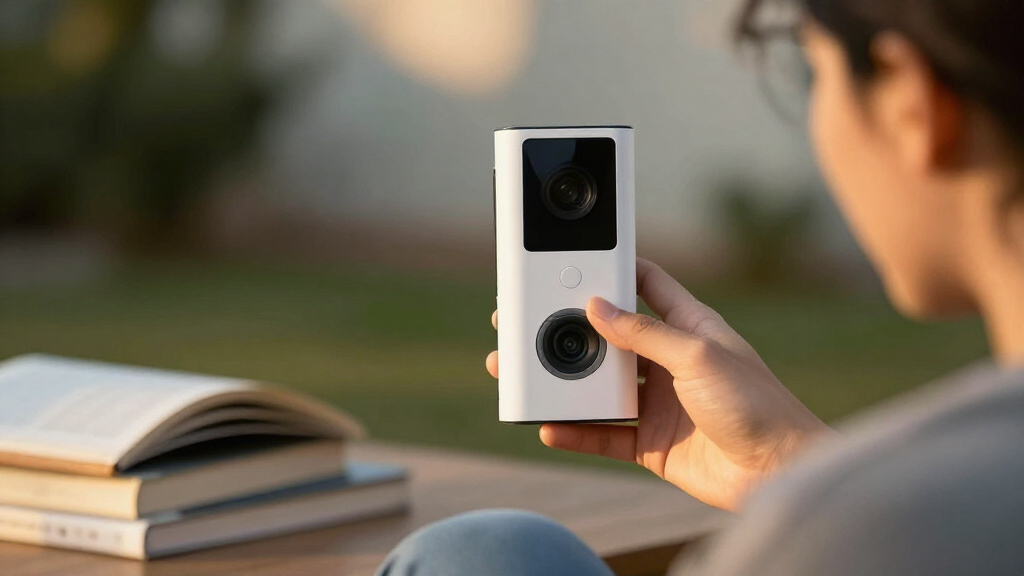
A smart doorbell chime and camera bundle combines a doorbell camera with an indoor chime or related camera so you can see visitors, hear alerts, and speak through an app. If the Ring Battery Doorbell with Head-to-Toe Video is unavailable where you shop, compare the Ring Wired Doorbell 2nd Gen with Chime, Ring Wired Doorbell Pro (3rd Gen) with Chime, and Blink Battery Doorbell 2K+ bundles by wiring, field of view, Wi-Fi, storage, and ecosystem fit.
A doorbell camera can show you who is at the front step, but a chime you can hear inside is what makes it useful when your phone is buried under a coat or charging in another room. If the Ring Battery Doorbell with Head-to-Toe Video is hard to find, or its listing has changed, you have several ways to replace the experience without assuming every bundle works the same way.
This guide compares Ring and Blink bundle options by video coverage, power, Wi-Fi, and what the included chime or extra camera actually adds. You’ll also get practical checks for wiring, storage, privacy, and setup—so you can choose a bundle that suits your doorway rather than buying based on a resolution label alone.
Product specifications and availability can change, so verify the current listing and manufacturer documentation before ordering. The goal here is a clear shortlist and a handful of questions suitable for a real buying decision: will it fit your wiring, reach your Wi-Fi, alert you where you need it, and record the part of the porch you care about?
The Ring Battery Doorbell with Head-to-Toe Video is not confirmed here as discontinued; compare alternatives if its listing is unavailable, and verify current…
Choose wired Ring options only after checking transformer and wiring compatibility; the Pro (3rd Gen) specification lists 16 or 24 VAC and 10 to 40 VA.
Compare field of view with your doorway’s mounting angle and package location; different manufacturers may describe coverage using different dimensions.
Confirm whether a bundle includes an indoor chime, an extra outdoor camera, or both—those solve different problems.
Before buying, check Wi-Fi reach, storage terms, privacy controls, account security, and the exact contents of the current listing.
What a smart doorbell chime and camera bundle actually gives you
A smart doorbell chime and camera bundle pairs a connected doorbell camera with a compatible way to hear its alert indoors, and some packages add a separate security camera. The doorbell sends video and notifications to your phone; the chime makes a sound in your home when someone presses the button. That distinction matters when you’re making dinner and your phone is on silent in a bedroom.
Think of the bundle as a small front-door system, not just a camera in a button-shaped shell. A visitor presses the button, your phone receives an alert, and an indoor chime can ring even if you don’t notice the notification. Two-way audio lets you answer through the app, while motion alerts can notify you before someone reaches the door. Features vary by model and may depend on app settings, network quality, or a paid service.
There’s a useful difference between an indoor chime and an extra outdoor camera. A chime helps you hear the doorbell. A second camera covers another angle, such as a side gate or driveway. If a package sits below the doorbell’s lens, a wider vertical view or a camera aimed at the porch may help; if your main problem is missing the ring, the chime is the more direct fix.
For example, a parent working in a basement may want a chime upstairs, while someone in a townhouse may value a second camera pointed at the shared entry path. Those are different needs, even if both buyers search for a bundle. Treat the word bundle as a prompt to inspect the box contents, not as proof that every package includes the same kind of chime.
Recent product descriptions often highlight high-definition video, motion alerts, night vision, and smart-home connections. But feature names don’t answer the practical questions: can the camera see the step, will the alert reach your phone, and can the chime be heard through a closed door? A helpful buying guide is a comprehensive one only when it connects specifications to these everyday moments.
Products Worth Considering

Bose QuietComfort Ultra Headphones (2nd Gen), Wireless Noise-Cancelling Over-Ear Headphones, Black

Bose QuietComfort Headphones (2nd Gen), Wireless Over-Ear Noise-Cancelling Headphones, Eucalyptus Green

Anker SOLIX C1000 Gen 2 Portable Power Station, 1,024Wh
As an affiliate, we earn on qualifying purchases.
How to replace the Ring battery model without buying the wrong setup
If you’re replacing the Ring Battery Doorbell with Head-to-Toe Video, start by matching the way it was powered and the coverage you rely on, then compare the chime and app ecosystem. The older model’s listed specifications include a rechargeable battery, optional hardwired connection, 1440 × 1440 video, and a 150° horizontal by 150° vertical field of view. A newer wired bundle may improve some specifications while changing installation requirements.
- Check how your current doorbell gets power. If you don’t have usable doorbell wiring, a wired-only replacement can turn a simple swap into an electrical project. If wires are present, confirm the transformer requirements against the model’s documentation.
- Decide what the chime needs to do. Look for the exact included chime model and confirm whether it rings indoors, works through the app, or needs a separate setup step.
- Measure the view you need. Compare the camera’s view of faces, packages, and the bottom step. Field-of-view numbers describe coverage, but mounting angle and distance change what appears in frame.
- Check Wi-Fi and storage. Confirm the supported band reaches the front door, then review whether clips need a subscription or have a local-storage option.
- Verify the exact package. Bundle names and contents can differ between listings. Check the model number, included accessories, warranty details, and installation instructions before purchasing.
Imagine your old battery doorbell showed a package near the threshold, but the wired replacement’s mounting position points slightly higher. A specification table won’t reveal that mismatch. A quick look at your own doorway—and, if possible, the camera’s mounting diagram—can prevent a perfectly functional camera from missing the very parcel you bought it to see.
Use current manufacturer pages for final confirmation. The provided product brief does not establish that the older Ring model has been discontinued, and availability can vary by seller and date. Treat an absent listing as a reason to compare alternatives, not as proof of permanent discontinuation.
Compare the Ring and Blink bundles by the details that change daily use
The most useful comparison is not a contest over one headline number; it is a check of coverage, power, connectivity, and what comes in the box. The listed alternatives include two wired Ring bundles and a battery-powered Blink doorbell-and-camera bundle. Specifications below reflect the supplied product brief, so confirm them on the current manufacturer or retailer listing before you decide.
| Option | Video and view | Power and Wi-Fi | What to check |
|---|---|---|---|
| Ring Wired Doorbell 2nd Gen with Chime 3rd Gen | Listed as Retinal 2K; 140° × 140° | Doorbell wiring, compatible Ring plug-in adapter, or compatible transformer; Wi-Fi 4, 2.4 GHz | Adapter and transformer are not included; confirm existing wiring and chime contents. |
| Ring Wired Doorbell Pro (3rd Gen) with Chime (2nd Gen) | Listed as 4K; 140° × 140° | 16 or 24 VAC, 10 to 40 VA; Wi-Fi 6, dual-band 2.4/5 GHz | Check transformer compatibility, Wi-Fi reach, and the exact included chime. |
| Blink Battery Doorbell 2K+ and Outdoor 2K+ bundle | Doorbell listed as 2K (2560 × 1440); 115° × 62° × 135° | 2.4 GHz Wi-Fi listed; package details specify battery power for the doorbell | Confirm battery type, recording options, and whether you want the extra outdoor camera. |
| Blink Outdoor 2K+ Camera and Battery Doorbell system | Doorbell view listed as 115° × 62° × 135°; outdoor camera resolution not specified in the brief | Outdoor camera uses two non-rechargeable AA 1.5V lithium batteries; 2.4 GHz Wi-Fi listed | Check whether the package includes a chime or a Sync Module, and confirm camera specifications. |
The older Ring battery model’s listed view is 150° horizontal by 150° vertical, while both Ring wired alternatives list 140° by 140°. Those figures are not a guarantee that one camera will show more useful detail in your doorway: lens shape, mounting height, and the approach angle all matter. A wide view can catch more of the porch but make a distant face appear smaller.
Consider a narrow porch with a low package shelf. The Blink doorbell’s listed three-part field-of-view figures may be useful to compare with the mounting diagram, while a Ring’s two-axis figures use a different presentation. Don’t compare the numbers as if they were measured or labeled identically. Check sample footage, if available, and confirm whether the camera can frame the step from your actual mounting point.
The Ring wired options may suit homes with compatible wiring and a preference for an indoor chime. The Blink bundle may make more sense if you want battery operation and a separate outdoor camera. The package label alone is not enough: verify the precise contents, app requirements, storage terms, and power accessories.
Choose wired or battery power based on your doorway, not convenience alone
Wired doorbells draw power from compatible existing doorbell wiring, while battery models can work where wiring is absent or unsuitable. Wired power can reduce the need to remove a device for charging, but it depends on the right transformer and installation conditions. Battery power gives you more placement flexibility, yet you need a plan for recharging or replacing batteries.
That tradeoff shows up in ordinary life. A renter in an apartment may not be allowed to alter the entry wiring, so a battery model can be easier to install and remove when moving. A homeowner whose old doorbell already has compatible wiring may prefer a wired system, especially if the doorbell sits high above a stairwell and would be awkward to take down for charging.
The Ring Wired Doorbell 2nd Gen listing in the supplied specifications supports a standard doorbell system, a compatible Ring plug-in adapter, or a compatible transformer; the adapter and transformer are not included. The Pro (3rd Gen) listing specifies 16 or 24 VAC and 10 to 40 VA. Those requirements make a quick check of your transformer label worthwhile. If you’re unsure how to assess household wiring safely, ask a qualified electrician rather than guessing.
Battery products also vary. The original Ring battery model uses a built-in rechargeable battery and can optionally connect to wiring, according to the provided specifications. For the Blink Outdoor camera in the listed system, the brief specifies two non-rechargeable AA 1.5V lithium batteries. That detail applies to the outdoor camera; don’t assume it describes the doorbell’s battery configuration.
Make a simple household test before choosing: is the current chime wired, where is the transformer, and can you comfortably reach the doorbell for maintenance? A person who travels often may value a stable wired installation, while someone in a rental may value a reversible battery mount. Neither choice wins for every home; the useful one is the power source you can support without surprises.
Pick video coverage that shows the face and the package
A doorbell camera’s field of view and resolution tell you how much of the scene it can capture and how much image detail it records, but neither number guarantees that you’ll identify a visitor. Mounting height, porch depth, lighting, and camera angle can matter just as much. A sharp image of an empty wall is still a poor view of the person standing one step below it.
For example, suppose your doorbell sits beside a glass storm door and a parcel is usually left near the bottom step. If the lens points straight ahead, it may frame a visitor’s face but crop the package. A small angled wedge, where supported by the manufacturer, can shift the view down the path. Before buying, compare the mounting instructions with the actual position of your existing doorbell.
The Ring Battery Doorbell with Head-to-Toe Video lists 1440 × 1440 HD and 150° horizontal by 150° vertical coverage. The listed Ring Wired Doorbell 2nd Gen advertises Retinal 2K and 140° by 140°, while the Pro (3rd Gen) is listed as 4K with the same 140° by 140° view. Blink’s listed doorbell resolution is 2K (2560 × 1440), with its view described as 115° × 62° × 135°.
Those labels need context. “2K” and “4K” are resolution claims, not promises about night visibility, motion blur, or how large a face looks at the edge of the frame. A visitor moving quickly in dim light can be harder to identify than someone standing still at noon, even with a higher-resolution sensor. Night vision, HDR, and the camera’s processing can affect the result, so check manufacturer sample footage and settings rather than relying on a label.
Write down the two things you need to see most—perhaps faces and parcels, or the gate and front steps. Then check whether one camera can frame both. If not, a bundle with a separate outdoor camera may solve a real blind spot better than paying attention to a larger resolution figure on the doorbell alone.
Make the chime and phone alerts work in the rooms you use
A bundle only solves the missed-doorbell problem if its alerts reach you where you spend time. The chime handles the sound inside, while the phone app handles remote notifications and live viewing. Before buying, confirm what the package includes and test the intended alert path in the rooms where you work, sleep, or care for family.
Start with a practical map of your home. Mark the kitchen, office, basement, and bedrooms, then note where you can hear an existing chime. If your current chime is barely audible behind a closed office door, a compatible plug-in or wireless chime may help—but only if it is explicitly supported and included or purchased separately. A smart speaker or phone alert is not automatically a substitute for a dedicated chime.
Next, check the app and ecosystem. Ring and Blink devices use their respective apps and product ecosystems; don’t assume a Ring chime will work with a Blink doorbell, or that a feature listed for one model transfers to another. Smart-home compatibility can include voice assistants or routines, but support varies by device, account, region, and software version. Confirm the specific model rather than relying on a brand name.
Imagine a delivery arriving while you’re on a video call with headphones on. A phone notification may appear silently, while an audible indoor chime could still alert someone else at home. On the other hand, if you live alone and already carry your phone, the chime may matter less than reliable motion alerts and clear two-way audio. That’s why a bundle’s practical value depends on your daily routine.
During setup, test a button press and a motion alert separately. Adjust notification permissions, sound settings, and motion zones where the model supports them. If the camera sends alerts every time a tree shadow moves across the porch, reduce the monitored area or sensitivity instead of turning notifications off completely. The goal is a clear, useful knock—not a phone that buzzes all afternoon.
Check storage, subscriptions, and privacy before you mount the camera
Video storage determines whether an alert leaves you with a live view only or a clip you can watch later. Some systems rely on cloud recording plans, while others may offer local storage through supported hardware; the exact options vary by device and plan. Check recording history and fees before purchase, because a camera’s basic live-view feature does not automatically mean it stores past events.
Picture a package disappearing after a delivery notification. Live view may help if you open it in time, but a saved clip is what can show when the parcel arrived and who picked it up. Before choosing, look for the length of video history, clip download options, event limits, and whether storage requires a subscription. Read the current plan terms; features and prices can change, and this guide does not quote prices.
Privacy deserves the same attention as storage. Aim the camera at your own entrance rather than a neighbor’s windows, and check local rules about recording audio or shared spaces. A front door may face a public sidewalk or apartment corridor, where other people pass routinely. Use privacy masks or activity zones if the device supports them, and tell household members where cameras are placed.
Protect the account as well as the camera. Use a unique password, turn on multifactor authentication if offered, keep the app and device firmware updated, and limit account access to people who need it. These are defensive steps that lower the risk of someone using a weak or reused password to enter your account. Security features differ, so verify current manufacturer documentation for encryption, account controls, and supported update policies.
Research claims about AI features, facial recognition, package detection, or end-to-end encryption carefully. The supplied product brief describes these as broader market developments, not verified features for every Ring or Blink bundle in this comparison. A vendor feature page is a claim about a product; it is not the same as an independent, peer-reviewed finding. Check the exact model and date any fast-changing feature information.
Use this short checklist to narrow your shortlist
You can narrow a crowded product page to a sensible shortlist by matching the bundle to your home in a few deliberate checks. Start with the two constraints that are hardest to change—power and placement—then look at chime, coverage, and recording. That order prevents a tempting feature from distracting you from a deal-breaking installation requirement.
- Write down your power situation. Note whether you have doorbell wiring and, if known, the transformer rating. If you rent or cannot modify wiring, favor a battery option and check how the device charges or replaces batteries.
- Choose your must-see area. Decide whether you need faces, packages, a side path, or all three. Compare the camera view and mounting angle against your doorway rather than treating field-of-view figures as interchangeable.
- Confirm the indoor alert. Find the chime model in the package contents. Ask whether it rings indoors and whether it needs an outlet, existing wiring, an app, or an additional accessory.
- Check the network. Confirm the Wi-Fi band supported by the doorbell and test signal near the door. A router that works well in the living room may struggle through brick, metal siding, or a long hallway.
- Read the recording terms. Find out whether event clips are stored locally, in the cloud, or only through a subscription, and how long you can review them.
- Verify the exact listing. Match model numbers, included accessories, warranty, dimensions, and return terms to the manufacturer’s current documentation.
For a wired home where an indoor chime matters, the Ring Wired Doorbell 2nd Gen with Chime may be a straightforward comparison point, provided its power requirements fit. If you want a higher listed resolution and dual-band Wi-Fi and have compatible wiring, compare the Ring Pro bundle. If you want battery placement flexibility plus another camera, examine the Blink bundle’s exact contents and storage details.
Take a photo of your doorway and note the distance from the lens to the step. That small bit of preparation can reveal a blind spot before a box arrives. A careful five-minute check is often more useful than scrolling through dozens of feature badges.
Know what a bundle can—and cannot—do for home security
A smart doorbell bundle can help you see visitors, receive alerts, and review supported recordings, but it cannot guarantee that a parcel stays put or that every event gets captured. Its value comes from making information easier to access. It is a visibility and notification tool, not a substitute for good lighting, secure doors, or a plan for deliveries.
Consider a household that receives a delivery while nobody is home. A motion alert might arrive before the courier leaves, and two-way talk may let a resident ask for the parcel to be placed behind a planter. If the service stores a clip, the household may later review the event. But a weak Wi-Fi signal, a disabled notification, or a storage plan without recording could change what the system captures.
Likewise, a camera pointed toward a shared hallway may record neighbors or visitors who have not agreed to be part of your home-security setup. A well-placed device aims at your threshold and uses privacy controls where possible. Before installation, think about who appears in frame, how long recordings remain accessible, and who in your household can view them.
False alerts can also wear down trust. A flag moving in the wind or headlights sweeping across a porch may trigger motion detection, depending on the device and settings. Instead of ignoring every alert, adjust the monitored area, sensitivity, or notification schedule where supported. A calm, useful alert pattern is better than a flood of pings that teaches you to swipe them away.
Finally, remember that “smart” features can change with app updates, plan terms, and manufacturer support. Check release notes and product documentation for current functionality. The bundle that fits your home is the one whose everyday limits you understand: what it sees, what it stores, how it alerts you, and what still depends on a person responding.
Frequently Asked Questions
Is the Ring Battery Doorbell with Head-to-Toe Video discontinued?
The information used for this guide does not confirm that the model has been discontinued. Listings and availability can vary, so check Ring’s current product pages and authorized sellers. If you cannot find it, compare the wired Ring bundles and Blink battery options by power, view, chime, and storage rather than assuming they are identical replacements.
Does every smart doorbell and camera bundle include an indoor chime?
No. A bundle may include a dedicated chime, an extra outdoor camera, or other accessories, and the word “bundle” alone does not tell you which. Read the box contents and model numbers carefully; a second camera watches another area, while an indoor chime makes the doorbell audible inside.
Can I install a wired Ring doorbell without existing doorbell wiring?
The listed Ring Wired Doorbell 2nd Gen supports a standard doorbell system, a compatible Ring plug-in adapter, or a compatible transformer, while the adapter and transformer are not included in the supplied specifications. The Pro (3rd Gen) listing specifies 16 or 24 VAC and 10 to 40 VA. Check the current installation guide and seek qualified help if you are unsure about household wiring.
Is a battery doorbell better than a wired model?
Neither is better for every home. Battery models offer flexible placement and can suit renters, while wired models avoid routine battery charging when the wiring is compatible. Think about how easy the unit is to reach, whether you can modify the wiring, and how dependable the Wi-Fi signal is at the door.
Do smart doorbell cameras need a subscription to save video?
Recording and storage options depend on the model, region, and current service plan. Live view does not automatically mean you can review clips later, so check whether the product supports cloud history, local storage, or a subscription and how long recordings remain available. Verify current terms before you buy because plans and features can change.
How can I reduce false motion alerts?
Start by adjusting motion zones and sensitivity if your model offers those controls, and aim the camera away from moving trees or busy areas where possible. Test the settings at different times of day; headlights or changing shadows can behave differently from a person walking up the path. Keep useful alerts enabled rather than silencing every notification.
Conclusion
Choose the bundle that fits your power source, doorway view, and alert routine, then verify its chime and storage details on the current listing. A higher resolution label cannot fix a camera aimed too high, and an included extra camera cannot replace the indoor chime you actually need.
Stand where your packages land, look back at the door, and ask what you need the camera to show. The right setup should make that small patch of porch feel less like a blind spot and more like a place you can keep an eye on.