
🔍 Read the full analysis: How These 10 Ultrawide Monitors Serve Gamers And Productivity Users on ThorstenMeyerAI.com

Get business pricing on tech for your team
- Business-only prices and quantity discounts
- Tax-exempt purchasing
- Multiple users, one account, clear invoices
TL;DR
ThorstenMeyerAI.com’s buying guide compares 10 ultrawide monitors, focusing on gaming performance and productivity features. The guide identifies 34-inch WQHD models as a balance between screen size and hardware demands, and says 49-inch DQHD displays offer a wider view but require more desk space and graphics capability.
ThorstenMeyerAI.com’s guide compares 10 ultrawide monitors for gaming and productivity, using screen size, resolution, refresh rate and connectivity as its main points of comparison. The guide names the 34-inch Samsung ViewFinity S50GC its best overall pick and describes the 49-inch Samsung Odyssey G9 as an option for a wider gaming view. It also notes that larger displays can require more desk space and graphics capability.
ThorstenMeyerAI.com’s recommendations address different user priorities rather than presenting one monitor as suitable for everyone. The guide favors 34-inch WQHD displays for a balance of text sharpness and hardware demands, and names the Samsung ViewFinity S50GC as its overall choice. It also lists the Dell S3425DW among productivity-oriented options, citing USB-C as a way to connect a laptop and carry video and power over one cable.
For larger setups, the guide compares the Samsung Odyssey G9 and Deco Gear 49-inch models. It says both use a 49-inch DQHD format that provides a wider gaming view and space for multiple windows. The guide describes the Deco Gear as an option for users seeking USB-C power delivery and notes that a 49-inch screen requires substantial desk space and may place greater demands on a graphics card.
The guide’s gaming-focused picks include the SANSUI 34-inch and CRUA 49-inch, which it says offer refresh rates of at least 144Hz. It also says refresh rate alone does not establish overall picture quality or ergonomics, and that its evaluation considers visual fidelity, stand practicality and connectivity. The supplied material does not give exact specifications for every one of the 10 picks.
The 10 picks
- 1
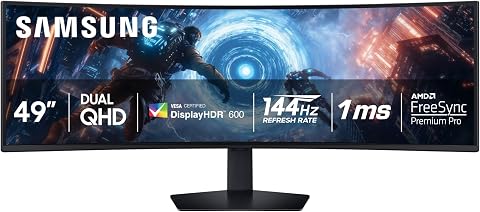 Samsung 49-Inch Odyssey G9 Curved DQHD Gaming Monitor, 144HzView on Amazon →
- 2
 CRUA 49-Inch DQHD Curved Gaming Monitor, 165HzView on Amazon →
- 3
 Deco Gear 49-Inch Curved Ultrawide Monitor, 5120 × 1440, 120 Hz, USB-C 65 WView on Amazon →
- 4
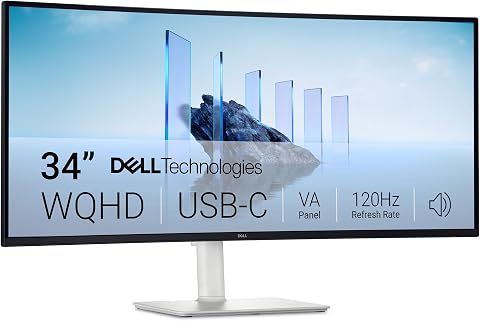 Dell S3425DW 34-inch Curved WQHD USB-C MonitorView on Amazon →
- 5
 Kado by Sceptre 2-Pack 34-Inch Curved Ultrawide Gaming MonitorsView on Amazon →
- 6
 Samsung 34-inch ViewFinity S50GC Ultra-WQHD MonitorView on Amazon →
- 7
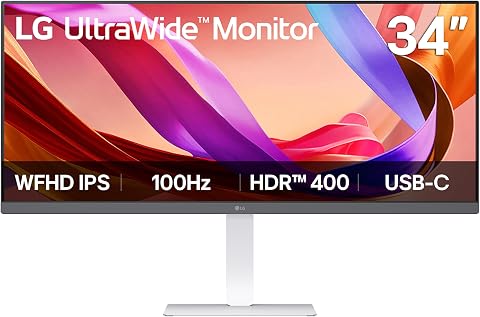 LG 34U530A-W 34-Inch UltraWide WFHD IPS MonitorView on Amazon →
- 8
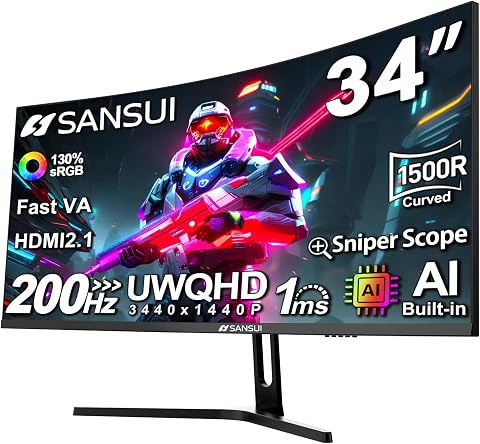 SANSUI 34-Inch Curved Gaming Monitor UWQHD 3440 x 1440P Up to 200Hz 165Hz Cur…View on Amazon →
- 9
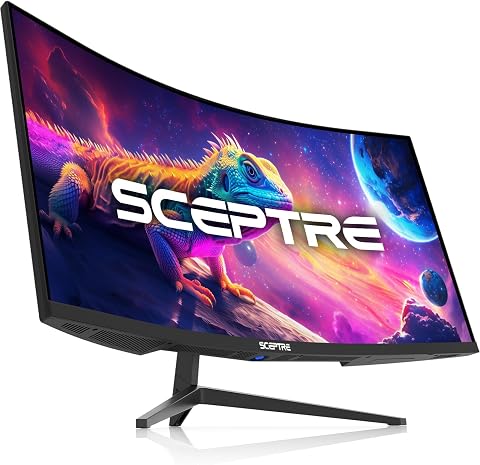 Sceptre 34-Inch Curved Ultrawide WQHD Gaming Monitor (C345B-QUT168 Series)View on Amazon →
- 10
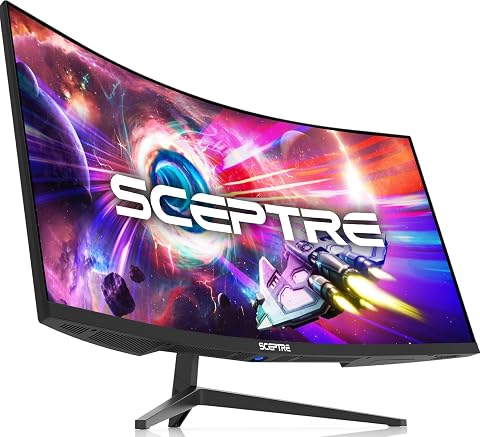 Sceptre 34-Inch Curved Ultrawide WQHD Gaming Monitor (C345B-QUT168)View on Amazon →
Matching Screen Size to the User
The comparison addresses how ultrawide displays can serve gaming and work differently. As described in the guide, additional horizontal screen space can widen a game’s field of view or allow multiple windows to sit side by side. Resolution and pixel density affect the clarity of text and fine details.
The guide’s stated tradeoff is that 49-inch DQHD models provide a broader image but require more room and can be harder to run at high frame rates. A 34-inch WQHD monitor may be easier to accommodate and drive, while providing less peripheral view. The guide also identifies USB-C as a consideration for laptop users. It does not provide measured performance tests or price comparisons to establish value across the models.
Products Worth Considering

LG UltraGear 25G590B-B 25-Inch Full HD 1000Hz Gaming Monitor

LG UltraGear 27-inch QHD OLED Gaming Monitor, 240Hz

LG UltraGear 32GX850A-B 32-inch 4K UHD OLED Gaming Monitor
As an affiliate, we earn on qualifying purchases.
How the Guide Ranks Displays
ThorstenMeyerAI.com says it assessed the monitors using visual fidelity, ergonomic practicality and connectivity versatility. The guide lists resolution relative to screen size, panel type, stand adjustability, desk footprint and features such as USB-C power delivery or a KVM switch among its criteria. It says its rankings favor balance across categories.
The guide distinguishes WQHD at 3440 by 1440 on 34-inch monitors from DQHD at 5120 by 1440 on 49-inch models. It also associates a tighter 1000R curve with the Odyssey G9 and describes gentler 1500R curves on some lower-cost models. These are descriptions and selection criteria from the guide; the supplied material does not document independent laboratory testing.
Specifications and Prices Not Provided
The supplied source material does not name all 10 monitors or provide complete specifications, current prices, retailer availability, warranty terms or test results for each. The guide does not identify the graphics cards or settings underlying its discussion of GPU demands, so readers cannot use the material to determine expected frame rates in a particular game.
The guide names the ViewFinity S50GC its best overall choice but does not disclose a scoring breakdown or explain each model’s performance against every criterion. Descriptions such as “unmatched” immersion are the guide’s characterization, not independently verified findings. Buyers should check current manufacturer specifications and prices before purchasing.
Check Models Before Buying
The source provides no announced follow-up, test schedule or update date beyond labeling the guide for 2027. Readers can compare exact model specifications, including native resolution, refresh rate, USB-C power delivery, stand adjustments and warranty, with their computer and desk setup. The supplied guide does not establish current pricing or availability.
Key Questions
Which monitor does the guide recommend overall?
ThorstenMeyerAI.com names the 34-inch Samsung ViewFinity S50GC as its best overall pick, citing its balance of WQHD resolution and connectivity. The source does not provide a detailed scoring table.
Why choose a 49-inch ultrawide?
The guide says 49-inch DQHD screens, including the Samsung Odyssey G9 and Deco Gear, provide a wide gaming view and substantial workspace. It also notes that these displays need more desk room and may require a more capable GPU, particularly for high-refresh gaming.
Which features can help with laptop productivity?
The guide highlights USB-C with power delivery, which can carry video and charge a laptop over one cable. It cites the Dell S3425DW and Deco Gear model as examples, but buyers should verify the exact ports and power output for the version they plan to purchase.
Does the source compare all 10 models in detail?
No. The supplied material names several models and summarizes its evaluation criteria, but does not provide complete specifications, prices or test results for all 10 picks.
Source: ThorstenMeyerAI.com